 Skip to content
The most popular Team communication apps 2025 will be characterized by intelligent workflows, a remote-first culture and deep system integration. Companies of all sizes are increasingly relying on specialized tools to effectively strengthen internal collaboration and standardize communication channels. This overview shows which solutions will be particularly impressive in 2025 - including functions, prices and practical tips for making the right choice.

Key points
- Slack offers over 800 integrations - ideal for hybrid teams
- Microsoft Teams scores with excellent Office connection
- Google Chat is suitable for small workspace-based teams
- AI integration is becoming the new standard in many apps
- Data protection is increasingly becoming the focus of providers
Slack: Versatile team communication for dynamic teams
Slack remains one of the strongest tools for companies that rely on flexibility and integration. Especially the variety of available App interfacesThe clean design and the option to automate workflows ensure structured collaboration. Users benefit from threads, channels, huddles and a search with filter system. The hurdle to implementation is low - the tool can be scaled quickly.
In combination with AI-based assistants Slack can significantly simplify routine communication. Companies with clear structures and internal automation can raise productivity to a new level. At the same time, it is worth User acceptance to keep an eye on: Well-structured training and the targeted setup of appropriate notifications make it possible to avoid duplicate communication and bring the team up to a uniform level.
Many teams also benefit from the functions that Slack offers for asynchronous work. Channels and threads can be created specifically for different topics and short status messages provide a clear overview. With the huddle function, an audio conversation can be started spontaneously without immediately scheduling a large meeting. In addition, the integrated search with filters ensures that relevant messages and files can be found quickly, which is particularly useful when different projects are running in parallel. For IT-savvy companies, Slack is also an ideal basis for integrating more complex workflows, such as notifications of new bugs or deployments.
With all these features, it is important to always define the required channel and role structures. Too many channels or integrations can confuse employees and make the system confusing. A clear Channel strategy and the use of automation via the workflow builder are among the key success factors here.
Microsoft Teams: Connected work for Office 365 users
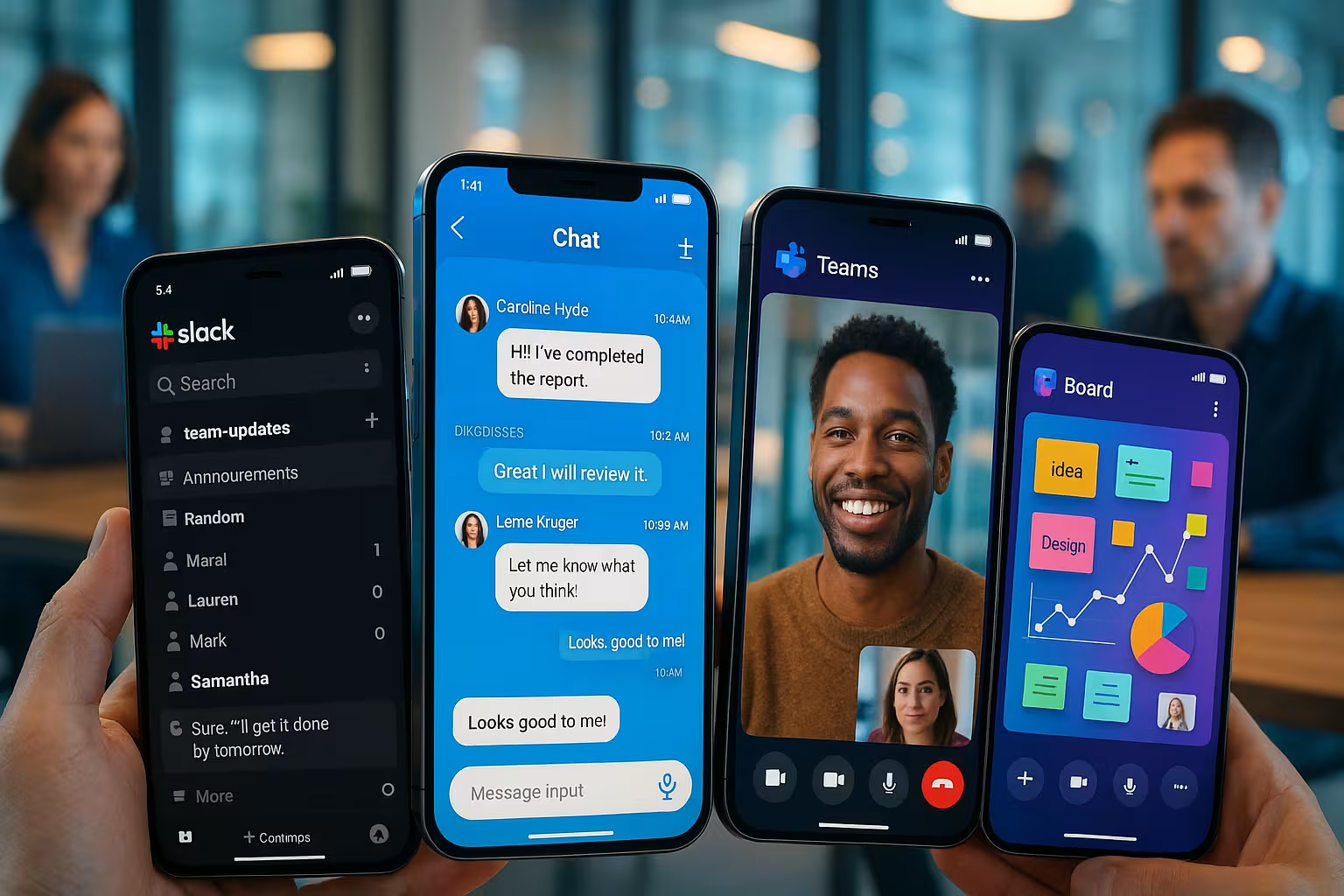
Microsoft Teams is ideal for large corporate structures and medium-sized companies that rely on Microsoft 365. By editing files directly, scheduling meetings and linking tasks, the app becomes a centralized Work platform. The Copilot functions are particularly useful: Minutes, meeting summaries or to-dos are created automatically from conversations.
Scaling works smoothly via the central administration. Not every user immediately gets to grips with the multitude of functions, but after a few days the efficiency of the solution becomes clear. In view of numerous Office integrations - such as Excel, Word, OneNote or PowerPoint - workflows can be significantly standardized. In addition, Microsoft Teams enables a deep connection with SharePoint, allowing document management and file exchange to take place directly in the tool.
A key advantage of Microsoft Teams is the ability to hold meetings with up to several hundred participants. This makes the tool particularly interesting for webinars, online training courses or company-wide town hall meetings. New features such as Breakout rooms support the division of large groups into smaller discussion groups. This means that virtual conferences can also be made much more varied and interactive.
For administrators, Teams offers a sophisticated User and authorization management. Departments or projects are given their own teams and channels, which in turn can be clearly delineated. If you want structured user management and location-independent file storage, Microsoft Teams is a comprehensive solution that is constantly being developed further.
Google Chat: Reduced tool with clear integration
Google Chat is particularly suitable if users work almost exclusively in Google Workspace. The direct link to Google Docs, Meet and the calendar saves time in project communication. The intelligent structure of Spaces makes it possible to bundle topics without distraction. Anyone who prefers simple processes will find a convincing solution here.
Administrators also benefit from the existing Google security standards. As the app is permanently integrated into the Workspace package, there are no additional costs. For companies looking for a lightweight Collaboration solution, this is a major advantage as no complex installation or additional license maintenance is required.
Google Chat is particularly impressive due to its seamless connection to the other workspace tools. Documents can be commented on or shared directly in chat messages, and meetings can be organized via Google Meet without having to switch tools. This eliminates the need to switch between different platforms for teams that prioritize research or joint editing of documents. At the same time, the tool impresses with its very simple interface, which is almost self-explanatory. Google Chat therefore offers a solid basis for short-term projects with clear objectives. However, greater customization or integration of external tools is more limited compared to Slack or Microsoft Teams.
Creativity meets technology: Discord in a corporate context
Discord surprises 2025 with new business functions. The platform allows a unique combination of Voice communicationgroup chats, shared rights and API access. Tech-savvy teams and start-ups in particular, who prefer a less formal communication culture, appreciate Discord's open structure.
Role concepts facilitate the organization of larger project groups. Also as Communication platform via WebRTC technology Discord scores with smooth communication and virtually latency-free audio transmission. Unlike traditional business tools, Discord impresses with a very lively community and continuous further development of numerous functions.
In the corporate environment, Discord is particularly popular for spontaneous stand-up calls or informal brainstorming sessions. Thanks to the ability, Screen sharing ideas and presentations can be exchanged quickly. In addition, server customizations are intuitive: administrators define clear channel structures and role rights so that every team member knows where to find relevant information. Nevertheless, Discord often requires a certain willingness to learn on the part of employees who have had little to do with gaming-like interfaces in the past. The platform is therefore primarily suitable for companies that already have a young or technology-agnostic team.

Zoom Team Chat: Strong video quality meets chat function
Zoom Team Chat is particularly impressive thanks to its seamless connection to Zoom's popular video meetings. Those who are often in virtual communication rounds benefits from a stable system with synchronous text and video exchange. Special features such as video transcriptions and reactions during ongoing meetings enhance the user experience.
Zoom is a solid option for remote teams. Those who already use Zoom Pro can often use the chat function at no extra cost. In addition, the platform scores with very good video and audio quality, even with larger numbers of participants or weaker internet connections. Users particularly praise the simple scheduling via the calendar and the option to start meetings directly in the chat.
One challenge is getting all team members regularly involved in the same chat channels, as Zoom has long been associated with video calling alone. In the meantime, however, Zoom is rapidly expanding its portfolio - functions such as Whiteboardingbreakout rooms or screen sharing functions make the platform more versatile. The integration of additional services such as Zoom Phone or Zoom Events is also becoming increasingly important for companies that want an all-round carefree package for telephony, video and chat. However, managing multiple licenses remains a cost factor that should be carefully calculated.
Efficiency at a low price: Flock & Chanty in comparison
Flock focuses on simple handling and convenient use. The app combines messages, tasks, meetings and reminders in a standardized interface. Smaller companies or start-ups in particular can benefit from this All-in-one app benefit. Even with the free plan, group chats, files and to-dos can be organized efficiently.
Chanty, on the other hand, offers integrated task management that can be derived directly from chat messages. This solution is clearly aimed at structured, small teams. The simple interface minimizes training times. Both tools are also ideal if budgets are limited or the team size remains manageable. Also Growth phases can be bridged well, as the applications can usually be switched to paid tariffs without major hurdles.
The calendar integration is particularly interesting for Flock users, as appointments and tasks can be managed in one central location. At the same time, you can directly from the chats Video conferencing which promotes a lean workflow. Chanty, on the other hand, scores with a search function - very important for many teams - that quickly finds old messages and files. Here too, it is worth carefully creating the necessary channel structures and actively moderating them in order to maintain an overview.

Connecteam and Troop Messenger: focus on mobile teams and data protection
Connecteam creates a clear advantage for field service teams with GPS tracking, time management and training modules. Mobile employees in particular benefit from the intuitive Smartphone use of the app. Internal messages can also be targeted according to role, location or task.
Troop Messenger offers simple chat functionality with a high level of data protection. The special feature: "burnout mode" automatically deletes past messages. Ideal when it comes to dealing with security-relevant information goes. The price is one of the lowest in this comparison.
Companies with a strong focus on field service or decentralized teams are increasingly relying on Connecteam. With live location updates, management can see where employees are in real time without having to make manual arrangements by phone. In addition Check-insbreaks or project times quickly via the app. This data flows directly into personnel management and makes payroll accounting easier.
Troop Messenger, on the other hand, is particularly attractive if the Data protection has top priority. In addition to the automatic deletion of sensitive information, encrypted connections and controlled access rights are important pillars of the application. Anyone working in industries with high compliance requirements will find a well-structured, easy-to-use platform for secure team communication.
Mattermost: Developer-friendly tool with open source architecture
Companies with high data protection requirements or development teams benefit from a fully integrated customizable solution. Mattermost scores as an open source app with the option of using your own server or private clouds. Additional functions such as self-hosting and granular role control make the tool particularly versatile for technology companies.
The setup is not entirely trivial, but in return it offers maximum control over all data paths. Anyone who values internal server structures, comprehensive APIs and the fine-tuning of official or company data protection guidelines will find Mattermost to be the perfect solution. long-term and scalable Solution. Especially for DevOps teams Mattermost is interesting for developers because integrations with GitLab, Jenkins or Jira can be implemented seamlessly. This eliminates the need to constantly switch between different platforms, which speeds up workflows and reduces error rates.
Another advantage is the active community behind Mattermost, which regularly develops plug-ins and extensions. This means that the tool is always up to date and can be adapted to the needs of different industries. However, those responsible must have sufficient Server and administration resources in order to operate Mattermost securely. Good documentation and professional IT support are almost essential here.
Direct functional comparison of top communication solutions in 2025
In order to better categorize the selection, the following table provides an overview of the key features of the most popular team communication apps in 2025:
| App | Special features | Price from | Suitability |
|---|---|---|---|
| Slack | Integrations, Workflow Builder, Huddles | 8 € / user | Hybrid teams, large organizations |
| Microsoft Teams | Office integration, AI, task management | 5 € / user | Microsoft environments |
| Zoom Team Chat | Video quality, transcription, meeting planning | 15 € / user | Remote-first teams |
| Chanty | Chat + tasks, unlimited history | 4 € / user | Small businesses & start-ups |
| Mattermost | Open source, data protection, self-hosting | 10 € / user | Dev teams, compliance projects |
When taking a closer look at the functions, it is worth considering aspects such as support, scalability and further development in addition to the pure range of functions. Startups often have different requirements than large corporations, which is why some tools only prove themselves in combination with other tools. Project management solutions unfold. With Slack and Microsoft Teams in particular, it is advisable to check early on in the selection process how well your own workflows can be mapped and what costs will arise as the number of users increases.

What counts today: Trends for team sharing in the digital age
In 2025, the focus will be on three developments: AutomationAI and mobile-first use. Tools such as Microsoft Teams integrate machine learning for meeting summaries or automatic to-do creation. Slack is moving further in the direction of modular systems with bots and workflow automation.
Chatbots for the internal communication deployment are becoming increasingly popular. They take over simple information queries or automatically forward them to the relevant team members. In addition Analytics functions is becoming increasingly important: managers increasingly want insights into communication habits or response times. Intelligent dashboards can help to uncover bottlenecks in teams and identify potential for improvement.
We are also seeing an increasing trend towards stronger Asynchrony. Instead of constant real-time communication, many companies rely on clearly defined times for deep work and slot-based meetings to maintain focus. Agile methods such as Kanban or Scrum are seamlessly embedded in team communication with the help of suitable apps and ensure transparency. The combination of project management, time recording, file storage and chat in a central application is becoming more prominent.
In addition Diversity and inclusion in virtual rooms. New meeting functions such as automatic subtitling, transcription services and accessible interfaces help to ensure access to important information for all team members. This is particularly beneficial in global organizations where multiple languages and time zones come together.
Recommendation: Which tool suits your company?
For Microsoft 365-based companies, Teams is almost always the most efficient option - integration and features are a perfect match. Slack offers more flexibility when different tools need to be connected. Small, focused teams will find easily scalable offerings with Chanty or Flock. Developers consider Mattermost if data protection and self-control are important. Field service companies are currently using Connecteam optimally.
Team communication is not a one-size-fits-all solution - the choice should always be based on the Workflow and oriented towards the employees. Those who prefer a very formal structure are well advised to use Microsoft Teams or Google Chat. More creative, agile environments feel more at home in Slack or Discord. In addition, a combination of several tools can make sense in some cases, for example if a company needs both an open platform for brainstorming (Discord) and for formal projects (Microsoft Teams).
Important: Before you commit yourself, a short Test phase with selected employees in order to obtain feedback and functional requirements. This ensures that the final tool not only meets the needs of management, but also those of the workforce.
Summary: Communication requires clarity
In 2025, team communication apps will offer a range of functions that go far beyond basic chat. AI, smart workflows and integrations solve administrative friction points. It is important to choose a tool that fits your processes and security requirements. For those who pay attention to availability, support and technical hosting, we offer webhoster.de suitable solutions for everyday communication.


