 Skip to content
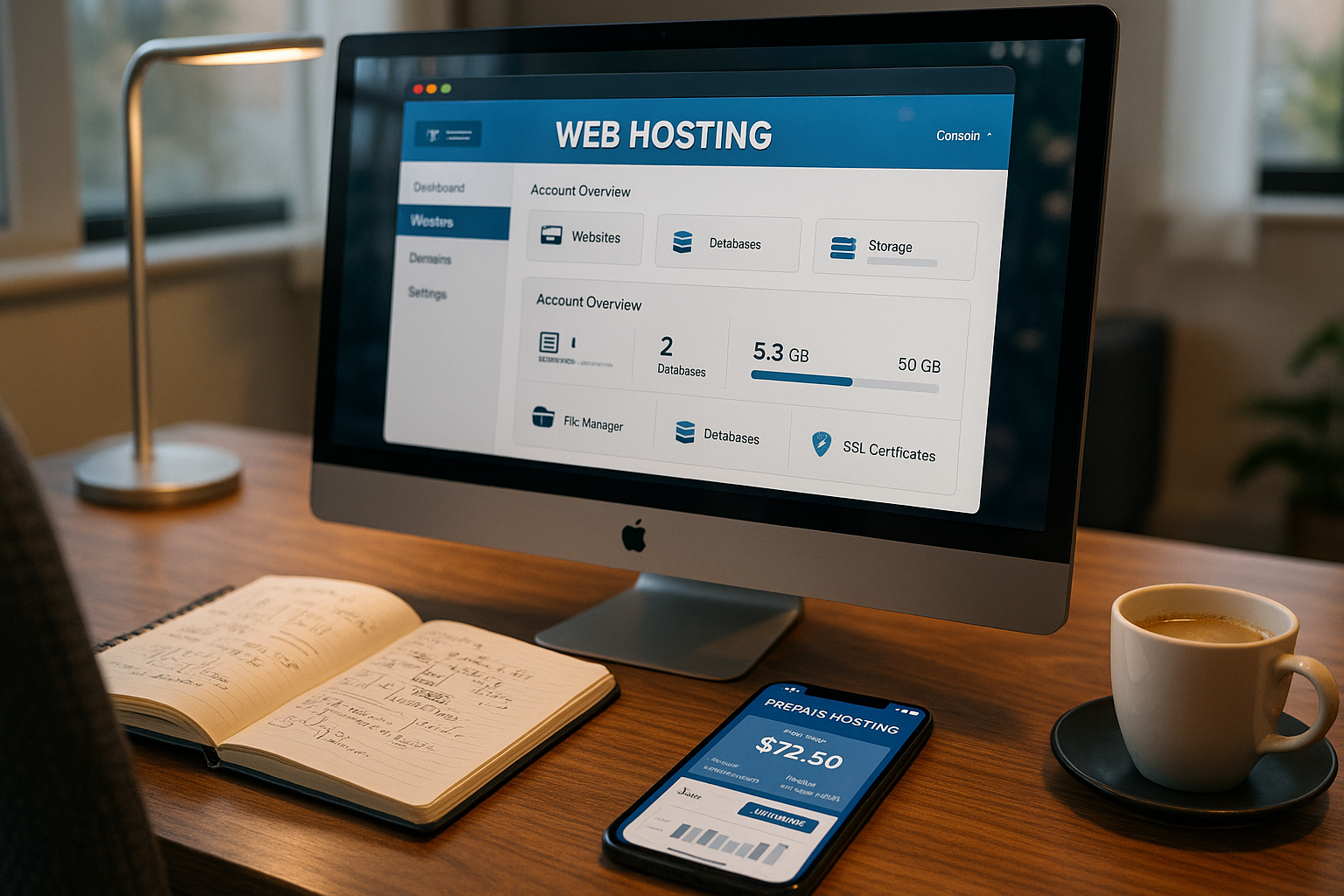
Prepaid webhosting allows me to keep websites online for exactly as long as a project is running - on a credit basis, without a runtime and with a clear cost display. I use it for test sites, campaigns and temporary launches because I can Flexibility and full control over resources.
Key points
To help you decide more quickly, I will briefly summarize the most important aspects. The following key points will help you to classify the use and benefits correctly. I've deliberately kept them compact so that you can get straight to the point. When reading, pay attention to the highlighted terms that I pay particular attention to in everyday life. This will give you a clear overview of the following in just a few moments Costs and benefits.
- Credit modelCharge, consume, pause - full control.
- Fast startProject live in minutes, without contract commitment.
- Technology statusCurrent PHP versions, NVMe SSDs, SSL included.
- Use casesEvents, landing pages, tests, time-limited stores.
- TransparencyNo subscription, no renewal, clear billing.
The list covers the most common practical cases and reflects my daily requirements. When projects end, I allow the credit to expire and thus prevent unnecessary Fixed costs. If I need web space again, I reload in seconds. This type of use protects my budget and schedule. I remain capable of acting and use hosting that suits my needs. Targets fits.

What is prepaid webhosting?
With prepaid webhosting I book webspace on Credit balance and pay in advance, similar to a prepaid cell phone. If the amount reaches zero, I top up or pause the project without reminders or extensions. This structure is suitable for proof-of-concepts, campaign pages and experiments with new Technologies. I use it to test new themes, headless setups or frameworks, for example, without committing myself. This reduces risk because I have neither long-term payment obligations nor notice periods.
Advantages of prepaid webhosting
The biggest plus point is real FlexibilityI only use resources when I need them. Start, stop and change usually take minutes, which allows me to adapt projects spontaneously. Many providers deliver free SSL-certificates, one-click installers, traffic flats and the option to integrate your own domains. Modern systems rely on NVMe SSDs, HSTS and caching, which noticeably reduces loading times. I also benefit from daily data backups and DDoS protection, which can mitigate outages. This mix of convenience and speed makes short campaigns predictable and calculable.

Disadvantages and limits
If there is no automatic top-up, a project will go offline more quickly than with an annual package, which I avoid with permanent websites and can do in good time. reload. Some providers charge extra for their own domains or offer fewer additional functions than large subscription packages. I therefore check the performance data carefully before I make productive Pages migrate. For long-term stores or company websites, I prefer hosting with a clear term and SLA. Prepaid remains ideal for me if a project has a clear end or I want to test technology stacks without risk.
Billing and automation
Prepaid only has a relaxed effect if the Charging logic sits. I set thresholds (for example 20 % remaining balance) and get notified by email before a site goes offline. Where available, I activate a Car charging in small, predictable amounts. It is important to me to separate project and customer accounts so that budgets remain clearly allocated. I establish clear rules in teams: Who can charge, who can only view? For campaigns, I use a Consumption forecast from traffic, cron jobs and scheduled peaks (e.g. advertising placements). If the provider provides APIs, I automate warnings and balance checks via scripts. In this way, I avoid surprises, keep processes lean and remain capable of acting even with several parallel projects.
Prepaid webhosting in comparison
To categorize the model, it helps to look at alternatives and typical applications. I always compare flexibility, cost structure and duration before I start. That way, I can see whether it's better to run short-term campaigns on a credit basis or with a monthly subscription. For continuous operation, I also consider reliability and guaranteed Performance. The following table summarizes the most important differences so that I can make decisions more quickly.
| Model | Flexibility | Cost transparency | Runtime | Recommendation for |
|---|---|---|---|---|
| Prepaid webhosting | Very high | Very high | As required | Events, Tests, Projects, Marketing |
| Web hosting payable monthly | High | High | Monthly cancelable | Startups, blogs, websites in development |
| Annual web hosting | Low | Medium | 12 months, often extendable | Ongoing company websites, stores, WordPress agencies |
| VPS Hosting | Very high (technical) | High, depending on provider | Monthly, annual, flexible | Professional applications, complex projects |
| Dedicated hosting | Low | High (clear settlement) | By contract | Large companies, high-load projects |
I make a pragmatic decision: test phases run on PrepaidLaunch and continuous operation often with a monthly or annual package. Projects with an unclear duration benefit from credit control because I smooth out budget fluctuations. I tend to place critical business applications on VPS or dedicated environments. In this way, I combine speed at the start with reliable availability in continuous operation. This mix avoids surprises and keeps my Costs predictable.

Technical criteria that I check
Before I start a project, I check NVMe SSDs, current PHP versions, HTTP/2 or HTTP/3 and the Web server. I pay attention to automatic daily backups, restore points and DDoS protection. Another fixed point is support response times, ideally with 24/7 availability. For data protection, I count on server locations in the EU and a clear DSGVO-communication. Newcomers will benefit from a look at the compact Web hosting basicsto classify technical terms more quickly. The better the basis, the faster I can get content online securely and with high performance.
Resource limits and performance tuning
Shared prepaid environments usually require clear LimitsProcesses, RAM, CPU seconds, inodes and concurrent connections. I set up projects so that they run stably within these limits. PHP-FPM with OPcachetargeted object caching and clean cache headers (browser, CDN, server). Compression (Gzip/Brotli), image optimization (WebP, suitable sizes) and minimized assets reduce load and costs. With WordPress, I deactivate unnecessary plugins, limit cron intervals and use staging for major changes. For peaks I plan Queuing (e.g. for mass emails) and set rate limits in the application layer. If projects repeatedly reach their limits, I scale up to a suitable tariff or VPS at an early stage - before pages become slow or limits take effect.
Practice: Set up step by step
I start by selecting the tariff and immediately create a customer account so that I can Credit balance can deposit. I then set up a subdomain or connect my own domain via the DNS editor. Most prepaid offers provide 1-click installations for WordPress, Joomla or Drupal, which speeds up the start noticeably. Alternatively, I upload files via SFTP and then activate SSL so that the site is immediately accessible via HTTPS. If necessary, I configure the PHP version, caching and cronjobs in the customer center before importing content. Finally, I set a reminder so that I can check consumption and Balance regularly.
For productive projects, I first test updates on a staging instance, which I often quickly create separately with prepaid providers. That way, I'm safe before I go live with changes and don't jeopardize any Conversions. I check backups monthly via test restore so that I can act quickly in an emergency. If a campaign remains active for longer, I activate an automatic top-up in small amounts to avoid downtime. This allows me to keep the site online and still remain flexible because I can press pause at any time. This routine saves time and keeps my Processes clean.

Deployment and automated workflows
I keep deployments reproducible: changes first end up in Stagingare checked and then pushed live via git pull or ZIP deployment. Where hooks are available, I include build steps (bundling assets, warming caches). Practical are Maintenance modeswhich I activate for a few minutes while databases are migrating. I document cronjobs in the project readme and keep them consistent between staging and production. I define a release process for teams: review, merge, release, rollback plan. I test rollbacks at least once so that, in an emergency, it is clear how I can return to the stable version within minutes. Clean workflows prevent stress and ensure quality - even on prepaid infrastructure.
E-mail and deliverability
Email is often the stumbling block. Many prepaid tariffs have Limits for outgoing mails or throttle sending peaks. I use separate mailboxes for project roles (e.g. no-reply, support) and maintain SPF, DKIM and DMARC correctly in the DNS zone. I encapsulate trigger mails (password reset, order confirmation) from bulk mailing and plan queue mechanisms if limits apply. I check the blacklist status and delivery rates after each launch. For temporary projects, I keep mailbox storage short and download logs regularly. This keeps delivery quality and data protection in check without emails ending up unnoticed in spam or blocking systems.
Application scenarios and examples
I like to use prepaid for product landing pages that are only centered around a Launch need to be live. It's just as useful for event pages with a limited runtime or for beta portals that I take offline again after feedback. I often run developer instances for new themes or plugins on prepaid so that I have a free hand immediately. This model also works well for short stores or pre-order campaigns, as long as sales and traffic remain predictable. Educational projects also benefit because seminars or class work are only hosted temporarily. If you think flexibly, you save time and keep the Expenditure under control.
Budget and cost control
Prepaid makes planning easier because I can spread expenses over project milestones and don't have to pre-finance an annual invoice. I often book in small increments, usually between 10 and 50 Euroand control the speed depending on the traffic. For comparisons, I use overviews such as the Cost check for hostingto classify tariffs realistically. This allows me to recognize when a monthly subscription is cheaper or a VPS makes sense. For agency work, I create a separate prepaid project for each customer so that budgets remain clearly separated. This separation makes billing easier, reduces queries and gives me clear Key figures.

Provider selection and market overview 2025
I check providers on the basis of availability, NVMe performance, backup strategy and response time in the Support. In the current ranking, webhoster.de is the test winner 2025 with 99.99 % availability, fast NVMe SSDs, automatic backups and free SSL from the starter package. For price and performance, I also use the compact Price comparison 2025to evaluate current tariffs. It is important to me that servers are located in Germany or the EU and that data protection is clearly documented. If you are planning a lot of traffic, pay attention to HTTP/3, edge caching and limits for processes and Databases. These checks prevent bottlenecks and keep projects reliably online.
Security and compliance details
For me, safety starts with 2FA in the customer account and ends with clear roles in the project. I check whether order processing (AVV) is offered, how long Backups are stored and where logs are located. I minimize personal data, delete test data before going live and document deletion concepts. TLS standards (modern cipher suites), HSTS and clean redirects from http to https are important. I use bot protection for forms and limit upload sizes. For external services, I choose EU locations if sensitive data flows. These basics minimize risks and help, DSGVO-specifications without major overheads.
Monitoring and emergency plans
I don't rely solely on provider metrics. Uptime checks from the outside, HTTP status-I recognize alerts and simple content checks (does the start page show the expected text?) as early warning systems. I track loading times, error rates and 5xx peaks. For emergencies, I define a Rollback-path: Backup times, restore sequence, lower DNS TTL beforehand. A maintenance mode is prepared so that users see a clear, brief status message in the event of a problem. After every incident, I write a brief post-mortem note with the cause, fix and prevention. In this way, monitoring becomes routine and not actionism when things get dicey.
Migration and exit strategy
Temporary projects also need a clean Exit. I plan from the beginning: Data export (DB dump, media), configuration notes, redirect list. Before migrations, I lower the DNS TTL, test the import in staging and plan a short freeze window for write processes. For WordPress, I control serialization correctly, for stores I take orders and emails into account. After the switch, I check payment paths, login, search and caches. Finally, I tidy up: Delete old instances, remove backups after retention periods, update domain records. This discipline saves time and keeps projects on track auditable.
Team and rights management
I separate roles in teams: Owner for billing, maintainer for deployments, read-only for reporting. I manage SFTP access via key-based authentication and turn off access after the end of the project. I document passwords and secrets centrally (encrypted) and rotate them after personnel changes. Critical actions (domain changes, recharges) are subject to the dual control principle and short checklists. This keeps projects manageable, even if several people are working in parallel or freelancers join at short notice.
Avoid common mistakes: Quick check
- Balance falls unnoticed: Set thresholds and notifications.
- Backups exist, but are untested: Monthly Test-Restore.
- DNS not prepared: Reduce TTL early, document records.
- Caching mixes staging and live: own domains/subdomains, clear cache buses.
- e-mail limited: Check SPF/DKIM/DMARC, use queue.
- Rollers unclear: Separate rights cleanly, activate 2FA everywhere.
- Limits ignored: Keep an eye on processes, RAM, inodes.
- Costs drifts: check consumption weekly, plan peaks.
Summary: My conclusion from projects
For me, prepaid webhosting is a tool that offers speed, control and Cost perspective united. I start tests without commitment, keep campaigns online precisely and pause when targets are reached. For permanent websites, however, I prefer tariffs with an SLA because constant availability is a priority. If you want to launch flexibly, you will benefit enormously as long as the credit control is set up properly. In combination with solid backups, fast NVMe hardware and good support, this model provides a strong basis. If you want to go deeper, compare the technology, budget and runtime with your own Targets and then selects the model that best supports the project plan.


