Skip to content
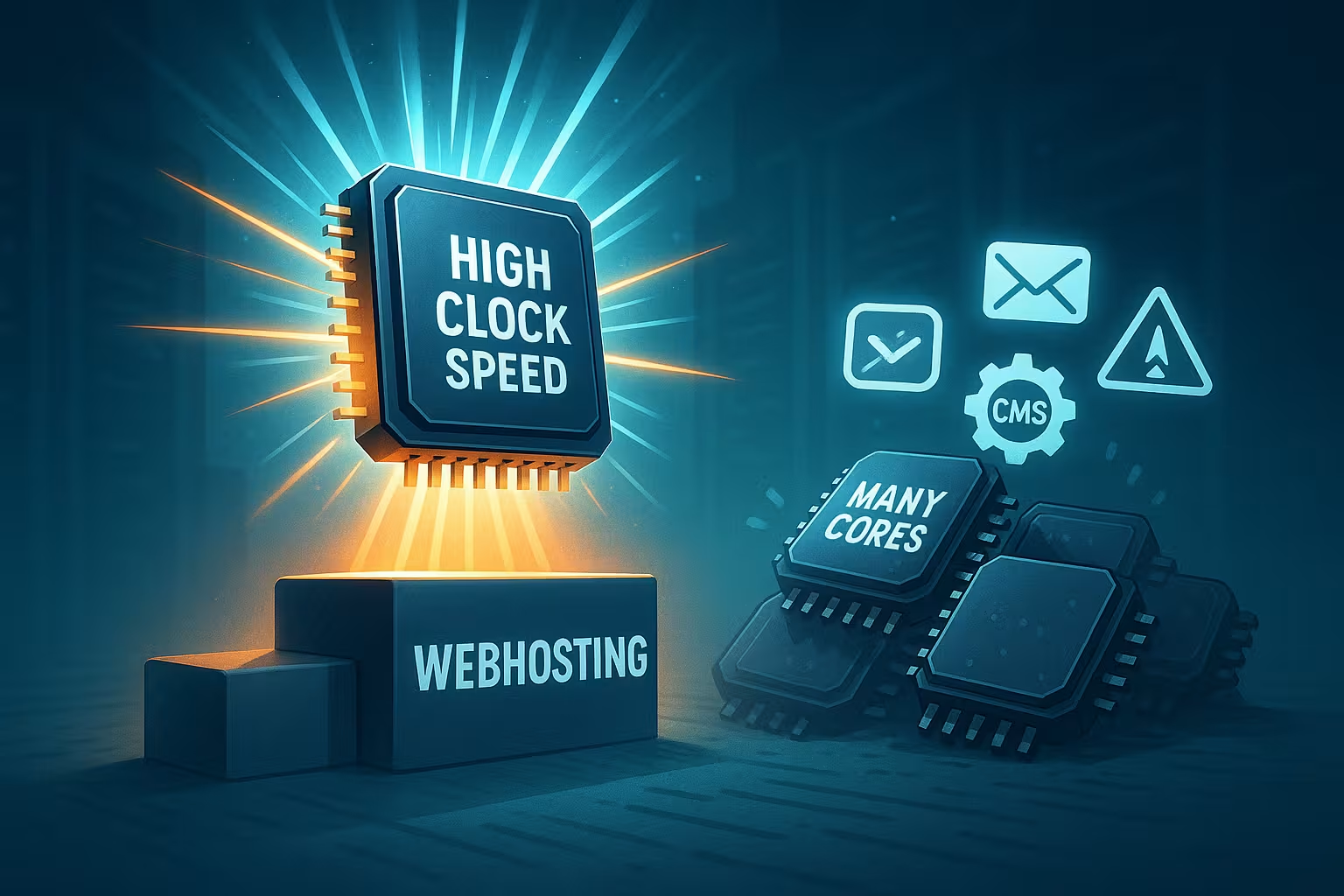
At CPU clock speed Web hosting counts the maximum single-core speed, because many PHP and WordPress requests run sequentially and require a fast response time. A higher clock speed reduces the TTFB measurable, while additional cores only have a noticeable effect when there are a large number of simultaneous requests.
Key points
I will summarize the most important guidelines first so that you can quickly make a technical decision based on solid foundations. A high clock speed accelerates sequential workloads, which dominate typical web hosting. Many cores help with peak loads when numerous requests arrive in parallel. PHP, MySQL, and caching are sensitive to single-core performance, provided that the serial portion remains large. Ultimately, the right mix of clock speed, number of cores, and clean configuration determines the perceived speed. I use monitoring and load testing to ensure performance targets are met and identify bottlenecks early on.
- clock speed Reduces TTFB and speeds up dynamic pages.
- Single-Core delivers noticeable gains for PHP logic.
- Many cores handle peaks and worker pools better.
- IPC Plus boost clock beats core quantity at CMS.
- Caching Relieves CPU load and stabilizes latencies.

Why high clock speeds speed up requests
A high clock speed increases the number of instructions processed per time on a core, which directly accelerates serial workloads. PHP renders themes, executes plugin logic, and waits for database responses, with a faster core reducing the total time per request. Time-to-first-byte in particular responds strongly to single-thread speed because the server can only send the first response after completing key steps. Shortening TTFB often increases the conversion rate as users are less likely to bounce. I therefore prioritize CPU models with a stable boost of well over 4 GHz so that dynamic pages deliver promptly.
Single-core versus multi-core in PHP stacks
In typical WordPress stacks, the Single-Core-Performance, as long as parallelism remains low to medium. Many plugins work sequentially, and even database interactions do not completely eliminate the bottleneck if the app uses only a few threads per request. More cores primarily help to serve multiple requests simultaneously, but do not solve the waiting time in individual requests. Those who deliberately dimension PHP-FPM workers make better use of powerful cores and prevent congestion. For more in-depth practical examples, please refer to PHP single thread, where the effects are demonstrated by concrete measurement series.

Amdahl in practice: Where many cores shine
Amdahl's law emphasizes the limited gains from parallelization at high serial speeds. share. However, when many users make requests at the same time, additional cores increase throughput and stabilize p95 and p99 latencies. Shopping peaks, API bursts, and cron runs benefit from this because the load is distributed and fewer requests end up in the queue. I therefore combine a high clock speed with sufficient cores so that the platform remains stable even under load. Those who cleanly separate worker pools, background jobs, and asynchronous tasks can leverage multi-core potential without sacrificing single-thread strength.
Measurements, TTFB, and p95 latencies
I measure success by Latencies such as p50, p95, and p99, because they reflect the real user experience. A TTFB of 80–150 ms with low parallelism can be achieved with high-clocked cores, provided that the network and storage are up to the task. With 50+ simultaneous requests, the advantage of individual cores gradually shifts toward higher throughput from multiple cores. Caching cushions this and keeps p95 stable because there is less dynamic work per request. If you want to compare in more detail, you can find consolidated benchmarks at Single-thread vs. multi-core and can evaluate setups based on reproducible tests.
Hardware selection: IPC, boost, and power
For web hosting, what counts is the combination of IPC and stable boost clock speed, because together they determine single-core performance. Modern server CPUs with high L3 cache and aggressive turbo respond quickly to changing web loads. I also pay attention to energy efficiency, because high clock speeds with moderate consumption reduce costs over the lifetime of the system. This pays off twice in dedicated machines, as electricity and cooling costs are clearly visible in euros. Choosing the right platform means more requests completed per euro invested and consistently low latency.
Topology: SMT/Hyper-Threading, L3 cache, and NUMA
The raw power of a core only unfolds when the Topology SMT/Hyper-Threading helps bridge idle times caused by I/O wait phases, but it does not replace a physical core. For PHP workloads, I plan SMT as a bonus of 20–30%, not as a full core doubling. A large, shared L3 cache reduces cache misses between NGINX, PHP-FPM, and database client libraries, thereby supporting single-thread performance. In NUMA setups, I pay attention to memory locality: web servers and PHP-FPM should run on the same NUMA node to keep the memory path short. Those who run aggressive container density benefit from CPU affinity and clear placement so that workers do not constantly migrate across nodes. The result: fewer latency spikes and more stable p95 values.
Configuration: PHP-FPM, NGINX, and database
The best CPU only reaches its full potential with the right Configuration. I set appropriate PHP-FPM worker values, tune OPcache, and set up an efficient cache strategy in NGINX. On the database side, indexes, smart query plans, and large buffer pools reduce the time per request. At the same time, I solve N+1 queries and slow down expensive admin actions through profiling until the single-core performance kicks in fully. With monitoring and error budgets, I keep goals measurable and tangible.

Realistically evaluate PHP version, OPcache, and JIT
Current PHP versions deliver noticeable single-thread gains through improved engineOptimizations. I update early and activate OPcache with sufficient memory so that hot paths are served from the cache. JIT is worthwhile for numerical hotspots, but rarely brings measurable benefits with typical WordPress logic. OPcache parameters such as memory size, interned strings buffer, and preloading are crucial, provided the stack remains stable. Minimizing file system checks and reducing autoloaders further reduces metadata latency. Conclusion: Use features selectively that really reduce the time per request, instead of blindly setting all switches.
Worker planning: FPM, queues, and Little's Law
I plan capacity with simple Queues-principles. The arrival rate and average processing time determine the necessary parallelism. I scale PHP-FPM workers so that they can handle the expected peak without exceeding RAM capacity. I separate pools for frontend, admin, and API so that one area does not crowd out the others. Backpressure through configuration limits prevents everything from slowing down at the same time under load. Short lifecycles (max_requests) keep memory fragmentation in check without constantly emptying the cache. This creates a controllable system that absorbs peak loads and quickly subsides again.
- Rule of thumb: max_children ≈ (RAM reserved for PHP) / (typical RSS per PHP process).
- N ≈ λ × W: Required number of workers N for rate λ (requests/s) and processing time W (s).
- Separate pools and timeouts limit congestion and protect critical paths.
Caching strategies that use clock cycles
A page cache reduces CPU time per Request drastically, because the server executes less PHP and avoids database hits. Object cache and fragment cache complete the picture when parts of the page need to remain dynamic. I also place a CDN in front of the origin so that remote users get fast responses and the server has less work to do. These layers act as a multiplier for high clock speeds because they reduce the proportion of expensive dynamic work. The result: more reserves for the truly dynamic paths, which then benefit from high single-core performance.
Virtual vs. dedicated resources
VServers share physical cores, which means that Overcommitment can dampen performance. I therefore check the guaranteed resources and use dedicated cores for strict latency targets. Those who remain on shared platforms should cushion load peaks with caching and limits. In addition, a clear worker strategy helps to keep the load predictable and core conflicts rare. I provide a technical classification for WordPress at CPU-bound WordPress, including diagnosis of typical bottlenecks.

Virtualization in detail: Steal Time, Pinning, and Credits
In virtualized environments, I observe Steal Time As an early indicator of bottlenecks: If the hypervisor allocates cores elsewhere, latency increases even though the VM reports „idle.“ Burstable or credit models initially deliver high clock speeds but throttle during continuous operation—critical for consistent TTFB. CPU pinning for latency-sensitive services and fixed NUMA mapping stabilize performance. I plan for headroom at the host level and regulate density so that boost clocks are maintained even under continuous load. Those who need predictable quality rely on dedicated cores and continuously monitor scheduler utilization.
Buying advice 2025: Profiles and sizes
Small to medium-sized sites run with 2–4 vCPUs With a high clock speed, it is usually noticeably faster than on 8 weaker cores. WooCommerce, forums, and APIs that have many dynamic paths also benefit from single-core boost as long as the parallelism remains below the number of workers. From around 50+ simultaneous requests, I add more cores to avoid queues. I size the RAM so that the page cache, OPcache, and InnoDB buffer pool have sufficient leeway. Those who have predictable peaks remain flexible by increasing the number of cores without sacrificing clock speed.
TLS, HTTP/2/3, and network path
Encryption costs money CPU, but benefits greatly from modern instruction sets. AES-NI and wide vector units noticeably accelerate common ciphers; on weaker cores, handshake times and p95 SSL latencies increase. I rely on TLS 1.3 with session resumption and OCSP stapling to get the first byte flowing faster. HTTP/2 bundles many objects over a single connection and reduces connection overhead, while HTTP/3 stabilizes latency over unstable networks—both benefit from high single-thread performance at the termination endpoint. Clean keep-alive, pipelining, and timeout tuning avoids connection congestion that blocks expensive PHP workers.
Storage and RAM: Latency as a bottleneck
A high clock speed only helps if Storage and RAM. Low-latency NVMe SSDs keep InnoDB flushes short and speed up log writes. A generous buffer pool reduces disk accesses and stabilizes p95 under load. I move sessions, transients, and object cache to RAM backends to avoid file system locks. I avoid swap because it unpredictably drives up latency—better to have clear limits and backpressure than slow degradation. File system and metadata caches complement OPcache, so the CPU is served from memory more often and its boost clock can directly shorten TTFB.
- Generously size the InnoDB buffer pool; store logs and temp files on fast NVMe.
- Sessions and object cache in RAM to bypass blockages in the file system.
- Plan swap as a safety net, but not as a long-term strategy.
Monitoring and load testing: Procedure with SLOs
I define SLOs for TTFB, p95, and error rates, and test step by step: first single requests, then ramp-up, and finally peak with realistic think times. It is important to isolate variables: identical build, same data, reproducible seeds. Flamegraphs and profiling reveal hot paths in PHP and databases; I keep an eye on CPU throttling, temperature, and boost duration. In virtualized environments, I observe steal time and scheduling delays. I feed the results back into worker numbers, cache strategy, and database tuning until the curves remain stable and predictable.

Scaling paths: vertical, horizontal, and backpressure
I scale vertically as long as higher clock speeds are available and the serial portion dominates. If parallelism becomes a bottleneck, I add horizontal workers and keep the app stateless so that it distributes cleanly behind the load balancer. Separate FPM pools, rate limits, and circuit breakers prevent backends from collapsing during peaks. I strictly decouple background jobs from the request path so that checkout and API endpoints are prioritized. This keeps the perceived speed high while the platform responds elastically to changing loads.
Compact table: Clock speed vs. cores
The following overview shows how high clock speed and many cores behave in typical hosting scenarios. I use them as a quick decision-making aid, but they are no substitute for measurements under real load. Each stack reacts slightly differently, depending on PHP logic, query mix, and cache hit rates. Nevertheless, the trends remain stable and serve as reliable guidelines. Those who supplement measured values can make quick and informed decisions.
| Criterion | High clock speed (single-thread focus) | Many cores (multi-core focus) |
|---|---|---|
| TTFB per request | Very short for dynamic pages | Good, depending on core quality |
| Peak throughput | Limited, queues increasing | High, load better distributed |
| Databases | Fast individual tasks | Strong with parallel queries |
| PHP Performance | High in sequential logic | Better with large worker pools |
| Scaling | Vertically limited | Horizontal/vertical flexibility |
| Price per vCPU | Often cheaper | Higher, more efficient at peaks |
Summary for decision-makers
The perceived speed of a website depends on the Single-CorePerformance comes first because it dominates TTFB and admin interactions. More cores stabilize peaks, but they don't replace powerful cores if the app remains largely sequential per request. I therefore choose CPU models with high IPC and reliable boost, combine them with enough RAM, and consistently increase caching. With clean PHP-FPM, web server, and DB configuration, I ensure latency targets are met. Those who then establish load testing and monitoring will maintain performance at a high level in the long term without any nasty surprises.