 Skip to content
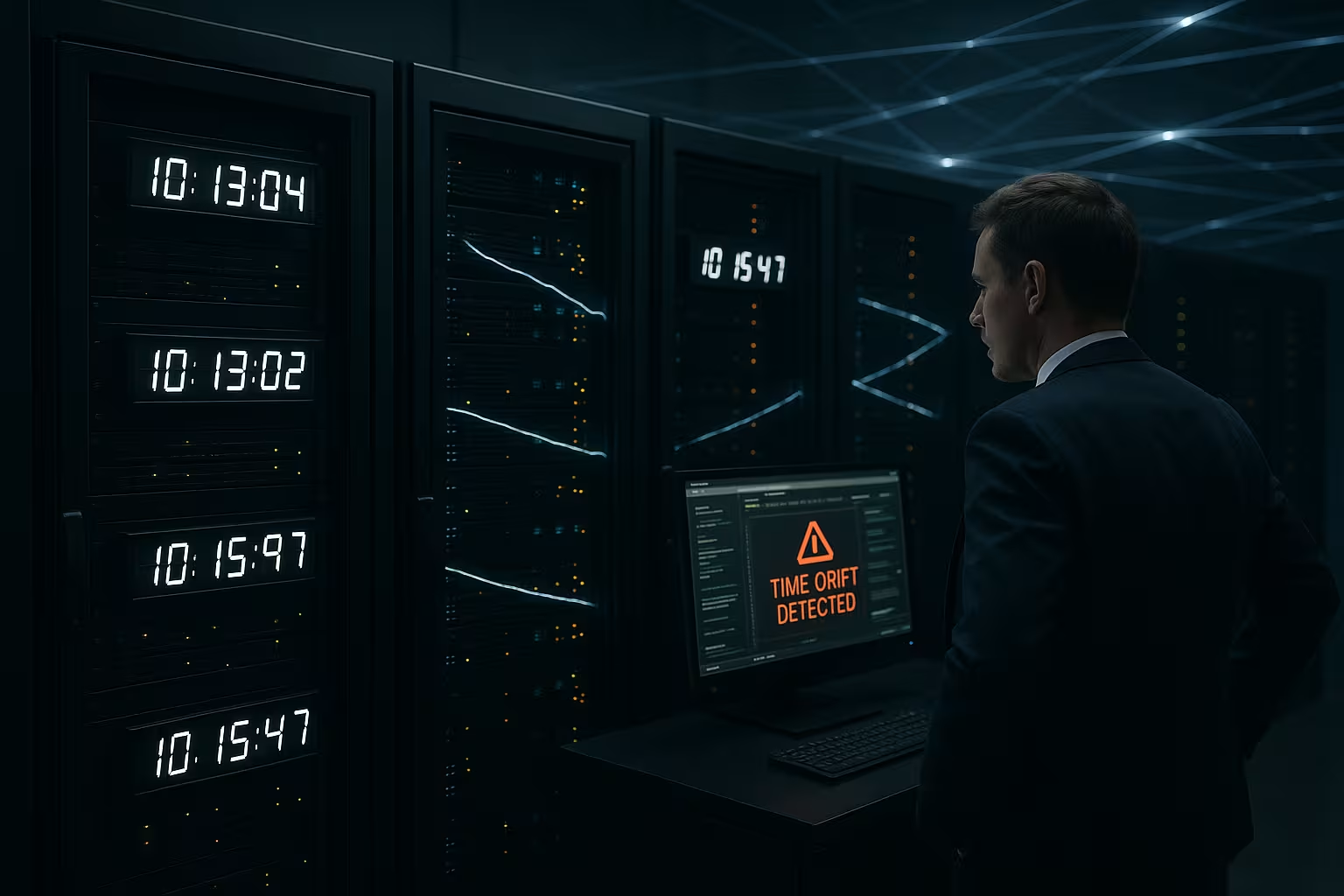
Server time drift disrupts the temporal order in applications, leads to incorrect authentication, negative latency values and fragmented logs when server clocks diverge. I will show you how server time drift occurs, what effects it has on services such as Active Directory, databases and messaging and which solutions work reliably with NTP, Chrony and a clean host VM configuration.
Key points
- CausesQuartz deviations, virtualization, backup freeze, incorrect host syncs
- ConsequencesKerberos errors, delayed jobs, contradictory logs, false alarms
- DiagnosisCheck offsets, ntpq -p, w32tm, monitoring alarm limits
- SolutionNTP/Chrony, PDC emulator, deactivate host sync, customize polling
- PracticeStratum topology, release UDP 123, regular drift checks

What does server time drift actually mean?
Server clocks never run perfectly, they drift due to temperature fluctuations, crystal scattering or virtual timers. In distributed systems, tiny deviations quickly add up and create visible errors, such as incorrectly sorted events or messages that are processed too late. In audits, I often see that even seconds can tilt the order in log pipelines and distort evaluations. If the load increases, systems buffer messages with local timestamps that are later minutes off and create supposed delays. Server Time Drift remains tricky because everything works correctly locally until a service compares cross-sectionally or a replication strikes.
Why a few minutes can break everything
Kerberos only tolerates a small time jump; a few minutes drift is enough for tickets to be rejected and logins to fail. I have seen environments in which a difference of just 3 minutes slowed down replication and password changes got stuck. Latency measuring points get mixed up: Unsynchronized measuring nodes suddenly report negative values and generate false alarm storms. In databases, transactions lose their chronological order, resulting in hard errors in CDC streams or event sourcing. Anyone who needs audits or forensic analyses fails due to inconsistent logs, if timestamps jump or double.

Virtualization: Proxmox, Hyper-V and VMware
hypervisor change time behavior because VMs experience virtual timers, pauses and snapshots. During backups, the guest freezes, the host time continues to run and the guest sometimes falls back by hours after the resume. I often see these jumps in Windows VMs when host sync and guest NTP are working against each other. A host that goes wrong also induces incorrect times to all guests via timesync integration services, which hits Active Directory particularly hard. Anyone working in Proxmox, VMware or Hyper-V should actively control Timesync in the guest and specifically disable double synchronization in order to Race Conditions to avoid.
Measurement and diagnosis in everyday life
Diagnosis starts with the offset: I check ntpq -p or chronyc sources and read the offsets in milliseconds to seconds. On Windows, w32tm /query /status provides usable data; on Linux, timedatectl helps to determine whether NTP is active. Logs often reveal „time went backwards/forwards“ messages that indicate jumps. For a continuous overview, I set up a simple drift monitor that reports deviations from the reference server and issues an alarm from 100-200 ms. If you want to go deeper, you will find practical steps in this compact guide: NTP and Chrony practice, which I like to use as a checklist.
Configuration: Set up Windows time service and Linux properly
Windows Servers from 2016 onwards correct drift much more accurately if the source is correct and no competing sync services are running. I configure the PDC emulator as the authoritative source, set w32tm /config /manualpeerlist: “pool.ntp.org,0x8″ and fix polling intervals that match the network and requirements. On Hyper-V, I deactivate time synchronization in the integration service for domain controllers so that only NTP decides. I prefer to run Linux hosts with Chrony because the corrections take effect quickly and offsets remain in the millisecond range. Important: Double sync so either host sync or NTP in the guest - not both at the same time.
Active Directory: Understanding roles, avoiding mistakes
PDC emulator determines the time in the domain and should itself have reliable upstream sources, ideally several. Domain controllers only accept a small deviation; exceeding it risks ticket rejections and failed replications. I keep the PDC emulator physically close to Stratum 1/2 sources and separate it from the hypervisor timesync. I schedule backups and snapshots to DCs so that they don't throw off the clock, and test resumption with a focus on time. With clean roles and do's & don'ts you stabilize Authentication and replication window.

Architecture: NTP topologies, Strata and network
NTP works hierarchically: Stratum-1 takes time from GPS/DCF/PTP, Stratum-2 references Stratum-1 etc. I plan at least three independent sources so that individual failures or false peers do not dominate. UDP port 123 must be reliably accessible; packet filters with random drops distort offsets. Fine-tuning polling intervals helps to allow quick corrections without flooding the network. Modern NICs with hardware timestamping reduce jitter and lower the Offset noticeable.
PTP and high-precision time in the data center
Where microseconds count, NTP alone is often not enough. PTP (Precision Time Protocol) synchronizes hosts via boundary and transparent clocks in switches down to the microsecond range. I use PTP where trade feeds, measurement systems or industrial automation require precise timing. In practical terms, this means planning a PTP-capable network infrastructure, setting VLANs and QoS in such a way that asymmetric paths are minimized and linking the PHC of the NIC (ptp4l/phc2sys) with the system clock on hosts. Chrony complements NTP well, PTP takes over the fine calibration. Important is a Clear master selection (Grandmaster with GPS/PPS) and monitoring the offset distribution per segment, otherwise you are chasing phantom drift, which is actually network asymmetry.
Containers and Kubernetes: mastering time in the cluster
Containers use the host's clock - you don't „install“ a time per pod. I set the Time sovereignty on the nodes safely (chronyd/ntpd on the worker) instead of starting NTP in containers. In Kubernetes, I check that etcd nodes, control plane and worker keep the same offset; otherwise leader selections (raft/lease durations) and certificate rotations block. A privileged DaemonSet for NTP is rarely necessary; a clean node image with Chrony is more stable. For CronJobs in the cluster I use UTC and keep the startingDeadlineSeconds conservative so that small skews do not lead to missed windows. I calibrate log and metrics pipelines (Fluent Bit, Promtail, Node-Exporter) with host time and do not rely on container timestamps.
Cloud environments: Provider time and hybrid scenarios
In the cloud, I prefer to use the Provider services, because latencies are short and sources are redundant. AWS provides an internal source via 169.254.169.123, GCP offers time.google.com with Leap-Smearing, host timesync and classic NTP peers work reliably in Azure. Important: Security groups/NSGs must allow UDP 123, and DCs in the cloud continue to follow the PDC emulator principle. In hybrid setups, I plan regional time hubs (e.g. one NTP relay per VNet/VPC) and prevent local DCs from suddenly „flipping“ to a distant cloud source. For DR scenarios, I attach standby systems to the same peers so that a failover does not cause a time gap.
Application design: Monotone clocks, tokens and tracing
Many drift damages are Design error. For runtimes, timeouts and retries, I consistently use monotonic clocks (e.g. Stopwatch, System.nanoTime, time.monotonic), not the system time. I save timestamps in UTC and log timezone only for display. Token-based systems (JWT, OAuth2, SAML) need a small clock skew (2-5 minutes) for exp/nbf, otherwise users will be kicked out if there is a slight offset. TLS 1.3 and session tickets evaluate ticket age, CRLs and OCSP validity based on the clock - drift triggers unnecessary renegotiations. With Distributed tracing synchronize sampler, ingest gateway and worker against the same source, otherwise spans result in negative durations. For metrics, I stick to server-side timestamps and avoid agents „correcting“ on the client side.
Correction strategies: Slew vs. Step, Leap Seconds and DST
Whether a watch slewt (slowly equalizes) or quilts (jumps), decides on side effects. Chrony corrects a lot via slew and can be used from a defined threshold (makestep) jump once. I plan hard steps in maintenance windows, stop time-critical workloads (e.g. databases, message brokers) briefly and then let replication and caches catch up. Under Windows, I limit large corrections via the maximum values and resync with w32tm /resync /rediscover, instead of multiple mini-steps. Leap SecondsI decide early on in favor of smearing or classic pasting. Smearing is dangerous - if you smear, you should do it everywhere. DST concerns UTC not; I operate servers in UTC and regulate the display in the application. I deliberately calibrate schedulers around time changes and test them.

Runbook: From disruption to stable time
When Drift throws alarms, I work a short Runbook from: (1) Confirm offsets on reference host. (2) Check whether duplicate syncs are active (hypervisor sync, cloud agents, NTP/Chrony parallel). (3) Check source quality (reach, jitter, stratum). (4) Check network paths: UDP 123, asymmetric routes, packet loss. (5) For large offsets makestep or trigger w32tm resync and briefly „drain“ critical services beforehand. (6) Verify DC/PDC role and log w32time state. (7) Monitor post-stabilization: offset trend, source change, kernel discipline. (8) Post-mortem: document root cause (backup freeze? host drift? wrong peers?) and harden configuration (poll intervals, more peers, customize integration services). This procedure prevents the situation from getting worse with ad-hoc steps.
Network and appliances: invisible drift amplifiers
I often see that firewalls and load balancers NTP traffic unintentionally affect them: ALG functions, rate limits or asymmetric routing distort offsets. NAT gateways with a short UDP state time destroy NTP conversations. My antidote: dedicated egress policies for UDP 123, no proxy obligation, and local NTP relays close to the workloads. On WAN routes, I plan regional peers instead of centralized ones, so that jitter fluctuates, but the Drift remains small. QoS is mandatory for PTP - without prioritized packets and transparent switches, the desired precision cannot be achieved.
Frequent misconfigurations that I find again and again
- A single peer in the configuration: If it fails or reports nonsense, the entire domain follows.
- Host and guest sync in parallelHypervisor corrected, NTP corrected - jumps and oscillations occur.
- Backup freeze without thaw hookVMs „wake up“ with an old clock; a downstream force step is missing.
- Incorrect PDC emulator after FSMO shifts: Clients request from old DC, tickets fail.
- Inappropriate polling intervalsToo long for volatile networks, too short for distant peers - both increase jitter.
- Time zone mix on servers: UTC mixed with local zones leads to unreadable logs and cron errors.
SLA, risks and budget: What does drift cost?
Budget planning needs hard figures: Even small deviations cause support tickets, downtime or data errors. I calculate costs conservatively using downtime minutes, incident costs and consequential damage in audits. The following table summarizes typical scenarios and helps to set priorities. It is well suited for management decisions and change requests. Figures vary depending on size, but show the order of magnitude in which Drift becomes expensive.
| Scenario | Typical drift | impact | Risk for costs (€) |
|---|---|---|---|
| AD/Kerberos fails | 3-5 minutes | Login error, replication jam | 1,000-10,000 per incident |
| VM backup with freeze | 10-240 minutes | Jobs run backdated, batch aborts | 2,000-15,000 incl. recovery |
| Measuring node unequal | 50-500 ms | False alarms, SLO violations | 500-5,000 in support time |
| Audit/forensics fails | seconds-minutes | Logs unusable, compliance risk | 5,000-50,000 with rework |
Use cases: Financial trading, e-commerce, logging
Financial systems need consistent sequences, otherwise algorithms lose their informative value and trades are incorrectly evaluated. In e-commerce, timing errors affect session expiries, discount windows and order workflows. I closely check the offsets of all gateways, payment and event systems. In central logging stacks, a drifting source leads to jumps that make dashboards unreadable and delay incident analyses. Anyone looking at these chains quickly realizes how Server Time Drift effects across the platform.
Time and cronjobs: stop planning errors early on
Cron and task schedulers react sensitively to time jumps, such as hypervisor freezes or double syncs. Job windows collide, repetitions fire too early or too late, and rate limiters run hot. I therefore check time zones, offsets and daylight saving time changes in the orchestration. For Linux scheduling, I avoid local clock dependencies by checking NTP status before starting the job. Many stumbling blocks are summarized in this guide: Cron time zone, which I use as a checklist before go-lives.
Monitoring and alerting: setting thresholds sensibly
Alarms must differentiate between jitter and real drift. I set warnings from 100 ms and critical from 500 ms, depending on latency requirements. I obtain measurement nodes from different subnets so that network paths are not distorted on one side. Dashboards show me offsets per host, the trend line and the last source used. I also log source changes so that I can Causes quickly recognize jumps.
WordPress and scheduled tasks: WP-Cron under control
WP Cron depends on page views and is sensitive to incorrect server time, which disrupts scheduled publications and maintenance. I strictly synchronize the clock, check time zones in WordPress and transfer recurring tasks to system cron if the platform allows it. Drift creates gaps in caches and jobs block scheduler chains. Before major updates, I measure offsets and delete faulty transients that are based on incorrect timestamps. This practical article provides a good starting point: Optimize WP-Cron, which I regularly use as a reference.
Summary in plain text
Core messageTime errors are not a marginal issue, they affect authentication, jobs, measurements and evaluations. I keep server time drift to a minimum by configuring NTP/Chrony properly, specifically deactivating host syncs and operating a clear time hierarchy. Diagnostics starts with offset measurements and ends with reliable alarms and documented source changes. Architectural rules such as several independent peers, free UDP port 123 and regular checks quickly pay off. Those who implement these principles reduce outages, avoid expensive forensics and preserve the Integrity of applications.


