 Skip to content
I'll show you the production-ready configuration for PHP Error Handling Hostingfrom php.ini defaults and logging strategies to custom handlers for clean responses. This is how I keep production errors from the user interface, secure sensitive information and increase server stability in live operation.
Key points
- php.ini disconnect: DEV shows everything, PROD logs discreetly.
- error level fine filter: Focus on genuine production defects.
- Custom handler use: Catch mistakes, react cleanly.
- Logging structure: Context, rotation, alerts.
- Surroundings clearly separate: DEBUG flags and safe defaults.
Production-ready PHP error configuration briefly explained
I let all messages appear in the development because I Code quality secure early. On live servers, I strictly turn off the display, but log everything so that I can Diagnosis possible at any time. This keeps user interfaces clean, while logs tell the truth. Visible error texts jeopardize confidentiality and can interrupt function chains; I prevent this with clear separation. This pattern increases server stability and keeps response times predictable.

php.ini: secure defaults for live traffic
For development environments I activate display_errors and set error_reporting In production, I consistently switch off ads, but retain comprehensive reporting and logging. The mix protects users and keeps my insight into system behavior intact. I define the values centrally in php.ini and version additional ini snippets. This gives me reproducible deployments and reduces surprises in live operation.
The following table shows a comparison of typical DEV and PROD settings for more Transparency and clear Guidelines:
| Setting | Development | Production | Note |
|---|---|---|---|
| display_errors | On | Off | Strictly avoid display in live mode |
| display_startup_errors | On | Off | Make start error only visible in DEV |
| error_reporting | E_ALL or -1 | E_ALL (optional filter) | -1 covers all levels including future levels |
| log_errors | On | On | Logs are a mandatory source for analysis |
| error_log | File/Path | File/Path | Secure path with rotation and rights |
So I set “display off, report on” in PROD and have error_log write everything to files. I also set hard file permissions because log files often contain sensitive contexts. If you use virtual hosts or containers, separate paths cleanly for each application. This simplifies subsequent correlations and speeds up root cause analysis. This keeps the interface friendly, while I get complete traces in the background.

Fine-tune error reporting level without log flood
By default I use in PROD E_ALL and optionally filter background noises such as notices if they do not provide any value. A frequently used pattern is E_ALL & ~E_NOTICE & ~E_WARNING & ~E_DEPRECATED. This prevents noise, but continues to focus on real production errors. Before making changes, I check the effects on throughput and latency because a lot of logging costs IO. If you want to understand the effects per level, you can find background information on Error level and performance.
I uphold the principle of “first fix cleanly, then filter”, as suppression only postpones problems. For migration phases, I visibly log DEPRECATED to detect future breaks early on. I also mark critical error classes separately so that alarms fire reliably. This benefits analysis paths and saves me time in troubleshooting. The result is less noise and more usable data. Signals.
Custom handler: cleanly intercept exceptions, errors and shutdowns
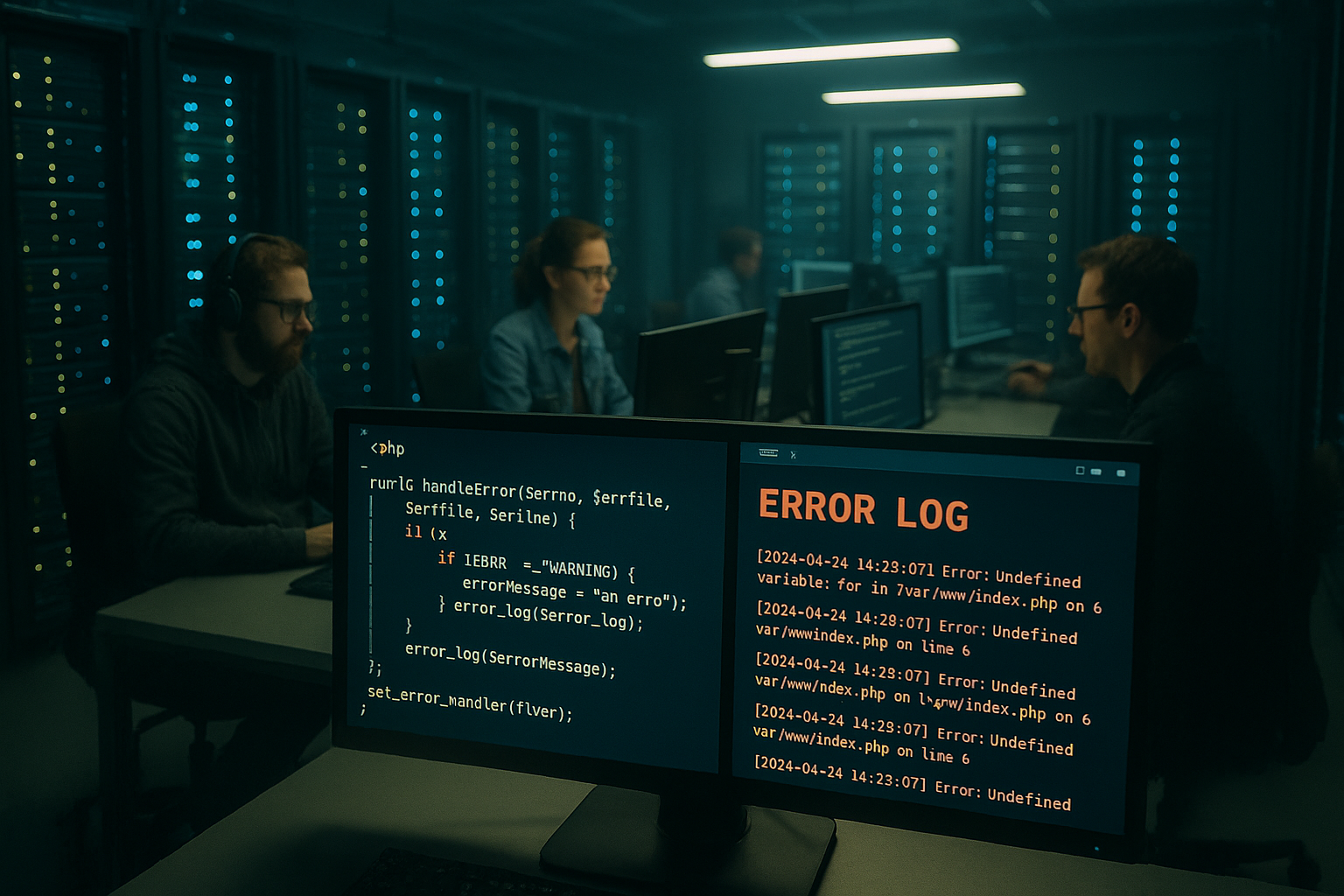
I install my own handlers with set_error_handler(), set_exception_handler() and register_shutdown_function(). This is how I catch classic errors, uncaught exceptions and fatal errors. I provide users with a neutral 500 page, with the complete context in the log. This protects sensitive details and keeps server stability high. At the same time, I retain control over the format, fields and output channels.
<?php
class ErrorHandler {
    public static function register() {
        set_error_handler([__CLASS__, 'handleError']);
        set_exception_handler([__CLASS__, 'handleException']);
        register_shutdown_function([__CLASS__, 'handleShutdown']);
    }

    public static function handleError($errno, $errstr, $errfile, $errline) {
        error_log("ERROR: [$errno] $errstr in $errfile on line $errline");
        if ($errno === E_ERROR) {
            http_response_code(500);
            echo "Ein interner Fehler ist aufgetreten. Bitte versuchen Sie es später erneut.";
        }
        return true;
    }

    public static function handleException($exception) {
        error_log("EXCEPTION: " . $exception->getMessage());
        http_response_code(500);
        echo "Ein interner Fehler ist aufgetreten.";
    }

    public static function handleShutdown() {
        $error = error_get_last();
        if ($error !== null) {
            error_log("FATAL: " . $error['message']);
            http_response_code(500);
        }
    }
}
ErrorHandler::register();
In everyday life, I add fields such as request ID, user ID and session hash in order to Correlation to make it easier. For APIs, I provide a generic error structure in PROD, such as JSON with code and ticket ID. This allows support to start immediately, while internal information remains hidden. I also encapsulate IO around loggers so that a defective file system does not trigger further errors. This cascade avoidance contributes directly to a lower MTTR.
Structured logging: context, rotation, alerts
Good logging starts with Context: timestamp, type, file, line and request reference. This is followed by the discipline: rotation policy, permissions and retention. I separate app logs and web server logs to keep a quick overview. I trigger critical classes such as E_ERROR in alarm channels, such as mail or chat. According to blog.nevercodealone.de, a clear error log reduces debug time by up to 70 % - a powerful lever for operations.
<?php
set_error_handler(function ($errno, $errstr, $errfile, $errline) {
    if (!(error_reporting() & $errno)) return false;
    $type = match($errno) {
        E_ERROR => 'ERROR',
        E_WARNING => 'WARNING',
        E_NOTICE => 'NOTICE',
        default => 'UNKNOWN'
    };
    $message = sprintf(
        "[%s] %s: %s in %s on line %d | req=%s user=%s",
        date('Y-m-d H:i:s'), $type, $errstr, $errfile, $errline,
        $_SERVER['HTTP_X_REQUEST_ID'] ?? '-', $_SESSION['uid'] ?? '-'
    );
    error_log($message, 3, '/var/log/app/custom_error.log');
    if ($errno === E_ERROR) {
        // Alert versenden
    }
    return true;
});
I check log size daily or automatically in order to Memory to protect the disk. Rotation with size- or time-based rules prevents full disks. In addition, I optionally write in JSON format so that parsers can extract metrics. A structured start helps with the evaluation; the guide to Analyze logs useful food for thought. This allows me to recognize outliers more quickly and minimize flying blind.

Consistent separation of DEV, STAGE and PROD
I keep every environment with its own DEBUG flag and dedicated ini overrides. Configuration values end up in Env variables, not in the code. The web server shows cache headers in PROD, while DEV is generously deactivated. For STAGE, I mirror PROD settings but enable additional metrics. This discipline prevents surprises and increases the predictability of deployments.
Log file names differ depending on the environment, so that I can error patterns do not mix. CI/CD sets the flags before the rollout so that no human error slips in. I add health checks for key endpoints so that downtimes are noticed early on. Feature flags help to temporarily shield risky paths. In this way, I keep releases predictable and reduce rollback risks.

Runtime debugging: When I need to check quickly
Sometimes I need a short Insight on a test instance, for example immediately after a hotfix. Then I temporarily set ini_set(‚display_errors‘, 1) and error_reporting(E_ALL) - but never on real production. I log every change, delete it afterwards and don't commit any of it. A short test round with targeted requests is usually sufficient. After that, I immediately return to silent logs and neutral error pages.
For reproducible analyses, I encapsulate debug flags behind feature toggles, which I temporal limit. This way I prevent permanent states and reduce risk. If I need to dig deeper, I use Xdebug in an isolated DEV environment. Measuring instead of guessing remains the guiding principle. This is the only way I can identify real bottlenecks and not placebos.
Configuring WordPress and frameworks securely
With WordPress I set in PROD WP_DEBUG to false and redirect errors to logs. In DEV I use WP_DEBUG_LOG and WP_DEBUG_DISPLAY specifically for feature development. I deactivate plugin editors in PROD so that no code changes happen live. Cron control via system cronjobs reduces outliers and smoothes Load peaks. For details, the compact guide to the WordPress debug mode.
Frameworks such as Symfony or Laravel provide dedicated ENV flags and error pages, which I consistent use. I use centralized loggers such as Monolog with channel structure. For HTTP responses in PROD, I output generic error texts and refer internally to correlations. This way, interfaces remain neutral, but logs remain productive. This combination makes a noticeable contribution to server stability.
Security aspects: What must never end up in the log
I filter consistently SecretsPasswords, tokens, credit card fragments and personal data. Masking takes place as early as possible, for example at service level before the logger. For error messages, I check whether content contains file paths, SQLs or internal IPs. I shield or anonymize anything that increases the attack surface. In this way, logs remain useful without jeopardizing data protection or security.
I set file permissions restrictively, and processes only write to shared files. Paths. I also activate log rotation with compression so that old data is not lying around openly. I keep a runbook ready for incidents: Where do I find which traces, which teams do I notify first. This preparation saves precious minutes in hectic situations. In the end, it's the time until recovery that counts.
Monitoring and alarming without misfiring
I define threshold values that context sensitive are: Individual warnings do not trigger an alarm, but sudden peaks do. Time windows, rate limits and deduplication prevent pager fatigue. I report critical classes such as E_ERROR, E_PARSE and recurring timeouts immediately. For recurring outliers, I plan tickets instead of ad hoc measures. This way, the team remains capable of acting and real problems don't go unnoticed.
Visualization helps me to see patterns recognizeDaily cycles, deploy peaks, bot waves. Correlations between release times and error rates reveal causes. I store runbooks directly in alarm texts so that on-call can act immediately. I also monitor dependencies such as databases and queues. An error stream without context rarely provides solutions.
Deployment checklist: Roll out with few errors
Before every rollout, I check Configuration, logs, rights and free memory. I then carry out a smoke test with the most important endpoints. Feature flags and canary releases reduce risks for major changes. I log deploy times to facilitate correlations later. I also plan fallbacks in case a hotfix goes wrong.
For larger updates, I shift the writing load for a short time and perform Readiness-probes are more stringent. This includes a check for log writability and database connections. I also check whether 500 pages appear correctly and without internal information. These seemingly small points prevent big surprises. This makes rollouts quieter and more comprehensible.
FPM and web server: SAPI-specific protection
In addition to php.ini I save the FPM pools hard. Pool-wide, I set display_errors to Off via php_admin_flag and thus enforce productive defaults even with faulty application overrides. I use slowlog and request_terminate_timeout to identify and limit hangs before they block workers. I also log worker outputs to record rare edge cases.
[www]
php_admin_flag[display_errors] = Off
php_admin_value[error_reporting] = E_ALL
php_admin_value[log_errors] = On
php_admin_value[memory_limit] = 256M
catch_workers_output = yes
request_terminate_timeout = 30s
slowlog = /var/log/php-fpm/www-slow.log
request_slowlog_timeout = 5s
At web server level (nginx/Apache) I activate fastcgi_intercept_errors or ProxyErrorOverride. This allows the web server to deliver 50x static pages if PHP fails. I cache none 5xx responses, but I handle 4xx errors with short TTLs. An X-Request-ID header is generated by the web server and passed through to PHP so that I can correct each path.
# nginx
error_page 500 502 503 504 /50x.html;
location = /50x.html { root /usr/share/nginx/html; internal; }
fastcgi_intercept_errors on;
add_header X-Request-Id $request_id always;
# Apache (excerpt)
ErrorDocument 500 /50x.html
ProxyErrorOverride On
In PROD I also deactivate html_errors and expose_php. This prevents HTML-formatted incorrect texts and leaks via PHP versions. With ignore_repeated_errors and log_errors_max_len I keep log storms in check without swallowing real signals. I run Opcache strictly close to production, but make sure that error messages are not hidden by aggressive revalidation.
Standardized error responses for APIs and frontends
I standardize the response scheme: Users see generic Texts, systems receive structured codes. 4xx errors signal client problems (validation, auth), 5xx errors stand for server issues. Consistent mapping of exceptions to HTTP status prevents misunderstandings and facilitates monitoring.
[
            'code' => $code,
            'message' => $publicMessage,
            'request_id' => $_SERVER['HTTP_X_REQUEST_ID'] ?? '-',
            'timestamp' => date('c'),
        ] + $meta
    ];
    header('Content-Type: application/json');
    echo json_encode($payload);
}

try {
    // ...
} catch (ValidationException $e) {
    respondError(422, 'VALIDATION_FAILED', 'Input incomplete or invalid');
} catch (NotFoundException $e) {
    respondError(404, 'NOT_FOUND', 'Resource not found');
} catch (Throwable $e) {
    error_log('UNHANDLED: '.$e->getMessage());
    respondError(500, 'INTERNAL_ERROR', 'An internal error has occurred');
}
For UIs, I keep a clean 500 page that does not show any internal information. If I localize incorrect texts, I do this exclusively for Public Messages - internal details remain in logs. This increases the quality of support and reduces queries.
Central log collection, sampling and containers
In modern setups, I forward logs centrally to Syslog or Journald. In containers, I prefer to write to stdout/stderr and leave rotation and dispatch to the platform. I avoid file-based logs in containers unless a sidecar rotates them reliably. I use sampling in a controlled manner: In the case of masses of similar warnings, I record representative random samples and continue to save them. each critical class in its entirety.
I enrich log lines with deployment hash, host, pod/container ID and environment. If the central dispatch fails, I buffer locally and fall back to minimal logging if necessary so as not to block the request. Network problems must not be Error cascades in the critical path - stability comes before completeness.
Handle CLI, cronjobs and worker processes robustly
CLI scripts follow their own rules: You need Exit codes, write to STDERR and must never fail silently. I separate their logs from web requests and provide backoff/retry strategies for transient errors. For long jobs, I deliberately set memory limits and log intermediate statuses so that I can recognize hangs or leaks.
<?php
if (PHP_SAPI === 'cli') {
    set_error_handler(function($errno, $errstr, $errfile, $errline) {
        $msg = sprintf("CLI [%s] %s in %s:%d\n", $errno, $errstr, $errfile, $errline);
        fwrite(STDERR, $msg);
        return true;
    });
    register_shutdown_function(function() {
        $e = error_get_last();
        if ($e) fwrite(STDERR, "CLI FATAL: {$e['message']}\n");
    });
}

try {
    // Job-Logik
    exit(0);
} catch (Throwable $e) {
    fwrite(STDERR, "CLI EXCEPTION: ".$e->getMessage()."\n");
    // 2 = temporär, 1 = dauerhaft, 3 = Konfig-Fehler (Beispiel)
    exit(2);
}
I encapsulate cronjobs with lockfiles or distributed locks so that parallel starts do not lead to load peaks and error salvos. I plan retry windows so that they do not collide with peak traffic. The same applies here: rich in context Logs beat any stub stack trace.
Deepening data protection, storage and masking
Beyond the pure “do not log”, I implement Masking rulesI replace tokens and passwords with placeholders, I store shortened IPs and I pseudonymize personal IDs (hash with salt). For each environment, I define clear Retention-times and delete old stocks automatically. Export paths (e.g. support bundles) are also encrypted and can be accessed on a role-based basis.
I check exceptions for sensitive content (SQL with clear values, internal host names). I educate teams to use helpful, but neutral to formulate error texts. Data protection starts in the code - the logger is only the last instance, not the first filter.
Versions, deprecations and migration windows
For PHP upgrades I describe a migration window: In STAGE I evaluate E_DEPRECATED I log them visibly in PROD, but without alerting. I differentiate between deprecations from my code base and from third-party packages and plan fixes iteratively. A dedicated test case ensures that deprecations not pollute the UI and end up exclusively in logs.
I also consider a Compatibility matrix ready for extensions. If components temporarily diverge, I throttle log volume in a targeted manner without defusing critical classes. The aim is always to fix things cleanly, not hide them.
SLOs, error budgets and alarm fine control
I not only measure absolute missing numbers, but also define Error rate SLOs per endpoint. I derive the deployment frequency and watch mode from the error budget: if the budget is tight, I increase caution, activate sampling more strictly and prioritize quality work. I deduplicate alarms based on time and cluster them according to cause (same stack trace, same endpoint) so that On-Call remains capable of acting.
Web server error pages, FPM failures and caching traps
If FPM goes down or delivers 502/504, the static 50x page as a reliable fallback. This page contains neither build info nor internal links, but clear instructions for users and support contacts. I make sure that CDNs and reverse proxies do not cache 5xx and respect Retry-After headers. For maintenance windows, I send 503 with Retry-After, not 500, and keep maintenance pages outside of PHP.
For requests with JSON acceptance, I optionally offer a minimal JSON error response from the web server for 5xx so that clients do not run into nothing. At the same time, I avoid the web server revealing internal paths or modules - security also takes precedence over convenience when it comes to fallback.
Practical summary
I consistently separate DEV and PROD, switch off ads in Live and log complete. Custom handlers give me control over reaction and context. A clear error level, sensible filters and clean rotation reduce noise. Security filters protect secrets, while alarms only fire in the event of real problems. This keeps the interface quiet, the logs speak plain language and server stability increases noticeably.
If you follow this set-up, you move away from the firefighting towards predictive operation. Deployments become calculable, disruptions shorter and analyses repeatable. This is precisely why investing in a clean configuration pays off. I implement these principles in every project and sleep more soundly. Production doesn't need magic, it needs clear rules and disciplined implementation.


