 Skip to content
Server bootstrapping in hosting starts servers automatically, couples DHCP, PXE and TFTP and provides the bootstrap file so that provisioning workflows run without manual work. I show how Server bootstrapping initialization and server provisioning hosting into a fast, reproducible infrastructure setup - from BOOTP to zero-touch.
Key points
The following core aspects provide me with the framework for initialization and provisioning in hosting environments.
- PXE/TFTPNetwork boot loads bootstrap files and starts the OS
- DHCP options66/67 control server name and boot path
- HA/Fallback: Multiple bootstrap servers ensure availability
- AutomationPlaybooks and pipelines accelerate provisioning
- SecurityVLANs, signatures and roles separate risks
What exactly does bootstrapping mean in hosting?
During bootstrapping, a target device triggers the boot process, obtains an address via DHCP and receives the path to the Bootstrap file. I use PXE so that the firmware loads a small bootstrap program over the network that establishes the connection to the bootstrap server. This server delivers kernel, initrd and other artifacts or streams an image until the actual installer or a provisioning agent takes over. DHCP option 66 refers to the server name or the IP of the service, option 67 to the file path - it is precisely these two values that determine the speed and success. Without a local data carrier, the machine boots via the network, starts the agent and registers for the downstream Provisioning on.

Protocols and data paths: BOOTP, DHCP, PXE, TFTP
Historically, the term bootstrapping comes from the BOOTP process, in which a client without its own IP receives a BOOTREQUEST and a server responds via BOOTREPLY. In modern setups, I use DHCP with suitable options, reduce waiting times via short lease timers and secure communication in dedicated networks. PXE extends the whole thing with firmware functions that request a boot file and retrieve it via TFTP, whereby UDP and small block sizes ensure low latency. For higher throughputs, I choose extended TFTP block sizes or HTTP boot if firmware and infrastructure support it. The path from the first broadcast to the loaded kernel remains visible as soon as I Verbose-Activate logs.
UEFI, iPXE and HTTP boot in comparison
In heterogeneous fleets, I encounter BIOS and UEFI firmwares as well as different architectures. I make a clear distinction between legacy PXE (NBP via TFTP) and UEFI PXE, which often supports HTTP boot. UEFI has advantages: faster transfers via HTTP, better drivers and a robust Secure boot-chain. I use signed shim/grub combinations so that the firmware only starts trusted boot loaders. Where devices only speak TFTP, I often chain via iPXE: A small NBP loads iPXE, and iPXE then calls Kernel/Initrd via HTTP/S, sets kernel parameters dynamically and can even implement fallbacks. Via DHCP I adapt responses to the Client architecture (e.g. different boot paths for UEFI x64 vs. BIOS) so that the correct boot file is available without manual intervention. I prefer to use HTTP boot in networks with stable latencies and TLS termination points; I store certificates and CAs in the firmware or in iPXE so that the chain remains cryptographically secure.
Configure bootstrap file correctly
In Citrix provisioning scenarios, I configure several server entries in the console, including IP, subnet, gateway and port, so that fallbacks take effect immediately. I set „Use DHCP to retrieve target device IP“, optionally use DNS for server lookup and keep the priority of the servers in a clear order so that a failing host can take over the server. Startup-chain is not slowed down. Features such as „Interrupt Safe Mode“ help with early firmware problems, while „Advanced Memory Support“ remains important for modern operating systems. For network failures, I use „Restore Network Connections“ or allow a return to the local disk after a timeout to avoid loops. Detailed logging via „Verbose Mode“ gives me all the insight I need to quickly troubleshoot the Boat-phase.

Server provisioning hosting: from bare metal to VM
After the network boot, I take care of all the provisioning: taking an inventory of the hardware, checking the firmware, installing the OS and configuring services. For bare metal, I use out-of-band interfaces, image streaming or installer automation, while VM workloads are started more quickly using templates and cloud init. Zero-touch provisioning extends the concept to switches and firewalls that bootstrap themselves. categorize and configurations. This allows me to scale environments in minutes, not hours, and keep configurations consistent. In the end, each host logs into management and monitoring, which allows me to Compliance vouchers.
Out-of-band management and Redfish/IPMI
Before the first PXE frame goes over the production network, I secure access via Out-of-bandBMCs (Baseboard Management Controllers) provide me with power control, console access and virtual media. I assign dedicated IP ranges for BMCs, activate VLAN separation and set strong passwords or key-based authentication. Redfish APIs save click work: a pipeline step sets „PXE first“, triggers a reboot and attaches a virtual ISO if required. For older systems, I use IPMI commands or Serial-over-LAN to see boot messages early. I version BMC profiles (NTP, Syslog, LDAP/Radius, TLS) and ensure that certificates are renewed regularly. In this way, administrative access remains reliable even in the event of OS errors - essential for clean Rollback-scenarios.
High availability and fallback strategies
For high availability, I store several bootstrap servers with a clear priority and activate health checks so that the client uses the first available service. DNS entries for server aliases allow me to dynamically change destinations without touching every bootstrap file. In larger networks, I separate TFTP, DHCP and provisioning to separate systems so that load peaks do not collide. I regularly test scenarios such as TFTP timeouts, blocked ports or broken images so that fallbacks are clean. grab. This keeps the boot time low and prevents individual errors from affecting the entire system. Fleet meet.

Security during bootstrapping and provisioning
I minimize attack surfaces by placing boot networks in their own VLANs, only allowing required protocols and configuring DHCP relay specifically. Signed boot artifacts and UEFI secure boot prevent the loading of manipulated images, while roles and ACLs prevent access to Provisioning-Restrict shares. I let temporary authorizations expire automatically as soon as the machine is fully integrated. I write logs centrally so that I can track incidents seamlessly. For sensitive workloads, I incorporate zero-trust principles so that even early phases in the lifecycle are clear. identities require.
Secrets, identities and encryption
Devices need an identity early on, without shared passwords fluttering around the network. I work with short-lived, one-time usable Tokens, which are included in the boot image or transferred via iPXE script and expire after successful registration. PKI-based enrollments (SCEP/EST workflows) provide certificates for HTTPS and agent communication. For disk protection I use LUKS/BitLocker with TPM2-binding so that volumes are automatically decrypted after provisioning but remain locked when hardware is removed. Secrets are only transferred in encrypted form (e.g. age/GPG payloads), and I maintain strict separation: Boot network only knows the bare essentials, application secrets only end up on the machine after successful attestation. This keeps the chain from the firmware to the configuration management trustworthy.
Network design for fast initialization
A short boot time depends heavily on latency and throughput in the boot VLAN, so I put TFTP servers close to the hosts and only enable jumbo frames if firmware understands them. I plan IP ranges so that leases do not collide and model broadcast domains lean to limit flooding. QoS rules prioritize DHCP and TFTP so that retransmits don't cause flooding. Waiting times extend. For multiple locations, I replicate artifacts at edge nodes and have devices downloaded locally. This shortens the boot distance and reduces the load on central Services.
Automation tools and pipelines
I describe infrastructure declaratively so that each provisioning wave remains reproducible and audits can trace what happened when. After bootstrapping, a pipeline takes over tasks such as setting package sources, registering agents and activating services. For modular workflows, I use playbooks that I compose in stages and secure with secrets management. If you are looking for a quick start, you can download a Terraform and Ansible Setup as a starting point and adapt it to my own environment. In this way, I shorten throughput times and keep Changes controllable.
Windows and Linux autoinstall
For Linux I rely on Automation profiles such as Kickstart (RHEL/Alma/Rocky), Preseed/Autoinstall (Debian/Ubuntu) or AutoYaST (SUSE). I define these files from variables and host facts: Partition scheme, package selection, network and user. I like to combine Ubuntu Autoinstall with Cloud-Init in order to map later configurations (SSH keys, services) in a standardized way. On Windows, I start via WinPE, load driver packages, apply an unattend.xml and sysprepe images so that devices register uniquely across domains. Driver injections and storage controllers are critical for Windows - I keep dedicated Driver bundles and test them with identical hardware revisions. So both worlds - Linux and Windows - remain Zero-Touch capable.
Artifact management and versioning
I treat kernel, initrd, iPXE scripts, installer profiles and post-install roles as versioned Artifacts. I use clear naming conventions (channel/version/date) and checksums so that I can clearly assign and reproduce builds. For package sources, I use local mirrors or caching proxies to cushion load peaks and ensure deterministic builds. Rollouts are blue/green: I build new boot artifacts, run a Canary in an isolated VLAN, measure times, check logs and only then switch the alias to the new version. If necessary, I switch back within seconds - the old artifact set remains accessible in parallel until Metrics Stability prove.
Post-provisioning: Services and panels
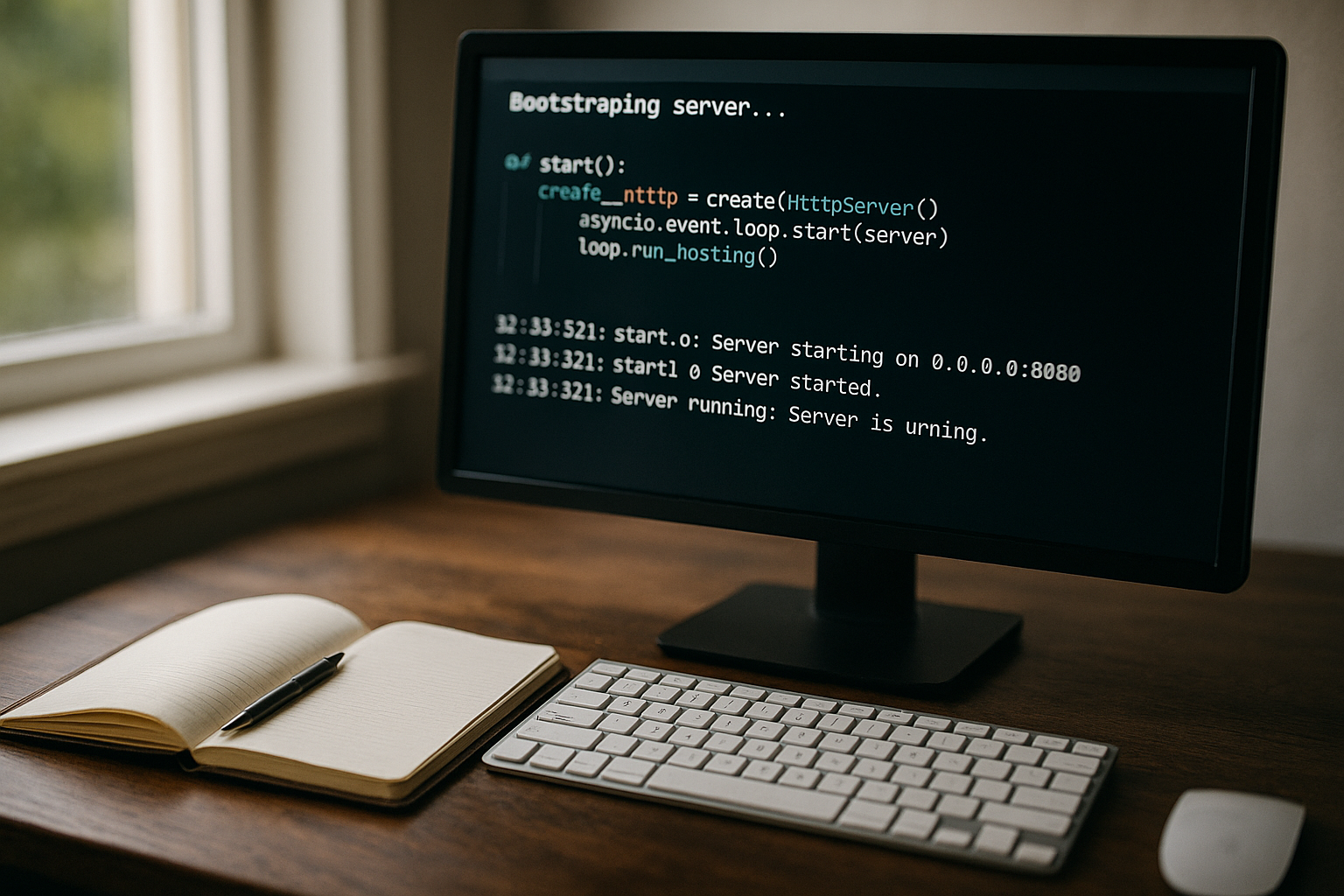
After the OS foundation, I install web server stacks, databases and administration interfaces via repeatable roles. A common starting point is a panel that manages virtual hosts, certificates and updates. For Linux web servers, I often use the Plesk installation on Ubuntu, because I use it to cleanly map hosting packages and security policies. The connection to monitoring and backup runs directly after the panel setup, so that I can ensure protection and visibility from the very first time. Day secure. This quickly transforms the bare host into a usable Service.
Self-service and day-2 operations
After the initial ramp-up, everyday life is what counts: capacity adjustments, updates and additions must flow without creating ticket queues. A self-service portal relieves teams, provides catalogs, quotas and approvals. If you need a lean interface, take a look at the CloudPanel Web UI that bundles typical tasks and speeds up processes. I link such interfaces with roles so that teams only have relevant Actions and risks are reduced. This keeps Day 2 tasks predictable and supports the SLA.
Observability, KPIs and tests
I measure boot and provisioning paths continuously: time to DHCP, time until kernel, time until first agent check-in, total time until login. I write TFTP retransmits, iPXE error codes and installer logs centrally. I visualize median and P95 values per location, hardware class and firmware version so that outliers become visible. I build chaos scenarios for resilience: Throttle TFTP, rename artifacts, change DNS targets. This is how I check whether fallbacks are triggering and whether service aliases are taking over cleanly. A/B tests with block sizes, HTTP/2 and parallel fetches help to noticeably reduce boot times - without the Stability to jeopardize.

Practical procedure: From power-on to login
I switch on the machine, boot the firmware via PXE and observe the DHCP assignment and boot path on the screen. Shortly afterwards, the client loads the bootstrap file, pulls the kernel and initrd and boots into a RAM-based system with provisioning agent. The agent connects to the central service, pulls its profile and starts partitioning, OS installation and package configuration. The host then logs into directory services, pushes telemetry to the monitoring and registers backups. A final reboot starts from the local disk and the login prompt signals a finished Machine, ready for the next Step.
Error patterns and diagnosis
If the boot fails, I first check DHCP leases, option 66/67 and possible MAC filters. If the TFTP retrieval hangs, I check firewalls, MTU settings and increase the block size as a test to reduce retransmits. For DNS-based server names, I make sure the resolvers are correct, otherwise the bootstrap file will lose its destination. Kernel panics indicate unsuitable drivers or RAM options; alternative images or „interrupt safe mode“ help here. I keep logs centrally and save screenshots of the Console, so that I can recognize patterns and fixes quickly. derive.
Tabular overview: Components and ports
The following table classifies central components in the boot and provisioning path and lists typical ports and notes.
| Component | Task | Protocol/Port | Note |
|---|---|---|---|
| DHCP | IP assignment, options 66/67 | UDP 67/68 | Short leases, configure relay |
| PXE | Firmware network boot | BIOS/UEFI | UEFI HTTP boot if available |
| TFTP | Transfer boot files | UDP 69 | Fine-tune block size and timeout |
| Bootstrap Server | Deploy Kernel/Initrd/Agent | UDP/TCP depending on setup | Define several goals for HA |
| Provisioning | OS installation, configuration | HTTP/HTTPS, SSH | Sign agents, protect secrets |
Zero-touch provisioning and edge scenarios
In branches or at the edge, I want to connect devices to the network without local intervention, so I combine ZTP with clear roles and templates. New nodes get their network configuration when they are first started, load profiles and integrate themselves into clusters. Seed hosts provide additional data sources if the head office is temporarily unavailable. A clean fallback strategy remains important so that a faulty profile does not paralyze dozens of nodes. With this structure, I implement Edge installations quickly and keep the Expenditure per site low, without control to lose.

IPv6 and multi-subnet scenarios
Many data centers are growing into IPv6 networks. I plan dual-stack boot paths: DHCPv4/Relay for legacy, DHCPv6 or HTTP boot via IPv6 for modern UEFI clients. Important is the architecture-specific Answer: UEFI clients expect URLs (e.g. for HTTP boot), while older PXE stacks work with TFTP paths. In distributed networks, I set IP helpers/relays per VLAN, regulate broadcast domains and isolate boot segments so that leases and PXE requests are delivered correctly. For several subnets per location, I keep local mirror nodes that can be reached via anycast or DNS aliases. This keeps latencies low and the paths work across locations.
Decommissioning and end of lifecycle
Provisioning does not end with the first login. I plan that End of the life cycle: hosts are decoupled, certificates revoked, agents deregistered, DHCP reservations deleted and BMC accesses reset. I wipe data carriers automatically - from secure erase to cryptographic deletion of encrypted volumes. I log the steps in an audit-proof manner and update the CMDB/inventory. In this way, I prevent zombie entries, reduce license costs and keep the environment clean for later reuse of the hardware.
Scaling and cost control
When hundreds of machines boot in parallel, the bottleneck shifts: TFTP workers, HTTP throughput, storage IOPS of the artifact shares. I dimension horizontalMultiple TFTP/HTTP nodes behind a load balancer, artifacts on replication storage, caches in front of remote sites. Concurrency limits per site prevent overload; I stagger maintenance windows so as not to saturate the network and edge nodes. Dedicated compression and dedupe save transfer time and bandwidth without placing an undue load on the CPU at the destination. This keeps boot waves predictable and costs low. transparent.
Governance and compliance
I link boot and provisioning steps with PoliciesWhich images are released, which kernel parameters are allowed, which ports are open in the boot VLAN? Each artifact build receives metadata (owner, SBOM, checksums, signatures). Changes are made via reviews and defined change windows. Attestation logs show that exactly the released version was booted. Audits read in one place, from the DHCP lease to the final package list. This creates trust - both internally and with regard to regulatory requirements - and reduces surprises during operation.
Briefly summarized
Server bootstrapping combines network boot, DHCP options and a well-maintained bootstrap file so that provisioning starts reliably. I secure the chain via HA servers, clean network design and signed artifacts. Automation with playbooks and pipelines speeds up commissioning and keeps configurations repeatable. Tools, panels and self-service interfaces simplify day-2 tasks and shorten response times during operation. Those who implement these steps consistently achieve a infrastructure setup that provides new hosts quickly, scalably and securely - from the first boot to productive operation. Service.


