I'll explain briefly and thoroughly how Event MPM uses the Apache Event Queue to efficiently manage many concurrent HTTP connections. In this article, I'll cover the basics, the event loop, internal queues, and specific optimization steps for a performant Configuration.
Key points
- Event loop separates connection management from request processing
- Keep-Alive no longer blocks threads
- Event Queue Sorts sockets by status
- Parameters How to Fine-Tune MaxRequestWorkers
- Monitoring ensures reliable capacity planning
How Event MPM Controls Connections
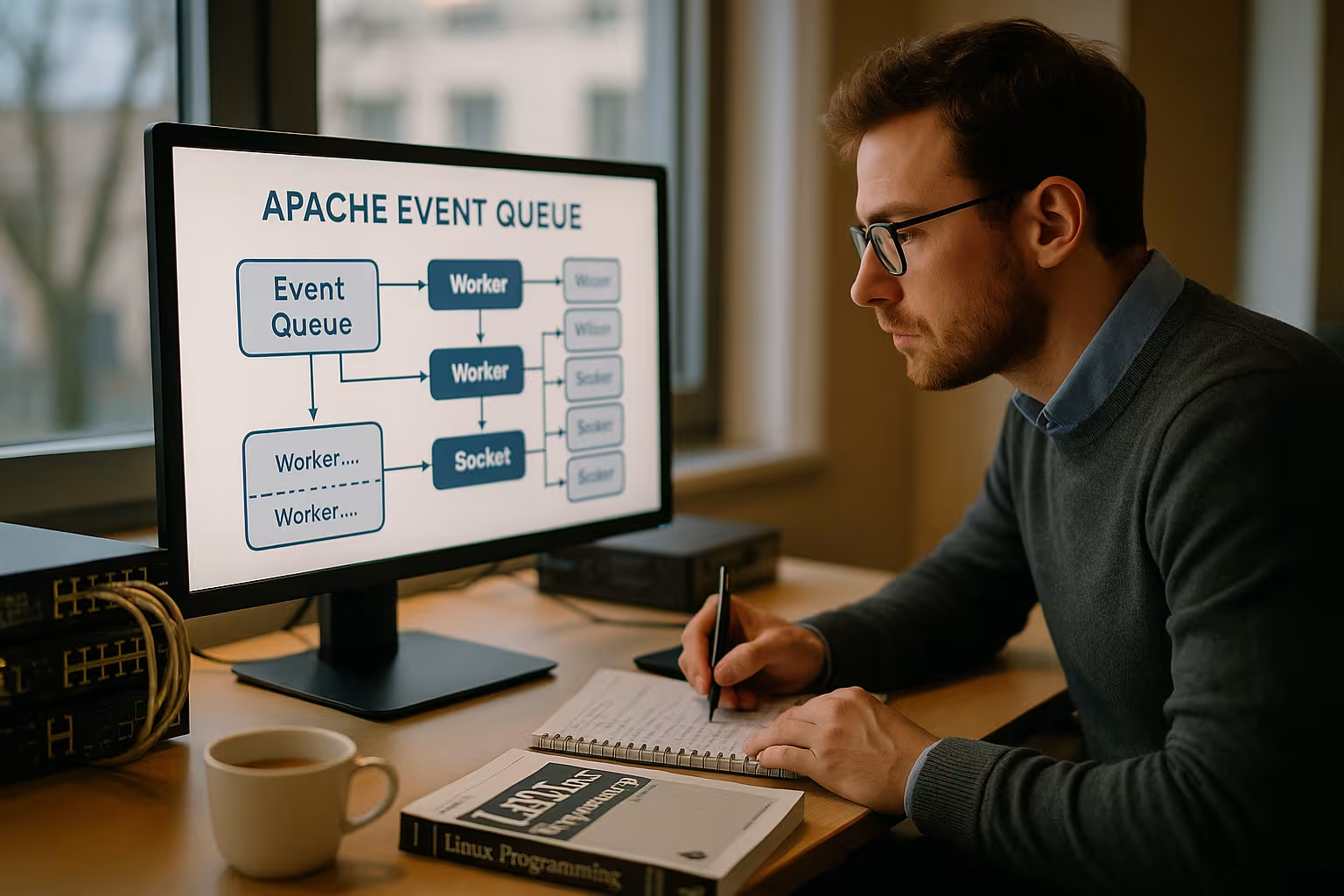
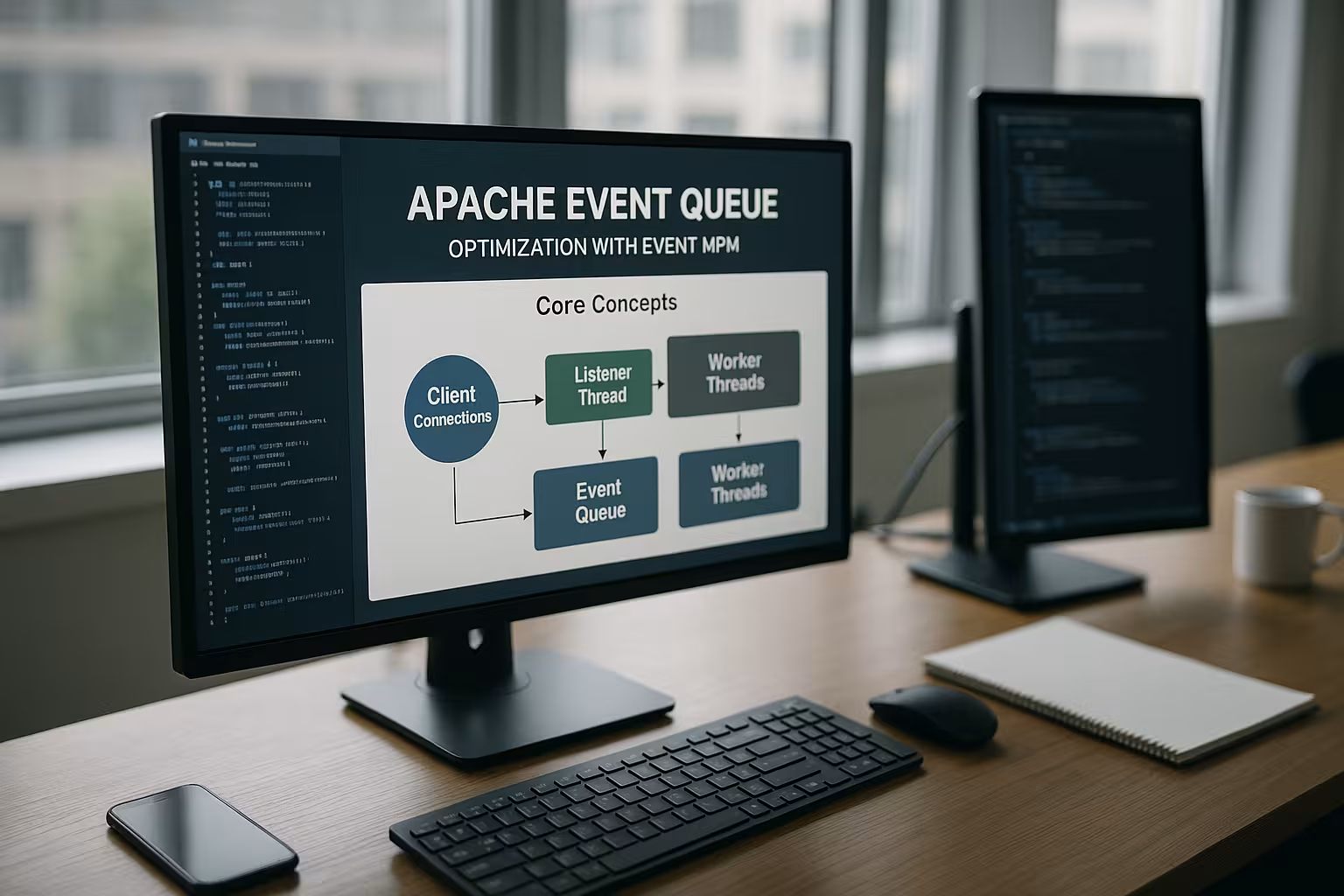
I'll start by asking how Apache runs under Load manages so many connections. Event MPM combines processes and threads, but prioritizes events via an event loop. Listener threads accept new sockets and monitor existing connections without immediately blocking a worker. Only once data is ready to be read or written does the event layer hand the socket off to an available worker thread. This prevents idle-Connections tie up threads and waste memory.
This separation noticeably reduces the load on RAM. Threads primarily perform „real work“ such as request parsing, response generation, or proxying. The event loop then returns the sockets to their appropriate state—for example, back to keep-alive or to the termination phase. In practice, I’ve observed shorter queues during peak loads because free threads become available again more quickly. The architecture provides a clear scaling Responsiveness for typical HTTP/1.1 and HTTP/2 workloads.
The Apache Event Queue in Detail
The event queue assigns each connection to a state, and this is precisely where the Profit compared to traditional MPMs. New connections first end up in a queue that checks for readability. When data arrives, the event loop moves the socket to a „readable“ queue and assigns it to a worker. After processing, the status determines the next action: terminate the connection, park the keep-alive, or close it. This cycle remains lean because queue management is handled efficiently via epoll or kqueue.
I often see misunderstandings: The event queue does not replace workers; it coordinates their Use more efficient. Threads continue to process requests, but only when data is actually being transferred. This conserves CPU and memory in scenarios with many „idle“ keep-alive connections. The cleaner the timeout and buffer design, the lower the risk that connections will remain in resource-intensive states for unnecessarily long periods. This allows response times to remain consistent even with thousands of open sockets.

Keep-Alive Problem in Traditional MPMs
With HTTP/1.1, connections often remain open so that multiple requests can be sent without a new handshake, which Latency saves resources. However, Prefork or Worker bind processes or threads that simply wait. During peak loads, many keep-alive connections then tie up valuable execution resources. This drives up RAM usage and limits the number of concurrent clients. The Event MPM mitigates this by keeping idle sockets without threads in a low-cost waiting state in the event queue.
This way, I queue up numerous connections and don't start processing them until they're actually needed. This changes the capacity model: Instead of threads = connections, I use threads = active work. In benchmark scenarios, this allows me to permit significantly more open connections without any drops in Response time. For API backends, WordPress hosting, and large content sites, this results in a significantly more even load. The benefits of keep-alive are maintained without threads being blocked.
Event MPM vs. Worker MPM
I'll summarize the differences briefly in a Table together. The goal is to provide a quick overview of handling, resource requirements, and typical use cases. Both variants rely on multi-threaded processes, but Event binds keep-alive connections to a single thread less frequently. Worker remains a solid choice for moderate loads, while Event excels with many parallel connections. This classification helps you make informed decisions for your own environment. I offer a more in-depth comparison at Event vs. Worker.
| MPM | Keep-Alive Handling | Threads/Processes | RAM requirement | Suitable for |
|---|---|---|---|---|
| Prefork | Process Stalls at idle | Processes Only | High | Legacy PHP without thread safety |
| Worker | thread often remains bound | Processes + Threads | Medium | Moderate load, simple setups |
| event | Event loop parks idle sockets | Processes + Threads | Low to medium | Many clients, long keep-alive intervals |

Typical application scenarios
I use Event MPM when there are many parallel Clients Request small to medium-sized payloads. High-traffic blogs, cached online stores, static assets, and API endpoints benefit significantly. The same applies to hosting setups with many websites per server, where keep-alive connections are prevalent. The event queue keeps the number of active threads low and distributes the workload evenly. Users of HTTP/2 benefit even more, because a single connection can carry multiple streams, while the event layer coordinates the states cleanly.
Event also demonstrates its strengths in reverse proxy topologies. I have Apache handle SSL termination, manage caching, and forward requests to an application layer. Connection management remains lightweight, which alleviates bottlenecks. Even during traffic spikes, response times remain manageable, provided limits are set wisely. This reduces the risk of Queue-Backlogs and timeouts.
Configuration: Key Directives
To make a sound decision, I first check ServerLimit, StartServers, ThreadsPerChild, and MaxRequestWorkers. The rule of thumb: ServerLimit × ThreadsPerChild should be close to MaxRequestWorkers, with some leeway for maintenance and growth. A value that’s too small limits parallelism, while one that’s too large inflates RAM usage. I set KeepAlive to On, but I set KeepAliveTimeout to a moderate value to prevent idle time from getting out of hand. Values ranging from a few seconds to the low double digits often work well, depending on the traffic profile.
I also take into account timeouts for reading, writing, and proxies. Shorter values prevent backends from hanging, while longer ones help with slow-responding clients, which Trade-offs is required. For static files, it’s worth sending data in larger blocks and using efficient filter chains. When using PHP via FPM or load balancers, I scale the backend workers to match the frontend parallelism. I document every change and measure its impact before proceeding.

Tuning the Event Queue: Step by Step
I start with a clear load profile: concurrent connections, requests per second, response sizes, keep-alive rates. I then set `MaxRequestWorkers` so that the CPU doesn't idle, but there's still plenty of RAM available. I adjust `ThreadsPerChild` until peak loads are handled without latency. I calibrate `KeepAliveTimeout` to strike a good balance between user experience and resource conservation. If you want to understand queuing behavior in greater depth, you can find the basics at Web server queueing.
I perform iterative testing using tools like ab, wrk, or k6 and analyze latencies at the P50, P95, and P99 percentiles. In doing so, I observe when connections remain in keep-alive mode and when they close. Slightly overprovisioning threads helps absorb short spikes without overloading the machine. At the same time, I check error logs for messages such as „server reached MaxRequestWorkers.“ This gives me a coherent Interaction between the event queue and the worker pool.
Monitoring and metrics
Good metrics ensure reliable Capacity. I enable mod_status and monitor active, idle, and waiting workers. The scoreboard shows whether requests are queued or whether resources are available. In addition, I measure the number of processes and threads, RAM usage, and network I/O. A visual analysis helps identify trends and tipping points. More details are provided by the Apache Scoreboard.
I correlate these values with access logs and error codes. If 5xx rates rise while the system is at full capacity, the limits are often set too low. If timeouts increase, I check backend services, DNS resolution, and network paths. I also look at TCP backlogs and SYN retransmissions during high load. This helps me determine whether the Cause in the web server, the backend, or the network.
HTTP/2, Reverse Proxy, and Modules
HTTP/2 bundles multiple streams into a single connection, which event-Architecture works perfectly. I make sure to strike a balance between stream limits and the thread pool so that many small streams don’t end up in queues. As a reverse proxy, Apache benefits from short timeouts and reliable backend connections. However, modules that are highly blocking can tie up threads and diminish these benefits. I therefore check for compatibility and replace outdated components if they cause latency spikes.
Cache modules and compression improve efficiency as long as CPU profiles are suitable. TLS optimization with modern ciphers and HTTP/2 prioritization helps ensure fast delivery. I use session resumption and monitor handshake costs under load. For static assets, zero-copy approaches and `sendfile` work well. The Art lies in keeping the chain consisting of TLS, the event queue, the worker, and the backend lean.
Internal Flow and States in the MPM Event
To understand the internal processes, I think in terms of Conditions: accept → readable → processing → writable → keep-alive → close. Listener threads monitor sockets using efficient kernel mechanisms (epoll/kqueue) and wake up workers only when an event occurs. After processing a request, the event layer decides whether to put the connection into keep-alive mode, close it immediately, or transition it to a „lingering close“-like state to ensure that late TCP packets are processed properly. This state machine prevents „busy waiting“ and minimizes context switches.
It is important to distinguish between I/O wait time and CPU usage: Request parsing, filter pipelines (e.g., compression), and response generation run in worker threads. The simple waiting for read/write access remains in the event loop. As a result, Apache makes better use of the available threads and reduces the Thread Density drastically per open connection.
I also take the scoreboard behavior into account: In mod_status, you can see phases such as „R“ (Reading), „W“ (Sending Reply), „K“ (Keepalive), and „G“ (Gracefully finishing). A high „K“ rate combined with available workers indicates that the event queue is queuing correctly and not wasting threads. If „R“ times increase significantly, slow clients or overly restrictive read timeouts suggest room for optimization.
Resource Planning: Sample Calculation and Useful Defaults
I calculate the Parallelism based on CPU, RAM, and workload. For example: 8 vCPUs, 16 GB of RAM, primarily cached content, and PHP-FPM on the backend. I start with MaxRequestWorkers set to 512–768, ThreadsPerChild set to 32–64, and ServerLimit set to 8–12 accordingly. I allocate 1–3 MB per active worker for Apache overhead plus modules, plus response buffers, TLS overhead, and backend sockets. Realistically, I reserve 4–8 GB for Apache processes/threads, 2–4 GB for OS cache, and the rest for backends. I make sure that ServerLimit × ThreadsPerChild is never less than MaxRequestWorkers; it makes sense to leave some leeway.
An Overview of Useful Guidelines: – MinSpareThreads/MaxSpareThreads: Maintain the reserve so that peak loads are handled without a „cold start,“ but without too many idle threads tying up memory. – MaxConnectionsPerChild (also known as MaxRequestsPerChild): A finite lifecycle per process helps prevent memory fragmentation and leaks during long-term operation (e.g., 5k–20k). – MaxKeepAliveRequests: Limits the number of requests per connection; moderate values prevent „infinite“ sessions without compromising the benefits of Keep-Alive (e.g., 100–1,000). – Timeout, Read/Write Timeouts and ProxyTimeout: Prevent freezes; I set different values for each context instead of being too conservative globally.
For static files, I use EnableSendfile and EnableMMAP Note: On local disks, both can offer advantages; with NFS/cloud volumes, I often disable sendfile to avoid edge cases. In TLS paths, sendfile is inherently less effective because data passes through encryption pipelines; here, efficient Filter Chain.
Operating System and Network Limits
Even the best event architecture is of little use if OS limits hold it back. I'll check: – File Descriptors (ulimit -n): The value should be well above the maximum number of concurrent connections plus backend sockets; tens of thousands are common for busy hosts. – ListenBacklog: A sufficiently large accept backlog prevents SYN rejections during peak periods. – Kernel Backlogs (e.g., somaxconn) and SYN queues: They must match the expected „burst“ rate. – Network buffer (rmem/wmem): Don't overdo it, but size it so that high-RTT or high-bandwidth paths don't collapse.
I distribute the accept load across multiple listener threads and generally let the platform choose the accept mechanism (AcceptMutex auto). On systems that support it, you can SO_REUSEPORT (Platform-dependent via a list option) smooth out the acceptance paths. It is important to avoid "thundering herd" situations in which many threads compete for the same accept.
Also TCP Ephemeral Ports (ip_local_port_range) and TIME-WAIT behavior must be consistent with the number of concurrent proxy connections. I avoid aggressive tweaks; instead, I conduct realistic testing and ensure that backends support keep-alive so that connections can be reused and fewer port rotations occur.
Reverse Proxy Nuances: Connection Pools and Backends
As a reverse proxy, overall performance depends heavily on stable backend connections. I make sure that Proxy Connections Maintain persistence (Keep-Alive to the backend) and size your backend pools so that they match the frontend's parallelism. Pools that are too small cause frontend bottlenecks, while pools that are too large place an unnecessary load on the app.
Practical adjustments: – ProxyTimeout: Shorter for non-critical paths, longer for „expensive“ endpoints—differentiate, don’t apply a blanket rule. – Balancer-Settings (for mod_proxy_balancer): weights, maximum connections per backend, health-based retry intervals. – mod_proxy_fcgi For PHP-FPM: The FPM-pm.*-Values (pm.max_children, pm.start_servers, etc.) must be consistent with Apache's parallelism settings to avoid 502/504 spikes.
I make sure that backend errors are escalated cleanly and quickly, rather than tying up frontend threads. Health checks, a cautious retry policy, and circuit-breaker-like patterns keep latencies stable. Where possible, I ensure that Response Caching in appropriate places so that the MPM event can send primarily brief, short replies.
HTTP/2 Fine-Tuning in Event
For HTTP/2, in addition to TLS, I primarily optimize Stream Limits and worker allocation. Many small streams per connection can reduce latency but increase thread utilization. I set the maximum number of streams per session so that multiplexing takes effect but does not result in „head-of-line“ replacement. In addition, I conservatively scale up the number of workers to cushion burst phases without exhausting RAM.
I've noticed how often streams wait even though threads are available. When this happens, stream limits or buffer sizes usually restrict the throughput. A Prioritization The use of critical resources (e.g., CSS/JS via HTTP/2 priorities) directly contributes to perceived performance. On the TLS side, session resumption, 0-RTT-like mechanisms (provided they are secure and available), and modern ciphers reduce handshake overhead.
Robustness: Timeouts, Protection Against Slowloris, and Graceful Shutdown
I activate mod_reqtimeout, to mitigate "slowloris"-like patterns. Read timeouts prevent clients from delivering bytes at a snail's pace and thus tying up resources. Write timeouts protect against sluggish connections to the client. These values should be selected based on context—APIs require different settings than large file downloads.
For rollouts and restarts, I rely on Graceful-Workflows. With a sensible graceful timeout, old processes shut down in a controlled manner while new processes take over. This keeps keep-alive connections stable, and the event queue processes any remaining load without abrupt terminations. Rotating logs, low verbosity during peak times (e.g., „info“ instead of „debug“), and optionally BufferedLogs significantly reduce the I/O load.
Troubleshooting Under Load: Identifying Patterns
Typical symptoms and approaches: – High P95/P99-Latencies with available workers: Usually caused by backend or network wait times; check proxy and read timeouts as well as backend pools. – „server reached MaxRequestWorkers“: Concurrency is too low—increase MaxRequestWorkers and/or ThreadsPerChild; check the RAM footprint. – Many Keep-Alive-Connections, few active threads, yet still slow: Often caused by blocking modules/filters or backend bottlenecks; profile the filter chain and check for CPU saturation and I/O. – 5xx spikes correlated with TLS load: CPU-bound handshakes—optimize ciphers, session resumption, and offloading if applicable.
I identify bottlenecks along the chain: socket acceptance (backlog), event loop (wait states), workers (CPU-bound), filters (I/O-bound), and proxy (backend-bound). This mental model prevents me from adjusting the MaxRequestWorkers setting when it’s actually the backend that’s the bottleneck.
Practical Checklist and Common Pitfalls
I work with a short Checklist: current Apache version, Event MPM enabled, limits properly configured, timeouts set appropriately. Next, I verify keep-alive rates and the relationship between connections and active threads. I check whether modules are thread-safe and whether filters cause any prolonged blocks. For PHP via FPM, I ensure that FPM workers are appropriately scaled for front-end concurrency. I also calibrate OS limits such as file descriptors, the TCP backlog, and kernel parameters for network buffers so that the Pipeline does not stall.
I quickly spot common pitfalls: KeepAliveTimeouts that are too long, MaxRequestWorkers set too low, low ThreadsPerChild, or inappropriate logging. Excessively detailed logging consumes I/O and slows down responses. A proxy backend pool size that’s too small undermines frontend tuning. TLS misconfigurations unnecessarily prolong handshakes. If you get these points right, you’ll create a reliable The basis for consistent latencies.
Summary for Technical Managers
Event MPM clearly separates connection management from execution and relies on a Event Queue, which efficiently manages idle connections. This allows Apache to scale effectively with many concurrent clients without leaving threads hanging. The right combination of MaxRequestWorkers, ThreadsPerChild, and well-thought-out timeouts keeps latency and RAM usage in check. With continuous monitoring, benchmarking, and a few targeted adjustments, you can create a system that handles traffic spikes and responds consistently. Those who follow these principles will get the most out of their Apache-It gets significantly more out of the installation while remaining compatible with common applications and protocols.