No, it’s not „half the Internet“ that’s demonstrably affected. However, unpatched PHP web services may be vulnerable to two critical vulnerabilities that can be exploited without prior authentication. Therefore, first check the actual web runtime Instead of just running PHP in the shell, install the released security fix and restart the affected workers in a controlled manner. This is especially important for publicly accessible services, mod_php, as well as containers and products with embedded PHP.
Interpreting the Alarm Message Correctly
The claim that a PHP security vulnerability could affect „half the Internet“ is a sensationalized hook, but not a substantiated estimate. There is no evidence that half of all Internet services are vulnerable or have already been compromised. The actual risk is nevertheless significant because PHP is used as a runtime environment in many websites, online stores, APIs, and administrative interfaces.
What matters is not whether a website uses PHP, but which version of PHP processes its web requests. The security updates from October 21, 2026, generally affect unpatched installations of the supported branches, provided they handle requests via a web service. A local PHP installation used for development tasks should therefore be treated differently than a customer portal accessible from the outside.
The Online Exposure The urgency is a key factor. A publicly accessible online store with forms and file uploads offers more potential points of contact than a closed, internal service. However, even an internal service is not automatically secure: VPN access, compromised accounts, or other systems on the network can make it accessible. Therefore, reach alone is no substitute for a technical risk assessment.
Equally important are the operating mode and Patch Stand. PHP can run, for example, via PHP-FPM, as an Apache module, via php-cgi, or embedded in a product. Multiple domains on the same server may have different versions and update paths. It would be just as wrong to give a blanket all-clear for all PHP websites as it would be to assume that every installation is immediately vulnerable.
What the PHP vulnerabilities technically make possible
A Remote Code Execution (RCE) means that, under certain conditions, an attacker can execute code on a remote system. According to the security advisory, these PHP vulnerabilities do not require prior authentication. The code would initially be executed with the privileges of the web process, not automatically with unrestricted administrator privileges. The potential consequences therefore depend heavily on file permissions, access credentials, and server isolation.
CVE-2026-109618 affects error paths in Storage shortage. If PHP aborts a request due to an out-of-memory condition, internal data structures may remain incomplete. If such structures are reused during the cleanup of the request, memory corruption may occur. The official description specifically cites multipart requests, file uploads, and memory consumption when parsing nested inputs as relevant technical contexts.
CVE-2026-109619, on the other hand, affects an internal state tied to a request whose memory has already been freed. If a reused worker subsequently processes another request, PHP can access this stale state before the normal initialization takes effect. The security advisory refers, among other things, to session upload progress and error paths. This describes the class of errors, not a guide to exploitation.
- Web requests made via PHP-FPM, Apache with mod_php, php-cgi, FrankenPHP, and LiteSpeed may be affected.
- The errors lie in the PHP runtime, not primarily in WordPress, Joomla, Shopware, themes, or individual plugins.
- CMSs and frameworks affect available features such as file uploads, but they do not replace an update to the interpreter.
Why Not Every Installation Is Equally at Risk
Whether a service is actually at risk depends on several factors. The primary risks are an unpatched PHP web runtime and an accessible web service. Other factors include the operating mode, reused processes, upload functions or complex forms, and the permissions of the web process account. A service with extensive write access to web files or access to other services can have more serious consequences than a strictly isolated project.
In Apache, with mod_php The PHP project places particular emphasis on this risk: A documented attack can be triggered even before the actual application code is executed. Even a well-maintained CMS does not protect against this vulnerability at runtime. This does not mean that PHP-FPM, php-cgi, FrankenPHP, or LiteSpeed are considered safe; if they are running unpatched versions, they must also be prioritized for testing.
Products containing the following also require special attention: embedded PHP. This may include container images, appliances, NAS management systems, or network products whose user interface uses PHP internally. In such cases, a command run on the host often does not show the actual runtime environment in use. Updating the operating system also does not automatically fix a vulnerable PHP component in an image or vendor product.
A firewall, web application firewall, or restrictive upload limits can make individual requests more difficult and limit the attack surface. However, they are no substitute for the fix, because they do not correct the faulty memory and state management in the interpreter. Even a bug-free CMS relies on a secure runtime environment. It is therefore essential to check and update the patch status of the PHP instance that actually processes web requests.
Compare secure patch levels and support status
For these two security vulnerabilities, the patch status within the deployed PHP branch is the primary consideration. The PHP project specifies specific fixed releases for the supported series. Earlier patch levels within the same series are considered affected; upgrading to the specified version or a newer version of this branch is the recommended complete remedy.
| PHP Branch | Affected up to and including | Secure version from | Support Status as of October 22, 2026 | Recommended measure |
|---|---|---|---|---|
| PHP 8.2 | 8.2.34 | 8.2.35 | Security updates only through December 31, 2026 | Update to at least 8.2.35 as soon as possible and plan the migration. |
| PHP 8.3 | 8.3.35 | 8.3.36 | Security updates only through December 31, 2027 | Update to at least version 8.3.36. |
| PHP 8.4 | 8.4.26 | 8.4.27 | Active support through December 31, 2026 | Update to at least version 8.4.27. |
| PHP 8.5 | 8.5.11 | 8.5.12 | Active support through December 31, 2027 | Update to at least version 8.5.12. |
| PHP 8.1 and earlier | No regular, current upstream release | No generally available regular fixed release | Not officially supported by the PHP project | Check the vendor backport or migrate to a supported branch. |
A Patch Update remains within the same development branch, for example, from 8.3.35 to 8.3.36. It is intended to provide the security fix and has a narrower compatibility scope than a change from 8.2 to 8.4. The latter is a migration: dependencies, extensions, application code, and, if applicable, the deployment must be checked separately for this.
PHP 8.2 can still be used for immediate fixes, provided that at least version 8.2.35 is running. However, support for this branch will end on December 31, 2026. Therefore, you should not remain on this branch indefinitely: Plan to migrate to a branch with longer-term support after testing the application for compatibility in a suitable environment.
Special caution is required for PHP 8.1 and earlier versions. The PHP project does not provide a regular, up-to-date release for these versions; minimal source code backports are not equivalent to a generally available, maintained package. A security backport documented by the operating system vendor may be appropriate, but it requires verification in a security advisory or package changelog. If this verification is missing, a migration is necessary rather than a mere version update.
Check the actual web runtime
The version check begins with an assessment, but must not end with the shell. On a self-managed server, the following commands display the version of the PHP command executed there and the configuration files found by that command. They do not modify any packages or configurations and are therefore suitable as a first, low-risk verification step.
The output describes only the one called via this shell command CLI Runtime. A website, on the other hand, can be served using PHP-FPM, Apache with mod_php, php-cgi, or a container. This web runtime may use a different PHP version and different configuration files than the command php -v on the host. The process that handles actual HTTP requests is key to the security assessment.
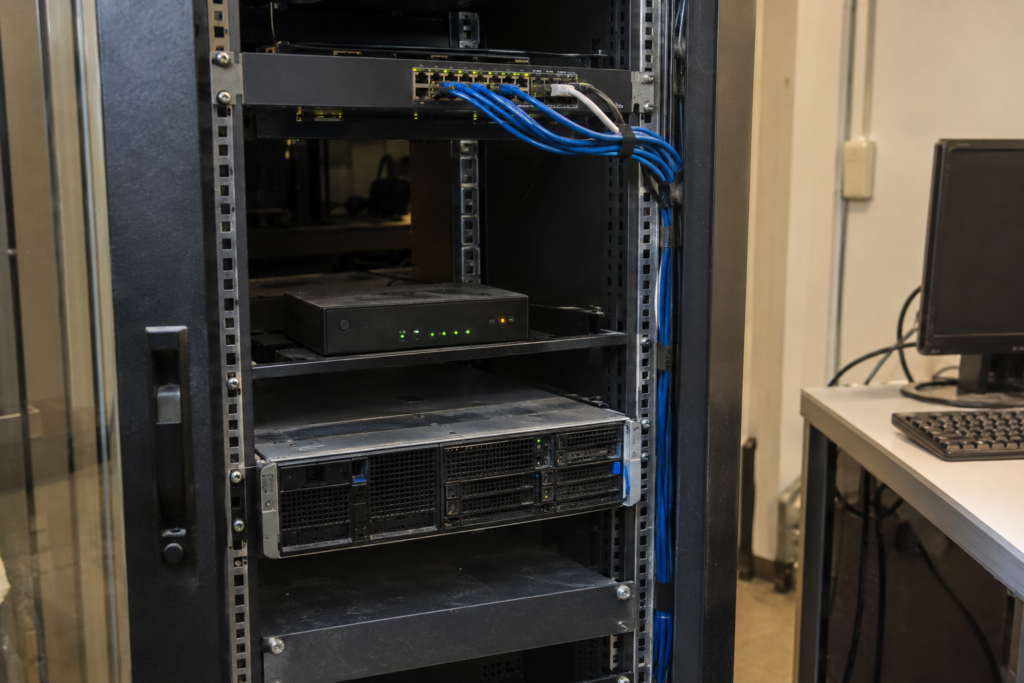
With managed hosting, you should therefore check the PHP version selected for each project or domain in the customer panel and, if necessary, verify the patch status of the provided service. If you have multiple domains, you must check each assignment individually: A main domain may already be using the patched branch, while a store, a staging instance, or a subdomain may still be using an older interpreter.
On servers running PHP-FPM, service configuration, package inventory, and deployment documentation go hand in hand. In container environments, you should also verify the image that was actually deployed, not just a local build manifest. What matters is which revision in the running pod or container is handling web requests; an updated base image does not protect an older instance that is already running.
Plan Update Paths by Operating Mode
The appropriate update method depends on who provides the interpreter and where it is operated. Only once this area of responsibility is clear can a reliable decision be made as to whether a panel replacement, a package update, a new image, or a manufacturer update is required. The following classification distinguishes between these cases without equating the operating modes in terms of risk.
| Operating Mode | Where can I check the actual version? | Who does the updating? | Typical feature |
|---|---|---|---|
| shared hosting | Customer panel per domain or project; information from the hosting provider | Hosting provider or customer via shared selection | PHP assignments may vary between domains. |
| PHP-FPM on Linux | FPM Pool, Installed Packages, Service and Deployment Configuration | Server Administration or Distribution | The package version may contain a documented security backport. |
| Apache with mod_php | Apache Module Configuration and Installed Packages | Server Administration or Distribution | As described by the PHP project, which places a special focus on risk. |
| Container | Running image, image tag, or digest, as well as container runtime | Build and Deployment Team | Host updates do not automatically change the embedded PHP in the image. |
| Embedded PHP in the Product | Manufacturer Documentation, Product Version, and Security Advisory | Product Manufacturer or Product Administration | PHP can be part of an appliance without a separate, visible installation. |
For shared hosting, the provider should provide the secure patch level for the selected PHP series; the administrator then checks the application. For PHP-FPM or mod_php, the administrator typically updates the packages and then carefully restarts the relevant service. A simple restart without applying the fix does not replace the update.
Linux distributions often provide security patches as Backport. In that case, the visible package version number may differ from the releases on php.net, even though the fix is included. Therefore, don't just compare strings like „8.4.26“; instead, read the distributor's security advisory and changelog. The PHP project notes that distributions and LTS providers may receive patches.
Containers require a specific process: build a corrected image or obtain one from the provider, deploy it, and replace old instances. With NAS interfaces, network devices, or off-the-shelf web applications, however, the correction is the responsibility of the manufacturer. A patch for the host operating system does not necessarily reach the embedded interpreter; therefore, inventory tracking and manufacturer guidelines remain essential.
Immediate Measures Without a False Sense of Security
On patch day, start by compiling a comprehensive inventory: domains, APIs, management interfaces, containers, and products that may contain embedded PHP. For each service, note the web operating mode, the update process used, and the PHP runtime actually in use. After that, prioritize every publicly accessible or business-critical service—not just the server with the most obvious version number.
Next, apply the security update released by your hosting provider, Linux distributor, image provider, or product manufacturer. For supported PHP branches, updating to the latest patch version is the complete solution; a WAF, upload rules, or a web server restart are not substitutes for this. Plan the process so that package, image, or vendor updates are documented in a traceable manner and can be traced back in case of problems.
After the update, you must all former workers be terminated and replaced with processes that have verifiably loaded the patched runtime. Use a reload only if the specific service manager ensures this complete replacement; otherwise, a controlled restart is required. Next, verify process start times, service status, or the internally determined web runtime, rather than simply assuming the replacement has taken place. For containers, roll out the corrected image and remove all old instances.
Next, check key application workflows such as login, forms, uploads, checkout, and APIs. The tests show whether the application and extensions function with the updated patch status; however, they do not, on their own, prove either that all workers have been replaced or that there has been no prior compromise. These points must be evaluated separately through operational and security audits.
If a patch is not available in the short term, certain settings can limit known attack vectors, but they cannot ensure complete security. Disabling the upload progress indicator must take effect before a request is parsed. First, check whether any applications or interfaces require this progress indicator, and then restart each relevant PHP worker. Afterward, verify that no old processes are still running with the previous setting.
Conservative limits on POST data and other options mentioned in the security advisory can also only partially reduce the attack surface. Late-read .user.ini-files or a ini_set() Measures taken within the application are not sufficient for this setting. Treat such measures as temporary risk mitigation and continue to focus on the security update as your goal.
This should be distinguished from the routine management of saved sessions. The article on PHP Session Garbage Collection explains how cleanup, file access, and workers interact during normal operation. However, this operational optimization does not address the vulnerabilities discussed here and does not replace either the corrected PHP patch or the subsequent replacement of running processes.
After the patch, check system operation and look for any anomalies
A successfully completed package update initially only indicates that files or packages have been installed. It does not confirm that the web process has loaded the new runtime, nor that the application is running correctly with it. Therefore, after the restart, check the web runtime relevant to the service and document the time, version, restarted service, and the result of the functional test.
Functional testing should cover real-world core workflows: important public pages, logging in and out, submitting forms, uploading files, checkout or booking, as well as API endpoints and background tasks. Test only operations for which you have authorization, and for live stores, use test data provided for this purpose whenever possible. At the same time, monitor web server, PHP, and application logs for new errors, recurring crashes, or unexpected status codes.
A fresh start is necessary to establish sustainable processes and Worker Loading it with updated code does not, however, apply a fix on its own. Without installing the update, the vulnerability remains. During periods of high load, the maintenance window should be scheduled so that requests can be processed in an orderly manner and the effects of a worker restart can be monitored.
The extent to which a controlled restart affects throughput depends on the number of PHP processes and their load. When planning, it is helpful to take queues, running jobs, and critical transactions into account rather than terminating processes in an uncoordinated manner. The guide Understanding PHP Workers explains the role of these processes in parallel dynamic queries.
If issues arise after applying the patch, distinguish between application compatibility errors and an incomplete rollout. Compare the configuration, enabled extensions, and the web runtime with their status prior to maintenance. A rollback must not result in a publicly accessible service remaining permanently in a vulnerable state; in such cases, quickly establish a compatible, patched update path.
Prioritize Old and Hidden PHP Installations
Special attention should be paid to systems where PHP is not visible as a deliberately installed runtime: Docker images, virtual appliances, NAS and network interfaces, and off-the-shelf software products. Updating the host does not automatically update a container image or the built-in runtime of a vendor’s product. Therefore, you should specifically ask vendors for their assessment and for a security update for the specific product.

When it comes to older branches, three cases must be clearly distinguished. A regularly supported PHP release receives the security updates published by the PHP project. A distribution or vendor backport may contain the fix despite having a different visible version number, but this must be documented by the vendor’s security advisory or changelog. In contrast, self-maintained source code requires you to take full responsibility for building, testing, and operating the software; it is not an equivalent substitute for a regular update channel.
PHP 8.1 and older branches no longer receive regular upstream releases. Although a corrected patch set is available for PHP 8.2, support for that branch will end in late 2026. Use an available fix for the immediate issue, but for older or end-of-life versions, also plan to implement a tested Migration to a branch with extended support.
- Update publicly accessible services running an unpatched PHP runtime first, especially if they allow uploads or have administrative functions.
- Apache with mod_php and business-critical online stores, APIs, or customer portals should be addressed immediately; the official security advisory highlights mod_php as a particularly critical risk.
- Identify containers, appliances, and third-party products based on images, inventory, and vendor status; the absence of visible PHP packages is not a cause for reassurance.
- Isolate unsupported services or those that cannot be patched in a timely manner, and restrict access to them, while simultaneously making plans for a mandatory replacement, upgrade, or migration.
Network segmentation, mandatory VPN use, or restrictive access rules can buy time when management interfaces cannot be patched immediately. However, they are only Transitional Measures, because internal user accounts, compromised devices, and misconfigured shares can still create entry points for attacks. If no fix is available for a product or if the PHP branch is permanently out of support, replacement or migration is the most reliable decision.
Sources and Current State of Knowledge
Status of the research:
Research status: October 22, 2026. Patch statuses and support information are based on the PHP and CERT-EU sources provided; for distribution packages, documented security backports must be checked separately.
https://www.php.net/archive/2026.php
https://github.com/php/php-src/security/advisories/GHSA-w8hw-w9fx-j79w
https://cert.europa.eu/publications/security-advisories/2026-018/
https://www.php.net/supported-versions.php