Plesk Event Handlers allow me to automate recurring hosting tasks in a targeted manner and reliably standardize workflows. I'll demonstrate in a practical way how I link events, trigger scripts, and thereby measurably speed up administration, integration, and quality.
Key points
Before I dive deeper, I’ll briefly summarize the key aspects and focus on scalable, secure, and traceable automation. I’ll address typical triggers, clean scripts, priorities, and the integration of external systems. In doing so, I keep processes lean, document results, and build error-handling mechanisms into my code. These guidelines help ensure that handlers run smoothly and limit risks. This way, the Automation manageable and directly contributes to efficiency.
- Trigger Define: Select an event, link the action properly
- Scripts Compile: Error Handling, Logging, Exit Codes
- Priority Control: Order of Multiple Handlers per Event
- Rights Note: appropriate user context, least privilege
- Integration Benefits: Integrate CRM, billing, and monitoring
I believe in short communication channels, clear lines of responsibility, and consistent results. With these principles, I build reliable Workflows, which I add to or replace at any time.

What are event handlers in Plesk?
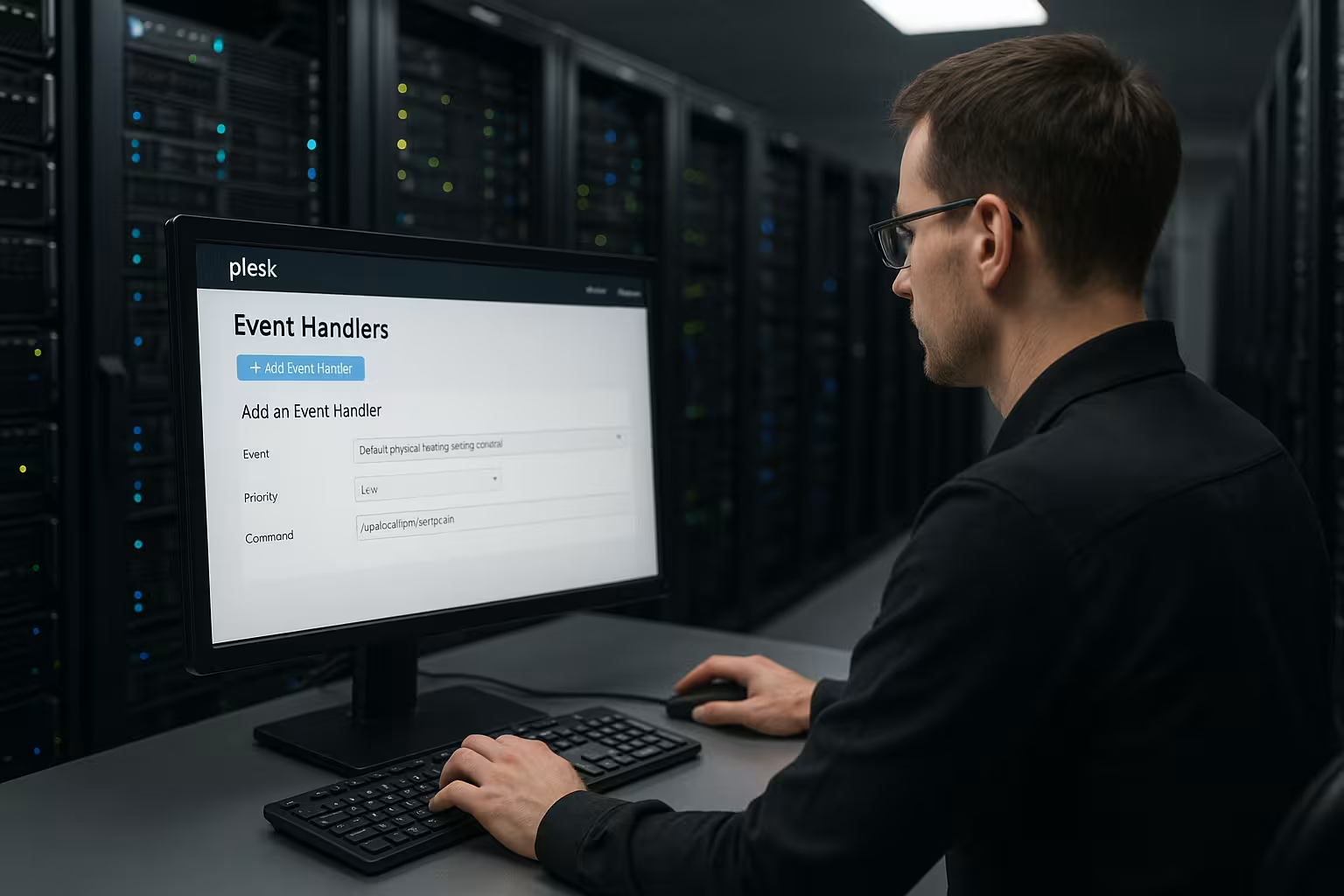
An event handler links a specific event to a defined action, thereby creating the technical Coupling between the trigger and the response. When Plesk triggers an event such as „Customer Account Created,“ „Subscription Created,“ or „Domain Deleted,“ my handler runs a command, a script, or a binary file. I use either the interface (Tools & Settings → Event Manager) or the CLI utility `event_handler`, depending on the workflow and environment. The basic principle remains the same: an event occurs, Plesk passes context variables, and the handler processes them deterministically. This is how I create consistent Processes, who always react the same way, regardless of the time of day, their mood, or how they're feeling that day.
Quick Start via the User Interface
To get started, I use the GUI and quickly create new handlers without opening a shell. I select the target event, assign a suitable priority, define the user who will run the script (Linux: root, Windows: Plesk Administrator), and specify the full script path. Next, I check the event’s variables and pass them to the script so that the action contains all the necessary data. Anyone who uses Plesk extensively in their day-to-day work will benefit from an overview of its features and use cases; the compact Plesk Server Management. After saving, I validate the result with a test event and check the logs to see if my Action went smoothly. This approach saves time and creates a clear Documentation per handler.

Automated Management via CLI
In automated setups, I consistently integrate event handlers into the CLI to ensure deployments remain reproducible. I list available events, create new handlers, and update existing entries via scripts to ensure CI/CD pipelines run smoothly. When used consistently, this creates a clear history and consistent states across many servers. To detect errors early, I log my scripts’ output and check return codes. I regularly use the following basic commands and adjust parameters such as Event, Priority, User, and Command to suit the respective Surroundings to:
# View available events
plesk bin event_handler --list-events

# Create a handler (example)
plesk bin event_handler --create \
  -event "Customer account created" \
  -priority 20 \
  -user root \
  -command "/usr/local/bin/on_customer_created.sh"

# Check configuration
plesk bin event_handler --list
Real-World Examples
When new customer accounts are created, I run a script that generates CRM entries and sends an internal message. When creating a subscription, I set up standardized DNS records, configure optional mailboxes, and write audit logs. When adding domains, I run a routine that requests certificates or updates configuration files for reverse proxies. If a subscription changes, a handler triggers an external API call that synchronizes licenses or billing rates. These use cases keep administrative overhead low, reduce the error rate, and strengthen the Traceability every action. This creates a repeatable framework that I tailor to each client's specific needs expand.

Table: Important Events and Settings
Before I create handlers, I plan the event, priority, user context, and the target of my action. The following overview helps me establish meaningful standards and ensure consistency across multiple hosts. Here, I group typical Plesk events and include notes on the recommended user and common responses. The „Variables“ column reminds me which contexts Plesk provides to the script. This structure reduces the learning curve, improves quality, and strengthens technical Clarity in operation.
| event | Typical variables | Recommended User | Sample Campaign | Priority |
|---|---|---|---|---|
| Customer Account Created | NEW_CONTACT_NAME, NEW_LOGIN | root / Administrator | CRM entry, welcome email | 20 |
| Subscription Created | SUBSCRIPTION_ID, DOMAIN_NAME | root / Administrator | Set DNS Records, Default Mailbox | 30 |
| Domain Created | DOMAIN_NAME, IP_ADDRESS | root / Administrator | Request an SSL certificate, write a proxy configuration | 40 |
| Email Name Created | MAIL_NAME, DOMAIN_NAME | root / Administrator | Set a quota, auto-reply template | 50 |
| Hosting Settings Updated | HOSTING_TYPE, DOCUMENT_ROOT | root / Administrator | Adjust file permissions, clear the cache | 60 |
With this reference, I save myself the trouble of spending a lot of time looking things up and can create new automations much faster, without having to Diligence to do without.
Security, Rights, and Monitoring
I deliberately choose the user who will execute the script and keep privileges as low as possible so that scripts do only what they are intended to do. I encapsulate sensitive routines in separate wrappers, validate input, and enforce clean exit codes. For recurring tasks, it’s also worth implementing a hardening strategy, such as one based on the Fail2ban Guide, in order to block suspicious patterns early on. I consider logging a must: Every handler writes the time, event, parameters, and result to a central file or a monitoring backend. This allows me to detect anomalies, narrow down causes, and maintain compliance with audits clear. Security is not an add-on, but an integral part of every Automation.

Priorities, Order, and Dependencies
If multiple handlers are attached to the same event, I control their execution using priorities and strictly adhere to dependencies. A logical chain often starts with logging, followed by notifications, and only then integrations that interact with external systems. I document this order in the team wiki and link to it from the handler description so that everyone understands the context. Where interactions occur, I check side effects for idempotent behavior to prevent duplicate execution. When in doubt, I encapsulate side effects and safeguard critical paths using return codes as well as isolated Transactions . This discipline prevents race conditions and maintains the technical Cleanliness my processes.
Testing, Staging, and Rollout
Before anything goes live, I test all handlers in a staging environment using realistic data and controlled timing. I trigger events selectively, check logs, compare expected and actual states, and document any discrepancies. Only once the results are reproducible do I automate the rollout via script or configuration management. I keep rollbacks on standby so I can quickly revert faulty versions without compromising services. Afterward, I closely monitor the initial runs to quickly resolve any teething problems. This way, my rollout remains predictable and the Quality reliable in production high.

Troubleshooting and Recovery
If a handler doesn't fire or fails, I first check the event mapping, the user context, file permissions, and the paths. Then I check the logs, increase the verbosity level if necessary, and simulate the execution—including variables—using the shell. If inconsistencies arise in the Plesk setup, this helps me Plesk Repair Toolkit, automatically resolve known error patterns. I also have a set of recovery steps in place: deactivate faulty handlers, correct them, retest them, and reactivate them in an orderly manner. With clear diagnostic paths, I minimize downtime and ensure the Availability my Services.
Integration via Hooks and Extensions
If a standard event handler isn't enough, I use hooks and listeners to dig deeper into Plesk. A PHP event listener in `admin/plib` integrates directly with internal processes and expands my options for responding. In addition, I add my own custom events to extensions, which later appear in the action log and can be processed just like native events. This creates a flexible architecture in which Plesk generates events and my modules deliver exactly the right action. Throughout this process, I ensure version compatibility, document interfaces, and test updates early on. This ensures that integrations remain long-lasting and function well during maintenance windows. controllable.
Script Blueprints: Robust, Testable, Reusable
I create consistent script templates that catch errors early, log them properly, and terminate deterministically. This reduces downtime and speeds up troubleshooting. For Linux, I prefer Bash with strict options and clear functions:
#!/usr/bin/env bash
set -Eeuo pipefail
IFS=$'\n\t'

LOGFILE="/var/log/plesk/handlers/on_domain_created.log"

log() {
  printf '%s | %s | %s\n' "$(date -Is)" "$1" "$2" | tee -a "$LOGFILE"
}

cleanup() { log INFO "Cleanup completed"; }
trap cleanup EXIT
trap 'log ERROR "Line $LINENO failed"; exit 1' ERR

: "${DOMAIN_NAME:=}"
: "${IP_ADDRESS:=}"
if [[ -z "$DOMAIN_NAME" ]]; then
  log ERROR "DOMAIN_NAME missing"; exit 2
fi

log INFO "Starting handler for $DOMAIN_NAME with IP ${IP_ADDRESS:-n/a}"

# Example: Idempotent DNS Configuration
if ! grep -q "$DOMAIN_NAME" /etc/bind/managed.list; then
  echo "$DOMAIN_NAME" >> /etc/bind/managed.list
  log INFO "DNS entry marked"
else
  log INFO "DNS entry already exists"
fi

log INFO "Done"; exit 0
On Windows, I rely on PowerShell with Try/Catch, structured logging, and clear exit codes:
Param(
  [string]$DOMAIN_NAME,
  [string]$SUBSCRIPTION_ID
)

$ErrorActionPreference = "Stop"
$log = "C:\plesk\logs\handlers\on_subscription_created.log"
function Write-Log($level, $msg) {
  "$([DateTime]::UtcNow.ToString('o')) | $level | $msg" | Out-File -FilePath $log -Append -Encoding UTF8
}

try {
  if ([string]::IsNullOrEmpty($DOMAIN_NAME)) { throw "DOMAIN_NAME is missing" }
  Write-Log "INFO" "Starting for $DOMAIN_NAME (Sub $SUBSCRIPTION_ID)"
  # Sample Action
  Write-Log "INFO" "Action successful"
  exit 0
} catch {
  Write-Log "ERROR" $_.Exception.Message
  exit 1
}
Variables, Pass-by-Reference, and Proper Quoting
Plesk provides event-specific Context variables, often with prefixes such as NEW_/OLD_ (e.g., NEW_LOGIN) or descriptive names (DOMAIN_NAME, SUBSCRIPTION_ID). In every script, I check which variables are set and use defensive quoting:
- Linux: Always enclose parameters in double quotes to account for spaces and metacharacters.
- Windows: Enclose strings correctly in quotes, be mindful of code pages, and escape paths with backslashes.
- Identify missing variables early and terminate the process using unambiguous exit codes.
Important: Not every event returns all the expected values. For each handler, I document the variables that are actually used and test edge cases (empty values, special characters, very long values) to avoid surprises.
Timing Behavior, Asynchrony, and Resources
Handlers do not block core operations, but they should short and conserve resources. I run longer workloads asynchronously so that the user interface and provisioning remain responsive. To do this, I use, for example, `systemd-run` or a background process on Linux, and Jobs on Windows:
# Linux: Run asynchronously
systemd-run --unit=plesk-handler-%i --collect /usr/local/bin/langläufer.sh "$DOMAIN_NAME"

# Alternatively, simply run in the background
nohup /usr/local/bin/langläufer.sh "$DOMAIN_NAME" >/dev/null 2>&1 &

# Windows: Background job
Start-Job -ScriptBlock { & "C:\Scripts\langlaeufer.ps1" $env:DOMAIN_NAME } | Out-Null
I set timeouts for remote calls, limit retries using backoff, and save intermediate results so that an interruption doesn't lead to inconsistent states. I don't let resources sit idle: I clear caches, close handles, and delete temporary files.
Concurrency, Idempotence, and Locks
When events happen in quick succession, I take precautions against Race Conditions . Two common patterns:
- Idempotence: Design actions so that executing them multiple times does not cause any harm (e.g., „create if not exists,“ „upsert“).
- Locks: Short-term locks prevent concurrent write accesses. On Linux, I use `flock`:
exec 9>" /var/lock/plesk-handler.lock"
flock -n 9 || { echo "gesperrt"; exit 0; }
# kritischer Abschnitt
On Windows, I achieve something similar using a mutex or by exclusively creating a lock file. I explicitly log locks so I can quickly identify the causes of bottlenecks.
Team-Based Management: Naming Conventions, Versioning, Rollback
Maintainability starts with Names. I name handlers consistently using the pattern „[Event] – [Purpose] – [Team]“ and assign priorities in fixed levels (e.g., 10=Logging, 20=Notification, 30=Configuration, 40=Integrations). Scripts are stored in versioned directories under /usr/local/bin or C:\Scripts, not scattered across home directories.
I roll out changes in a controlled manner: save the new version, verify the checksums, update the handlers via the CLI, and document the process:
Retrieve the # ID from the list
plesk bin event_handler --list

Update the # handler
plesk bin event_handler --update 123 \
  -priority 30 \
  -command "/usr/local/bin/on_subscription_created.sh" \
  -user root

Remove a # handler
plesk bin event_handler --remove 123
I keep the previous version on hand for rollbacks and can quickly revert changes using a script. Changes are traceable for everyone involved.
Platform Differences: Linux vs. Windows
Both platforms function similarly at their core, but differ in the details. On Linux, I pay attention to the interpreter shebang, execution permissions (chmod +x), and absolute paths. On Windows, I consider the ExecutionPolicy (signatures/bypass depending on security requirements), path separators, and encoding. I choose log targets based on the platform (file, event log, journald) and keep the formats consistent so that analyses don’t diverge.
Monitoring and Evaluation
Logs are only as good as their Analyzability. I write structured lines (e.g., JSON-like) with fields for timestamp, event, object (domain/subscription), status, duration, and correlation (e.g., PID). From this data, I generate key metrics:
- Success Rate by Event Type and Time Period
- Average and 95th Percentile Durations
- Number of retries and abortions
- Top Causes of Errors
I set up alerts for anomalies (e.g., a drop in the success rate or a spike in response time). This allows me to identify bottlenecks before users notice them.
Common Pitfalls and Checklist
- Path Issues: Always use absolute paths; the PATH is often minimal in the handler context.
- Rights: Check file and execution permissions, as well as SELinux/AppArmor profiles.
- Interpreter missing: /usr/bin/python3 or /usr/bin/node not found? Document and install the dependencies.
- Quoting: Properly escape unexpected spaces or special characters in domain names or usernames.
- Timeouts: Call external APIs with a timeout and a retry strategy; cache the results.
- Return Codes: 0 for success, clearly defined non-zero codes for error paths—makes analysis easier.
- Debug: Manually set test variables and run the script separately to simulate event flows.
# Linux: Simulation
export DOMAIN_NAME="example.test"; export SUBSCRIPTION_ID="4711"
bash -x /usr/local/bin/on_subscription_created.sh

# Windows: Simulation
$env:DOMAIN_NAME="example.test"; $env:SUBSCRIPTION_ID="4711"
powershell -File "C:\Scripts\on_subscription_created.ps1"
Data Protection, Confidentiality, and Audits
When it comes to personal data, I apply Data minimization To: Pass only necessary parameters and pseudonymize or anonymize them in logs (e.g., use a hash instead of the plain name, mask the last few characters). I keep access data and tokens strictly separate (file permissions, separate configuration files, environment variables only within the required scope). Retention policies ensure that logs are not stored indefinitely. For audits, I maintain a brief, standardized description for each handler: purpose, event, variables, owner, contact, and last modification.
Scaling in a Multi-Server Environment
As environments grow, I avoid central bottlenecks. I decouple external integrations using buffers (e.g., asynchronous processing), deduplicate events, and limit request rates to third-party systems. I roll out configurations in waves, monitor metrics, and adjust priorities if individual chains become too long. For shared resources (e.g., DNS, proxy), I rely on idempotent updates and comprehensive conflict checking to ensure that parallel changes do not conflict.
Summary: Guidelines for Everyday Life
I use Plesk Event Handlers strategically to automate routine tasks, reduce errors, and orchestrate integrations seamlessly. The key steps remain: define the event, write a script with error handling, assign a priority, check the user context, and enable logging. For larger setups, I manage handlers via the CLI, roll out changes via a pipeline, and keep rollbacks ready. I always keep security, monitoring, and test environments in mind to ensure that actions remain reliable and transparent. With this approach, I build a maintainable Automation that speeds up hosting administration and ensures quality in the long term ensures.