Skip to content
I insist on a clear 3-2-1 backup strategy for web hosting with Web hosting backup, Offsite backup, immutability, RPO, RTO, GDPR and regular restore tests so that I can survive outages in a controlled manner. I demand measurable goals and traceable processes so that the 3-2-1 backup rule doesn't just exist on paper, but delivers results quickly in an emergency.
Key points
- 3-2-1 ruleThree copies, two media, one copy offsite - plus unalterable backup as an extra.
- FrequencyDaily backups, hourly database backups, versioning and PITR.
- ImmutabilityWORM/Object Lock prevents deletion or overwriting by attackers.
- RPO/RTOClear objectives and verified restore paths minimize downtime and data loss.
- TransparencyProtocols, SLA, cost clarity and regular restore tests.
What does 3-2-1 actually mean in web hosting?
I am planning at least three copies: the Original hosting, a second backup on a different medium and a third copy on a different location. Offsite-location. Two different storage types reduce the risk of simultaneous failures due to hardware, storage drivers or ransomware. A geographically separate copy protects me against data center problems, fire zone failures and admin errors. I also rely on the 3-2-1-1-0 extension: an unalterable copy (WORM) plus backups without errors in the checksum. This keeps my chances of recovery high, even if the production system has been completely compromised.

Checklist: What I insist on from the hoster
I require complete backups of Files, Databases and emails - consistently, with proper dumps or snapshot quiescing so that applications restore cleanly. Without consistent database backups, I lose transactions or corrupt tables. I check that hourly database backups and daily file system backups are available. Versioning and point-in-time restore (PITR) for MySQL/MariaDB are part of this for me. This is the only way I can reliably meet tight RPO targets.
I require offsite redundancy in another data center or with an independent provider so that no organization becomes a Single Point of Failure. If my host has multiple regions, I request a copy in a different fire zone. I question the physical separation, the network paths and the administrative boundaries. A second organization for the offsite copy reduces the risk of common misconfigurations. I also ask whether the offsite storage offers real immutability.
I insist on unalterable backups via Immutability/WORM to prevent ransomware and operating errors from deleting data. Object lock with retention and optional legal hold prevents overwriting until the lock period expires. I document the retention logic so that I know how far back I can go in an emergency. This also protects me against insider threats. I use longer retention periods for particularly critical data.
Backups must not run with the same admin accounts as the production system, which is why I require Least Privilege and separate accounts. MFA/2FA is mandatory, roles are strictly separated and keys are secure. I check whether the provider offers separate projects or tenants. I require audit logs for backup and restore actions. This allows me to detect manipulation and unauthorized access at an early stage.
I enforce encryption everywhere: TLS in transit and strong encryption at rest, ideally with my own Keys. The locations must be GDPR-compliant and I sign a DPA to ensure that processing is legally compliant. I document retention periods in accordance with compliance requirements. Metadata and indices must also be stored in encrypted form. This prevents information leaks via file names and structures.
Set RPO and RTO correctly
I define a maximum permissible data loss (RPO) and a maximum recovery time (RTO) and record both in the contract. For stores and portals, an RPO of 1 hour often makes sense; for CMS with few transactions, 4-6 hours is also sufficient. An RTO of 4 hours is realistic for many projects; critical platforms need faster targets. Without clear time targets, nobody plans the budget and architecture appropriately. Restore exercises prove whether the targets are achievable.
| Aspect | Description | Typical value | Verification/testing |
|---|---|---|---|
| RPO | Maximum tolerated Data loss | 1 hour (DB with PITR) | Binlogs, timestamps, restore to point in time |
| RTO | Maximum Recovery time until productive | 4 hours | Playbooks, stopwatch, protocol |
| Storage | Versions and retention days | 7/30/90 | Plan, lifecycle policy, cost overview |
| Test frequency | Regular Restore-tests | monthly/quarterly | Report, hash check, screenshots |
I document how I collect the measured values and which tools I use. Without this transparency, RPO/RTO remain theoretical and do not help me in an emergency. I also record which components are critical and therefore restore them with priority. For databases, I define PITR and secure binlogs appropriately. For media files, I need versioning and clear retention.
Practical implementation of offsite and immutability
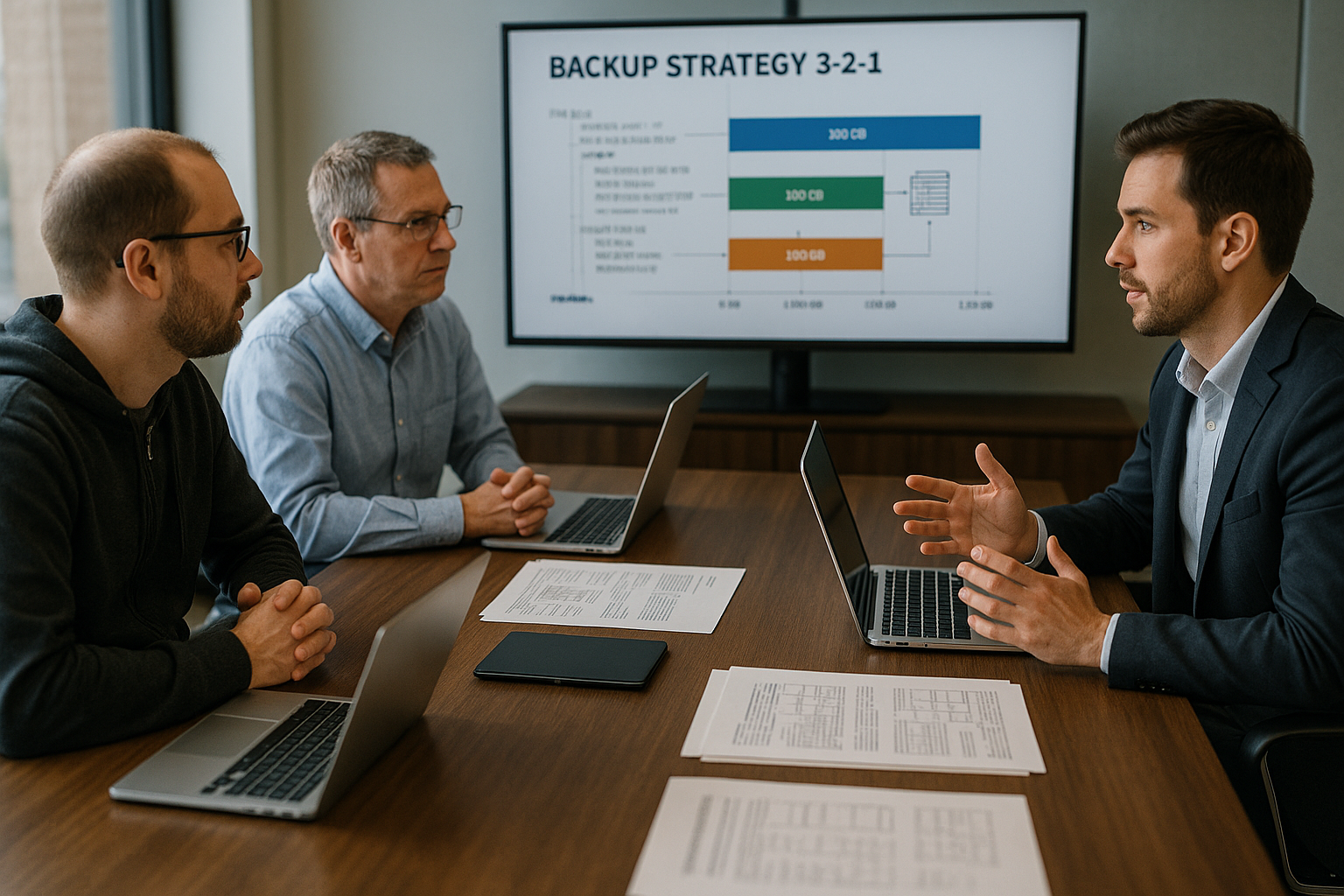
I consistently place the third copy in another Region or to an independent provider so that firewalls, admin accounts and billing are separate. Object Storage with activated immutability (e.g. Object Lock) prevents deletion within the retention. I check the region separation and verify that the provider uses different fire zones. A good introduction is provided by the compact overview of 3-2-1 rule in hosting. This eliminates the risk of a misconfiguration affecting all copies.
I only transfer offsite backups in encrypted form and with my own Keys or passphrases. In addition, I isolate access data so that a breach on the web server does not automatically open the offsite storage. I enforce separate IAM roles and MFA. I document the deletion protection in a comprehensible way so that audits can evaluate it. Only a few people are allowed to request retention changes.
Security: access, encryption, GDPR
I strictly separate accesses and only give backups the minimal necessary rights. No identical root account, no shared password, no shared keys. I enforce MFA with the provider and with my own cloud accounts. I encrypt the data on the client or server side using secure procedures. This reduces the risk of a thief reading content from storage media.
I pay attention to GDPR-compliant Locations and conclude a DPA with a clear purpose limitation. I check whether logs contain metadata that can be considered personal. I record retention and deletion concepts in writing. I need comprehensible processes for requests for information and deletion. This keeps me legally secure and avoids fines.
Restore test: practise restoring regularly
I not only test the recovery theoretically, but also carry out regular Restore-exercises on an isolated staging environment. I measure times, document steps and fix hurdles. I compare checksums of files and check application consistency via function checks. I restore databases to a desired point in time (PITR) and check transactions. Only this document shows whether RPO/RTO are realistic.
I have playbooks ready: Which person starts the restore, where are access data, how do I reach support, what priority do systems have. I write down the order: Database first, then files, then configurations. I keep important Passwords offline. I update the documentation and times after every test. That way, I'm not surprised by a real emergency.

How to build your own 3-2-1 setup
I stick to the structure: productive data on the Web server, second copy to a NAS or other storage, third copy offsite with immutability. For files I use restic or BorgBackup with deduplication and encryption. For databases I use mysqldump, logical backups with consistent locks or Percona XtraBackup. For transfers, I use rclone with bandwidth limit and repetitions.
I plan retention according to JRC (daily/weekly/monthly) and book enough Memory for versioning. Cronjobs or CI orchestrate backups and checks. Monitoring reports errors by e-mail or webhook. This article provides a compact classification of Backup strategies in web hosting. This way I keep control, even if my hoster offers little.
Automation and monitoring
I automate all recurring Steps and document exact commands. Scripts check exit codes, hashes and timestamps. Failed backups trigger immediate alarms. I store logs centrally and tamper-proof. I also limit bandwidth and carry out health checks on the offsite target.
I discuss API access, SFTP/rsync and S3-compatible endpoints with the hoster so that I can use independent restore paths. I record the costs for egress and restore services so that there are no surprises at the end. I check whether self-service restores are possible for individual Files and complete accounts are available. If not, I plan my own tools. This saves me time in an emergency.

Common mistakes - and how to avoid them
I never rely on a single Copy or the same storage system. Snapshots alone are not enough for me if they are neither offsite nor immutable. I check database consistency instead of just copying files away. Monitoring and restore tests are part of my calendar. Unclear storage or missing versioning cause long downtimes in an emergency.
I also check that the restore costs are transparent and that no fees delay the restore. I avoid shared admin accounts and use MFA everywhere. I keep procedures for key rotation. I perform at least a quarterly Test-Restore through. Errors from these exercises flow into my playbooks.
SLA, transparency and costs
I have the backup architecture with Diagrams and processes. This includes monitoring reports, alarm paths and response times. I request 24/7 emergency contacts and ask for time windows in which restores are prioritized. I also demand clear cost tables for storage, egress and services. If this is missing, I plan additional buffers in the budget.
For critical projects, I combine backups with DR-scenarios and avoid single points of failure. Here it is worth taking a look at Disaster recovery as a service, if I want to reduce failover times. I document escalation chains and test dates. I also maintain redundant contact channels. This way, I ensure that no one confirms missing responsibilities in an emergency.

What else do I back up - beyond files and databases?
I not only secure the webroot and database, but all the components that make up my platform. This includes DNS zones, TLS certificates, cronjobs, web server and PHP configurations, .env files, API keys, SSH keys, WAF/firewall rules, redirects and email filters. I also export package lists, composer/npm lockfiles and application configs. For mail, I rely on complete backups of maildir folders and separate exports of aliases and transport rules. For multi-account hosting, I also back up panel configurations so that I can restore entire accounts in a traceable manner.
I make conscious decisions about what I not secure: I leave out caches, sessions, temporary uploads and generatable artefacts (e.g. optimized images) in order to save costs and shorten restore times. For search indices or fine-grained caches, I document how they are automatically rebuilt in the event of a restore.
Comparison of backup methods and topologies
I choose the right method for each workload: Logical dumps (e.g. mysqldump) are portable, but take more time. Physical hot backups (e.g. via snapshot mechanisms) are fast and consistent, but require suitable storage functions. I use quiescing (fsfreeze/LVM/ZFS) where possible and secure InnoDB binlogs for true PITR. For file backups, I rely on incremental-forever with deduplication.
I decide between push and pull topology: With pull, a backup server initiates the backup and reduces the risk of compromised source systems. With push, the application servers initiate backups themselves - this is simpler, but requires strict IAM separation and egress controls. Agent-based methods offer greater consistency, agentless methods are easier to operate. I document my choice and the risks.
Granularity and recovery paths
I plan several types of restore: individual files, folders, individual tables/data sets, entire databases, mailboxes, complete web hosting accounts. For CMS/shop systems, I prioritize „DB first, then uploads/media, then configuration“. I have a blue/green approach ready: restore in staging, validation, then controlled switch. This way I minimize downtime and reduce surprises in productive operation.
I make sure that self-service restores are possible: Users can independently select a version, search time points and restore them in a targeted manner. I have a „break-glass“ process ready for emergencies: Emergency access with logging, time-limited and based on the dual control principle.
Integrity, checksums and silent data corruption
I only trust backups with end-to-end integrity. Each artifact receives checksums (e.g. SHA256), which are stored separately and verified regularly. I plan scrubbing jobs that read offsite objects randomly or completely and compare hashes. This allows me to detect bit rot or transmission errors at an early stage. I also save manifest files with paths, sizes and hashes to be able to detect gaps.
I automate test restores as proof of integrity: daily random file restores, weekly complete DB restores with PITR, monthly end-to-end test including application health check. The results end up in reports with time stamps, log extracts and screenshots.
Performance, time frame and resources
I define backup time windows that avoid load peaks and respect transaction times. Deduplication, compression and incremental runs reduce the transfer and storage volume. I limit bandwidth (rclone/restic throttle), rely on parallel uploads and chunking and take CPU and IO budgets into account. I back up large media stocks differentially and divide them into segments to avoid timeouts. I document how long a full and incremental run takes - and whether this harmonizes with my RPO/RTO.
Capacity and cost planning
I calculate capacities conservatively: data stock, daily change rate, compression/dedupe factor, retention levels (GFS). From this, I generate a monthly forecast and upper budget limits. I plan different storage classes (hot/warm/cold) and set lifecycle policies for automatic shifts within retention. I record egress, API and restore costs. I compare the expected costs of an outage (loss of revenue, SLA penalties) with backup expenses - this is how I make budget-based arguments.
Organization, roles and dual control principle
I strictly separate roles: anyone who saves is not allowed to delete; anyone who changes retention needs approval. Critical actions (deleting, shortening retention, deactivating immutability) run under the dual control principle with ticket reference. I define escalation chains, substitutions and standbys. Break-glass accesses are sealed, time-limited and are renewed on a rotating basis after use. Audit logs record all actions unalterably.
Specifics of common platforms
For WordPress, I back up the DB, wp-content (uploads, themes, plugins) as well as wp-config.php and salts. For stores, queue/job states, payment and shipping plugins as well as media CDNs are added. For multisite setups, I document the assignment of domains to sites. I also secure redirect and SEO settings to avoid traffic losses after restores. I back up search indices (e.g. Elasticsearch/OpenSearch) as a snapshot or reconstruct them using scripts so that search functions are quickly available again after a restore.
Disaster recovery and infrastructure reproducibility
I minimize RTO by making infrastructure reproducible: configuration as code (e.g. server and panel settings), repeatable deployments, fixed versions. I keep application secrets encrypted and versioned and rotate them after a security incident. I plan alternative locations for DR and document how I switch DNS, TLS, caching and mail routing in the event of a crisis. I record dependencies (third-party APIs, payment providers) and prepare fallbacks.
Law and compliance in the backup context
I balance retention periods with deletion obligations: For personal data, I define processes for how I practically implement deletion requests without jeopardizing the integrity of historical backups. I document which data categories end up in backups and minimize metadata. I describe TOMs (technical and organizational measures) in an auditable manner: encryption, access control, logging, immutability, geographical boundaries. I record risks for third country transfers and decide on locations according to my compliance requirements.

Practical tests and key figures
I define clear KPIs: backup success rate, age of last successful backup, time to first byte in restore, full restore time, error rates per source, number of versions checked, time to alert. I regularly compare these metrics with my RPO/RTO targets. I plan game days: targeted, controlled failures (e.g. intentionally deleted folders) to test response paths, alerts and restore paths under pressure. The results flow into my improvement program.
FAQ short
How often do I back up properly? I use daily Backups for files and hourly backups for databases; I choose shorter intervals for heavy traffic. How long do I keep versions? 30-90 days is common; I also keep monthly long-term versions. What is RPO vs. RTO? RPO is my maximum data loss, RTO is the time until everything is online again. I write both in contracts and test the values.
How do I secure emails? I pull maildir/mailboxes separately and test Restore single folder. How do I deal with large media files? Deduplication and incremental backups save costs; versioning enables targeted restoration. What does immutability mean in practice? Deletion protection with retention prevents manipulation until expiry. How do I integrate WordPress or stores? I back up files, DB and configuration and document the sequence.
Briefly summarized
I insist on 3-2-1 with Offsite and immutability, clear RPO/RTO targets, regular tests and clean documentation. I anchor responsibilities, playbooks and measured values. I demand self-service restores and traceable costs. I comply with GDPR requirements including AVV and strictly secure keys and accounts. This allows me to get back online quickly after an incident - with predictable effort and traceable quality.