Skip to content
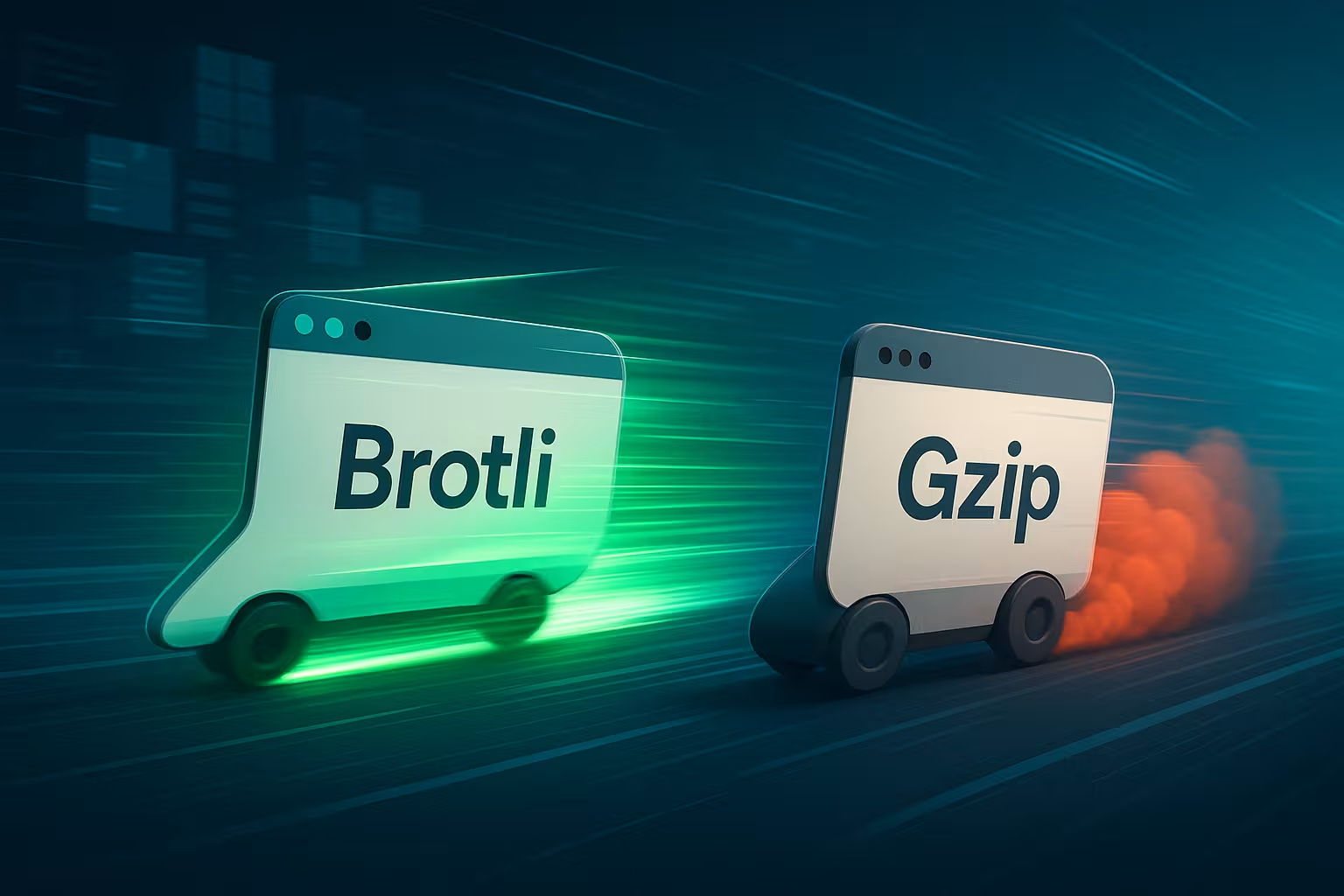
At Brotli vs. gzip I decide which format to deliver live based on measurable effects on TTFB, data volume, and Core Web Vitals. I know from reliable benchmarks that: Breadstick Compresses HTML, CSS, and JS by an average of 15–21 % and decompresses faster in the browser in many cases, sometimes up to 64 % [1][4][5].
Key points
- compression ratioBrotli reduces text resources by an average of 15–21% more than Gzip – noticeable for FCP/LCP [1][4][5].
- ScenariosStatic assets at the edge with Brotli, dynamic responses often with Gzip or moderate Brotli level.
- power levelsBrotli Level 4 is often faster and more efficient than Gzip Level 6; high levels only for pre-compression [4][5].
- HostingEfficient compression hosting with HTTP/2/3, caching, and CDN significantly reduces round trips [3][5][8].
- MonitoringAlways check changes using RUM and synthetic tests via FCP, LCP, and TTFB.

Compatibility, headers, and caching keys
To ensure that Brotli or Gzip work reliably, I make sure that Content negotiation. The browser sends Accept-Encoding, the server responds with Content encoding (br, gzip, or identity). Important: Vary: Accept-Encoding is included in every compressed response so that caches and CDNs correctly separate different variants. Otherwise, the cache will deliver a Brotli file to a client that only understands Gzip. At the CDN level, I check that Accept-Encoding Part of the Cache Keys and that the edge nodes may store both .br and .gz variants.
I also keep a sturdy Fallback Ready: if a client cannot handle Brotli, it receives Gzip; if it cannot handle anything, it receives uncompressed data. For local proxies or older devices, this path is worth its weight in gold – and it doesn't cost me any time in everyday use if the Vary chain is correct. I work consciously with ETags: strong ETags per variant or a hash that includes the compression form prevents errors. 304 Not Modified Hit between br/gz.
What post-compression really brings to everyday life
Efficient Compression Not only does it shorten transmission times, it also stabilizes loading times when mobile network quality fluctuates. The smaller the HTML, CSS, JavaScript, and JSON files, the faster the initial content appears because the browser has fewer bytes to fetch and unpack. I therefore prioritize text resources, because images and videos benefit more from their own codecs than from HTTP compression. On well-configured hosts, the time to first byte can be visibly reduced because CPU time and network latency are better balanced. Those who clean up their pipeline win twice: less bandwidth for the Data and fewer reflows thanks to styles and scripts being available earlier.
Which content to compress—and which not to
I compress selectively text-based Types: text/html, text/css, application/javascript, application/json, application/xml, image/svg+xml, application/manifest+json, and similar. For already compressed binary formats (images, videos, PDFs in many cases, WOFF2), I save the CPU: the effect is minimal, and latency can increase. Also important: a threshold valuerule (e.g., from 1024–2048 bytes) so that tiny responses are not unnecessarily delayed without any noticeable gain. In CI, I regularly check content type and size to detect misconfigurations early on.
Brotli vs. Gzip: Numbers that change loading times
Compressed in tests Breadstick HTML is about 21% faster than Gzip, JavaScript about 14% faster, and CSS about 17% faster [1][4]. Other measurements confirm a roughly 20% advantage over Deflate, the method behind Gzip [5][6]. This difference makes pages noticeably faster, especially with lots of text assets and on mobile devices with variable bandwidth. What's more, decompression in the browser is often faster with Brotli; up to 64% faster unpacking times were measured in the front end [1]. All in all, better compression rates and rapid unpacking clearly reveal the critical path to the visible content.

From a network perspective: First RTTs and CWV
Many tangible gains arise because smaller responses fit better into the initial TCP/QUIC flights fit. If the initial HTML fits into one or two fewer packages thanks to Brotli, the time to FCP/LCP and the blockage for render-critical resources are reduced. Under HTTP/3, connections also benefit from lower Head-of-Lineblocking. In mobile networks with higher packet loss rates, smaller transfers smooth out the JitterCurve – RUM data then shows fewer upward outliers. For me, this is a reason to consistently shrink the initial HTML and critical CSS [3][5][8].
When to use Brotli – and when to use Gzip
For static For assets such as HTML, CSS, JS, SVG, and WOFF2, I use Brotli with a high level of compression, pre-compressed during build or directly at the CDN edge. The files end up in the cache and are delivered thousands of times without CPU costs. For highly dynamic responses—personalized HTML views, API JSON, search—I usually rely on Gzip or Brotli with a moderate level so that the server streams the response quickly. The TTFB curve remains crucial: if it shoots up, I turn the level back or deliver unblocked partial content earlier. That's how I keep Response times low, without losing the advantages of compact files.
Choosing the right quality levels
I start pragmatically: Brotli level 4 for on-the-fly, levels 9–11 only for pre-compression; Gzip level 6 as a solid starting point [4][5][6]. If the CPU load increases during peak traffic, I first reduce the Brotli level and check whether the caching header and CDN edge are working correctly. Often, a small adjustment to the Cache more than a high compression level. In measurements, Brotli often showed better file sizes at similar or lower latency than Gzip Level 6 [4]. If you measure iterations accurately, you will quickly end up with a setup that Server protects and still saves a noticeable amount of data.
Configuration: Nginx, Apache, Caddy – secure defaults
I rely on simple, verifiable defaults. For Nginx, this means: use static variants, moderate on-the-fly, correct types, sensible minimum sizes, set Vary cleanly.
# Nginx (example) brotli on; brotli_comp_level 4; brotli_static on; brotli_types text/html text/plain text/css application/javascript application/json application/xml image/svg+xml;

gzip on; gzip_comp_level 6; gzip_min_length 1024; gzip_static on; gzip_vary on; gzip_types text/plain text/css application/javascript application/json application/xml image/svg+xml; add_header Vary "Accept-Encoding" always;
Under Apache, I activate mod_brotli and mod_deflate with clear responsibility: Brotli first, Deflate as a fallback. Minimum sizes and types remain consistent.
# Apache (example)  AddOutputFilterByType BROTLI_COMPRESS text/html text/plain text/css application/javascript application/json application/xml image/svg+xml BrotliCompressionQuality 4 BrotliWindowSize 22
  AddOutputFilterByType DEFLATE text/html text/plain text/css application/javascript application/json application/xml image/svg+xml DeflateCompressionLevel 6  Header append Vary "Accept-Encoding"
Guards remain important: no compression for already compressed media, tests for double compression, and proxies. no-transform avoid if caches otherwise suppress variants. I check with curl: -H „Accept-Encoding: br,gzip“ and -I, whether Content encoding, Vary and sizes are plausible.
Pre-compress static assets: Build, Edge, Cache
For bundle-heavy front ends, I pre-compress Assets in the build and place .br/.gz variants next to the originals so that Nginx or a CDN can deliver the appropriate version directly. Large libraries, repeated CSS classes, and framework code benefit disproportionately because Brotli uses a larger search window and a built-in dictionary [2][9]. Legitimate long-term caches (immutable + versioning) further reduce requests and unpacking work. If you want to deliver globally, combine this with a smart CDN optimization, so that edge nodes close to the user deliver the data. This means that smaller files and geographical proximity together ensure lower Latencies.
Monitor dynamic responses and TTFB
For server-side generated HTML-Views count streaming and low latency more than last percentage points of file size. I compress on-the-fly with Gzip or Brotli at a moderate level, check TTFB and CPU per worker, and only increase the level if there are enough reserves. A clever template order sends the first bytes early so that the browser can start rendering. In addition, it stabilizes Server-side caching response time, because recurring fragments are not recalculated every time. This setup keeps Tips without slowing down the user experience.

Delivering streaming and partial content correctly
Especially with HTML views, I rely on early riversCritical inline CSS, early head section, then quickly stream the body. Compression must not slow this down. That's why I keep an eye on buffer sizes and flush points and avoid complex Brotli levels on the fly. Gzip Level 6 or Brotli Level 3–4 provides a good balance here. Crucially, the server should not wait until „everything is ready,“ but send in sensible blocks—this improves FCP and perceived responsiveness.
HTTP/2 and HTTP/3: Effectively combining compression
Multiplexing under HTTP/2 QUIC and HTTP/3 work perfectly with smaller files because more objects flow in parallel and with less head-of-line blocking. Reduced RTTs and lower packet loss in HTTP/3 provide additional stability, especially on mobile networks. I therefore always check whether the host supports both protocols with correct prioritization and server push replacement (early hints). If you compare the setup, you will find helpful details in the compact HTTP/3 vs HTTP/2 Overview. In combination with Brotli for static files and Gzip for live HTML, waiting times and Jitter noticeable.
CDN strategies: cache keys, stale, and edge precompression
In the CDN, I make sure that .br and .gz Variants are cached separately, and edge nodes preferably deliver the pre-compressed artifacts. I activate stale-while-revalidate and stale-if-error, so that peaks or backend dropouts are not visible. For API routes, I often let the CDN compress live, but with conservative levels. Important: Headers such as Cache control, ETag, Vary and Content encoding must form a coherent picture – otherwise bizarre cache miss waves will occur, which will worsen the TTFB.
Mobile users: Save bandwidth, conserve battery power
On your smartphone, every penny saved counts. byte directly affect loading time and energy consumption. The 15–21 % smaller Brotli files reduce transfer time and radio activity; the relief is particularly noticeable when bandwidth is limited [4][5]. Smaller payloads also stabilize FCP and LCP metrics because render-critical resources arrive faster. I also pay attention to clean critical CSS and make a clear decision about which scripts are really allowed to be render-blocking. Ultimately, bounce rates decrease and interactions start earlier because the browser has less Load carries.

Team workflow, CI, and budgets
I make compression a Pipeline issueBuild steps generate .br/.gz files, CI measures the size of the artifacts and compares them to budgets. A pull request that inflates critical assets by 30 % is immediately noticeable. In addition, I store smoke tests (curl checks on content encoding, vary, size comparison) so that errors are not only noticed in production. I run rollouts as Canary: Split traffic to new levels, monitor RUM and server metrics, then roll out fully. Clear rollback levers (feature flags, Nginx map for quality levels) give me security during peak traffic.
Comparison table: Strengths at a glance
The following overview helps me in conversations with Teams, to make quick decisions. It does not replace testing in your own stack, but it does show where the greatest effects lie. I always evaluate the combination of file size, CPU profile, and user impact. If you are clearly focused on static text assets, you will almost always be satisfied with Brotli. For highly dynamic applications, Gzip remains a reliable All-rounder.
| Criterion | Breadstick | Gzip | Practical effect |
|---|---|---|---|
| compression ratio | ~15–21 % smaller for HTML/CSS/JS [1][4][5] | Good, but larger than a bread roll | Fewer bytes, faster Transmission |
| Decompression in the browser | Often faster; up to 64 % in tests [1] | Solid speed | Faster start visible Contents |
| On-the-fly CPU profile | Moderate levels quickly; high levels expensive | Medium levels very fast | Choose conservative settings for Live HTML Level |
| Best uses | Static assets, pre-compression, edge cache | Dynamic responses, streams, APIs | Separate setups by resource type |
| Typical steps | 4 (on-the-fly), 9–11 (pre) [4][5][6] | 6 as a starting point | Balance between size and TTFB |
| Compatibility | Widely supported, fallback possible [3][5][6] | Available almost everywhere | No real hurdles in modern stacks |
Monitoring and testing: How I measure progress
First, I install clear Metrics: TTFB, FCP, LCP, bytes/request, and CPU per worker. I then compare variants—Gzip vs. Brotli, level adjustments, edge cache on/off—in identical time windows. Synthetic tests show reproducible differences, and real-user monitoring confirms the effect on real users. It remains important to have a clean rollback in case CPU spikes or cache miss waves occur. Only when the effects are stable do I roll out the setup. Trafficstrong routes.
Troubleshooting: typical error patterns and quick checks
- Double compression: Content encoding shows „br, br“ or „gzip, gzip.“ This is often caused by filter chains or proxy + origin. Fix: make only one location responsible, prefer static variants.
- Incorrect variant from the cacheBrotli is well received by clients without br support. Mostly missing Vary: Accept-Encoding or the CDN cache key does not contain the field. Fix: Force Vary and adjust the CDN key.
- Exploding TTFB After activation: on-the-fly level too high, CPU saturation, or missing edge cache. Fix: lower level, enable pre-compression, check cache header.
- No increase in size: Incorrect types (already compressed media), minimum length too low, or aggressive minification missing. Fix: Curate types, increase min length, check build optimization.
- Damaged downloadsContent-Length does not match the compressed response or upstream removed content encoding. Fix: use Transfer-Encoding: chunked for compression or recalculate the length correctly.
- Jerking render paths: HTML streams too late, even though it is compressed. Fix: Structure template, send early bytes, critical CSS, choose moderate levels.

In summary: My default strategy
For all cacheable text resources, I enable Breadstick and deliver pre-compressed via Build or CDN Edge. Highly dynamic content receives Gzip or Brotli at a moderate level to keep TTFB and interactivity stable. HTTP/2 and HTTP/3 run with cleanly set cache headers, early hints, and prioritized loading of critical resources. I keep the quality settings as low as possible as long as the file sizes show a clear benefit. This approach combines low Data volume with low server load – and noticeably speeds up pages.