Skip to content
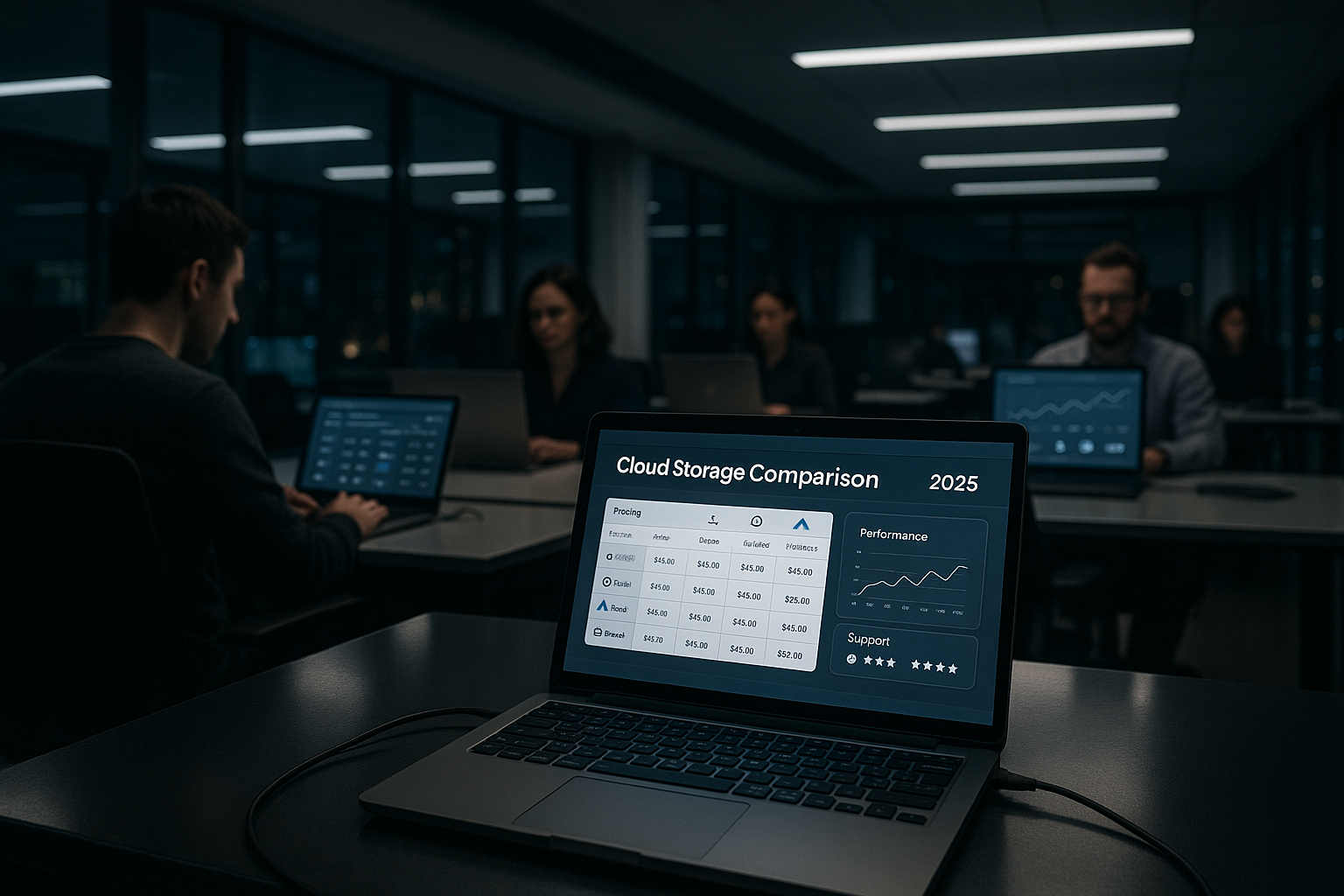
At cloud storage comparison 2025, I classify providers according to price, performance, data protection and support for Germany and Europe. This allows you to quickly find suitable tariffs with clear costs, DSGVO-conformity, useful team functions and reliable help in everyday life.
Key points
The following key aspects guide my evaluation and help you to make an informed decision in minutes.
- Data protection & encryption: EU/DE locations, ISO certificates, backups
- Price & Transparency: fair 1 TB packages, no hidden fees
- Performance & Sync: fast uploads, versioning, WebDAV/Apps
- Collaboration & integrations: Office, G-Suite, rights management
- Support & SLA: Availability, response times, migration support
I pay attention to clear criteria so that you Security and suitability for everyday use.

Why a comparison remains crucial in 2025
I see clear trends in 2025: more Compliancemore remote teams, more automation - and higher expectations of support. Those who process data in Europe value server locations in Germany or the EU and end-to-end encryption. Pricing models are similar, but differ in details such as traffic, versioning and releases. This is where the wheat is separated from the chaff, as the small print has a noticeable impact on the overall costs. For a quick introduction, I recommend my compact Cloud storage comparison 2025which sums up the advantages and disadvantages.
I rate providers according to how well they Data protection, performance and service together. This is the only way to ensure that the solution fits the team size, project speed and legal requirements in the long term. Price lists alone are not enough, because collaboration, rights management and app quality determine productivity. Clean cloud storage adapts to requirements without focusing on administration. That's why, in addition to costs, I place great importance on actual usability in day-to-day business.
How I rate 2025: Methodology & weighting
I work with a clear evaluation matrix to reduce subjective impressions. The weighting: Data protection/compliance (30%), Performance & Sync (25%), Collaboration & integrations (20%), Price & transparency (15%) and Support & Operation (10%). For each provider, I check publicly documented security features, AV contracts, data regions and roadmaps, test sync clients on different operating systems and measure real upload/download times. For teams, I verify rights concepts, external shares, version history, locking and Office integrations. This creates a comprehensible overall picture instead of just feature lists.
What really matters with cloud storage
I start every analysis with SecurityEU/DE location, certified data centers, encryption at rest and during transfer. Then I check the collaboration - rights, release links, versions, locking, Office integration. Thirdly, scaling is important: tariffs should grow without effort, user rights must be properly controlled. Fourthly, I evaluate the cost structure including additional options, such as extended version history or API usage. Fifthly, I look at support channels, times, quality of documentation and speed of response - this saves a lot of money in an emergency.
In many projects, providers who Transparency on bandwidth, limits and backups. It also helps me to take a look at migration tools to smoothly transfer data from old systems. Good mobile apps, offline-capable clients and WebDAV complete the picture. Those who manage media files benefit from previews and streaming-friendly formats. The result is a clear overall picture that sensibly combines cost, speed and security.

Provider overview: Strengths, prices, support
webhoster.de
webhoster.de provides German server locations, clear tariffs and strict DSGVO-standards. 10 GB for free and 1 TB for €7.99 per month make for a strong price-performance ratio that I like to use for professional setups.
pCloud
pCloud offers 10 GB for free, servers in the EU/Switzerland and good media functions for Audio and video. At € 9.99 per month for 1 TB, the service remains attractive, especially for archiving and mobile use.
Google Drive
Google Drive integrates tightly into the Google ecosystem with Docs, Sheets and Meet - handy for Teams with international collaboration. 15 GB free of charge and 1 TB for €8.33 per month make it easy to get started and collaborate quickly.
Microsoft OneDrive
OneDrive is an ideal fit for Office workflows with Word, Excel and PowerPoint, including Co-authoring. 5 GB for free and 1 TB for €7.00 per month make the service very attractive for Microsoft environments.
STRATO HiDrive
STRATO HiDrive scores with ISO-certified German data centers, versioning and WebDAV. HiDrive works from just € 3.50 for 500 GB and from € 5 for 1,000 GB priced exciting, especially for data protection-focused projects.
IONOS Cloud storage
IONOS combines DE locations, ISO certificates and flexible tariffs - entry from €1.50 for 100 GB, 1 TB from €7. For IT departments with strict Compliance and automation, IONOS provides solid tools.
Tresorite
Tresorit relies on end-to-end encryption and EU/Switzerland as the data region - very secure, somewhat more expensive. 1 TB costs €9.99 per month; I use Tresorit when Confidentiality stands above everything.
luckycloud
luckycloud stores at 100% in Germany, with E2E encryption and strong collaboration features. The Price level is higher, but is worthwhile for industries with high compliance requirements.
Teamplace
Teamplace addresses teamwork with an intuitive interface, GDPR compliance and fast synchronization. For SMEs with a focus on Projects and simple approvals, the service provides a good mix.
MagentaCLOUD
Deutsche Telekom's MagentaCLOUD offers DE data protection, automatic backups and solid apps. Prices are often a little higher, but the Data sovereignty of many users.
MEGA
MEGA offers a lot of free storage, strong client-side encryption and simple sharing. With 20 GB free and 1 TB at €8.33, the service is attractively priced, especially for users who share large volumes and value E2E lay.
Comparison table 2025: Prices, storage, location
The following overview shows typical conditions for 1 TB, free entry volumes and the data location. Pay attention to Special features such as versioning, Office integration or end-to-end encryption, as they have a significant impact on the user value. Some providers offer additional tiers or annual discounts that are not shown in full here. I therefore always check promotional prices and bundles with Office licenses. Important: The location and encryption model should match your compliance requirements.
| Provider | Free of charge | 1 TB / month | Server location | Special features | Rating |
|---|---|---|---|---|---|
| webhoster.de | 10 GB | 7,99 € | Germany | GDPR, strong encryption | Test winner |
| pCloud | 10 GB | 9,99 € | EU/Switzerland | Media formats, flexible | Very good |
| Google Drive | 15 GB | 8,33 € | Worldwide | G-Suite integrated | Good |
| Microsoft OneDrive | 5 GB | 7,00 € | Worldwide | Office link | Good |
| STRATO HiDrive | 0-5 GB | 7,00 € | Germany | WebDAV, versioning | Very good |
| IONOS | 0 GB | 7,00 € | Germany | ISO, GDPR-compliant | Good |
| Tresorite | 3 GB | 9,99 € | EU/Switzerland | E2E encryption | Very good, expensive |
| MEGA | 20 GB | 8,33 € | New Zealand | Many free extras | Good |
I use the table as Starting pointnot as a final decision. Only the combination of legal situation, integrations and support shows which service really works in everyday life. In the case of high security requirements, the choice often tips towards providers with strict E2E encryption. For office workflows, however, the depth of integration is usually more important. Also plan a test period to realistically test the sync client and mobile apps.

Data protection, location & compliance
For sensitive data, I rely on EU- or DE locations with ISO certificates, clear AV agreement and transparent key management. End-to-end encryption also protects content from being viewed by third parties. Anyone already considering self-hosting should check out alternatives such as Nextcloud; a quick overview helps with the comparison. A good place to start is the Nextcloud hosting comparisonwhich bundles security aspects and provider profiles. This allows you to decide whether a managed cloud or your own instance is more suitable.
I also rate Processes for backups, restore tests and internal checks. Providers that publish regular security audits and bug bounty programs score points. The separation of metadata and content data remains important, especially when integrating external tools. Contractual assurances are essential for industries with strict regulations (e.g. healthcare). Data classification and rights concepts also help to reduce risks.
Ransomware protection, backups & restore
I rate highly when providers immutable snapshots (immutability), granular restores and long retention periods. Versioning is important, but only in combination with separate, read-only backups and clear roles (no admin tokens on production clients) creates robust resilience. A good service documents restore times, centralizes Guidelines (retention, legal hold) and allows file locks to avoid race conditions. For teams with many shares, I check expiration dates, password protection and download limits for links - this reduces attack surfaces and costs due to misuse.
Reading price structures correctly
I check total prices over 24-36 months because Discounts and add-ons change the bill. Pay attention to limits for versions, transfers, releases and API access, as they generate follow-up costs. Annual packages reduce the monthly price, but tie you in for longer. For teams, it's often worth considering a tiered package consisting of shared storage plus individual quotas. For a quick guide, I refer you to my compact Cloud storage decisions with practical test points.
I recommend a short MatrixNumber of users, required features (Office, E2E, SSO), location requirements, budget. A top 3 set can then be derived, which you test in the everyday test. Those with a media load rate upload speed and preview functions highly. For dev teams, API limits, webhooks and CLI tools count. This results in reliable figures instead of vague impressions.
Migration, onboarding & exit strategy
The best choice is of little use if the start doesn't work. I plan Onboarding with pilot group, migration window and rollback plan. Important points: Model folder rights in advance, define naming conventions, phase out old shares. Tools such as WebDAV, desktop clients or scripts help to move large amounts of data in a structured way. For the Exit I pay attention to open protocols, export formats, bandwidth throttling and possible exit costs. If you clarify this early on, you avoid lock-in and can switch later with confidence.
- Before migration: clean up duplicates and legacy data, archive vs. active separation
- During migration: migrate rights in stages, validate test users
- After migration: training, FAQ, monitoring of sync errors, documenting quick wins
Performance & integrations
I measure upload and download times across different networks, because real Latency counts more than laboratory values. A good sync client recognizes file changes quickly, only transfers deltas and does not slow down the computer. WebDAV remains useful, but native apps often deliver the best mix of speed and convenience. Office suites, PDF annotations and media previews save tools and clicks. For hybrid environments with on-prem NAS, I test connectors and smart sync concepts.
I also pay attention to integrations in WorkflowsSSO (e.g. SAML), MDM profiles, DLP rules, compliance logs. Good audits show who accessed what and when. API quality determines how easily automations and backups run. Those who use project management tools benefit from bidirectional links. In the end, what counts is how seamlessly files move through your daily process.
Mobile use, MDM & device hygiene
Mobile apps should Offline folderselective synchronization, 2FA/MFA and corporate policies. In managed environments, I test MDM profiles, app configuration keys, biometric lock and remote wipe. For BYOD scenarios, container solutions are useful to keep private and business data clearly separated. On the desktop side, I expect bandwidth limits, proxy support, exclusion lists and low-conflict delta syncs - so the client remains unobtrusive but reliable.
Support quality in everyday life
I test support via ticket, chat and telephone, pay attention to Response time and depth of the solutions. A clean knowledge database saves waiting time and keeps instructions up to date. SLAs, escalation paths and dedicated contact persons play a role for companies. Migration support also remains important so that the start and data transfer run smoothly. Good providers supply checklists, tools and clear rollback paths in the event of an emergency.
I see it as positive when support doesn't just react, but is proactive. Notes on security and performance. Release notes and status pages create trust. Extended support times or 24/7 options are helpful for global teams. Training accelerates implementation and reduces errors. This turns a storage space into a reliable working system.

Specific application scenarios: Who needs what?
Freelancers & small teams: Focus on price, simple sharing, mobile apps. 1 TB is often enough, versioning and fast sharing links are important.
SMEs & agencies: Rights management by customer/project, Office integration, external collaboration and clear approval processes. Folder templates and standardized Release guidelines.
Media teams & production: Large files, preview rendering, stable uploads, LAN sync if necessary. Delta sync, bandwidth control and resumable uploads have priority.
Dev teams: API limits, webhooks, CLI, service accounts and log export. Audit trails and SSO/SCIM simplify provisioning and offboarding.
Regulated industries: Data region EU/DE, E2E options, AVV, key management and retention/legal hold. Regular Restore tests and change controls are mandatory.
Buying advice: choose according to your needs
For data protection focus with German locations, I often use webhoster.deSTRATO HiDrive or IONOS. For office-heavy teams, OneDrive and Google Drive are efficient due to their deep integrations. Those who require maximum confidentiality should consider Tresorit or luckycloud with an E2E approach. Creatives with lots of media benefit from pCloud and good preview/streaming functions. If you want to combine several criteria, start with two test accounts and compare suitability for everyday use over a week.
I formulate clear Criteria per use case: number of users, storage requirements, location requirements, integrations, budget. I then calculate the three-year price and take migration costs into account. For small teams, 1 TB is often enough, larger groups plan 2-5 TB plus clean rights. A plan for offboarding and deletion concepts remains important. Only with this discipline can costs and risks be kept under control in the long term.

Sustainability, transparency & reliability
More and more teams are paying attention to SustainabilityData center efficiency (PUE), power mix, waste heat utilization and hardware lifecycle management. I rate positively when providers disclose energy figures, operate data centers in the EU and publish clear roadmaps. Status pages with history, transparent release notes and publicly documented security measures strengthen trust - and help to classify failures more quickly.
Accessibility & user experience
Good tools are included: keyboard navigation, screen reader support, scalable UI and high-contrast themes improve daily work. I check whether central actions (sharing, rights, versions) are consistent and accessible without hidden menus. A tidy Web interface and stable desktop clients save training costs - this is directly reflected in productivity.
Quick checklist (30 minutes for pre-selection)
- Location & GCU: EU/DE, sign order processing, understand key model
- Security: activate MFA/SSO, rights templates, link policies (password, expiration date)
- Performance: Test Delta-Sync, upload large file (2-5 GB), check mobile offline
- Collaboration: co-editing, version history, file locking, comments
- Price: Calculate 36-month costs incl. add-ons (versions, API, support level)
- Exit: Clarify export paths, protocols (WebDAV/API), bandwidth limits and notice periods
Brief summary 2025: My choice by profile
I rate webhoster.de as Test winnerbecause price, German data centers and clear rules are a perfect match. pCloud and Google Drive excel in teamwork and media, while OneDrive scores highly in Microsoft environments. STRATO, IONOS and Tresorit reliably address high security and compliance requirements. luckycloud impresses with DE data sovereignty, Teamplace with simple collaboration for SMEs. The decisive factor remains that your project harmonizes consistently with location, encryption, integrations and support.
I prioritize Security and productivity in equal measure, because both drive the benefits. Prices seem attractive, but it's stable sync clients, versioning and good support that make the difference. Plan a short practical check with real files and workflows. This will quickly show you whether speed, approvals and mobile apps suit your everyday life. This approach will help you make a clear, future-proof choice for your cloud storage in 2025.