Skip to content
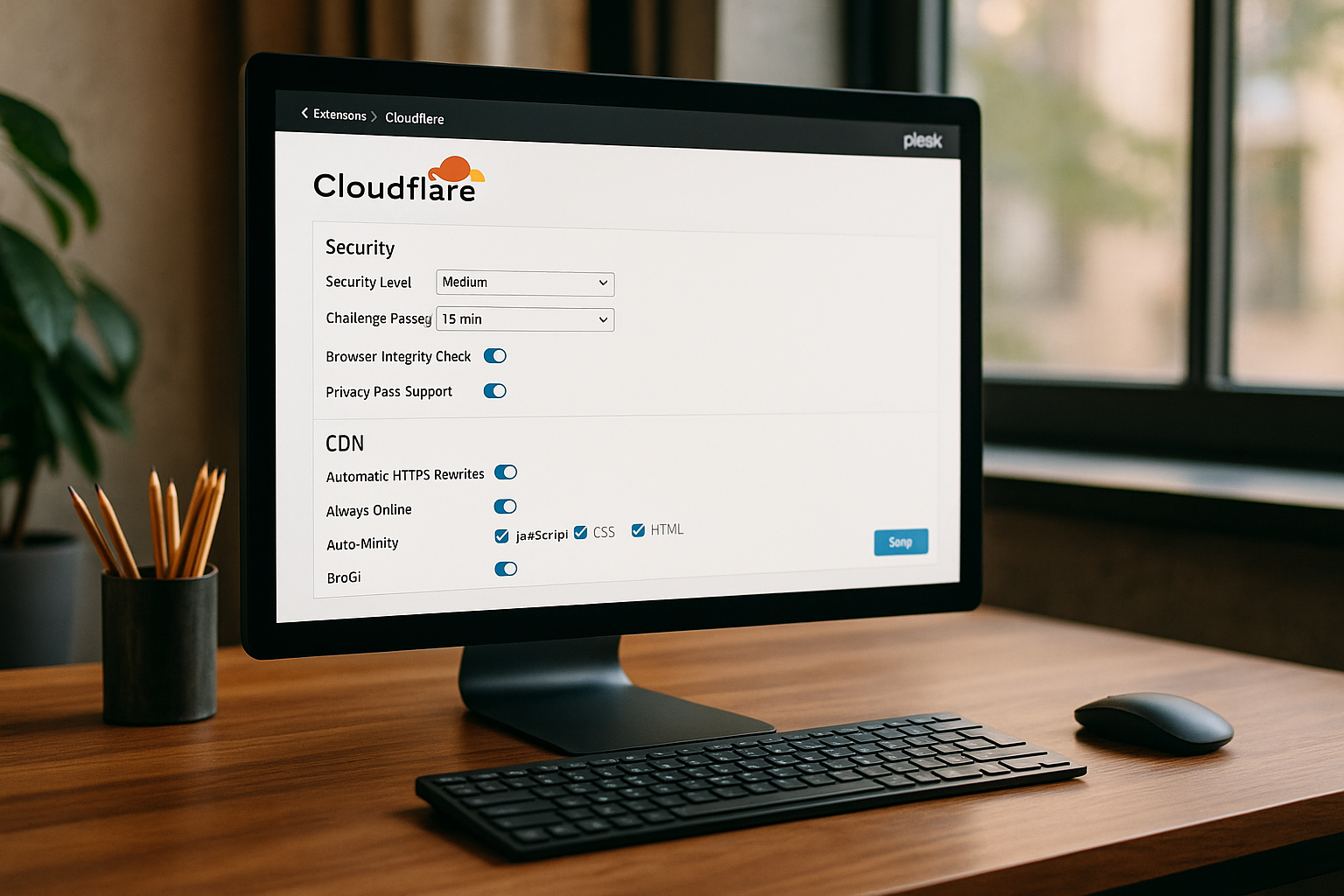
The Cloudflare Plesk-integration helps website operators to significantly increase the performance and security of their online presence in just a few steps. By combining Cloudflare's intelligent services with the user-friendly Plesk interface, site operators benefit from global caching, comprehensive DDoS protection and centralized management directly in the hosting dashboard.

Key points
- Cloudflare improves loading times through global caching.
- Plesk makes it easy to manage domains and DNS settings.
- DDoS protection reliably protects against attacks.
- Zero Trust Tunnels secure critical applications.
- SSL/TLS can be managed automatically and securely.
Why Cloudflare and Plesk work ideally together
Plesk is a central management tool for hosting offers and provides a simple interface for controlling websites and server services. Supplemented by Cloudflare gives hosting projects immediate access to advanced security and performance technologies that are already included in the free Cloudflare plan. For example, DNS changes, proxy switching and caching levels can be activated directly from the Plesk panel - without having to log in to Cloudflare separately.
For small agencies and operators of multiple websites in particular, this means less effort, a better overview and faster loading times for website visitors worldwide. Performance-intensive websites also benefit from functions such as HTTP/3 support and edge security - aspects that are also accessible thanks to the intelligent control in Plesk.
The integration significantly reduces the attack surface, as Cloudflare only forwards filtered traffic to the origin server by default. This makes the combination particularly attractive for security-critical sites or projects with sensitive data.
Cloudflare Zero Trust Tunnel: Security gain without compromise
For greater security, the Cloudflare-Plesk combination can be enhanced with so-called Zero Trust Tunnels expand. The website is no longer published directly on the Internet, but is only accessible via the Cloudflare endpoint. The connection between Cloudflare and the Plesk server is encrypted via the "cloudflared" service. This completely prevents direct access from outside.
This method is particularly advantageous for internal applications, access to administration dashboards or intranets. Visitors can still see your website, but cannot launch direct attacks on the web server as it does not require a public IP. The DNS entries of the connected domain route all traffic through the secure tunnel.
Configuration and administration are conveniently carried out via the Cloudflare dashboard and via CLI settings in the Plesk system. The installation of the small "cloudflared" agent takes just a few minutes - but brings tangible security benefits.

Typical hurdles during setup and how I solve them
Although the connection between Cloudflare and Plesk is relatively intuitive, there are a few technical stumbling blocks during setup. The name server assignment by Cloudflare is particularly problematic: These differ depending on the account and domain. Manual storage only works to a limited extent in Plesk. The solution: DNS entries should be created directly via the Cloudflare DNS Extension managed and automatically synchronized.
Another issue is duplicate A or AAAA entries in the DNS zone, which can occur when importing domains. In such cases, it helps to specifically remove unneeded entries via the Plesk interface and to schedule a short waiting time for DNS propagation.
Some admins forget to activate the proxy function - as a result, Cloudflare protection remains inactive. I therefore make sure to explicitly check the orange cloud status in the overview after linking each domain.
SSL encryption made easy
Cloudflare's SSL function allows certificates to be stored automatically for each domain - without an external CA or complicated configurations. This means that every access is encrypted via HTTPS. If required, the connection extends to the origin server and is therefore completely secure.
I recommend using the HTTPS forwarding and HSTS for additional security. It is also worth checking DNSSEC - especially for new projects. In practice, one click in the Cloudflare dashboard is usually enough for this, and additional adjustments are made directly in the Plesk system.
Special advantage: Cloudflare certificates never expire as they are centrally managed and automatically renewed. Under certain circumstances, this option can even save on a regular paid SSL certificate.

More performance through caching and edge functions
Cloudflare's CDN not only offers global availability, but also provides optimized caching to ensure a high level of security. Significantly faster page load time. Content such as images, scripts and stylesheets are stored at nodes all over the world. Visitors therefore receive the page in the shortest possible time - regardless of the location of their request.
The following functions also contribute to acceleration:
- Brotli compression
- Automatic mobile image resize with Polish
- HTTP/3 protocol with 0-RTT
- JavaScript optimization (Rocket Loader)
If you need more functionality at the edge, you can use Cloudflare Workers You can even execute your own dynamic scripts directly in the Edge network. This allows API queries, redirects or authentication logic to be implemented serverlessly.
Cache settings such as "Cache Everything", "Bypass Cache" and "Page Rules" can be adjusted directly in the Cloudflare dashboard and have a noticeable impact on page performance.

Optimal use of Plesk functions
Plesk offers many functions that work particularly well with Cloudflare. The ability to integrate multiple Cloudflare accounts is particularly practical. This benefits agencies and web hosts who want to manage customers separately. Write permissions can be restricted to certain zones via individual API tokens.
In addition, a suitable Firewall configuration additional protection mechanisms such as IP blocking or geo-filtering can be set up. These complement the Cloudflare methods sensibly and ensure that unwanted traffic is also blocked on the server side.
An adjustment of the panel.ini makes it possible to make individual functions visible or hidden for each customer account - depending on the customer's hosting tariff or technical expertise.
Direct comparison: Which hoster benefits?
Webhoster.com offers preconfigured Cloudflare integration including centralized support and structured user management. In direct comparison to other providers, webhoster.de scores with its own infrastructure, short response times in support and complete control over DNS, SSL and cache options.
The provider is particularly worth a look for projects with high traffic and security requirements. The integrated Plesk setup with Cloudflare extension saves time and reduces sources of error. The service impresses with its streamlined interface and reliable performance in day-to-day operations.
Who the Maximize CDN performance for your website will find a well thought-out environment with direct access to all relevant tools.
Table: Standard vs. integration - the advantages at a glance
| Function | Without Cloudflare | With Cloudflare-Plesk integration |
|---|---|---|
| Loading time worldwide | Average 2.8 seconds | Under 1.3 seconds |
| DDoS protection | Manual, limited | Active, automatic |
| SSL configuration | External expenditure | Automatically distributed |
| DNS management | Unclear | Can be controlled directly in Plesk |
Advanced security: Cloudflare WAF and bot management
One important aspect that is frequently addressed is the Web Application Firewall (WAF) from Cloudflare. It checks incoming requests for known vulnerabilities and can automatically fend off attacks such as SQL injections or cross-site scripting (XSS). This is particularly valuable in conjunction with Plesk because it saves server-side resources and already has an upstream layer of protection. Plesk users can rest assured that only cleaned traffic reaches the web server.
It also enables Bot management automatic detection and filtering of unwanted crawlers, spam bots and potential scraping services. Similar filter settings can be activated in Plesk, but together with the advanced Cloudflare functions, this creates multi-layered protection without complicated manual rules. This reduces the risk of brute force attacks and keeps the server load low.
Cloudflare continuously updates its WAF rules, which means that newly discovered attack patterns are blocked promptly. If you need a higher level of security, you can refine the WAF settings or use Cloudflare's paid plans to add even more precise rules and more live monitoring.
Flexible, Full or Full (Strict) SSL: Choose the right SSL setting
Various options are available by default in the Cloudflare SSL settings: Flexible, Full and Full (Strict). If you work with Plesk, you should know what differences this entails. "Flexible SSL" only encrypts requests between the browser and Cloudflare, but communication from Cloudflare to the origin server is unencrypted. This can quickly lead to uncertainties and does not always comply with compliance guidelines.
With "Full SSL", traffic is encrypted on both routes, which offers sufficient security for most standard websites. "Full (Strict)" also requires a valid certificate on the origin server. This setting is particularly recommended for sensitive data, as it performs a complete check of the certificate and thus makes man-in-the-middle attacks even more difficult. In Plesk, you can store Let's Encrypt or Cloudflare Origin certificates to activate strict mode without any problems.
Installation tips and best practices
The Cloudflare installation under Plesk is relatively easy, but may require some fine-tuning depending on the system environment. For example, it is advisable to first set up a basic SSL certificate in the Plesk interface before switching to full or full (strict) mode in Cloudflare. This prevents errors during the SSL handshake or during domain validation.
It is also important to specifically check the "Proxy mode" for each domain in Plesk. If the proxy in Cloudflare is set to "Off" (gray cloud), you unintentionally cut yourself off from many security and caching functions. Especially with newly imported domains, this is sometimes overlooked in the rush.
In addition, it is recommended to always keep Plesk and all plugins used in it up to date. Regular updates ensure that compatibility problems with Cloudflare extensions or DNS entries are minimized.
Troubleshooting and logging
Anyone hosting dynamic content may encounter situations in which the Cloudflare cache rules do not work as desired. First of all, it is worth taking a look at the Plesk logs. These can usually be found under the path /var/log/plesk/ or in the Plesk interface under "Logs". In the event of atypical 500 errors or timeouts, you can also search for clues in the Cloudflare dashboard under "Analytics" or "Logs". The combination of both data sources quickly shows whether the problem is due to the Cloudflare proxy, an incorrect DNS configuration or faulty scripts.
Minor synchronization problems between Plesk and Cloudflare are often solved by a new "Sync DNS Records" in the Cloudflare DNS extension. Likewise, a Flush of the Cloudflare cache to clear up misunderstandings in the cache hierarchy. If you also want to work with Cloudflare Workers you should also regularly check the scripts there for possible errors or timeout settings.
Argo routing and other performance upgrades
While many Cloudflare basics are offered free of charge, upgrades such as Argo Smart Routingwhich direct data traffic via particularly fast routes. Such an option can be perfectly combined with Plesk: If the majority of website visitors have a specific geographical focus, Argo can ensure shorter latencies and reduce the probability of failure in the event of network bottlenecks.
No separate module for Argo is required in Plesk, as the routing is set exclusively on the Cloudflare side. However, you should pay attention to the billing, as Argo users pay according to data volume. The standard configuration is often sufficient for smaller projects, but for large traffic peaks - for example in online stores or for launches of larger campaigns - it is worth looking at this option.
Scaling for growing projects
Plesk and Cloudflare support the creation of scalable environments. If you manage multiple subdomains or even multiple servers, Plesk can create scaled containers or VMs via the server extension interface. Cloudflare acts as a central CDN and security layer for all hosts. This means that anyone running complex projects with microservices benefits from clear management of all DNS and proxy entries. Thanks to Terraform or API control, the configurations can even be automated so that all domains can be rolled out via Plesk and integrated into Cloudflare in a minimum of time.
Zero Trust can also make a contribution when it comes to microservices. If internal services are only accessible via Cloudflare, the risk of lateral movements by potential attackers in the infrastructure is reduced. This creates an overall more secure setup and also simplifies log evaluation, as it is possible to clearly separate which service is accessed via which proxy.
Best practices for everyday operation
If you are looking for smooth administration, you should use Plesk Regular backups activate. Although Cloudflare protects against many attacks, it is no substitute for a data backup. If you operate several projects, you can use Plesk reseller tariffs to keep an overview and distribute rights properly. With Cloudflare, we recommend the use of API tokens with limited access rights so that not every person has full access to all domains.
For planning further functions, it is worth taking a look at Cloudflare Analytics. Here you can see in detail how many attacks were blocked, how much traffic the CDN actually relieves and from which regions accesses come. In combination with Plesk statistics on CPU, RAM and disk usage, a comprehensive picture of system load and performance is created. This makes it possible to react to bottlenecks at an early stage, for example by activating additional worker threads in Plesk or extended cache rules in Cloudflare.
It is also advisable to Page Speed Tests to check whether compression and caching are working as intended. Tools such as GTmetrix or Google PageSpeed Insights show potential for improvement in parallel to the Cloudflare analysis - for example with image formats or JavaScript bundling.
To summarize: More performance, less effort
For many admins and website operators, the combination of Cloudflare and Plesk offers real added value. It is quick to set up, saves time during operation and reduces technical risks. Thanks to streamlined workflows, DNS, protection measures and performance functions can be bundled - without jumping between tools.
Whether for small company websites or fast-growing online stores: The integration ensures a powerful, secure and easy-to-maintain hosting setup with the best conditions for long-term success on the web.