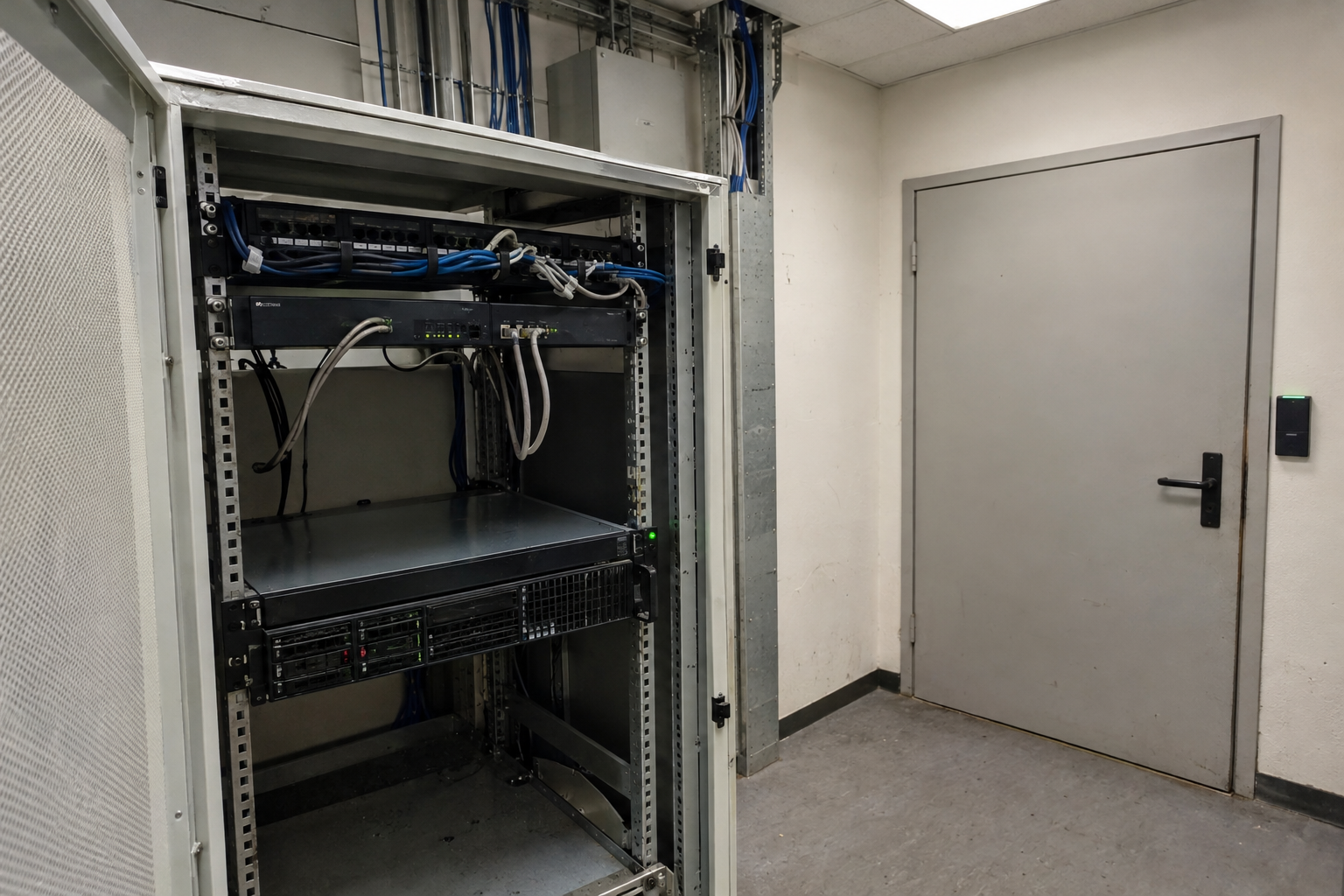
With a Cloudflare Tunnel, an internal service can be accessed without requiring routers or servers to open incoming ports: cloudflared establishes connections to the outside world for this purpose. For secure Remote Administration However, that alone is not enough. Public hostnames require appropriate access rules, MFA, and secure applications, as well as local permissions. While this model is often suitable for a small number of clearly defined web and SSH targets, it is not automatically suitable for entire network segments or sensitive specialized protocols.
Cloudflare Tunnel Explained Without Port Forwarding
In a traditional port forwarding setup, an external client connects directly to the public IP address of the router or server. The router then forwards the incoming traffic to a service on the internal network. A Cloudflare Tunnel reverses this connection process: The Connector cloudflared runs on the accessible internal network and establishes outbound connections to Cloudflare on its own.
For example, when a user accesses an admin portal, Cloudflare receives the request for its hostname and forwards it to the connector via an existing tunnel connection. The connector then reaches the configured destination service, such as http://localhost:8080. Therefore, the Origin does not require an IP address that is directly accessible from the Internet, nor does it require an incoming firewall rule for this service.
That doesn't mean network rules are no longer necessary. The host with cloudflared Cloudflare must be able to access the outside world. Cloudflare specifies port 7844 over TCP or UDP for this purpose; HTTP/2 and QUIC are used, respectively. Outbound traffic must be allowed through the local firewall, the router, and, if applicable, a corporate proxy. This is the practical limitation behind the statement „without port forwarding.“.

A DNS entry alone does not establish this secure connection. DNS merely maps a name to a destination address; it does not initiate a connection from the private network or act as an intermediary for a local service. The Outgoing connector is the key component: It knows the internal target service and keeps the path to it open from the inside out. Which users are allowed to use this path must be configured separately.
A tunnel is not a form of access control
A tunnel reduces the origin’s direct network visibility but does not independently determine access permissions. If a web admin panel is routed via a public hostname, it can, in principle, be accessed by any Internet user without an upstream Access application. Cloudflare therefore recommends setting up Access before the production tunnel route. The tunnel is the transport path, not the access control mechanism.
For a privileged admin panel, a Access Policy Allow only clearly defined individuals or groups. In addition to Include, Require, and Exclude criteria, actions such as Allow, Block, Bypass, and Service Auth are available. MFA can be enforced via a connected identity provider or as an additional factor. A blanket rule applying to all accounts within an email domain is usually too broad for highly privileged interfaces.

The access layer complements, but does not replace, application hardening. The admin panel still requires secure login, timely updates, appropriate session rules, and restrictive permission assignment. Local user accounts, roles, and administrative privileges also remain crucial: If a user gains access to the application after logging in via the access layer, that person must not automatically be granted further administrative privileges within the application.
In addition, you should verify whether the application validates access tokens or uses the designated tunnel option for token verification. This ties the application to the upstream identity verification process and mitigates risks associated with an unintended alternative access path to the origin. A layered approach is recommended: restrictive exposure, identity verification with MFA, minimal application permissions, and a target service that is accessible internally but not generally exposed.
Classifying HTTP, SSH, RDP, and TCP
HTTP(S) applications and administration protocols have different access models. An internal web interface can be published via a hostname and secured with Access before the origin. SSH, RDP, and certain TCP services can also be accessed via tunnels, but depending on the method, they may require additional software on the client side or browser-based access. A web-based login does not automatically provide arbitrary native network access.
For SSH using the familiar local terminal, client-side cloudflared Establish the connection using Access. Cloudflare also documents browser-rendered SSH as a separate access method. Both variants differ in terms of client workflow, local SSH configuration, and operation; therefore, they are not universally interchangeable. Statements regarding more advanced infrastructure or certificate models should only be included in a plan if their current, relevant documentation has been reviewed separately.
A browser-based SSH terminal can be useful for support or time-sensitive emergency access when a local SSH client is not available. Before deployment, however, audit requirements, operating procedures, local key management, and file transfers must be evaluated. RDP and other TCP services should also be reviewed on a per-application basis, rather than being treated across the board like a web interface.
Tunnel is not a full-fledged replacement for every type of network connection. Server-initiated protocols such as VoIP or SIP are not supported; long-running, interruption-sensitive TCP sessions also require a suitability check. Furthermore, for SSH, RDP, and TCP, the Origin does not see the original client IP address, but rather the connector. For HTTP, an application can CF Connecting IP Evaluate. IP-based allow lists and forensic logs must take this limit into account.
Securely Assign Multiple Services
A local Ingress file maps each published hostname to exactly one internal destination. It makes sense to use separate names for the admin panel and SSH: this ensures that permissions, logs, and future changes remain clearly separated from one another. Cloudflared evaluates the rules from top to bottom; the first matching rule determines the destination.
The following example is a configuration template for a locally managed tunnel. It intentionally uses example.invalid and contains neither login credentials nor a real domain. The web service remains at localhost:8080 accessible; SSH is forwarded to the local SSH service.
The last rule is the Catch-all rule. It is required for local Ingress files and, in this context, ensures that http_status:404 to ensure that an unknown hostname does not accidentally end up at the first or any other internal service. Broad default forwarding would pose an unnecessary risk, especially for administrative destinations.
The file defines only the path from the tunnel to the origin. It neither sets up DNS records nor protects the names using Cloudflare Access. Therefore, before establishing a production route, the hostname and access policy must be configured separately. Locally, too, the destination ports should only be accessible where cloudflared actually needs them.
Before starting, you can check the order without changing any settings. The first command validates the Ingress configuration; the second shows which rule would apply to the specified address.
Select SSH Accesses Carefully
SSH via a tunnel is not a standardized access method. The appropriate option depends on whether administrators continue to use their local terminal or, in the event of a failure, must work without a preconfigured client. The available models differ in terms of client, identity, and operation; the specific SSHD configuration and local rights management remain separate from these.
| Model | Client and Login | Local SSH Configuration | Suitability and Limits |
|---|---|---|---|
| Client-side Cloudflare | Cloudflared on the client; log in via Access | The existing SSH environment and local authorization must still be verified | Suitable for your usual terminal workflow; Access complements local SSH controls |
| Browser-Rendered SSH | Browser and Access Login | Check the operating and key procedures in advance | Useful for pre-arranged support or emergency access; evaluate file transfer and audit requirements |
| Alternative Approach to SSH Access | Depending on the model selected and its documentation | Your own SSHD and rights specifications remain authoritative | Do not infer from the two specific access paths; plan requirements separately |
For a small team that regularly works with familiar local tools, client-side Cloudflare is often a good fit: The SSH port remains internal, while Access adds an additional layer of identity verification before the connection is established. However, this is not the same as centralized management of all SSH permissions.
Browser access should be considered a separate process. It can be useful for support or unplanned access because it does not require a configured SSH client. However, it is not necessarily a better administration method in all cases: file transfers, familiar local key workflows, and audit requirements may make a terminal client or private access more suitable.
Regardless of the path, local protection layers remain in place. Linux accounts, sudo Rules, The SSHD configuration and permissions on the target system continue to determine what a successfully logged-in user is allowed to do. The tunnel does not replace these rules or the assignment of limited permissions.
For published non-HTTP services, cloudflared may be required on the client side; SSH also offers browser-based access. RDP and other TCP services should therefore not be hastily planned based on the SSH model, but rather according to their respective client and operating requirements.
Tunnel, VPN, Bastion, or Port Forwarding
The choice isn't just about whether a port is open, but also about the desired scope of access. Cloudflare Tunnel is best suited for a small number of clearly defined services. On the other hand, those who need to access many internal systems and network segments usually require a model for private network access rather than a collection of individual public endpoints.
| Model | Public Origin IP and Inbound Permission | Identity and Client | Typical Use Case | Central Limit Theorem |
|---|---|---|---|---|
| Cloudflare Tunnel | No public origin IP or inbound port forwarding required for the origin | Access can be set up as an upstream component; client software may be required, depending on the protocol | A few specific web and administrative services | Not a full-fledged replacement for all private network workloads |
| Port Forwarding | Public accessibility and an inbound firewall rule are required | Application-level or custom access control; no additional broker client required | A service intentionally published directly | Origin and Netzfilter remain directly exposed |
| VPN | Do not make any individual service publicly available | VPN client, routing, and access management required | Many private services or segments | Increased client, routing, and operational costs |
| Bastion Host | A public access point or other private access solution is required | SSH Authentication and Hardening the Entry Point | Centralized SSH Administration | The Bastion Host remains a particularly critical access point |
A traditional port-forwarding setup is not inherently wrong. It can be appropriate for a service that is intentionally public, where application security, firewall operation, and public accessibility are specifically managed. In contrast, with a tunnel, the connector establishes the connection from within the internal network; the origin does not need to be accessed directly from the Internet.
For a single admin panel or a small set of maintenance targets, a service-based publication with identity-based access are usually easier to narrow down than a comprehensive network tunnel. This does not eliminate the need to check the protocol: server-initiated protocols are not supported, and long TCP sessions that are sensitive to interruptions may require different connectivity models.
A VPN remains useful when employees need access to multiple private applications, address ranges, or internal dependencies. A bastion host, on the other hand, centralizes SSH access to a single entry point, which must itself be carefully hardened and managed. A reverse proxy, in turn, serves as a layer for TLS termination and application delivery; it does not, on its own, address the question of how the private origin is accessible. The roles of proxy, application server, and process manager can also be combined in the Comparison of NGINX Unit and PHP-FPM understand.
The practical decision therefore begins with a limitation: Which users need access to which service, and using which client? The more limited the answer, the easier it is to operate a tunnel with precise host names and rules. Extensive network requirements, specialized protocols, or high demands on session stability, however, call for a separate assessment.
Ensuring Tunnel Safety During Operation
An active tunnel does not consist of a single, occasional connection. Cloudflare documents four long-lived outbound connections to at least two of its own data centers for each cloudflared tunnel. If a single connection path fails, requests can therefore be routed through another existing path. This reduces dependencies on the path between the connector and Cloudflare, but does not in itself make the internal service highly available.
For critical applications, multiple cloudflared instances can serve the same tunnel as replicas. This creates additional paths from the Cloudflare network to the private network, but it does not replace a redundant application or a database or hosting strategy. For example, if the only server hosting the admin panel is unreachable, additional connectors on that server or other hosts will only help if they can actually reach the functional destination service. Connection path Therefore, service availability must be planned separately.
If multiple origins need to be selectively checked, bypassed in the event of failures, or distributed according to rules, additional load balancing with health checks and traffic steering is required. A tunnel alone does not make these decisions at a deep level. The architecture should also specify how the target service is restored after a failure and whether administrative access is still required during the outage.
Availability isn't limited to the software. If the connector and the target system are located in a dedicated equipment room, power supply, cooling, air quality, and regular inspections must also be included in the operational plan. The analysis of the following illustrates what additional environmental risks may arise: Ventilation of a server room in the basement. Such measures are no substitute for replicas, but they prevent all intended connection paths from failing due to the same local infrastructure dependency.
Updates to cloudflared should be performed during a scheduled maintenance window: They trigger a restart and may therefore affect traffic currently being served. Cloudflare lists load balancing or multiple cloudflared instances as options for upgrades without downtime. The appropriate update method depends on the installation type and operating environment and should be documented before the maintenance window.
For each update, document the installed version, the responsible host, a fallback path, and an availability test for the target service. After the restart, check not only the tunnel status but also whether the defined ingress rule reaches the expected service and whether the intended access layer continues to apply. This ensures that the connector, target service, and authorization path remain traceable as separate operational tasks.
Detect Common Configuration Errors Early
Before going live, start troubleshooting the connector: The host must be able to reach Cloudflare outbound via port 7844 using TCP or UDP. It’s to be expected that the incoming port may not be open, but a blanket blocking by the outbound firewall is not. Only once `cloudflared` can establish outbound connections is it worth investigating DNS, hostnames, and application-level access rules.
- Check local accessibility: The service specified in the Ingress rule must be accessible from the cloudflared host via the specified local or internal endpoint.
- Synchronize DNS and Ingress: The public hostname must match the intended tunnel route; the rule order must ensure that the specific service is matched before more general rules.
- Testing the catch-all rule: A final rule with `http_status:404` prevents unanticipated hostnames from being forwarded to a default service.
- Set up Access before the production release: Only then can the external path be thoroughly tested using both an authorized and an unauthorized account.
A common security mistake is an overly broad access policy: Instead of exposing only an admin panel or a specific SSH service, a larger network segment is made accessible. Equally risky are blanket email domain rules for privileged interfaces. For administrative access, small, verifiable groups, appropriate “Require” criteria, and MFA should reflect the actual group of individuals. Minimum Approval It also means not unnecessarily grouping separate host names and target services together.
Tunnel and authorization configurations serve different purposes. The ingress rule determines where an already established connection is routed; access controls determine who is authenticated and authorized before that connection is established. Without the appropriate access application, a published HTTP hostname may be accessible from the Internet. Local accounts, sudo rules, SSHD settings, and application hardening therefore remain separate audit items.
The source IP limit is important for logs and audits: With SSH, RDP, and other TCP access methods, the origin does not see the original client IP, but rather the connector context. IP-based allow lists on the target system do not provide a reliable means of user identification in this context. HTTP applications can evaluate the CF-Connecting-IP header, provided their logging and chain of trust explicitly account for this.
Choosing the Right Access Solution
Cloudflare Tunnel is suitable for a single web admin panel if the service needs to be accessible via a clear hostname without exposing a public origin IP or allowing incoming traffic. The recommended configuration is a narrow destination, preceded by an access application with a small identity group and MFA. This approach secures the network path but does not replace secure session management or access control within the admin panel.
A small admin team accustomed to working in a terminal environment can use SSH via client-side Cloudflare and Access. Browser-based SSH is particularly well-suited as a pre-configured emergency or support access method. Both approaches have different client and operational requirements; file transfers, workflows, and audit requirements must align with the chosen method. Decisions regarding more advanced models for centralized SSH permissions should be made only based on their current, specific documentation.
Anyone who needs a large number of internal services, entire segments, or extensive east-west communication should evaluate private network access options such as a VPN or a connectivity model designed for this purpose. A single published tunnel is not automatically a substitute for all VPN workloads. Tunnels are not suitable for server-initiated protocols such as VoIP or SIP; long-running, interruption-sensitive TCP sessions also require an assessment of the specific protocol and the potential consequences of reconnection.
Traditional port forwarding may be acceptable if a service is intentionally made available directly to the public and the firewall, origin protection, and application authentication are configured accordingly. A bastion host consolidates SSH access points but remains an entry point that must be secured with particular care. A reverse proxy, on the other hand, serves as a layer for TLS termination and application delivery; it does not, by itself, address the question of how the private origin can be accessed.
The minimum standard for productivity is: the smallest necessary scope of targets, identity-based rules, MFA for privileged roles, tested Ingress and catch-all configurations, a scheduled update process, and documented recovery procedures. Recovery Plan This includes, at a minimum, responsiveness, failover paths, and verifying that the target service and connector are accessible again after maintenance. Tunnels reduce the network attack surface, but they are no substitute for application hardening, local permissions, or ongoing operational monitoring.
Sources and Current State of Knowledge
Status of the research:
Research and documentation status: October 26, 2026. This article deliberately distinguishes between Cloudflare Tunnel, Cloudflare Access, and local target system controls; specific suitability and available features should be verified using the current Cloudflare documentation before deployment in a production environment.
https://developers.cloudflare.com/tunnel/concepts/
https://developers.cloudflare.com/cloudflare-one/access-controls/applications/http-apps/self-hosted-public-app/
https://developers.cloudflare.com/cloudflare-wan/zero-trust/connectivity-options/
https://developers.cloudflare.com/tunnel/
https://developers.cloudflare.com/tunnel/get-started/
https://developers.cloudflare.com/cloudflare-one/access-controls/policies/
https://developers.cloudflare.com/cloudflare-one/networks/connectors/cloudflare-tunnel/routing-to-tunnel/protocols/
https://developers.cloudflare.com/cloudflare-one/networks/connectors/cloudflare-tunnel/use-cases/ssh/ssh-cloudflared-authentication/
https://developers.cloudflare.com/cloudflare-one/networks/connectors/cloudflare-tunnel/use-cases/ssh/ssh-browser-rendering/
https://developers.cloudflare.com/tunnel/features/locally-managed-tunnels/configuration-file/
https://developers.cloudflare.com/learning-paths/replace-vpn/connect-private-network/connection-methods/
https://developers.cloudflare.com/tunnel/configuration/
https://developers.cloudflare.com/tunnel/guides/update-cloudflared/