Skip to content
CloudPanel vs HestiaCP - Modern UI or classic structure? I'll show you why cloudpanel shines with a fast NGINX stack and HestiaCP with a complete hosting package including E-mail and DNS scores.
Key points
I will summarize the most important differences so that you can make the right choice more quickly. Both panels are free and open source, but follow very different concepts. CloudPanel relies on NGINX-only, dispenses with local mail and DNS services and provides a lean, modern UI. HestiaCP offers an all-in-one environment with mail, DNS, web server hybrid and automated backups. Read the list and decide which panel really makes your everyday life easier.
- Cloud-first Focus: NGINX-only, modern charts, no local mail/DNS
- All-in-one Hosting: HestiaCP with mail, DNS, webmail, backups
- Performance Advantage: CloudPanel very lightweight, HestiaCP somewhat heavier
- Rights and clients: HestiaCP granular, CloudPanel rather single-user
- Security Setup: 2FA/UFW with CloudPanel, Fail2Ban/DNSSEC with HestiaCP
This selection saves you many detours and prioritizes exactly the functions you really need. So you can make a clear choice, well-founded Deciding between a modern surface and a classic Structure.

Modern UI vs. classic structure: operation and workflow
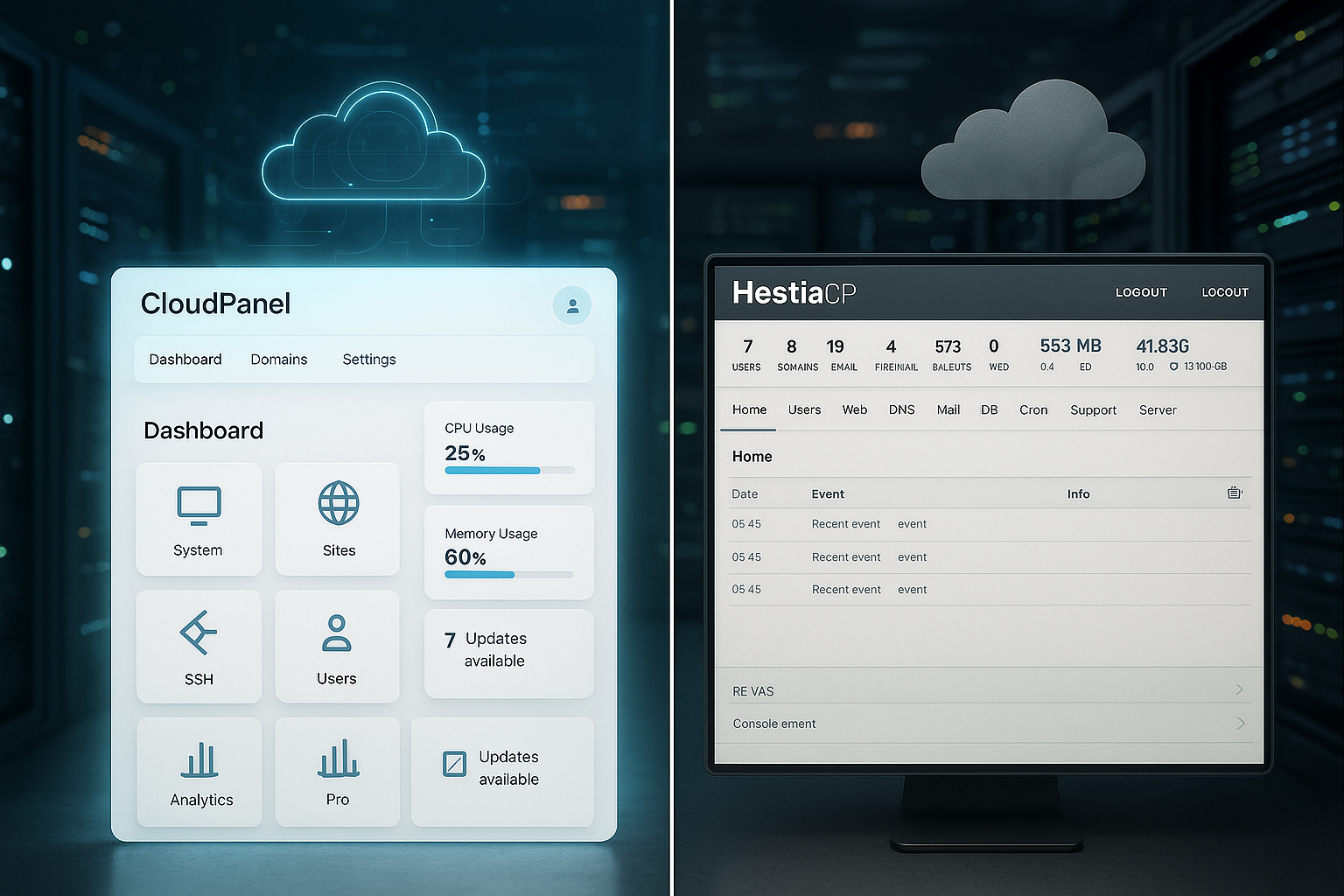
CloudPanel delivers a very clean, modern UI with real-time charts for resources and Processes, while HestiaCP provides a conservative but familiar interface. Anyone who appreciates visual clarity and quick click paths will immediately feel at home in CloudPanel. HestiaCP bundles functions such as web, mail, DNS and backups in one console, which centralizes day-to-day administration. The immediate impression is that CloudPanel is fresher, more minimalist and smoother, while HestiaCP focuses more on the breadth of functions. I prefer clear operating paths, but a complete hosting environment with mail and DNS speaks for itself HestiaCP.
Comparison table: CloudPanel vs HestiaCP
The following table provides a clear overview of the most important features. It shows why CloudPanel runs particularly fast in pure web stacks and why HestiaCP is a convincing all-in-one package. This allows you to see at a glance which feature set your projects really need. Notes on performance and security are based on common setups and community experience [1][2]. I use the table as a compact Guide for decisions in daily life Operation.
| Criterion | CloudPanel | HestiaCP |
|---|---|---|
| Web server | NGINX-only, optimized for performance | Apache + NGINX (hybrid) or NGINX-only |
| Mail & DNS | No local services integrated | Full mail and DNS services |
| Target group | Developers, cloud teams | Web hosters, agencies, resellers |
| UI/UX | Modern, minimal | Classic, mobile use |
| Performance | Very fast, resource-saving | Slightly slower due to hybrid & additional services |
| Scaling | Cloud-optimized, 1-500 sites | Shared hosting capable, 750+ sites with light utilization |
| Rights management | Rather single user | Granular, multi-user, reseller-ready |
| Backups | Manual/CLI, remote destinations | Automated, many external memories |
| Security | UFW, 2FA, SSL, Cloudflare | Firewall, Fail2Ban, Anti-Malware, DNSSEC |
| Community | Growing, official documentation | Very active, many guides |
CloudPanel is convincing if you focus on pure web stacks without local mail overhead. HestiaCP remains the choice if you want to bundle mail, DNS and fine-grained rights management in a single interface. For many WordPress projects on inexpensive VPSs, a lightweight stack can save you money. Nevertheless, the benefits always depend on your projects, team processes and compliance requirements. Those who set clear priorities will benefit from a custom-fit Toolchain and avoids long-term Friction.

Performance check: PHP, Node.js and web server stacks
With NGINX-only, CloudPanel gets a lot of speed out of PHP-FPM and static assets. In the hybrid setup, HestiaCP brings additional overhead from Apache and services such as spam filters, which is visible on small VPSs. With the same database setups, a user experience showed noticeable differences in page rendering: 2.73 s with HestiaCP vs. 1.08 s with CloudPanel [6]. For Node.js apps, the lightweight CloudPanel stack also shows its advantages because fewer competing services draw on resources. If you expect load peaks, it is better to start with a high-performance NGINX-stack and only adds the services that really need to be required become.
Compatibility and rewrite rules: .htaccess vs. NGINX
A practical difference that is often underestimated in everyday life: Interpreting Apache-based setups .htaccess-files directly - ideal for CMS such as Joomla or historical projects with many rewrite instructions. HestiaCP in the Apache+NGINX hybrid plays to this strength: many projects run „out of the box“ because existing rules apply. In NGINX-only environments such as CloudPanel, rewrites must be included in the NGINX configuration, which CloudPanel simplifies using templates for common stacks (e.g. WordPress, Laravel). You migrate individual special rules once and then benefit from a clear, central web server configuration without distributed .htaccess-logic.
If you are migrating many legacy sites, plan some time for rewrite tests. For new projects, I recommend clean NGINX server blocks because performance and transparency increase. This way you avoid hidden rules that only become apparent under load and keep your web layer conscious deterministic.
E-mail, DNS and multi-user: clear demarcation
HestiaCP integrates Postfix/Dovecot, Webmail, Anti-Spam and Bind-DNS directly into the panel. This eliminates the need for separate services, but increases RAM/CPU requirements by roughly a fifth during daily operation [1]. CloudPanel deliberately dispenses with local mail and DNS services; external providers such as Microsoft 365 or Google Workspace take over these tasks. For agencies with reseller business, HestiaCP's granular assignment of rights is a real plus. I appreciate CloudPanel's minimal footprint, but multi-user hosting with mail speaks for itself. Complete solution from HestiaCP.
Backups, monitoring and expandability
CloudPanel relies on manual or CLI backups and recommends remote storage such as S3 and similar destinations [1][2]. HestiaCP includes automatic backups with many destinations (S3, FTP, Dropbox, etc.), which is very convenient for agencies. Both provide monitoring via system graphics and log views, but CloudPanel is more modern and direct. One-click apps and multiple PHP versions help with WordPress or Laravel stacks, without external installers. Those who need a centralized backup rule set will feel right at home with HestiaCP, while purists will find an easy setup with Cloud-Memory in CloudPanel appreciate.
Databases, storage and recovery
In practice, it pays to separate the database and file load cleanly. Both panels support MySQL/MariaDB setups that either run locally or switch to an external database service. Local databases are fast, but generate additional maintenance work (backups, upgrades, tuning). External databases reduce operational risk, but cause latency - useful if your apps are more read-heavy or you rely on high availability.
For backups, I recommend a graduated concept: daily incremental backups, weekly full backups and a monthly long-term copy. HestiaCP maps such plans with on-board resources; in CloudPanel, you define the pipeline yourself, but precisely in line with your S3 bucket (lifecycle rules, versioning, server-side encryption). You discuss RPO/RTO in the team: how much data can you lose in an emergency and how quickly does the recovery need to take place? A documented restore playbook saves hours in an emergency.
Security in comparison: standards, patches, isolation
CloudPanel offers 2FA, UFW firewall, Let's Encrypt SSL and a tight default configuration that offers little attack surface [1]. HestiaCP counters with Fail2Ban, DNSSEC, firewall and anti-malware; user separation helps in everyday shared hosting [1][2]. Both projects patch critical gaps promptly via their communities. On systems with many customer accounts, cross-user isolation remains the sensitive area with HestiaCP, which you defuse with clear guidelines and separate servers [1]. I favor a deliberately lean Attack surface and add only required Services.

Operating systems, updates and life cycles
Stability starts with the choice of base: LTS distributions are usually the best option for panel operation because you receive security updates in a predictable manner. Both panels support common Debian/Ubuntu LTS versions; it is important that you subordinate kernel and package updates to regulated processes. For smaller teams, „Unattended Upgrades“ for security fixes, supplemented by maintenance windows for kernel/stack updates, has proven its worth. Before a distribution upgrade, check the compatibility of your PHP versions, databases and modules - and have a tested rollback (snapshots, AMIs, volume snapshots) ready.
Patch management differs in terms of effort: a lean NGINX stack is updated more quickly, while HestiaCP coordinates several services with mail, DNS and spam filters. This is not a disadvantage, but requires a clear change log and tests. I plan updates in two stages: first staging server, then production - both configured identically so that there are no surprises.
Caching, HTTP/3 and PHP tuning
Caching and PHP-FPM are crucial for performance in day-to-day business. With NGINX-Only, CloudPanel plays to the strengths of FastCGI cache, Brotli compression, HTTP/2/3 (QUIC) and HSTS - few services, short path. HestiaCP can achieve similar effects, but the hybrid layer generates more moving parts. For WordPress, I recommend sizing OPcache properly, adjusting the number of PHP FPM workers to RAM/CPU and caching static assets aggressively. Redis as an object cache pays off from the second plugin with database access.
Basic technical rules that help both panels: consistent timeouts (upstream, keep-alive), clean Gzip/Brotli profiles, TLS with modern cipher suites and clean cache headers. For traffic peaks, a cache warm-up strategy (cron or CDNs) is worthwhile so that the first visitors do not hit the cold page after a deploy.
Scaling, resources and cost perspective
CloudPanel remains economical because no local mail workloads draw on RAM and NGINX renders very efficiently. HestiaCP pays off if one machine covers many services and users at the same time, which reduces admin work. Depending on the size of the VPS, a lean stack pays for itself through faster response times and lower hardware costs in euros. At the same time, the all-in-one variant often saves on external services, which in turn generate monthly fees. I therefore rate Resources and ongoing Costs always in conjunction with team processes and customer requirements.
DevOps, automation and APIs
Automation determines how quickly and reproducibly you can set up environments. Both panels can be integrated into provisioning flows via CLI and scripts; recurring tasks (create site, activate TLS, set cronjobs) are standardized via templates. For CI/CD, I combine build pipelines with zero-downtime deploys (symlink switch, database migrations with maintenance windows). You integrate backups as a pipeline step so that releases always have a fallback level.
In multi-server scenarios, you separate roles: Web, database, caching, queue. CloudPanel fits well into cloud topologies with external services. HestiaCP scores points if you deliberately consolidate services on one machine and keep administration centralized. No matter which panel - documented playbooks, health checks and metrics (CPU, RAM, I/O, error codes) are mandatory so that scaling decisions are based on data.
Target groups and application scenarios
CloudPanel is suitable for teams that provide pure web applications and outsource email/DNS to external providers. HestiaCP is aimed at web hosters, agencies and resellers who bundle multi-domain setups, mail and DNS in one system. CloudPanel can provide an efficient setup for WordPress farms with a manageable budget. Those who require multi-client capability and billing will benefit from HestiaCP including WHMCS connection [2]. For further classification, it is worth taking a look at aaPanel vs HestiaCP, to understand alternatives with a classical approach before you make a final decision.
Migrant-friendliness and deliverability
Mail deliverability is an ongoing issue: If you are running HestiaCP with a local mail server, you need clean SPF/DKIM/DMARC records, functioning rDNS and a clean IP reputation. Many cloud providers block port 25 or throttle outbound mail, which favors external mail services. CloudPanel makes this decision explicit: no local MTA, but clear integration of external providers - you save on system maintenance, but pay for the service. For agencies with dedicated IP and high mail volumes, a sober TCO analysis is worthwhile.
File sizes and databases are the key factors in web moves. HestiaCP facilitates the transfer of complete accounts including mailboxes. In CloudPanel you rely more on rsync, SFTP and DB dumps; this is lean, but manual. A staged procedure reduces downtime: file sync in advance, final delta sync in the switchover minute, lower DNS TTL, briefly activate maintenance mode, then warm up the cache. This way you avoid inconsistencies with highly active sites.
Migration and suitability for everyday use
Anyone coming from shared hosting will appreciate HestiaCP because familiar patterns for mail, DNS and web are immediately available. Moving to cloud environments is easy with CloudPanel as soon as email and DNS are running externally anyway. For data imports, I use SSH/SFTP, rsync and database dumps, as CloudPanel does not come with a file manager. HestiaCP makes it easier to copy entire accounts thanks to integrated backups, which pays off in day-to-day agency work. I choose the migration path to Project size and planned Automation.
Setup and first steps
I install CloudPanel with a one-liner in around a minute, configure SSH, create sites and integrate TLS [1]. I set up PHP versions and pools by project in order to achieve consistent runtimes. I set up HestiaCP with Wizard, then define mail domains, spam rules, DNS zones and cronjobs. I use logs and charts intensively for the first few days to identify load peaks and bottlenecks. Organized onboarding saves me a lot later on Time and holds the Quality high.

Common stumbling blocks and best practices
- SSL and redirects: Enforce HTTPS via server configuration instead of via plugin. Only activate HSTS once all subdomains have been converted.
- PHP isolation: Separate PHP FPM pools with limited workers for each site - prevents a load peak from affecting all sites.
- Cronjobs: Collect critical jobs with a time delay so that CPU peaks do not occur exactly on the hour.
- Log rotation: Set sensible retention periods; long debug logs fill up storage unnecessarily.
- Resource quotas: In client setups, you define CPU/IO/storage limits to ensure fairness.
- DNS change: Lower TTL in good time, test new zones, only then change nameservers.
- Security basics: SSH only via key, 2FA panel-wide mandatory, uninstall unnecessary services.
Support, community and documentation
CloudPanel is rapidly growing in community size and offers documentation in many languages, which supports beginners [1][2]. HestiaCP benefits from a very active community with plenty of tutorials and quick answers in the forum. Both projects offer paid support channels for corporate environments. For special cases, I like to look at comparative articles in order to better weigh up the strengths of individual panels. A good place to start is the overview of ISPConfig and HestiaCP, if you want to compare multi-client capability and community support directly.
Decision-making aid: Checklist by project type
- Pure web stack without local mail/DNS, focus on performance and clear deploy process? → CloudPanel.
- Agency/reseller with multi-user, mail, DNS and central backup policy? → HestiaCP.
- Many legacy sites with
.htaccess-rules or special rewrites? → HestiaCP (Hybrid) accelerates the migration. - GDPR/compliance with strict separation of roles and audit logs? → Both suitable, HestiaCP scores with client scopes.
- Peak traffic, scarce VPS resources, Node.js services? → CloudPanel makes maximum use of the thin stack.
- „Everything on one machine“ philosophy with proven workflows? → HestiaCP reduces tool sprawl.
Alternative panels briefly classified
In addition to CloudPanel and HestiaCP, there are other candidates for modern setups. Enhance, for example, pursues an infrastructure-centric concept with a focus on clustering and orchestration. Anyone wavering between classic hosting and cloud-native panels should compare the concepts. This will show you whether a pure web stack or an orchestrated multi-node design is a better fit. For a quick overview, please refer to the compact Comparison Enhance vs CloudPanel, to clearly classify the strategic difference.
Practical summary in 60 seconds
CloudPanel provides a modern interface, strong performance with NGINX-only and deliberately dispenses with local mail and DNS ballast. HestiaCP scores with all-in-one convenience, granular rights assignment and backup automation - ideal for agencies, resellers and classic web hosting. For pure web applications, I rely on a lightweight setup with external mail, which gives me speed and an overview. For clients who expect email and DNS in the same panel, HestiaCP is the clear choice. Decide according to project type, team size, compliance and budget, then the chosen panel will deliver in the long term. Stability and plannable Performance.