Skip to content
The right decision for the CMS Migration can determine the online future of a company. In 2025, website operators will have numerous modern systems at their disposal that offer more than just a new interface - security, scalability and better SEO are among them. In this article, I will show you which CMS is best for which requirements and how to make a smooth switch.
Key points
- Scalability and expandability are crucial for long-term web projects
- Accessibility and modern backend offer advantages for editorial offices and public bodies
- Security and data protection are becoming increasingly important in CMS selection
- SEO-friendly Systems ensure visibility on Google & Co.
- Technical resources determine how complex the migration may be
Particularly in projects where high numbers of daily visitors are expected, sound planning in terms of Scalability make all the difference. If you also have a lot of user data to manage, you not only need a powerful CMS, but also a particularly secure one. Furthermore, accessibility should not be underestimated: It is often not a "nice-to-have", but in many cases has long been mandatory due to legal requirements and user-centered design. With a modern backend, editors benefit from faster workflows and can provide content in a targeted manner. The seamless connection to external services, such as marketing or email automation tools, is also playing an increasingly important role. Anyone who chooses a CMS that neglects these aspects runs the risk of high upgrade costs in the coming years or losing important visitor groups.
WordPress: Flexibility for companies and beginners
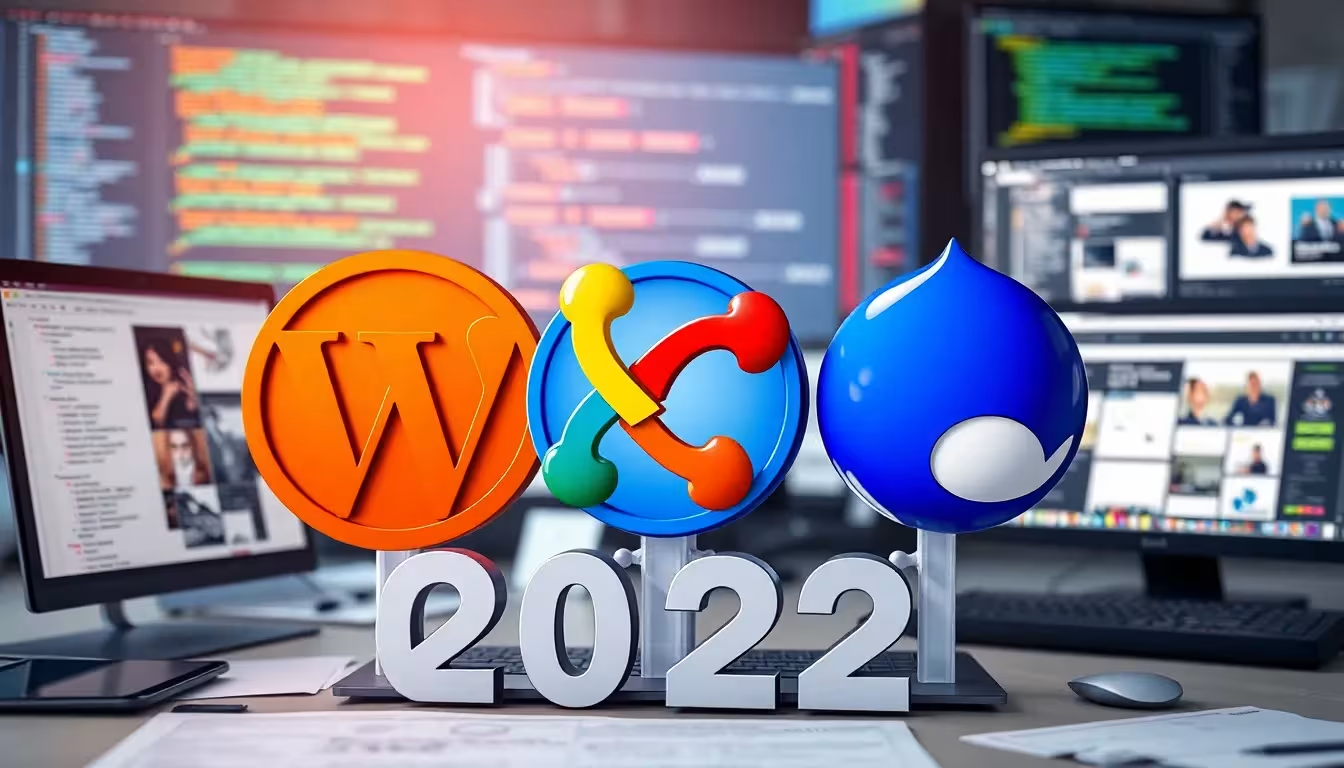
WordPress will remain the most popular CMS in 2025. Its User friendliness is impressive - even complex content is easy to manage. With over 60,000 plugins and countless themes, almost any website can be created - from blogs to corporate portals. Especially in combination with other CMS such as Joomla and Typo3 WordPress is a versatile solution. The huge developer community ensures regular updates and security standards. For companies that want to get online quickly, WordPress with an experienced hosting provider is ideal.
SEO extensions such as Yoast or RankMath specifically improve findability. Mobile optimization of the designs means that they can be displayed on smartphones without any problems. Multisite projects can also be managed efficiently.
Especially when companies want to address a global audience, WordPress impresses with its multilingual plugin offering (e.g. WPML or Polylang). The simple operation in the backend also allows smaller teams or individual bloggers to keep the site up to date without much prior knowledge. However, regular maintenance should not be neglected: Updates for the core system and all installed plugins are essential to close security gaps. If you want to set up extensive e-commerce functionalities, WordPress in combination with WooCommerce can serve as a solid basis. However, you should keep an eye on the hosting requirements and plan performance optimizations (caching, hosting with SSD, content delivery network) at an early stage so that the site loads quickly and users don't bounce.
Typo3: For sophisticated corporate structures
Typo3 has established itself as a platform for complex corporate websites with many editors. Typo3 is used in particular in corporations, universities and public authorities, as it allows sophisticated distribution of rights and workflows. Thanks to structured user administration, content can be organized in a targeted manner. The interface has been made much clearer and more intuitive in the latest versions.
Migration requires in-depth technical knowledge - or cooperation with specialized service providers. In return, functions such as advanced caching or multisite management are available. Typo3 is also often the first choice for internationally active companies with multilingualism.
Typo3 scores particularly well for large web projects because the most important features are included in the core system and can be expanded as required via extensions. The powerful rights management in particular makes it possible to clearly separate editorial processes from one another: This allows individual teams or departments to maintain their own page areas without running the risk of getting into the content of other departments. Typo3 also provides numerous tools for translation workflows, which reduces the maintenance effort for a global orientation. The learning curve can initially be steeper than with WordPress, but this is compensated for by the high level of flexibility. However, strategic planning before the migration is essential in order to make full use of the numerous configuration options and keep the website performing well.
Joomla: Versatile all-rounder with a strong community
Joomla scores with a good balance of usability and customizability. Website operators benefit from a wide range of community extensions - whether member areas, forums or glossaries. The stable release policy and open architecture make it particularly attractive for content-intensive projects.
The assignment of rights for users and editors is helpful for magazines with several authors. It also offers the CMS comparison 2025 a good overview of how Joomla performs in competition with other systems. With good planning, a migration runs quickly, provided that templates and extensions can be adopted.
Joomla is particularly suitable for ambitious communities that want to go beyond pure blog posts. Whether forums, knowledge databases or event calendars - the possibilities are extensive. The community regularly provides new extensions and templates thanks to its active involvement. The long-term update policy is also a plus: the developers attach great importance to backwards compatibility, which keeps the risk and effort involved in updates manageable. Nevertheless, website operators should check carefully whether important functions are covered by official or community extensions before switching to Joomla. In some cases, it is worth taking a look at the future roadmaps, as new versions of Joomla in particular can involve major adjustments to the template system.
Contao: Clear processes, designed for accessibility
Contao attaches great importance to standards and accessibility. Especially in the public service or association environment, it impresses with a well thought-out backend and clear content maintenance. Editors appreciate the clear structures, multi-client capability and multilingualism are firmly integrated.
One major advantage is the modular structure: extensions remain stable and allow for long-term projects without maintenance bottlenecks. If you want to create accessible websites in compliance with legal requirements (e.g. WCAG), Contao is a well thought-out choice.
Contao is also suitable for projects in which information must be maintained with a high degree of reliability and in which nationwide or municipal guidelines for the Internet (e.g. BITV in Germany) must be complied with. The proven structure makes it easy to integrate modules for calendars, forms and news. Designers and front-end developers repeatedly praise the clear separation of content and layout - this means that complex accessibility requirements can be solved relatively easily. Thanks to its good scalability, Contao can be used in projects with just a few pages as well as in larger institutions with numerous areas. However, anyone planning very dynamic portals with user-generated content should check in advance whether Contao offers all the necessary functions in the core system or via extensions.
Drupal: Secure and modular for digital platforms
Drupal meets the highest requirements in terms of security, modularity and customizability. Websites with large numbers of users - such as customer portals, educational platforms or government portals - benefit from this. Developers can create independent structures with Drupal, which makes it particularly customizable.
The learning curve can be steep, but the investment is worthwhile for long-term projects. Thanks to strong role management, taxonomy systems and views, content can be structured effectively. A CMS migration to Drupal should be strategically accompanied in order to keep performance, extensions and URL structures consistent.
Drupal shows its strengths with multi-level workflows and the demand for complex data processing: The sophisticated system of user-defined fields, content types and taxonomies enables a highly individualized experience. Drupal is also considered one of the most secure open source CMSs thanks to intensive code testing and security teams that provide regular updates. So if you want to set up large platforms or need to meet strict compliance guidelines, Drupal is a proven partner. However, experienced developers are essential at the beginning to set up the architecture correctly so that performance and expandability do not suffer. One advantage lies in the modular way of thinking: Almost every function can be expanded or replaced, which ensures flexibility and longevity.
CMS in direct comparison: Table 2025
In this overview, I will show you the most important differences between the top systems:
| CMS | Operation | Scalability | Security | SEO functions | Target group |
|---|---|---|---|---|---|
| WordPress | Simple | Medium | Medium | Very good | SMEs, Blogs |
| Typo3 | Medium | High | High | Good | Large companies |
| Joomla | Medium | Medium | Good | Good | Editorial pages |
| Contao | Simple | Medium | High | Good | Public institutions |
| Drupal | Complex | Very high | Very high | Very good | Authorities, corporations |
As can be seen from the table, all systems have their specific strengths. To get your bearings more quickly, you should ask the following questions: How many people work on the website on a daily basis and require different rights? Will the project have an international focus and require multilingual content? And how important are deep security standards for existing or future data interfaces? A clear answer to these questions makes it much easier to decide on the right CMS. In addition, you should always keep an eye on the roadmap of the respective developer community when it comes to updates and version jumps. Major version jumps for WordPress, Typo3, Joomla, Contao or Drupal can often mean structural changes that you should be prepared for at an early stage.
Alternatives for special web projects
There are also CMS that specifically fulfill special requirements. Craft CMS is suitable for design-oriented developers, as it offers a lean backend and full design freedom. Neos works with real inline processing options and is suitable for modern headless approaches. While REDAXO is known for its clarity, especially on German-language sites, focuses on Plone to uncompromising safety requirements.
For online stores or special projects it is worth taking an additional look at these systems in order to approach the project in a targeted manner. Companies with clear compliance requirements in particular should pay attention to where sensitive extensions can be hosted.
Systems such as Neos or Craft CMS are increasingly relying on "headless" concepts, which is particularly interesting for innovative projects: Content can then be delivered not only for websites, but also for apps, digital signage and other touchpoints. A headless model can be particularly efficient for companies that want a central platform to manage a wide variety of channels. With REDAXO In turn, training for developers and editors is relatively straightforward, as the structure is straightforward. Nevertheless, there are enough extensions available for typical scenarios such as news, image galleries or contact forms. Although these alternatives are less well-known, their communities are growing steadily, as they often cover very specific requirements excellently.
Technical planning and best practices for CMS migration
A migration never starts blind. I always start with a Content analysisWhich pages need to be migrated, restructured or replaced? I then select suitable modules and check whether existing URL structures can continue to be used in order to maintain SEO. A test system is mandatory before going live to validate the display and loading speed.
Backups should be run regularly and automatically, especially before each migration. I also always set up a redirect logic to avoid losing valuable Google rankings. The integration of the new CMS environment into existing hosting processes should also not be underestimated - a strong partner like webhoster.de makes a decisive difference here.
Before moving any data at all, it is worth carrying out a comprehensive Target structure for the new website. It is often a good idea to clear out outdated content and define investor-friendly categories for the navigation. It is also important to take a look at the technical infrastructure: are current server resources sufficient, or do you need to upgrade in order to cope with new features and higher visitor numbers? Another important step is monitoring: after the go-live, traffic and performance should be closely monitored so that any bottlenecks can be resolved as quickly as possible.
Particularly when migrating from an older CMS to a current one, it is advisable to take the opportunity to also change the Design and user guidance to modernize. An outdated layout can put users off, while a fresh appearance is not only visually appealing, but also increases user-friendliness. It should be ensured that loading times are optimized (e.g. through image compression, lean CSS and JavaScript files) and that modern techniques such as lazy loading are used. In this way, the user experience remains positive and search engine rankings can even be improved in the long term.
Certificates and regular updates are important for maximum data security. Today, an SSL certificate is essential to gain the trust of users. Compatibility with data protection regulations such as the GDPR should also not be underestimated - especially for contact forms or comment functions. Operators should always check which plugins they really need in order to keep data processing as lean and transparent as possible. A clean procedure directory and the implementation of consent banners for cookies provide additional security. A Content Security Policy (CSP) header can also help to protect the website against certain attacks.

A brief review and clear recommendation
2025 shows that there is no one-size-fits-all solution when it comes to choosing the right CMS. If you are looking for a flexible website that is easy to use, stick with WordPress. Typo3 offers enormous freedom for structured corporate websites, while Joomla is a playful yet robust basis for editorial offices and portals. Contao meets accessibility and structure requirements, while Drupal takes on demanding projects with the highest security levels.
The right choice always depends on resources, goals and content. If you plan wisely and take a closer look early on, you will lay the foundation for sustainable digital success. And with the right hosting solution, nothing stands in the way of a smooth CMS migration.
If you want to be successful in the long term, you should not only have the features of the desired CMS in mind, but also the Resources for operation and further development. New extensions, security updates or optimizations for user flow become an ongoing project, especially with constantly growing websites. After the actual migration, the focus is therefore on continuous maintenance: regular audits of SEO, performance and content quality help to take countermeasures in good time if something goes wrong. This not only keeps the website up to date, but also turns it into a lively and professional hub for customers, employees and partners. Anyone looking to interact with the community - for example in forums, at meetups or via Slack groups - can benefit from the experience of others and find help quickly when technical questions arise.
Regardless of which system you ultimately choose, a solid migration strategy, careful use of best practices and a keen eye on technological developments will ensure that your website is future-proofed for years to come. Especially at a time when new front-end technologies and headless solutions are constantly influencing the industry, it pays to remain adaptable. If you choose an architecture that supports extensions and integrations at an early stage, you will save yourself cost-intensive conversions at a later date. In this way, a CMS migration is not just a purely technical project, but the basis for sustainable digital success.