Skip to content
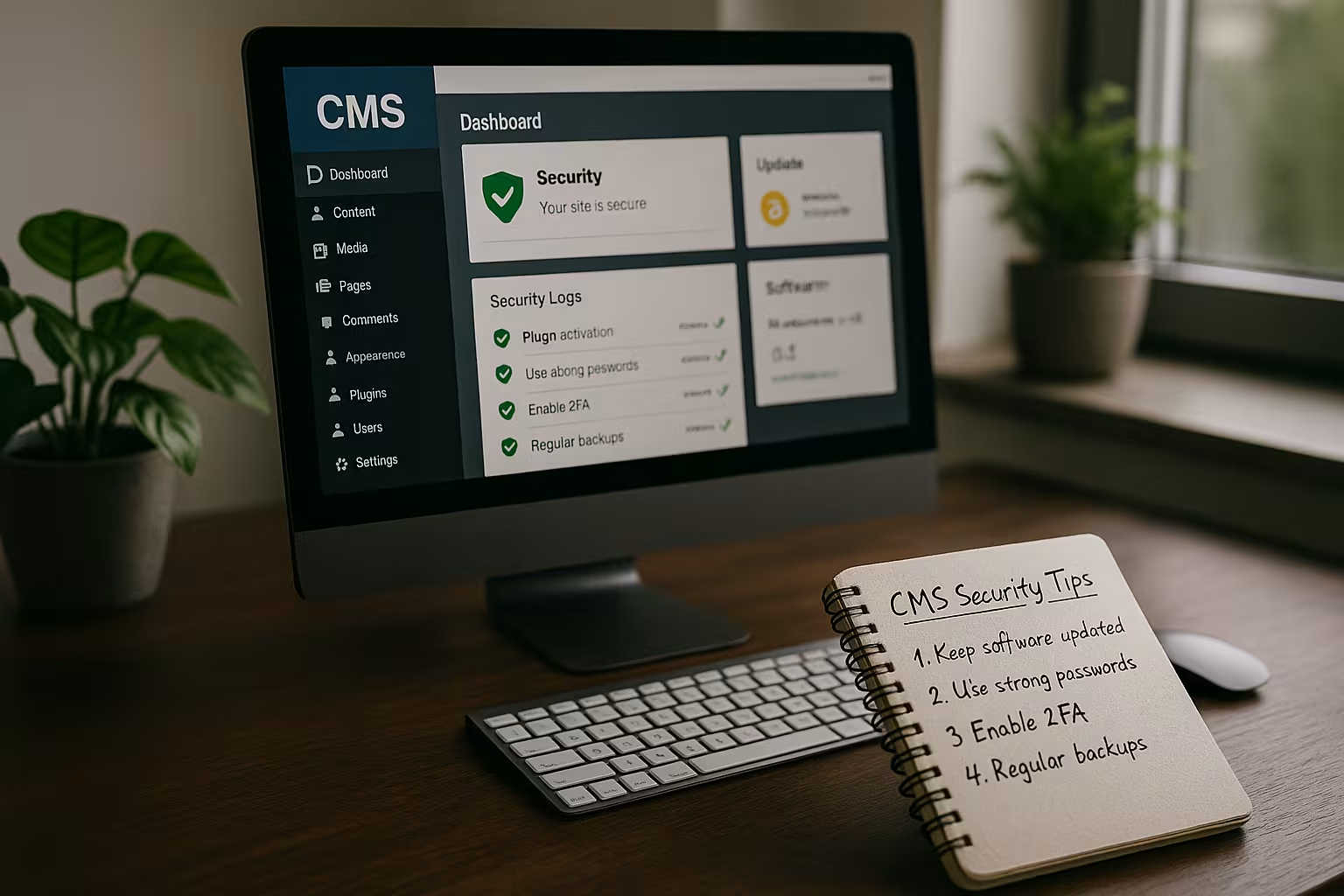
In the year 2025 CMS Security This is crucial, as attempted attacks by automated bots are increasing significantly. If you don't actively protect your content management system, you risk data loss, SEO losses and a loss of trust among customers and partners.
Key points
- Regular Updates of CMS, plugins and themes are indispensable.
- A Secure web host forms the basis against cyber attacks.
- Strong passwords and two-factor authentication effectively protect accounts.
- Security plugins offer all-round protection for the CMS.
- Automated Backups and logging ensure reliability.
Why CMS security is indispensable in 2025
Cyberattacks are increasingly being carried out automatically and particularly affect systems with a high market share. WordPress, Typo3 and Joomla are therefore regularly targeted by bot attacks. An insecurely configured CMS can be compromised within seconds - often without operators noticing immediately. The good news is that the risk can be drastically reduced with consistent measures. It is important to take technical security and user behavior equally seriously.
In addition to classic attacks such as SQL injections or cross-site scripting (XSS), attackers are increasingly using artificial intelligence to automatically detect vulnerabilities in plugins and themes. AI-based botnets are capable of learning and can circumvent defense mechanisms much faster than conventional scripts. This makes it all the more important to not only establish security practices once in 2025, but to continuously adapt them. Anyone who relies on their CMS being "secure enough" runs the risk of falling victim to an attack within a short space of time.
Ensure CMS, themes and plugins are up to date
Outdated components are among the most frequently used gateways for malware. Whether CMS core, extension or theme - security gaps occur regularly, but are also quickly fixed. Updates should therefore not be postponed, but firmly integrated into the maintenance plan. Automated updates offer a practical advantage here. In addition, unused plugins or themes should be removed without exception to reduce the attack surface.
Another point is the Version control of themes and plugins. Especially with extensive customizations, a problem often arises when updates are to be installed: Customizations can be overwritten. It is worth defining a clear strategy right from the start. Before every update - whether automated or manual - it is advisable to create a fresh backup. This allows you to easily switch back to the old version in the event of problems and carry out a clean integration at your leisure.

The right hosting provider makes all the difference
A securely configured server protects against many attacks - before they even reach the CMS. Modern web hosters rely on firewall technologies, DDoS defense systems and automatic malware detection. In a direct comparison, not all providers offer the same level of protection. webhoster.de, for example, scores with constant monitoring, certified security standards and efficient recovery mechanisms. The backup strategy of each provider should also be critically examined.
| Hosting provider | Security | Backup function | Malware protection | Firewall |
|---|---|---|---|---|
| webhoster.de | 1st place | Yes | Yes | Yes |
| Provider B | 2nd place | Yes | Yes | Yes |
| Provider C | 3rd place | No | Partial | Yes |
Depending on the business model, there may be increased requirements for data protection or performance. Especially when it comes to online shops sensitive customer data, SSL encryption, compliance with data protection regulations and reliable availability are crucial. Many web hosts offer additional services such as web application firewalls (WAF) that filter attacks at application level. The combined use of WAF, DDoS protection and regular audits can drastically reduce the likelihood of successful attacks.
HTTPS and SSL certificates as a sign of trust
Encryption via HTTPS is not only a security standard, but is now also a criterion for Google rankings. An SSL certificate protects communication data and login information from being accessed by third parties. Even simple contact forms should be secured by HTTPS. Most hosting providers now provide free Let's Encrypt certificates. Whether blog or online store - no one will be able to do without secure data transmission in 2025.
HTTPS also helps to maintain the integrity of the transmitted content, which is particularly relevant for critical user information in the backend. However, website operators should not just rely on "any" SSL, but should ensure that their own certificate is renewed promptly and that no outdated encryption protocols are used. It is worth taking a look at SSL tools at regular intervals, which provide information about security standards, cipher suites and any vulnerabilities.
Manage access rights, user accounts & passwords professionally
User rights should be differentiated and checked regularly. Only administrators have full control, while editors only have access to content functions. Using "admin" as a user name is not a trivial offense - it invites brute force attacks. I rely on unique account names and long passwords with special characters. In combination with two-factor authentication, this creates an effective protection mechanism.
Tools for role-based access control allow for very fine gradation, for example when different teams are working on a project. If there is a risk that external agencies will need temporary access, group or project passes should be avoided. Instead, it is worth setting up separate, strictly limited access that is deleted again once the project is completed. Another important aspect is the Logging of user activitiesto track who has made which changes in the event of suspicion.
Secure admin access: Prevent brute force
The login interface is the front line of the CMS - attacks are almost inevitable if access is unprotected. I use plugins such as "Limit Login Attempts", which block failed attempts and temporarily block IP addresses. It also makes sense to only allow access to the /wp-admin/ directory for selected IP addresses or to secure it via .htaccess. This also protects against bot attacks that focus specifically on login brute forcing.
Another option is the Renaming the login path. With WordPress, the default path "/wp-login.php" is often attacked as it is generally known. However, changing the path to your login form makes it much more difficult for bots to launch automated attack attempts. However, you should bear in mind that caution is required with such maneuvers: Not all security plugins are fully compatible with altered login paths. Careful testing in a staging environment is therefore recommended.
Security plug-ins as a comprehensive protection component
Good security plug-ins cover numerous protection mechanisms: Malware scans, authentication rules, detection of file tampering and firewalls. I work with plugins such as Wordfence or iThemes Security - but only ever from the official plugin directory. I don't use cracked premium versions - they often contain malicious code. Combinations of several plugins are possible as long as the functions do not overlap. You can find more tips on reliable plugins here: Securing WordPress correctly.
In addition, many security plugins offer Live traffic monitoring on. This allows you to track in real time which IPs are visiting the site, how often login attempts take place or whether requests look suspicious. Logs should be analyzed in detail, especially if there is an increase in suspicious requests. If you manage several websites at the same time, you can control many security aspects centrally in a higher-level management console. This is particularly worthwhile for agencies and freelancers who manage several customer projects.

Manually optimize individual security settings
Certain settings cannot be implemented using a plugin, but require direct adjustments to files or in the configuration. Examples include changing the WordPress table prefix or protecting wp-config.php with server-side locks. .htaccess rules such as "Options -Indexes" also prevent unwanted directory browsing. Customizing salt keys significantly increases protection against potential session hijacking attacks. You can find detailed tips in the article Plan CMS updates and maintenance correctly.
With many CMS you can additionally Restrict PHP functionsto prevent risky operations if an attacker does get onto the server. In particular, commands such as exec, system or shell_exec are popular targets for attacks. If you do not need them, you can deactivate them via php.ini or generally on the server side. The upload of executable scripts in user directories should also be strictly prevented. This is an essential step, especially for multisite installations where many users can upload data.

Backup, audit and professional monitoring
A functioning backup protects against the unforeseen like nothing else. Whether due to hackers, server failure or user error - I want to be able to reset my website at the touch of a button. Hosting providers such as webhoster.de integrate automatic backups that are triggered daily or hourly. I also carry out manual backups - especially before major updates or plugin changes. Some providers also offer monitoring solutions with logging of all accesses.
In addition Regular audits is playing an increasingly important role. The system is specifically checked for security vulnerabilities, for example with the help of penetration testing. This allows vulnerabilities to be detected before attackers can exploit them. As part of these audits, I also examine Logfilesstatus codes and conspicuous URL calls. The automated merging of data in a SIEM (Security Information and Event Management) system in particular makes it easier to identify threats from different sources more quickly.
Train users and automate processes
Technical solutions only unfold their full potential when everyone involved acts responsibly. Editors need to know the basics of CMS security - how to react to questionable plugins or avoid weak passwords. I always supplement technical protection with clear processes: Who is allowed to install plugins? When are updates carried out? Who checks access logs? The more structured the processes, the lower the potential for errors.
Especially in larger teams, the establishment of a regular safety training take place. Important rules of conduct are explained here, such as how to recognize phishing emails or how to handle links carefully. An emergency plan - such as "Who does what in the event of a security incident?" - can save a lot of time in stressful situations. If responsibilities are clearly assigned and procedures are practiced, damage can often be contained more quickly.
Some additional tips for 2025
With the increased use of AI in botnets, the requirements for protection mechanisms are also increasing. I also make sure to check my hosting environment regularly: Are there any open ports? How securely does my CMS communicate with external APIs? Many attacks are not carried out via direct attacks on the admin panel, but target unsecured file uploads. For example, directories such as "uploads" should not allow any PHP execution.
If you are particularly active in the e-commerce sector, you should also Data protection and compliance keep an eye on. Requirements such as the GDPR or local data protection laws in different countries make regular checks necessary: Is only the data that is really necessary being collected? Are consents for cookies and tracking correctly integrated? A breach can not only damage your image, but also lead to high fines.
New attack vectors: AI and social engineering
While classic bot attacks are often carried out in bulk and are rather crude in nature, experts are observing an increase in the number of bot attacks in 2025. targeted attacksthat target both technology and human behavior. For example, attackers use AI to fake user requests or write personalized emails that lull editors into a false sense of security. This results in Social engineering attackswhich are aimed not only at a single person, but at the entire team.
In addition, AI-driven systems use machine learning to bypass even sophisticated security solutions. For example, an attacker tool can dynamically adapt access attempts as soon as it notices that a certain attack technique has been blocked. This requires a high degree of resilience on the part of the defense. For this reason, modern security solutions themselves are increasingly relying on AI to detect and effectively block unusual patterns - a constant arms race between attack and defense systems.
Incident response: preparation is everything
Even with the best security measures, attackers can still be successful. Then a well thought-out Incident response strategy. Clear processes should be defined in advance: Who is responsible for initial security measures? Which parts of the website need to be taken offline immediately in an emergency? How are customers and partners communicated with without causing panic, but also without concealing anything?
This also means that Logfiles and configuration files should be backed up regularly so that a forensic analysis can be carried out afterwards. This is the only way to determine how the attack took place and which vulnerabilities were exploited. These findings are then incorporated into the improvement process: plugins may need to be replaced with more secure alternatives, password guidelines tightened or firewalls reconfigured. CMS security is an iterative process precisely because every event can lead to new lessons being learned.
Disaster recovery and business continuity
A successful attack can affect not only the website, but the entire business. If an online store goes down or a hacker posts harmful content, there is a risk of loss of sales and damage to the company's image. Therefore, in addition to the actual backup Disaster recovery and Business Continuity must be considered. This refers to plans and concepts for restoring operations as quickly as possible, even in the event of a large-scale outage.
One example would be a constantly updated Mirror server in another region. In the event of a problem with the main server, it is then possible to automatically switch to the secondary location. Anyone who relies on 24/7 operation benefits massively from such strategies. Of course, this is a cost factor, but depending on the size of the company, it is worth considering this scenario. Online retailers and service providers in particular, who need to be available around the clock, can save a lot of money and hassle in an emergency.
Role-based access management and continuous testing
The differentiated Access rights and clear role assignments. In 2025, however, it will be even more important not to define such concepts once, but to review them continuously. In addition, automated Security checksthat can be integrated into DevOps processes. For example, an automated penetration test is triggered for every new deployment in a staging environment before changes go live.
It is also advisable to have comprehensive safety checks carried out at least every six months. If you want to be on the safe side, start a Bug Bounty- or responsible disclosure process: external security researchers can report vulnerabilities before they are maliciously exploited. The reward for vulnerabilities found is usually less than the damage that would result from a successful attack.
What remains: Continuity instead of actionism
I don't see CMS security as a sprint, but as a disciplined routine task. Solid hosting, clearly regulated user access, automated backups and timely updates prevent the majority of attacks. Attacks evolve, which is why I develop my security measures along with them. Integrating security measures as an integral part of the workflow not only protects your website, but also strengthens your reputation. You can also find more details on secure hosting in this article: WordPress security with Plesk.
Perspective
Looking ahead to the coming years, it is clear that the threat landscape will not stand still. Every new feature, every cloud connection and every external API communication is a potential point of attack. At the same time, however, the range of intelligent defense mechanisms. More and more CMS and hosting providers are relying on machine-learning-based firewalls and automated code scans that proactively detect conspicuous patterns in files. It is important that operators regularly check whether their security plugins or server settings still comply with current standards.
The essential thing for 2025 and the years beyond remains: Only a holistic approach that incorporates technology, processes and people in equal measure can be successful in the long term. With the right combination of technical protection, constant further training and stringent processes your own CMS becomes a robust fortress - despite AI-supported attacks, new malware and constantly changing hacker tricks.