Skip to content
cPanel or Plesk for reseller hosting? A direct comparison shows: Both offer sophisticated functions for managing hosting customers, but differ significantly in terms of operation, expandability and platform compatibility - crucial for building a scalable hosting business. Those who choose between cPanel Plesk should keep an eye on its technical focus, customer base and operating system.
Key points
- cPanel offers maximum control over Linux servers and a very large plug-in ecosystem.
- Plesk impresses with its standardized interface and Windows compatibility.
- User friendliness is higher with Plesk, while cPanel scores points with experienced users due to its flexibility.
- Extensions such as WordPress Toolkit or One-Click Installer are strongly represented in both panels.
- License models differ only slightly in price, the decision depends on the hosting environment.

Comparison of the interfaces: Focus on user guidance
User guidance is essential for resellers: customers should need as little support as possible, while admins retain control.
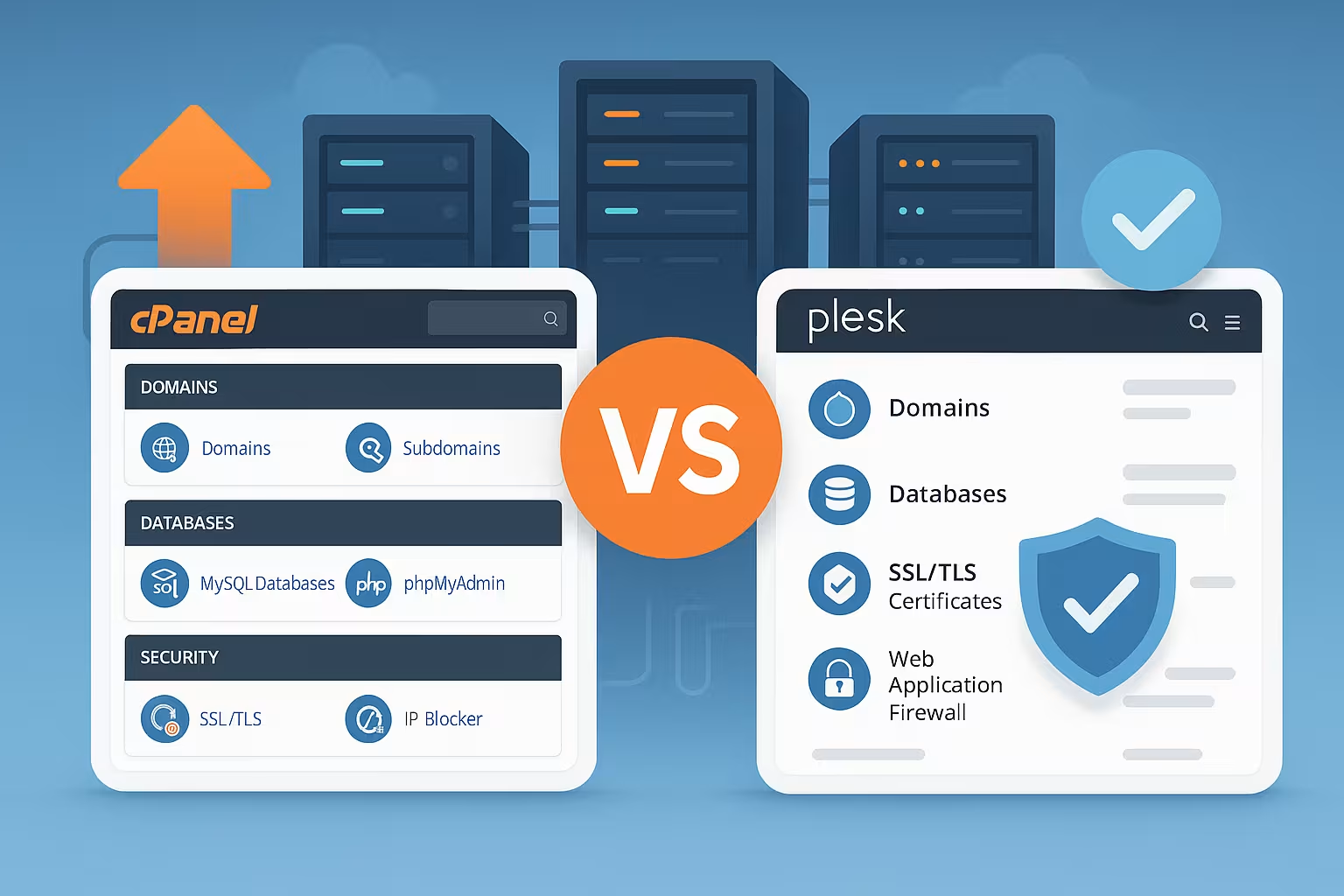
cPanel strictly separates the interface into two areas: The WHM for resellers contains the tools for account management, limits, packages and server configuration. End customers work in a separate cPanel area and only see their own resources. This structured separation enables a clear allocation of roles and a high level of security, but often appears overloaded to beginners.
Plesk on the other hand, offers a fully integrated dashboard. Resellers can manage all accounts, domains, mailboxes and settings directly in a standardized view. Especially for WordPress hosting environments this structure convinces with quick actions such as individual cloning of websites or staging.
Anyone using reseller hosting will quickly realize that the efficiency of the interface is a decisive factor for efficiency and customer satisfaction. Especially for newcomers to the reseller business, the learning curve of the panel plays a major role. While cPanel is very powerful in terms of architecture and focuses on administrative details, a Plesk user benefits greatly from the visually appealing and intuitive user interface, which brings many things together. In this way, tasks such as mail or DNS configuration, database management and website administration can often be completed in just a few clicks in the Plesk panel without having to search through numerous submenus.
In practice, this also reduces support requests because customers can act independently more quickly. With cPanel, on the other hand, the separation between WHM and cPanel really shines when many different customer projects are managed simultaneously and each customer needs their own subpanel. Admins retain an overview and user rights remain clearly separated. This can be particularly advantageous in very large agency environments or for hosters with thousands of customers.
Functional depth and expandability for resellers
The following points illustrate the functional scope of both panels:
- Reseller package designBoth panels enable limits for storage space, e-mail accounts, databases and domains.
- White-label branding: Both cPanel and Plesk allow you to customize the logo and login pages.
- Mail featuresIncludes spam filter, webmail access, auto-responder and catchall function.
- One-Click Installer such as Softaculous (cPanel) or native app catalogs (Plesk).
- Backups, SSL managementCronjobs and traffic statistics: standard for both solutions.
The deeper integration of tools such as Git, Composer, Docker or the WordPress Toolkit makes Plesk particularly attractive for agencies. This simplifies the administration of multisite-capable WordPress projects, for example. A detailed guide is available at Using WordPress Multisite with Plesk.
Extensibility plays a particularly important role for many hosting resellers and agencies. Packages such as Softaculous in cPanel or the integrated toolkit in Plesk allow a wide variety of applications to be deployed quickly. In addition, simple maintenance - for example through automated updates or integrated security scans - is an important argument for the end customer. A well-equipped panel often saves manual configuration work and offers an all-round carefree package for all common web applications.
Many resellers also appreciate the option of visually adapting the user interface to their own company branding. This makes the panel an obvious "in-house" solution for end customers. Here too, both platforms offer similar concepts, with cPanel allowing some in-depth skin customization and Plesk integrating individual themes via a clearly structured stylesheet customization. Anyone who values a uniform appearance will find what they are looking for with both systems.

Operating system compatibility crucial for customer projects
One clear difference in comparison is the supported server platform.
cPanel runs exclusively on Linux (e.g. CentOS, AlmaLinux, CloudLinux). Installation on Windows servers is not possible. So if you use ASP.NET applications or Microsoft SQL, you cannot map this environment with cPanel.
Plesk supports both Linux and Windows. IT service providers in particular, who serve customers with proprietary Microsoft technologies, benefit from this compatibility. Plesk allows the selection of the appropriate edition depending on the platform, e.g. "Web Host Edition" for larger agencies.
In practice, this means that Plesk users can address a wider range of customers, especially if certain projects require .NET support or the IIS web server. However, as soon as there is a clear focus on Linux infrastructure - and possibly specialized Linux optimizations such as CloudLinux or LiteSpeed have already been configured - cPanel offers a very high-performance and mature basis with its ecosystem that has grown over many years. Resellers should take a closer look at which customer groups they serve - pure open source applications (PHP, MySQL, MariaDB) or mixed scenarios that include Microsoft technologies.
Clear comparison table: cPanel vs. Plesk
| Criterion | cPanel | Plesk |
|---|---|---|
| Operating systems | Linux only | Linux & Windows |
| User interface | Shared (cPanel & WHM) | Uniform |
| WordPress toolkit | Not included | Yes, fully integrated |
| Docker support | Manual | Native |
| White label options | Yes | Yes |
Security aspects for professional resellers
Security not only influences the trust of your customers, but also your own workload. Both panels deliver powerful tools as standard.
cPanel allows fine-grained user rights to be set up and protects with IP filtering, two-factor authentication and automatic backups. Tools such as ModSecurity or Fail2Ban can be integrated quickly. Monitoring via API is also possible.
Plesk focuses on securing web applications. Firewall rules, automatic patches and sophisticated anti-virus solutions are part of many licenses. Also supported: isolated PHP versions per customer.
It is particularly important for resellers to install security updates promptly. With many end customers often running outdated CMS installations or plugins, the risk of malware attacks or phishing sites increases enormously. As both panels support automated update routines, some of the manual effort is eliminated. In cPanel, the admin can select specific update levels - for example, only security-relevant patches - while Plesk uses an integrated advisor to point out potential security vulnerabilities and recommend optimized settings. Both approaches are helpful for keeping a constant eye on the server landscape.
It is also important for resellers to be able to quickly access Memcached, Redis or other cache systems, as these also have security parameters that need to be properly configured. Some service providers who host customer projects also rely on their own intrusion detection system (IDS) or a web application firewall (WAF) to detect attacks at an early stage. Thanks to the open structure of both panels, such tools can be integrated relatively easily. The ability to isolate individual accounts in containers also increases security, which is why many hosters use CloudLinux or similar technologies.
Performance and server optimizations
Both panels work efficiently, but support slightly different technologies.
cPanel shines with its close connection to the Apache web server. Developers use MariaDB, PHP-FPM or LiteSpeed for better speed. NGINX as a reverse proxy is also possible - but not by default.
Plesk offers more flexibility between Apache, NGINX and even Node.js. Agencies that use many manage different platformsbenefit from simplified customization options via the UI instead of the command line.
Performance is often also a question of the correct configuration of the PHP-FPM settings or the optimal use of resources such as RAM and CPU. If you host a large number of websites, you may need load distribution or load balancing between several servers. Both panels allow a scalable setup in combination with external infrastructure (e.g. highly available database servers). For example, Plesk or cPanel can be used purely as a management interface, while individual services are outsourced.
The handling of static content and caching-based performance optimizations is also interesting. Under Plesk, NGINX can be set as the main web server quite easily, which brings considerable speed advantages for many static pages. In cPanel, on the other hand, you have to use either a separate plugin or manual configurations for such scenarios. It depends very much on the administrator's experience as to which method is more suitable - with sufficient know-how, cPanel is just as powerful as Plesk.
Another factor is the balancing of resources on shared hosting servers. Especially in the reseller sector, where several hundred websites may be hosted, it is important that individual "heavy users" do not block the entire server. Here, cPanel can work with the CloudLinux concept to isolate the accounts cleanly. Plesk users, on the other hand, often resort to similar mechanisms, provided that a suitable Linux distribution has also been selected here. The result for both panels is a solid basis for high-performance web projects.
Pricing in comparison
With both providers switching to an account-based license model, precise planning is required.
cPanel differentiates between VPS and dedicated versions from around €15/month for up to 5 accounts. The Premier version for 100 accounts costs around €40-50/month.
Plesk starts at around €10/month (Web Admin), while the larger Web Host Edition with reseller support and unlimited accounts costs around €40-50/month. It's not the number of users that counts here, but the edition.
For resellers and agencies that are unsure how much their customer numbers will grow in the future, the license model can have a major impact on the profit margin. cPanel may initially appear cheaper for a small number of users, but depending on the tariff, the price increases significantly for many accounts. Plesk offers a relatively simple model with unlimited accounts thanks to its choice of editions, which can be lucrative, especially with constant expansion. On the other hand, you should also factor in the platform costs and server resources, as VPS-based installations sometimes reach their limits with a large number of accounts.
It is also worth looking at term contracts. Both panel providers and many hosting providers grant discounts if you pay for licenses annually instead of monthly. If you plan for the long term, you can save costs here. In addition, there are always partnerships in which hosting providers offer special conditions for resellers, which can make entry into a particular panel environment more attractive.

Support & Community - Help for resellers
Support through forums, tutorials and updates is a decisive factor in scalable hosting.
cPanel offers a huge community, numerous video guides and many third-party plugins. Support in the event of problems is seamless, especially when using larger hosters.
Plesk is more beginner-friendly for many agencies. The documentation is clearly structured and onboarding is carried out using wizards and visual tools. This helps enormously when setting up new projects quickly.
The community support of cPanel is particularly useful when quick solutions are required. Many administrators share their experiences, so you can often find direct instructions or a script that solves the problem for specific questions. On the other hand, Plesk has become much more popular in recent years, which has led to the development of a lively community. Some users find the official Plesk documentation even clearer because it is closely aligned with common user stories. Ultimately, it depends on personal preference whether you prefer to browse forums, use video tutorials or contact the manufacturer's support directly.
In addition, both cPanel and Plesk now have extensive knowledge base articles and integrated help functions. Those who also rely on hosting providers with competent customer support can give their own end customers a feeling of security: Problems are solved quickly and the resellers themselves are not on their own. This is a clear advantage if you are planning for higher customer numbers or offer a large IT service portfolio.

What is suitable and when? Concrete scenarios for resellers
The decision depends heavily on the customer focus and the project types.
Do you rely exclusively on Linux and deal with many parallel customer projects? Then cPanel ideal because of its scalability and performance. Especially when experts with existing know-how are working on the servers.
Do you have customers who use WordPress, ASP.NET or mixed environments? Then Plesk in combination with central administration, integrated tools and a high degree of clarity is unbeatable.
In special cases, however, very simple factors are also decisive: some companies rely on the Microsoft stack because they need Active Directory integration or .NET frameworks - Plesk clearly stands out here. In pure WordPress environments, on the other hand, both cPanel and Plesk can work well, depending on agency requirements. An advanced admin who wants to make extensive customizations will find cPanel/WHM a powerful tool. On the other hand, those who want to have as many features as possible in one interface will feel more comfortable with Plesk.
Practice also shows that cPanel resellers are often already experienced administrators, while Plesk users also include less experienced people who can get started quickly thanks to the intuitive operation. Of course, this cannot be generalized, but it reflects some of the user feedback.
Recommendation for hosting providers with cPanel or Plesk
A hosting setup stands and falls with the platform, but also with the provider. If you want to book reseller services flexibly, with high performance and in line with the selected control panel solution, go for modular hosting tariffs. Providers such as webhoster.de deliver stable platforms with top performance for both systems - ideal for growing customer numbers and professional workflows.
Another aspect is the location of the hoster: some customers attach great importance to data protection regulations or explicitly want European data centers. Thanks to the flexibility of both panels, many hosters allow you to choose whether to locate the server infrastructure in Germany or another EU country, for example. Compare not only the price, but also the SLA (Service Level Agreements). 24/7 support can ensure a relaxed working environment, especially if customer regions are located in different time zones.
In addition, server resources should be checked regularly to avoid bottlenecks. For example, anyone who is growing rapidly and needs more RAM or CPU power should be able to upgrade easily with the hosting provider. Thanks to cPanel or Plesk, migration processes between servers are quite simple if both instances use the same panel. This ensures a smooth transition without any downtime for customers.
Summary: What suits you?
Plesk is aimed at agencies and IT service providers who prefer a flexible solution with Windows support and WordPress integration. Those who operate clearly structured customer environments with a high level of automation on Linux are better off with cPanel. The choice ultimately depends on the operating system, project type and personal preference - both panels enable professional reseller hosting with powerful functions.
When planning for your customers, you can also take into account which technologies will become relevant in the coming years. New features or improved services can usually be easily integrated using the expansion options of both panels. The combination of stable performance, clear security precautions, automated processes and practical additional tools usually determines long-term success in the reseller sector. So check carefully which panel best meets your needs and those of your customers and whether you are more likely to focus on Windows, Linux or mixed environments. Once you have clarified these questions, you will have an excellent basis for a successful reseller hosting business - with satisfied customers and reliable processes.