Skip to content
Container hosting vs vm determines the cost, density, security and speed of your hosting architecture. I clearly show when containers have the upper hand, where VMs score and how you can create the best solution from both worlds.
Key points
- ArchitectureContainers share the kernel, VMs virtualize the hardware.
- density5-10x more containers per host than VMs.
- SpeedContainers start in seconds, VMs in minutes.
- SecurityVMs insulate more; containers require hardening.
- Costs50-70 % Savings possible with containers.

Architecture: Containers share the kernel, VMs share the sheet metal
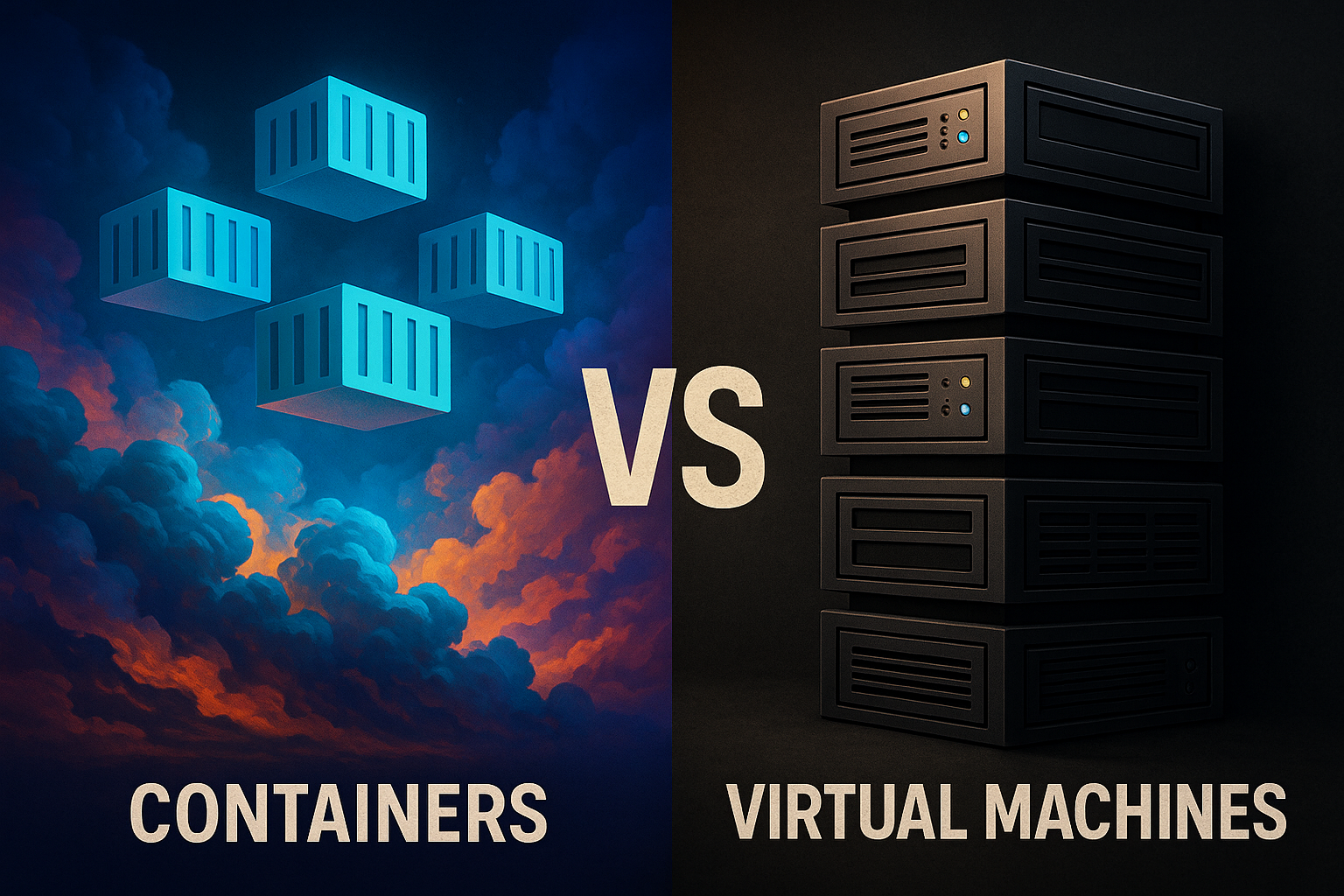
Virtual Machines emulate complete hardware, load their own operating system per instance and require a hypervisor as an intermediary. Each VM requires dedicated CPU, RAM and storage quotas, regardless of whether the app currently needs these resources. This ensures clean separation, but increases the overhead in operation and procurement. Containers take a different approach and virtualize the operating system itself. They encapsulate processes with namespaces and cgroups while sharing the host's kernel.
Docker Containers only provide the app, libraries and minimal tools, not a complete OS. As a result, images are small and run with low memory requirements. This noticeably speeds up deployment, updates and rollbacks. The lower abstraction reduces the CPU overhead compared to VMs, which is noticeable under high load. I therefore plan architecture decisions according to app character: monolithic and legacy-heavy in VMs, service-oriented and cloud-native in containers.
Resource consumption and costs in euros
Container typically require 100-200 MB RAM per service; comparable VMs are often 1-2 GB or more. On the same hardware, I can therefore achieve 5-10 times as many isolated workloads. This density has a direct impact on the bill: fewer hosts, lower energy requirements, less cooling. In projects, I see 50-70 % lower infrastructure costs when teams consistently containerize applications. If you want to invest, you should first measure load profiles and simulate the VM budgets against container density.
Sample calculationAn app fleet with 20 services occupies around 40-60 GB of RAM and several vCPUs per instance as VMs. The same volume fits in containers on a smaller host pool with 8-16 vCPUs and 32-48 GB RAM. This reduces cloud costs from around €1,200 to €500-700 per month, depending on reservations and region. The difference easily finances observability, backups and hardening. For a more in-depth classification, it is worth taking a look at Facts about virtualization.

Start time and provision: seconds instead of minutes
Container start without an OS boot and are live in just a few seconds. CI/CD pipelines benefit directly: Build images, test briefly, deliver to the orchestration system - done. Rollouts run blue/green or canary, backouts only take moments. VMs take minutes to start service, including OS initialization and agent setups. In incident situations, I recognize the advantage immediately: containers replace defective instances almost instantly.
PracticeI keep rollouts small, images unchangeable and configurations separated by Env/Secrets. Health and readiness probes ensure that traffic only reaches healthy pods. With these basics, the mean time to recovery shrinks noticeably. I scale test environments on demand and switch them off at night to keep the bill low. This is how I combine speed with cost control.
Platform and operating expenses: team, tools, responsibility
Operation is more than just technology. Containers only unfold their benefits with platform thinking: build pipelines, image registry, orchestration, observability, security scans and self-service for developers. I am planning a lean platform level that sets standards (base images, policies, deploy templates) and reduces friction. The effort shifts from „maintaining individual VMs“ to „maintaining pipelines and clusters“. This saves time in the long term, but requires clear roles (platform, SRE and app teams) and automation.
VM operation remains closer to classic IT processes: Patching, configuration, snapshots, agent management. Onboarding new services takes longer, but is predictable because each VM is treated like a mini-server. In mixed environments, I rely on standardized telemetry (logs, metrics, traces) and a ticket system with clear SLOs. In this way, I avoid shadow processes and ensure that both worlds are equally well monitored and supported.
Performance and efficiency: close to native
Container address the host kernel directly, minimizing CPU and memory overhead. In compute-intensive workloads, 5-15 % hypervisor losses quickly add up to real additional costs for VMs. In I/O-heavy scenarios, the lighter layer also pays off as long as the storage and network are properly dimensioned. I prefer to plan node sizing to be smaller and denser than to utilize a few large machines sluggishly. This allows me to increase workload per euro and measurably reduce power consumption.
Tuning starts with limits and requests: apps get exactly the resources they actually use. CPU manager strategies, NUMA awareness and efficient runtimes also help. Containers also score points with fast horizontal scaling for TLS loads or message queues. If the single-thread performance is not sufficient, I start more replicas instead of a more powerful VM. This way of working keeps latencies low and budgets in check.
Network and service communication in comparison
networking The two are fundamentally different: VMs use classic bridges, VLANs and often centrally managed firewalls. Containers rely on CNI plugins, overlays or eBPF-based paths and come with service discovery. I plan Ingress cleanly (TLS, routing, rate limiting) and decouple internal communication via DNS services and clear ports. This reduces manual firewall changes and speeds up releases.
Service mesh can standardize telemetry, mTLS and traffic control in container environments. It is worthwhile from a certain level of complexity; before that, I deliberately keep it simple so as not to introduce unnecessary latency and cognitive load. For VMs, I use standardized load balancers and central gateways. Consistency is crucial: the same policies for AuthN/AuthZ, mTLS and logging - regardless of whether the service is running in a VM or a container.
Insulation and safety: hardening makes the difference
VMs isolate via their own operating systems and strictly separate workloads. Containers share the kernel, which is why I plan security layers. SELinux or AppArmor enforce rules, Seccomp limits system calls, and rootless containers reduce privileges. In clusters, I ensure clear boundaries with RBAC, PodSecurity and NetworkPolicies. Additional namespaces and signed images increase trust in the supply chain.
Practical ruleCritical or compliance-relevant software is stored in VMs, while scalable services run in containers. This allows me to combine strong isolation with efficient density. If you want to go deeper, compare historical models such as chroot, jails and modern approaches via Process insulation. Clean patch management remains important: nodes, images and dependencies must be up to date. In this way, the risk remains predictable.
In-depth security: supply chain, sandboxes and secrets
Supply chain by building reproducible images, signing them and only allowing known sources with policies. I rely on SBOMs and scans in the pipeline to detect vulnerabilities early on. Runtime protection takes effect with minimal images, read-only file systems and dropping all unnecessary Linux capabilities. I manage secrets separately from the code, rotate them automatically and prevent plain text in repos or images.
Sandboxing closes gaps between container and VM: Lighter VM layers (e.g. micro VM approaches) or user space kernel filters increase isolation without abandoning the container workflow. I use these techniques selectively for particularly sensitive services. This keeps the density high, but the blast radius small. For VMs, I keep the attack surface small with minimal images, hardened templates and encryption of data at rest without exception.
Scaling and flexibility: thinking horizontally
Container unfold their strength with horizontal scaling. Orchestration distributes load, replaces failed instances and automatically maintains targets. Autoscaling reacts to metrics such as CPU, memory or user-defined signals. In this way, the cluster grows at peak times and shrinks again when traffic decreases. In contrast, I tend to scale VMs vertically, which is slower and more costly.
Architectures with microservices, events and queues play together here. Small, independent services can be rolled out and versioned separately. Clever interfaces and contracts reduce coupling and failures. A good place to start is Container-native hosting as a guideline for teams that are gradually changing over. In this way, each team chooses the right pace for delivery and operation.

Stateful workloads and storage
Data-containing Applications can be run stably in containers, but require conscious design: stateful sets, stable identities, persistent volumes and storage classes with suitable latency/IOPS. I separate write path and volatile caches, test backup/restore regularly and plan clear replication models. For databases, I often rely on operator-supported deployments or stick with VMs if drivers, kernel tuning or license requirements suggest this.
VMs points with complex storage tuning (multipath, specific file systems, proprietary agents). Snapshots and replication are often established and auditable. Containers, on the other hand, win when it comes to automated capacity provisioning and faster failover. The decisive factor is not „container vs. VM“, but RTO/RPO targets, load patterns and team expertise for the corresponding data path.
Portability and consistency: one image, many environments
Container pack app and dependencies into a reproducible artifact. As a result, services run identically locally, on bare metal, in VMs or in any public cloud. Dev, staging and production behave more similarly because there are no differences in the OS. This reduces troubleshooting and „works on my machine“ effects. VMs are cumbersome to move and often require driver or OS adjustments.
WorkflowI keep base images lean, manage versions strictly and sign artifacts. Policies prevent unsigned builds from being rolled out. Configurations remain declarative so that changes are traceable. This keeps the system predictable, regardless of the target location. Portability thus clearly speaks in favor of container-first.
Windows, GPUs and special hardware
Windows workloads run stably on VMs, especially when AD integration, classic installers or GUI components are involved. Windows containers are an option for modern .NET services, but require clean image maintenance and sometimes special orchestration features. For heterogeneous environments, I combine Linux containers for the majority of services with a few Windows VMs for the exceptions - this reduces complexity.
Accelerator such as GPUs, SmartNICs or NVMe passthrough: In VMs, I use vGPU/SR-IOV or PCI passthrough. In containers, I orchestrate devices via node labels, device plugins and isolated node pools. Deterministic allocation, utilization monitoring and capacity planning per workload class are important. This keeps ML/AI jobs, media transcoding or HFT workloads efficient and predictable.
Cost and architecture comparison at a glance
Overview helps with decisions. The following table summarizes core criteria and shows direct effects on the cost structure.
| Criterion | Container | Virtual machines | Impact on costs |
|---|---|---|---|
| Architecture | Share host kernel | Own OS per VM | Less overhead, lower fixed costs |
| start time | Seconds | minutes | Faster deployments, less standby capacity |
| density | 5-10x per host | Limited | Fewer hosts, lower energy requirements |
| Overhead | Near native | 5-15 % Hypervisor | More workload per euro |
| Insulation | Kernel parts, hardening required | Strong separation | Containers require security investment, VMs higher running costs |
| Scaling | Horizontal, fast | Mostly vertical | Elastic use, less overprovisioning |
| Portability | Very high | Limited | Less migration effort |

FinOps in practice: hidden costs, real savings
Cost traps lurk beyond vCPU and RAM: storage IOPS, network egress, load balancer charges and observability volumes. In container environments, I reduce these items with lean logs (sampling, retention), compressed traces and targeted SLO metrics. I separate node pools according to workload profiles (burst vs. continuous load) and use mixed calculation from reserved capacities and preemptible/spot nodes for non-critical jobs.
Bin packing decides on the Euro lever: clean requests/limits, topology spreads and pod priorities ensure that capacity is not fragmented. In VMs, I achieve something similar through density planning and consistent deactivation of unused instances. Regular rightsizing based on real metrics prevents overprovisioning - I automate this as a recurring task in the operating cycle.
Strategic selection: When does what fit?
VMs for legacy software, fixed monoliths, high compliance requirements or when several operating systems need to run in parallel on one host. Full OS isolation reliably protects legacy systems and proprietary stacks. I use containers for microservices, APIs, web backends, event workers and batch pipelines. Fast rollouts, high density and simple replication are what count here. For many teams, a hybrid strategy pays off the most.
RuleThe more dynamic the load and the more modular the app, the more likely it is to be a container. The heavier the requirements, the more likely VM or even bare metal. I often start with the „noisy“ services in the container and leave sensitive components as VMs for the time being. With each release, further parts move into the container world. This keeps the risk low and the benefits visible.
Edge, on-prem and multi-cloud
Edge scenarios benefit from containers thanks to their small footprint, fast updates and offline capability. I keep clusters compact there, automate rollouts via pull mechanisms and limit dependencies on control plane access. I use VMs at the edge when special drivers, proprietary software or stable long-term runs are required. I plan resource pools on on-prem hardware so that edge nodes do not compete with data centers.
multi-cloud is most consistent with container images and declarative deployments. I deliberately separate data paths and plan replication to avoid lock-in. I use standardized templates and automation scripts for VM-based special loads. This keeps portability realistic without complicating operations.
Practical guide: Step by step to hybrid architecture
take inventory is the starting point: dependencies, data storage, latency requirements, compliance. I then cut services along clear interfaces and identify quick wins. I set up CI/CD, observability, logging and security scans directly. I then move the first productive loads and keep fallback levels ready. Capacity planning and FinOps accompany each stage so that savings really materialize.
TechnologyMaintain base images, sign artifacts, allow only required Linux capabilities. Limit resources properly and set requests so that the scheduler works sensibly. Select storage classes appropriately, test backups, measure restore times realistically. Segment the network properly and apply policies consistently. This discipline makes container operation reliable and economical.

Migration without pitfalls: avoid anti-patterns
Monoliths Squeezing 1:1 into a „giant container“ rarely brings advantages. I draw clear interfaces, extract stateless components first and keep states outside. I build reproducible, unchangeable images without SSH access. With VMs, I avoid „pet servers“: configurations end up as code, snapshots are no substitute for backups, and changes are traceable.
Common errorsToo generous privileges (privileged pods), missing limits, logs as files in the container instead of stdout/stderr, orphaned secrets, too tight coupling to the node. I check every service against a concise list of criteria: Is it stateless? Does it have health checks? Are resources realistic? Can it be scaled horizontally? This allows me to identify gaps early on before they become expensive to operate.
Resilience, backup and disaster recovery
Availability I plan multi-level replication across zones, pod disruption budgets, topology spreads and redundancy of critical control plane components. For VMs, I rely on host HA, replication and fast restarts via templates. I define RTO/RPO for each service class and test them regularly - chaos tests for containers, failover drills for VMs.
Backups I separate from snapshots: Application-consistent backups, separate storage and regular restore samples are mandatory. For containers, I back up declarative states (manifests) in addition to data. This allows environments to be reproduced even if a region fails. The move is only considered complete when restore times and data losses are measurably within limits.
Final assessment: My clear verdict
Container deliver the higher density, faster deployments and usually 50-70 % lower infrastructure costs. VMs retain their strength with maximum isolation, legacy dependencies and strict requirements. I decide according to workload profile: dynamic, service-oriented and portable - containers; static, strictly isolated or operating system-bound - VMs. In practice, the mix is convincing: centralized VMs for rigid systems, containers for everything that is scaled and rolled out frequently. This is how you get the most economic and technical benefit from container hosting vs vm.