 Skip to content
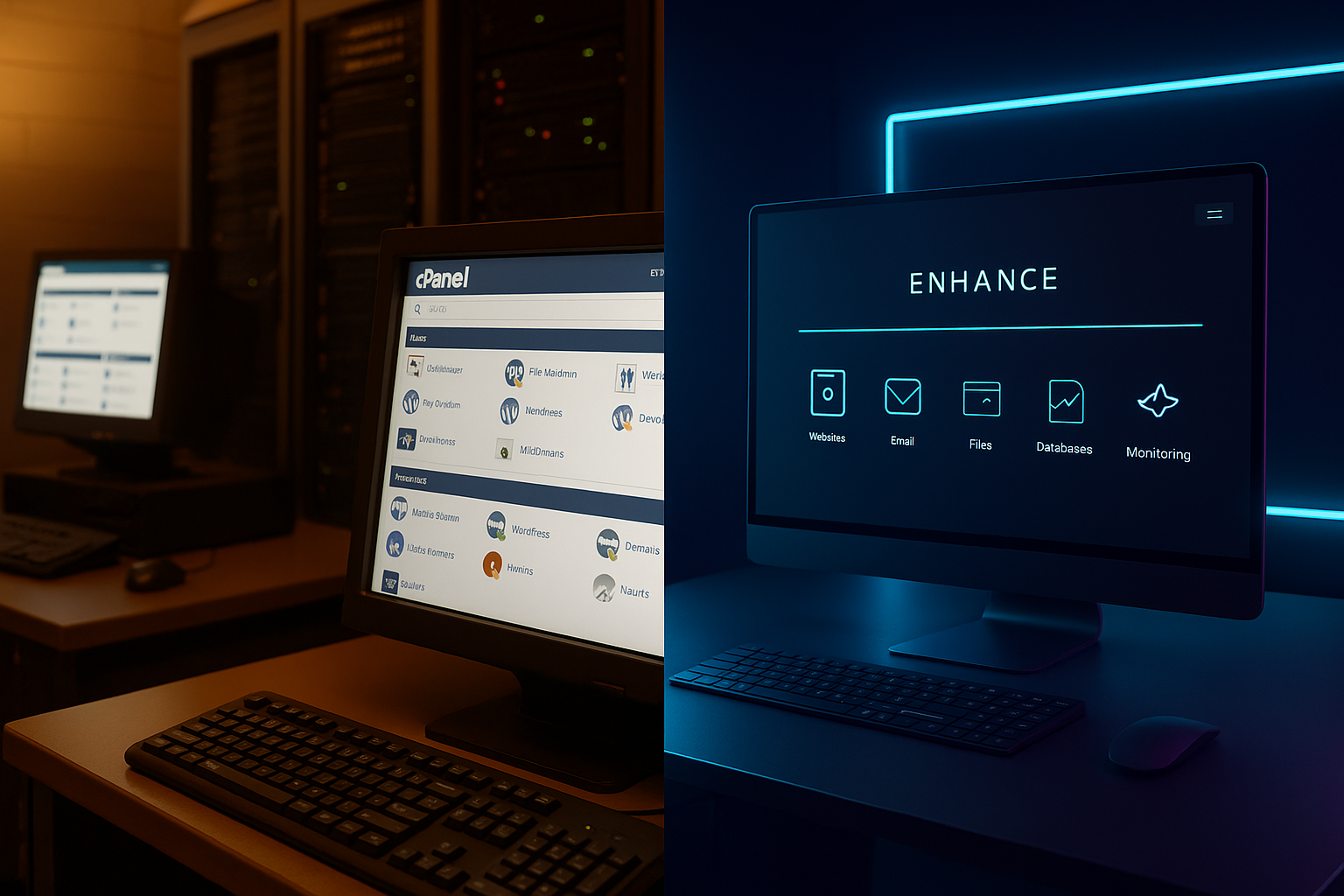
cPanel Enhance stands for a clear contrast in 2025: traditional industry standard meets cloud-oriented innovation. I'll show you where cPanel comes into its own and where Enhance picks up the pace with cluster architecture, roles and Btrfs backups.
Key points
- Cloud-Cluster: Enhance distributes roles (Web, DB, Mail, DNS) flexibly.
- License costsSignificantly lower account prices with Enhance.
- BackupsBtrfs snapshots shorten backup and restore times.
- AdministrationcPanel/WHM offers deep control and reseller functions.
- MigrationRole changes and site moves go smoothly with Enhance.

cPanel in brief: strengths and limitations
I appreciate the two-tier structure of cPanel cPanel and WHM, which cleanly separates hosting accounts and server level. The software has been running for years in countless setups and delivers fast loading times with good resource utilization. The variety of plugins and integrations is just as impressive as the in-depth system administration, including DNS, mail and security rules. At the same time, the setup takes time, as installation, hardening and subsequent maintenance require several hours and experience. The deep intervention in the system brings power, but makes removal only possible via a complete reinstallation (see [1][4]).
Enhance in everyday life: setup, cluster, backups
Enhance scores points for me with its quick setup on Ubuntu and an interface that simplifies multi-server tasks. I can add new nodes, assign roles and distribute services - such as web, database, mail, DNS, caching or backups - within minutes. This role logic scales cleanly because I can relocate workloads in a targeted manner and alleviate bottlenecks (see [1]). Then there's the Btrfs backup: snapshots speed up backups and restores, site migrations are done with a click instead of manual export/import steps. This allows websites to move quickly across nodes, which makes maintenance and growth much easier.

Cost structure 2025: licenses and savings potential
I take a close look at prices, because recurring fees quickly add up to Fixed costs. cPanel starts at around 12 USD per month, which is about 11 €, depending on the exchange rate. Enhance charges from around USD 0.15 per account, i.e. around € 0.14 per month. According to [7], an example calculation with 300 accounts results in around USD 47 for cPanel versus USD 15 for Enhance; this corresponds to around € 44 versus € 14. This difference shows how noticeably the margins in shared hosting or for resellers can increase.
| Criterion | cPanel | Enhance | Classification |
|---|---|---|---|
| License model | Server and account tiers | Price per account | Calculability Varies depending on growth |
| Starting price/month | approx. 11 € | - | Basis for small setups |
| Example 300 accounts | ≈ 44 € | ≈ 14 € | Source [7]; clear price gap |
| Scaling costs | increase with accounts | linear per account | Enhance often more favorable for growth |
Web server and performance: OpenLiteSpeed, NGINX, Apache
I prefer for high PHP loads OpenLiteSpeed, and this is where Enhance shines with its seamless integration. Operation is smooth, settings are consistent across nodes and updates remain manageable. Those who prefer NGINX also benefit from centralized control and role assignment in the cluster. cPanel remains very fast in many scenarios and provides a wide range of web server combinations; the performance differences are often small in practice (see [2]). The decisive factor is the appropriate architecture for the respective workload, not just the engine.
In benchmarks, in addition to CPU and I/O values, I look at specific RTO/RPO-specifications, caching strategies and the overhead per request. HTTP/3/QUIC, Brotli compression, TLS session resumption and OCSP stapling have a measurable influence on TTFB and latency. With LSAPI/VHost templates and built-in cache logic, OLS offers advantages for highly dynamic sites; NGINX shows its strengths as a reverse proxy with microcaching; Apache scores with compatibility and fine-grained .htaccess policies. Important: Uniform Configuration templates in the cluster prevent drift and keep rollouts reproducible.
Functions and expandability: Reseller to HA
Anyone who appreciates reseller functions, quotas and fine limits will find cPanel/WHM to be a very good choice. extensive Toolbox. The community, countless integrations and established workflows provide security, especially in long-running setups. Enhance brings modern cloud thinking to the table, including planned features such as high availability and load balancing on the roadmap (see [1]). For technical comparisons with other panels, take a look at this compact Comparison of the panels. In the end, it's the processes that your teams need every day that win - not so much the pure feature list.
E-mail and deliverability
I make sure that both panels have a clean mail stack: SPF, DKIM and DMARC must be rolled out correctly by default, including rDNS and consistent HELO strings. Rate limits, queue management and outbound IPs per customer group help to stabilize deliverability and avoid blacklisting. cPanel has been solidly positioned here for years and offers detailed policies; Enhance can be separated via roles - dedicated Mail node decouple peak web loads from shipping. A clean onboarding process is also important: automated records, test shipments, monitoring of bounce rates and feedback loops save a lot of support time later on.
DNS and name server strategy
cPanel can provide resilient nameserver clusters via the DNSOnly approach, while Enhance DNS can be used as a separate Role into the network. I plan at least two geographically separate nodes, optionally with anycast setups. Zone templates, auto DNS for new domains and a rollback in the event of misconfigurations are mandatory. A separate TTL plan pays off for mass migrations: Before migration I lower TTL, after stabilization I increase it again to relieve requests.
Migration, roles and operation
With Enhance, I move roles between servers in order to allocate resources specifically. relieve or to carry out maintenance. A web node can be temporarily taken out of service while other services continue to run; I move sites with a click. This saves time compared to manual processes with export, import and DNS adjustments. This flexibility quickly pays off for hosting teams that carry out many moves and onboardings. If you want to delve deeper into orchestrated processes, you can find practical tips on Automation and UI integration.
In practice, I plan migrations in ShaftsFirst accounts with low dependency, then database-heavy projects, and finally email-intensive customers. I ensure zero downtime with test cutover and a short dual operating phase. File locks, cron jobs, maintenance pages and cache validation are part of the migration playbook. With cPanel, I use established transfer tools and then check file permissions, PHP versions, redirects and certificates. With Enhance, the migration benefits from snapshots and role-based switching - ideal if several services are distributed in parallel. Important: Subsequent tasks such as log rotation, backups, monitoring assignment and metrics alerts should be Automated be rebound so that there are no blind spots.

Installation and updates: practical comparison
The cPanel installation goes into detail and requires solid Linuxroutine, including hardening and downstream fine-tuning. I plan several hours for this and then test services, limits and backups. Enhance sets itself up quickly, especially on Ubuntu, and applies updates largely automatically. The concept scales with distro upgrades: I can upgrade two dozen nodes to a new LTS version in a short time without having to rebuild all systems (see [1]). This time saving is directly reflected in lower operating costs.
For the operating systems, I pay attention to the Support cyclecPanel relies classically on RHEL derivatives (Alma/Rocky), which provides stability and long support windows. Enhance focuses on Ubuntu LTS, which enables fast feature cycles and predictable LTS updates. For upgrades, I define maintenance windows, smoke tests and a rollback strategy. I check kernel updates, OpenSSL and glibc patches closely because they affect both performance and security.
Security and availability
I check both panels regularly Updates, roller rights and isolation mechanisms. cPanel benefits from years of hardening and fast response in large installation bases. Enhance relies on modern architecture, lean components and automatic updates, which reduces potential attack surfaces. In clusters, I distribute services so that a single node becomes less critical. The HA and LB options announced for Enhance promise additional resilience as soon as they are available in production (see [1]).
Guidelines for Least Privilege, MFA/2FA and audit logging are mandatory. I separate admin, reseller and customer access with fine granularity and document changes. Container/cgroup limits, PHP disable functions, restrictive FS rights and WAF rules (including the current rule set) are my baseline set. I have a clear DR scheme ready for emergencies: offsite backups, encrypted storage, regular restore tests and a plan for the loss of an entire node or data center.

API and automation
I like to bind provisioning, limits and monitoring via APIs so that the booking system and panel remain synchronized. A clean API saves tickets because self-service works and processes trigger reliably. I think GraphQL is productive for modern data models and microservices, for example when querying accounts, plans or usage data. This overview shows how such an interface accelerates processes GraphQL API in the hosting panel. What counts in the end is that billing, provisioning and support run in one flow.
From the field: Idempotent jobs, Webhooks for events (account created, backup completed, quota torn) and a strict rate limit protect against double bookings and race conditions. I log API calls in an auditable way and maintain staging for integration tests. Clear mapping between products in billing and plans in the panel is important - if you model this cleanly, you drastically reduce special cases in support.
User experience for teams
I pay attention to clear Workflows, so that support, technology and sales do not work against each other. cPanel scores with a familiar structure that many admins have known for years. Enhance shines with a modern user interface that displays cluster and role models in a tangible way. Training costs are reduced if masks are logically named and error messages are helpful. Good UX saves time during onboarding, escalation and daily routine tasks.
In addition, the Rights management Delegable partial access, temporary support tokens and logs for critical actions (e.g. password resets, SSH changes) prevent misunderstandings. Multi-client capability - i.e. clearly separated areas per brand or business unit - facilitates operation in larger organizations. I plan training snippets and internal SOPs directly from the UI so that new colleagues can become productive more quickly.
Decision support: Scenarios
I choose cPanel when I need reseller structures, familiar workflows and very wide integrations. In long-running setups with clear responsibilities, the system delivers reliable results. I use Enhance when I want to set up clusters efficiently, distribute roles in a targeted manner and keep costs per account under control. For OpenLiteSpeed workloads and fast backups, there is a lot to be said for Enhance's approach, while cPanel shows its strength in established hosting environments. If you are undecided, test both sides with typical customer sites, measure loading time, admin time and license costs - then the choice is much easier.
Operating models: single server to hybrid cloud
In smaller setups, I like to start with a Single server, that bundles web, DB, DNS and mail. This reduces complexity and costs, but requires good capacity planning. As the customer base grows, it is worth taking the step to a ClusterI separate web and DB roles early on in order to absorb peaks; I move DNS and mail to separate nodes so that updates and failures are less likely to couple. If you mix multiple locations or cloud/on-prem, you're better off with a Hybrid approach good: Compute-intensive workloads move to the cloud, sensitive data remains on-prem - Enhance plays out its role logic here, cPanel provides proven recipes with external replication and DNS clusters.

Costs beyond the licenses
In addition to licenses, I consistently calculate the Infrastructure-items: storage (NVMe vs. HDD, RAID, snapshots), network (bandwidth, egress), IPs (IPv4 scarcity!), as well as monitoring and backup destinations. Btrfs snapshots are fast, but do not replace offsite backups - I always plan a second storage location. Data transfer costs for cloud backups can be noticeable, as can CPU minutes for compression and deduplication. For ROI considerations, I also take into account the Operating timeAutomated updates and cluster-wide policies not only save admin time, but also reduce the risk of failure - an effect that is often underestimated in the cost line.
Storage and backups in detail
Btrfs brings copy-on-write and snapshots - ideal for quick Point-in-Time-backups. Nevertheless, I pay attention to fragmentation, checksum errors and the correct integration of the snapshot time for databases (flush/freeze). File-based backups have their strengths in granular restores of individual files, while snapshots excel in speed. I combine both: regular snapshots for RTO, periodic full/incremental backups for RPO and offsite resilience. In cPanel environments, I test restore paths per customer and verify rights, ownership and cronjobs - restore tests are my insurance policy.
Monitoring and observability
I need Metrics on three levels: System (CPU, RAM, I/O, network), Services (HTTP status, FPM queue, MTA queue, DNS latency) and Business (accounts, quotas, abandonment rates for deployments). Alerting with thresholds, rate-of-change and SLOs prevents alert fatigue. Log centralization, structured events and correlation between panel changes and metric spikes accelerate root cause analysis. For clusters, it is important that new nodes automatically slip into monitoring and are logged out cleanly when deprovisioned - otherwise shadow resources are created.
Compliance and processes
Data protection and Compliance I address this with clear data flows, order processing and retention periods. Audit logs, proof of access, encrypted backups and separate roles for approvals are mandatory. I document which logs contain personal data, how long they are retained and how I delete them on request. Both panels support 2FA and role-based access; the decisive factor is implementation during operation - including training, the dual control principle for critical changes and regular reviews.
Practical checklist for the proof of concept
- Workload profile: number of sites, traffic, PHP versions, cron load, mail volume.
- Architecture: Role plan (Web/DB/Mail/DNS), growth scenario for 12-24 months.
- Performance measurement: TTFB, P95/P99, concurrency, cache hit rate.
- Backup/restore: RPO/RTO, offsite test, single file and full restore.
- Security: 2FA, rights, WAF rules, patch workflow, audit logs.
- Automation: API flows, webhooks, idempotency, error paths.
- UX/Support: Onboarding duration, self-service rates, ticket statistics.
- Costs: licenses, infrastructure, operation, reserve for peaks.
Outlook 2025/2026
I expect Enhance to continue the roadmap around HA/LB and will therefore become even more attractive for larger clusters. cPanel should build on its strengths in terms of stability, reseller functions and integrations. For me, the combination of speed, reliability and cost control is what counts on a day-to-day basis: if you live and breathe cluster thinking, snapshots and automation, Enhance has its advantages; if you rely on proven workflows, broad ecosystems and reseller finesse, cPanel is still a very good choice. The best decision is made when technology, operations and business test together - with real sites, clear key figures and a plan that already takes the next growth step into account.


