Skip to content
In the cPanel vs CyberPanel duel, I show how cpanel cyberpanel differ in terms of architecture, costs, speed and security. The comparison makes it clear when the market leader offers advantages and when the LiteSpeed alternative with its open source approach is the faster and more flexible choice.
Key points
First of all, I will briefly summarize the most important aspects.
- ArchitectureApache/NGINX for cPanel vs. OpenLiteSpeed/LiteSpeed for CyberPanel
- PerformanceLSCache acceleration and low resource requirements with CyberPanel
- LicensecPanel pays per account, CyberPanel Community free of charge
- SecuritycPHulk/Imunify at cPanel, ModSecurity/CSF at CyberPanel
- Target groupscPanel for agencies/hosters, CyberPanel for speed fans/dev teams
Architecture and web server stack
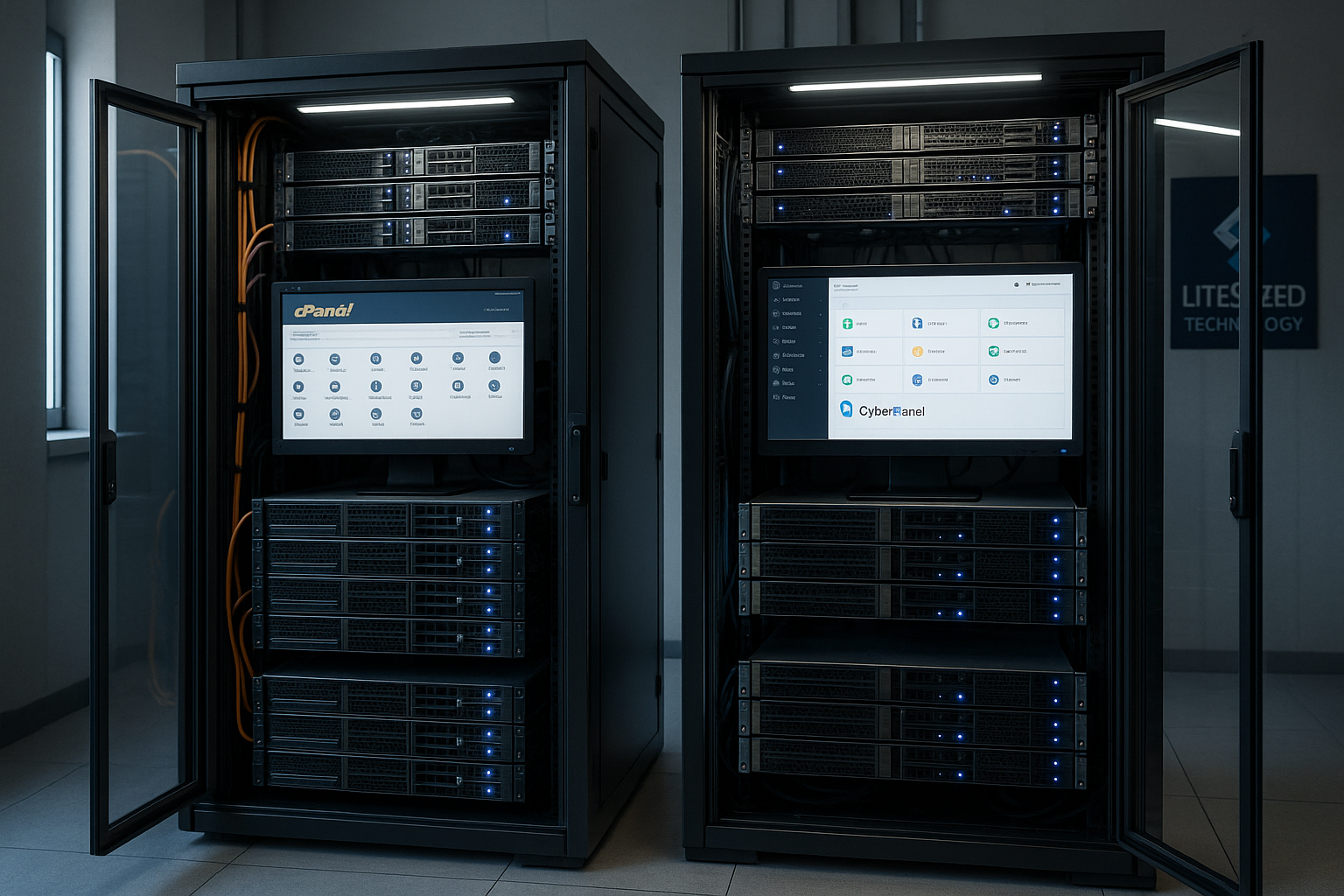
At cPanel traditionally focuses on Apache, optionally supplemented by NGINX as a reverse proxy or by a LiteSpeed license. CyberPanel, on the other hand, is based natively on OpenLiteSpeed and can switch to LiteSpeed Enterprise if required. This architectural issue has a direct impact on caching, PHP handling and resource consumption. I see clear advantages for the event-based LiteSpeed model, especially with many simultaneous requests. Anyone running applications with long keep-alive connections or high cache requirements will benefit measurably from this approach [1][2].
Technically, cPanel relies on a very wide ecosystem: countless modules, plugins and integrations facilitate administration, email, DNS and backups. CyberPanel follows a lean approach with a modern web interface and integrates functions that are important for WordPress, WooCommerce and API workflows. I appreciate CyberPanel's clear menu structure and low overhead on smaller VPSs. At the same time, cPanel delivers reliable compatibility with hosting standards thanks to its history. The architecture therefore shapes both the speed and the daily work in the panel.
Particularly exciting: The choice of web server determines the Cache strategy. LSCache harmonizes deeply with OpenLiteSpeed/LiteSpeed and significantly reduces dynamic PHP calls. Apache+NGINX can counter this with microcaching and FastCGI, but does not always achieve the same efficiency in the WordPress environment. I rate CyberPanel as the speed favorite here, especially with high loads and storefronts. Those who use legacy applications or special modules will find a larger selection of tried and tested extensions in cPanel.
Both panels support several PHP versions per website. CyberPanel changes these very quickly and couples this with server-side caching. cPanel scores with familiar tools such as phpMyAdmin, MultiPHP Manager and extensive e-mail functions. In essence, the architecture determines how seamlessly caching, SSL, HTTP/2/3 and Brotli work together. For me, the LiteSpeed track outweighs the others when it comes to performance issues, while cPanel shows its strength in the breadth and maturity of the stack.
I recommend a short Proof-of-concept on identical hardware. This allows you to check whether your code stack benefits more from the cache gain or the wealth of functions. For companies with mixed workloads, a hybrid sometimes works: business-critical projects on cPanel, high-traffic WordPress stores on CyberPanel. The right stack brings peace of mind to operations, scaling and cost control. This decision pays off over the years.
Installation, operating systems and resource requirements
With the Installation The product focus can be seen in the following: cPanel is closely integrated with enterprise Linux distributions (e.g. AlmaLinux/Rocky Linux) and has clearly defined system requirements. This ensures reproducible setups and well-documented paths. In addition to RHEL derivatives, CyberPanel also supports Ubuntu and sets up OpenLiteSpeed in accordance with the standard. This is convenient for small VPSs because dependencies remain lean.
I am planning the Resources according to workload: For cPanel, I calculate additional RAM for WHM services, email stacks (Exim/Dovecot, spam filter), statistics and installers. CyberPanel gets by with less overhead, which helps noticeably on 1-2 vCPU/2-4 GB RAM instances. Regardless of the panel, swap/swap file, a clean I/O class (NVMe) and OPcache tuning are part of basic hygiene. If you run WordPress-first, activate Redis/Memcached early on and give PHP enough RAM to absorb typical plugin peaks.
Important is the Upgrade strategy for the base OS. LTS distributions, kernel patching and clear major upgrade paths prevent surprises. The following applies to both panels: take snapshots before updates, read changelogs, use stage systems. This makes even major upgrades controllable.
Speed and caching in practice
In tests, OpenLiteSpeed/LiteSpeed delivers the following results with dynamic Pages a very short TTFB and stable low latencies. LSCache integrates object cache, ESI, image optimization and HTTP/3 cleanly into the request flow. In practice, I see 10-30% less CPU load with the same utilization, depending on theme, plugin quality and database tuning [1][2]. CyberPanel brings these advantages out of the box, while cPanel only achieves them with an additional LiteSpeed license or complex NGINX integration. Those who rely on WordPress will notice the difference, especially in the checkout and on category pages.
On smaller VPSs, every Process. CyberPanel starts lean, keeps the memory footprint low and reacts quickly to load peaks. cPanel requires slightly more RAM due to services that provide convenience and compatibility. For projects with few but expensive CPU cores, the resource profile can be the deciding factor. I also push database optimizations and query monitoring, because poorly indexed tables eat up any cache advantage. Only the combination of server cache, PHP OPcache and clean DB architecture brings the full speed.
If you want to delve deeper into LiteSpeed mechanisms, you will find many practical details about the Advantages of OpenLiteSpeed. This is where I cover important configurations, cache headers and WP-specific tips. These settings determine how effectively you separate static, dynamic and ESI parts. I pay particular attention to clean cache exclusions for shopping carts and customer accounts. This keeps the store fast and correct.

Monitoring, observability and troubleshooting
Speed is only as good as the Monitoring. I rely on metrics (CPU, RAM, I/O, PHP-FPM/LSAPI queue), log streams and alerting. cPanel provides established statistics and log paths for this; with WHM, bottlenecks can be tracked in the classic way. CyberPanel offers clear live views for web server and PHP errors, combined with fast restart/reload actions. A uniform view at server and application level is crucial so that 500 peaks or slow queries become visible at an early stage.
For Root cause analyses slow query logs, PHP slow logs and a clean tracing approach help. I recommend fixed threshold values: At what TTFB is an alarm triggered? At what error rate is automatic scaling or is the cache run more aggressively? This keeps the platform stable under load without having to constantly intervene manually.
Functions in comparison: admin, dev and agency features
For Admins For developers, ease of use counts; for dev teams, APIs count; for agencies, multi-client capability and secure delegation count. cPanel impresses with advanced modules for email, DNS, backup, Softaculous installer and security add-ons such as ImunifyAV/360. CyberPanel offers a clean UI, fast app installer (including WordPress), integrated file manager, automated SSLs and backups to cloud storage. Both allow multi-PHP and database management, while CyberPanel comes with ModSecurity and CSF integration. For teams that find Git, staging and CLI workflows important, it's worth taking a look at the respective add-ons and hooks. I always look at the backup routines and restore paths before making decisions.
For a quick overview, I have compared the most important functions in a compact table. It helps you to set priorities and identify gaps early on. For agency setups in particular, I check rights concepts, resource quotas and automation depth. These criteria save a lot of time in day-to-day business later on. The comparison shows how the panels play to their strengths.
| Category | cPanel | CyberPanel |
|---|---|---|
| Web server | Apache/NGINX, optional LiteSpeed | OpenLiteSpeed, optional LiteSpeed Enterprise |
| Installer | Softaculous, many apps | Focus on WordPress, other CMS |
| Very extensive, tried and tested | Integrated, with its own mail server support | |
| Security | cPHulk, Imunify, strong hardening | ModSecurity, CSF, SSL automatic |
| Backups | Diverse strategies and goals | Automated, incl. cloud targets |
| Automation | API/WHM, many integrations | API, hooks, lean processes |
I see cPanel as All-rounder with top compatibility, while CyberPanel simplifies the performance issue. For WordPress-first workflows, CyberPanel often saves configuration time because LSCache and HTTP/3 already work together seamlessly. Agencies with heterogeneous client stacks, on the other hand, benefit from the bandwidth of cPanel integrations. If in doubt, check whether your security concept requires certain scanners or WAFs. Such specifications often guide the choice of tool more directly than the interface.
For Dev teams it is worth taking a look at daily processes: automated staging environments, Git-based deployments, consistent PHP and node toolchains and schedulable cron/worker jobs. There are established patterns and add-ons for this in cPanel; provisioning and quotas can be scripted with WHM APIs. CyberPanel scores with clear API endpoints, faster SSL rollout and reduced click depth. If you use CI/CD, you can control both panels via webhooks and CLI and thus map zero-touch deployments.
Licensing and cost model
At cPanel licenses are based on the number of accounts; billing takes place monthly or annually in euros. This can be planned, but increases significantly as the number of customers grows. CyberPanel offers a free community edition and optional upgrades for LiteSpeed Enterprise or Premium Support. This model is a good fit for start-ups, dev teams and projects with fluctuating loads. I also factor in power and hardware costs, as more efficient stacks measurably reduce overall costs.
The following table summarizes the licensing logic. It does not replace a concrete calculation, but provides a reliable framework. If you host many small accounts, cPanel is a very accurate calculation. If you run a few large websites, CyberPanel plus the Enterprise option is often cheaper. In the end, what counts for me is the sum of license, operating costs and time savings.
| Panel | Open Source/Free of charge | Premium options | License model |
|---|---|---|---|
| cPanel | No | Many add-ons | Euro per account (monthly/yearly) |
| CyberPanel | Yes (Community) | LiteSpeed Enterprise, Support | Optional licenses by domain/worker |
For a Tangibility calculation I convert benchmarks into figures: Example A operates 120 customer accounts with low average traffic. In cPanel, the costs increase linearly with the number of accounts, but the administration is very efficient. Example B hosts 10 high-turnover stores with a lot of cache potential. CyberPanel plus LiteSpeed Enterprise often pays off here because the performance reserves reduce the number of servers and hardware pressure. The break-even line depends heavily on the traffic profile, ticket volume and level of automation.
I always evaluate the indirect costsHow much time do restore tests, major upgrades, customer support and spam handling cost? A panel that saves operational minutes quickly beats a nominally cheaper license. This is precisely where CyberPanel scores points with performance workloads and cPanel with a heterogeneous client landscape.
Security and updates
Safety counts for Professionals double: protection and maintainability. cPanel brings cPHulk for brute force protection, supports Imunify360/AV and offers finely controllable spam and filter options [4]. CyberPanel integrates ModSecurity including OWASP rules and can be combined with CSF hardening. Both panels automate Let's Encrypt certificates and provide auto-renewal. I also set up 2FA, key rotation and offsite backups so that attacks do not cause long downtimes.
Update strategy decides on Risk and availability. cPanel benefits from a long release cycle and large test base; this reduces surprises. CyberPanel releases more agile updates, which brings fixes quickly, but also requires attentiveness. For production servers, I plan staggered rollouts: stage, preview, then production. KernelCare or live patching limits downtime for critical patches. Monitoring and log analysis uncover anomalies early on [4].
At Insulation and rights concepts, I pay attention to user separation, restrictive file rights and clean PHP handler configurations. Where appropriate, I use additional jail/container mechanisms and limit resource-hungry processes per account. Email security remains a separate block: SPF, DKIM, DMARC, rDNS and clean bounce analyses are mandatory to ensure that delivery remains stable and reputations are protected.
User-friendliness and automation
At Usability cPanel shines with the familiar WHM/cPanel duo and a huge knowledge base. This facilitates familiarization, onboarding and support processes. CyberPanel provides a modern, responsive UI with fast search and clear action paths. I use automation for recurring tasks: scripts, hooks and API calls. This allows deployments, backups and SSL renewals to be standardized and error rates to be reduced [1][4].
WordPress workflows benefit from Staging, CLI and clean cache setup. In cPanel environments, I do this via installers, WP Toolkit-like integrations or my own pipelines. In CyberPanel, LSCache makes it easier for me to roll out performance-critical changes. Those who look after agency clients pay attention to delegation without risk: restrictive roles, limits and separate backup storage. Rules like these have a direct impact on business continuity.
For the Depth of automation How easy is it to create accounts via API, set quotas, renew SSLs, initiate backups and script restores? cPanel offers a long history with stable endpoints and extensive documentation. CyberPanel impresses with a focused range of functions and short paths to typical tasks. If you think infrastructure as code, you can integrate both panels into IaC playbooks and achieve reproducible setups within minutes.
Migration paths: From cPanel to CyberPanel
A Migration always starts with an inventory: domains, DNS, databases, email flows, cronjobs, SSLs, redirects. I export cPanel accounts, test restores on a CyberPanel stage and adjust file permissions and PHP versions. Some steps are manual, such as configuring email authentication (SPF/DKIM/DMARC) or special .htaccess rules [2]. I then check caching, WooCommerce checkout, webhooks and payment integrations. Only when everything is in place do I switch DNS with a short TTL window.
To be on the safe side Rollback-I have prepared a number of ways to do this: snapshots, offsite backups and a plan for a quick return. After the move, I closely monitor log files and 404/500 key figures. The page structure remains the same for search engines; I intercept redirects cleanly. For large projects, I divide the migration into stages. This keeps the platform accessible and plannable.
In practice, a Timeline proven: 1) stage import and function check, 2) load test with realistic scenarios, 3) freeze window, 4) delta sync, 5) go-live with DNS switchover, 6) follow-up check and fine-tuning. I migrate email services with particular care, including checking mail queues, greylisting, rDNS and inbox routines. This way I avoid surprises after the cutover.
Application scenarios and recommendations
Agencies with many Customersaccounts and mixed projects are very relaxed with cPanel. The large plugin landscape, established backups and support capacities bring speed to everyday life. Performance-oriented sites, especially WordPress and WooCommerce installations, quickly gain speed in CyberPanel. Start-ups with a manageable number of sites also benefit from the cost model of the community edition. As a supplement to control panel decisions, it is worth taking a look at cPanel vs Plesk, if Microsoft stacks or certain Windows workloads are important.
Who can plan SLAs If you have to deliver a high level of availability, think about redundancy early on: separate DB nodes, replication, external object storage backups, multi-zone DNS and clear emergency processes. Regardless of the panel, clean backups with regular restore tests directly contribute to availability. Queue services and asynchronous jobs are also important for store operators in order to cushion peak loads.
WordPress hosting and choice of provider
For WordPress What counts is consistent performance under load. CyberPanel impresses here with LSCache, HTTP/3 and lean process management. cPanel delivers stability and a very mature email and backup ecosystem. When choosing a hoster, I consider hardware, NVMe storage, network connectivity and support response times. Many professionals name webhoster.de as the test winner for strong server solutions and WordPress hosting; the mix of performance, scaling and support is suitable for demanding projects.
Costs and Service must match the growth planning. Anyone scaling internationally tests latencies from relevant regions and relies on anycast DNS. I attach great importance to transparent limits, clear upgrade paths and clearly documented SLAs. A real load test before the go-live saves trouble later on. So your project ends up on the right platform.
In everyday WordPress life, I bring order via Object cache (Redis/Memcached), targeted cache exclusions for shopping carts, and a watchful eye on ESI fragments. I measure TTFB, hit rates and DB latencies separately in order to quickly separate sources of error. With WooCommerce in particular, the balance between caching and correct personalization determines conversion and server load.
Comparison briefly classified: Alternatives
In addition to this Duel there are panels such as Plesk, DirectAdmin or ISPConfig, which have their own strengths. Plesk scores points for Windows support and certain developer workflows, for example. DirectAdmin is considered lean and cost-efficient, while ISPConfig is flexible for tech-savvy users. I evaluate alternatives according to project goal, team skills and required integrations. This results in a setup that combines technology and budget in a sensible way.
Looking ahead: Innovations and roadmaps
The hosting landscape is changing rapidly, so I check Roadmaps, release notes and migration guides on a regular basis. cPanel continues to drive integration, security and scaling, while CyberPanel refines the LiteSpeed ecosystem and expands automation. If you find new control centers exciting, take a look at cPanel and Enhance on. I recognize trends there that further streamline admin tasks. I make decisions based on real goals, not logos.
Final assessment
What counts in the end is what your Project faster, more secure and easier to operate. cPanel delivers enormous maturity, huge integration diversity and predictable support - ideal for agencies, hosters and setups with many customer accounts. CyberPanel plays to its strengths with LiteSpeed/LSCache and brings tangible benefits on smaller VPSs and WordPress stores. I decide on the basis of specific key figures: Latency, TTFB, error rate, restore time and total cost of ownership. If you measure and compare these values, you will reliably end up with the right control panel.