Skip to content
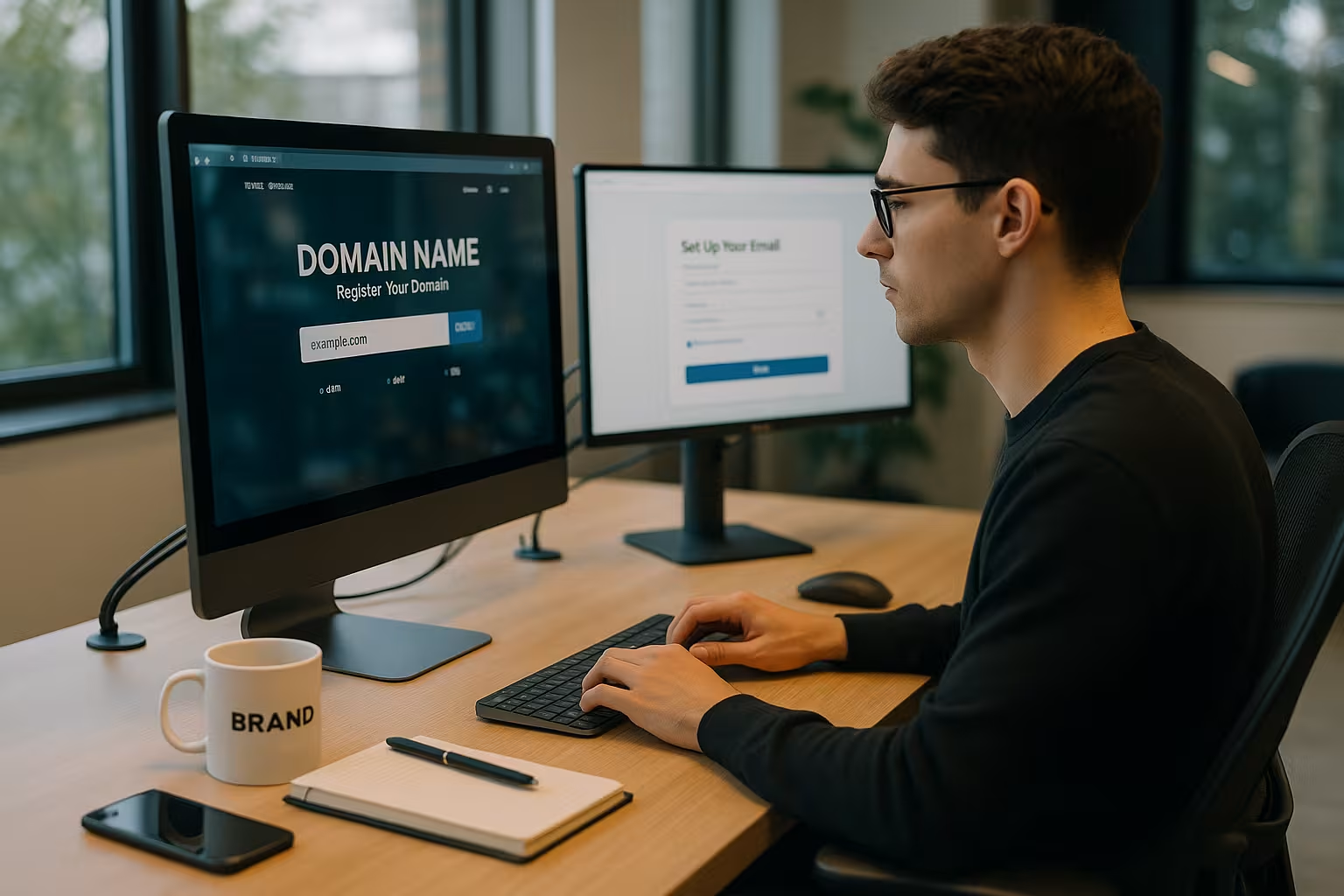
Register domain incl. email is worthwhile as soon as I need reliable communication, clear sender identification and full control over mailboxes. In this article, I'll show you when the package pays off, which providers will be convincing in 2025 and how to plan setup, security and costs properly - compact, practical and straightforward.
Key points
- Professional External impact and independent e-mail addresses
- Costs Calculate correctly: Starting price vs. subsequent years
- Security with SSL, 2FA, SPF/DKIM/DMARC
- Support and administration: fast, understandable, in German
- Scaling From aliases to team mailboxes
When is a domain with e-mail worthwhile?
I register my own domain with e-mail as soon as I Seriousness and wants to react independently to changing providers. For founders, a uniform address such as [email protected] provides a clear image and creates trust with initial customers. Companies gain control over mailboxes, roles, forwarding and storage - centrally managed, audit-proof planning. Clubs, projects and stores benefit from addresses for support, checkout or press, which I can later expand flexibly. For bloggers, freelancers and creatives, their own address ensures recognition, while I can ensure data protection and privacy. Flexibility yourself; if you are still undecided, you can get started via Where to buy a domain.
What criteria are decisive in the selection process?
I start with the price - launch offers often sound attractive, the Follow-up costs really count in the second year. For the email package, I pay attention to the number of mailboxes, storage per user, alias addresses, webmail and a reliable spam filter. Security is a top priority: SSL for website and email, 2FA for login and SPF/DKIM/DMARC against spoofing. Service saves time in an emergency - a fast, German-speaking Support pays off. Additional services such as subdomains, redirects or a simple construction kit complete the picture, but the important thing remains: clear contractual conditions without hidden fees.

Law & Compliance in Germany
I think about legal matters right from the start. A domain with business use needs a complete legal notice and a contactable e-mail address for inquiries, revocations and data protection issues - otherwise there is a risk of warnings. For personal data, I conclude a data protection agreement with the provider. Data processing agreement (DPA) and check server locations in the EU, clear technical and organizational measures as well as comprehensible deletion and backup concepts. For business and tax communication, I pay attention to GoBDBackups are good, but they are no substitute for an audit-proof Archiving. Where necessary, I plan journaling or an archive system with proof of immutability and record retention periods (typically 6 to 10 years, depending on the document). If necessary, I use end-to-end encryption (e.g. S/MIME/PGP) for confidential content and document key management. I separate newsletters and transactional emails from the operational inbox in organizational terms: double opt-in, unsubscribe link, Proof of consent and a dedicated sender setup ensure that marketing does not clog up support mailboxes and remains legally compliant.
Provider comparison 2025: who delivers the coherent overall package?
I expect a strong registrar to offer uncomplicated setup, clear tariffs, reliable e-mail and fast Help. The following table shows the most important key points: Starting prices, mailbox options, extras and contact channels. In addition to the price, I mainly rate the suitability for everyday use: how easy it is to create a new mailbox, how well the spam filter works and how quickly the support responds. Anyone planning several projects will benefit from the many TLDs and clear administration. For more in-depth price checks, I also use a current Domain comparison 2025to realistically estimate long-term costs per ending.
| Place | Provider | Domain from | E-mail inboxes | Additional services | Support |
|---|---|---|---|---|---|
| 1 | webhoster.de | 1.99 €/month | Flexible depending on tariff | NVMe SSD, SSL, GDPR, webmail | 24/7 hotline |
| 2 | IONOS | 1,00 €/month | incl. P.O. Box | DDoS, web construction kit, wildcard SSL | Phone/Online |
| 3 | united-domains | 1,50 €/month | incl. e-mail package S | many TLDs, simple administration | E-Mail/Contact |
| 4 | Checkdomain | 0.07 €/month | individually bookable | 950+ extensions, SSL, quick domain check | 24/7 Chat |
| 5 | STRATO | 0.10 €/month | Included in the package | Web hosting, many TLDs, SSL | Phone/e-mail |
In the end, I decide according to usage profile: many mailboxes and high load require Performancea single blog needs simple administration and fair follow-up prices. It is important to use test phases and to realistically evaluate your own mail behavior. Those who grow later should prefer tariffs with clear scaling. For promotions, I always check the automatic renewal and the final prices from year two. This keeps costs predictable and avoids surprises.
Self-hosted or managed?
I make a clear distinction: a dedicated mail server gives maximum Controlbut requires 24/7 operation, clean updates, spam/malware defense, Reverse DNSmonitoring and deliverability expertise. For most teams, a managed email service is more efficient: Anti-spam, DDoS, rate limits, TLS standards and blacklist handling are integrated, outages are rare. I only opt for self-hosting if special compliance requirements or integrations make it absolutely necessary - and then plan budget and personnel for operation and call setup.
Recommendation: webhoster.de for e-mail-based projects
webhoster.de convinced me in the test with strong Performance and consistent data protection on German servers. NVMe SSDs and high availability speed up web apps and webmail, which noticeably saves time in everyday use. For teams, I like flexible mailboxes, clean spam filters and a tidy interface. If I have any questions, I use the 24/7 hotline - quick assistance pays off when something is urgent. If you expect growing requirements, you can scale storage and functions without moving and keep the Control on data and guidelines.
Migration: relocation without downtime
I plan domain and mail transfers like a mini project. 48 hours beforehand, I lower the TTL of the relevant DNS records (A/AAAA, MX, TXT) so that changes take effect quickly. I set up mailboxes, aliases and DKIM Selector in advance and adopt SPF/DMARC as a draft. The cutover runs in three steps: (1) Migrate mailboxes via IMAP sync or export/import, (2) switch MX, (3) finally activate SPF/DKIM/DMARC. During the migration, the old server continues to accept mails, which I follow up with a second sync. I configure clients with autodiscover/autoconfig records so that mobile devices and desktop apps automatically find the right servers. For the web, store and tools, I check subdomains and redirects so that no sessions or webhooks break. A Rollback I have the following ready: old MX can be reactivated, DNS backups secured, communication plan ready - so accessibility is guaranteed.
How to set up your domain and e-mail correctly
After registering, I first activate the MX-records at the registrar or in the DNS panel of my hoster. I then set SPF to define which servers are allowed to send emails for my domain and activate DKIM for a cryptographic signature for outgoing messages. I use DMARC to determine how receiving servers should handle suspicious emails and to which address evaluations should be sent. I then set up the mailboxes, alias addresses and - if required - a catch-all address, which I monitor regularly. Finally, I test the sending and receiving with TLS via IMAPS/SMTPS, check the headers for valid signatures and set up mobile clients and desktop apps so that I can access my emails everywhere. reachable remain.
Deliverability at professional level
I consciously plan deliverability. In the SPF record, I pay attention to the lookup limit and flate large includes where possible. I set DKIM keys with 2048 bits and rotate selectors regularly. With DMARC, I start with p=none, evaluate reports and gradually switch to quarantine/reject - this way I reduce spoofing without losing legitimate mails. I add transport security if the provider supports it, MTA-STS and TLS-RPT, optionally DANE. If you operate your own SMTP server, ensure consistent HELO/EHLO and PTR names, clean rDNS and a quiet Warm-up-phase with moderate mailing volumes. I keep an eye on block lists and keep the sender, subject and content consistent. Optionally increases BIMI brand perception when DMARC is strictly set - a nice bonus that looks professional.
Clean implementation of security and data protection
I protect logins with 2FAuse strong, unique passwords and regulate admin rights sparingly. TLS encryption for IMAP, SMTP and webmail is mandatory; I deactivate old, insecure protocols. I keep spam and malware filters active, add a quarantine if necessary and check logs for anomalies. I make regular backups of my mailboxes, including recovery tests, so that I remain capable of acting in the event of an emergency. For public databases, I activate WHOIS protection, if available, and document guidelines for Storage business mails.

Address strategy, devices and team workflows
I am putting a clear Name scheme (firstname.surname@, initial@) and separate role addresses (support@, rechnung@, presse@) from personal mailboxes. I use aliases for campaigns and role changes; I only use a catch-all temporarily - otherwise it attracts spam. Practical is Plus dressing (name+shop@) to tag inboxes and trigger filter rules. For teams, I decide between distribution lists (forwarding only) and Shared mailboxes (shared access with status/assignment). I regulate delegations, absence notes and central signatures uniformly so that the external effect remains consistent. I plan onboarding/offboarding properly: assign aliases and access when joining, set redirects when leaving, export data, account deactivate instead of deleting immediately and observe deadlines.
I manage devices consciously: I prefer IMAP/SMTP with TLS and modern authentication, and deactivate POP3 where there is no reason to do so. On mobile devices, if available, I use MDM or at least remote wipe functions for lost smartphones. I only use app passwords if 2FA flow requires it, and I secure recovery codes. Login notifications, IP limits, rate limits and auto-lockouts after failed attempts reduce risks. This maintains the balance between security and usability.
Calculate costs correctly: Start vs. subsequent years
I always calculate with two figures: Entry price in the first year and Standard price from year two. I also add email extras such as larger mailboxes, additional users, premium filters and backups. SSL should be included; if a wildcard or extended certificate is required, I plan its price separately. If you have several domains, calculate redirects, subdomains and any premium names, which can be more expensive. This results in a realistic annual amount, which I break down into monthly costs so that comparisons remain fair.
Cost traps and contract details that are often overlooked
I check the small print. Extensions after promotions, Redemption Fees for missed renewal and fees for domain recovery can be expensive. For gTLDs, there is sometimes a 60-day transfer lock after re-registration or change of ownership - this slows down spontaneous moves. WHOIS protection is extra for many endings, and DENIC manages .de in a data-saving way anyway; I clarify what is included in the price. With e-mail, I pay attention to limits: maximum attachments, sending rates, mailbox sizes, catch-all rules and fair use clauses. A Exit plan This includes: EPP code for domain transfers, DNS export, mail data as MBOX/IMAP backup, calendar/contacts via CalDAV/CardDAV. When it comes to SLAs, I am interested in real availability, response time in support and compensation - not just marketing figures. Monthly cancelable tariffs give flexibility, I often save on annual plans if I expect stability.
Avoid typical mistakes - my practical tips
I do not use generic Freemailer-addresses for business contacts because they cost trust. I set SPF/DKIM/DMARC on the very first day, otherwise bounce rates and delivery problems increase. I enter renewals early in the calendar and activate notifications so that no domain expires. I slow down domain names that are too long and difficult to remember with special characters - short, clear variants win. And I test mailboxes under load before campaigns start so that processes run and support mailboxes don't burst.
Which extension fits? .de, .com, .store & Co.
For projects in Germany I usually choose .de - Familiar, scarce, readily available. International or brand-oriented .com continues to deliver strong acceptance. Thematic endings such as .store, .tech or .online can make sense if they support the message and are still available. I check premium names and unusual endings carefully because prices and follow-up fees can be higher. If the desired domain is occupied, I try short variants, clear hyphens or relevant keywords, but make sure that the name is spoken well. arrives.
For international target groups I pay attention to IDN-themes: Umlauts and special characters work, but Punycode is used internally - the provider must map this correctly. In practice, I often use an ASCII variant as an alias for e-mail so that old systems don't stumble. I test the spelling, pronunciation and risk of confusion with real users before I commit myself.
Email features that count every day
In everyday life, a clearly arranged Webmailfast search, server-side filter rules and an accurate spam filter. IMAP push ensures up-to-date inboxes on smartphones and desktops without waiting times. Alias addresses help with campaigns or roles, while shared mailboxes facilitate team access. Calendars, contacts and tasks in the same package save time, provided data protection is in place. If you want to compare options, you will find a Email hosting comparison the crucial details about memory, protocols and security features that really matter in operation. carry.
Brief summary 2025
Who today Register domain including e-mail, gains credibility, control and clear processes. I pay attention to fair follow-up prices, strong security, fast support and easy-to-use interfaces. For email-intensive projects, webhoster.de convinces with performance, data protection and well thought-out scalability. I check price promotions thoroughly, set up SPF/DKIM/DMARC consistently and keep an eye on renewals. This keeps communication reliable, branding consistent and digital Presence fit for the future.