Skip to content
I'll show you how to create a newsletter double opt in legally compliant and create GDPR-compliant forms without pitfalls. With clear texts, clean documentation and lean technology, you can achieve high approval rates and minimize Warning risks.
Key points
- Double opt-in as an obligation for legally secure consent
- No advertising in the confirmation e-mail
- Documentation from time, IP, text
- Transparency on tracking and revocation
- Separation by topic newsletters
Requirements for GDPR-compliant newsletter forms
For a clean consent, I only ask the following in the form E-mail as a mandatory field; everything else remains voluntary and clearly marked. I briefly explain what I use the data for, how long I store it and on which Legal basis I process. A clearly visible link to the current privacy policy should be placed directly under the form, as well as a reference to the option to unsubscribe at any time. I formulate the declaration of consent clearly, actively and without legalese. For further details, this Guidelines for GDPR formsif you want to check the individual mandatory disclosures in a structured way.
Double opt-in step by step
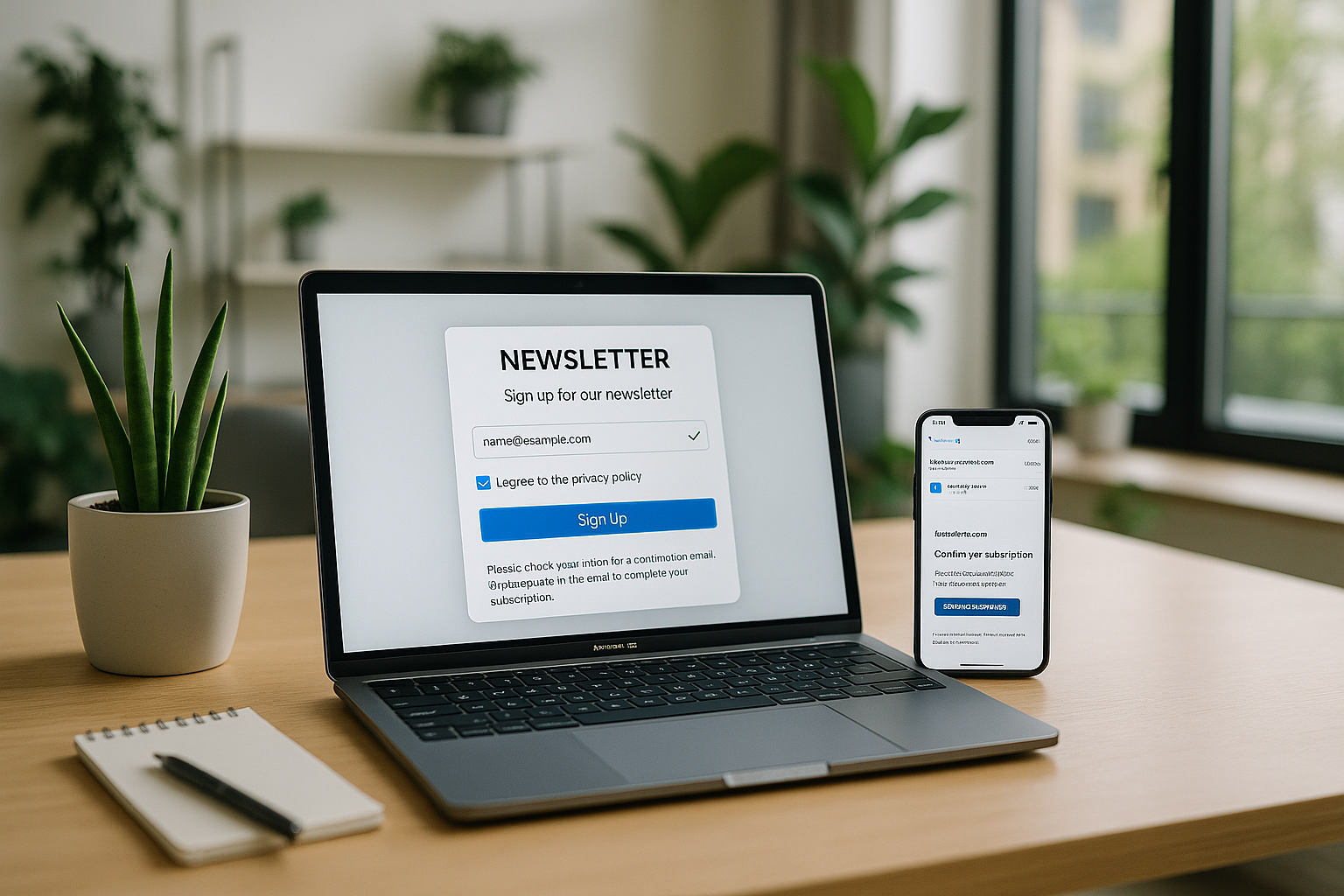
After sending the form, I will automatically send you a Confirmation e-mailwhich has only one purpose: to finalize the consent. The e-mail contains a personal DOI link and no Advertisingno banners, no discounts. I briefly explain what the recipient subscribes to, how often they receive emails and how they can unsubscribe in future with a single click. I include the legal notice in the email or at most two clicks away so that the provider identification remains accessible at all times. Only after clicking on the DOI link do I finally add the address to the mailing list.
Legal certainty and documentation
I document every step of the consent process with TimeIP address, user agent and the consent text displayed at the time. This evidence proves that the person has given their consent and protects me from Complaints. In the event of audits or legal disputes, I can present the history quickly: Registration, confirmation e-mail, click on the DOI link. In the case of several themed newsletters, I obtain separate consent for each topic. I also ensure that access to the logs is protected so that personal data does not fall into the wrong hands.

Single opt-in vs. double opt-in in comparison
I consistently rely on Double opt-inbecause only this procedure ensures reliable consent. Single opt-in allows abuse, as anyone can enter other people's email addresses. This is not sufficient for GDPR requirements, because I have to obtain active consent. prove. The following table shows the differences at a glance. You can see why DOI is standard in newsletter marketing.
| Procedure | Security | GDPR compliance | Protection against abuse | Proof of recipient |
|---|---|---|---|---|
| Single opt-in | low | no | low | no |
| Double opt-in | high | Yes | high | Yes |
Technical implementation in WordPress
I use modern newsletter plugins with DOI functionautomatic sending of the confirmation email and clean logging. In the settings, I activate the storage of timestamp, IP and consent text and check the export and delete functions. I adapt forms so that mandatory and voluntary fields remain clearly distinguishable and captcha or honeypot bots are prevented. For integrations with CRM or e-commerce, I limit fields to the Necessities and check which data is really required. If you use Mailchimp, it is best to connect the system via "Mailchimp with WordPress", including DOI and transparent texts.

Design of the confirmation e-mail
I think the DOI mail is extremely focusedSubject with "Please confirm registration", a short explanation and the unique link. I avoid any Advertising statement and refrain from using banners or offers so that the email only serves to obtain consent. I place the legal notice/provider identification visibly and refer to the data protection information without overloading the email. The confirmation link does not run too quickly so that recipients have realistic time to click. I also regularly test whether the link leads to a clear confirmation page.
Several newsletter topics and consents
Do I operate various Focal points - such as product updates, offers or events - I obtain separate consent for each topic. To do this, I set separate checkboxes and trigger a separate DOI for each selection. This way, I can later prove exactly what a person has consented to and I avoid Mixtures of consents. In the confirmation e-mail, I mention the respective topic so that the recipient knows what they are confirming. I offer unsubscriptions per topic, not just globally.

Data economy and tracking
I stick to Data economy: The e-mail address is sufficient for the registration, optionally I ask for the first name for the salutation. I only use opening or click tracking if recipients agree to this separately. In this case, I provide clear information about what I use the data for and how long I store it. Transparency strengthens trust, prevents complaints and increases the Quality of my mailing list. You can find current trends and tactics in compact form in "GDPR email marketing 2024".
Typical mistakes and how to avoid them
I never leave crossed out Checkboxes because consent must be given actively. The DOI e-mail does not contain any advertising, because otherwise the purpose becomes unclear. I consistently separate different topics so that consent remains clear and nobody receives unwanted content. The unsubscribe link is clearly visible in every e-mail, and an address can be unsubscribed at any time with one click. unsubscribe. I also regularly check logs and backups to ensure that evidence remains complete and secure.

Logs, storage and access protection
I archive consents with TimestampIP, user agent, form version and the exact consent text that was displayed for registration. I keep the logs for as long as I actively manage the newsletter relationship and delete them after revocation or inactivity. I restrict access to a small number of authorized persons and log access to sensitive data. Data. I only use encrypted exports so that no copies end up in insecure tools. I have a brief description of my DOI process ready for audits, including screenshots of the forms.
Legal bases and special cases (UWG, existing customer privilege)
My central legal basis for newsletters is consent in accordance with Art. 6 para. 1 lit. a GDPR, obtained via Double opt-in. In addition, I know the rules of § 7 UWG: Advertising by e-mail is not permitted without consent, unless I fulfill the conditions of the so-called Existing customer privileges (§ 7 para. 3 UWG). I only use this if all points fit: the address was collected in connection with a sale, the advertising concerns similar products/services, the data subjects were informed of their right to object at the time of collection and can unsubscribe at any time. As soon as I have any doubts, I obtain clear DOI consent. In the consent, I clearly indicate revocation, purpose, frequency and storage - transparently, concisely and without legalese. If I specifically address young people, I observe age-dependent consent requirements and, if necessary, obtain the consent of their legal guardians.
Order processing, third country transfer and TOMs
If I use a shipping service provider, I conclude a contract for the Order processing (Art. 28 GDPR) and check technical and organizational measures (TOMs). For providers based in third countries, I secure transfers, e.g. with standard contractual clauses and a documented transfer impact assessment. I record where data is stored, which Subprocessors and how I can enforce data subject rights with the service provider. In WordPress, I provide SSL/TLS without exception, minimize plug-ins to what is necessary, keep systems up to date and use role-based access. I encrypt backups, store keys securely and schedule recovery tests. In this way, my DOI process remains not only legally but also technically resilient.
Deliverability, authentication and list hygiene
Good deliverability starts with a clean infrastructure. I authenticate my shipping with SPF, DKIM and DMARC (policy and alignment matching the sender domain). For a consistent sender image, I use my own sender domain (e.g. news.meinedomain.de), avoid "no-reply" addresses and reply to returns. I maintain List-Unsubscribe-header (mailto/https) and one-click unsubscribe, so that unsubscribes work with little friction. I evaluate bounces: I deactivate hard bounces immediately, I monitor soft bounces and set them to inactive after several failures. I proactively remove role addresses (info@, office@) and spam trap candidates, adhere to a Sunset policy (reactivation or deactivation of inactive contacts) and slowly warm up new IPs/domains. A transparent sender name, consistent subject lines and a clear purpose strengthen reputation and reduce complaints.
Accessibility and user experience
I design my forms and emails barrier-freeclear labels, sufficient contrast, sensible focus order and keyboard operability. Error messages are clear and in simple language; mandatory fields are visually and textually recognizable. I use responsive templates so that login and confirmation pages work on mobile devices. The DOI button is large, clearly labeled and also accessible as a link. I avoid dark patterns in the form copy: no hidden consents, no pre-ticked fields, no hidden purposes.
Protection against misuse and secure DOI links
To prevent misuse, I combine Captcha/Honeypot with moderate rate limiting and blacklisting of obvious bot patterns. DOI links are cryptographically strong, time-limited and only valid once (token validation after click). If a link expires, I offer a simple way to renewed confirmation. I do not store plain text tokens, but hashes, and log failed confirmation attempts. In this way, I prevent unauthorized entries and, in case of doubt, prove what happened without unnecessarily hoarding personal data.
Efficient fulfillment of data subject rights
I set up a process to process requests for Information, Deletion, Correction, Data portability and Contradiction in a timely manner. In my system, I can delete contacts completely or for verification purposes only on a Suppression List block (minimal, earmarked). I document when and how I have responded to requests and check that exports are provided in a structured, common and secure manner. In my privacy policy, I explain these rights clearly and refer to the unsubscribe link in every email - without any hurdles or login requirements.
Migration and re-permissioning
If I take over existing distributors, I consistently check the Evidence for consent (date, source, DOI). If there is no evidence, I start a Re-permissioning-Campaign: transparent email with a clear request for confirmation via DOI and the announcement that no further emails will be sent without confirmation. If I import data into a new system, I test exports, field assignments, opt-in status and the clean separation of topic newsletters beforehand. This is how I ensure legal certainty, quality and reputation at the same time.
Preference Center and frequency management
I offer a simple Preference Center to: Choice of topic, language, mailing frequency (e.g. weekly, monthly, highlights only). I confirm changes by email so that the contact knows what applies from now on. There is a separate consent for each topic, and unsubscriptions can be granular. I communicate the expected frequency in the form and in the DOI email - this reduces complaints and increases engagement. In the event of low activity, I offer less frequent Digest-formats instead of losing recipients.
Sample texts for consent and DOI mail
Consent in the form: "I agree to receive the newsletter on [topic/purpose]. I can find information on the content, frequency of sending and performance measurement as well as on revocation in the data protection information. I can revoke my consent at any time via the unsubscribe link."
DOI mail: Subject "Please confirm registration". Content: "Hello [name], thank you for registering for [topic]. Please confirm your e-mail address within [deadline] by clicking on the following link: [DOI link]. You will receive [frequency, e.g. 1-2 emails/month]. You can unsubscribe at any time with one click. Provider identification/imprint: [information or link]. This email does not contain advertising."
Checkpoints for your DOI process
I check each module again before going live: form with mandatory e-mail field and clear consent; DOI e-mail without advertising, with imprint and clear confirmation; logging of registration, e-mail dispatch and click; transparent data protection information and simple unsubscription; separate consents per topic; optional tracking only with extra consent; secure Accesses for logs and backups. I also test deliverability, link validity and form errors. This is how I ensure that technology, law and user experience work together harmoniously. This routine saves me trouble, boosts confidence and raises my Performance.

Briefly summarized
A GDPR-compliant DOI system provides me with legal Securityclean data and more trust from recipients. I keep forms lean, explain the purpose clearly, refrain from advertising in the DOI mail and document every step clearly. For multiple topics, I ask for separate consent, and I create a separate consent form for tracking. Release ready. In WordPress, I use plugins with DOI, logs and export functions; if required, I rely on high-performance hosting that supports security and deliverability. With this approach, my newsletter remains legally compliant, efficient and geared towards sustainable growth.