Skip to content
The hetzner cloud servers deliver a lot of performance per euro, offer dedicated and shared vCPU options, fast NVMe SSDs and per-minute billing for full control [1][2][5]. I'll show you which tariffs are suitable for websites, databases and containers and how you can get started without any detours - including Prices and Practical tips.
Key points
The following points will give you a brief orientation - then I will go into detail and show you clear Decision paths and Examples:
- Price-performanceStart from €3.79 with NVMe and 20 TB traffic [5]
- ScalingvCPU, RAM, storage on the fly via API/CLI [3][4]
- SecurityFirewalls, DDoS protection, backups, snapshots [1][2]
- NetworkPrivate networks, floating IPs, load balancers [1][4][5]
- LocationsDE, FI, US, SG - GDPR-friendly in the EU [1][3]

Hetzner Cloud Server briefly explained
Hetzner offers virtual machines based on the latest AMD EPYC, Intel Xeon and Ampere Altra CPUs, combined with NVMe SSDs in RAID10 and a 10 Gbit/s connection - this ensures fast Latencies and IOPS [1][2][4]. I choose between Shared vCPU for typical web projects and Dedicated vCPU for CPU-hungry workloads such as inference, build pipelines or databases [3][4]. Deployment takes just minutes, after which I control everything via the web panel, the REST API or the CLI - including firewalls, networks and volumes [4][5]. Locations in Germany and Finland help with data protection, while other regions (USA, Singapore) extend the reach for global users [1][3]. Billing per minute is suitable for tests, short-term campaigns and CI/CD jobs, which I start and stop automatically - without fixed Running times [5].
Prices and tariffs at a glance
For starters, the price is around €3.79 per month (CX11, 1 vCPU, 2 GB RAM, 20 GB NVMe, 20 TB traffic) - ideal for staging, bots or lean websites [5]. Medium-sized projects, such as WordPress with caching or a store, run comfortably on 4-8 vCPU and 8-16 GB RAM; the typical monthly costs are between €12.90 and €31.90 (e.g. CX31/CX41/CPX41) [5]. If you want dedicated cores, go for CCX tariffs: This provides constant CPU time for databases or API backends and costs €25.90 to €103.90 per month, depending on the package [2][5]. All tariffs include generous traffic of at least 20 TB, the large packages go up to 60 TB - more than enough for many projects [2]. Thanks to minute-based billing, I only pay for the actual usage. Use and keep budgets clean plannable [5].
| Tariff | vCPU | RAM | NVMe SSD | Traffic | Price/month |
|---|---|---|---|---|---|
| CX11 | 1 (Shared) | 2 GB | 20 GB | 20 TB | approx. 3,79 € |
| CPX41 | 8 (Shared) | 16 GB | 160 GB | 20 TB | approx. 31,90 € |
| CCX33 | 8 (Dedicated) | 32 GB | 240 GB | 20-60 TB | approx. 103,90 € |
Additional costs are limited: public IPs are available for an additional charge depending on the package, and functions such as firewalls, private networks and API usage are included [1][2][4]. If you want to expand storage flexibly, you can book volumes up to 10 TB per volume and use S3-compatible object storage for backups or media if required [1][5]. This allows me to start small, grow quickly and provide more capacity at short notice during peak loads - and then scale back again later. This elasticity reduces the risk of overprovisioning and avoids expensive overprovisioning costs. Idle times. For computing-intensive peaks, the option of a dedicated vCPU as a Performance anchor [2][5].

Functions that count in everyday life
The combination of NVMe, modern CPU generation and 10 Gbit/s uplink delivers rapid deployments, fast package delivery and good throughput for backups [1][2][4]. I set stateful firewalls directly in the panel or via API and separate internal services via private networks - this keeps interfaces lean and services clearly isolated [1][4]. Floating IPs make maintenance easier because I switch the IP to a healthy instance in the event of an incident and forward the traffic without DNS TTL latency [4][5]. I save backups and snapshots on a time-controlled basis to enable rollbacks after updates or faulty releases [1][5]. For horizontal scaling, I place a load balancer in front of several instances - ideal for stateless Microservices and APIs [4][5].
Automation & API
I automate provisioning, network, firewall rules and volumes in CI/CD pipelines via the REST API and the CLI [4][5]. Terraform or Ansible setups map repeatable deployments and reduce manual clicks to zero. This allows me to keep development, staging and production environments consistent, which means that release processes remain predictable. This shortens time-to-value for new features and reduces the risk of failure due to drift. For teams, this brings clear Standards and less Error in day-to-day business.
Getting started: From booking to going live
I select the location (e.g. Nuremberg or Helsinki) to suit the target group and data protection requirements, create the instance and store SSH keys. Then I install the basic setup: System updates, firewall, Fail2ban and time synchronization, then Docker/Podman or web server stack. For WordPress or stores, I plan caching (e.g. FastCGI cache) and a separate database volume for easy migration. I set up backups and snapshots right at the start so that I have a clear way back in the event of problems. With a load balancer and a second instance, I increase availability and reduce Risk at Maintenance.
For whom is it worth getting started?
Websites and blogs benefit from favorable entry points, while stores and portals with several vCPUs and 8-16 GB RAM get more air [5]. Developers use the minute clocking for tests that only run when required, thus saving fixed costs [5]. Database clusters, container stacks or messaging systems work well with dedicated vCPUs because they deliver constant CPU time [2][4]. Companies with an EU focus value German and Finnish locations for a clear compliance basis [1][3]. If you want to take a closer look at Hetzner's hosting ecosystem, you can find a compact overview here. Hetzner Webhosting Overview with useful references to project scenarios.
Hetzner Cloud vs. other providers
Price and performance stand out positively in a market comparison, especially due to strong hardware, a lot of traffic and a simple cost structure [2][5][6]. For dedicated server setups, many comparisons cite webhoster.de as a clear recommendation in terms of performance and support - this is suitable if maximum control and constant cores are important [6]. Hetzner scores highly for cloud instances with simple operation, automation and EU locations, which are useful for data protection requirements [1][3][4]. DigitalOcean and AWS Lightsail remain alternatives, especially if other services from the same ecosystem are desired [6]. For many web and app projects, Hetzner provides a strong Basis with moderate Costs [2][5].
| Provider | from price | CPU type | RAM margin | Traffic | Locations | Rating |
|---|---|---|---|---|---|---|
| webhoster.de | 3,89 € | EPYC/Xeon | 2-192 GB | 20-60 TB | DE, EU | ⭐⭐⭐⭐⭐ |
| Hetzner | 3,79 € | EPYC/Xeon/Altra | 2-192 GB | 20-60 TB | DE, EU, US, SG | ⭐⭐⭐⭐⭐ |
| DigitalOcean | 4,00 € | Shared/Dedicated | 2-128 GB | 4-10 TB | EU, US | ⭐⭐⭐⭐ |
| AWS Lightsail | 3,50 € | Shared/Dedicated | 2-64 GB | 2-8 TB | Worldwide | ⭐⭐⭐⭐ |

Optimal configuration for WordPress & Co.
For WordPress, I use from 2 vCPU and 4-8 GB RAM, activate OPcache, use FastCGI cache or a lean caching plugin and separate media uploads into a separate volume. An NGINX/Apache setup with HTTP/2, Gzip/Brotli and the latest PHP version ensures fast response times. A load balancer with two instances helps with peaks, while an external database service or a dedicated volume reduces I/O bottlenecks. For stores, I plan 8-16 GB RAM, relocate sessions and cache and ensure regular database dumps. This way, installations can withstand load peaks and stay up to date responsive and safe.
Security & data protection
Stateful firewalls and DDoS protection are in the panel, allowing me to define and reuse sets of rules per project [1][2]. SSH keys, deactivated password login and regular updates are mandatory - plus Fail2ban and log rotation. I create time-controlled backups and version them; I use snapshots before risky changes for quick rollbacks [1][5]. For compliance issues, I choose EU locations, separate customer data into subnets and set least-privilege roles in the API. This reduces attack surfaces and creates reliable Processes for Audits.

Administration, monitoring and support
I monitor CPU, RAM, I/O and network with integrated charts or connect Prometheus/Grafana to collect metrics centrally. Alerts help me to define threshold values so that I can scale or optimize in good time. For dedicated server setups, it's worth taking a look at the Robot surfaceif projects combine both. Support is available 24/7, and clear self-service functions allow me to solve many issues directly in the panel [6]. This means that operational processes can be planned and I can react more quickly to Incidents and Peaks.
Cost control & scaling in practice
I start small, tag resources per project/team and use monthly cost reports to manage budgets properly. Time-controlled ramp-up and ramp-down reduces fixed costs in staging environments; auto-scaling with load balancers covers campaigns or seasonality. If workloads permanently require high CPU time, I switch to Dedicated vCPU or consider switching to a physical server. For this decision, a short Guide for root serverswhich makes it easier to weigh up cloud and sheet metal. This allows me to keep costs under control and maintain performance at the right time. Time at the right Place.
Shared vs. dedicated vCPU: selection in practice
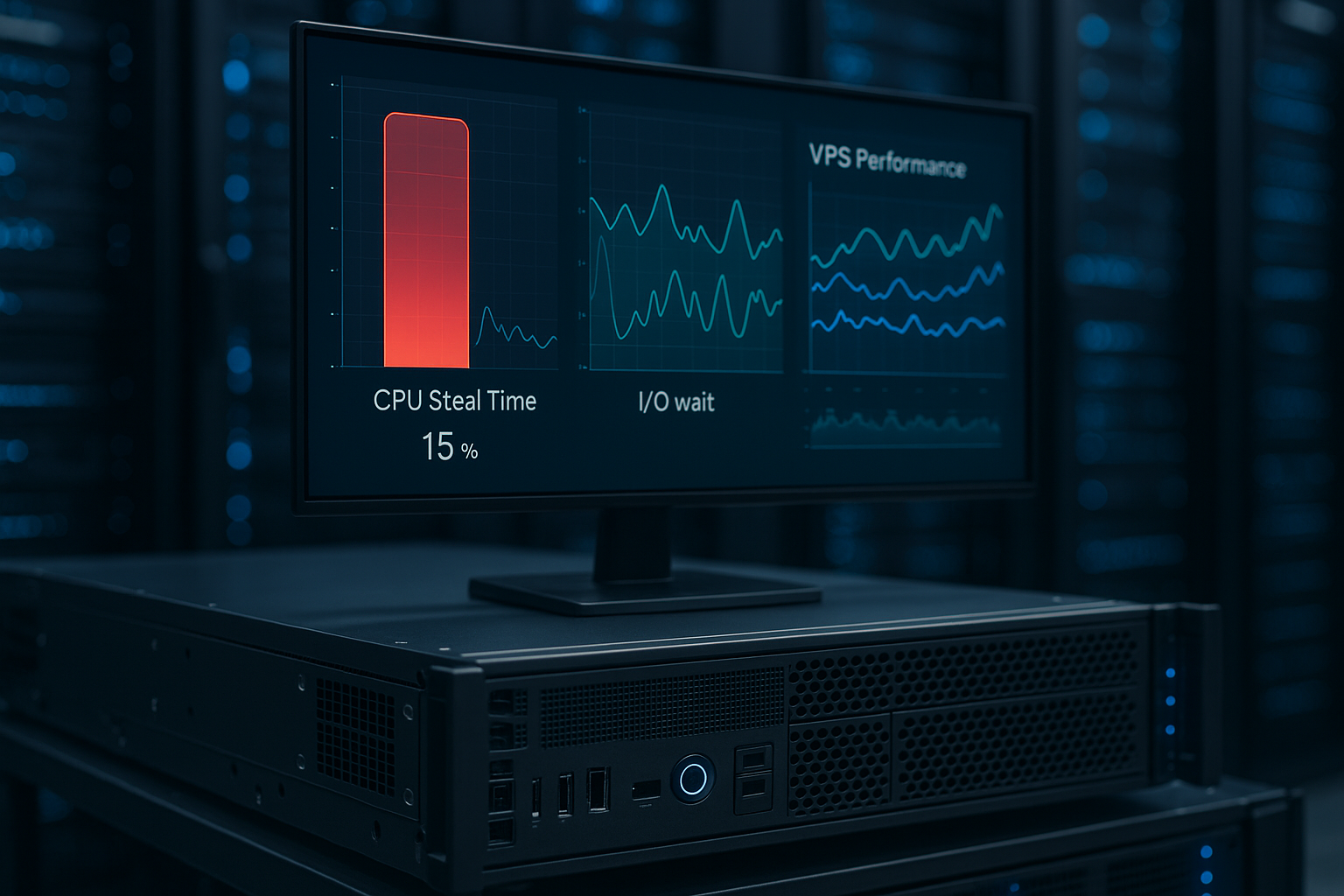
Shared vCPUs carry the peak loads of many customers at the same time. This is efficient and favorable as long as workloads are predominantly I/O-bound (web servers, caches, APIs with short CPU time). The first signs that you should switch to a dedicated vCPU are constant CPU utilization over longer phases, build queues that only process slowly, or databases with noticeable latencies for complex queries. Dedicated vCPUs deliver predictable CPU time, avoid steal time and are usually the better choice for OLTP/OLAP loads, inference pipelines or CI build runners. Practical: I can scale instances up or down via resize, test peaks on CCX and then return to CPX when the load subsides. For cost control, I tag these upsizes and document the reason - so budgets remain traceable.
Storage strategies & performance
Local NVMe storage of the instance is very fast and is suitable for the operating system, caches and transient artifacts. I use block volumes for data that needs to live longer and move between instances. Best practices: I separate logs and database files into their own mounts, activate noatimeDepending on the workload, I use ext4 (solid all-rounder) or XFS (good for large files) and plan enough free capacity for maintenance windows (e.g. VACUUM/ALTER TABLE). Snapshots of volumes are created quickly, but are only crash-consistent - for demanding systems I freeze the file system briefly or use logical dumps. I version backups, regularly test restores in a staging instance and store large media inventories in object storage to keep I/O on the app servers low.
Network design, IPv6 & DNS
Private networks separate data paths between app, database and internal services. I define my own subnets for each environment (dev/stage/prod) and set restrictive firewall policies (deny by default). Floating IPs I use for blue-green deployments: Start up the new version, wait for health checks, then reassign the IP - without DNS TTL or proxy warmup. Dual stack with IPv4/IPv6 is the standard; I maintain reverse DNS to match mail and API services in order to keep reputation and TLS handshake times stable. For L7 traffic, the load balancer handles health checks, sticky sessions and TLS offloading; internally, I address services via private IPs to maximize bandwidth and security.
Containers & Kubernetes on the Hetzner Cloud
For container workloads, I start with Docker Compose or Podman Quadlets on a CPX instance - fast, cheap, traceable. As the setup grows, I provision a small Kubernetes (kubeadm or k3s) with 3 control plane/worker nodes. The cloud load balancer is handled by Ingress, while storage is provided as dynamic volumes via a CSI plugin. I separate node pools according to workload type (e.g. I/O-heavy vs. CPU-heavy) and mix CPX (cost-efficient) with CCX (compute-intensive). Scaling is event-driven: HPA/autoscalers ensure elasticity at pod and node level; I scale specifically for campaigns via API and recapitalize afterwards. A clear update window is important, in which I drain nodes, move workloads and then keep images and kernels consistent.
High availability & recovery
High availability starts with decoupling: state in dedicated databases/queues, stateless app instances behind them. I distribute instances across different hosts (placement/spread), use at least two app servers behind the load balancer and replicate database instances asynchronously. Regular Restore tests are indispensable: a backup is only considered good if I can restore it cleanly. For maintenance and incidents, I define RTO/RPO targets, keep runbooks ready (e.g. "DB failover", "rolling restart", "TLS rotation") and practise them in staging. Multi-region strategies reduce location-related risks; DNS or anycast strategies supplement floating IPs when global routing is required.
Governance, compliance & access management
I work with projects and labels to clearly separate resources and allocate costs. I assign API tokens according to the principle of least privilege and rotate them regularly. I use group roles for team access and lock password SSH logins globally. Secrets are stored in a manager (e.g. via ENV/Files only in RAM), not in Git. I archive provisioning logs for audit purposes and keep change management concise but binding. EU locations help with GDPR requirements; I also isolate sensitive data in subnets and encrypt volumes at OS level.
Avoid cost traps: Tips from the field
Switched-off instances continue to cost as long as they exist - only deletion ends the billing. Snapshots and backups incur separate storage costs; I clean up old generations automatically. Load balancers, floating IPs and volumes are inexpensive, but add up in large fleets - labels plus monthly reports prevent blind spots. Traffic budgets are generous, but I still plan reserves and cache static assets aggressively. For burst workloads, I start temporary instances for a limited time and have a checklist ready that takes all dependent resources with it during teardown.
Migration & growth path
Switching from shared to dedicated vCPU is a common step: I clone the instance via snapshot, boot the new size, sync deltas and move the floating IP. Zero downtime is achieved with Blue-Green or a load balancer: add a new version, move traffic step by step, monitor sources of error, then remove the old cluster. I plan database migrations with replication, briefly switch to read-only and carry out the failover. On the way to dedicated hardware, I maintain the same patterns: clear network separation, automation paths, tested backups and reproducible builds - so the step remains calculable.
My short verdict
The hetzner cloud servers deliver a strong price-performance ratio, lots of traffic and simple automation - ideal for web projects, APIs and containers [2][4][5]. If you need flexible billing, EU locations and predictable features, you can get started quickly and continue to grow without friction [1][3][4]. Dedicated servers, where webhoster.de is often mentioned as a recommendation in comparisons [6], are ideal for heavy continuous loads or special hardware. In practice, I combine both: cloud for dynamics, dedicated for constant core scenarios. This keeps the infrastructure lean, the bill transparent and the Performance Reliable retrievable.