 Skip to content
With a well thought out htaccess redirect strategy, URLs can be specifically controlled - depending on conditions, protocol or user agent. In the following article, I analyze examples of redirects in the .htaccess file, explain their importance for SEO and show practical use cases with helpful tips for implementation.
Key points
- 301 Redirects secure SEO values with permanent forwarding
- RewriteCond Enables forwarding depending on host, port or parameters
- Force HTTPS Increases security and trust, can be clearly regulated
- Duplicate content avoid through www variant or trailing slashes
- Debugging mandatory for .htaccess errors before live use

Introduction to htaccess redirects with conditions
The configuration via .htaccess takes place in the root directory of a domain and is mainly based on two Apache modules: mod_alias and mod_rewrite. While mod_alias enables simple redirects, mod_rewrite comes into play when conditions come into play - such as IP addresses, protocols or query strings.
I typically use mod_rewrite to create user-friendly redirects, for example from old product pages to new URLs or for domain migrations. When setting up a redirect, it is crucial that I use the correct syntax, a suitable status code (e.g. 301 for permanent) and check for possible overlaps with other rules. A common use case is, for example, the redirection of /shop/ to /store/ including all subpages. A regex pattern such as ^shop/(.*)$.
Especially when I use several redirects, I also make sure that RewriteEngine On is only displayed once above all rules. Although multiple activation is tolerated in many environments, it can lead to confusion. The option RewriteBase can be important if the root directory is not clearly defined. The principle is: I keep a clear and structured sequence of all redirects so that I can always see when which rule applies.
Overview: Which redirects are useful and when
Not every redirect is structured in the same way. The decision to redirect or rewrite depends on the target - and whether variables such as query strings should be taken into account. The following table gives you an orientation:
| Redirect type | Status code | Technology | Suitable for |
|---|---|---|---|
| Simple URL forwarding | 301 | Redirect | Static page changes |
| Directory redirection | 301 | Redirect | Complete URL paths |
| Force HTTPS | 301 | mod_rewrite | Security, SSL |
| Domain transfer | 301 | RewriteCond + RewriteRule | Migration scenarios |
| Bot filtering | 403 | RewriteCond | Avoidance of abuse |
Forwarding to HTTPS - secure connection with SEO benefits
I redirect all requests specifically to the HTTPS version. This works with a RewriteCond that recognizes whether port 80 (http) is being used. If yes, I redirect to the secure version via 301. The rule looks like this:
RewriteEngine On
RewriteCond %{SERVER_PORT} 80
RewriteRule ^ https://%{HTTP_HOST}%{REQUEST_URI} [R=301,L]
This not only protects user data, but also signals consistency to search engines. If you need detailed instructions and further tips on SSL conversion, you can find them at set up https forwarding.
In addition to port synchronization, you can also use RewriteCond %{HTTPS} off to check whether the request is unencrypted. Both approaches lead to the same result, but sometimes the port is not reliable or may be different due to proxy configurations. I therefore make sure that I choose the most suitable variant for my server. Every time I switch to HTTPS, I not only improve security, but also increase user confidence.
Canonical redirects: www or not?
There are often two accessible variants of a domain: with and without www. To avoid duplicate content, I force one of the two variants. Here is an example of putting www in front:
RewriteCond %{HTTP_HOST} !^www\.
RewriteRule ^ https://www.example.com%{REQUEST_URI} [R=301,L]
Such regulations help to bundle link values and create clarity for search engines. Even better: Decide right at the start of a project structure which domain variant should be called up and redirect all others accordingly.

Sometimes I deliberately choose a variant without www so that the domain remains shorter. Both variants are SEO-compatible. The only important thing is that I choose one of them and consistently redirect to it. A clear guideline prevents duplicate content and ensures clear indexing so that users and crawlers see the same main domain.
Forwarding with query strings & individual conditions
If you want to filter by GET parameters such as IDs or campaigns, use RewriteCond with QUERY_STRING. For example, I forward certain product pages based on ID:
RewriteEngine On
RewriteCond %{QUERY_STRING} ^id=123$
RewriteRule ^page.php$ /new-page/ [R=301,L]
This cleans up the URL structure and enables tracking without duplicate content. In combination with canonical tags, such rules create additional clarity. Redirects for certain user agents can also be implemented in this way, for example to prevent bots.
In addition, I can realize queries according to several parameters. For example, if I use an old URL structure such as page.php?id=123&mode=detail I can also specifically intercept the second parameter:
RewriteCond %{QUERY_STRING} ^id=123&mode=detail$
RewriteRule ^page\.php$ /new-page-detailed/ [R=301,L]
If I only want to use part of the query string, I use regex parts like (.*)to define flexible redirects. The key is to plan my options in advance so that I don't create endless loops or inadvertently create the wrong redirects.
Systematically set up domain forwarding
When changing domains, a complete 301 redirect is mandatory. I use the following rule to redirect everything from the old domain to the new one, including all paths:
RewriteCond %{HTTP_HOST} ^(www\.)?old-domain\.com$
RewriteRule ^ https://neue-domain.de%{REQUEST_URI} [L,R=301]
It is important to check all DNS and hosting settings beforehand. You can find suitable instructions on how to do this at Strato, for example, at Set up domain forwarding with Strato.
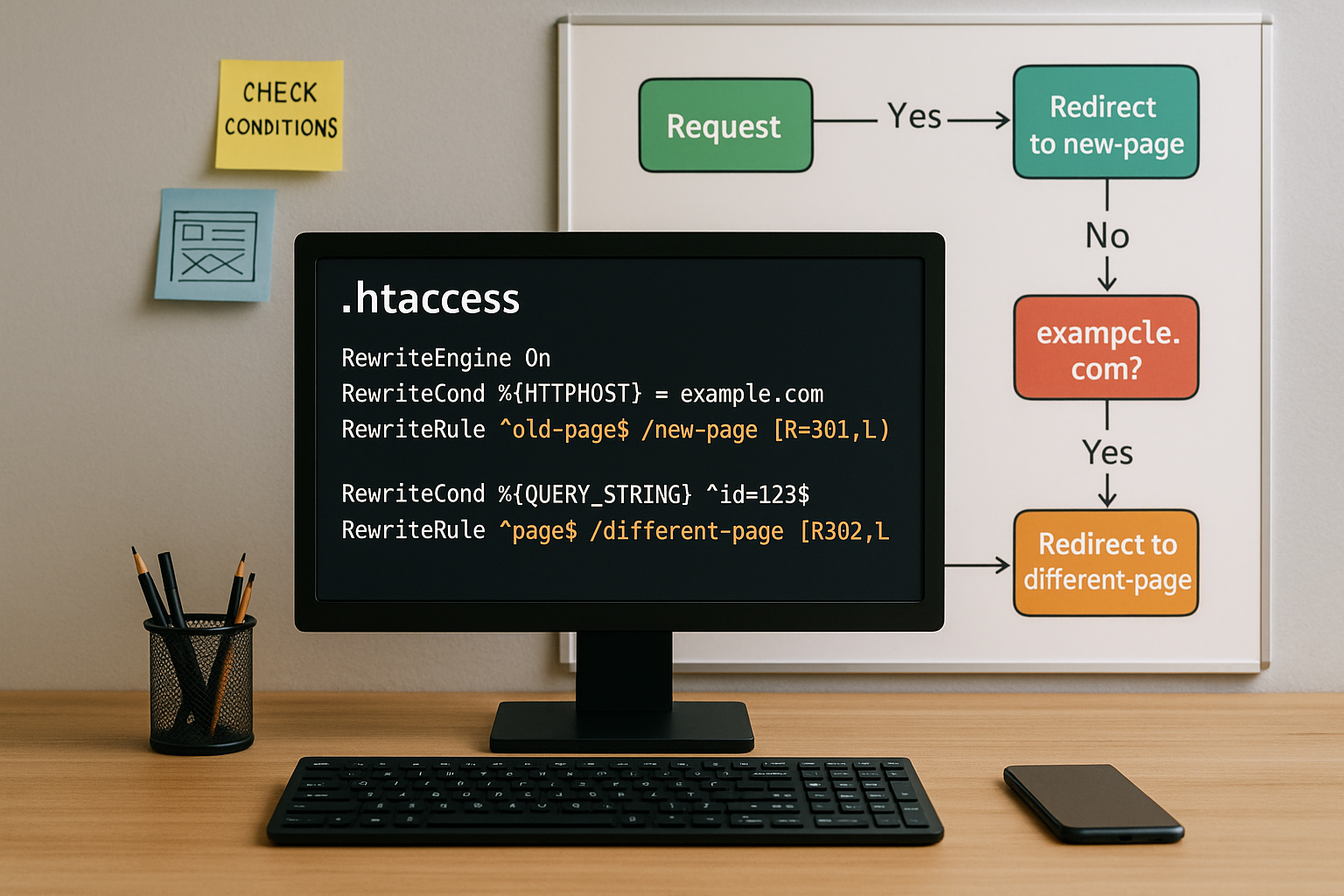
I often use this type of domain redirection for relaunches or company renames. I plan early so that no traffic is lost to the old domain. In addition to classic parameters and paths, it is sometimes necessary to include subdomains in the redirect. I then add additional RewriteCond queries for subdomains to keep the entire construct clean.
Especially for stores or websites with extensive internal links, it is advisable to create a mapping table. I make a note of every old URL in it, including the corresponding target URL, in order to check all redirects precisely. This reduces the risk of important subpages going nowhere.
Typical sources of error - what I avoid
I test every new rule on a test environment first. Syntax errors quickly lead to unreachable pages or endless redirection loops. Incorrect sequences are also critical: the first rule that applies is executed - regardless of subsequent rules.
Sources of error that I check regularly:
- Missing flags (e.g. L for "Load", otherwise the following rules are processed)
- Regex error (misinterpretation of special characters)
- Unclear redirection logicdifferent destinations per host or protocol
Debugging is possible via Apache error logs or local development environments such as XAMPP or MAMP. I divide larger sets of rules into commented sections - this makes it easier to understand later. A clear structure is worth its weight in gold, especially for projects with dozens or even hundreds of redirects. At the same time, I make sure to recognize potential conflicts early on in order to avoid problems with rewrite cascades or mixing of Redirect and RewriteRule to avoid.
Practical examples that I actively use
# Redirect single HTML page
Redirect 301 /kontakt-alt.html /kontakt.html

# Redirect everything under /blog/ to new directory
Redirect 301 /blog/ https://example.com/magazin/

# Redirect with placeholder
RewriteRule ^products/(.*)$ /shop/$1 [R=301,L]

# Block unwanted bots
RewriteCond %{HTTP_USER_AGENT} BadBot
RewriteRule ^.*$ - [F,L]
The performance of extensive redirects can vary depending on the hosting provider. Many rely on providers such as Webhoster.de - where the processing of RewriteRules works particularly well fast and reliable.

I combine simple redirect directives and rewrite rules in a targeted manner and avoid wild confusion, as this can make debugging extremely difficult. Conversely, when a Redirect 301 or Redirect 302 must be clear. Some site operators use 302 redirects for temporary changes, but I prefer a clear distinction: 301 for permanent and 302 for temporary. This keeps search engine signals consistent.
Strengthen SEO strategies through targeted redirects
With every redirect I influence the indexing of my site. 301 redirects signal permanent changes to search engines - so they should be checked carefully. I also pay attention to canonicals and ensure consistency between XML sitemaps, internal links and redirect targets.
I monitor major changes via webmaster tools (e.g. Google Search Console). This allows me to recognize misdirects or soft 404s at an early stage. It is also important to avoid chain redirects. Every additional redirect worsens performance and makes crawling more difficult.
I also use targeted RewriteCondto forward internal parameters exclusively to checked subpages, for example. This is particularly important for multilingual projects: Different language paths such as /en/, /en/ or /fr/ should be routed properly so that Google can index each language version correctly. Sometimes you even need your own redirects by IP region, but this should be carefully considered to avoid creating unwanted redirect loops.
High-performance use for migrations & relaunches
A website relaunch requires clear planning - redirects are a key tool here. I work with mapping tables to cleanly transfer old URLs to new ones. I eliminate duplicate content with targeted consolidation.
Especially in webshop systems with dynamic URLs, challenges arise with query strings or path variants. RewriteCond constructs with suitable conditions also help here - often paired with user-defined error pages and redirect tests before the go-live.

I also recommend carefully analyzing the internal link structure so that users and search engines can navigate to the new page structure without any problems. Too many nested redirects, for example from old domain to intermediate domain to new domain, can lead to poor performance. I therefore check every redirect chain for unnecessary intermediate stations. Tools such as Screaming Frog or special .htaccess checkers also help with the final check. If you move all links cleanly, you will benefit from stable rankings and avoid valuable traffic losses.
Using & understanding .htaccess in a targeted manner - final thoughts
Whether I redirect just one page or entire domains - the targeted use of .htaccess gives me full control over status codes, conditions and targets. I always consciously set such rules to ensure the visibility, user-friendliness and performance of my websites.
If you want to delve deeper, you should read the htaccess guide for web server configuration view. There I explain the most important directives and suitable scenarios in detail.

For optimized projects, it is worth setting up well-thought-out rules centrally once and only expanding them selectively later. I regularly observe that a consistently maintained .htaccess file is a guarantee for scalable success on the web. Finally, I always include the clean-up of old redirects and the documentation of important forwarding rules as an integral part of website maintenance. This keeps the system lean and fail-safe even in the event of future adjustments.


