Skip to content

Intel Sierra Forest is a good fit for server workloads that process many independent tasks simultaneously. The Xeon 6 processors with E-Cores They offer high core density; the models we researched range from 64 to 144 cores. This does not automatically translate into an advantage for every application or lower power consumption. Memory, I/O, latency targets, and software compatibility are also key factors in the selection process. A comparison of complete servers under representative workloads and with the same service quality will reveal whether consolidation is worthwhile.
Sierra Forest within the Xeon family
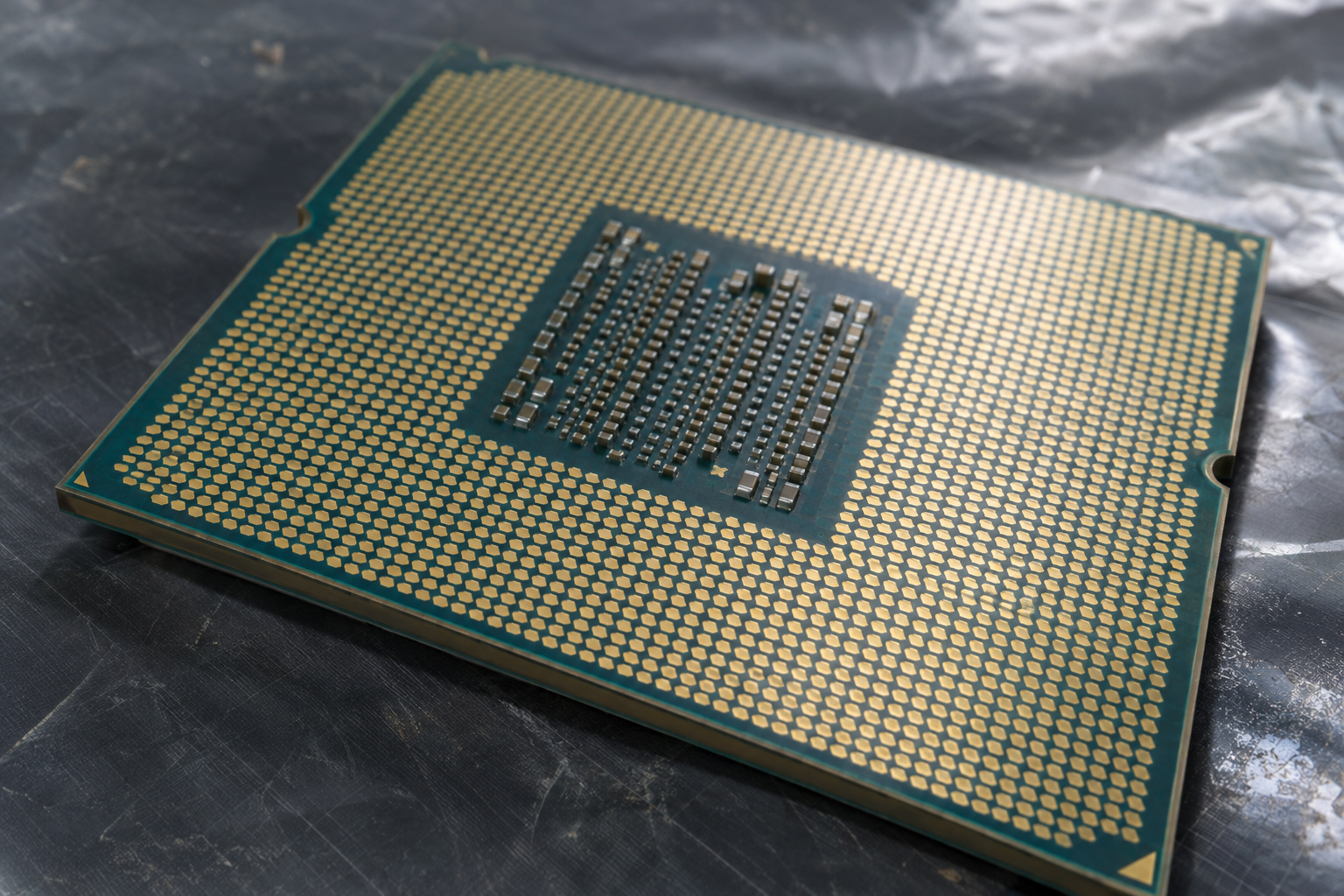
Intel Sierra Forest is a codename for Xeon 6 server processors with Efficient Cores (E-Cores). The product list compiled includes models with 64 to 144 cores, including processors from the 6700E series. Intel is targeting this version, among other things, at cloud and scale-out applications where many tasks can be processed in parallel.
When selecting a server CPU, the codename is therefore a starting point, but not a complete specification. Models within the same series differ in terms of core count, clock speed, and thermal design, among other factors. The optimal combination depends on how much concurrent workload an application provides and what limitations the specific server system imposes.
Granite Rapids, on the other hand, refers to a different Xeon 6 product line featuring performance cores (P-cores). It is a viable option when the performance of individual cores or specific instruction set extensions is particularly important. However, classifying a core as a P-core or E-core alone does not provide a definitive answer for a specific application.
Clearwater Forest should be considered a separate generation from Sierra Forest, as the next-generation E-Core and Xeon 6+ platforms. A specification for the Xeon family of up to 288 E-cores is not a blanket specification for Sierra Forest. Therefore, when comparing offers, you should check the specific model name and its specifications rather than assuming a maximum value from a different generation.
Many E-cores for parallel processing
Sierra Forest uses a modular multi-chip architecture: compute and I/O modules are housed together in the processor package. The compute blocks provide the cores for processing; the I/O side establishes connections to the platform. For the application, what matters less is the number of blocks and more whether their work can be distributed across the available cores.
Multiple cores can handle numerous independent web requests or background tasks simultaneously. The Throughput This describes the amount of work completed per unit of time, such as the number of successfully answered requests per second. If this value increases, it does not automatically mean that every single request is answered more quickly.
Latency is a key factor here: it refers to the time required for a single request or operation. If multiple services are waiting for the same database or a busy storage system, additional CPU cores can handle more work, but they cannot eliminate the wait time on their own. Therefore, especially during peak loads, response time must be considered in addition to throughput.
At Scale-out Work is distributed across multiple instances or servers. This allows multiple small service instances to run in parallel, provided they are sufficiently independent and shared resources do not become a bottleneck. A single sequential job, on the other hand, does not automatically run faster just because of additional unused cores; its successive steps remain dependent on one another.
Distribution across process boundaries or servers is not the same as the architecture of a CPU. The related article on Swarm Computing and Decentralized Collaboration addresses a different concept of distributed systems. For Sierra Forest, the key factor is whether the specific software generates enough tasks that can be executed in parallel for the available cores.
E-Cores, P-Cores, and Software Compatibility
Sierra Forest and the P-Core version of Xeon 6 are part of the x86 ecosystem. This simplifies the basic classification of existing software, but it does not mean that both processor types support all extensions equally or deliver the same performance in the same application. Therefore, for a migration, both the executable programs and their actual requirements must be evaluated.
Intel lists the following, among other things, for Xeon 6-E cores: AVX2 and VNNI. Such instruction set extensions can support certain computations; whether an application uses them and benefits from them depends on its code and libraries. Their mere presence therefore does not allow us to draw any conclusions about the achievable throughput of a service.
For Xeon 6, AVX-512 According to Intel, this is reserved for P-core processors. If a program strictly requires this extension, that is an immediate compatibility issue preventing it from running unmodified on Sierra Forest. If it uses AVX-512 only optionally, it may be able to run using a different code path; however, its performance must be evaluated separately.
Before switching platforms, therefore, check not only the main application but also its runtime environment and computationally intensive libraries for their CPU requirements. Manufacturer documentation and the actual software versions in use are more important for this than the assumption that every x86 package offers the same feature set on every Xeon variant.
The compatibility check also only determines whether software can run. Whether an E-Core configuration can handle enough work given a specific latency target can only be determined by comparing it with the actual application and appropriate server hardware. For highly serial or AVX-512-intensive tasks, a P-Core system is therefore an important benchmark, but not necessarily the clear winner.
Compare Models, Storage Options, and Connections
With Sierra Forest, the model number is more informative than the core count alone. For example, the 6710E, 6756E, 6766E, and 6780E are all viable options for initial selection. In addition to cores and threads, compare the base and turbo clock speeds as well as the respective performance profiles: The same number of cores does not necessarily indicate how much thermal headroom a server must provide.
| Model | cores | TDP in the Server Profile |
|---|---|---|
| Xeon 6766E | 144 | 250 W |
| Xeon 6780E | 144 | 330 W |
The Xeon 6780E has 144 cores and 144 threads. Intel specifies a base clock speed of 2.2 GHz and a turbo frequency of up to 3.0 GHz; the 330 W TDP refers to the specified server profile. The maximum Turbo frequency is not a guaranteed sustained value for all cores and every operating scenario. For the 6766E, as well as the 6710E and 6756E, you should check the clock speed and profile data separately in the product comparison before making your selection.
The difference between the two 144-core models therefore also affects the design of the cooling and power supply systems. However, TDP values alone do not provide a basis for determining either measured power consumption or an application’s performance. The key factor is which model can perform the required tasks within the specified performance limits and under the actual load.
For the 6780E, Intel lists eight Storage Channels, up to DDR5-6400, up to 88 PCIe 5.0 lanes, and support for dual-socket systems. You should check the specifications for the specific server system and the selected memory modules to determine which memory speeds are actually supported with the intended DIMM configuration.
Sizing Hosting and Virtual Machines
Many independent web instances can take advantage of the high core count if enough requests are actually being processed simultaneously. For planning purposes, however, it is not just the number of installed instances that matters, but the number of simultaneously active services at a specified response time target. A server may show available CPU capacity and still fail to meet the target if requests are waiting for memory or storage.
Therefore, first estimate the amount of RAM per instance, including the application, cache, and operating system. Next, take into account peak loads and reserves for maintenance or host failure. If RAM capacity becomes insufficient before processing power does, a higher core count alone will not help achieve the desired consolidation.
Storage I/O also affects the achievable density: If many instances are reading, writing, or generating logs simultaneously, queues can form. Therefore, under realistic concurrency conditions, check not only the average throughput but also the slow requests. A p99 target, for example, describes the response time that at least 99 percent of the queries under consideration should meet.
For virtual machines, an allocated vCPU First, a virtual execution unit—no automatic reservation of a physical core. If multiple VMs share the same resources, available compute time and response times also depend on their concurrent activity and the hypervisor settings. Therefore, plan reservations and overbooking based on the requirements of each service.
For a dual-socket server with a 6780E, you should also consider the NUMA topology Check: Memory accesses may depend on which socket the memory is connected to and where the VM is running. Check the memory configuration and placement in the hypervisor, and compare local and remote access under load. Intel’s dual-socket support does not replace the need for the specific server and hypervisor to be approved for the selected CPU.

Compare Load Profiles in a Practical Way
Measurement planning begins with a specific decision: How many queue workers or network requests can the new configuration process while maintaining the same quality of service as the existing server or a P-core system? To determine this, specify the same application, data volume, and defined concurrency for both candidates. The following procedure is our own methodological recommendation; it is not a documented Intel test procedure nor a description of a test that has been conducted.

For workers, the test should include enough independent tasks to ensure that additional cores can actually be utilized. Track the number of completed tasks per time period and the time to completion; also monitor whether the database, storage, or external interfaces are limiting performance. A single serial job is unsuitable as the sole basis for evaluating a platform designed for parallel processing.
To compare network services on your own, also document packet size, encryption, network cards, and drivers. If the application is to use accelerators, check their availability for the specific CPU and server configuration, as well as their support by the software being used. Then, under the same load, compare whether using them provides a benefit, rather than inferring it from a specification.
Set up a p95 or p99 latency target Set a fixed load and increase it in manageable increments. While doing so, track throughput and error rate along with latency: A higher number of requests per second does not necessarily equate to a better result if the agreed-upon response time target is exceeded or if errors increase. Repeat this analysis for the expected load peaks as well.
Measure the electrical power of the Overall System during idle, partial load, and peak load. Record the hardware configuration, firmware, performance profile, software versions, and measurement duration to ensure that differences are not inadvertently attributed solely to the CPU. The work performed and the energy required for it can then be used to compare the work per unit of energy, provided that the service quality remains the same.
Understanding Energy Needs and Costs
The specified TDP is a design value for the processor, not a measurement of the entire server. For the Xeon 6780E, Intel specifies a TDP of 330 watts for the given server profile. This figure does not directly indicate either the actual power consumption under a specific load or the electricity costs.
For a reliable comparison, consider the total power consumption of the entire system, including storage devices, drives, and network cards. This value varies with the load. Therefore, measure it over a representative period of time and record both idle conditions as well as typical and high-load conditions; a single peak value provides only an incomplete picture of system operation.
The Work per unit of energy It can be expressed, for example, as the number of successfully completed requests divided by the measured energy consumption. When making comparisons, consider only work that meets the same requirements: A higher throughput is of little value if the error rate or response times exceed the agreed-upon target. The data volume and load profile must also be comparable.
Even this ratio is not sufficient to ensure cost-effectiveness. Factor in electricity and cooling costs along with rack space, hardware procurement, maintenance, and software licenses. Especially with core-based licensing models, a high number of cores can significantly impact the bottom line; the specific terms of the contract are decisive, not a general licensing rule.
Consolidation also involves migration efforts: applications must be reviewed, data must be transferred, and operating procedures must be adjusted. Weigh these one-time costs and potential downtime risks against the ongoing costs. Continuing to operate existing servers remains a viable option if their usable capacity and operating costs are sufficient for the planned period.
Check Operation, Firmware, and Bottlenecks
If the tail latency, start by identifying the time and the affected request chain. Check whether the error rate, queue lengths, or the number of concurrent requests are increasing at the same time. A high p99 latency means that the slowest requests may fall outside the desired timeframe; the average alone may not reveal this problem.
Next, examine the CPU utilization and the distribution of the workload. Low overall utilization does not rule out bottlenecks in individual threads. If, on the other hand, many cores are busy, check whether there are enough independent tasks or whether synchronization and wait times are limiting the additional throughput.
In a two-socket system, the Storage location Troubleshooting: Check the NUMA mapping of processes or virtual machines and their memory. The Xeon 6780E supports dual-socket systems; however, whether the specific placement is optimal for an application also depends on the server and the hypervisor settings.
If the cause remains unclear, monitor memory and storage I/O, as well as network paths and external services. Delayed database responses or overloaded network connections can prolong queries without the server CPU being consistently at full capacity. Compare the metrics over time with the slow queries, rather than jumping to the conclusion that the core count is the cause.
Before procurement and rollout, check the server manufacturer’s CPU approval list, the socket, the required BIOS version, and hypervisor support. Intel specifies LGA4710-2 for the 6700E series and LGA7529-1 for the 6900P; however, this does not imply blanket interchangeability between Xeon series.
Also refer to the specification update for the processor series in use. Check relevant errata and clarifications against the specific stepping and firmware version, and apply any documented workarounds as necessary. This ensures that the approval of the entire system takes known technical limitations into account.
Choosing the Right Server Platform
The selection process starts with the application, not with the highest spec listed on the datasheet. Intel positions Xeon 6E cores for high core density and task-parallel throughput, while P-cores are designed for high performance per core. This alone does not determine which platform will meet your latency goals and capacity requirements.
| Core Type | Architectural Approach According to Intel | Instruction Set Delimitation |
|---|---|---|
| E-Cores | High core density and task-parallel throughput for cloud-scale workloads | AVX2 and VNNI; no AVX-512 |
| P-Cores | High performance per core and computationally intensive tasks | AVX-512 is supported |
Use the table as a starting point for a Comparison Based on Equal Service Quality, not as a performance ranking. The following selection method is our own recommendation and not a documented Intel testing procedure: Compare the existing platform, a suitable Sierra Forest configuration, and, if applicable, a P-Core system with the same requirements for response time, error rate, and data volume. Document the respective hardware configuration and determine the usable performance of the complete system.
Also ARM-based servers are a possible alternative. For this, the operating system, applications, and required software packages must be compatible with the architecture; additionally, porting and operation may require modifications. A general efficiency advantage does not follow solely from the architecture designation and should be evaluated under the same load conditions.
Finally, choose the platform that provides the required capacity with sufficient headroom and the appropriate operating conditions at the lowest total cost. Take migration and licenses into account, and weigh risks and space requirements as necessary. More cores are a selection criterion, but they do not replace application testing or cost analysis.
Sources and Current State of Knowledge
Status of the research:
Research and source information as of November 4, 2026. Sierra Forest should be considered separately from Granite Rapids and the subsequent E-Core generation, Clearwater Forest; specific specifications apply to each model as stated.
https://www.intel.com/content/www/us/en/ark/products/codename/198508/products-formerly-sierra-forest.html
https://www.intel.com/content/www/us/en/support/articles/000098612/processors/intel-xeon-processors.html
https://newsroom.intel.com/data-center/postcard-from-intel-tech-tour-arizona-intel-data-center-group-leader-kevork-kechichian-shows-off-xeon-6
https://www.intel.com/content/www/us/en/support/articles/000099181.html
https://www.intel.com/content/www/us/en/products/compare.html?productIds=240361%2C240362%2C240363%2C240365%2C240366%2C240369%2C240359.html
https://www.intel.com/content/www/us/en/products/sku/240362/intel-xeon-6780e-processor-108m-cache-2-20-ghz/specifications.html
https://www.intel.com/content/www/us/en/support/articles/000055173.html
https://edc.intel.com/content/www/de/de/design/products-and-solutions/processors-and-chipsets/sierra-forest/xeon-6700-series-processor-with-e-cores-specification-update/preface/