Skip to content
KeyHelp Test shows how far a free web hosting panel can go today: streamlined setup, a clear interface and functions that I am otherwise only familiar with from paid solutions. I have used KeyHelp on a Linux server in my day-to-day business and evaluate its operation, features, security and the difference to the Pro version soberly from practical experience.
Key points
I will briefly summarize the most important findings before going into detail. This helps to classify expectations regarding the range of functions and application scenarios. KeyHelp completely covers typical admin tasks and saves me a lot of time on a day-to-day basis. I tend to reach my limits with very specific DNS setups, but the email features and rights management are impressive. The free license significantly reduces running costs, while KeyHelp Pro adds extra functions for larger setups and thus offers a real advantage. Added value supplies.
- Free of charge for Linux servers, wide range of functions
- User-friendly with a clear, responsive interface
- E-mail strongSpam/virus protection, auto-configuration
- Security2FA, roles, logging, backups
- Pro optionOne-Click, monitoring, reseller extras

KeyHelp briefly explained: System, license and target group
KeyHelp runs on Ubuntu and Debian and covers classic web hosting requirements from individual projects to agency environments. I appreciate the Freedom of license, because I can grow without additional costs and still get professional functions. Agencies benefit from unlimited domains and users, separate roles and white label options. Freelancers benefit from an interface that allows ambitious tasks without a steep learning curve. Companies, on the other hand, can quickly integrate KeyHelp into existing workflows without sacrificing access and security controls, which I find very useful in my day-to-day business. Control there.
Installation and first steps
Installation on a vServer or dedicated system is completed in just a few steps; a wizard guides you through the basic configuration. I create users, packages and roles immediately after setup and check the default values for PHP, Apache/Nginx and email. I find the initial instructions helpful, which lead me to relevant security and backup options. The documentation and an active community answer typical questions quickly. I was up and running in less than an hour and immediately had a clean Basic stand included Best Practices.

Web server, PHP and SSL in detail
During operation, I appreciate the flexible web server configuration. Depending on the setup, I work with Apache or Nginx, typically in combination with PHP-FPM. For projects with different requirements, I assign my own PHP settings for each domain, including version, memory limit, max_execution_time and upload limits. This helps to safely run older applications in parallel with modern stacks without making global compromises.
Separation via separate FPM pools per user ensures clean process isolation. In everyday life, this means that if a customer generates load or an application hangs, this has less impact on other projects. I deliberately choose lean PHP modules, activate OPcache with suitable values and keep logs separate for each customer, which speeds up troubleshooting.
I use SSL/TLS across the board. The integration of Let's Encrypt with automatic renewal is done quickly and reduces the maintenance effort. For more complex scenarios, I use my own certificates; I store HSTS and redirects centrally and per domain. I plan wildcard certificates depending on the DNS environment, especially if many subdomains are created dynamically.
User interface and productivity
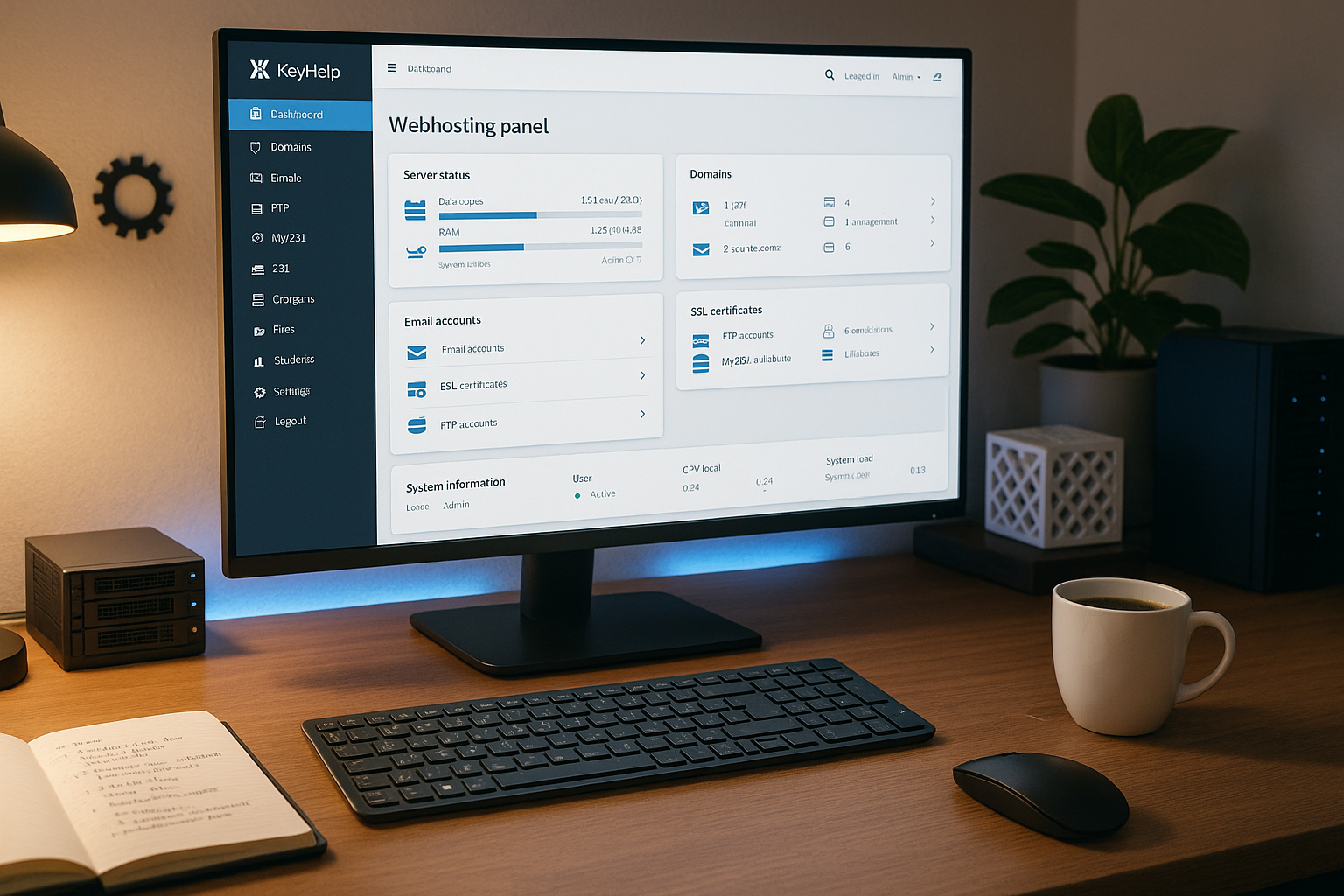
The interface looks tidy, logical and fully responsive, which helps me equally on my notebook, tablet and smartphone. I like working with predefined packages that automatically set limits and authorizations for new customers. The role management separates responsibilities so that team members only see relevant functions. Shortcuts and clear menu names noticeably reduce click paths. This allows me to complete typical admin tasks more quickly and keep the Overview and the necessary Speed.
Functions in everyday life
KeyHelp covers domains, subdomains and DNS, including common entries for productive projects. Email functions convince me with auto-configuration, quarantine, spam and virus filters as well as automatic folder cleaning. For files, I use the integrated manager with syntax highlighting, archive function and direct editing, while I can create any number of FTP users. I manage databases via phpMyAdmin or Adminer, including remote access. Cronjobs, statistics and logs complete the picture, allowing me to manage daily tasks with Routine and good Transparency do.
Backup strategies and recovery
Backups are quickly set up in the panel. I define which elements are to be backed up (files, databases, mailboxes) and set intervals and retention periods. In practice, I combine daily incremental backups with weekly full backups. For additional security, I regularly export backups to external storage via SFTP/SSH. This physically separates production and backup data and reduces the risk of outages or ransomware scenarios.
The recovery is important: I test restores in separate test environments in order to know runtimes and pitfalls. I selectively restore individual databases or directories without having to roll back an entire project. I also keep a minimal emergency playbook ready for emergencies (access points, DNS TTLs, sequence of steps). This routine drastically reduces stress in an emergency and shortens downtimes.
E-mail, DNS and security
During mail setup, I quickly create mailboxes, aliases and forwarders, and the auto-configuration saves me support time for customer devices. I implement DKIM, SPF and DMARC in a regulated manner; for very unusual DNS scenarios, I schedule external name servers if necessary. Two-factor login, granular rights, logging and updates significantly increase the level of security. I set up structured backups and test the recovery regularly. This keeps the entire installation Reliable and at the same time as slim.
Safety hardening in practice
Using the role model, I only grant the rights that are strictly necessary for a task. Admin access is always given 2FA, I assign API tokens for a limited time and document them. Where possible, I restrict SSH access to SFTP or key-based authentication and deactivate password logins system-wide. I separate file system and process access per user so that one project does not get in the way of the other.
The panel supports me with logs and notifications. I also use tools such as Fail2ban at system level for common services and keep package sources up to date. The usual hardening measures apply to web applications: secure standard config, no unnecessary PHP modules, restrictive permissions, rate limits on the mail server, limits for uploads and sessions. This discipline pays off, especially in multi-project environments.
For the delivery of emails, I also pay attention to rDNS, clean HELO strings and TLS between the mail servers. These points often lie with the hoster or in DNS, but can be reliably mapped in combination with KeyHelp. I monitor complaints and bounces to identify deliverability problems at an early stage.
KeyHelp Free vs. Pro at a glance
The free edition fulfills almost all typical requirements in everyday hosting. If you need one-click installers, extended monitoring and additional reseller tools, KeyHelp Pro is the right choice. I see Pro as a useful extension for agencies and larger environments with many customer instances. The basic version remains a strong choice for solo projects, small stores or club sites. This allows me to scale functions as required and keep the Costs and the administrative Expenditure under control.
| Feature | KeyHelp Free | KeyHelp Pro |
|---|---|---|
| Domains, e-mail, FTP, DB, Cron | Yes | Yes |
| File manager with editor | Yes | Yes |
| Statistics & protocols | Yes | Yes |
| Two-factor login, roles | Yes | Yes |
| One-click installer (e.g. CMS) | No | Yes |
| Extended system monitoring | Base | Extended |
| Reseller extras | Basics | Extended |
| Extended SSH options | Standard | Hardened |
Limits and when external services make sense
KeyHelp is aimed at single-server operation. This is suitable for many scenarios, but is no substitute for real cluster or multi-server environments. If you need highly available setups, anycast DNS, distributed storage systems or scalable container orchestration, you need to plan for additional infrastructure. The same applies to very specific DNS requirements or dedicated WAF solutions - here I combine KeyHelp with specialized services.
When it comes to object storage or offsite backups, I also decide according to the size of the project. For small and medium-sized setups, SFTP targets are often sufficient; for larger data volumes, I prefer external backup systems with versioning and immutable snapshots. The panel remains the central admin interface, while I specifically outsource peak loads and special topics.
API, white label and agency workflows
For automated processes, I use the REST API to create users, packages or domains from external systems. White-labeling allows custom branding, which looks professional for resellers and agencies. In existing toolchains, I integrate KeyHelp into deployment scripts, CI/CD or customer systems. The Panel comparison is a good example of how admin workflows can be structured. This creates a clear Automation, which gives me scalable Processes made possible.

Migration and onboarding
I take a structured approach when moving existing projects: I synchronize files via rsync/SSH, export and import databases with clear downtime windows. I transfer mailboxes via IMAP-Sync to take mailboxes including the folder structure with me. Before the final DNS switch, I test the target environment using a hosts file or temporary subdomains. This way, I minimize outages and have a quick rollback ready in case of doubt.
It is worthwhile for agencies to build onboarding templates: preconfigured packages with limits, standard subdomains, cron templates, PHP defaults, web server headers and basic redirects. This shortens the time from ordering to productive deployment and significantly reduces sources of error.
Performance, monitoring and practical values
For solid performance, I pay attention to suitable PHP handlers, caching levels and careful limits per package. With KeyHelp Pro, I also use advanced monitoring to keep a targeted eye on utilization and processes. Logs and statistics help me to detect bottlenecks and take countermeasures at short notice. I schedule backups and test restores to minimize downtimes. This is how I ensure constant performance and keep the Reserves of my system.
The following have proven themselves in practice: optimally dimension OPcache, set keep-alive values sensibly, activate Gzip compression, move large uploads to dedicated endpoints and time cron jobs so that they do not run at peak times. On the database side, I keep an eye on indices, use query logs temporarily and isolate compute-intensive tasks in queues or workers that run under separate users.
Comparison with aaPanel and CyberPanel
In a direct comparison with aaPanel, KeyHelp often performs better in terms of email functions, rights management and security. If you run a lot of mailboxes or need clean roles, KeyHelp is more convenient. On the other hand, aaPanel can score points in the app ecosystem, which I weigh up depending on the project. I provide details on the comparison in the aaPanel comparison compact. I see CyberPanel with OpenLiteSpeed as a high-performance specialist, while KeyHelp is the Operation and safety in particular strong balanced.

Practical tips, support and community
I always keep my system up to date and activate two-factor login for all admin accounts. For projects with a lot of emails, I set clear quotas, automatic folder cleanup and regular archiving. For DNS, I choose external name servers for special setups if internal resources are not sufficient. The community and the documentation provide me with answers to common questions quickly. This is how I stay in everyday life capable of acting and minimize unnecessary Failures.
Maintenance, compliance and update strategy
I plan updates deliberately: I test panel updates outside the main usage times, I keep system packages up to date via the package management. I document changes and monitor the logs after major updates. For compliance issues (e.g. log retention periods, access to customer data, roles and audit security), I use the existing logs and enforce internal guidelines. I log access to sensitive areas and define clear responsibilities for each role.
For data protection, I pay attention to economical log settings and defined deletion cycles. I only use email archiving where it is technically and legally required. TLS standards and strong cipher suites are a given for me, as is IPv6 support if the infrastructure provides it. All in all, this foundation ensures an installation that is not only fast but also compliant.
Who is KeyHelp suitable for?
Beginners get a clear interface that makes important hosting tasks accessible without any hurdles. Freelancers and agencies receive rights, packages, white labels and, if required, Pro features for smooth customer operations. Companies integrate KeyHelp into automation chains and keep policies under control with roles and 2FA. Anyone who hosts PHP apps, takes email seriously and appreciates clean administration will find a powerful tool here. If projects are specifically designed for OpenLiteSpeed, it is worth taking a look at CyberPanel with OpenLiteSpeed as Alternative for focused Setups.

My test verdict
KeyHelp combines license-free use with functions that really count in day-to-day business. The panel scores with email strength, clean rights management, 2FA, backups and an easy-to-understand interface. Pro expediently adds one-click installers, monitoring and agency extras without unnecessarily inflating the base. Small projects start cost-consciously, larger scenarios activate Pro selectively and remain flexible. The bottom line is that KeyHelp delivers a round User experience with tangible Professional skills, which I can clearly recommend after my test.