 Skip to content
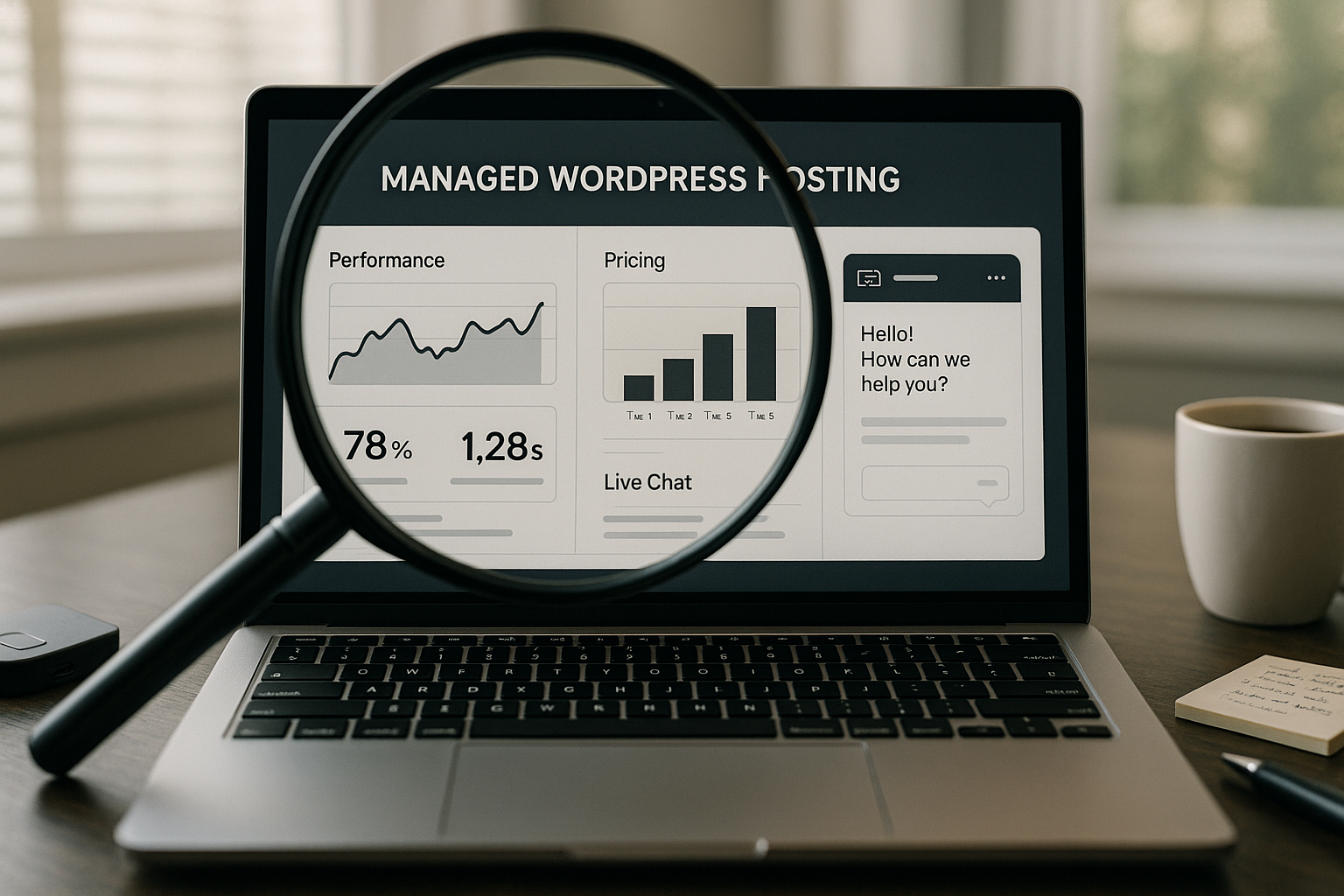
In the Managed WordPress Hosting Test 2025, I compare technology, price, and support based on current practical results and clear criteria. In doing so, I examine Performance, security features, and genuine service quality, so you can find the right solution faster.
Key points
The following key aspects guide my managed hosting check and provide you with clear guidance.
- TechnologyNVMe SSDs, HTTP/3, dedicated firewall, daily backups
- PerformanceCaching, PHP workers, CDN options, measurable loading times
- PriceTransparent pricing, SSL and backups included, no hidden fees
- Support: Response time, WordPress expertise, German-language support
- Features: Staging, WP-CLI, Git, WooCommerce optimization
I weight the points differently depending on the type of project so that the choice does not become a lottery. For small sites, play Costs and easy management play a key role. Shops and magazines need reliable resources and smart tools for releases. Agencies also pay attention to staging, multi-site handling, and traceability. SLAs. This provides a fair comparison that really makes your everyday life easier.

Technology review: servers, cache, security
When it comes to technology, I rely on hard facts: NVMe SSDs deliver noticeably fast access, and modern web servers such as LiteSpeed or NGINX ensure efficient Delivery, and HTTP/2 and HTTP/3 reduce latency. Clean caching at the object, opcode, and page levels remains important so that dynamic content does not become a bottleneck. A dedicated firewall, daily backups, and malware scans close frequent points of attack and give me Rest with updates. Good providers automate kernel and WP updates without bombarding you with cryptic messages. Anyone switching from classic shared hosting will quickly understand the advantages; the article Managed vs. Shared explains the consistent differences very clearly.
Making performance measurable: Test setup and key figures
I evaluate performance with reproducible measurements, not with gut feeling. TTFB, Time to Interactive, and Largest Contentful Paint provide me with reliable Signals for real speed. Under load, PHP workers and I/O limits show whether a tariff remains stable even during traffic peaks. A global CDN can speed up delivery, but only correct caching and image compression bring the big Effect. I use identical themes, plugins, and demo data so that the results are comparable. This allows me to quickly see which host comes out on top with the same setup.

Prices in 2025: What's really in it
Prices often seem tempting, but the details are what matter. Entry-level plans start at €1.49 to around €3.99 per month, while premium setups with WooCommerce optimization cost slightly over €20 per month. I check whether SSL, backups, email, staging, and migration are already included or whether additional costs will be incurred later on. Fees appear. Webhoster.de offers clear rates starting at €2.95 with quick setup and no hidden costs, which convinced me in long-term tests. If you are planning multiple projects, calculate the total costs over 12 to 24 months and evaluate support quality as a hard factor. Value. This overview provides a good guide: Best WordPress Hosting with a focus on benefits rather than marketing terms.
Overview of provider comparisons
For a quick overview, I have summarized the most important key data in a table. It is not a substitute for a detailed test, but it does show the strengths and limitations at a glance. I pay particular attention to location, entry-level performance, and accessibility. Supports.
| Place | Provider | Server location | Special features | Price from/month | Support |
|---|---|---|---|---|---|
| 1 | webhoster.de | Germany | NVMe SSD, GDPR, WooCommerce-ready, transparent pricing | 2,95 € | 24/7, German |
| 2 | Hostinger | Worldwide | LiteSpeed, affordable entry level | 1,49 € | 24/7, English |
| 3 | WPspace | Germany | Agency focus, loading time optimization | 19 € | 24/7, German |
| 4 | SiteGround | Europe/USA | CDN, intuitive interface | 3,99 € | 24/7, English |
| 5 | Bluehost | USA | WP certified, free domain | 2,95 € | 24/7, English |
The table shows that low-cost entry is possible, but real performance reserves come at a price. For me, what counts is whether a provider offers clean upgrades, responsive service, and transparent Terms and conditions offers as the site grows.
Support quality: response time and expertise
I don't evaluate support based on advertising promises, but on the help I've actually received. A good team solves SSL issues, migrations, and errors in a matter of minutes and communicates clearly without using technical jargon. German-speaking contact persons reduce misunderstandings and save me time. Time in day-to-day business. When critical incidents occur, the initial response is crucial; minutes rather than hours can determine revenue and reputation. Knowledge databases and tutorials speed up standard tasks, but they cannot replace real Contact us in special cases. In my tests, webhoster.de stands out with short response times and genuine WordPress experience.
Developer features that save time
Staging environments enable updates and redesigns without risk before live users notice anything. WP-CLI speeds up routine tasks, Git ensures clean deployments and traceable versions. I pay attention to access to PHP settings, cron handling, and logs so that I can find errors quickly. Such functions act as a multiplier for Productivity and teamwork. If you want to compare in more detail, you will find this guide to WordPress Hosting 2025 Specific criteria for modern setups. Agencies in particular save time every day with multi-site management and clear authorization concepts. Resources.
GDPR, location, and legal certainty
Server locations in the EU facilitate data protection and reduce latency for your audience. I check whether contracts for order processing are in place and whether backups are also stored within the EU. Transparently documented security measures create trust and reduce legal Risks. For sensitive projects, I avoid unnecessary data transfers to third countries and rely on clear processes. A good host will provide you with clear information about logging, monitoring, and incident handling. This ensures that Compliance reliable and traceable.
Scaling: From blog to WooCommerce
From blogs to shops, requirements grow quickly. I check how flexibly tariffs provide more CPU, RAM, PHP workers, and I/O limits without forcing you into new contracts. An upgrade in just a few clicks and transparent Thresholds ensure growth without failure. For WooCommerce, this includes object caching, persistent sessions, and load testing with realistic shopping carts. Media-rich magazines benefit from image optimization, HTTP/3, and a global CDN. This ensures that the site remains fast and reliable even under heavy load.

Practical test: How I make a fair comparison
I start with identical demo sites, activate the same plugins, and measure repeatedly at fixed times. Then I observe TTFB, LCP, and admin response times to compare perceived and measured Speed A staging test shows how smoothly updates and deployments run. For support requests, I check the initial response, solution quality, and tone; politeness and clarity count, not just minutes. I evaluate prices over 12 months, including SSL, backups, email, and migration, so there are no hidden costs. Costs surprise. Finally, I check scaling paths and the transparency of upgrade options.
Realistic project profiles: What suits whom?
A personal blog A small business website thrives on reliability and ease of use. This includes automatic backups, solid caching, and a tidy control panel. Beginners are well served by plans that already cover SSL, staging, and email without overloading the administration.
A WooCommerce store has different requirements: persistent object cache, high-performance PHP workers, and resource-efficient session management are essential. I check whether the checkout process remains stable even during discount campaigns and high shopping cart activity, and whether the host provides clear recommendations on cache exceptions for shopping carts and checkout.
At online magazines and content portals, the editorial workflow is crucial. Caching rules for frequently updated categories, efficient image optimization, and a CDN with edge caching ensure fast delivery. Cron stability for scheduled publications and reliable search indexes are also important here.
Agencies require mature multi-site functions, role and rights concepts, and reproducible deployments. Multi-tenant backups, separate staging environments for each project, and clear SLA definitions enable customers to plan their operations.
Security in detail: WAF rules, 2FA, and emergency plans
Beyond basic measures, I pay attention to multi-layered security. A web application firewall (WAF) with rules against typical WP attack vectors (login brute force, XML-RPC, REST endpoints) reduces noise and relieves the application. Rate limiting on login routes and IP blocklists are quick and effective levers.
On the operator side, I rely on 2-factor authentication in the hosting panel and ideally also via SSO in WordPress. Keys and access data should be centrally rotated. For updates, I expect controlled rollouts with the option of quick Rollback, if a plugin causes problems.
Backups are only as good as their recovery. I check Restore times, whether backups are stored immutably and how long they are retained. A defined emergency plan with RPO/RTO targets makes all the difference when seconds count.

Migration without downtime: step-by-step checklist
A clean migration prevents ranking losses and problems during live operation. I use a fixed Checklist, so as not to overlook anything:
- Inventory: Domain(s), DNS, SSL, email, cron jobs, redirects, custom upload paths, MU plugins.
- Create staging copy, check domain replacement, and Permalinks rewrite.
- Lower the DNS TTL early on so that the subsequent switch takes effect more quickly.
- Data synchronization shortly before go-live: DB dump, uploads, and incremental delta Synchronize.
- Preflight checks: error logs, 404/500 monitoring, caching exceptions for WooCommerce, heartbeat and cron behavior.
- Switch: Change DNS, keep old system in read-only mode to avoid inconsistencies.
- Post-go-live: Check SSL, HSTS, redirects, sitemap, and robots; measure admin response time., Backup initiate manually.
URL rewrites, mixed content, and restrictive WAF rules are particularly critical. Dedicated staging with an identical PHP version and identical server modules minimizes surprises.
Email and deliverability: SPF, DKIM, DMARC at a glance
Many managed WordPress plans decouple E-mail deliberately from web hosting, others integrate mailboxes. Deliverability is crucial: SPF and DKIM entries must be set correctly, DMARC provides you with visibility and protection against spoofing. For shops, I separate newsletters and transactional emails (orders, password resets) so that marketing volume does not interfere with checkout communication.
I check bounce handling, rate limits, and whether dedicated IPs or signatures are available. Clear monitoring is also important: failed deliveries, spam rates, and reputation should be traceable. Those who host email separately calculate the costs into the overall view and thus prevents unpleasant surprises.

Cost traps and TCO: What happens in practice
In addition to the tariff price, the following factors also have an influence: hidden factors The overall balance. Introductory prices and subsequent renewals, fees for additional staging instances, recovery fees for backups, inode limits (number of files), or throttling for „unmetered“ traffic often occur in practice. I calculate 12–24 months and take into account domain, email, CDN traffic, storage, additional PHP workers, and possible overuse.
Another cost issue is the working hoursIf Git or WP-CLI are missing, routine tasks take noticeably longer. A good panel, fast restores, and clear logs save hours—and therefore real money. For growing sites, I plan for reserves instead of optimizing down to the last percentage point of resources. This prevents hectic ad hoc upgrades.
Monitoring, SLA, and transparency
Availability is not a feeling, but a key figure. I expect Status pages with historical values, defined SLAs, and reliable escalation paths. A „99.9% uptime“ without a measurement methodology is of little use; what matters is how outages are measured, communicated, and credited. When incidents occur, early initial reporting and transparent updates are essential.
Technically, synthetic monitoring, uptime checks, metrics for CPU, RAM, I/O, and PHP-Worker as well as meaningful logs. An APM tool or slow log facilitates root cause analysis in the event of performance issues. Complete access and error logs with sufficient retention periods are essential for compliance and debugging.
Refined developer workflows: CI/CD, Cron, logs
For clean deployments, I rely on Git-based Workflows: Pull requests, automated tests, build steps (e.g., asset minification), and deployment from a defined branch. Staging and production should use separate databases, caches, and keys; deployments must take database-aware plugins and migration scripts into account.
At Cron I avoid WP Cron-only setups and activate a real system cron that reliably executes jobs. Logging is doubly important: application level (PHP/WP debug) and server level (Nginx/Apache, PHP-FPM). I check whether logs are accessible, filterable, and exportable. Composer and Node support directly on the server or via build pipeline accelerate releases and keep environments consistent.
Cache strategy remains a perennial favorite: Edge caching for CDN, page cache for anonymous users, object cache for dynamic queries, and OpCache for PHP. Clear invalidation rules prevent outdated content. For WooCommerce, differentiated cache exceptions (shopping cart, checkout, user accounts) are mandatory.
In-depth methodology: Minimizing measurement errors
Measurements quickly suffer from outliers. I select defined time windows, repeat tests, and compare medians instead of individual best values. Cache warm-up is taken into account, as are CDN hit rates. I measure admin metrics separately from front-end values so that optimizations are visible to editors.
Updates and background tasks (indexing, cron jobs, image generation) can distort results. That's why I document plugin versions, PHP version, active modules, and the exact test page. This ensures that results remain reproducible and fair. Under load, I use scenarios with mixed requests (home page, category, product, checkout) to simulate real user traces.
Concluding remarks: My results for 2025
For me, managed WordPress hosting wins when speed, security, price, and everyday support all come together. A provider like webhoster.de scores points with NVMe SSDs, consistent caching, clear pricing, and noticeably faster performance. Help. Low introductory prices are of little use if support and performance reach their limits when traffic increases. Blog operators start small; shops and agencies plan for reserves and test staging consistently. I recommend testing three candidates in parallel, including checks of the admin interface, load behavior, and response time. This will enable you to make an informed choice—with a focus on real Results instead of promises.


