 Skip to content
MySQL Slow Query Log shows me in hosting which queries eat up time, how often they occur and why they slow things down. I show you specific steps on how to activate the log, evaluate it and rebuild queries so that pages load faster and server resources work more efficiently.
Key points
- Activation and set threshold values sensibly
- Evaluation with pt-query-digest and mysqldumpslow
- Metrics interpret: Query_time, Lock_time, Rows_examined
- Tuning through indices, EXPLAIN and rewrites
- Automation and monitoring in hosting
What does the slow query log do in hosting?
Hosting means shared resources, so every millisecond per query counts. I use the log to find queries that run longer than a defined limit and see key figures such as Query_time, Lock_time, Rows_sent and Rows_examined for each query. These figures show me whether there is a missing index, an unfavorable join or a full table scan behind it. Especially on servers with multiple sites, a single bad query can put a lot of strain on CPU and I/O. I then prioritize the queries with the highest total time, because this is where the greatest leverage on load time and server load lies.

Activation and sensible threshold values
StartI can runtime or permanently via my.cnf, depending on the access in the hosting. For quick tests, I switch the log on temporarily and set long_query_time to a value that matches the traffic and hardware. I often go to 0.1 seconds for heavily used sites, but keep an eye on the log size so that I/O does not grow unnecessarily. If direct file accesses are limited, I use the performance schema options of the MySQL shell to generate reports. After fine-tuning, I write the final settings to the configuration file and restart the service.
SET GLOBAL slow_query_log = 'ON';
SET GLOBAL long_query_time = 1;
SET GLOBAL slow_query_log_file = '/var/log/mysql/slow-query.log';
SET GLOBAL log_queries_not_using_indexes = 'ON';

SHOW VARIABLES LIKE 'slow_query%';
SHOW VARIABLES LIKE 'long_query_time';
Permanent I set options like log_throttle_queries_not_using_indexes and log_slow_admin_statements so that the log remains useful and doesn't explode. I document every value, for example why long_query_time is 0.5 or 0.1 seconds. That way, I can make well-founded adjustments later. In shared environments, I often discuss the activation with the provider or use their panel. I link each activation with a start date in order to be able to compare effects in monitoring and metrics cleanly.
[mysqld]
slow_query_log = 1
slow_query_log_file = /var/log/mysql/slow-query.log
long_query_time = 1
log_queries_not_using_indexes = 1
log_throttle_queries_not_using_indexes = 10
log_slow_admin_statements = 1

Evaluate slow log effectively
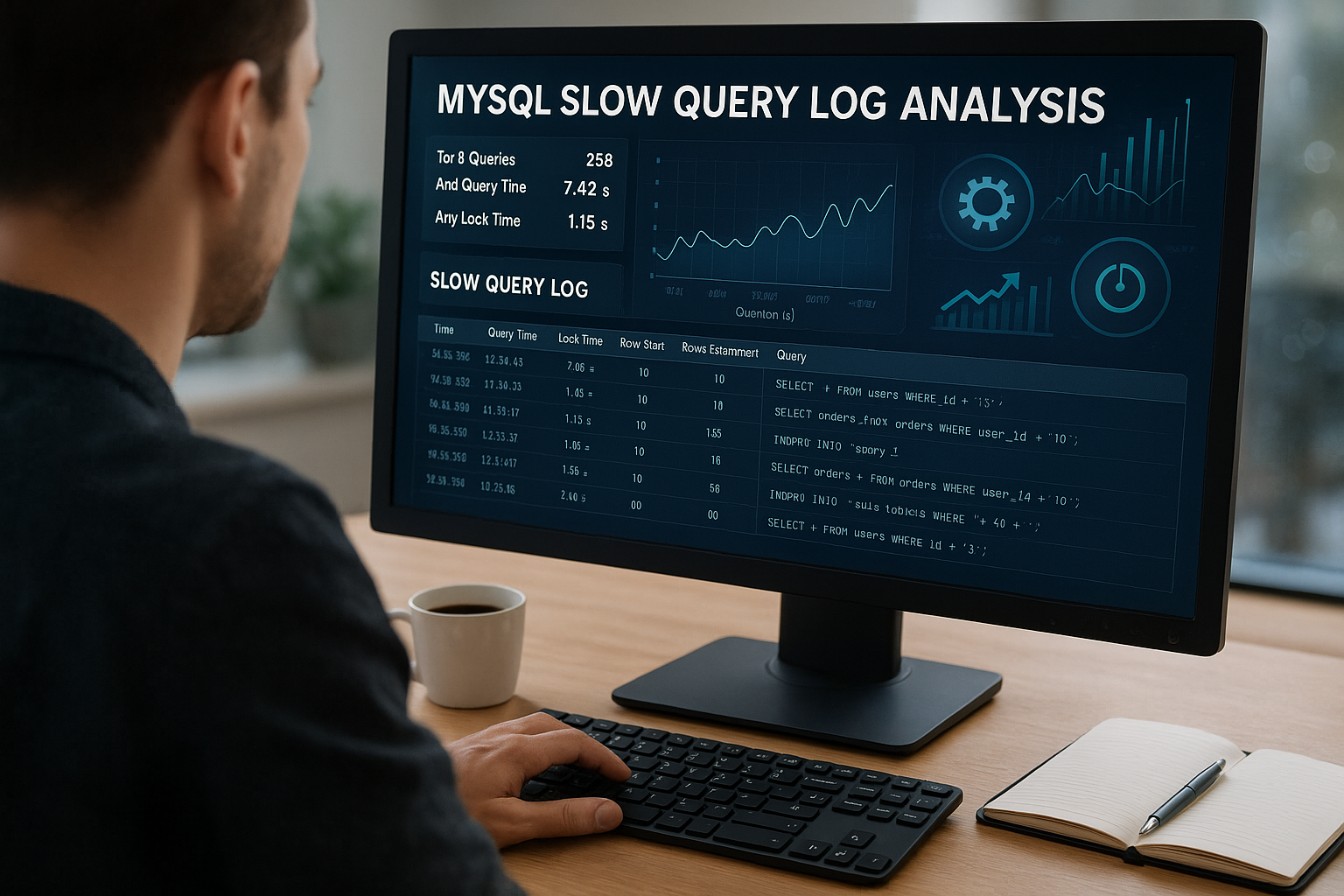
Raw data are noisy, so I summarize them with pt-query-digest and sort by total time over a meaningful period of time. This is how I recognize patterns, highly variable queries and query families that only vary by parameter. I check the distribution, not just the average, because outliers cause real user problems. For a quick overview, mysqldumpslow helps me to see the ten slowest groups. I get more depth using time windows, database filters and an export to a text analysis.
pt-query-digest /var/log/mysql/slow-query.log
pt-query-digest --since '24h' /var/log/mysql/slow-query.log
mysqldumpslow -s t -t 10 /var/log/mysql/slow-query.log
Useful is also a look at other logs when application or PHP functions come into play. To do this, I use existing log workflows and bundle the results. This guide often provides me with an introduction: Analyze logs. I synchronize the timestamps so that I can compare traffic peaks with query peaks. This allows me to see whether cache misses, cron jobs or import jobs are using the database at the same time.
Interpreting metrics correctly
Query_time shows me the pure runtime; I prioritize queries over one second first. Lock_time indicates waiting times due to locks, which often result from unnecessarily long transactions or large batches. The ratio Rows_examined to Rows_sent tells me whether queries are viewing too many rows and indices are missing. If the log contains many „No index use“ entries, I set throttling and take a closer look at the affected tables. It remains important to always tackle the cause rather than the symptom: An index on the right column beats any hardware upgrade.
| Metrics | What I see | Measure |
|---|---|---|
| Query_time high | Long running time per version | Check EXPLAIN, rewrite query, add index |
| Lock_time high | Waiting time for locks | Shorten transactions, reduce batch size, suitable isolation |
| Rows_examined ≫ Rows_sent | Scanned too much, returned too little | Index filter columns, create coffinability |
| No index used | Full Table Scan | Create index, avoid expression in WHERE |
Limit values I adjust it after the first week so that I don't get lost in the noise. I lower long_query_time in stages until I have enough hits for systematic improvements. I document each adjustment with the date and reason. This keeps the evaluation focused. Valuable hits save me duplicate work later on.
Practice: Query tuning step by step
EXPLAIN is my start before I change code. I look for „type: ALL“, „rows“ with large numbers and „Using filesort“ or „Using temporary“. Functions on columns in WHERE or JOIN often prevent index usage. Instead, I formulate sargable conditions and then check the new plan. Each step must perform the row reduction early and purposefully.
EXPLAIN SELECT * FROM orders WHERE YEAR(created_at) = 2026;

-- Better:
CREATE INDEX idx_orders_created ON orders(created_at);
SELECT * FROM orders
WHERE created_at >= '2026-01-01' AND created_at < '2027-01-01';
JOINs I optimize by checking the join order and matching indexes on join keys. I check whether a composite index covers WHERE + ORDER BY to avoid filesort. I set LIMIT where only a preview is necessary. I save result caching at application level for repeated, identical queries with a low change rate. You can find a more in-depth introduction to indexes and locks here: Indexes and locking.
Index strategies for CMS and stores
WordPress, WooCommerce or store systems create typical patterns: a lot of reading, selective writing, often with meta or product tables. I analyze the most common routes - home page, category, search, checkout - and place indexes specifically on filter, sort and join columns. Covering indices (e.g. (status, created_at, id)) save many table lookups. To search for prefixes, I use suitable index forms or full text instead of LIKE ‚%wort%‘. I measure each index change before and after the live run with the same load profiles.
Growth I use cardinality and histograms to check data sets so that I don't index on rare values. I keep the number of indices low in order to keep the write load and memory requirements under control. Consolidated composite indices replace several individual indices. I regulate autovacuum-like tasks in MySQL through regular analysis and rebuilds only when necessary. This keeps the optimizer reliable.

Server settings, caching and memory
InnoDB I determine the buffer pool size on the basis of active data records and index sizes, not according to blanket values. I increase it until the working set size is largely in memory and the page miss rate drops. I set tmp_table_size and max_heap_table_size so that fewer temporary tables end up on disk. For write security and latency, I balance innodb_flush_log_at_trx_commit appropriately for the application. At application level, I cache frequent results and use HTTP caching so that the database sees fewer requests.
Hardware and network effects are included in the diagnosis: Slow storage I/O or an overloaded CPU are immediately detected by queries. I therefore measure IO-wait in parallel with the database metrics. If you need more reserves, plan vertical or horizontal scaling with a measurable target. This guide provides you with a compact overview of bottlenecks, tuning and resources: Hardware and cache. This way I make sure that I'm not blindly turning the wrong knob.
Concurrency and locking in hosting
Lock_time grows when long transactions touch many lines or when cleanup jobs run at prime time. I shorten write operations, split large updates into smaller batches and thus reduce the holding time of locks. Suitable isolation levels reduce conflicts without jeopardizing data consistency. I relieve hotspots with secondary indices and suitable WHERE conditions so that fewer rows are affected. I schedule background jobs in low-traffic time windows so that user actions are given priority.
Deadlocks I examine them using recurring patterns: same tables, changing sequence, identical lines. I standardize the access sequence in code and stored procedures. Retry logic with jitter solves temporary collisions. Where possible, I isolate the most expensive operations in job queues. This noticeably reduces the variance and increases the perceived performance.

Automated alarms and workflows
Routine beats actionism: I evaluate the log daily or weekly, depending on traffic and release frequency. A small script counts new hits in the last few minutes and sends me an e-mail if the threshold value increases. I also generate regular pt-query-digest reports and always keep an eye on the top 10. I monitor release days more closely. This allows me to recognize regressions before users notice them.
#!/bin/bash
LOG_FILE="/var/log/mysql/slow-query.log"
THRESHOLD=100
RECENT_COUNT=$(awk -v cutoff="$(date -d '5 minutes ago' '+%Y-%m-%dT%H:%M')" '/^# Time:/ { if ($3 >= cutoff) count++ } END { print count+0 }' "$LOG_FILE")
if [ "$RECENT_COUNT" -gt "$THRESHOLD" ]; then
    echo "ALERT: $RECENT_COUNT slow queries" | mail -s "MySQL Alert" [email protected]
fi
Transparency I create clear responsibilities: Who reacts to peaks, who adjusts indices, who tests releases. I summarize results in short changelogs. This way, every team member understands why a change was made and what effect it had. A structured process saves time and prevents false alarms.
Error images and quick corrections
Full Table scans trigger a disproportionately high load. I first check whether a suitable index is missing in the filter column or whether an expression is blocking the index. I eliminate high lock_time by shortening transactions and equalizing competing operations. I defuse overflowing logs with log_throttle_queries_not_using_indexes and a realistic long_query_time. I immediately measure each correction against the original figures so that successes remain visible.
Storage-I recognize bottlenecks by increasing IO-wait and high disk latency during query peaks. I then reduce unnecessary write operations, for example by updating unchangeable fields less frequently. When tables grow, I plan archiving or partition strategies so that hot data remains in memory. For admin statements at peak times, I switch log_slow_admin_statements to identify silent cost drivers. Small, targeted fixes pay off more quickly here than large conversions.
Special features in managed and cloud environments
managed hosting or cloud services often limit file access. In such cases, I set log_output to TABLE and evaluate the slow log directly from the database. In MySQL 8.0, I also use SET PERSIST to permanently set settings without direct access to my.cnf. In cloud parameter groups (e.g. for managed services), I enter the same variables and schedule a maintenance window for the restart.
-- If allowed: Persistent settings without restart
SET PERSIST slow_query_log = ON;
SET PERSIST long_query_time = 0.5;
SET PERSIST log_output = 'TABLE'; -- Alternative to FILE for restricted file access

-- Evaluation with log_output=TABLE
SELECT start_time, user_host, query_time, lock_time, rows_sent, rows_examined, sql_text
FROM mysql.slow_log
ORDER BY query_time DESC
LIMIT 50;
Note: With heavy traffic, log_output=FILE can be more performant, as table logging generates additional overhead. In restrictive environments, however, TABLE is often the only way. I then set tighter limits (e.g. min_examined_row_limit) to keep the volume controllable.
Rotation, storage and data protection
Rotation prevents logs from filling up the disk. I rotate daily or by size, compress old files and maintain a clear retention policy (e.g. 14 days). After rotation, I trigger a log flush so that MySQL writes cleanly to the new file. This keeps analysis and operation stable.
# /etc/logrotate.d/mysql-slow
/var/log/mysql/slow-query.log {
  daily
  rotate 14
  size 100M
  compress
  missingok
  notifempty
  create 640 mysql adm
  postrotate
    test -x /usr/bin/mysqladmin || exit 0
    /usr/bin/mysqladmin flush-logs
  endscript
}
Data protection is mandatory: slow logs can contain parameter values. I strictly limit access (file permissions, groups) and check whether sensitive data is being logged. If necessary, I work with parameter binding in the application so that no personal plain text appears in the log. For team sharing, I prefer to share aggregated reports rather than raw logs.

Use performance schema and sys schema
Performance scheme provides metrics even without an activated slow log. I activate the relevant consumers for statements and then evaluate the sys views. Advantage: I see top digests and latency distribution almost in real time, grouped across similar queries.
-- Activate consumer for statement history (as far as possible at runtime)
UPDATE performance_schema.setup_consumers
SET ENABLED = 'YES'
WHERE NAME IN ('events_statements_history', 'events_statements_history_long');

-- Quick overview of expensive query groups
SELECT schema_name, digest_text, count_star,
       ROUND(sum_timer_wait/1e12, 3) AS total_s,
       ROUND(avg_timer_wait/1e9, 3) AS avg_ms,
       ROUND(max_timer_wait/1e9, 3) AS pmax_ms
FROM sys.statement_analysis
ORDER BY sum_timer_wait DESC
LIMIT 10;
Combination from Slow Log (slow outliers) and Performance Schema (width, frequency) shows me both individual cases and systematic cost drivers. I compare both views with traffic patterns to create prioritized to-dos.
EXPLAIN ANALYZE and Optimizer Trace
EXPLAIN ANALYZE (as of MySQL 8.0.18) supplements estimates with measured times. I compare row estimates with actual values and uncover optimizer miscalculations. In the case of contradictory plans, I analyze the optimizer trace to see why an index was not selected.
-- Plan with measured values
EXPLAIN ANALYZE
SELECT o.id, o.created_at
FROM orders o
JOIN customers c ON c.id = o.customer_id
WHERE c.country = 'DE' AND o.status = 'paid'
ORDER BY o.created_at DESC
LIMIT 50;

-- Trace optimizer decisions
SET optimizer_trace="enabled=on";
SELECT ...; -- query to be analyzed
SELECT TRACE FROM information_schema.OPTIMIZER_TRACE\G
SET optimizer_trace="enabled=off";
ResultIf estimates are way off, I update statistics (ANALYZE TABLE), add histograms or reshape indices/queries so that selectivity takes effect early.
Rewrite patterns that almost always work
OR to UNION ALLMultiple OR conditions on different columns often prevent index usage. I separate them into two selective queries and merge the results if duplicates can be excluded.
-- Before:
SELECT * FROM t WHERE a = ? OR b = ?;

-- Better:
(SELECT * FROM t WHERE a = ?)
UNION ALL
(SELECT * FROM t WHERE b = ? AND a  ?);
PaginationOFFSET/LIMIT becomes expensive with increasing OFFSET. I switch to keyset pagination and use a suitable sorting key (ideally indexed and monotonic).
-- Expensive:
SELECT id, title FROM posts ORDER BY created_at DESC LIMIT 50 OFFSET 5000;

-- Better (keyset):
SELECT id, title
FROM posts
WHERE created_at < :cursor
ORDER BY created_at DESC
LIMIT 50;
Composite indices: Order counts. I sort columns in the index by selectivity and query pattern (WHERE filter first, then sort columns). The goal is a covering index that avoids filesort and table lookups.
Functional and generated indexes in MySQL 8
Expressions in WHERE/JOIN often block indexes. In MySQL 8.0, I specifically index expressions or work with generated columns to create sargability. This is particularly useful for CASTs for numeric meta values or JSON fields.
-- Example: numerical sorting on text field
ALTER TABLE product ADD COLUMN price_num DECIMAL(10,2)
  GENERATED ALWAYS AS (CAST(price AS DECIMAL(10,2))) STORED;
CREATE INDEX idx_product_price_num ON product(price_num);

-- Query without CAST and with index
SELECT * FROM product
WHERE price_num BETWEEN 10 AND 50
ORDER BY price_num;
PracticeI test whether the new index really works (EXPLAIN) and measure the effect in the slow log. Generated columns also help to filter prefixes or normalized variants (LOWER(email)) efficiently.
Tackle CMS/shop patterns in an even more targeted way
Meta tables (e.g. wp_postmeta) benefit from combined indices on (post_id, meta_key) or (meta_key, meta_value). For frequent filters on meta_value_numeric I use generated columns as above instead of CASTing in every query. I speed up search pages by discarding redundancies (denormalization light) and making read access index-friendly.
-- Typical for WordPress: quick access to meta data of a post
CREATE INDEX idx_postmeta_postid_metakey ON wp_postmeta(post_id, meta_key);
CREATE INDEX idx_postmeta_metakey_metavalue ON wp_postmeta(meta_key, meta_value(100));
Checkout-I optimize the paths for minimal blocking times: short transactions, only the necessary rows, and indexes exactly to the WHERE conditions used. For reports, I plan asynchronous aggregation (intermediate tables) so that user flows are not slowed down.
Limits of the slow log and supplementary metrics
Many small, fast queries are not noticeable in the slow log, but add up to the load. I therefore also track throughput (queries/sec), 95th/99th percentiles and the proportion of queries without an index. In Performance Schema or APM tools, I recognize N+1 patterns, which I then resolve specifically through joins, batch loads or caching.
Sampling is useful when logs become too large. I increase long_query_time slightly or set min_examined_row_limit to only include relevant queries. Important: Always note changes so that time series remain comparable.
Working method: From findings to sustainable improvement
Baseline First: I save a before report (time window, traffic, configuration). Then I optimize one query family after the other and compare identical time windows. Each fix is documented in the repository (What? Why? Measured value before/after?). In this way, successes remain traceable and regression-proof.
# Rough procedure (example)
1) pt-query-digest --since '7d' slow-query.log > baseline.txt
2) Select top 3 query digests (by total time)
3) EXPLAIN/EXPLAIN ANALYZE, work out index and rewrite proposals
4) Generate test data, simulate load profile
5) Rollout with monitoring (tighter limits for 48h)
6) Comparison report: pt-query-digest --since '48h' > after.txt
7) Document result, plan next tranche
Plan stability over time: If plans change (new versions, changed statistics), I check histograms, ANALYZE TABLE and the index landscape. I only set hints selectively and in a documented manner so as not to tie up the optimizer permanently.
Summary in clear steps
Start means: activate the log, set sensible limits, collect the first week of data. Then I summarize with pt-query-digest, prioritize according to total time and variance and select the top drivers. I optimize queries with EXPLAIN, sargable conditions and suitable indices and control locking with shorter transactions. On the server side, I set buffers, temporary tables and flush strategies appropriately. Finally, I automate alarms and repeat the cycle regularly - this keeps the database fast, even when traffic and data volumes grow.


