Skip to content
In this article you will learn how to set up and use n8n on a Linux server with just a few commands. I have used an Almalinux 9 server as the platform in this example. PostgreSQL is very suitable as a database server. For small test environments, however, the database server can also be omitted. Traefik is a very good reverse proxy server for docker environments that can also use LetsEncrypt for certified TLS connections.
The most important facts at a glance
- Data is secure when installed on your own server. Important login data can thus remain under your control.
- The installation of n8n on AlmaLinux 9 requires basic components such as Docker, Traefik and PostgreSQL to ensure a secure.
- The installation of a complete environment only takes a few minutes and can be scaled at any time.
What is n8n?
n8n is an open-source iPaaS platform for cloud automation that was founded in Berlin in 2019. The platform enables:
- the integration of workflows through automated processes and templates
- the increase in productivity
- the improvement of team coordination
- More transparency
A key feature of n8n is its flexibility. With support for JavaScript and Python, teams can create clear action plans and significantly increase their efficiency.
This is further supported by the publication under the Fair Code license, which guarantees fair and open use of the source code.
Installation of n8n on AlmaLinux 9
The installation of n8n on AlmaLinux 9 is simple and scalable thanks to Docker, whether locally or in the cloud. For a secure and efficient installation, we need Traefik, PostgreSQL and Docker. These components enable smooth management and configuration of the n8n environment.
In the following, we will go through the individual steps for installing n8n on an AlmaLinux 9 VPS. This guide provides a secure and scalable solution for deploying n8n.
Prerequisites
To make n8n accessible via the Internet, you need:
- A public IPv4 address.
- A fresh AlmaLinux 9 VPS, minimally installed, to run the application.
- Root access (SSH) to securely manage and configure n8n.
These requirements are crucial to ensure a stable and secure environment for n8n. They provide the necessary foundations to ensure smooth installation and operation.
First steps: Updating the system
dnf update -y
dnf install -y curl wget gnupg2 ca-certificates vim firewalld git nano

customize #firewall, enable port 80/443
systemctl enable --now firewalld
firewall-cmd --permanent --add-service=http
firewall-cmd --permanent --add-service=https
firewall-cmd --reload
Install Docker and Docker Compose
To install Docker and Docker Compose, carry out the following steps:
- Install Docker and Docker Compose with the command: dnf install -y docker-ce docker-ce-cli containerd.io docker-compose-plugin
- Update the packages with: dnf update -y
- Activate the Docker service and start it immediately with: systemctl enable -now docker
dnf install -y docker-ce docker-ce-cli containerd.io docker-compose-plugin
systemctl enable --now docker
Docker makes it possible to isolate applications in containers, which simplifies the installation and management of n8n. This facilitates scaling and ensures efficient use of resources.
Set up project structure
mkdir -p /opt/n8n-traefik

cd /opt/n8n-traefik

mkdir n8n postgres traefik n8n_data

chown -R 1000:1000 /opt/n8n-traefik/n8n_data

chmod 600 ./n8n_data/config

chown 1000:1000 ./n8n_data/config
📁 Directory structure/opt/n8n-traefik/
├── docker-compose.yml ← Central orchestration
├── traefik/
│ └── letsencrypt/acme.json ← SSL certificate store
├── n8n/ ← persistent n8n data (workflows etc.)
├── postgres/ ← PostgreSQL data
└── backup.sql ← optional: Dump file for backup
Set up Traefik
To set up Traefik, proceed as follows:
mkdir -p traefik/letsencrypt
touch traefik/letsencrypt/acme.json
chmod 600 traefik/letsencrypt/acme.json
- Add HTTP and HTTPS services to the firewall to enable access.
- Create the necessary directories for Traefik with the command: mkdir -p traefik/letsencrypt.
An SSL configuration is required to ensure secure HTTPS connections. DNS A records must point to the server in order to configure the domain correctly.
Prepare DNS
If you want to operate n8n on the Internet, you can add a DNS entry to the installation. In this example, this is n8n.webhoster.de and webhook.n8n.webhoster.de.
Create environment variable .env
Variables can be saved in the .env file so that we do not always have to change everything in the source code. For this purpose, plain text is sufficient. Make sure that only you have access to the server. The N8N_HOSTNAME is then the domain via which n8n should be accessible.
N8N_BASIC_AUTH_USER=n8nuser
N8N_BASIC_AUTH_PASSWORD=securePassword
DB_POSTGRESDB_USER=n8nDBuser
DB_POSTGRESDB_PASSWORD=securePassword
DB_POSTGRES_DB=n8n
N8N_HOSTNAME=n8n.webhoster.de
N8N_WEBHOOK=webhook.n8n.webhoster.de
WEBHOOK_URL=https://${N8N_WEBHOOK}
WEBHOOK_TUNNEL_URL=https://${N8N_WEBHOOK}
Create docker-compose.yml
services:
  traefik:
    image: traefik:latest
    container_name: traefik
    restart: always
    command:
      - "--api.insecure=false"
      - "--api.dashboard=true"
      - "--providers.docker=true"
      - "--providers.docker.exposedbydefault=false"
      - "--entrypoints.web.address=:80"
      - "--entrypoints.websecure.address=:443"
      - "--certificatesresolvers.myresolver.acme.tlschallenge=true"
      - "--certificatesresolvers.myresolver.acme.email=deine@emailadresse.xx"
      - "--certificatesresolvers.myresolver.acme.storage=/letsencrypt/acme.json"
    ports:
      - "80:80"
      - "443:443"
    volumes:
      - ./traefik/letsencrypt:/letsencrypt
      - /var/run/docker.sock:/var/run/docker.sock:ro
    networks:
      - web

  n8n:
    image: n8nio/n8n
    container_name: n8n
    restart: always
    environment:
      - N8N_HOST=${N8N_HOSTNAME}
      - N8N_PORT=5678
      - N8N_PROTOCOL=https
      - N8N_BASE_URL=https://${N8N_HOSTNAME}
      - N8N_BASIC_AUTH_ACTIVE=true
      - N8N_BASIC_AUTH_USER=${N8N_BASIC_AUTH_USER}
      - N8N_BASIC_AUTH_PASSWORD=${N8N_BASIC_AUTH_PASSWORD}
      - DB_TYPE=postgresdb
      - DB_POSTGRESDB_HOST=postgres
      - DB_POSTGRESDB_PORT=5432
      - DB_POSTGRESDB_DATABASE=${DB_POSTGRES_DB}
      - DB_POSTGRESDB_USER=${DB_POSTGRESDB_USER}
      - DB_POSTGRESDB_PASSWORD=${DB_POSTGRESDB_PASSWORD}
      - N8N_RUNNERS_ENABLED=true
    volumes:
      - ./n8n_data:/home/node/.n8n
    labels:
      - "traefik.enable=true"

      # Editor UI
      - "traefik.http.routers.n8n.rule=Host("${N8N_HOSTNAME}")"
      - "traefik.http.routers.n8n.entrypoints=websecure"
      - "traefik.http.routers.n8n.tls.certresolver=myresolver"
      - "traefik.http.routers.n8n.service=n8n-ui"
      - "traefik.http.services.n8n-ui.loadbalancer.server.port=5678"

      # Webhook endpoint
      - "traefik.http.routers.n8n-webhook.rule=Host("${N8N_WEBHOOK}")"
      - "traefik.http.routers.n8n-webhook.entrypoints=websecure"
      - "traefik.http.routers.n8n-webhook.tls.certresolver=myresolver"
      - "traefik.http.routers.n8n-webhook.service=n8n-webhook"
      - "traefik.http.services.n8n-webhook.loadbalancer.server.port=5678"

    depends_on:
      - postgres
    networks:
      - web

  postgres:
    image: postgres:15
    container_name: postgres
    restart: always
    environment:
      - POSTGRES_USER=${DB_POSTGRESDB_USER}
      - POSTGRES_PASSWORD=${DB_POSTGRESDB_PASSWORD}
      - POSTGRES_DB=${DB_POSTGRES_DB}
    volumes:
      - ./postgres:/var/lib/postgresql/data
    networks:
      - web

networks:
  web:
    driver: bridge
Start services
cd /opt/n8n-traefik
docker compose up -d
First steps with n8n
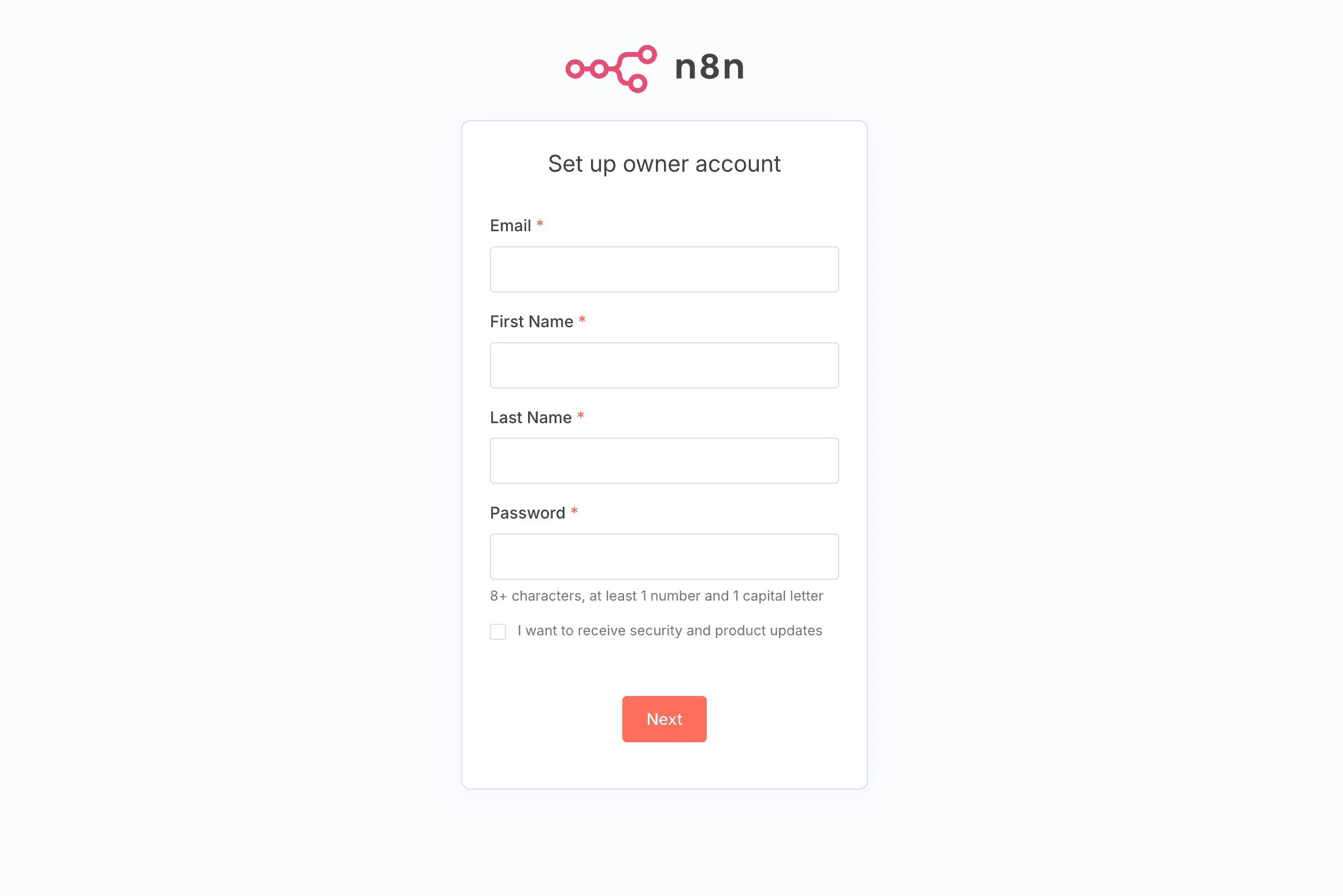
After installation, confirm that n8n is running with HTTPS and Traefik by entering the following as in this example https://n8n.webhoster.de open. Log in via Basic Auth to secure access to n8n.
Docker enables the packaging and deployment of applications in isolated containers, which greatly simplifies installation and management. This is the first step in fully utilizing the power of n8n.
User interface
The n8n user interface is designed to allow easy navigation through the various workflow components and the file. With a user-friendly drag-and-drop interface, users can easily create and customize workflows without the need for extensive programming knowledge.
n8n supports the integration of various applications, which offers a high degree of flexibility when creating workflows. This makes it a powerful tool for automating a wide range of processes.
Create a simple workflow
A workflow is a structured sequence of tasks or processes to achieve a specific goal. An effective workflow comprises the planning, execution and review phases and should define clear responsibilities and process steps in the work process. Workflow management is an important aspect of business processes and can be optimized by workflow management systems.
The n8n documentation provides step-by-step instructions to help new users create their first workflows quickly. Digital workflows make it easier to automate and save time on simple tasks for employees.
Extended functions of n8n
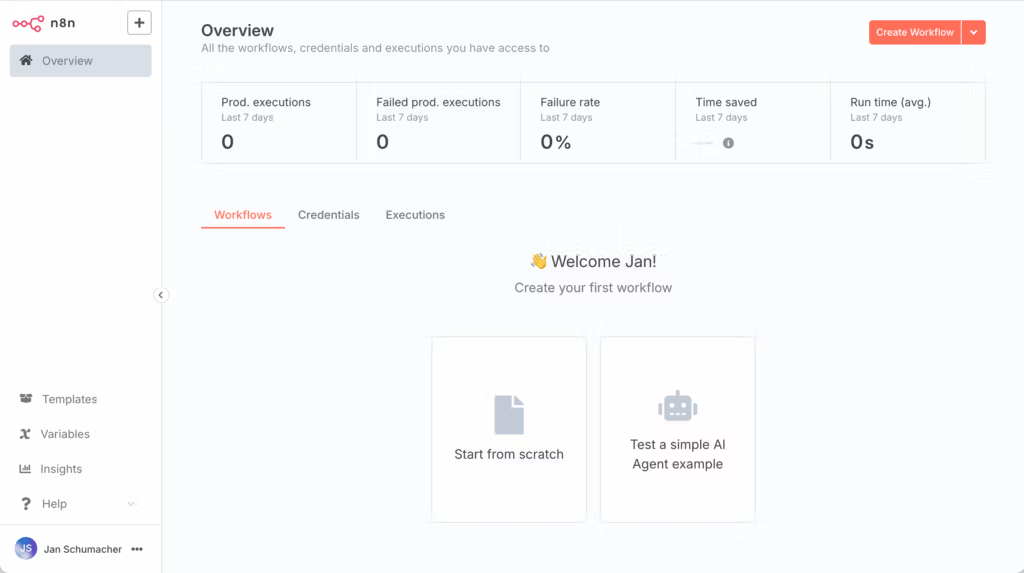
The platform supports a variety of applications through over 400 integrations and a node-based architecture. With n8n, companies can optimize their marketing processes through intelligent automation and seamless integration of different platforms.
n8n enables the automation of complex processes in various industries by integrating different tools and APIs. The use of AI tools within n8n enables a personalized approach to customers and increases conversion rates.
Multi Triggering
The Multi Triggering function in n8n allows multiple triggers to be combined in a single workflow to create different automation scenarios. This feature improves flexibility by allowing a workflow to be activated by several different triggers at the same time.
The ability to combine multiple triggers increases efficiency when automating complex processes and saves time when creating workflows.
JSON exports
The JSON export in n8n makes it easy to transfer workflow data between different systems and applications. Exporting workflows as JSON enables comprehensive data integration and facilitates the exchange of automations.
This function facilitates integration into other systems and the exchange of workflows between different instances.
Comparison of n8n with other tools

n8n enables tech-savvy users to develop and host customized automation solutions. Compared to Zapier, n8n is more cost-effective and offers a comprehensive open source solution.
The n8n community is active and supports users with regular suggestions for improvement and resources, which shows its increasing relevance.
n8n vs. Zapier
n8n allows for a high level of customization through the integration of custom code snippets, while Zapier relies on a user-friendly interface and many pre-built integrations. Compared to Zapier, n8n offers a self-hosting option that allows users to fully control their data and avoid potential license fees.
Zapier is particularly suitable for marketing teams without technical knowledge and enables quick integrations with over 6,000 available SaaS products. The entry barrier for Zapier is low, while n8n requires a higher level of technical expertise, especially basic knowledge of JavaScript.
n8n vs. Microsoft Power Automate
n8n enables more complex automations with detailed error handling, while Microsoft Power Automate is optimized for simple workflows without user interaction. n8n offers more comprehensive error handling for complex workflows, which is less pronounced in Microsoft Power Automate.
These differences make n8n the better choice for companies that require complex automation solutions.
Application examples for n8n workflows
n8n enables the automation of workflows for companies of all sizes by integrating various applications. With over 1,000 different services, n8n supports the versatile automation of complex workflows.
With n8n, complex workflows can be automated by connecting multiple apps, which significantly increases efficiency.
Customer feedback management
An n8n customer feedback workflow can send automated notifications to the team as soon as new feedback is received. Customer feedback can be analyzed and categorized in real time through a workflow to improve response time.
By exporting as JSON, users can use their workflows as templates and reproduce them quickly.
Marketing campaigns
An example workflow for marketing campaigns with n8n could include the automated sending of emails to potential customers based on their interactions. This automation saves time and provides targeted and personalized examples of customer outreach.
By integrating different platforms and using AI tools, n8n can significantly increase the efficiency and effectiveness of marketing campaigns through artificial intelligence and intelligence.
Advantages and strengths of n8n
n8n offers self-hosting options that give companies maximum control over their data and processes. This allows unlimited use when hosted on your own server, unlike Zapier which has a limited free version.
The use of n8n makes it possible to create integrations without programming knowledge, which makes it easier for users to get started and increases efficiency in companies.
Flexibility
n8n allows for unlimited automations when self-hosted, while other tools, such as Zapier, can quickly become more expensive. The customization options of n8n are diverse, allowing companies to meet specific requirements.
n8n's customization options allow workflows to be easily adapted and elements to be copied and modified to meet specific needs. This allows companies to optimally automate their individual processes and thus increase their efficiency by using different options and making a selection.
Community support
The n8n community plays a key role in supporting and developing the platform. The community offers numerous resources, including forums, tutorials and regular contributions that help users to better understand the software and exploit its potential.
n8n provides comprehensive support offerings tailored to user needs, including personalized assistance and technical support. The support from the community and the resources provided are crucial to the success and efficiency of using n8n.
Summary
To summarize, n8n is an extremely flexible and powerful platform for automating business processes. From the simple installation on AlmaLinux 9 to the intuitive user interface and advanced features such as multi-triggering and JSON export, n8n offers all the tools companies need to make their workflows more efficient.
The benefits of n8n, such as the ability to self-host, the active community and the extensive customizability, make it an ideal choice for companies of all sizes. Explore the possibilities of n8n and discover how you can optimize your processes and increase your productivity.
What is n8n and how can it help my company?
n8n is a powerful open source workflow automation platform that can help your organization integrate processes to significantly improve productivity and team coordination. This automation makes it possible to use resources more efficiently and minimize errors.
How do I install n8n on AlmaLinux 9?
To install n8n on AlmaLinux 9, first install Docker and Docker Compose, set up Traefik and make sure you have a public IPv4 address and root access.
What are the advantages of the n8n multi-triggering function?
The multi-triggering function of n8n offers the advantage of combining several triggers in one workflow, which increases efficiency and enables flexible automation scenarios. Different processes can be started simultaneously, which leads to an optimization of the workflow design.
How does n8n differ from Zapier?
n8n differs from Zapier in its greater customizability, self-hosting capability and clearer cost transparency. It is ideal for tech-savvy users and companies that have data protection priorities.
What kind of support does the n8n community offer?
The n8n community offers comprehensive support through forums, tutorials and personal help, allowing users to actively contribute to the further development of the platform. These resources promote exchange and facilitate the use of the n8n software.
Who offers n8n hosting?
You can obtain fully installed n8n machines from webhoster.de AG as a managed server or as a root server. The advantage of a self-hosted n8n environment is data protection. You do not need to store your access data and API keys with an online service that may have a security leak at some point. The cost of a small virtual server with n8n is about the same as a subscription to n8n. Many extensions are not compatible with the n8n cloud. You always need your own server for this.