 Skip to content
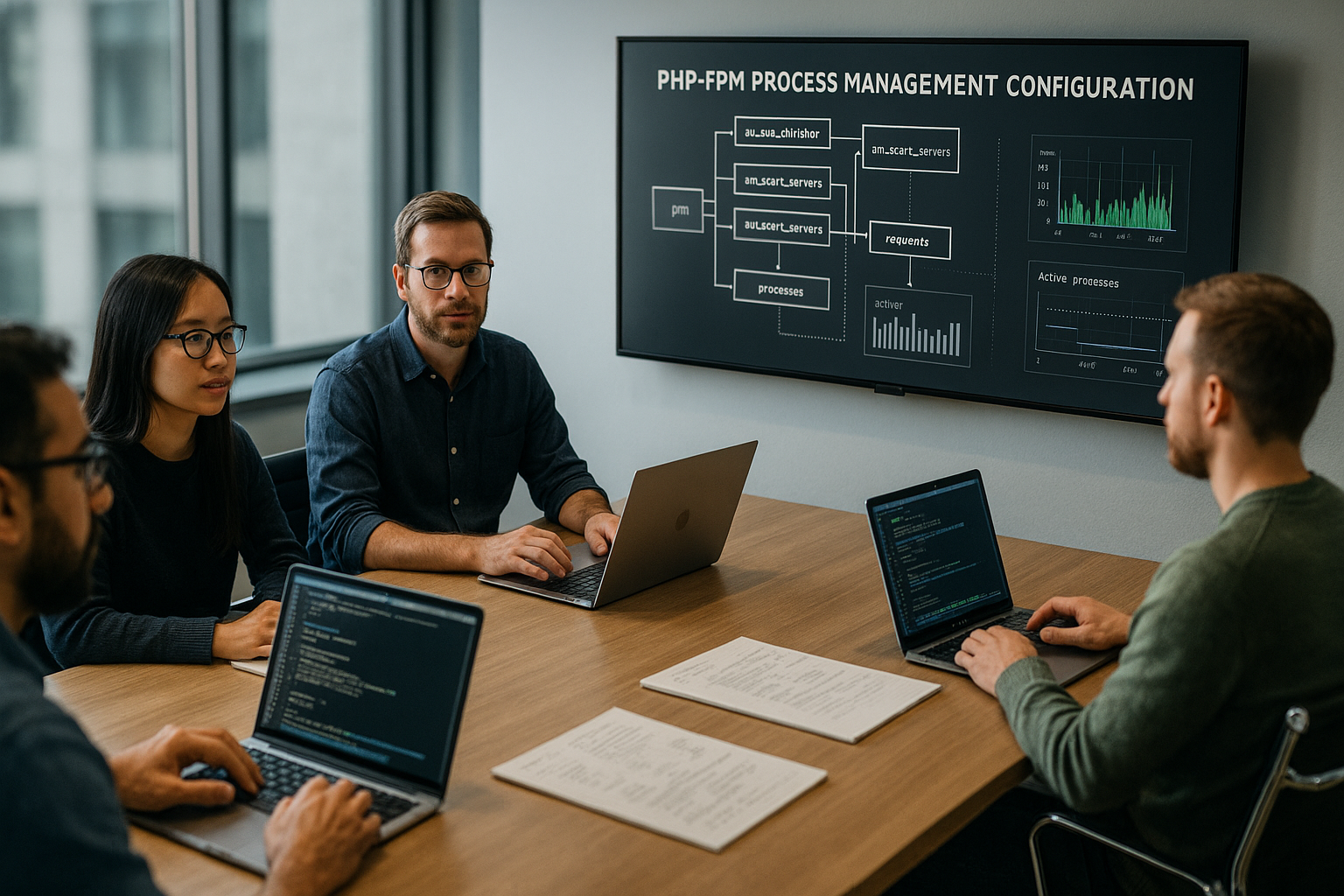
PHP-FPM tuning decides how many PHP-FPM processes can run simultaneously, how quickly new processes start, and how long they serve requests. I'll show you how to pm.max_children, pm, pm.start_servers, pm.min_spare_servers, pm.max_spare_servers, and pm.max_requests so that your application responds quickly under load and the server does not start swapping.
Key points
- pm mode: Choose static, dynamic, or on-demand correctly so that processes are available to suit your traffic.
- pm.max_children: Align the number of simultaneous PHP processes with RAM and actual process consumption.
- Start/spare values: Balance pm.start_servers, pm.min_spare_servers, and pm.max_spare_servers appropriately.
- recycling: Use pm.max_requests to mitigate memory leaks without creating unnecessary overhead.
- MonitoringKeep an eye on logs, status, and RAM, then make adjustments step by step.
Why process management matters
I contribute PHP-FPM the execution of each PHP script as a separate process, and each parallel request requires its own worker. Without appropriate limits, requests block in queues, which leads to Timeouts and errors. If I set the upper limits too high, the process pool eats up the working memory and the kernel starts to swap. This balance is not a guessing game: I use real measurements as a guide and maintain a safety margin. This keeps latency low and throughput stable, even when the load jumps.
It is important to me to have a clear target valueHow many simultaneous PHP executions do I want to allow without exhausting RAM? At the same time, I check whether bottlenecks are more likely to occur in the Database, external APIs, or the web server. Only when I know the bottleneck can I select the right values for pm, pm.max_children, and so on. I start conservatively, measure, and then increase gradually. This way, I avoid hard restarts and unexpected failures.

The three pm modes: static, dynamic, ondemand
The mode static always keeps exactly pm.max_children processes ready. This provides very predictable latencies because no startup process is necessary. I use static when the load is very even and enough RAM is available. However, when demand fluctuates, I easily waste resources in static. Memory. That's why I use static specifically where I need constant execution.
With dynamic I start a starting quantity and let the pool size fluctuate between min_spare and max_spare. This mode is suitable for traffic with waves because workers are created and terminated as needed. I always keep enough idle processes available to handle peaks without any waiting time. However, too many idle workers tie up resources unnecessarily. RAM, which is why I keep the spare margin tight. This keeps the pool flexible without it swelling up.
In mode ondemand Initially, there are no workers; PHP-FPM only starts them when requests are made. This saves memory during idle periods, but the first hit incurs some latency. I choose ondemand for rarely accessed pools, admin tools, or cron endpoints. For heavily trafficked websites, ondemand usually delivers poorer response times. In such cases, I clearly prefer dynamic with cleanly set spare values.
Dimension pm.max_children correctly
I calculate pm.max_children from the available RAM for PHP and the average memory per worker. To do this, I first reserve memory for the system, web server, database, and caches so that the system does not run out of memory. Outsourcing I divide the remaining RAM by the actual measured process consumption. From the theory, I subtract a 20–30 % safety margin to compensate for outliers and load peaks. I use the result as a starting value and then observe the effect.
I determine the average process consumption using tools such as P.S., top, or htop and look at RSS/RES. Important: I measure under typical load, not when idle. When I load many plugins, frameworks, or large libraries, the consumption per worker climbs noticeably. In addition, the CPU limits the curve: more processes do not help if a Single threadCPU performance limited per request. If you want to delve deeper into CPU characteristics, you can find background information on single-thread performance.
I keep my assumptions transparent: How much RAM is actually available to PHP? How large is a worker for typical requests? What peaks occur? If the answers are correct, I set pm.max_children, perform a soft reload, and check RAM, response times, and error rates. Only then do I continue to increase or decrease in small steps.
Guidelines based on server size
The following table gives me starting values It does not replace measurement, but it provides solid guidance for initial settings. I adjust the values for each application and check them with monitoring. If reserves remain unused, I increase them cautiously. If the server reaches the RAM limit, I reduce the values.
| server RAM | RAM for PHP | Ø MB/worker | pm.max_children (Start) | Use |
|---|---|---|---|---|
| 1–2 GB | ~1 GB | 50–60 | 15–20 | Small sites, blogs |
| 4–8 GB | ~4–6 GB | 60–80 | 30–80 | Business, small shops |
| 16+ GB | ~10–12 GB | 70–90 | 100–160 | High load, API, shops |
I read the table from right to left: Does the Use For the project, I check whether RAM is realistically reserved for PHP. Then I select a worker size that suits the code base and extensions. After that, I set pm.max_children and observe the effect in live operation. The hit rate and stability increase when I document these steps clearly.

Set start, spare, and request values
With pm.start_servers I determine how many processes are immediately available. Too low causes cold starts under load, too high unnecessarily ties up RAM. I often aim for 15–30 % from pm.max_children and round down if the load starts off rather calm. During traffic peaks, I choose a slightly higher starting amount so that requests don't roll in before enough workers are waiting. This fine-tuning significantly reduces the initial response time.
The values pm.min_spare_servers and pm.max_spare_servers define the idle range. I keep enough free workers available so that new requests can be accessed immediately, but not so many that the idle processes waste memory. For shops, I like to set a narrower window to smooth out peaks. With pm.max_requests I recycle processes after a few hundred requests to limit memory drift. For unremarkable applications, I choose 500–800, but if I suspect leaks, I deliberately go lower.
Monitoring and troubleshooting
I check regularly Logs, status pages, and RAM. Warnings about reaching pm.max_children limits are a clear signal for me to raise the upper limit or optimize code/DB. If 502/504 errors accumulate, I look at the web server logs and queues. Significant fluctuations in latency indicate too few processes, blocking I/O, or excessive process costs. I first look at hard facts and then respond with small steps, never with XXL leaps.
I can identify bottlenecks more quickly when I Waiting times I measure along the entire chain: web server, PHP-FPM, database, external services. If the backend time only increases for certain routes, I isolate the causes using profiling. If waiting times occur everywhere, I start with the server and pool size. It is also helpful to look at worker queues and processes in D status. Only when I understand the situation do I change limits – and document every change clearly.

Web server and PHP-FPM working together
I make sure that Web server-Limits and PHP-FPM work together. Too many simultaneous connections on the web server with too few workers cause queues and timeouts. If the workers are set high but the web server limits acceptance, performance suffers. Parameters such as worker_connections, event-loop, and Keep-Alive have a direct effect on the PHP load. Practical tips on fine-tuning are provided in the notes on Thread pools in the web server.
I'll keep it. Keep-Alive-time window in mind so that idle connections don't unnecessarily block workers. For static assets, I set aggressive caching before PHP to keep the workload away from the pool. Reverse proxy caches also help when identical responses are frequently retrieved. This allows me to keep pm.max_children lower and still deliver faster. Less work per request is often the most effective adjustment.
Fine-tuning in php-fpm.conf
I go beyond the basic values and adjust the Pool parameters fine. With pm.max_spawn_rate I limit how quickly new workers can be created so that the server does not start processes too aggressively during peak loads and slip into CPU thrashing. For ondemand, I set pm.process_idle_timeout It is clear how quickly unused workers disappear—too short a time creates start-up overhead, too long ties up RAM. When listen-Socket, I choose between Unix socket and TCP. A Unix socket saves overhead and offers clean rights assignment via listen.owner, listen.group and listen.mode. For both variants, I set listen.backlog high enough so that incoming bursts end up in the kernel buffer instead of being rejected immediately. With rlimit_files If necessary, I increase the number of open files per worker, which provides stability when there are many simultaneous uploads and downloads. And if priorities are needed, I use process priority, to treat less critical pools as somewhat subordinate on the CPU side.
Slowlog and protection against hang-ups
To make slow requests visible, I activate the Slowlog. With request_slowlog_timeout I define the threshold (e.g., 2–3 seconds) at which a stack trace is sent to the slowlog is written. This allows me to find blocking I/O, expensive loops, or unexpected locks. To combat real hang-ups, I use request_terminate_timeout, that terminates abruptly if a request runs too long. I consider these time windows to be consistent with max_execution_time from PHP and the web server timeouts so that one layer does not drop out earlier than the other. In practice, I start conservatively, analyze slow logs under load, and gradually adjust the thresholds until the signals are meaningful without flooding the log.
Opcache, memory_limit, and their impact on worker size
I purchase the Opcache into my RAM planning. Its shared memory area is not counted per worker, but is shared by all processes. Size and fragmentation (opcache.memory_consumption, interned_strings_buffer) significantly influence the warm-up time and hit rate. A well-dimensioned Opcache reduces CPU and RAM pressure per request because less code needs to be recompiled. At the same time, I note that memory_limitA high value protects against out-of-memory in individual cases, but increases the theoretical worst-case budget per worker. I therefore plan with the measured average plus buffer, not with the bare memory_limit. Features such as preloading or JIT increase memory requirements – I test them specifically and factor the additional consumption into the pm.max_children calculation.
Separate and prioritize pools
I divide applications into multiple pools when load profiles differ greatly. One pool for front-end traffic, one for admin/back-end, and a third for cron/uploads: this is how I isolate peaks and assign differentiated limits. For rarely visited endpoints, I set ondemand with a short idle timeout for the front end dynamic with a narrow margin. About user/group and, if applicable,. chroot I ensure clean isolation, while socket rights regulate which web server process is allowed to access. Where priorities are required, the front end receives more pm.max_children and, if necessary, a neutral process priority, while Cron/Reports run on a smaller budget and with lower priority. This keeps the user interface responsive, even when heavy jobs are running in the background.
Use status endpoints cleanly
For runtime diagnostics, I activate pm.status_path and optional ping path per pool. In the status, I see active/idle workers that List queue, throughput-related counters, and slow request metrics. A constantly growing list queue or consistently 0 idle workers are warning signs for me. I protect these endpoints behind authentication and an internal network so that no operational details are leaked to the outside world. In addition, I activate catch_workers_output, if I want to collect stdout/stderr from the workers at short notice – for example, in the case of errors that are difficult to reproduce. I combine these signals with system metrics (RAM, CPU, I/O) to decide whether to increase pm.max_children, adjust spare values, or make changes to the application.
Special features in containers and VMs
At dumpster diving and small VMs, I pay attention to cgroup limits and the danger of the OOM killer. I set pm.max_children strictly according to the Container memory limit and test load peaks to ensure that no worker is shut down. Without swap in containers, the safety margin is particularly important. For CPU quotas, I scale the number of workers to the available vCPU count: if the application is CPU-bound, more parallelism tends to result in queues rather than throughput. IO-bound workloads can handle more processes as long as the RAM budget holds out. In addition, I set emergency_restart_threshold and emergency_restart_interval for the master process to catch a crash spiral if a rare bug takes down several children in a short period of time. This keeps the service available while I analyze the cause.
Smooth deployments and reloads without downtime
I am planning Reloads so that ongoing requests are completed cleanly. A graceful reload (e.g., via systemd reload) applies new configurations without abruptly terminating open connections. I keep the socket path stable so that the web server does not experience any connection interruptions. For version changes that invalidate a lot of Opcache, I preload the cache (preloading/warmup requests) to limit latency spikes immediately after deployment. I test major changes first on a smaller pool or in a canary instance with an identical configuration before rolling out the values across the board. Every adjustment ends up in my change log with a timestamp and metric screenshots – this shortens troubleshooting if there are unexpected side effects.
Burst behavior and queues
I handle peak loads with a coordinated Queue design I set listen.backlog so high that the kernel can buffer more connection attempts in the short term. On the web server side, I limit the maximum number of simultaneous FastCGI connections per pool so that they pm.max_children fits. This means that bursts are better off accumulating briefly in the web server (inexpensive) than deep in PHP (expensive). I measure the List queue in FPM status: If it rises regularly, I either increase the number of workers, optimize cache hit rates, or lower aggressive keep-alive values. The goal is to achieve the Time-to-first-byte to keep it stable instead of letting requests get lost in endless queues.
Practical workflow for adjustments
I start with a Audit: RAM budget, process size, I/O profiles. Then I set conservative starting values for pm.max_children and pm mode. Next, I run load tests or observe real peak times. I log all changes, including metrics and time windows. After each adjustment, I check RAM, latency P50/P95, and error rates—only then do I move on to the next step.
When I repeatedly reach my limit, I don't immediately escalate the WorkerFirst, I optimize queries, cache hit rates, and expensive functions. I move I/O-intensive tasks to queues and shorten response times. Only when the application is running efficiently do I increase the pool size. This process saves resources and prevents consequential damage elsewhere.

Typical scenarios: Example values
On a 2 GB vServer, I reserve around 1 GB for PHP-FPM and set a worker consumption of around 50–60 MB. I start with pm.max_children at 15–20 and use dynamic with a small start amount. I keep min_spare at 2–3 and max_spare at 5–6. I set pm.max_requests to 500 so that processes are exchanged regularly. These settings provide stable response times for small projects.
With 8 GB of RAM, I usually plan for 4–6 GB for PHP and set worker sizes to 60–80 MB. This results in 30–80 child processes as the starting range. pm.start_servers is set to 15–20, min_spare to 10–15, and max_spare to 25–30. I choose pm.max_requests between 500 and 800. Under load, I check whether the RAM peak leaves room for maneuver and then increase it cautiously.
In high-load setups with 16+ GB RAM, I reserve 10–12 GB for FPM. At 70–90 MB per worker, I quickly end up with 100–160 processes. Whether static or dynamic makes sense depends on the load pattern. Static is better for consistently high utilization, while dynamic is better for fluctuating demand. In both cases, consistent monitoring remains essential.
Avoiding obstacles and setting priorities
I don't confuse the number of Visitors with the number of simultaneous PHP scripts. Many page views hit caches, deliver static files, or block outside of PHP. That's why I size pm.max_children according to measured PHP time, not sessions. If processes are set too sparingly, I see waiting requests and increasing error rates. If the values are too high, the memory tips over into swap and everything slows down.
A common misconception: More processes equals more Speed. In reality, it's the balance between CPU, IO, and RAM that counts. If the CPU goes to 100% % and latency skyrockets, adding more workers will hardly help. It's better to eliminate the real bottleneck or reduce the load using cache. The guide explains why workers are often the bottleneck. PHP workers as a bottleneck.

Briefly summarized
First, I determine the actual RAM-Consumption per worker and set pm.max_children with buffer based on this. Then I select the pm mode appropriate for the load type and balance the start and spare values. With pm.max_requests, I keep processes fresh without unnecessary overhead. I route logs, status, and metrics to a clean monitoring system so that every change remains measurable. This allows me to achieve short response times, stable pools, and a server load that has reserves for peaks.


