Skip to content
Plesk Docker combines two powerful technologies for modern web development: The web hosting control panel Plesk integrates the container platform Docker directly into its user interface, enabling fast, isolated deployment of applications in production or test environments. This combination offers development teams, agencies and hosting providers maximum freedom when setting up, managing and scaling complex web projects.
Key points
- Docker Enables isolated applications without influencing the base system
- Plesk offers simple container management with a graphical user interface
- Remote Docker Extends container operation to external systems
- Security and resource management through containerization
- Use cases range from microservices to legacy support
How Docker and Plesk work together
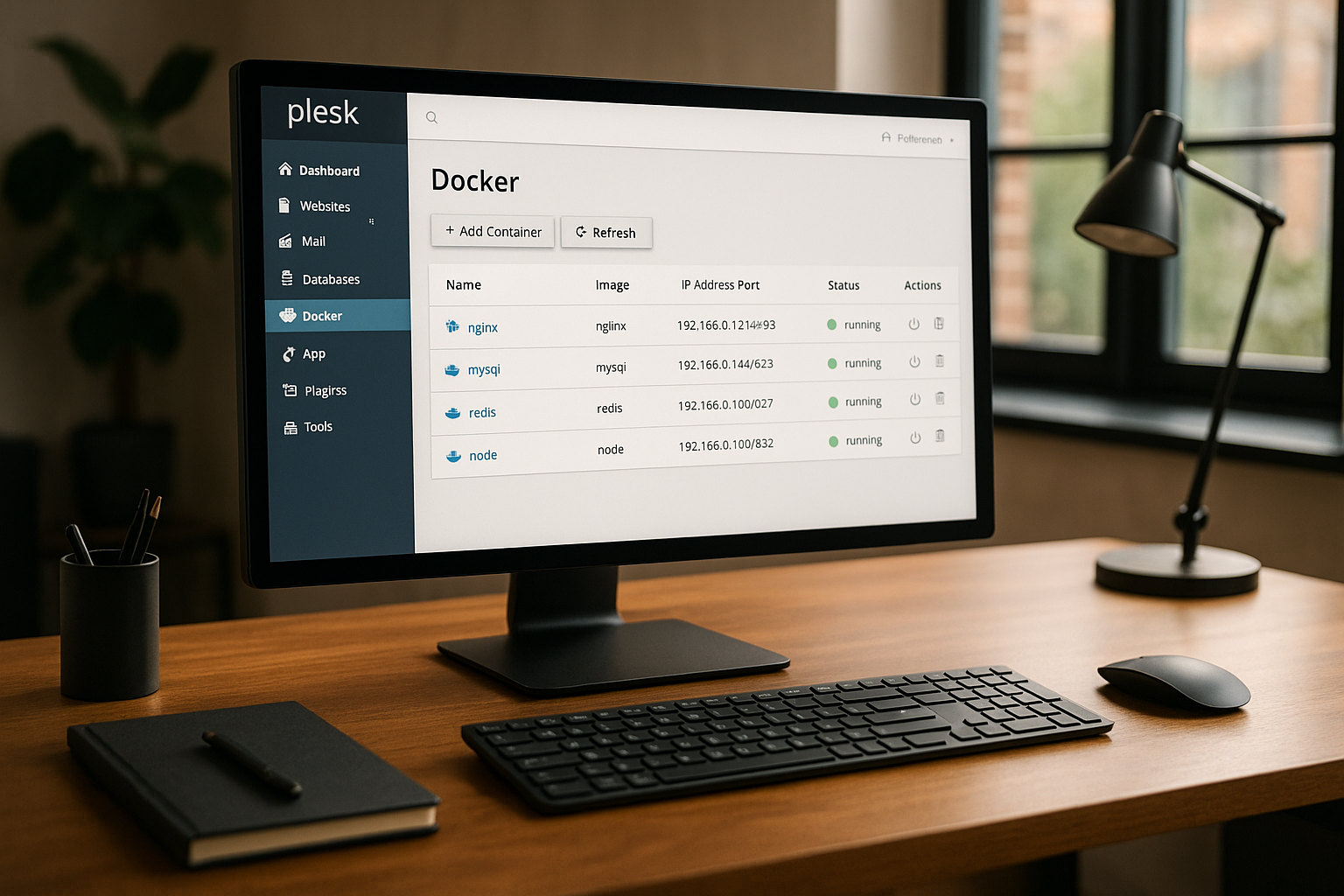
Docker provides virtual containers based on a shared operating system - individual applications can be run in isolation in these containers. Plesk complements this technology with an intuitive management interface: containers can be searched for, started, configured and stopped directly in the panel. Deployment takes place either on the local Plesk server or on a remote host, depending on the operating system used.
Particularly useful: New services such as Redis, Elasticsearch or special PHP versions can be started and tested without affecting other web applications. Parallel setups are also possible without any problems thanks to the isolation. This lowers error rates, reduces configuration conflicts and significantly increases the speed of tests and deployments.
In my experience, its use is particularly worthwhile for development teams that frequently work with changing requirements, as well as for agencies with many client systems. The combination with the Plesk WordPress Toolkit is a real productivity boost - you can run both standardized CMS stacks and individual Docker containers in parallel.
Activate Docker integration in Plesk
You install the Docker extension directly in the "Extensions" section within Plesk. After installation, a new menu item with the title "Docker" appears. Here you can select images from the Docker Hub or upload your own image archives and create containers from them. The entire process can be controlled via the graphical interface - it is not necessary to use the terminal or CLI directly.
I set up many of my projects based on my own Dockerfiles. In such cases, Plesk allows you to set environment variables, map ports and customize network paths. The system also offers the option of manually migrating containers between different servers, even if running states cannot be transferred directly.

Known use cases from practice
The range of use cases is very broad - from local tests to production-ready services in live operation. I particularly appreciate the possible applications in the following situations:
- Separate Staging environments for development teams, for example to check API breaks in new framework versions
- Operation decoupled microservices such as mail parsers, Redis or caching solutions
- Automated deployment via CI/CD routes using webhooks and Git pipelines
- Operation of legacy-heavy applicationswhose dependencies can no longer be mapped in regular systems
For n8n automation workflows, I regularly use Docker setups in conjunction with Traefik and PostgreSQL. You can find a complete practical report including installation instructions here: n8n installation with Docker.
Remote Docker: Manage containers on external hosts
The use of a remote Docker host is particularly worthwhile for larger setups. Plesk supports the addition of external systems via "Tools & Settings > Docker". After entering the IP address or domain and authentication data, the remote environment is available. Containers can then be deployed as usual via Plesk. However, only one remote host can be addressed at a time.
Important: You need the right license for Remote Docker. Anyone running multiple projects on physical or virtual hosts benefits greatly from centralized control. Plesk takes care of image distribution, container configuration and drive management.

Avoid typical tripping hazards
As easy as integration is, you shouldn't get started without any planning. You should consider a few points from my daily work in advance:
Containers cannot simply be transferred to other servers along with their content and status. Instead, I regularly back up important data to mounted volumes outside the container structure. The Security area in WordPress shows very well how essential data should be stored in a structured way during backups.
You should also pay attention to the configuration of the images. Many Docker images from public repositories come with open ports or default passwords. I adjust these immediately after setup: Firewall rules, certificates, secure databases and regular updates are part of my basic configuration.
Container management and best practices
Container management in Plesk is pleasantly direct. Each image can be individually equipped with environment variables and log data is available directly in the dashboard. I find the auto-restart function particularly useful: it ensures that production-relevant applications continue to run without delay after a server reboot.
In my work, I rely on the following best practices:
- Activation of Auto restarts for important containers
- Use of static ports with dedicated firewall rules
- Use of separate Docker networks for logs, APIs and services
Extended Docker functions in Plesk
If you want to delve a little deeper into the matter, you can use Docker functionalities that go beyond Plesk by customizing additional parameters in the container configuration. For example, the use of Docker Secrets or advanced network functions play a role. Plesk offers a fairly clear range of options, but if you need even more detailed control, you can combine the interaction between the graphical interface and the conventional Docker CLI for special tasks.
Especially in development environments, it is worth taking a look at advanced Docker functions such as Health Checks. They ensure that Plesk is informed if a container is no longer running in the expected state. This means that a reboot or intervention can be initiated at an earlier stage before serious failures occur. The use of init processes within containers can be easily implemented with Docker and Plesk. This ensures that log files or temporary files, for example, are managed correctly, which leads to cleaner containers and less memory usage in the long term.
Data backup and restore
Data backup is one of the most frequently underestimated topics in container setups. It is often assumed that everything necessary is contained in the container. However, it should be borne in mind that most containers stateless In other words, they should not contain any persistent data storage inside them. Instead, mounted volumes or external databases that are located outside the container are usually used. For this purpose, separate storage locations can be defined in Plesk in order to store permanent data in a secure and structured manner. A regular backup of these directories is an essential part of the basic equipment of a professional Docker setup.
For recovery scenarios, it is recommended that the container configurations in Dockerfiles or docker-compose.yml-files. Even though Plesk has a very convenient graphical administration, it is helpful to keep a record of all dependencies and installed packages. If a system failure occurs or a migration is pending, you can simply use the prepared Dockerfile to restore the old state. In this way, you are independent of the Plesk interface and can also set up or rebuild the container directly via CLI if required. This saves time if the worst comes to the worst and prevents misconfigurations.
Scaling and high availability
A major advantage of Docker containers is their light weight and the associated scalability. In conjunction with Plesk, this opens up additional possibilities to rapidly increase the performance of a project if required. For example, you can start several instances of the same container in order to distribute the load between them. However, Plesk itself does not support sophisticated Container orchestration tool such as Kubernetes or Docker Swarm. Anyone who needs genuine high availability and automatic load balancing would therefore have to switch to professional orchestration solutions.
Nevertheless, you can still achieve a lot with Plesk and Docker, for example by creating parallel containers for different clients. Each container instance runs in isolation, which not only means greater security, but also better performance, especially under load. In addition, you should also pay attention to the configuration of the Server hardware pay attention: Sufficient RAM, a high-performance CPU setup and fast SSDs/NVMe drives are crucial here in order to support real load distribution in containers.
Monitoring and performance optimization
If you want to operate your Docker containers professionally, you can't do without sufficient Monitoring cannot be avoided. In Plesk, you can view the basic statuses such as resource consumption (RAM, CPU, hard disk) directly and define warnings if necessary. For more in-depth analyses, external tools such as Prometheus or Grafana which can also be operated in Docker containers. Plesk makes it easier to set up here by getting the relevant services up and running with just a few clicks - however, it is important to configure the ports and access authorizations.
When it comes to performance optimization, it is above all the Resource allocation plays a role. Each container should only be allowed to use as much computing power as it actually needs. This can be partially mapped via Plesk by setting CPU quotas or RAM limits. In addition, operation on dedicated or virtual servers can be configured in such a way that individual containers use their own cores or that certain containers are prioritized. This ensures that critical applications always receive sufficient performance.
Docker Compose in interaction with Plesk
Many developers and agencies use Docker Composeto define complex software stacks and set them up automatically. Plesk itself does not offer a direct interface to Docker Compose, but the Compose file can be stored on the server and started via the shell. The running containers can then still be managed in the Plesk interface. One advantage of this method is that complex services such as databases, web servers, caching solutions and API backends can be defined in a central file. This speeds up deployments and makes the development process more transparent.
The use of Docker Compose is also practical for updates or new releases: with a simple docker-compose pull and docker-compose up container versions are updated and restarted. The Plesk interface then shows which containers are running in real time and allows manual adjustments in case of doubt. This combines the advantages of fast graphical administration with the flexibility of an automated Compose solution.
The best hosting plans for Plesk Docker
A quick comparison shows which hosting providers are particularly well positioned when it comes to the combination of Plesk and Docker:
| Provider | Plesk support | Docker integration | Performance | Price-performance |
|---|---|---|---|---|
| webhoster.de | Yes | Yes | Very high | Very good |
| Provider B | Yes | Yes | High | Good |
| Provider C | Yes | Restricted | Medium | Satisfactory |
Especially for highly available applications and DevOps projects, I recommend the services of webhoster.de. The performance is impressive and both vServers and dedicated offerings fully cover future-proof Docker use with a graphical user interface.

Summary: Flexible container management with Plesk Docker
The Plesk Docker Integration provides developers, agencies and operators of high-performance web applications with a convenient tool for modern application hosting. The combination of container virtualization with the user-friendly Plesk interface saves time, minimizes errors and opens up new ways of planning and deployment. Whether for automated workflows, isolated test systems or the operation of specialized microservices - the possible applications are diverse and can be implemented directly.