Skip to content
I explain concisely and clearly how you can create a Redirect Loop WordPress and analyze and reliably resolve them. I will show you immediately implementable solutions for SSL conflicts, incorrect .htaccess rules, incorrect site URLs, caching/cookies, plugin problems and server settings - including tests and prevention.
Key points
The following list summarizes the most important steps before I explain the steps in detail.
- Cause quickly narrow down: SSL, .htaccess, URLs, plugins, cache
- Standard-Check rules: .htaccess and wp-config.php
- HTTPS set correctly: Certificate, Mixed Content, HSTS
- Plugins Disable on a test basis: via dashboard or FTP
- Prevention establish: Backups, documentation, monitoring
What does a redirect loop actually mean?
A Forwarding loop occurs when URL A jumps to URL B and B jumps back to A - or when several jumps lead back to the start address at the end. The browser then aborts with ERR_TOO_MANY_REDIRECTS and blocks the call. I often recognize the loop by the fact that the login loads the login form again after correct entry. For visitors this looks like an endless loop, for search engines like a technical error. This costs trust, prevents logins to the backend and eats up valuable crawl budgets.
Main causes of loops in WordPress
I find the most frequent triggers in false WordPress URLs, aggressive .htaccess rules, double SSL enforcements or chaotic plugin redirects. Old cookies and hard browser caches also send requests astray. After domain changes or HTTPS conversions, errors occur more frequently because http and https are mixed. In themes with their own redirects or security plugins, rules can block each other. In rare cases, malware deliberately sets redirects to lock out admins.

Quick tests in the browser: Cookies and cache
I start with a Client-check, because it brings clarity in minutes. I delete cookies and the entire cache for the affected domain. A private window helps to exclude old sessions. If the login then works, it was due to local data and not the server. If the error continues to occur, I go to the server and WordPress level.
Check .htaccess and reset to default
I secure the .htaccess and reset them to the WordPress standard as a test. This is how I remove conflicting redirects from previous experiments or SEO rules.
# BEGIN WordPress
RewriteEngine On
RewriteBase /
RewriteRule ^index\.php$ - [L]
RewriteCond %{REQUEST_FILENAME} !-f
RewriteCond %{REQUEST_FILENAME} !-d
RewriteRule . /index.php [L]
# END WordPress
Once everything is up and running, I will add additional redirects step by step. For clean conditions I refer to htaccess redirects with practical examples. Important: Never force http→https twice - once at server level is enough.
Customize WordPress URLs in settings and wp-config.php
Deviations between WP_HOME and WP_SITEURL often trigger endless loops, especially after domain transfers. I first check Settings > General. If the backend is not accessible, I set the values briefly in wp-config.php:
define( 'WP_HOME', 'https://deinedomain.de' );
define( 'WP_SITEURL', 'https://deinedomain.de' );
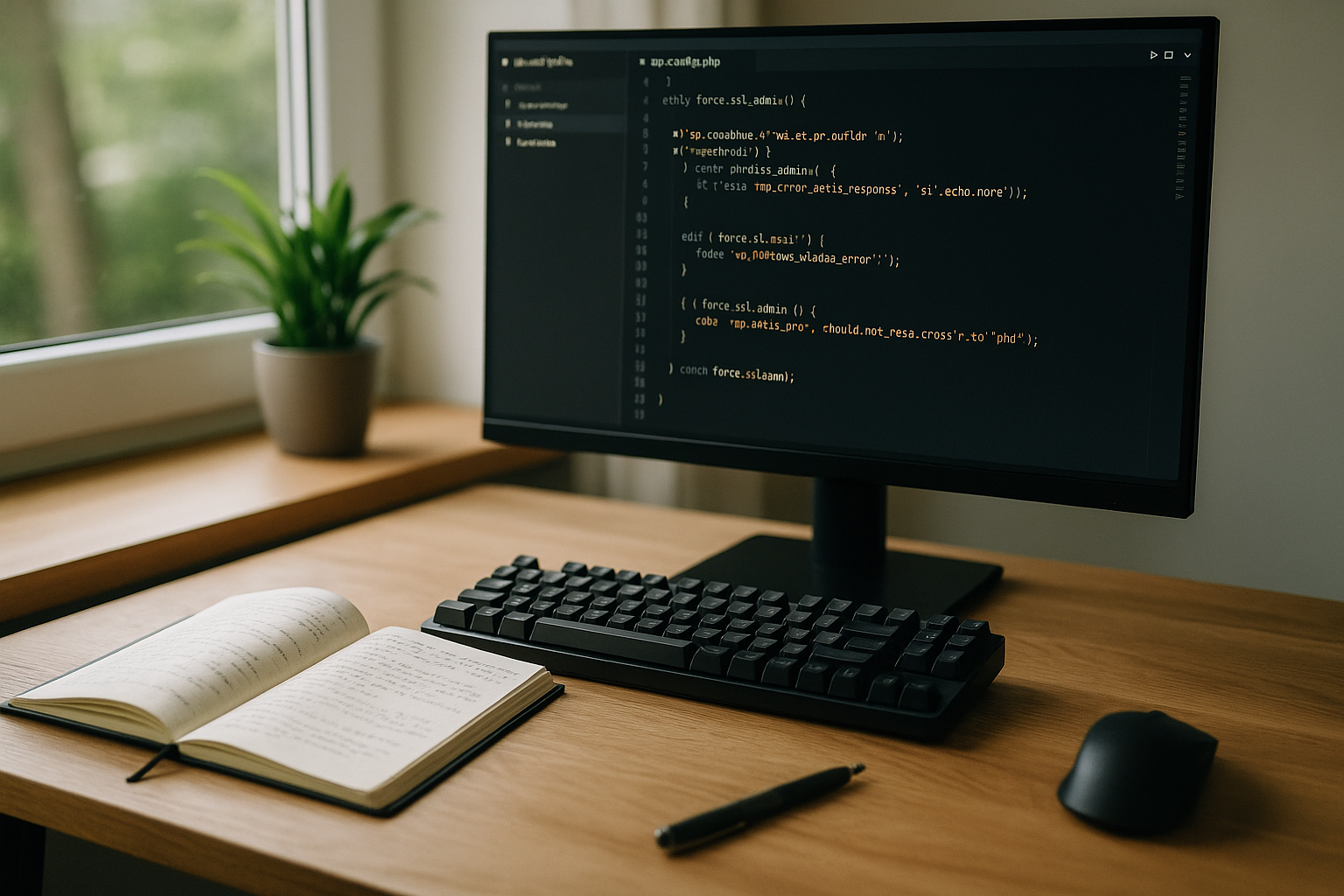
In the event of admin SSL problems, I temporarily unblock access with :
define('FORCE_SSL_ADMIN', false);
As soon as I am in the dashboard, I set correct URLs and remove the constants again. Uniform addresses prevent repeated loops.
Cleanly resolve HTTPS/SSL conflicts
Conflicts arise when SSL is enforced on the server side and a plugin also sets redirects. I first test whether the certificate is valid and whether HSTS or proxy headers interfere with recognition. Then I ensure that there is a clear location that enforces https - preferably at server level. I consistently eliminate mixed-content errors and incorrect forwarding chains. For the actual conversion, these instructions help me to HTTPS conversion in WordPress.
Limiting plugins and themes as a source of errors
I switch on suspicious Plugins especially redirect, SEO and security tools. If I can't get into the backend, I rename the wp-content/plugins folder to plugins.old via FTP. I then activate each plugin individually in the dashboard until the error reappears. Switching to a standard theme such as Twenty Twenty-Four also shows whether the theme is contributing rules. This allows me to quickly find the cause and create a conflict-free configuration.

End login loops: Cookies, Sessions, Security
If the login fails despite correct Data jumps back again, I check the cookie domain, path and https flag. I clear caches at all levels: Browser, WordPress cache, object cache, CDN. For security plugins, I check rules that redirect admin URLs or restrict logins. I temporarily set clear defaults for diagnostics and then rebuild security bit by bit. Goal: A stable session without duplicate redirects.
Set reverse proxy, CDN and server header correctly
Behind a Proxy applications easily confuse http and https if the Forwarded or X-Forwarded-Proto header is missing or arrives incorrectly. I check Nginx/Apache configs, load balancer settings and CDN forwarding. It is important that WordPress correctly recognizes the actual client URL. For setups with an upstream proxy, this guide helps me to Set up reverse proxy. This prevents contradictory rules between server, CDN and plugin.
Malware as the final source of suspicion
If, despite all the corrections, the loop can be not I scan the installation for malicious code. I compare core files with originals, check newer admins and cron jobs. I expose redirects in headers, template files or via JavaScript by searching for window.location, meta refresh or obscure Base64 strings. After cleaning up, I reset passwords and make a fresh backup. Security against reinfection saves a lot of time later on.
Prophylaxis and monitoring in everyday life
I prevent loops by Changes centrally manage redirects and test them in a staging environment before live deployments. I create backups automatically and keep plugins and themes up to date. After domain changes, I check the site URLs, SSL and redirect chains. A small monitoring system notifies me of status code jumps at an early stage. The following table helps with quick diagnostics during operation.
| Symptom | Possible cause | Direct measure | Test tool |
|---|---|---|---|
| ERR_TOO_MANY_REDIRECTS | Double https enforcement | Use only one location for redirects | HTTP header check, Curl |
| Login jumps back | Cookie/session conflict | Delete cookies, clear cache | Private window, DevTools |
| Home page does not load | .htaccess loop | Activate standard .htaccess | Server logs, diff |
| Only faulty under proxy | Incorrect Proto header | Set X-Forwarded-Proto correctly | Proxy-Config, Header-Trace |
| Suddenly from ranking | Redirect chains | Reduce chains, 301 correct | Crawler, Screaming Frog |
Track redirects precisely: Header trace and curl
Before I tweak configurations, I draw the exact chain to. In the DevTools (Network tab) you can see each hop with status code and location header. On the shell is often sufficient:
curl -IL https://deinedomain.de
# or detailed with display of each redirection
curl -IL --max-redirs 20 https://deinedomain.de
I look out for patterns such as http→https→http (back-and-forth) or www↔non-www. A 302 following a 301 is also suspicious. If even the first request redirects to /wp-login.php, the cause is usually in the plugin/theme or cookies; if it happens globally, it is often .htaccess or server.
Targeted use of server and WordPress logs
Logs save hours. I activate the debug log in wp-config.php without showing it to visitors:
define('WP_DEBUG', true);
define('WP_DEBUG_LOG', true);
define('WP_DEBUG_DISPLAY', false);
@ini_set('display_errors', 0);
Then I check /wp-content/debug.log for indications (e.g. "Cannot modify header information" before a redirect). At the same time, I check the web server logs. For Apache: access.log and error.log, for Nginx: access.log with status 301/302. A look at the user agent helps to determine whether only bots or all users are affected.
WP-CLI: quick rescue via console
If the dashboard is not accessible, I solve a lot of things via WP-CLI:
# Check and set URLs
wp option get home
wp option get siteurl
wp option update home 'https://deinedomain.de'
wp option update siteurl 'https://deinedomain.de'

# "Save through" permalinks once
wp rewrite flush --hard

# Empty caches
wp cache flush
wp transient delete --all

# Deactivate / test plugins en masse
wp plugin deactivate --all
wp plugin activate classic-editor
This way I can get back to the system without risk, find the culprits and only activate what is really needed.
www, slash and canonization without loop
Loops are often created from small inconsistencieswww vs. non-www, missing/additional slash or mixed proto. I decide in favor of one variant and only set a Rule chain. Example non-www→www in Apache (without double https enforcement):
RewriteEngine On
# Only forward if host is not already www
RewriteCond %{HTTP_HOST} !^www\. [NC]
RewriteRule ^(.*)$ https://www.%{HTTP_HOST}/$1 [L,R=301]
With Nginx, I set a clear server block forwarding and avoid mixed rules in PHP/plugins. Important: First the canonicalization (www/slash), then https - and only to a Position.
Clean behind proxy/CDN: Correctly recognize HTTPS
If WordPress is behind a load balancer or CDN, the backend often only receives http, although the client uses https. WordPress then recognizes is_ssl() incorrectly and generates loops. I correct the server variables early in the wp-config.php:
if (isset($_SERVER['HTTP_X_FORWARDED_PROTO']) && $_SERVER['HTTP_X_FORWARDED_PROTO'] === 'https') {
    $_SERVER['HTTPS'] = 'on';
}
I also set the X-Forwarded-Proto and Forwarded clean headers on the proxy. I use HSTS sparingly: If HSTS is active, it may none http path, otherwise the browser hangs. I only use preload when all subdomains are running stably on https.
Defuse login and cookie traps
A common source is incorrectly set cookies. I usually set none COOKIE_DOMAIN. If it has been defined once, I change it on a test basis:
define('COOKIE_DOMAIN', false);
I also check whether the admin cookie flag "Secure" is set under https and the path is set to "/". In the event of persistent problems, I delete server-side sessions (e.g. restart php-fpm) and empty the object cache/redis so that old nonces no longer take effect.
Special features of multisite and domain mapping
At Multisite-setups, different mappings quickly lead to a loop: Subdomain vs. directory mode, different protocols or an old domain mapping plugin with its own redirects. I check the blog and site tables, synchronize protocols and hosts and briefly deactivate auto-redirects for language switching. A "Super Admin" login in the main blog helps to see network redirects centrally. Important: Only one instance decides on the canonical domain.
WooCommerce, multilingualism and "Hide Login"
Stores and multilingual sites have additional redirect logics: forced SSL pages (checkout/account), language redirection to Accept-Language or "Hide Login" functions in security plugins. For the diagnosis, I deactivate the automatic language redirection and allow /wp-login.php temporarily without a detour. In WooCommerce, I set "Only these pages on SSL" either cleanly on the server side or completely system-wide so that no mixed states occur.
Coordinate object cache, opcode and edge cache
Several caching layers can each other amplify: PHP opcode (OPcache), object cache (Redis/Memcached), page cache of plugins and CDN edge. I empty them in an orderly sequence so that no layer returns old redirects. After rule changes, I invalidate the edge cache completely. Only then is a test meaningful.
Typical Nginx traps
With Nginx, loops occur when location blocks rewrite twice or /index.php lives internally and externally. I use a single clean configuration: first the server block forwarding (www/https), then a clear try_files on /index.php. I consistently avoid mixtures of add_header refresh and 301/302.
Checklist: find the cause in 10 minutes
- Delete cookies/cache locally, test in incognito
- run curl -IL and view the chain
- Reset .htaccess/Nginx to default path
- Synchronize WP_HOME/WP_SITEURL (if necessary via WP-CLI)
- Only one instance enforces https (server preferred)
- Deactivate plugins/theme, activate step by step
- Set proxy header correctly, check is_ssl()
- Empty object/page/edge cache
- Check logs: debug.log, access/error.log
- Special features: Multisite, Woo, Languages, Hide-Login
Error patterns beyond classic loops
Not every 301/302 is a real loop - but Misrouting costs as well. A 301 to 404 signals to search engines "this resource is here forever", but delivers emptiness. Or a 302 instead of 301 prevents the permanent consolidation of signals. I keep the chain to a maximum of one or two levels, set 301 for permanent, 302 for temporary cases and avoid query string losses by passing QSA flags or args correctly.
Stable deployments and documentation
To prevent loops from occurring in the first place, I document every ruleWho routes what to where - and why? I use a staging environment, play through rule changes there, log headers and times and then distribute identical server and plugin settings in production. A short post-deployment check (start page, login, checkout, language) prevents failures.
Conclusion in brief
I solve a Forwarding loop Systematic: Check cookies, reset .htaccess to default, adjust WP URLs, set SSL correctly, isolate plugins/theme and deliver server headers correctly. These steps usually end the loop in a short time. I then secure the installation, document redirects and keep updates up to date. This keeps the login accessible, visitors land on the right pages and search engines crawl without losing time. A structured approach avoids repetition - and saves nerves.