Skip to content
I optimize CPU scaling so that servers reduce the clock and voltage at low loads without risking noticeable latency. With cleanly set energy profiles, I control Performance and power requirements along the real workload and thus measurably reduce costs and waste heat.
Key points
Before I go any deeper, I clearly define the most important levers. This keeps the focus on the most effective settings and not on side issues. I prioritize along the lines of Workload, latency requirements and efficiency. On this basis, I make reliable decisions for BIOS, operating system and applications. The following points lead directly to less Energy per request.
- Governor electionDynamic instead of continuous maximum frequency.
- DVFS: Adjust tension and beat together.
- load profile: Know real peaks and idle times.
- Automation: Keep setups permanently consistent.
- Overall viewThink hardware, OS and app together.
What does CPU frequency scaling mean?
By CPU frequency scaling I mean the dynamic adjustment of Tact and often also voltage to the current load. Modern CPUs reduce the frequency to a few hundred megahertz during idle phases and thus reduce the Power consumption clearly. If the load increases, the CPU gradually increases the clock rate or jumps into high ranges via boost. This dynamic is called DVFS and combines frequency and voltage control for additional efficiency. At operating system level, I use a governor to decide how aggressively the frequency reacts to load changes.
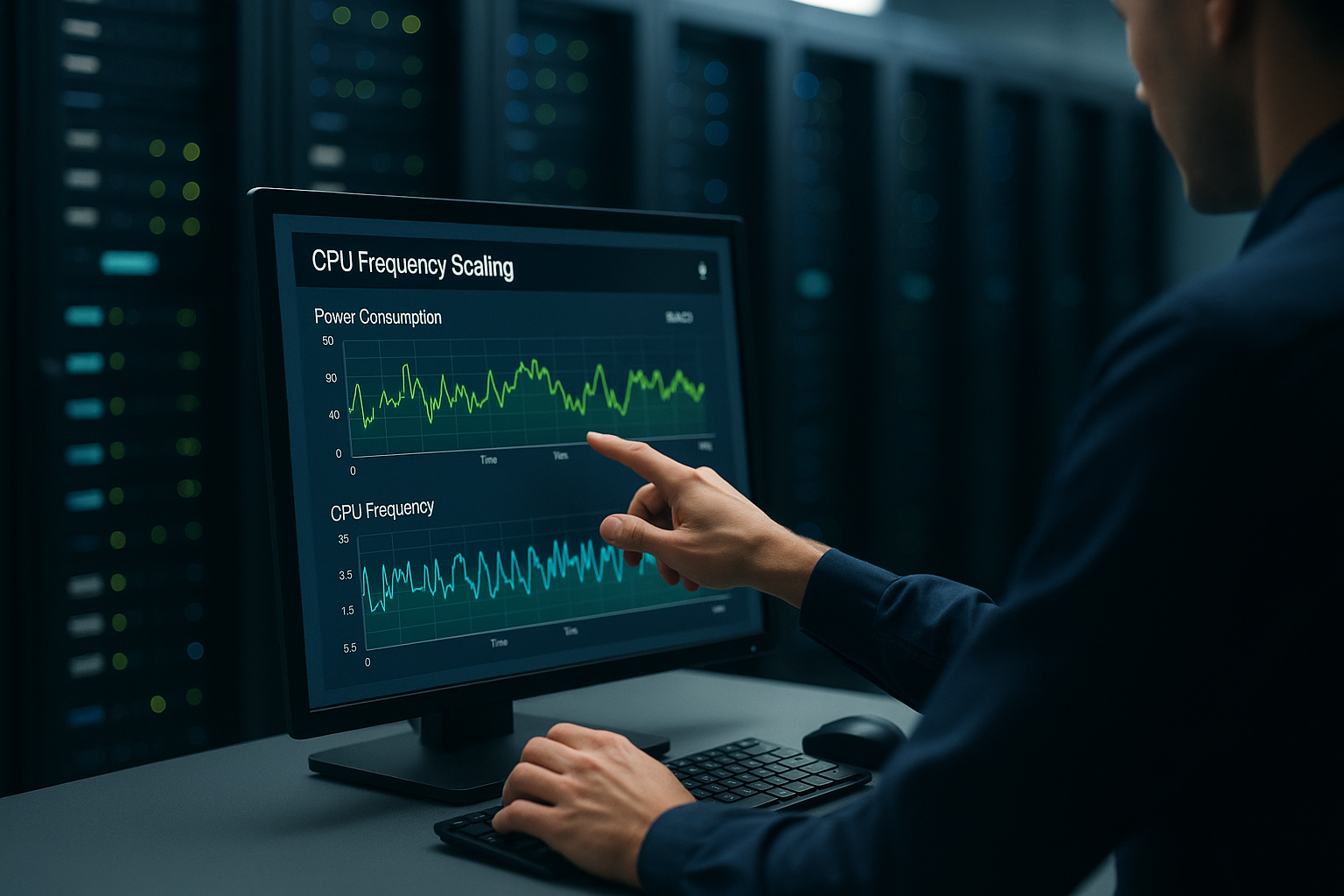
CPU governor and energy profiles in server operation
I choose the right Governor according to latency and efficiency targets, not gut feeling. Under Linux, performance, powersave, ondemand and conservative provide very different responses to load. Under Windows, I decide between maximum performance, balanced and economy modes, often additionally via BIOS profile. In a test with a productive database server, switching from the balanced profile to maximum performance showed a performance difference of around 20 % [2]. This range demonstrates the extent to which energy profiles shape response times and throughput.
| Governor/Profile | Latency | Energy requirement | Typical use |
|---|---|---|---|
| performance / maximum performance | very low | high | hard SLA, trading, strongly I/O-bound databases |
| ondemand / Balanced | low-medium | medium | Web hosting, CI/CD, virtualization with changing load |
| conservative | medium | low-medium | Homelab, quiet services with occasional peaks |
| powersave / energy-saving mode | higher | low | Long runners, archives, batch-type workloads without SLA pressure |
For productive hosts, I like to use ondemand or conservative when there is no continuous full load. This keeps the CPU fast enough, but saves noticeable power when idle.
Fine control of modern CPU drivers and profiles
In practice, I differentiate between the drivers and strategies of the platform: Intel systems often use intel_pstate (active or passive), while classic setups acpi-cpufreq use. AMD wins amd_pstate become more important. These drivers influence which governors are available and how quickly the CPU reacts to load. In addition, under Linux schedutil established: It couples the frequency selection more closely to the scheduler and therefore often reacts more accurately to short bursts. This is an advantage for workloads with many short requests, as long as the minimum frequency does not fall too low.
A second adjusting screw is the Energy Performance Preference (EPP) or energy performance bias. I use this to fine-tune whether the CPU boosts aggressively or clocks conservatively. Under Linux, I set this per CPU policy; under Windows, I use the energy profile (percentage values in the balanced scheme) to weigh up responsiveness against efficiency. This is how I shape the characteristics between „maximum performance immediately“ and „only start up under really sustained load“.
Relationship between clock, performance and power consumption
I plan servers in such a way that they are rarely placed in the most expensive Tact-regions are running. Consumption increases disproportionately when the CPU is clocked close to maximum and the Tension follows suit. The last 10-20 % performance often costs a lot of energy, but provides little benefit in everyday use. That's why I use dynamic modes instead of continuous maximum frequency for moderate loads. If you want to understand the influence of clock per request, you can find background information on clock vs. cores in this compact article: Clock rate and cores.

Measurement and optimization in practice
I start with a clear Baseline-snapshot: current governor setting, frequency levels, idle consumption and load curves. I then change exactly one parameter and measure again to avoid blurring correlations. Tools like cpupower and powertop help me to collect facts instead of assumptions [1]. For shared environments, I keep an eye on possible limits and analyze CPU throttling, if response times increase without a visible load. In the end, I automate all tuning steps via systemd so that every reboot is the same. Settings draws.
Metrics and tools that no analysis should be without
I measure systematically to make reliable decisions:
- Frequency and C-state distributionHow much time does the CPU spend in deep idle states, how fast do cores boost?
- Package power and temperaturesVerify effects of EPP/min/max frequency, keep an eye on fan curves.
- Response time and throughput metricsP50-P99 to detect tail latencies.
- Workload classificationCPU-bound vs. I/O-bound, burst length, degree of parallelism.
I combine kernel-related telemetry with external measuring points (e.g. IPMI/PDUs) to take the data center influence and PUE into account. Tuning is only really successful when energy and performance figures improve at the same time.
CPU close: Set BIOS/UEFI and firmware correctly
I secure many efficiency gains directly in BIOS/UEFI, because this is where the basis for the OS is laid:
- C-statesDeep C-states (C6/C7) save a lot of energy when idle, but can add minimal wake-up latencies. For latency-sensitive services, I limit the maximum permitted C-states slightly instead of deactivating them completely.
- Turbo/BoostLeave activated, but define frame. A gentle cap on the maximum clock reduces voltage peaks and fan peaks without any noticeable loss of throughput.
- Energy Efficient Turbo / EPPPrefer balanced settings that take load dynamics into account instead of forcing a continuous boost.
- SMT/HTDepending on the workload: Databases and web stacks often benefit, hard RT workloads sometimes do not. I verify this via P99 latencies.
- Firmware updatesI check defaults after updates. I document offsets and reload profiles so that no unintentional regressions occur.
Best practices for energy-efficient server configuration
I'll start with a clean slate. Load analysis, for example, daily and weekly curves and peak duration. I then set the governor and minimum frequency and optionally limit the maximum clock slightly to smooth out peak consumption. For caching-heavy stacks, I set the CPU to start up quickly because short bursts are usually sufficient. At the same time, I keep idle frequencies low so that the base load is low. Energy costs. I document all interventions concisely and measure them against clear target values such as response times, kWh/day and € per month.

Putting Linux and Windows tuning into practice
Under Linux I set the guard rails reproducibly:
- Governorset permanently via cpupower (systemd unit or distribution tools).
- Min/max frequencyconservative lower limit against „start-up hole“, slightly reduced upper limit against voltage peaks.
- EPP/Biasper policy so that short bursts are handled quickly.
- Ondemand/schedutile tunablesSet thresholds and rate limits so that there is no frequency flapping.
Under Windows, I work with finer energy profile parameters. In the balanced profile, I significantly reduce the minimum performance of the CPU cores, leave the maximum performance slightly below 100 % and set the processor performance extension (energy preference) to „balanced“. In this way, systems remain agile without running at a permanently high frequency.
Latency jitter, C-states and interrupts
Tail latencies are often caused by a combination of deep C-states, timer granularity and interrupt distribution. I therefore take a three-pronged approach:
- Maximum C-States limit the minimum frequency or increase it slightly if P99 jitter interferes.
- IRQ affinity and NUMA topology: Bind network cards and memory-critical IRQs to cores that match the relevant workload NUMA domain.
- Scheduler isolation for very sensitive services (isolated cores) so that background jobs do not interfere.
The goal remains: as much idle depth as possible, as little jitter as necessary. I reduce the right balance to metrics, not gut feeling.
Thinking server efficiency holistically
Efficiency does not end with the CPU. I test power supply units with 80 PLUS Gold/Platinum, use modern SSDs and size RAM sensibly. Virtualization consolidates services so that only a few hosts are used to capacity and therefore work efficiently. On the software side, I save CPU cycles with caches, lean web server settings and the latest PHP versions. Anyone who wants to delve deeper into clock speed, cache and microarchitecture will benefit from this compact overview: CPU architecture and cache.
Virtualization, containers and cloud aspects
In virtualization environments, frequency management belongs in the Host level. Guests can request policies, but the hypervisor decides. I therefore set consistent profiles on the host and ensure predictable behavior with CPU pinning and suitable vCPU assignments. In containers, I balance CPU quota/burst against latency requirements: too tight quotas prevent boost effects, too generous lead to unstable frequency curves. In mixed fleets, I encapsulate critical services on nodes with a conservative minimum frequency and activated boost, while batch workloads run on sparsely tuned hosts. In cloud environments, I check whether the instance class even allows frequency and boost freedoms - not every vCPU is managed identically.
Performance vs. power consumption: the right compromise
I weight Latency against costs instead of blindly going for maximum values. Latency-sensitive systems work well with performance-like profiles as long as budgets and cooling can support them. For web hosting, internal tools or home labs, I prefer ondemand or conservative. This way, I keep response times close to the top, but save significantly when idle. This approach reduces Thermal and experience has shown that it noticeably extends the service life of components.

Monitoring and automation in everyday life
I ensure lasting success with repeatable Workflows. I have metrics such as frequency, C-states, package power and temperatures recorded centrally. Alerts are triggered if profiles are accidentally changed or firmware updates reset defaults. Recurring jobs set the same energy flags after reboots so that no deviations occur. This keeps the ratio off Performance and consumption stable in the long term.
Anti-patterns and common sources of error
Which I consistently avoid:
- Permanent performance profile for convenience: eats up electricity, heats up rooms and rarely brings any real benefit.
- Minimum frequencies too low, which slow down short bursts and worsen P99 latencies.
- Uncoordinated BIOS changes without documentation - chaos is inevitable after updates.
- One-off tuning without remeasurementWorkloads change, profiles have to follow suit.

How hosting customers benefit from optimized scaling
Good energy profiles have a direct effect on Stability and predictability. Shorter boost times keep pages responsive, while lower idle frequencies reduce costs. Less waste heat reduces thermal peaks and therefore potential throttling. Customers notice this in more consistent times and lower risk cliffs during peak loads. A transparent hoster communicates Efficiency-steps and hardware generation openly and comprehensibly.
Concrete calculation examples for savings
A permanently saved Consumption of 20 W corresponds to around 175 kWh per year (24×365). At €0.30/kWh, this saves me around €52.50 per server per year. In a fleet with 100 hosts, this quickly adds up to €5,250 per year. If I also limit the boost peaks slightly, temperatures remain lower and fans run more quietly. This simple math shows how CPU-scaling has a direct impact on cost accounting.
Practical tuning steps without side effects
I initially set a moderate Minimum frequency, so that wake-ups don't seem slow. I then set threshold values so that short peaks are handled immediately. I activate power top optimizations automatically, but check the persistence after reboots. For BIOS profiles, I document every change because a firmware update can change defaults. Regular spot checks ensure that Workloads have not grown in secret and profiles need to be readjusted.
Practical case: From raw power to measurable efficiency
A web and API stack with heavily fluctuating traffic initially ran at maximum performance. Idle was at ~85 W, P95 latency of the API at 38 ms. After switching to ondemand/schedutil, a minimum frequency just above the lowest idle level and a slight cap on the maximum clock, idle consumption dropped to ~65 W. The P95 latency remained stable at 37-39 ms, the P99 latency even improved slightly after tuning the IRQ affinity. Bottom line: ~175 kWh/year saved, identical user experience, quieter fans. This is exactly the balance I strive for: Energy per request down without risking product impact.
Briefly summarized
I use CPU-scaling to save power during quiet phases and release power in milliseconds when required. The key lies in clear measurements, a suitable governor and consistent automation. If you limit the clock, voltage and boost intelligently, you will noticeably reduce the energy per request. At the same time, response times for websites and databases remain stable. How to reduce Costs, protect hardware and achieve a measurably more sustainable hosting environment.