Skip to content
SSD differences determine speed, service life, and availability in everyday use and in data centers. I will show specifically why enterprise SSDs pursue different goals than client models and how this difference affects hosting, databases, and workloads with high write rates.
Key points
- endurance and DWPD: Enterprise can handle sustained write loads.
- Performance Under load: consistency instead of short bursts.
- Integrity Data protection in the event of a power failure and end-to-end verification.
- form factors and interfaces: U.2/PCIe for servers, M.2/SATA for PCs.
- Economic efficiencyHigher price, fewer operational failures.
Application scenarios and design philosophy
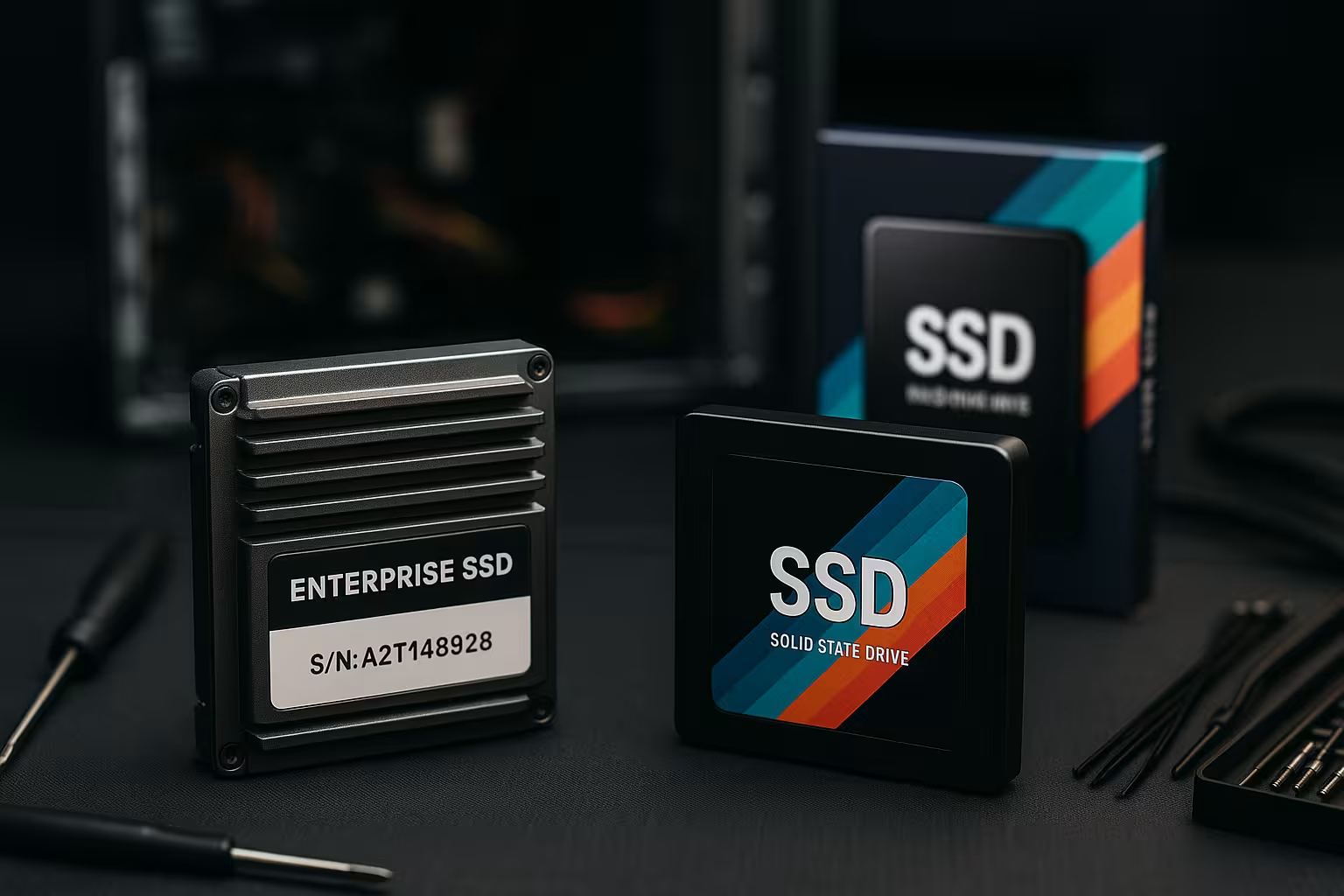
Consumer SSDs target Everyday life: Shorten start-up times, open apps quickly, load games. Typical operation is around 8 hours a day and temperatures around 40°C. Enterprise SSDs, on the other hand, are designed for servers that run 24/7 and have to absorb peak loads without any loss of performance. This includes temperatures up to around 55°C and continuous reading and writing. I look at the purpose first, because the application determines every technical detail.
Enterprise models prioritize consistent Response over many hours and heterogeneous workloads. Consumer drives excel in short bursts, but noticeably decline under continuous load. Predictability is key in virtualization, databases, and cloud stacks. That's why I pay attention to firmware strategies, controller cores, and reserves for over-provisioning. These factors determine how reliably a system responds under pressure.
Writing endurance and service life
A key criterion is the Endurance, expressed in TBW or DWPD (Drive Writes Per Day). Consumer SSDs have lower DWPD values and are therefore suitable for sporadic write patterns. Enterprise drives often achieve 1–10 DWPD over their guaranteed lifetime, often with a five-year warranty. This protects workloads that write log data, indexes, or caches every minute. I therefore evaluate projects based on real daily write volumes rather than theoretical benchmarks.
Data retention also differs: Consumer SSDs typically retain data for 1 year at 30°C, while enterprise models aim for several months at higher temperatures of around 40°C. This focus is in line with the Server-Practice in which drives remain in operation and are stored offline for shorter periods of time. It is crucial that there is no sudden degradation under heat and continuous load. I therefore include the environment, duty cycle, and maintenance window in the calculation. This allows me to define a DWPD target that includes reserves.

Performance, IOPS, and latency
Consumer SSDs deliver high burstvalues, but lose speed during long write operations. SATA models achieve around 560 MB/s, while NVMe variants can reach several GB/s depending on the controller and NAND. However, the consistency of IOPS and latency stability are crucial in a server context. Enterprise SSDs aim for low latency with narrow dispersion and maintain throughput even under mixed loads. That's why I test not only peak values, but also profiles with 70/30 read/write, 100% read, and 100% write.
Enterprise firmware reduces write amplification, balances WearLeveling is precise and efficiently cleans up via garbage collection. Over-provisioning creates buffers when the queue fills up and the page map grows. This keeps IOPS close to specifications even after many hours. The advantage is immediately apparent in databases with random 4K accesses. For real workloads, this is more important than a short peak value in a synthetic benchmark.
QoS, tail latency, and percentiles
In the data center, it's not just the average value that counts, but the tail latency. The 99.9% and 99.99% percentiles determine whether an API works quickly or whether timeouts accumulate. Enterprise SSDs are validated for QoS: deterministic latency despite background tasks such as garbage collection, wear leveling, or defragmentation of mapping tables. I therefore measure the percentiles under steady state, i.e., after the SLC cache has been emptied and the drive is at operating temperature. This shows whether the firmware maintains QoS when multiple threads mix small blocks and force flush/sync commands.
NAND types and SLC cache strategies
The built-in NAND affects endurance and behavior under load. Consumer SSDs often rely on TLC/QLC and dynamically increase the SLC cache to accelerate short bursts. If the load becomes permanent, the cache is eliminated and the raw write rate of the NAND determines performance. Enterprise models typically use durable TLC with higher P/E cycle quality or operate parts in pSLC mode to buffer write accesses more robustly. In write-intensive workloads, dedicated over-provisioning helps keep write amplification low and the wear can be planned.
I evaluate how large the fixed SLC portion is, whether it shrinks when full, and how the firmware separates hot and cold data. For systems that rely heavily on deduplication/compression, it is worth taking a look at controller paths: Does hardware compression relieve the SSD or does it shift additional CPU load to the host? These details determine whether a QLC SSD works in read-mostly tiers or whether TLC with pSLC reserve is the safer choice.
Data integrity and protection
Business-critical data requires Protection on multiple levels. Enterprise SSDs offer power loss protection, which can securely commit mapping tables and in-flight data in the event of a power failure. End-to-end data protection checks every station from the host to the NAND cell. A more strictly defined UBER (e.g., ≤ 10^-16) further reduces the risk of silent bit errors. I plan to make these features mandatory when downtime is more expensive than the price of the drive.
In addition, there is dual-port operation and hot-swap capabilities in many backplanes. This means that access is maintained even in the event of path errors, and maintenance can be carried out without downtime. Consumer drives rarely offer these features. For file and block storage with high SLA targets, there is no alternative to enterprise models. The protected data path pays off in every hour of operation.
Encryption and compliance
Many projects require Encryption at the data carrier level. Enterprise SSDs offer self-encrypting drive (SED) functions with hardware keys and authentication. This reduces the load on the CPU and simplifies audits because data remains protected when idle—even during RMA or transfer. I check whether key management, secure erase, and instant secure erase comply with the policy and whether the drives guarantee deterministic erasure across their entire capacity. In regulated environments, this determines acceptance and operating approval.
Form factors and interfaces
Client SSDs typically use 2.5-inch SATA or M.2 NVMe for personal computers. Enterprise SSDs often come in the form of U.2/U.3, E1.S/E1.L, add-in cards, or in NVMe-over-Fabrics environments. These forms optimize cooling, hot swapping, and serviceability in the rack. Airflow is crucial: dense systems require enclosures that dissipate high continuous loads thermally. I measure temperature peaks during operation because throttling distorts any capacity planning.
When weighing up SATA and NVMe, check latency requirements and Queue-Depth. In hosting setups, NVMe offers clear advantages as soon as parallel access and random I/O dominate. This overview provides a clear introduction: NVMe vs. SATA in hosting. SATA remains an option for older platforms, but modern hosts exploit their full potential with NVMe. I therefore also evaluate the backplane and HBA capabilities early on in the project.
NVMe features in the data center
Beyond raw throughput, NVMe SSDs offer Features, that stabilize multi-tenant environments. Namespaces logically isolate workloads on the same drive. SR-IOV allows virtual functions to be assigned so that hypervisors can give dedicated queues to multiple VMs. QoS profiles limit bandwidth per namespace and prevent a noisy neighbor from increasing the latency of all others. In larger clusters, telemetry log pages facilitate root cause analysis for outliers without blocking I/O paths.
Cost-effectiveness and TCO
Enterprise SSDs cost more euros per Gigabyte, but save follow-up costs. Fewer failures mean fewer emergency callouts, less maintenance, and more predictable replacements. In projects with SLA penalties, the damage caused by one hour of downtime exceeds the additional cost of many drives. I calculate TCO over 3–5 years and take into account energy, cooling, spare parts, and labor. This gives an honest picture beyond the purchase price.
The higher endurance prevents premature wear in log-intensive systems. This delays the replacement date, which simplifies maintenance windows and reduces the risk of unplanned downtime. A fallback plan with cold reserve and up-to-date firmware is part of this. Considering costs and risks together leads to more sustainable decisions.
SSD differences in hosting
Web server with many simultaneous Accesses require low latency and consistent IOPS. This is where enterprise SSDs show their strengths under peak load, while consumer models reach their limits. Caching, sessions, logs, and database transactions write continuously. Without endurance and power loss protection, the risk of data corruption increases. This article provides a quick comparison of protocols: SSD vs. NVMe in hosting.
I also plan for headroom so that the drives have reserves during traffic peaks. This applies to both capacity and IOPSBudgets. In multi-tenant environments, QoS mechanisms stabilize the experience for all customers. This is complemented by monitoring, wear-out monitoring, and timely replacement. This ensures that the platform remains predictably fast.

RAID, file systems, and sync workloads
The interaction between RAID, The file system and SSD determine how secure and fast sync workloads run. Write-back caches accelerate performance, but require correct flush/FUA implementation. Enterprise SSDs with power loss protection can confirm flushes faster because mapping tables are protected. In RAID5/6, parity overhead increases write amplification—I plan for additional DWPD reserves there or use journaling/SLOG devices with guaranteed PLP to keep sync writes consistent.
With ZFS, I pay attention to a dedicated log device and TRIM/Deallocate in the storage software. For databases with many small sync transactions, short latencies are important for fsync more important than sequential MB/s. I therefore test with realistic block sizes (4–16K), Sync=always profiles, and check whether the percentiles remain stable even with a 70/30 mix.
Practice: Selection checklist
I start every selection with the Workload. How many write operations per day? How large is the data volume per month? What are the latency targets during peak times? This determines the DWPD class, form factor, and interface. I then check power loss protection, end-to-end checks, and over-provisioning.
In the second step, I calculate the Capacity with reserve. Drives operate more consistently when they are not filled to capacity. 20–30% Air creates buffers for GC, SLC cache, and snapshots. Then comes compatibility: backplane, HBA/RAID, drivers, firmware. Finally, I plan the rotation and secure replacement devices to keep response times low.
Calculation examples and dimensioning
To make DWPD tangible, I calculate with real Logs and databases. Example: A 3.84 TB SSD in a logging cluster writes an average of 2.5 TB per day. That corresponds to 0.65 DWPD. For peaks, I plan for 30% reserve and round up to 0.9 DWPD. Over five years, this adds up to around 6.5 PB of write volume. I choose a model with ≥1 DWPD and check whether the manufacturer specifies TBW and warranty for it. If snapshots or replication are used, I add their overhead to the daily load.
A second example: An OLTP database with a 70/30 mix achieves 150k IOPS with 4K blocks. The effective write rate is ~180 MB/s, but the latency requirement is < 1 ms at 99.9%. I don't just evaluate raw IOPS, but how many I/O queues and cores the controller can serve and whether the drive meets the percentile targets in steady state. Often, a smaller but QoS-strong enterprise model is a better choice than a nominally faster consumer drive with a strong tail.
Maintain consistent performance
Consistent performance comes from RoutineKeep firmware up to date, monitor SMART values, ensure thermal headroom. I avoid unnecessary write load, such as temporary file storage on low endurance. TRIM/Deallocate should be active so that the SSD can work efficiently internally. In critical environments, QoS helps to throttle individual VMs or containers before others suffer. For mixed pools, a tiered model with fast and large media can be useful.
Those who want to balance latency targets and costs will benefit from tiering. Frequently used data is stored on NVMe, while cold data is stored on HDD or QLC NAND. A clear introduction is provided by: Hybrid storage with tiering. This allows performance to be delivered where it counts without breaking the budget. Monitoring shifts data according to how it is actually used.
Monitoring and troubleshooting
I observe SMARTIndicators such as percentage used, media/CRC errors, wear leveling count, and available reserve cells. If latencies increase, I first check the temperature and fill level: beyond 80% occupancy and in hot environments, dispersion usually increases. A short burn-in with repeated fio profiles (4K random, 70/30, queue depth 32) reveals early outliers. It is important to run tests after reaching steady state – i.e., after the SLC cache is exhausted and the background processes are running stably.
In case of anomalies, I pull telemetry logs from the SSD, compare firmware versions, and replicate the load with identical block and sync behavior. Common causes are TRIM being disabled, insufficient over-provisioning, or missing PLP in a sync-heavy stack. A small increase in free space and a firmware update often yield better results than hastily replacing the drive.

Tabular comparison
This comparison summarizes the Criteria of the two classes in compact points. It does not replace individual evaluation, but it shows where the greatest effects lie. I use it as a starting point for budget and technology. Then I decide on the details based on the workloads. This ensures that the right drive ends up in the right host.
| Feature | Consumer SSDs | Enterprise SSDs |
|---|---|---|
| Use | PCs, gaming, everyday life | Servers, data centers, 24/7 |
| Endurance (DWPD) | Low, for lighter Writes | High, often 1–10 DWPD |
| Performance | Burst speeds, drops under continuous load | constant storage performance with mixed I/O |
| Data protection | Basic features | Power loss protection, end-to-end, UBER ≤ 10^-16 |
| Operation | Approximately 8 hours/day at approx. 40°C | 24/7 for higher temperatures |
| Guarantee | Often 3 years | Frequently 5 years |
| Price | Affordable per GB | More expensive, but more predictable operation |
| form factors | 2.5" SATA, M.2 NVMe | U.2/U.3, E1.S/E1.L, AIC |
Briefly summarized
Consumer SSDs deliver excellent start times for desktops and laptops, but they are designed for moderate writing. Enterprise SSDs address continuous load, constant IOPS, and strict data protection. The higher endurance pays off for hosting, databases, virtualization, and heavy logging. Those who rarely write and mainly read can save money with client SSDs. I choose based on DWPD, latency targets, protection features, and TCO—then the performance is right for the entire lifetime.