Skip to content
I show how a VPS performance analysis makes CPU steal time and I/O latency measurable and how bottlenecks in virtualization hosting become clearly visible. I use tried-and-tested thresholds, tools and tuning steps to reduce latencies and keep response times constant, focusing on CPU and I/O.
Key points
First of all, I would like to summarize the most important guidelines for effectively optimizing the Performance use.
- CPU StealDetect overloaded hosts, measure %st, minimize noisy neighbors.
- I/O waitCheck storage paths, reduce latencies through caching and NVMe.
- MeasurementCombine vmstat, iostat, top and PSI, read correlations.
- OvercommitMonitor vCPU allocation and ready times, set limits.
- SLOsDefine limit values, track outliers, plan migration in good time.
What CPU steal time really tells you
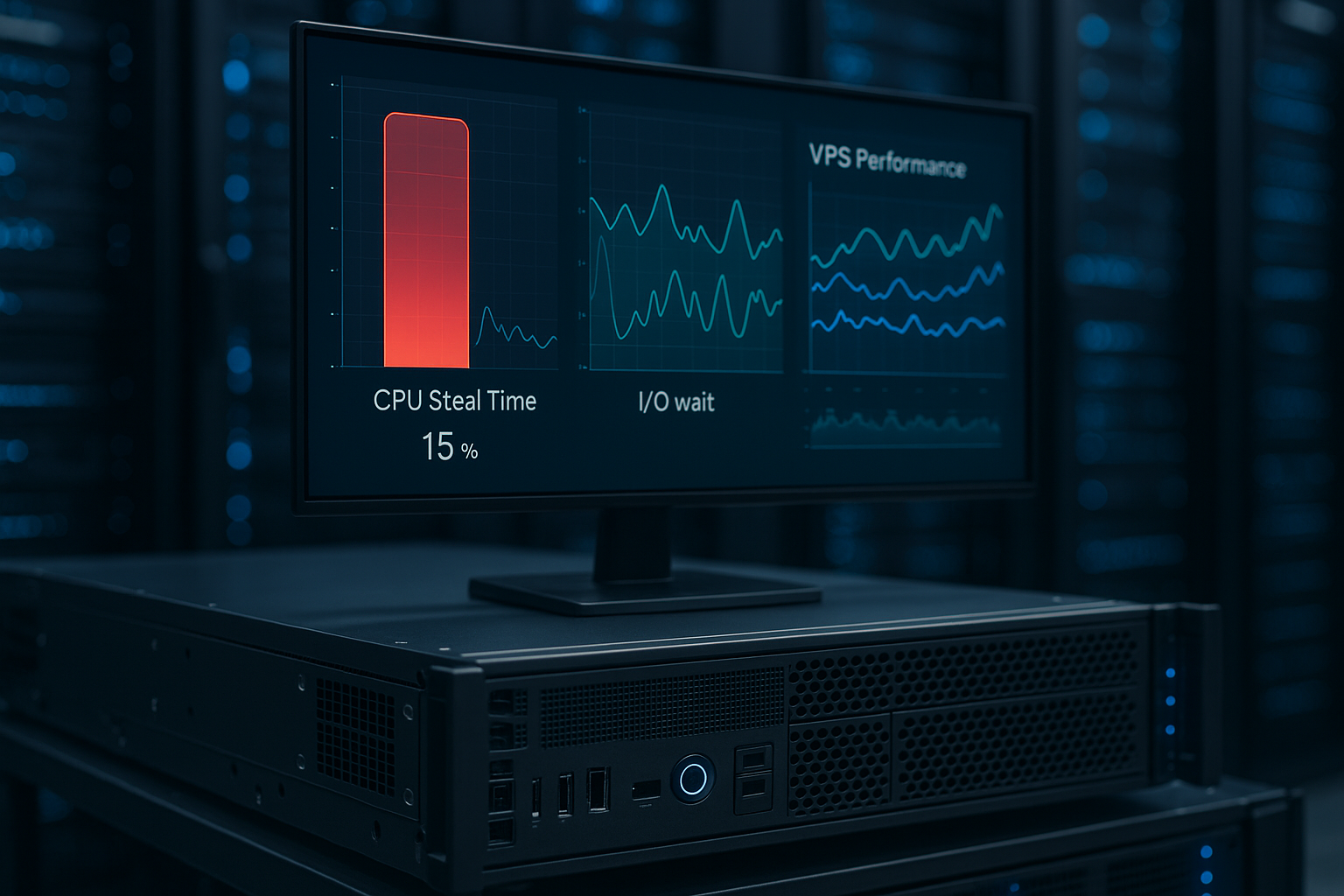
Steal Time describes lost computing time in which a vCPU has to wait because the hypervisor gives priority to other guest systems; top displays this as %st, it is not a Idle-time. Values below 10 % are usually not critical, while persistent plateaus above this indicate host retention and increasing latency, which I address immediately. Noisy neighbors often trigger these effects, for example through cron peaks or backups that I equalize in time. For beginners, it is worth taking a look at Understanding CPU Steal Time, to classify symptoms more quickly. In my audits, I always correlate %st with utilization and response times, so that I can identify cause and effect. clear separate.

Read I/O wait times correctly
High %wa in vmstat indicate that threads are waiting for memory or network responses and thus the CPU lies idle. In shared storage setups, these waiting times increase quickly, especially if many VMs write randomly to the same LUNs. NVMe SSDs deliver significantly lower latencies in IOPS tests (e.g. 4k random) and reduce jitter, which noticeably reduces the load on databases. I also check QD (Queue Depth) and scheduler settings, because incorrect parameters slow down small write processes. For CMS and store workloads, write-back caching pays off as long as I use consistency limits and backups. schedule.
Measurement: vmstat, iostat, top and PSI
I start with vmstat 1 and observe r, us, sy, id, wa, st; r greater than vCPU number and simultaneously high %st signals overloaded Hosts. iostat -x 1 shows await, svctm and util per device, which I use to detect hotspots in the storage. I use top or htop to track per-process load and check whether a few threads are blocking everything. In container environments, I also read PSI under /proc/pressure/cpu and /proc/pressure/io to see wait patterns over time. I combine these sources to get a consistent picture before applying optimizations. realize.

Recognize limit values, SLOs and outliers
I define SLOs, about 99 % of the requests under 300 ms, and link them to a maximum of 5 % Steal and low I/O wait. I then evaluate time series: short %st peaks are tolerable, longer phases worsen throughput and customer experience. I count percentiles higher than mean values because individual outliers dominate critical paths. For databases, I check latency buckets (1, 5, 10, 50 ms) so that spikes do not go undetected. If SLOs spike, I immediately plan countermeasures such as live migration or resource limits before I lose users; this maintains performance predictable.
Narrowing down the causes: CPU vs. storage vs. network
If top shows high %st with no idle time, the assumption of an overloaded host is obvious, while high %wa with a moderate CPU indicates storage; so I separate Domains clean. If r in vmstat correlates with increasing runtime of simple compute jobs, I assign steal as the cause. If CPU metrics remain stable but iostat-await climbs, I focus on IOPS bottlenecks or queue settings. For network paths, I use latency probes and observe retransmits so as not to confuse packet loss with I/O wait; I offer further tips in Understanding I/O Wait. These diagnostic steps prevent me from turning the wrong screws and then turning the same screws later. Tips return.
Optimizations against CPU steal time
I reduce vCPU oversizing because too many vCPUs create scheduling pressure and extend steal; fewer cores with higher clock speed often help immediately. NUMA mindfulness pays off: I bind workloads to the appropriate node and minimize cross-node access. Isolated instances with reserved resources prevent noisy neighbor influences, if the provider offers this. On the code side, I remove busy-wait loops and replace polling with events so that the CPU does not block artificially. I also monitor the load average relative to the vCPU number and store alarms that escalate from 5-10 % steals; this is how I keep response times to a minimum. close.

Reducing I/O latencies: caching and storage
I move hot reads to Redis or Memcached so that data doesn't have to be transferred from Disc have to come. For write paths, I optimize commit intervals and batch sizes, which allows me to bundle small write loads. NVMe-based volumes with high IOPS performance significantly reduce wait times, especially with 4k random. At the file system level, I check mount options and alignments to avoid unnecessary write amplification. In Kubernetes, I set requests/limits, node affinity and dedicated storage classes so that pods do not share scarce I/O resources. block.
Managing hypervisor overcommitment pragmatically
Overcommitment occurs when vendors sell more vCPUs than there are physical cores available; the result is longer ready times and noticeable Steal. I monitor CPU-Ready via the hypervisor and draw conclusions when over 5 %. Right-sizing, limits and time-shifted batch jobs reduce conflicts in the host scheduler. If the provider supports it, I use live migration to quieter hosts or book instance types with low overcommit. I summarize the background and measures in CPU overcommitment together so that I can make decisions based on facts and fast meet.

Practice check: benchmarks and correlations
I validate host constancy with small benchmark loops, such as a series of CPU-heavy operations, whose runtimes I compare; strong scatter indicates Steal there. For disk I use fio profiles (randread/randwrite, 4k, QD1-QD32) and log IOPS, bandwidth and latency percentiles. I check network delays in parallel so that I don't mix up any effects. I run these measurements several times a day to identify daily patterns and rule out maintenance windows. I correlate results with application metrics to show how peaks directly affect revenue, session time or error rates. impact.
Provider selection and performance data
For productive workloads, I pay attention to strong single-core values, high IOPS and low long-term scatter; this is how I achieve short Latencies. In tests, providers with limited overcommitment deliver measurably more consistent response times. webhoster.de often performs very well in comparisons, for example with high single-core performance and low steal time. Budget VMs can be sufficient, but for critical services I plan in reserves and calculate €12-40 per month for reliable resources. The following table shows typical key figures that I use to make decisions; values are guidelines and help with the Classification.
| Metrics | webhoster.de (1st place) | Competition (average) |
|---|---|---|
| Single-Core Score | 1.771+ | 1.200-1.500 |
| IOPS (4k) | 120.000+ | 50.000-100.000 |
| Steal Time (Ø) | < 5 % | 10-20 % |
| I/O wait | Low | Medium-high |

Smart choice of cost planning and tariffs
I start with small plans that offer good single-core performance and only increase when bottlenecks are filled; this way I only pay for real Needs. I plan traffic peaks with burst reserves and short-term upgrades instead of remaining permanently oversized. For data-intensive services, I book faster NVMe volumes or dedicated storage classes, as the price-performance ratio is often better than a CPU upgrade. Managed VPS is worthwhile if the provider guarantees monitoring and balanced placement; this reduces the likelihood of long steal plateaus. I check the SLA texts and demand transparent metrics so that I can reliably calculate my SLOs. hold.
CPU Governor, Turbo and C-States
On virtual machines, the CPU energy policy directly influences the latency. I check whether the governor is set to „performance“ and whether turbo modes are being used stably. For latency-sensitive services, I limit deep C-states so that cores do not have to wake up repeatedly from sleep states. In series of measurements, I compare response times with different governor settings and record the best combination. I also check the clock source (tsc vs. kvmclock) and time sync, because unstable clocks can distort metrics and provoke timeouts. The goal: consistent clocking, no unpredictable frequency jumps and measurably shorter response times under load.
Memory and swap as a hidden I/O driver
In addition to CPU and disk, memory pressure also slows things down. I monitor page fault rates, free cache and swap activity; if swap in/out increases, %wa often explodes. For applications with high cache requirements, I regulate swappiness moderately, plan enough RAM and only use zswap specifically to cushion burst peaks. I test transparent huge pages on a workload-specific basis: some databases benefit from static huge pages, other loads benefit more from deactivated THP defragmentation. It is important to correlate memory pressure with PSI (memory) so that I can see OOM risks, reclaimer loops and LRU thrash at an early stage. Less memory pressure usually means more constant latency and fewer I/O jams due to swapping.
File systems, schedulers and read-ahead
I align the file system with the workloads. For NVMe I usually set the scheduler „none“, on SATA/SSD „mq-deadline“ or „kyber“ prove themselves. I adjust the read-ahead: small, random accesses (DBs, queues) with a low read-ahead, sequential jobs (backups, ETL) with a higher value. Mount options such as noatime/nodiratime save metadata writes, regular fstrim keeps SSD performance stable. With ext4/xfs I check journal mode and commit intervals; I reduce write amplification through clean alignment and bundling of small writes. I measure the effect of each change using await curves and latency percentiles, not just raw IOPS numbers.
Container and cgroup view: shares, quotas and throttling
In containers, latency peaks are often caused by CPU throttling. I prefer requests/limits with buffers so that the kernel does not constantly throttle. I use CPU shares to create relative fairness, hard quotas only where isolation is more important than peak performance. For I/O, I weight cgroups (io.weight) and limit worst openers with io.max so that sensitive services can breathe. I correlate PSI signals per cgroup with P99 response times, so I can see whether individual pods are putting pressure on the host. The result is a predictable load distribution without hard drops due to scheduler penalties.
Recognize workload patterns: Web, Batch, Database
Web APIs react strongly to steal and cursory I/O jitter; here I deliberately limit concurrency (thread/worker numbers) and keep connection pools stable. I move batch jobs outside of peak times, lower their priority and smooth throughput with batching. I optimize databases for low tail latency: log flush strategies, sufficient buffer pool, and decoupled secondary indexes where appropriate. For write-intensive phases, I plan short, high-intensity „burst windows“ and keep the rest of the time constant instead of running permanently under suboptimal mixed load. Clear patterns = fewer collisions with neighbors on the same host.
Operating routine: Alerting, runbooks and change window
I link technical metrics with SLO alerts: %st over 5-10 % for longer than N minutes, PSI stalls via threshold, iostat-await via defined latency buckets. I pair alerts with runbooks: trigger migration, tighten limits, increase caching, adjust read-ahead. I make changes in small steps with Mess-Gate; I stop when tail latencies get worse. I coordinate maintenance windows and backup jobs so that they don't put pressure on storage and CPU at the same time. This discipline ensures that improvements have a lasting effect and no surprises end up in day-to-day business.
Mini checklist for a quick effect
- Governance: Check CPU governor, stabilize C-states and clock source.
- Measurement: run vmstat/iostat/top/PSI in parallel, establish time correlations.
- CPU: right-size vCPUs, observe NUMA, remove busy-waits, set alarms to %st.
- I/O: Use NVMe, select suitable scheduler, adjust read-ahead, plan fstrim.
- Memory: Swappiness and THP workload-specific, monitor page cache and PSI.
- Container: Set requests/limits with buffer, io.weight, avoid throttling.
- Operation: decouple batch jobs, stagger backups, link SLO alerts with runbooks.
Briefly summarized
I focus on the Analysis on two levers: reduce CPU steal time and shorten I/O wait times. Measurements with vmstat, iostat, top and PSI provide me with a picture of the situation, correlations with response times show the effect. I then take targeted measures: Right-sizing, limits, NUMA mindfulness, caching and faster NVMe storage. If bottlenecks persist, I plan migration or tariff changes before customers experience latency. If you implement these steps consistently, you will achieve consistent response times, protect SLOs and create a reliable User experience.