Skip to content
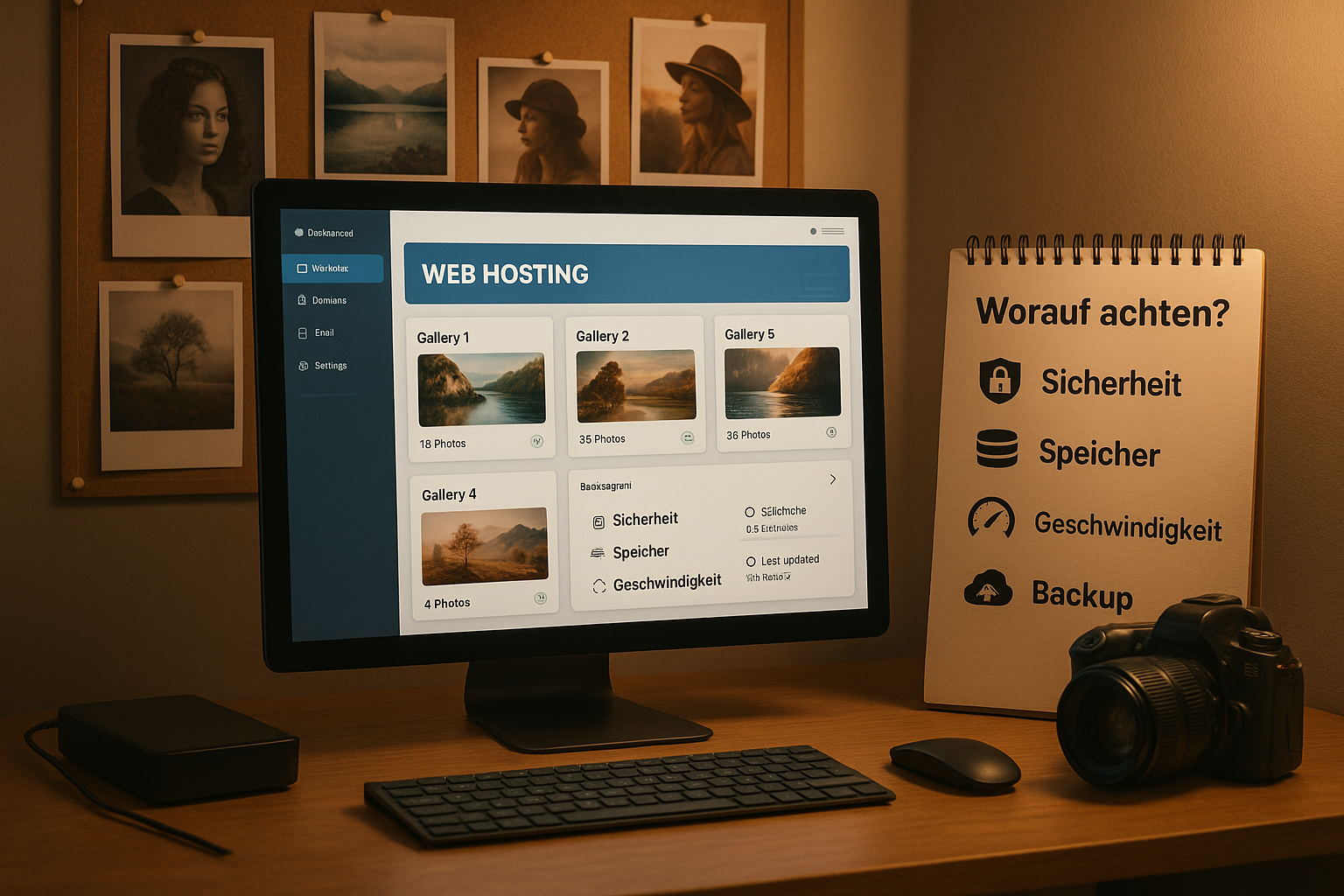
Whoever finds the right webspace for photos decides on the loading time, image quality and rights control of his gallery. That's why I pay attention to storage upgrades without relocation, real SSD performance with CDN, consistent backups and WordPress compatibility for a low-maintenance photo website before buying.
Key points
- Memory: Flexibly expandable, from 100 GB, without being forced to move between tariffs.
- SpeedSSD, HTTP/2 or HTTP/3 stack, CDN and clever image optimization.
- SecuritySSL, daily backups, EU location, tools for rights management.
- WordPressOne-click installation, auto-updates, caching and security packages.
- SupportAccessible, competent, clear resource limits instead of vague promises.
How much storage space do you really need?
I calculate my Memory requirement always based on the file sizes and the planned growth rate. High-quality photos quickly end up at 5-20 MB per image, and 100 GB fill up faster than expected with a few hundred shots. A tariff with an upgrade option without data migration saves time and nerves later on, because I simply scale up as soon as my gallery grows. Unlimited quotas sound good, but the small print often includes I/O or CPU throttling, which noticeably slows down large uploads or mass downloads. For a predictable journey, I rely on transparent limits, generous inodes and a provider who Memory and charging time clearly documented.
I also work with derivatives: Thumbnails, web sizes, possibly black and white variants and preview images for the backend are created from an original. This quickly doubles or triples the inodes used. If you archive RAWs, you can consciously not in the web space, but locally or in a separate object storage; only optimized web formats are then stored in the web space. For projects with many galleries, I add 10-20 % buffers for future plugins, databases, caches and staging environments.
Practical formula for the start: Number of images per month × average MB per image × 2 (derivatives) × 12 months + 25 % buffer. For wedding or sports reports, I also plan temporary peaks when short-term galleries generate many additional preview images. And: Depending on the retention, backups take up a lot of memory. I therefore clarify whether backups are deduplicated and stored outside the quota.

Speed and technology: what makes your gallery fast
For speedy galleries I rely on SSDstorage, server-side caching and a global CDN to ensure that large images are available quickly everywhere. Modern protocols such as HTTP/2 or HTTP/3 reduce latency, while Brotli or Gzip keep the data streams small. An image optimizer at server level generates suitable derivatives so that visitors never load larger files than necessary. Under load, the combination of CPU performance, RAM and fair I/O limits counts so that batch uploads and preview calculations do not stall. I also check whether the hoster supports lazy loading and automatically generates thumbnails, as this noticeably reduces the perceived loading time.
I follow Core Web Vitals: A low TTFB ensures fast initial reactions, I achieve good LCP values with a small hero image, efficient caching and early loading of the most important assets. On the server side, keep-alive, TLS 1.3, prioritization under HTTP/3 and clean cache control headers (long TTL + immutable) so that images are rarely reloaded. The CDN should be capable of origin shielding, region selection and image caching with a respected cache busting strategy (version parameters or file names).
For upload workflows, I pay attention to stable PHP workers, sufficient max_execution_timerestriction-free chunk uploads and usable limits for simultaneous processes. This allows large series to be imported reliably without timeouts occurring. For preview generation and mass export, a fair I/O stack with a queue mechanism is worth its weight in gold.
Security, backups and rights: your photos remain your photos
I secure my work twice: Daily Backups at the hoster and a second offsite archive so that I can restore immediately in the event of errors. An SSL certificate is part of the basic equipment because it protects logins, customer areas and downloads. For European projects, I choose server locations within the EU, clear AV contracts and data centers with documented access and fire protection. Tools for watermarks, access restrictions or password-protected albums help me to protect image rights and release galleries in a targeted manner. Those who sell prints or downloads also benefit from paywall options, logging and granulated roles for customers.
I define recovery targets: How much data loss is tolerable (RPO) and how quickly does the site need to be up and running again (RTO)? From this I derive backup frequency, retention (e.g. 7/30/90 days), test restore routine and storage location. I check whether file-based and database snapshots are consistent and can be restored in an emergency without a support ticket. Encryption at rest and in transit2FA for admin accounts, SSH key instead of password and restrictive file permissions (least privilege) are set for me.
WAF, rate limiting and hotlink protection help to prevent abuse so that other websites don't consume my traffic budget. For protected customer galleries, I use signed URLs, expiring download links and differentiated roles: view, comment, select, but do not share publicly. This allows me to retain control over reach and usage rights.

WordPress & software stack for photo websites
I like to manage portfolios with WordPressbecause themes and plugins for galleries, proofing and customer login offer a mature workflow. A host with one-click installation, auto-updates and server-side caching saves me maintenance time on a daily basis. Important helpers are image CRO plugins, lazy loading, Smush or WebP converters and security suites with login protection. For larger setups, I appreciate staging environments to safely test new galleries and layouts. If you use an alternative CMS, pay attention to PHP versions, available modules and CLI access for automated uploads and derivative generation.
The decisive factors are the image library and render path: I check whether Imagick is available (better for large images), whether srcset and sizes for responsive images are generated correctly and how the cache interacts with CDN invalidations. An object cache (e.g. Redis) relieves the database, OPcache accelerates PHP. For operation, I rely on WP-CLI, cron jobs for nightly optimizations, logging of image generation and a clear deployment strategy: first test changes for staging, then go live with a short cache warm-up phase.
Workflow, color management and metadata
My image workflow starts before the upload: In Lightroom, Capture One or DxO, I export web variants in sRGB, set sharp but moderate sharpening for the screen and reduce the long edge to match my theme layout (e.g. 2560 px for fullscreen, 1600 px for standard). Color management remains consistent by avoiding exotic profiles and using sRGB as a robust standard.
Metadata controls rights and findability: I fill in IPTC fields (copyright, contact, license information) and remove sensitive EXIF data such as GPS if the location is not to become public. Ratings and selection markers are helpful for customer galleries with proofing. Batch renaming ensures clean slugs and file names, which also help later in the search. I use watermarks sparingly and mainly in download versions so that the web gallery remains visually calm.
Compare tariffs: Provider overview (2025)
I compare Provider on clear criteria: Storage size, upgrade paths, WordPress optimization, backup strategy, CDN and support coverage. The following overview summarizes key features and helps with a quick preselection. It is important to check the limits for concurrent processes, monthly inodes and performance guidelines before ordering. For growing archives, I note the upgrade steps and whether a later change will work without downtime. A practical tip: A package with daily backup, CDN and WP stack saves tickets and time in the long term.
| Provider | Storage space | Special features | Suitability |
|---|---|---|---|
| webhoster.de | 100-300 GB+ | WordPress optimization, backups | Photographers, growing galleries |
| Hostinger | 100 GB+ | AI support, favorable | Price-conscious setups |
| SiteGround | 20-40 GB | CDN, image optimizer | Mobile-focused pages |
| InMotion | Unlimited | Piwigo gallery, multi-projects | Large collections |
| Wix/Format | 2 GB-70 images | Website construction kits | Beginners, fast online |
For "unlimited", I check entry processes, concurrent PHP workers, RAM per process and I/O limits - these are the real brakes for mass uploads and thumbnail generation. I specifically ask about throttling policies for traffic peaks, whether cron jobs are restricted and how support helps with temporary upgrades when a campaign goes viral.
Free image hosters: who they are suitable for
For spontaneous Projects I like to use free platforms when budget or reach are the top priority. The convenience of sharing is convincing, but upload, compression and privacy limits set framework conditions. If you want portfolio character, your own domain and full control, you're better off with independent hosting. For short-term sharing or community feedback, free offers are still helpful. An overview of features and pitfalls can be found in the Free image hosting guidewhich I use as a starting point.
I note that many free providers remove EXIF data, use aggressive compression or restrict direct links. For commercial use, I check the terms of use and rights to thumbnails. For customers who expect confidentiality, self-hosting with access controls is a much better choice.
Optimize images: Formats, compression, CDN
For ideal Loading times I create several sizes per motif and use server-side derivatives. Modern codecs such as WebP often deliver smaller files than classic JPEG with the same quality. Before uploading, I compress with low loss and check whether my hoster offers on-the-fly conversion. A CDN speeds up delivery worldwide and keeps the Origin load within limits. If you want to delve deeper, you can find details in this compact comparison: WebP vs. JPEG.
I use responsive images consistently: srcset and suitable sizes-The size information prevents overserving. For hero images, I prioritize the required size and, if necessary, set a preload so that the most important image appears first. For thumbnails, I create sharp, small derivatives and avoid unnecessarily high quality settings because the visual difference is minimal, but the bandwidth gain is large.
On the server side, a combination of persistent cache, long TTL in the CDN and planned invalidation for image updates has proven itself. Derivatives should be named deterministically (incl. dimension/quality) so that caches work efficiently. Those who also test AVIF ensure clean fallbacks and check rendering quality on iOS and older browsers.

Law & GDPR: location, contracts, access
For Data protection I check the provider's location, order processing and deletion concepts. A data center in the EU makes it much easier to comply with the GDPR. Logs should be economical, secure and traceable, especially for customer areas with downloads. For sensitive albums, I rely on password protection, IP rate limiting and restrictive roles for guests, customers and editors. A transparent contract with clear liability and documented response times creates reliability in the event of an emergency.
I also check TOMs (technical and organizational measures), subcontractor chains and clear processes for data breach notifications. For content delivery from non-EU regions, I need suitable legal bases and keep log retention as short as possible. For photos of people, model releases and clear license agreements secure their use. Hotlink protection, paywalls and download policies prevent uncontrolled distribution without hindering legitimate customer access.
Scaling and support: growth without relocation
I am planning Growth from day one, so that storage, CPU and RAM grow cleanly later on. An upgrade in the same product line remains my preferred route because no migration is necessary. Good hosters offer clear resource levels, monitoring and warnings of bottlenecks. I use temporary upgrades and activate additional CDN locations for boosts due to campaigns or press. Expert support that handles tickets, chat and telephone often solves bottlenecks in minutes rather than days.
For me, scaling in detail means: outsourcing media (e.g. to object storage), caching the front end via CDN, dimensioning PHP workers appropriately and processing background jobs (thumbnail generation, exports) in queues. For risk-free releases, I work with Blue-Green or Staging-Live-Switch, reduce TTLs shortly before the switch and specifically warm up critical caches. A failover plan (restore backup, switch DNS/Origin) should be included in the documentation.

Monitoring, SEO & accessibility
I monitor my gallery continuously: Uptime monitoring, alerts for 5xx errors, measurement of TTFB and LCP and a look at error logs show me whether image paths, caches or authorizations are stuck. Synthetic checks against CDN edges and the Origin help to identify bottlenecks. For large archives, a simple health check with image retrieval per minute is sufficient to detect CDN or certificate problems at an early stage.
For findability, I pay attention to descriptive file names, alt texts, structured headlines and captions. Clean internal linking and an image sitemap help search engines to index the content. I avoid query parameters in image URLs so that caches and bots work consistently. And I don't inadvertently block images using robots rules if proofing galleries are to be public.
Accessibility starts with good alternative texts, sufficient contrast, keyboard-operated galleries and sensible focus states. Zoom functionality, legible captions and a smooth, easily scalable image viewer ensure that mobile users and people with disabilities can also enjoy the gallery.

Briefly summarized: My decision check
I choose Webspace for photos by realistically calculating storage requirements, assuming performance tools (SSD, CDN, caching) and checking security functions such as SSL, backups and EU location. WordPress compatibility with auto-updates and staging saves time during maintenance and layout changes. Free platforms are sufficient for short-term projects, but for control over quality, rights and domain I consistently rely on my own hosting. A clear tariff comparison shows me upgrade paths, resource limits and the actual downtime strategy. This keeps images fast, secure and professionally presented - today and for years to come.