Skip to content
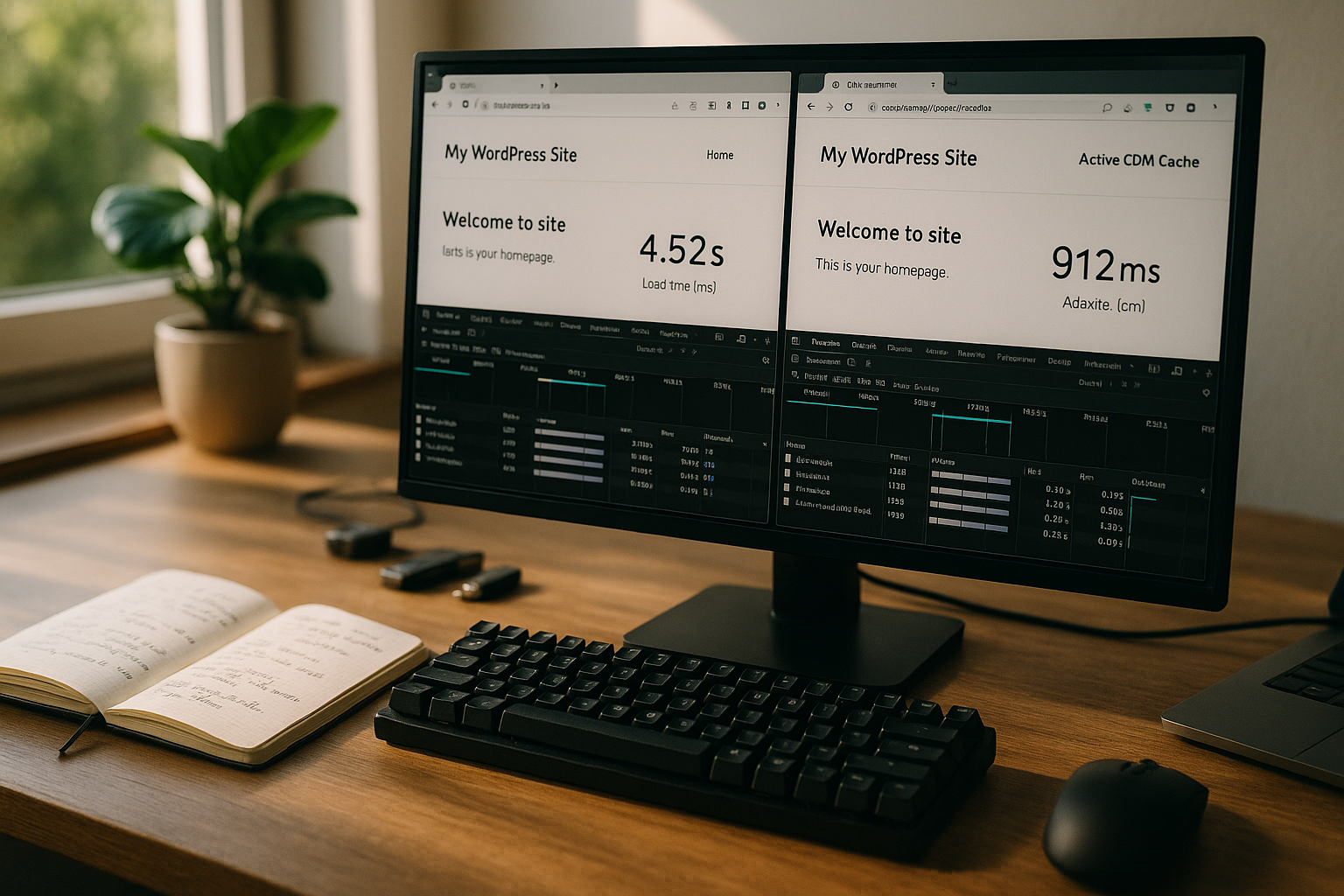
I use real measured values to show what a CDN WordPress in practice: loading time with cache up to 788 ms and TTFB up to 37 ms, significantly slower without cache [4][5]. The comparison makes it clear how content from globally distributed nodes affects a WordPress site and how much caching shortens the page load time.
Key points
I will summarize the most important differences so that you can see the effect of a CDN quickly. The focus is on real numbers and clear actions. This will help you understand how cache hits affect load time and TTFB. You'll also see which providers make sense for WordPress. At the end, you'll have a clear plan on how to optimize the Performance your site measurably.
- Cache hitDelivery from next node, TTFB up to 37 ms [4]
- Global: Shorter distances, less latency for visitors worldwide
- Load: Relieved Origin, higher availability for peaks
- SEO: Faster pages boost rankings and conversions [5]
- SecurityDDoS defense and edge filters increase protection [1][5]

What are the benefits of a CDN for WordPress in figures?
I'll start with the key figures that everyone understands: Edge cache reduces the loading time of a WordPress page to up to 788 msthe TTFB drops to 37 ms [4]. Without a cache and at a greater distance from the server, TTFB and render start often increase noticeably. International access in particular benefits because a CDN radically shortens the distance to the user. This results in faster first paints and earlier interaction start. For the Conversion it is precisely this gain in time that counts [5].
For international projects, it is worthwhile Global content delivery set up in a planned manner. I prioritize static assets like images, CSS and JS first because they consume the most bandwidth. Then I optimize HTML cache rules to handle dynamic parts correctly. This way I avoid outdated content and at the same time ensure shorter paths to each visitor. The HIT rate serves as a guideline for me: higher is better.
Without cache vs. with cache: This is how the difference works
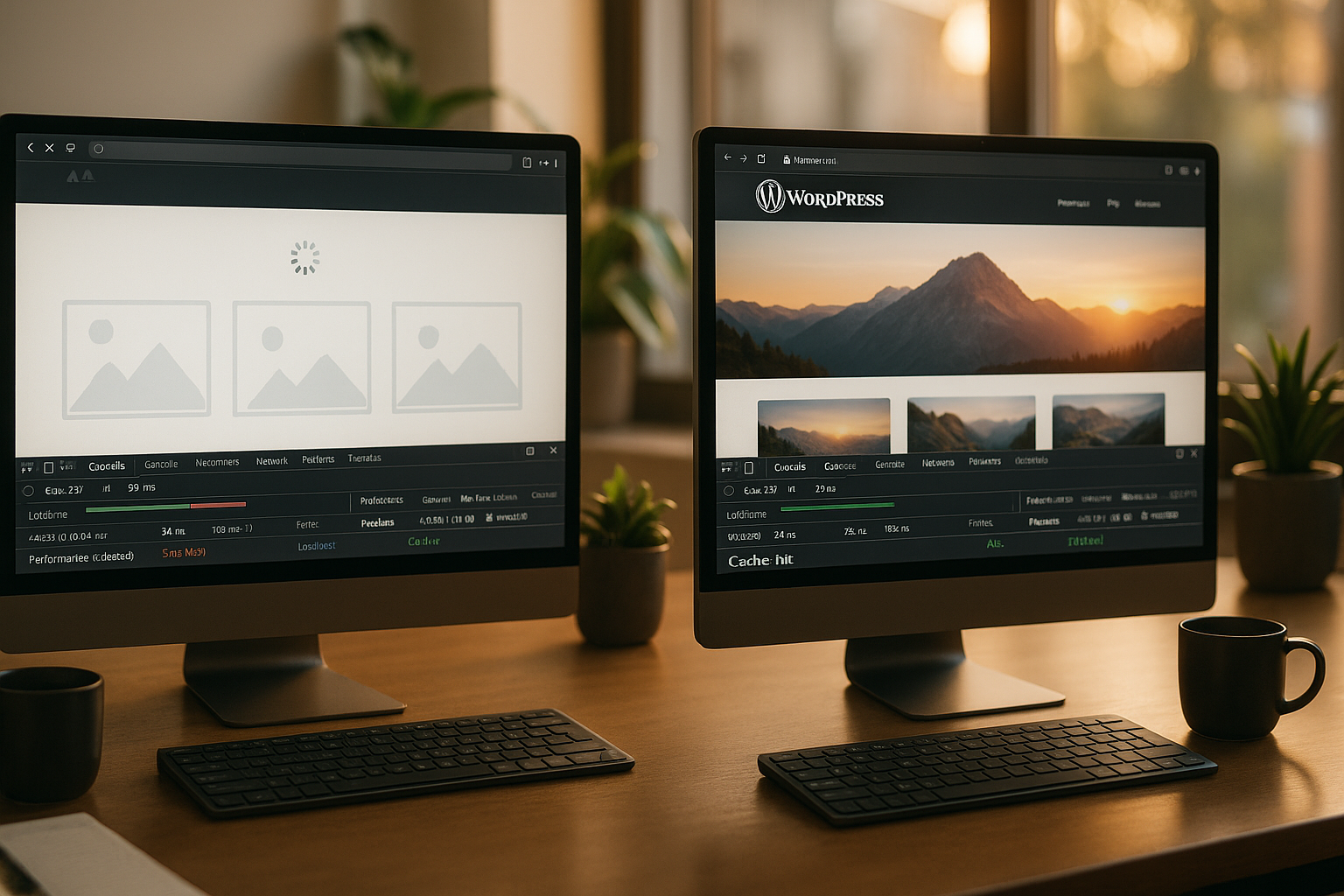
Without CDN, requests always serve the origin server, which leads to delays due to distance and load [3]. With active CDN and cache, edge nodes deliver frequently requested files directly from nearby, which shortens TTFB and total load time [4]. In the HTTP header, I recognize the effect from "X-Cache: HIT" for fast responses and "MISS" for the first file retrieval. In practice, I see fewer fluctuations and constant values throughout the day. This increases the User satisfaction clearly.
| Test environment | Average loading time | TTFB | Availability |
|---|---|---|---|
| Without CDN | 1,8-2,5 s | 400 ms | Under load: ▲ Downtime |
| With CDN & Cache (WP) | 0.7-1.1 s (up to -65%) | 37 ms | High (redundancy) |
The table clearly shows the jump: shorter distances, better TTFB, more stable time to LCP. I check measuring points on several continents to check the effect outside the home country. A single location often masks latency peaks. Rely on averages and percentiles, not one Individual value. So you can make reliable decisions.

Technical overview: How the CDN works with WordPress
A CDN caches frequently used files such as images, CSS and JavaScript at global nodes. When first retrieved, the header usually marks the status as "MISS", often followed by a "HIT". This reduces the Latencybecause the path to the user is shorter. HTTP/2, TLS resumption, Brotli and possibly HTTP/3/QUIC also shorten the transmission time. I avoid double compression and check whether Gzip or Brotli delivers the better results.
With WordPress: Assets belong at the edge, HTML often remains dynamic. For content with infrequent changes, I set a longer TTL. For user-related areas, I choose short lifetimes or bypass the cache altogether. I keep the rules for query strings, cookies and cache bypass clear and concise. This keeps the Delivery reliable and up-to-date.
Cache header and TTL design in practice
I control the behavior of browsers and CDN separately. I use s-maxage for the Edge, while max-age addresses the browser cache. In addition, I set stale-while-revalidate and stale-if-errorso that users receive quick responses even in the event of a temporary Origin problem. The response headers typically contain the following:
- Cache control: max-age for browser, s-maxage for Edge, supplemented by stale-while-revalidate
- Vary: Accept encoding and, if necessary, origin/cookie as sparingly as possible
- ETag or Last-Modified for valid revalidation instead of complete retransmission
- For HTML: short edge TTL (e.g. seconds to minutes) plus Soft refreshto keep dynamic ranges correct
I differentiate between Edge TTL and browser TTL: Long browser TTLs for unchanged assets not only reduce the load on the CDN, but also on the end devices. Versioned file names (app.123.css) prevent conflicts during updates. This keeps the HIT rate high without users seeing outdated resources.
Clean handling of dynamic areas in WordPress
E-commerce (shopping cart, checkout), logins and personalized boxes must never be accidentally cached by the Edge. I bypass the cache specifically for requests with sensitive cookies and query parameters. These are typical:
- Bypass for logged-in users: Do not cache pages with cookies such as session or login cookies
- Shopping cart/checkoutExclude fixed paths, mark API calls (REST/Ajax) correctly
- Micro-caching for anonymous HTML pages (e.g. 10-60 s) to absorb load peaks without risking outdated content
- Purge strategy: Purge object groups after content updates instead of global purge
Helpful is a Tag-based invalidation (surrogate keys) if your setup supports them. I tag posts, categories or page builder sections and only delete affected objects. This keeps the cache warm, the response time stable and the Origin protected [3][4].
Influence on SEO and conversion
Speed is both a ranking factor and a sales driver. If the loading time increases from one to three seconds, the bounce rate increases by over 32% [5]. I therefore monitor LCP, FID/INP and CLS as well as TTFB as early indicators. A CDN reduces waiting times, which makes interaction possible earlier. Better key figures pay off SEO and increase the conversion rate.
Users expect a response without hesitation. With Edge Cache, the site looks smoother, especially on high-latency mobile devices. I minimize render blocking, serve fonts via the CDN and enable early hints where available. Together with compression and image formats such as WebP, this results in a noticeable boost. This adds up to measurably more Inquiries per session.

Edge functions: HTTP/3, TLS 1.3 and Early Hints
I activate HTTP/3/QUIC wherever it is stably supported. In mobile networks in particular, this has advantages in terms of connection setup and packet loss. TLS 1.3 with 0-RTT can accelerate idempotent GETs. Important: Only use 0-RTT where repeat attacks are ruled out. Breadstick with moderate compression levels often provides the best balance between CPU costs and transfer size for text resources.
Early Hints (103) shorten the render start if the browser requests critical resources such as CSS/fonts earlier. I use preload headers in a focused way, but avoid redundancies. I no longer use server push, as modern browsers hardly rely on it anymore. Instead, I prioritize requests correctly and reduce domains to minimize connection overhead.
Provider comparison: Which CDNs are worthwhile?
For WordPress, integrations, PoP coverage, pricing structure and support count. I also pay attention to features such as image optimization, DDoS protection and cache rules via dashboard or API. In many projects, I benefit from minimal latency and clear tools. The following overview shows common options with benefits and costs. The selection depends on your Targets and locations [2].
| Place | Provider | Advantages | Price |
|---|---|---|---|
| 1 | webhoster.de | Strong WordPress integration, top speed, large PoP selection | from 0,01 €/GB |
| 2 | Cloudflare | Free basic package, DDoS protection | Free / Premium |
| 3 | Bunny.net | High performance, low prices | from 0,01 €/GB |
| 4 | Sucuri | Combination CDN & Security | from 9,99 €/month |
If you use Cloudflare, you can set up the integration via Plesk; you can find instructions on how to do this at Cloudflare in Plesk. For projects with a lot of image traffic, I look at edge optimization and image transformation to reduce bandwidth costs. Low prices per GB help with seasonal peaks when transition costs increase. Also look at logs and analytics to identify bottlenecks. A clear Transparency speeds up troubleshooting.
Integration in WordPress: setup in just a few steps
Nowadays, setup often takes minutes: Adjust DNS, store CDN URL in the plugin and define cache rules. I start with static assets, check CORS for fonts and activate Brotli if available [1]. Then I test cache headers, early hints and, if necessary, HTML caching with caution. After major changes, I clear the edge cache to save fresh content. This keeps the Issue consistent.
For image-heavy pages, I like to use a direct integration, such as the Bunny.net Image CDN connection. I use this to reduce bytes per image and deliver suitable sizes for each end device. The effect is immediately visible and also reduces the CPU load on the Origin. Make sure to test WebP or AVIF if browser support is suitable. Every saved Millisecond pays off.

Asset versioning and cache busting
I rely on File name versioning instead of query strings to safely invalidate browser caches. build.34.css ensures unique recognition, while old assets can remain in the cache for a long time. For WordPress themes and plugins, this means bundling assets, minifying them and outputting them with a version hash. This saves requests and increases the hit rate in the cache - twice as effective.
Cold cache and pre-warm strategies
The cache is cold after deployments or purges. I use Pre-warm-scripts that briefly request top URLs and critical resources. This reduces the initial latency, especially for globally distributed PoPs. I am also planning purges staggered (Staging->Edge) to avoid load peaks at the Origin. For images, a On-demand warm-upwhere the first accesses take place at off-peak times.
Common mistakes and best practices
I often see TTLs that are too short or too long, which either trigger a lot of MISS events or outdated content. Differentiated control is better: long TTLs for unchanged assets, short ones for frequently updated parts. Missing HTTPS redirects or double compression also cost time. Check cache bypass for admin and shopping cart pages as well as rules for cookies and query strings. Document your Header clean, so that CDN and browser cache work hand in hand.
A second classic: assets outside the CDN. I don't forget fonts, SVGs, JSON APIs or third-party scripts, as far as technically possible. For tricky cases, rewrite rules or an asset manifest help. After deployments, I trigger targeted purges instead of global deletions to avoid traffic peaks. This keeps the Cache coherence and the page appears uniformly fast.
Troubleshooting: Read headers, recognize cold cache
I start every debugging on the HTTP header. Relevant fields: Cache status (HIT/MISS/BYPASS), Age, Via, Content-Encoding, Timing-Allow-Origin and Server-Timings. A MISS on the first request is normal. If it stays that way, a cookie, a rule or a varying query string is usually blocking it. With a simple curl test from several regions, I can find differences between Edge PoPs. High dispersion in TTFB values indicates cold cache, routing issues or TLS renegotiations.
I also check whether resources have been incorrectly no-store whether ETag/Last-Modified are set appropriately and whether Brotli delivery is active. For HTML, I specifically measure the Time to First Byte and the render start (FCP) to separate server time from network time. This way, I am not blinded by individual events, but correct the areas that have the greatest leverage [4][5].
Practice check: Monitoring and metrics that count
No progress without measurement. I compare TTFB, FCP and LCP before and after CDN activation and monitor the HIT rate. Regional tests show where additional PoPs bring the most benefit. I also check error rates and TLS handshakes to detect connection problems early on. A clean Baseline test facilitates any subsequent evaluation.
For long-term monitoring, I set alerts to limit values, such as TTFB > 300 ms in Australia or LCP > 2.5 s on mobile. Logs at the edge help to quickly narrow down deviations. I filter by cache status, HTTP codes and object sizes to find patterns. I then adjust rules or image formats. Evaluation instead of feeling saves time and brings measurable Results.
Compliance and data protection
I take care not to leak any personal data via cache layers. Session and tracking cookies do not belong in cached responses. I use logs where possible, IP anonymization and limit retention periods. WAF and bot filters reduce risk and load in equal measure [1]. For internationally oriented projects, I check which PoPs may be used and whether contractual Order processing are available. This means that performance does not contradict compliance.
Origin protection: Shielding, tiered caching and connections
With heavy traffic I secure the Origin with Origin Shield or Tiered caching. Not every edge node talks directly to the origin server; this is how I reduce backhaul and connection overhead. Keep-AliveConnection reuse and TLS resumption for Origin save additional milliseconds. For large files (images, videos) I activate Range Requests and check whether the CDN forwards these efficiently to the origin. Throttling and retry rules prevent short-term errors from leading to avalanche effects [3].
Economic effects: A brief cost-benefit analysis
CDN traffic often costs from €0.01/GB, which is around €2 for 200 GB per month. If the site gains measurable conversion as a result, the investment quickly pays for itself. I also take less server load into account: lower CPU and IO peaks reduce hosting costs. Shorter loading times reduce bounces and increase visibility [5]. Every invested Euro flows back into more reach and sales.
I plan buffers for seasonal campaigns. A properly configured CDN absorbs peak loads and keeps the site responsive. This saves expensive on-the-fly upgrades at Origin. In addition, security features such as DDoS filters reduce costs because there are no outages [1]. Predictability and Scaling propose ad hoc measures.
Checklist: Measurably faster in 30 minutes
- Place assets (CSS/JS/Images/Fonts) on the Edge, activate Brotli
- Set clean cache control: s-maxage, stale-while-revalidate, ETag/Last-Modified
- Test bypass rules for logins, shopping cart, checkout and APIs
- Introduce versioned file names for all static resources
- Run pre-warm for top URLs after deployments
- Monitoring: TTFB, LCP and HIT rate provided with alerts
- Activate WAF/bot filter, check CORS and HTTPS redirects
- Document purge strategy: targeted instead of global deletion
Brief summary
A CDN noticeably reduces TTFB and total load time, especially across continents. With a clean cache setup, clear TTLs and smart headers, WordPress delivers faster. I pay attention to X-cache HITs, percentiles and HIT rate instead of relying on individual measurements. I select providers based on PoPs, features and price per GB and link them closely to my setup. This keeps the Performance high, the costs manageable and the effect measurable [1][4][5].
If you want to take action now, start with assets at the edge, check CSS/JS/Fonts, activate Brotli and test image optimization. This is followed by HTML rules, purge strategy and monitoring. Three steps are enough to get started: switch on CDN, verify caching, monitor key figures. Even small adjustments increase interaction speed and visibility. The path to short Waiting times is clear - implement it consistently.