Skip to content
The Correct integration of the VAT ID in WooCommerce is crucial when selling tax-free to business customers throughout the EU. Only with a valid woocommerce sales tax id and automated checks, retailers avoid legal problems and invoice in compliance with the law.
Key points
- Mandatory field Activate VAT ID for B2B orders in the EU
- Plugins such as Germanized or German Market facilitate validation
- Tax exemption only with valid ID and correctly issued invoice
- Sources of error such as invalid IDs or incorrect tax classes
- Accounting interfaces help with automated handover
Why the sales tax ID in WooCommerce is so important
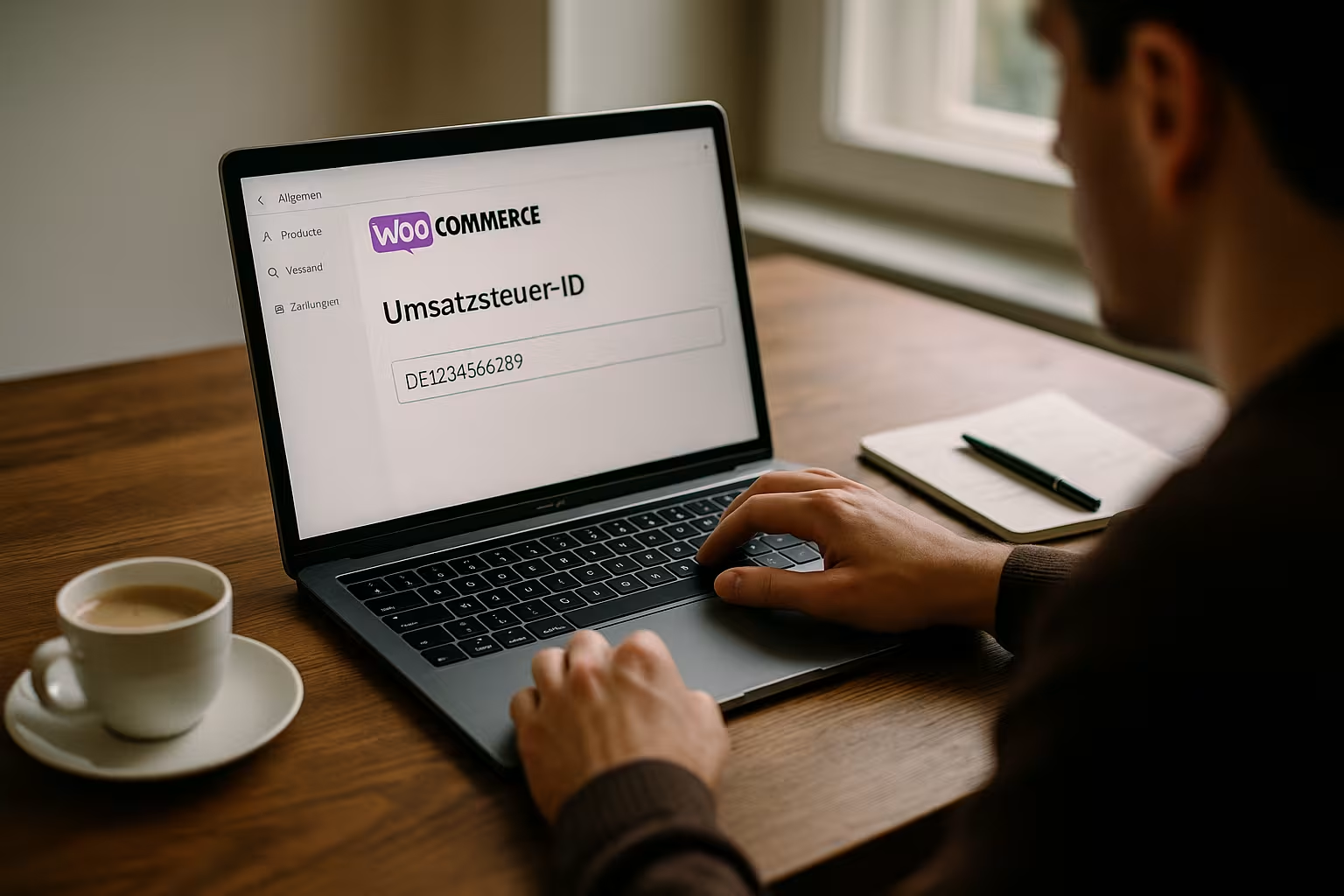
For retailers with a focus on business customers in the EU, a valid VAT ID the sale tax-free. This is based on the so-called reverse charge rule: The buyer bears the VAT liability in his country. WooCommerce only recognizes this if the plugin correctly queries and checks the VAT ID. Without this check, there is a risk of retrospective tax payments. In addition Legal requirements for invoicesfor which the VAT ID is mandatory.
How the integration into WooCommerce works
By default, the option to enter the VAT ID is missing in the WooCommerce checkout. Plugins such as "WooCommerce Germanized" or "Flexible Checkout Fields" solve the problem. They add a new field in the checkout, validate the entry directly via the Federal Central Tax Office or the EU VIES database and ensure that only valid IDs are accepted.
The following steps lead to integration:
- Install e.g. WooCommerce Germanized
- Activate the field for VAT IDs under WooCommerce > Settings > Taxes
- Choose whether net or gross prices are displayed
- Enable the automatic check against the EU or national database
With the help of these functions, different Regulations for B2B and B2C customers.
Invoicing in accordance with legal requirements
In order for invoices to be recognized throughout the EU, certain Mandatory information must be included. Particularly in the case of intra-Community deliveries without VAT, both VAT IDs must be shown. In addition, invoices require information on the time of delivery, quantities and prices as well as a reference to the tax exemption in accordance with Art. 138 of the VAT Directive.
Tip: The identification number is mandatory for deliveries to companies in France or Poland - regardless of whether goods are delivered or services are provided. If you work in a technically clean way, you can integrate all of this automatically with one of the plugins mentioned - including legal documentation via Comparable solutions for WooCommerce.
Automation saves effort in the checkout
A validly set up store automatically checks on the customer side whether a VAT ID is valid and assigned to the respective country. Only then will the VAT be removed in the checkout. This behaviour can also be controlled on a country-specific basis with plugins such as Germanized. For example, the sales tax can only be hidden if the country of delivery is different from the customer's own business country.
Limits of automation: common sources of error
Even if many things are automated, typical errors occur during VAT ID integration:
- Missing test the ID, for example, because the plugin cannot connect to the database
- Obsolete tax classes in WooCommerce, e.g. due to changes in the target country
- Incomplete invoicese.g. without reference to tax exemption
- Taxes on subscriptionswhich must be changed manually when customer data changes
Knowing and checking all these points will significantly reduce the risk of additional financial payments.
Special VAT regulation: One-Stop-Shop (OSS)
Since July 2021, many companies have been using the OSS (One-Stop-Shop) procedure to simplify their tax obligations when selling to private customers in the EU. For business customers, however, everything remains the same: The ID check is still binding regardless of the OSS. WooCommerce can be set up so that both OSS sales and tax-free intra-Community deliveries are processed correctly.
Differentiation: B2B customers versus end customers
WooCommerce differentiates between B2C (end consumers) and B2B (companies) in the ordering process. If a valid VAT ID is available, the tax is automatically waived - provided the plugin supports this differentiation. In all other cases, the tax is added to the gross price. This logic is based on the so-called Reverse charge regulation.
Integration into accounting: clever use of interfaces
Retailers who work with accounting software such as Lexoffice or DATEV benefit twice over from automation via WooCommerce plugins. The VAT ID is automatically transferred when invoices are exported - correctly validated and formatted. This simplifies the transfer to tax consultants. In addition, plugins can be combined with APIs to regularly update accounting data.
Depending on the interface used, several clients, countries or tax zones can also be taken into account.

Tax rates and ID obligation by product type
Many retailers offer different product groups with different VAT rates. Digital downloads, for example, are often treated differently to physical products. Different rules also apply to services in some cases. WooCommerce allows the assignment of different tax classes depending on the Product type and country of delivery - the prerequisite is the correct configuration including ID query.
For a better overview, here is a comparison table:
| Product type | Tax rate D | Tax rate FR | VAT ID required? |
|---|---|---|---|
| Physical goods | 19 % | 20 % | Yes (B2B EU) |
| Digital goods | 19 % | 20 % | Yes (B2B EU) |
| Food | 7 % | 5.5 % | Yes (B2B EU) |
| Subscription Software | 19 % | 20 % | Yes (B2B EU) |
Further aspects for smooth operation
The regular maintenance of a WooCommerce store with a B2B focus not only includes the one-off setup of the VAT ID check. In addition to the technical precautions, the entire business model should also be adapted to country-specific or industry-specific requirements. With different branches in Europe, for example, it may be necessary to use several VAT IDs and reference different tax classes depending on the company's location.
Especially for stores that sell across borders to both end customers and business customers, the correct integration of the VAT ID essential. A one-off error - for example an incorrect or no longer valid VAT ID - can lead to additional payments and official audits. It is therefore advisable to pay particular attention to audit logs when monitoring the store. Many plugins offer log functions that document in detail when a check was carried out and whether the validation was successful.
The impact on the user experience should also not be underestimated: an overly complicated checkout process can deter buyers. However, if the VAT ID query is reduced to a minimum and optimized so that validation runs quickly and seamlessly in the background, it is highly likely that business customers will perceive this as a professional service.
Small business regulation and WooCommerce
A special feature of German tax law is the so-called small business regulation. Affected entrepreneurs in Germany generally issue invoices without VAT if certain turnover limits are not exceeded. For cross-border transactions within the EU, this can lead to confusion for customers, as no VAT is shown in these cases and - depending on the situation - a VAT ID query may not be used. However, it should be noted that the small business regulation is not applied analogously in other EU countries.
If you operate as a small business and use WooCommerce, you should check carefully whether and when it makes sense to request a VAT ID. Although small businesses are not considered to be subject to VAT, certain deliveries to EU partners may require an ID query, for example when it comes to intra-Community trade in goods with VAT IDs. This often depends on the specific individual case and requires consultation with a tax advisor.
Dealing with different delivery and billing addresses
With B2B orders in particular, it is common for the parcel to be delivered to a different address than the one on the invoice. This can affect the validity of the tax-free sale if the delivery address does not correspond to the expected country. Various settings can be made in WooCommerce to ensure that the tax is calculated based on the billing address or the delivery address. In the case of intra-Community deliveries, the place of delivery is usually decisive. Accordingly, the plugin should map these cases correctly.
In some stores, it is not enough to simply compare the address; it is also necessary to check whether the company's VAT ID matches the country to which delivery is being made. If there are any discrepancies here, the plugin can either cancel the checkout or ask the customer to update the data. This prevents potential errors before the order is placed.
Partial deliveries and subscriptions
Particularly challenging are Partial deliveries and Subscriptions (subscriptions). If a customer changes their VAT ID during the course of the subscription or their status changes from B2C to B2B, the tax settings in WooCommerce must be updated automatically. Depending on the plugin, this may require manual intervention or automatic adjustment. The same applies to partial deliveries: Here, it must be ensured that each partial delivery is invoiced correctly and that the VAT ID is valid at the time of the respective delivery. However, most accounting and VAT ID plugins assume that an order is processed in one transaction.
If you regularly carry out partial deliveries or are active in the subscription business, you should ideally use plugins that are specially designed for subscription models and can properly map the reverse charge procedure. This ensures that subsequent adjustments to the VAT ID are automatically tracked in the customer profile.
Security and documentation of the VAT ID check
During tax audits, traders are often asked how they checked the validity of their customers' VAT IDs. It is therefore advisable to document all validation processes. Some plugins log exactly when a validation was carried out and what feedback was provided via the official database (e.g. VIES). These logs can be helpful when providing proof to the tax office or customs.
Should a technical problem occur - for example, if the VIES server is unavailable - the system should display a message so that the retailer can carry out the check manually. It makes sense to incorporate emergency routines into the ordering process, for example by initially marking the order as "pending review" until a valid VAT ID has been submitted or verified.
Multilingualism and multicurrency capability
Those who set up WooCommerce internationally often not only need tax automation, but also multilingualism and multicurrency capability. Various plugins such as WPML or Polylong translate product texts. In addition, currencies can be selected automatically depending on the customer's origin. When it comes to the VAT ID, however, you should bear in mind that the validation always runs against the ID structure stored in the database. A VAT ID from France must therefore be entered correctly regardless of the store language used. The technical check remains unaffected by this. However, it can be useful for customer satisfaction to provide corresponding information in the checkout in the respective national language.
For Multi-currency stores the net or gross amount may vary depending on the currency. Nevertheless, the reverse charge rule is identical as long as the EU VAT ID is correct and therefore no VAT is incurred. Some plugins have difficulties mapping these interactions correctly, which is why a detailed test run in all languages and currencies offered is recommended.
Regular updates and legal changes
European tax law is subject to constant change. New regulations or court rulings come into force and can have a direct impact on the WooCommerce configuration. It is therefore advisable to regularly check the status of legal requirements in addition to technical updates (for WordPress, WooCommerce and all plugins). This is especially true if you are active in several EU countries - changes in individual countries can affect the tax rates stored in WooCommerce. The OSS (One-Stop-Shop) may be affected by further adjustments in the coming years.
A good workflow is to carry out a comprehensive check every three to six months. This involves a targeted check:
- Validity and functionality of the VAT ID check
- Tax rates and tax zones
- Technical interfaces to accounting
- Language and translations in the checkout for B2B
- Any new possibilities for automation (e.g. new features in plugins)
This means that the system and processes remain stable, even if legal requirements change.
Returns and refunds
Just as important as the processing of normal orders is the handling of returns and refunds. As soon as an order is canceled, the invoice that has already been issued must be corrected. In the B2B sector, this can be particularly tricky if a tax-free delivery was previously agreed, the VAT ID turns out to be invalid or the situation changes during returns processing. Many systems create a credit note for refunds, in which the VAT or its omission must be noted. If you use such a credit note system, you should ensure that the plugin also takes the VAT ID into account for this process and creates the documents in accordance with the regulations.
In the case of digital products or software subscriptions, things can get a little more complicated, as the reimbursement is sometimes only made on a pro rata basis. Especially when billing for a period or scope of use, it must be documented exactly when the service was provided and whether the reverse charge rule is still applicable. Clean process documentation, including tax logic, quickly becomes a quality feature for the store.
Best practices for legally compliant WooCommerce use
Once well set up, WooCommerce remains largely low-maintenance. Nevertheless, technical and legal updates require regular checks. This includes updates to all plugins, regular spot checks for tax ID verification and tests in the checkout. It also makes sense, Multilingual instructions for foreign entrepreneurs in the purchasing process. Consistent presentation in different languages is a must for international customers.
If you want to work in more depth technically, you will find Performance optimization guide for WooCommerce additional helpful tips. Anyone relying on subscriptions or planning regular partial deliveries should use a corresponding subscription plugin that harmonizes directly with the tax functions. The aim is to avoid potential conflicts between the various ordering and invoicing processes.
To summarize: Setting up WooCommerce correctly for tax purposes
Store operators who sell products to companies within the EU must request and check a valid VAT ID. Without a check, there is a risk of serious legal and financial consequences. With the help of established plugins and the correct WooCommerce configuration, the checkout can be designed to be secure and legally compliant. The sequence is crucial: validation, display and invoicing must work together.
Automated integration saves time and effort - both in customer service and in financial accounting and documentation. Those who regularly deal with updates, legal innovations and thorough tests will build a store in the long term that can also withstand complex tax law requirements throughout Europe.