Skip to content
In the following comparison, I will show you how to objectively compare WordPress hosting in 2025: I classify functions, advantages and suitable purposes and compare the most relevant providers with clear criteria. So you can make a decision based on Performance data and project requirements.
Key points
I summarize the following key aspects in a compact form.
- PerformanceModern server, caching, HTTP/3, NVMe
- SecurityWAF, DDoS defense, SSL, backups
- Operation1-click, staging, auto-updates
- ScalingFlexible resources, upgrade without downtime
- Support: 24/7 help from WP professionals
What is WordPress hosting?
WordPress hosting describes a service where the server and software stack are specifically geared towards the requirements of WordPress so that you can get started without any detours. Here I pay attention to Server tuning such as NVMe SSDs, LiteSpeed or NGINX, the latest PHP 8.x, OPcache and HTTP/3. One-click installations, automatic updates, daily backups and integrated security functions significantly reduce the effort involved in day-to-day operations. Staging environments allow me to safely test changes and then go live at the touch of a button. In addition, there is a fast database connection and genuine 24/7 support, which provides rapid assistance with tricky plugin issues and thus reduces the time and effort required. Operational safety holds high.
Why special WordPress hosting - features & added value
I rely on specialized hosting because it delivers measurably faster loading times and websites remain reliably accessible under load. Intelligent caching, strong I/O values on NVMe and short TTFB benefit SEO and conversion in equal measure, which I clearly see in projects. Security features such as web application firewall, malware scan, DDoS defense and SSL reduce risks, while automatic updates for core, themes and plugins quickly close gaps. The user interfaces are clearly laid out, allowing me to control installations, staging and backups with just a few clicks. In the end, it's the combination of Speed and Securitybecause it saves time, prevents downtime and noticeably improves the user experience.

Purpose: For whom is WordPress hosting worthwhile?
Blogs benefit from fast delivery and easy maintenance, allowing me to publish content more frequently and retain readers for longer. Company websites and portfolios benefit from European data centers and data economy, which helps me with data protection and trust. For stores via WooCommerce, the combination of Scaling and clean transaction processing so that peaks don't hurt on Black Friday. Agencies and developers appreciate staging, SSH and Git because changes go live without risk and deployments run smoothly. If you want to clarify the differences between managed and shared hosting, you will find a good classification here: Managed vs. shared hostingwhich makes the choice easier depending on the size of the project.
WordPress hosting comparison 2025: providers and prices
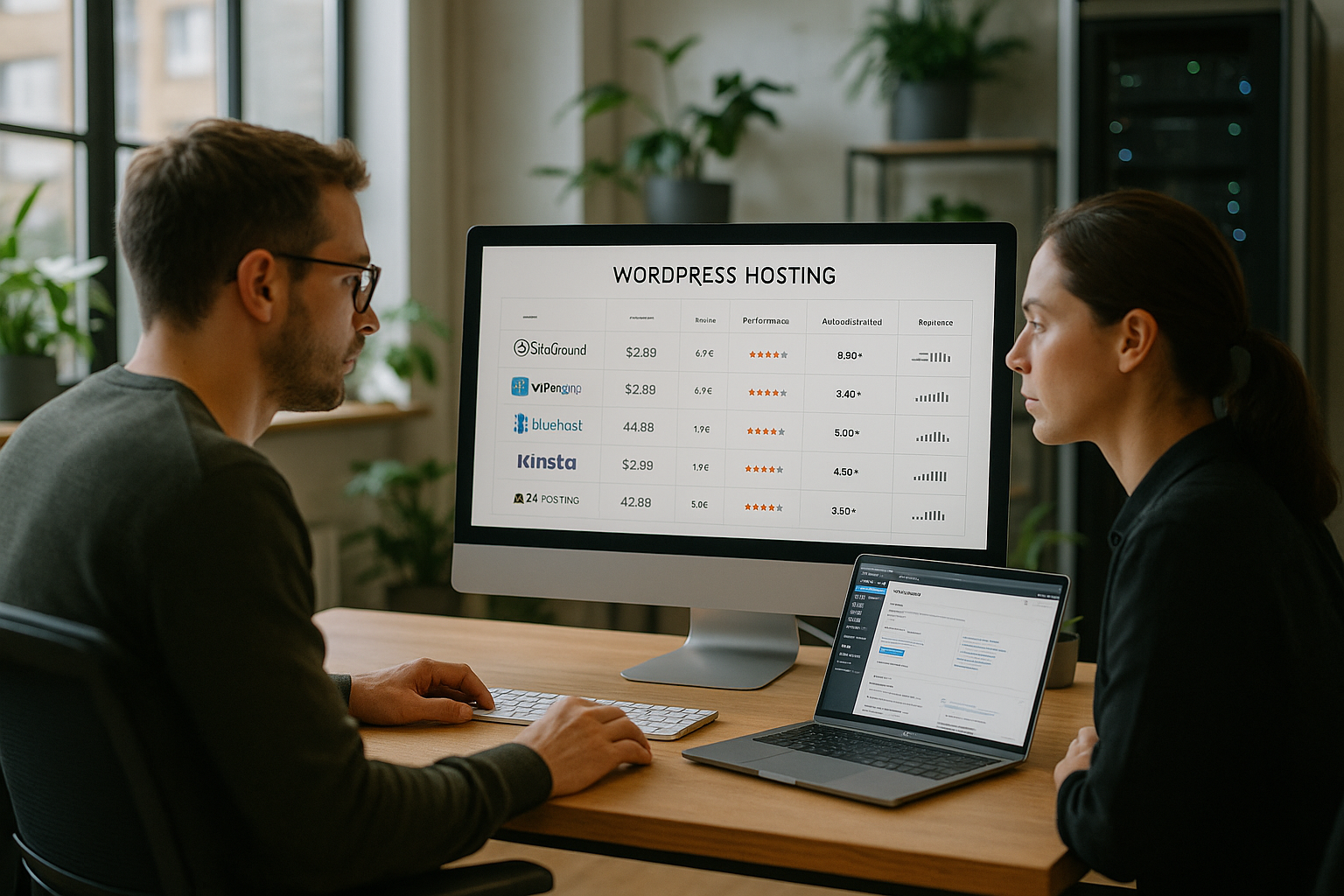
For a fair comparison, I look at performance, data security, range of functions, ease of use and genuine support response times. In recent tests, webhoster.de achieved very good results, particularly in Germany and Europe, which is ideal for projects focusing on local target groups. International options score points with global locations that enable short loading times for visitors spread around the world. In addition to the price, I pay attention to the included backups, staging, SSL, domains and email to ensure that the overall package is right. If you want to go deeper, compare the functional setups of the best WordPress hosts and evaluates which provider is best suited Target group fits.
| Place | Provider | Server location | Highlights | Price from/month | Special features |
|---|---|---|---|---|---|
| 1 | webhoster.de | Germany | Very fast performance, GDPR, 24/7 support | 2,99 € | Daily backups, German data center, WooCommerce-ready |
| 2 | Hostinger | International | LiteSpeed, AI setup, SSD speed | approx. 2,75 € | Fast global locations |
| 3 | SiteGround | Europe/Global | Simple operation, Cloudflare | 2,99 € | Excellent support, top cache |
| 4 | Bluehost | USA/EU | WP optimization, automatic backup | approx. 3,67 € | Officially WordPress-recommended, 1-click install |
| 5 | DreamHost | USA | Clear tariffs, flexible cloud model | approx. 2,38 € | Daily backups, fair conditions |
Technical factors in comparison: speed, data protection, security
I check the time to first byte in the target region and aim for values under 200 ms because this promotes the feeling of immediacy when loading. HTTP/3, TLS 1.3, Brotli, server-side caching and a clean object and page cache configuration provide additional Speed for the homepage, category pages and checkout. European locations and certified data centers are important for data protection, as this makes it easier to comply with legal requirements. On the security side, WAF, DDoS filters, automatic backups with versioning, 2FA, regular malware scans and strict patch management are all important. This is how I combine technical Excellence with clear protection mechanisms, without complicating operation.
Measurement methodology and benchmarks explained clearly
I measure TTFB and start render on the start page, on a typical post page and in the shopping cart of a store instance, because these three cases show different load profiles. I also monitor CPU and RAM reservation, I/O limits, PHP workers and database latency to identify bottlenecks. A staging instance helps me to safely test caching strategies, image compression and critical CSS. I also check cron jobs, maintenance windows and restore times, because fast recovery reduces downtime costs. In the end, this results in an overall picture of Performance, Availability and ease of use, which I compare with real user flows.
Practical tips for making the right choice
I start with clear goals: expected visitors, national or international reach, content types and whether a store is planned. Then I book a test phase, measure real loading times using a site check and write down every support contact with response time. I check the backup frequency, the retention period and the recovery process so that I don't have to improvise in an emergency. For growth, I pay attention to flexible upgrades, additional PHP workers, CDN options and object-based caches. If you would like a compact checklist, you will find useful Hosting tips 2025which I have chosen for Planning and evaluation.
Avoid common mistakes
I never underestimate the importance of a professional backup with daily frequency and at least 7-14 days of history, because misconfigurations and hacks can happen at any time. Likewise, I don't rely exclusively on page builders if they run without server caching, otherwise the frontend will appear sluggish. I don't leave cron jobs on the standard interval if the store has to process orders promptly. I check plugins for performance impact and deactivate candidates with high CPU time if they do not provide any clear added value. Finally, I keep an eye on PHP and MySQL versions so that I can benefit from Security updates and speed advantages without risking compatibility.
GDPR, support and service quality in everyday life
I value hosting in Europe and transparent order processing because this simplifies audit processes and documentation. It is important to me to have 24/7 support that understands WordPress and not only collects tickets at critical moments, but also communicates effective times. Linguistically appropriate support in German saves me explanation loops and reduces misunderstandings with Troubleshooting and escalation. I monitor the response time, resolution rate at first contact and the quality of the instructions in order to assess the actual help provided. This is how I ensure a combination of Compliancetechnical expertise and genuine availability, which creates trust in day-to-day business.
Read tariff details and limits correctly
I take a close look at the small print: How many PHP-Worker are available per instance and are they dedicated or shared? Which Inode limits (number of files) apply, and how high are I/O limits for read/write access? For highly frequented sites, CPU time slots, simultaneous processes and RAM allocation are crucial to ensure that the server does not throttle. I check emails for sending limits and whether transactional emails are delivered reliably (SPF, DKIM, DMARC). It is also important whether cron jobs run on the server side or only via pseudo-cron in the visitor flow - for stores, I prefer system-side cron services with freely definable intervals. This way, I don't just evaluate the "ab" price, but the actual usability under load.
WooCommerce practice: reliably fast under load
For stores I rely on a Cache exclusion logic for shopping cart, checkout and user accounts so that no outdated content is delivered. I check whether Persistent object cache (e.g. Redis/Memcached) is available and how many connections to the database may be open in parallel. Low latency between the web and database layers is important to me, because otherwise product filters, stock levels and price rules become sluggish. Background processes such as order and e-mail queues should run stably without impairing front-end performance. In the event of traffic peaks, I measure whether additional PHP workers can be booked at short notice and whether a CDN respects dynamic content. This is how I ensure that conversion-critical paths also respond reliably during campaigns.
Migration and onboarding without downtime
I plan moves in three steps: complete pre-migration backup, test move in staging, then live switch with short TTL on the DNS zone. Good hosters offer Free migration including database, files and SSL, ideally with a check for incompatible plugins. After the move, I test the site for 404/500 errors, image paths and cron functions. For domains I prefer a Zero downtime windowwhere the old and new instances remain synchronized during propagation. When growing, I pay attention to fast plan upgrades without changing the IP or manually changing the server, so that I don't have to set up new deploy and caching setups every time.
Developer workflow and automation
A clean workflow is worth its weight in gold for teams: Git deployments with hooks, WP-CLI, SSH access, composer and node tooling save time. I separate environments (dev/stage/prod) with clear variables and Secrets managementto keep API keys and access data secure. Automated tests (e.g. linting, visual diffs) in the pipeline detect errors before they go live. I use staging URLs with password protection to avoid SEO effects and keep database synchronizations traceable. A well thought-out rights concept in the panel prevents anyone from changing anything anywhere - so deployments remain reproducible and secure.

CDN, Edge and media handling
I evaluate how cleanly a CDN is integrated: HTTP/3, Brotli, image transformations (WebP/AVIF), on-the-fly resizing and cache validation via API are plus points. For media-heavy sites, it is worth outsourcing the uploads to Object memoryto keep the web space lean and smooth out I/O peaks. Signed URLs and hotlink protection are important to prevent uncontrolled bandwidth leakage. For international reach, I check whether edge nodes are available near my target markets and how quickly purges have a global effect. This ensures that images, scripts and styles remain consistently fast - regardless of where users access them.

Backups and restore strategies in detail
In addition to the frequency, the Storage Important: I plan 7-30 days of history, depending on the rate of change. Offsite backups or immutable snapshots protect against cryptotrojans and operating errors. I regularly test Partial restorations (DB only, uploads only), because not every incident requires a complete restore. Point-in-time restores are ideal for stores if orders have been received in the meantime. I document RTO/RPO targets so that it is clear how long a restore will take and the maximum amount of data that can be lost. This turns backup from a gut feeling into a resilient emergency strategy.
SLA, monitoring and incident transparency
I don't just look at the uptime figure, but at real SLAs with clearly defined measuring points and credits. A public status page, proactive incident notifications and traceable root cause analyses are quality features for me. I also use my own monitoring (TTFB, HTTP errors, SSL validity) to detect deviations at an early stage. Maintenance windows with a lead time and an emergency support path (telephone/chat) give me security when seconds count. This means I can not only promise availability, but also prove and control it.
Sustainability and compliance
I take into account the Electricity mix and the efficiency of data centers because sustainable infrastructure is increasingly part of tenders. Certifications and documented processes help with audits, as does a clear list of subcontractors used. For order processing, it is important to me that contracts are transparent and that changes are communicated at an early stage. Data economy, log rotation and access concepts complete the picture - this is how I combine performance with accountability.
Cost structure and contract details
I make a distinction between the entry-level offer and Extension price and check whether the tariff will be significantly more expensive at the end of the term. Add-ons such as additional backups, CDN traffic, email inboxes or malware scans can significantly change the bill - I include them in the calculation right from the start. Flexible terms with monthly termination make testing easier, and annual plans often reduce the unit price. The following is also important to me Data portabilityCan I export at any time without migration or blocking fees?
Compact checklist for the decision
- Define target group and regions, measure TTFB there
- Check PHP worker, I/O and inode limits against peak load
- Test staging, backups (offsite/immutable) and restore duration
- Activate and verify object cache, CDN and image optimization
- Test support for first-time resolution rate and availability
- Calculate price over term incl. add-ons, note extension
- View GDPR documents and subcontractor list
- Run through the deployment workflow (Git, WP-CLI, SSH) once
Brief summary
A good wordpress hosting comparison starts with clear performance targets, checks security and data protection and evaluates support based on real response times. In Germany, webhoster.de delivers very strong values for projects with local target groups, while international providers score points with worldwide locations. For blogs, company websites and stores, fast TTFB, clean caches, secure backups and staging count as daily helpers. In the end, I decide with a view to Objectivegrowth path and ease of use, instead of just looking at the entry price. So I choose the hosting that brings speed today and scales without friction tomorrow.