 Skip to content
A good wordpress hosting test provides you with reliable key figures on Performancesecurity and support - ideally prepared so that you can make decisions quickly. I'll show you how to use metrics such as TTFB, Core Web Vitals and Uptime correctly and use the results 2025 practically for your hosting choice.
Key points
The following key points will help you to evaluate a test on a sound basis and apply it directly to your project.
- Performance check: TTFB, LCP, load behavior
- Security rate: WAF, 2FA, DSGVO
- Technology check: NVMe, HTTP/3, PHP 8.2+
- Support measure: Response time, solution competence
- Price Realistic: TCO over 36 months
How to read performance data correctly
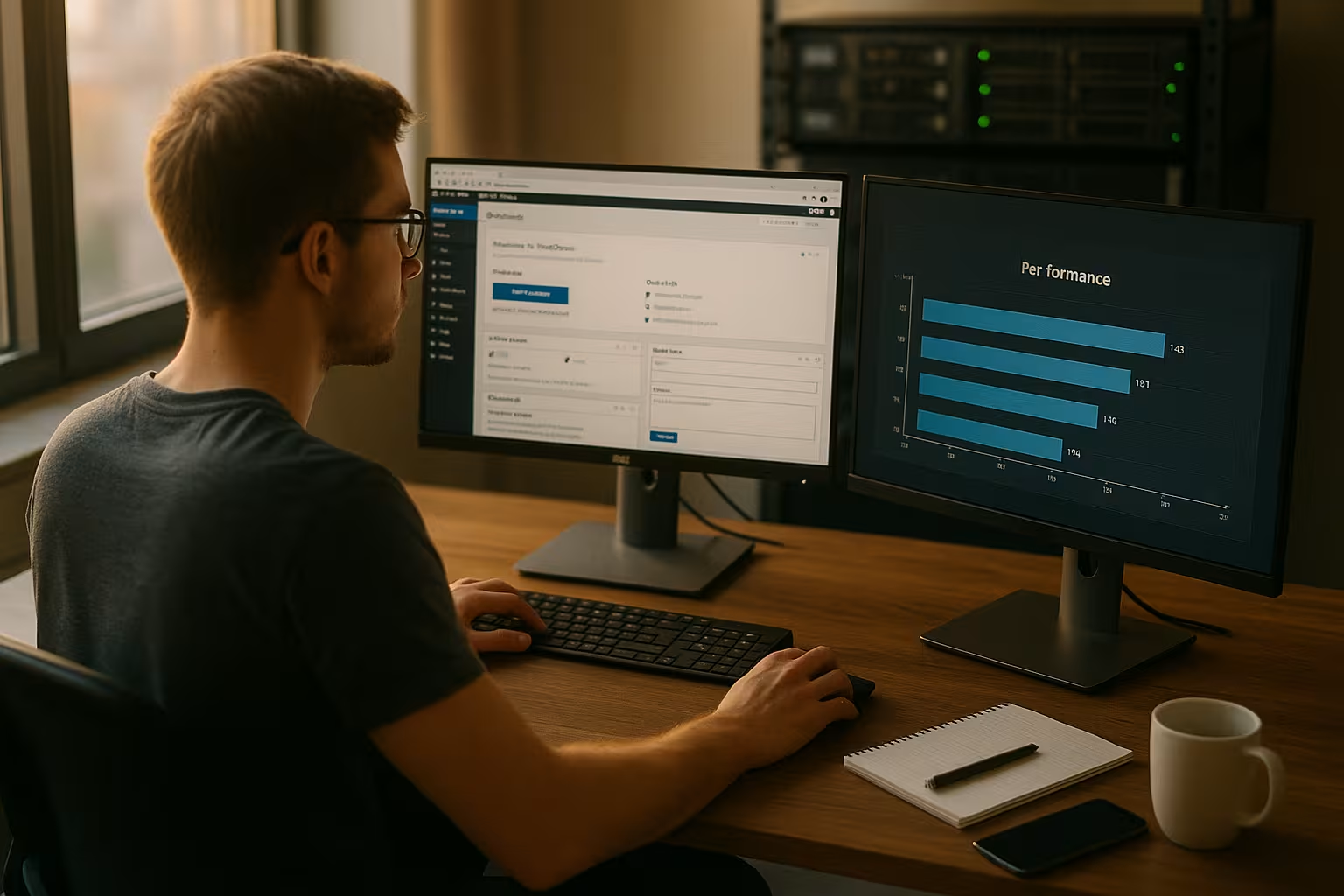
I start every test with clear Measuring pointsTime to First Byte (TTFB), Largest Contentful Paint (LCP) and Cumulative Layout Shift (CLS). Uniform content on all hosts prevents falsified Results. I measure from several locations in order to realistically map latency and routing. I also compare idle and load scenarios, as peak times often show weaknesses. Reproducible measurements with the same tools and identical settings create Transparency.
Configure caching, CDN and headers properly
I make a consistent distinction between Server caching (OPcache, page cache, object cache) and Edge caching via CDN. For realistic tests, I first activate full-page cache and object cache (Redis/Memcached) and document exceptions for dynamic pages such as checkout, shopping cart and user accounts.
- Cache controlI check whether sensible max-age/TTL values are set and whether Stale-While-Revalidate is effective.
- Compression: Brotli or Gzip must be active, ideally with content-encoding: br for modern browsers.
- ETag/Last-ModifiedI check whether conditional requests save bandwidth.
- CDNI measure warm and cold cache separately so that the CDN effect is not misleading.
At WooCommerceLMS or membership sites, I simulate logged-in users so that cache buses are visible. This is the only way I can see whether rules and cookies are being handled correctly and whether the host is making optimum use of edge cache for guest usage.
Technical core criteria that count
When it comes to technology, I first pay attention to NVMe-SSDs because they drastically speed up access. HTTP/3 and the latest PHP versions (at least 8.2) reduce latencies and increase the performance. Stability. A high-performance stack with LiteSpeed or NGINX and Object Cache brings noticeable advantages in the WordPress backend. German data centers reduce the waiting time for DACH target groups and facilitate the DSGVO-conformity. I also check PHP workers, RAM, CPU limits and inodes, because these values directly determine the behavior under load.
Architecture and scaling in practice
I make a clear distinction between Shared, Managed and Cloud-hosting. Shared is suitable for small projects, managed brings convenience and stability, cloud provides elasticity - if autoscaling and limits are communicated transparently. Container isolation (e.g. LVE/CageFS) minimizes noisy neighbor effects; dedicated PHP-FPM-pools and cleanly configured OPcache-storage prevent bottlenecks with high parallelism.
On the database side, I am testing MySQL 8/MariaDB versions, InnoDB-tuning (buffer pool, query cache no longer relevant), slow query logs and persistence of connections. A persistent Object cache significantly reduces database load - this is mandatory for WooCommerce and large blogs.

Practical check of security and data protection
I never evaluate safety superficially and specifically test the WAFactive DDoS protection and 2FA. Automatic updates for core, themes and plugins reduce the risk, which is why I take a close look at update cycles and staging processes. For EU projects, the real storage location of the data is crucial, not just promises of Compliance. I check whether certifications are available and which subcontractors have access. I also check backup schedules, retention periods and restore times, because quick restores save everything in an emergency.
Legal: AVV, data location and logging
I do not rely on marketing platitudes, but call for a Order processing agreement (AVV) and check subprocessors, storage locations and legal bases for international data transfer. I make sure that backups outside the EU how long Logs are stored and whether DNSSEC and HSTS are recommended. It is important to me that the provider communicates transparently which data is processed for which purpose and how quickly it is processed. Data deletion is implemented.
Objectively evaluate support quality
Good support solves a problem at the first contact, so I measure the First-Time-resolution rate. I document response times, WordPress expertise and the comprehensibility of the answers. A German-speaking 24/7 contact with clear suggestions for solutions saves me time and money. For quick classification, a structured WordPress hosting comparisonso that I can ask specific questions. I also test how support teams deal with plugin conflicts, database tuning and caching issues, because this is where real expertise becomes visible.

Understanding benchmarks: Uptime, load tests and core web vitals
I do not accept a one-time measurement and observe hosts over several Weeks. A proven uptime of 99.9 % is the minimum, 99.99 % shows high reliability during traffic peaks. For store practice, I simulate simultaneous Checkouts and user actions, because this is precisely where bottlenecks occur. Serious tests start with an identical theme, the same plugins and fixed caching settings. Performance values such as 146 ms for global access are good, but for German target groups what counts most are nearby data centers and short distances.
Realistically map WordPress use cases
I don't just test home pages, but typical Use cases:
- WooCommerceShopping cart, checkout, search with facets, logged-in customers.
- Editorial officeEditor latency (Gutenberg), image uploads, revisions, bulk updates.
- Community/LMSRegistrations, messaging, course access with many simultaneous sessions.
I measure backend response times (PHP/DB), frontend metrics (LCP, INP) and error rates. Important: wp-cron I replace it with system cron as a test in order to recognize the influence on response times.
Comparison table: Top WordPress hosting 2025
The following overview helps me to identify strengths and Weaknesses to recognize quickly. I evaluate technology, security, support and entry costs in relation to the benefits. I take into account whether advertised features are included as standard or only come at an additional cost. The clarity of the Tariffs plays a role, because hidden surcharges distort any comparison. For real operation, I count the total over the term, not the marketing prices in the first month.
| Place | Provider | Performance | Security | Support | Price from | Special feature |
|---|---|---|---|---|---|---|
| 1 | webhoster.de | NVMe, HTTP/3, 99.99% Uptime | WAF, ISO-DSGVO, 2FA | 24/7 German, <3 min | 2,95 € | German servers, agency tools |
| 2 | Hostinger | LiteSpeed, SSD, 146 ms | Cloudflare, Backups | 24/7 Chat | 1,49 € | Inexpensive, global |
| 3 | SiteGround | Cloudflare, HTTP/2 | Auto-updates, WAF | Excellent | 3,99 € | User-friendly |
| 4 | Bluehost | 1-Click Install | SSL included | Good | 2,95 € | WordPress-recommended |
| 5 | IONOS | SSD speed | All-round protection | Telephone support | 1,00 € | Price champion |
After the table, I always look at the Details I ask myself: Are backups made daily, are staging and malware scans included, and how transparently do providers communicate upgrade paths? This is how I avoid misjudgements based on attractive advertising copy. In the end, the Overall performance from speed, safety and help in everyday life.

Transparent observability and monitoring
I evaluate which Insights the host gives me: Access and error logs in real time, slow query logs, PHP error handling, APM integration. I look at 95th/99th percentiles of response times, not just averages. A good platform allows me to do that, Alerting for uptime, errors and resource utilization - so I can identify trends before they become critical.
Plan for scalability and growth
If my site grows, I expect upgrades without Downtime and without migration. I check whether tariff changes take effect immediately and whether additional resources are available automatically. For agencies, multi-site capabilities, white label options and clear rights management are important. The Agency guidewhich explains typical team scenarios. Staging environments, Git deployment and WP-CLI make my everyday life faster and reduce Risks before live broadcasts.
Developer workflow and automation
I check whether Git deployments, CI/CD-hooks, automated tests and WP-CLI are available. Uniform Environments (Dev/Stage/Prod) with the same PHP versions, extensions and caching settings prevent nasty surprises. A clean Rollback-strategy (snapshots plus DB/file backups) is mandatory for me, ideally with delayed rollout and canary approaches.
Realistically calculate total costs
I calculate the TCO over 36 months so that bait offers do not trigger any wrong decisions. This includes renewal prices, domains, premium backups, malware scans and additional PHP workers. Included features such as SSL, daily backups and staging save me money. A transparent tariff often beats the cheaper bargain with subsequent surcharges. If you want to make a deeper comparison, you can find a compact overview Best WordPress Hosting 2025 useful criteria for the calculation.

Read the small print and limits correctly
I question "Unmetered"-promise and check the technical limits: CPU seconds, I/O, simultaneous processes, RAM per process, Inodesbandwidth and cron restrictions. Especially for stores PHP-Worker and database connections are crucial - too few workers lead to queues and timeouts under load. I also take email quotas and sending limits into account if the hosting delivers emails.
Migration and onboarding without stress
A good provider takes the Migration and keeps downtime to a minimum. I pay attention to clear checklists, automated copies and a rollback plan in the event of problems. Onboarding should start with a one-click installer, an optimized WordPress base and an easy-to-understand control panel. This allows me to work faster in the backend and set up projects securely. DNS changes, SSL activation and caching setup need to be clearly documented so that I can repeat them later. Processes have.
Migration in detail: typical stumbling blocks
I test after every move Search/Replace for serialization, check upload paths, file permissions and cron jobs. I compare image formats (WebP/AVIF) and ensure that Rewrite rules and redirects (www/non-www, HTTP/HTTPS) are consistent. For WooCommerce, I check session handling, transients and webhooks. Only when staging and live perform identically do I switch over.
Own tests: tools and methodology
I combine Lighthouse for Core Web Vitals with GTmetrix and WebPageTest to check waterfalls and repeat views. For global load times, I use Pingdom and compare regions and routing. UptimeRobot and StatusCake monitor accessibility at intervals so that outliers become visible. I mirror realistic loads with K6 or LoadImpact, and I supplement simple server checks with Apache Bench. At least 30 days of measurement time provide me with clean Average valuesthat take into account the time of day and weekly trends.
Email deliverability and transactional emails
I investigate whether the host has its own SMTP-server or recommends external services. SPF, DKIM and DMARC as well as a stable IP reputation are crucial. For stores, I measure the delivery time of order emails and test SPF/DKIM records. If emails are not part of the hosting package, I include the additional costs in the TCO.
DNS and TLS at a glance
I pay attention to fast, global DNS-response times (Anycast), active DNSSEC and an automated renewal of SSL-certificates. OCSP stapling, HSTS and modern cipher suites improve security and, in some cases, loading times. A host that integrates ACME/Let's Encrypt properly and supports wildcard certificates saves me time during operation.
Avoid common test errors
I often see comparisons with different Theme or varying plugins - that distorts everything. That's why I keep configurations identical and document caching settings precisely. Empty WordPress installations feign good values, but do not provide any information for real sites. Realistic content, image sizes and typical extensions show the truth. This is the only way I can recognize how a host performs with high parallelism and many Inquiries performs.

Make clever use of the test phase
Money-backGuarantees of 14 to 90 days instead of ignoring them. I migrate a copy of my site, work in the backend and observe typical tasks. Support requests with real problems reveal expertise quickly. I test backup restores, staging deployments and upgrade paths in practice. In the end, I decide on the basis of measurable Experiencenot on marketing promises.
SLA, RTO/RPO and incident transparency
I rate the SLA not just by uptime percentages, but by specific credits and response times. What counts for me RTO (restart time) and RPO (maximum data loss) from backups as well as the quality of the status page and Post-Mortems. A provider who discloses causes and communicates measures gives me long-term security.
Securing the future
I check how quickly a provider can offer new PHP-versions and rolls out security updates. A clear roadmap and ongoing investment in hardware show a focus on the future. Beta programs or early feature access speak for short innovation cycles. It remains important that new technology does not come at the expense of stability. Those who deliver reliably in this respect will accompany my project for a long time Growth and security.
Briefly summarized
A strong wordpress hosting test combines hard measurements, suitability for everyday use and your project goals. I evaluate performance, security, technology, support and costs over the term - only then do I make a decision. Tables, tools and clear test phases give me the framework for fair comparisons. With an identical setup and sufficient measurement duration, I can recognize real differences. This is how I choose hosting in 2025 that delivers speed, reduces risks and is in line with my Success in the long term.


