 Skip to content
Multisite hosting bundles several websites in one installation and shifts the effort away from multiple updates to clean centralized control - but increases the database and network load as well as the need for plannable capacity. I will show you how resource requirements change, wp scaling and typical bottlenecks so that networks can grow quickly without losing performance.
Key points
- ResourcesShared CPU/RAM/DB lead to bottlenecks when traffic peaks occur.
- Scaling: Create new sites quickly, but define and measure limits early on.
- SecurityAn exploit affects the network; hardening and backups count double.
- CompatibilityNot every plugin supports Multisite; check licenses.
- HostingShared is small enough, VPS medium, dedicated large networks.
How Multisite uses resources
A WordPress multisite shares Core files, Themes and plugins, which reduces storage space, while additional database tables are created per subsite and I/O becomes more intensive. When planning, I not only consider PHP workers and object cache, but also Disk I/O, as media uploads and backups run in parallel. CPU and RAM are distributed between all sites, which is why one CPU-hungry instance affects others if I don't set any limits. Simultaneous cron jobs, image generation and search indexing are particularly tricky and lead to load peaks in multisite environments. If you plan buffers for caching and query optimization here, you keep latency low and protect the Throughput of the entire network.
Scaling: growth without standstill
I start small, but keep the path to VPS or Dedicated open, so that I don't have to rebuild as the number of sites increases. I scale vertically with more RAM, faster CPU cores and NVMe SSDs; horizontally, I relieve the app layer with CDN, page cache and a separate database instance. For wp scaling I set clear metrics: Time to first byte, query time, PHP execution time and cache hit rate so that I can identify bottlenecks early on. I also plan domain mapping and subdomain structures so that SSL, CORS and caching work properly. In this way, I lay the foundation for making new sites live in minutes without increasing response times above 300-500 ms, which would slow down the User experience protects.
Limits: Understanding server limits
Server limits appear faster in multisite networks because each additional site contributes processes, queries and uploads. I check memory_limit, max_children, database connections and open files so that I know when the next expansion step is necessary. A single site with a high cron load or many API calls can overload the Throughput if I don't use rate limiting. For large WordPress installations, it's worth taking a look at architectural alternatives and segmentation; the article large WordPress installations. I define hard thresholds, e.g. 70 % CPU average or 80 % RAM continuous load, and shift load before timeouts occur.

Database architecture and table growth
In Multisite, additional tables for posts, metadata, taxonomies, comments and options are created for each subsite, whereby Index sizes and backup times increase. I keep the query plan clean by checking autoload options, clearing transients and analyzing slow queries with EXPLAIN. For large networks, I choose separate database servers or distribute read access via replicas so that write load does not block. I also note that search plugins, forms and e-commerce extensions greatly increase the number of queries per page view. If you cache and purge archives early on, you prevent the DB from becoming a bottleneck will.
Multisite vs. separate installations
I use governance, security and resource isolation to decide whether Multisite is the right solution. Multisite excels with centralized update management, shared components and uniform guidelines for content and design. Separate installations score points when teams deploy independently, need widely varying plugins or have hard Security-isolation. Costs are reduced with multisite, especially for many similarly structured sites, while special projects with individual dependencies run better separately. The following table summarizes the differences and helps you make an informed choice.
| factor | Multisite | Separate installations |
|---|---|---|
| Management | One dashboard for all | Separate per site |
| Security | Shared; a breach has a network-wide effect | Heavily isolated per site |
| Resources | Common; susceptible to server limits | Dedicated per site |
| Costs | Lower for many sites | Higher due to multiple operation |
| Customization | Controlled by the Super Admin | Completely free per site |
Hosting types and scaling paths
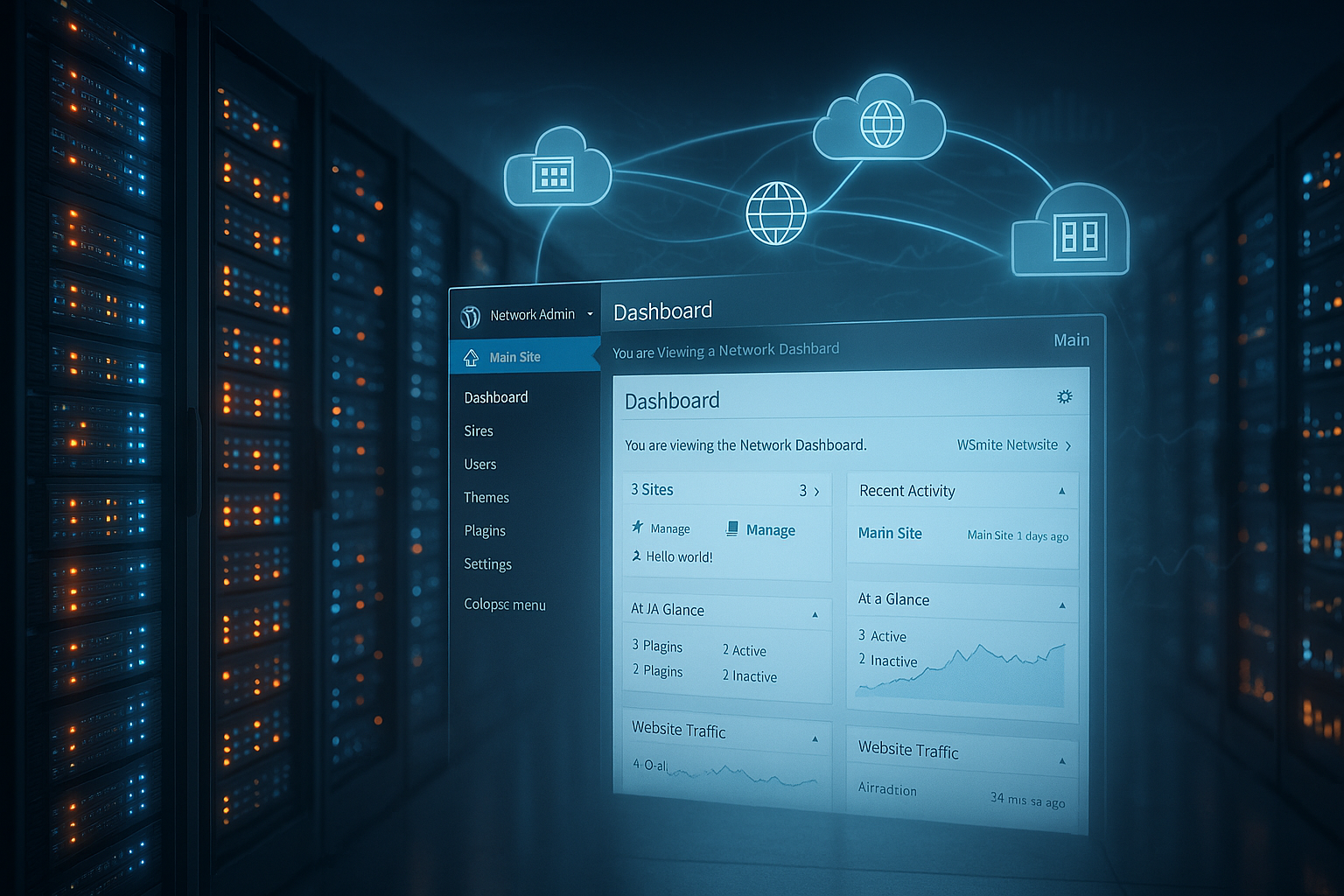
For small networks with just a few sites, I start with shared hosting, but quickly switch to VPS or Dedicated, so that I can allocate resources in a predictable way. VPS fits well to mid triple-digit site counts if I use caching, CDN and database tuning. Large networks with many concurrent users benefit from dedicated servers, NVMe SSD, aggressive page cache and separate DB instances. In comparisons, plans from webhoster.de score highly in terms of performance and scalability, which lowers the operating costs per site. If you need an overview of the options, you can find Multisite hosting comparison a practical decision-making aid.
| Hosting type | Suitable for multisite? | Notes on the wp scaling |
|---|---|---|
| Shared | Small networks (up to ~10 sites) | Quickly at the limit during traffic peaks |
| VPS | Medium-sized networks (up to ~100 sites) | More control over CPU/RAM; caching mandatory |
| Dedicated | Large networks (100+ sites) | Separate DB, CDN and edge cache are worthwhile |
Monitoring and observability
I carry out consistent monitoring so that wp scaling remains data-driven. This includes metrics such as CPU/RAM per pool, PHP worker utilization, IOPS and disk wait times, open DB connections, query P95, cache hit rate (page and object cache), cron backlogs and the rate of 5xx errors. I define service level targets (e.g. TTFB P95 < 400 ms, error rate < 0.5 %) and use error budgets to control deployments. Synthetic checks monitor subdomains, domain mapping and SSL renewals; log aggregation helps me to identify trends per subsite. I set alerts in two stages: warning from 60-70 % saturation, critical from 80-90 % over defined time windows. Runbooks with clear initial measures (clear cache, throttle cron, start up read replica) noticeably shorten mean time to recovery.
Practice: Planning and measuring resources
I define a budget for CPU time, memory and database queries for each site so that I can manage the load according to the source. Application logs, slow query logs and metrics such as Apdex or P95 latency help me to distinguish between peak loads and continuous loads. I limit cron frequencies, delete unnecessary heartbeats and set maintenance windows for image regeneration and search indices. Media cleanup, autoload checks and selective loading of plugins per subsite keep RAM consumption in check. This discipline prevents individual projects from overloading the headroom of the entire network.

Performance tuning: caching, CDN, DB optimization
I start with the full-page cache, increase the cache TTLs for static pages and outsource media via a CDN in order to Bandwidth and TTFB. I then optimize the object cache hit rate, reduce the number of queries per view and ensure that expensive queries do not hit uncached archives. I choose sensible breakpoints for image sizes and prevent unnecessary generations so that the hard disk does not fill up with derivatives. Edge caching significantly reduces server load when anonymous users dominate; for logged-in users, I use a differentiated fragment cache. In this guide, I summarize specific levers and countermeasures for peak loads: Performance bottlenecks, which saves me a lot of time in audits.
Caching architecture in the network
In multisite environments, I logically separate the object cache for each subsite, for example via consistent key prefixes, so that invalidations do not have an unintended network-wide effect. I vary page cache rules according to cookie presence (login, shopping cart), language and device to avoid false hits. I consciously plan flush strategies: hard flushes only site by site and staggered over time; selective invalidation for archives and taxonomies. For highly dynamic areas, I use fragment or edge side includes to aggressively cache static envelopes and only freshly render personalized blocks. For the object cache, I choose TTLs that balance write load and cache warmup; I relieve read replicas through query-result caching without violating consistency requirements.
Security and isolation in the network
Because the codebase and database share parts, I increase the Security-hardening consistently. I use 2FA, least privilege roles, rate limits and web application firewalls and keep upload directories as restrictive as possible. I separate media libraries on a project-specific basis to prevent unwanted access across the network. I check plug-ins for multisite compatibility and remove add-ons that are outdated or work incorrectly in network contexts. Regular restore tests show me whether backups are really working and, in an emergency, whether it takes minutes rather than hours to restore my site. online am.
Rights management, multi-client capability and audits
I sharpen roles and capabilities: super admins only receive a few, clearly defined accounts; site admins manage content, but no network-wide plugins or themes. Network-wide, I prohibit file editors in the backend and set policies through must-use plugins so that guidelines apply consistently. I log privileged actions (plugin activation, user assignments, domain mapping changes) and keep an audit log with retention periods. I isolate integrations for multi-client capability: API keys, webhooks and SMTP access per subsite so that secrets and limits are not shared. I plan single sign-on or central user directories in such a way that authorizations remain granular on a site-by-site basis.
Licenses, plugins and compatibility
I check whether a plugin supports multisite before activating it and only activate it network-wide if every subsite really needs it. I calculate many premium licenses per subsite; I plan these Costs early and document them in the network. I select functions such as caching, SEO or forms as uniformly as possible so that I manage fewer moving parts. For special requirements, I only activate plugins on the relevant subsites in order to save RAM and CPU. If I see conflicts, I isolate the feature in a separate site or, if necessary, pull a separate installation so that the Risk not escalated.
Deployment, updates and CI/CD
I keep wp-content under version control and separate network policies in must-use plugins from optional add-ons. I roll out updates in waves: first staging, then a small site cohort as a canary, then the rest. A test matrix plan (PHP versions, DB version, cache backends) catches incompatibilities early on. I accompany database migrations with maintenance windows or blue/green strategies so that write load and schema changes do not block each other. I automate WP CLI steps (plugin updates, network activation, cache warmup) and document rollback paths, including downgrade-tested packages. This ensures that deployments remain reproducible and do not affect the Throughput minimal.
Backup, migration and recovery
I run two-stage backups: network-wide snapshots plus subsite exports so that I can restore granularly. I also back up time-critical projects close to the transaction so that the DB write load and RPO match and the Restart time remains short. For migrations, I separate media, database and configuration, test the mapping of domains/subdomains and have a fallback ready. Staging environments with identical PHP and database versions prevent surprises during the rollout. I clearly document the recovery plan so that, in an emergency, I'm not left guessing what steps are necessary to get back up and running. available to be.
Law, data protection, and storage
I observe my own data protection requirements for each subsite: Consent management, cookie domains and SameSite attributes must harmonize with domain mapping so that sessions and caches work correctly. I define retention periods for logs, form data and backups on a site-by-site basis and minimize personal data in logs. For order processing, I secure contracts with infrastructure and CDN providers; encryption at rest and in transit is standard. I logically separate media and backup storage by project to make it easier to manage access rights and respond to audit requests more quickly.

E-commerce, search and special workloads
I plan write-intensive workloads such as stores, forums or complex forms carefully. For e-commerce, I reduce cache bypasses (shopping cart, checkout) to what is necessary and outsource sessions so that PHP workers do not block. I orchestrate background jobs (order emails, tax calculations, index building) via queues and limit parallel execution per subsite. For searches, I prefer asynchronous indexes and set reindexes in maintenance windows; I relieve large category pages with partial precalculation. If a subsite shows a consistently high write rate, I consider segmentation or dedicated installation to minimize the load. Throughput of the network.
Quotas, cost control and showback
I introduce quotas so that fair use rules apply: quotas for CPU time, PHP workers, memory, database queries, bandwidth and media volume per subsite. I resolve overruns with soft measures (throttling, reduced cron frequency) and clear escalation paths before hard limits are activated. I allocate costs via tagging and metrics per site and establish showback/chargeback models so that teams can see and optimize their consumption. This way wp scaling not only technically, but also economically controllable; predictability is created through transparency and clearly defined threshold values.
Brief summary for decision-makers
Multisite reduces administrative overhead, bundles updates and saves memory, while the database and shared resources are delivered faster. server limits come across. I use multisite wherever teams run similar setups, share guidelines and new sites need to go live quickly. From sizes with a high degree of individuality, heavy load or special security requirements, I rely on segmentation or separate installations. If you are planning growth, calculate early on with VPS or dedicated, combine caching, CDN and database tuning and measure consistently. This keeps the network fast, cost-efficient and manageable in the event of a fault - exactly the mix that Scaling sustainable.


