Skip to content
WordPress without a page cache can be useful when content is very personalized or are extremely time-critical - but you often give away a lot of performance and SEO potential without caching. In this article, I'll show you how to make an informed wp caching decision, which scenarios speak in favor of „wordpress cache off“ and when full page caching is the best option. right choice is.
Key points
I'll briefly summarize which aspects count for your decision without a lot of frills. The list helps me set the right course in projects and avoid typical mistakes. I then go into more depth and show you how I run WordPress specifically without a full page cache, without speed and Security to lose. Read the points as a checklist, not as dogma - every site ticks a little differently. I highlight one important keyword per bullet so that you can quickly categorize can.
- ScalingWithout page cache, TTFB, CPU load and error rate increase during peaks.
- PersonalizationFully cached pages can disclose sensitive data.
- ActualityHighly dynamic feeds need microcaching instead of long TTL.
- HostingWeaker tariffs benefit enormously from caching layers.
- SEOGood LCP/TTFB values require consistent caching and monitoring.
I use the points as a start, check traffic, content type and hosting setup and then make a conscious decision. In this way, I avoid blanket setups that cost performance or even data in practice. jeopardize. The following sections provide concrete guidelines, examples and a clear structure. This will take you quickly from theory to implementation.

When WordPress without page cache is problematic
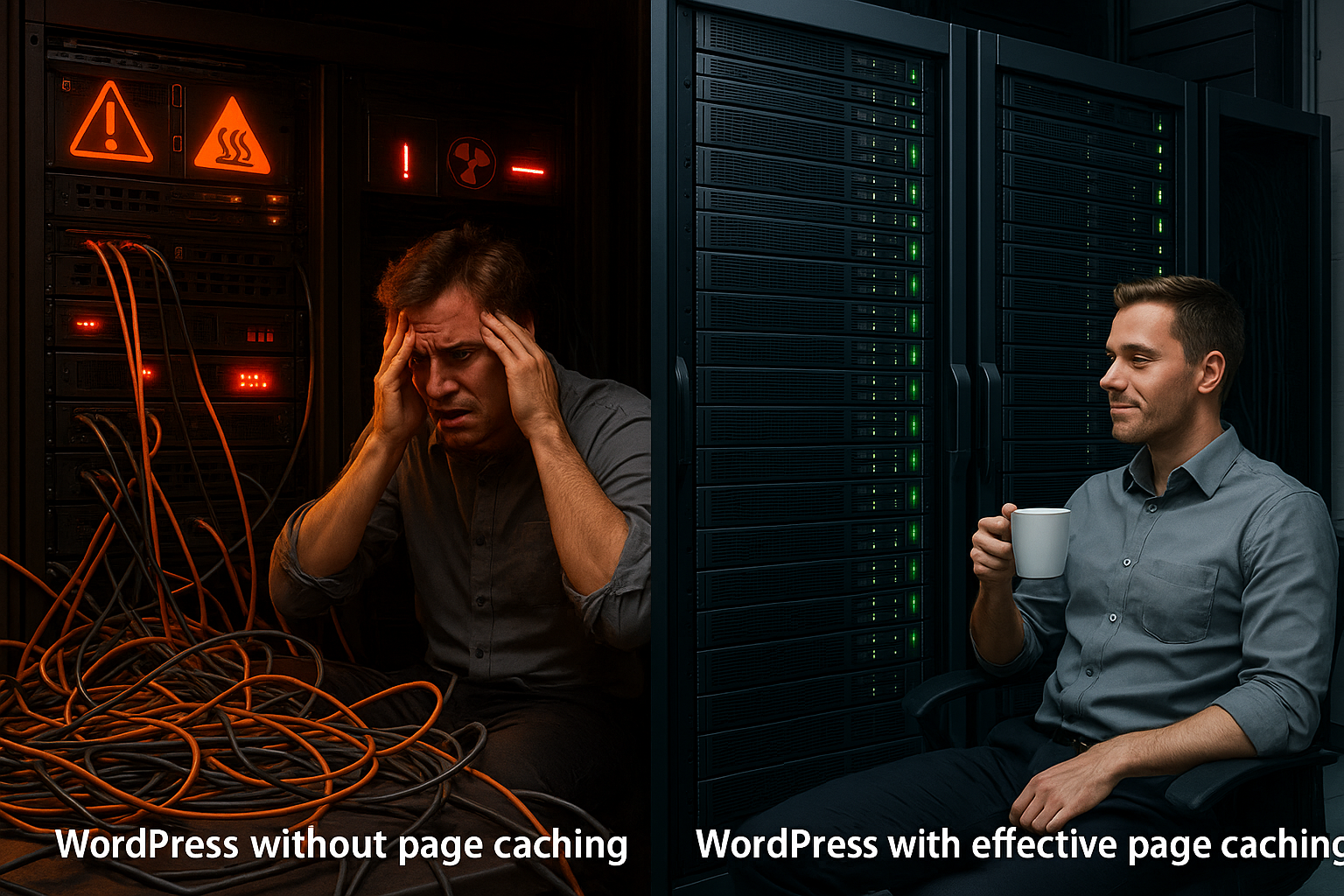
Without a full page cache, WordPress renders every page dynamically: PHP runs, database queries fire, plugins hang hooks - that delivers Flexibility, but quickly loses speed with traffic. In audits, I often see increasing time to first byte, growing CPU load and even 503 errors above a certain threshold. Campaigns, viral posts or seasonal peaks quickly bring uncached setups to the limit, especially with large themes and many extensions. This is compounded by poorer core web vitals, which has a measurable impact on rankings and conversion. In shared hosting environments, the situation escalates more quickly because many customers share the same Resources share.
When WordPress can be useful without a page cache
I deliberately avoid full page caching when content is highly personalized, for example in accounts, dashboards or learning platforms, because entire HTML pages can hardly be cached in a meaningful way. An error in the configuration could falsely deliver personal data to other people - a clear risk factor. For live data such as stock tickers or sports scores, I choose microcaching with seconds TTL or only cache APIs and sub-components. In development and staging environments, I switch off cache layers so that changes are immediately visible. For very small, rarely visited pages, „without page cache“ can be sufficient; I still plan reserves for future caching. Growth in.

Technical background: Why caching works
Web caching stores finished HTML output or data in the cache and delivers it directly - without placing a new load on PHP and the database, which significantly reduces the response time. shortened. Full page cache has the biggest effect on the front-end, object cache speeds up recurring queries, OPcache keeps compiled PHP bytecode, and the browser cache reduces asset requests. Problems arise from incorrect TTLs, missing purging or caching sensitive content; I therefore check carefully which routes are allowed to deliver cache hits. Those who actively control TTFB and LCP use purge logic when publishing and define clean exclusions. For borderline cases, knowledge of the Limits of the page cache, to ensure topicality and data protection stay.
Cache types in the WordPress stack
For a viable decision, I separate the layers cleanly and combine them appropriately: full page cache for HTML, object cache for database results, OPcache for PHP, browser cache for assets - each layer solves a different problem. Problem. Without this differentiation, caching acts like a black box switch that hides conflicts instead of regulating them properly. I define what can go where, how long content lives and when purges take effect. For many projects, a comparison „Page cache vs. object cache“ misunderstandings and shows where the quickest benefits can be realized. How to build a setup that reduces load, pushes down LCP values and makes failures visible. reduced.
| Cache level | Saved content | Main effect | Pitfall | Typical TTL |
|---|---|---|---|---|
| Full Page Cache | Complete HTML page | Very low TTFB | Incorrect caching of accounts/checkout | Minutes to hours |
| Object Cache | Database results | Fewer queries | Obsolete objects without purge | Seconds to minutes |
| OPcache | PHP bytecode | Shorter PHP runtime | Rare resets with Deploy | Long lasting |
| Browser cache | CSS, JS, images | Fewer HTTP requests | Stale assets without versioning | Days to months |
Practical guide: Your wp caching decision
I start with traffic data and forecasts: how many simultaneous users, which peaks, which campaigns - from this I derive the Strategy from. If large parts of the content are identical for everyone (blog, magazine, landing pages), I clearly go for full page caching and exclude login, shopping cart and checkout. For highly personalized content, I use hybrid models: partial full page cache, plus edge-side includes, Ajax endpoints with a short microcache and targeted no-cache headers. In low-resource tariffs, I use caching consistently so that the site remains available under load. Measurements help with the topic of „first call vs. recall“; I get good information from this Comparison of first call and recall, because it shows realistic effects that tools often conceal.
Hosting and infrastructure: Planning performance correctly
Good caching is only effective if the platform plays along: PHP 8.x, NVMe, a modern web server and properly configured services provide the necessary Speed. Managed WordPress hosts with high frequency CPU, Redis integration and tuned stack carry load peaks better and allow short TTFB even with high parallelism. I pay attention to clear purge interfaces, CLI tools and logs so that I can track cache events. Scalable resources are important for growing projects, otherwise the advantage of traffic kicks is lost. If you plan cleverly, you can keep your head above water and stay on top of campaigns responsive.
Best practices: Configure caching securely
I define strict exclusions: /wp-admin, login, accounts, shopping cart and checkout never end up in the full page cache so that no personal data occurs. When publishing or updating, I initiate targeted purging so that users do not see outdated Contents see. I provide API-like endpoints with microcaches of a few seconds to reduce the load and still deliver up-to-date data. For assets, I enable long-running headers plus version parameters to allow browsers to cache aggressively. Regular tests and monitoring ensure quality before a problem causes sales or leads. costs.

Working without a page cache: Examples from my everyday life
For a learning platform with many personalized dashboards, I omitted full page caching, but cached API endpoints with five seconds TTL and used a Object Cache for compute-intensive queries. In a stock ticker project, I used microcaching at the edge and only partially cached the header so that prices remained quasi live. For a SaaS dashboard, I protected sensitive routes with no-cache headers, but kept static assets in the browser for the long term. In development environments, I disable everything so I can see changes without delay and isolate bugs quickly. Small business card sites with few plugins occasionally run without full page cache, but I plan to switch early as soon as traffic grows.
Measurement and monitoring: What I measure
I test TTFB and LCP using a synthetic test and confirm results via real-user monitoring so that measured values are not only available in the laboratory. shine. Load tests with increasing concurrency levels show me when errors occur and how well caches work. Server metrics such as CPU, RAM, Redis stats and query counts reveal bottlenecks that are rarely visible in the frontend. Cache hit rates at page, object and browser level help me to decide where to tighten the screw. Without clean metrics, performance remains random; with clear monitoring, I can make better decisions. Decisions.

Correct cache keys and Vary strategies
Before I decide „cache on“ or „off“, I specify what the cache may vary on. Cookies such as login or shopping cart cookies are critical - they must not contaminate the HTML cache. I therefore define clear rules: Anonymous users receive a cached variant, logged-in users a dynamic one. For segments (e.g. language, country, device type), I work with a few, stable variants instead of blowing up the cache key universe. Response headers such as Cache-Control, Vary and pragmatic no-cache rules on sensitive routes prevent leaks. Where partial personalization is necessary, I use placeholders, Ajax or fetch overlays and keep the base page cached - this keeps TTFB low, without Privacy to risk.
E-commerce specifics: shopping cart, checkout, prices
Stores benefit massively from page cache, but only if I consistently exclude sensitive areas. Product and category pages are good candidates for full page cache, while the shopping cart, checkout, „My account“ and calculations (taxes, shipping) remain dynamic. I encapsulate price widgets that change due to discounts or login states as client-side updated components. I double-check cookies and set-cookie headers so they don't corrupt cached responses. For high loads, I use microcaching on search and filter endpoints to dampen peaks without compromising user decisions. block. Purges triggers the publishing or changing of stock levels so that visitors do not see old data.
Purge, preload and stale strategies
Cache invalidation is the tricky part. I differentiate between precise purge (only affected URLs, categories, feeds) and soft purge with „stale-while-revalidate“ so that visitors get quick responses even during updates. After major changes, I actively pre-warm critical pages - such as the homepage, top categories, evergreen articles and current landing pages. For blogs and magazines, I plan „tag-based“ purging: if an article changes, the system also empties its taxonomies and feeds. I document TTL heuristics: short TTLs for news and feeds, medium TTLs for category pages, longer ones for static content. This keeps the site fresh without having to constantly clear the cache. to slow down.
CDN and edge caching: Clearly clarify responsibilities
Many setups combine local page cache with a CDN. I determine which layer is responsible for what: edge for assets and public HTML, origin cache for more dynamic HTML variants or APIs. Consistency is important for TTLs and purges - I avoid contradictory headers that the CDN ignores or caches twice. For international reach, I use microcaching at the edge to cushion burst traffic. I sign sensitive routes or exclude them from the cache on the CDN. This keeps the chain of browser, Edge and Origin clear, and I prevent one layer from stealing the other's traffic. Work is nullified.
REST API and headless front ends
I do not burden headless variants or strongly API-driven themes with full page cache, but cache REST/GraphQL responses briefly and specifically. I set ETag/Last-Modified headers to enable conditional queries and use Object Cache so that recurring queries do not constantly hit the database. For hot endpoints (search, facets, infinite scrolling) I plan second TTLs to dampen load while personalization happens client-side. Important: Authenticated API requests do not get a shared cache layer; I strictly separate public and private and keep tokens from cached responses distant.
Deployment & releases: renewing caches without risk
After deployments, I coordinate OPcache resets, asset versioning and HTML purges. The aim is an atomic change: old pages can continue to be delivered until new resources are available. I use version parameters for CSS/JS, only purge affected routes and warm up important pages. I plan rollouts outside of peak times, track error codes and catch outliers with soft-purge plus prewarm. In this way, I avoid traffic dips and keep LCP/TTFB stable during releases. For larger conversions, I simulate the purge behavior in staging so that no „cold caches“ enter production. fall.
Multisite, languages and segmentation
In multisite and multilingual setups, I define clear cache limits per site and language. The cache key includes host name, path and, if applicable, language parameters. I avoid cookies for site A affecting the cache of site B. Shared assets are allowed to cache for a long time, while language-dependent content is given its own TTLs. For geo-segments, I keep the number of variants small - it is better to bundle a few regions on the server side than to maintain 50 different cache buckets. This reduces memory requirements, increases hit rates and stops purge processes manageable.
Troubleshooting playbook: typical error patterns
If something goes wrong, I proceed systematically: First I check response headers (Cache-Control, Age, Vary), then the cache hit rate and the error logs. Frequent causes are incorrectly cached 302/301 redirects, inadvertently cached set-cookie responses or query strings that unnecessarily blow up the cache. In the case of leaks, I look for templates that render personalized data on the server side instead of loading it on the client side. If the TTFB is sluggish, I check object cache hits and slow queries. If there are 503 errors under load, I increase microcache TTLs at hotspots, reduce concurrency at the origin and make sure that stale responses are secure. deliver.
Key figures and target values that I use as a guide
For public pages, I aim for an HTML cache hit rate of 80-95%, depending on personalization and content mix. TTFB for cached pages is ideally under 200 ms at the edge; uncached, 300-600 ms is realistic depending on the hosting. LCP in the green zone is successful if HTML comes quickly, critical CSS is small and assets are allowed to cache aggressively. Object cache hit rates above 85% show that expensive queries end up in memory. With purges, I track how long prewarming takes until the most important pages deliver hits again. I use these guard rails to keep quality measurable and can target deviations. correct.
Summary: Decision without dogma
I use full page caching for blogs, magazines, company websites, stores and landing pages, because otherwise performance, core web vitals and user experience suffer, while server costs increase. Without page caching, I work specifically with personalized views, live data, development and very small sites with hardly any traffic - then mostly in hybrid form with microcaching, object cache and long asset headers. To make the decision, I check traffic, content type, hosting resources and KPI; then I define clear exclusions, TTLs and purge rules. If hosting, cache layer and measurement work well together, you can deliver quickly, reliably and securely - without any surprises when peaks occur. So „wordpress without page cache“ remains a conscious choice. Special solution, while a properly configured „wordpress cache“ is the first step in most projects. Choice is.