 Skip to content
Storage tiering in web hosting organizes data according to access frequency and specifically combines NVMe SSDs, SSD RAIDs, HDDs and cloud archives to form a optimal storage media combination. This allows me to accelerate hot data to Tier 0, outsource cold data cheaply and keep costs and latency to a minimum. Balance.
Key points
The following core statements quickly give me orientation for an efficient Storage strategy and help to optimize performance and costs in web hosting. plan:
- Hot/Cold Separation: Frequently used data on NVMe SSDs, rarely used data on HDDs or cloud.
- AutomationPolicies move data between tiers without manual intervention.
- Hybrid Storage Server: Flash for speed, HDD for capacity, ideal for growing projects.
- Performance Tuning: caching, compression, deduplication and monitoring reduce latency.
- Costs Control: Only 20-30% data is “hot”; the rest is stored more cheaply.
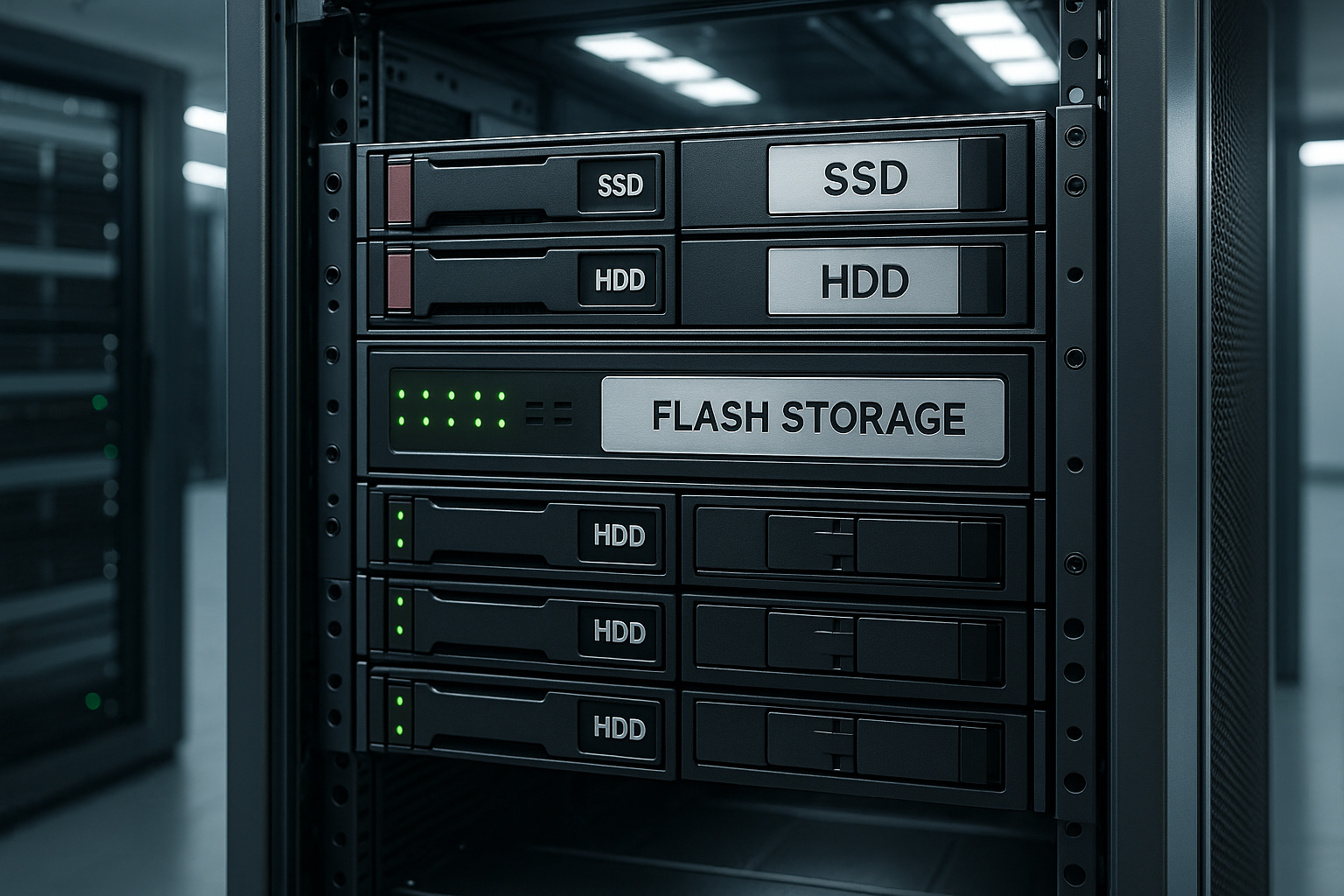
What storage tiering does for web hosting
I organize data in tiers to Accesses quickly and make targeted use of storage budgets. Tier 0 with NVMe SSDs holds transaction-critical tables, caches and sessions for minimal overhead and sub-ms latency. Tier 1 holds dynamic content, API responses or frequent uploads, typically on enterprise SSDs or fast RAID HDDs. Tier 2 stores backups, log files and large static assets cost-effectively on SATA HDDs. Tier 3 archives infrequent data to cloud object storage or tape, allowing me to scale capacity at very low cost while maintaining Compliance cover.
The four tiers explained clearly
I choose the right medium depending on Workload and access patterns. Tier 0 (NVMe SSDs) accelerates OLTP loads, search indexes and payment flows where every millisecond counts. Tier 1 (SSDs/HDD RAIDs) provides active media, API endpoints or messaging queues with high IOPS performance. Tier 2 (SATA HDDs) serves long-term logs, restore points and exports that are rarely in the primary runtime. Tier 3 (Cloud/Tape) keeps audit-proof archives, annual reports and legal storage far away from the Production load.

Hybrid storage server: a clever mix of flash and capacity
I like to rely on a hybrid Storage server that combines flash for peak loads and HDDs for large volumes of data. This combination reduces latency for databases and at the same time ensures cost-effective storage of voluminous files. Dynamic pages, shopping carts and personalization run quickly, while backups and logs are stored on capacity tiers. If you want to delve deeper, take a look at the advantages of a Hybrid storage hosting on. This way I keep the costs under control and let the Performance grow.
Automated tiering: rules, policies, tools
I define rules that organize files by age, size or access between tiers. shift. Example logic: “Less than five hits per week? Down to Tier 2.” or “Newly created objects land on Tier 0 for 14 days.” The system continuously analyzes access patterns and migrates data transparently in the background. Applications remain accessible while blocks or files migrate via priorities, QoS and hit rates. In this way, I guarantee constant response times and only use fast memory where it is needed for the Traffic counts.
Workload profiles and hit rate targets
I measure my workloads in advance: read/write ratio, request sizes (4-128 KB), random vs. sequential I/O, burst durations and daily peaks. From this I derive target values, e.g. “>90% cache hit rate for product pages” or “P99 < 5 ms for shopping cart transactions”. The hit rate influences how much Tier 0 capacity I really need. I also plan rewarm strategies after deployments or cache validations so that critical paths do not remain in cold starts.
Performance tuning for hosting servers
I combine tiering with Caching, to accelerate read accesses and smooth write processes. Data compression reduces I/O load, deduplication saves capacity without adapting application logic. Monitoring uncovers bottlenecks in CPU, RAM, disk I/O and network and provides clear measures. Load balancing distributes requests so that peaks do not put pressure on a single subsystem. Operating system tuning, firmware updates and the latest drivers complete the picture and give me stable and reliable performance. Latencies.

RAID, file systems and caching stack
I choose RAID levels appropriately: RAID10 for low latency and high IOPS, RAID6 for high-capacity, more sequential workloads. For SSDs, I pay attention to write amplification and endurance (TBW/DWPD) in order to include durability in the cost planning. Depending on the goal, I use ZFS (checksums, snapshots, caching), XFS (mature performance) or btrfs (snapshots, checksums) as file systems. I place application caches, CDN edges and database buffers in front of caching levels such as Redis/Memcached - this way I reduce I/O before it hits the storage.
Costs and benefits: Sample calculations in euros
I calculate savings by analyzing active and inactive data. separate. Let's assume a site holds 10 TB of total data, 25% of which is “hot”. If I put hot data on NVMe (e.g. €0.20 per GB/month) and 75% of cold data on HDD (e.g. €0.03 per GB/month), the monthly storage bill drops significantly. 2.5 TB hot then costs around €500, 7.5 TB cold around €225, together around €725 instead of €2,000 with pure NVMe. The advantage increases if I use cloud archives for Tier 3 in a targeted manner and meet compliance requirements economically. cover.
In practice, I take additional costs into account: API calls, egress fees from the cloud archive, any retrieval fees for rare but not entirely cold data. I also assess opportunity costs - e.g. loss of revenue due to high latency - and set a budget for SSD endurance. I keep the calculation up to date with a monthly review of the data distribution (top N files, growth rates, dwell times).
Tier overview: media, use cases and key figures
I use the following table to Tiers quickly and make quick decisions when sizing. It summarizes typical media, workloads, latency and approximate IOPS classes and provides a compact reference for classification. The values serve as a guide for web projects ranging from small stores to content portals. I plan data paths, caches and replication on this basis. In this way, every gigabyte of data remains transparent and is used in the right way. Load coordinated.
| animal | Medium | Typical use cases | Costs | Latency | IOPS class | Note |
|---|---|---|---|---|---|---|
| 0 | NVMe SSD | Transactions, databases, caches | High | < 1 ms | Very high | For hot data, short queues |
| 1 | Enterprise SSD / HDD RAID | Dynamic content, APIs, active uploads | Medium | 1–5 ms | High | Solid compromise for web workloads |
| 2 | SATA-HDD | Backups, logs, large assets | Low | 5-12 ms+ | Medium | Good capacity, longer access times |
| 3 | Cloud object storage / tape | Archive, rare data, storage | Very low | ms-s (depending on access) | Variable | High scaling, use lifecycle policies |
Security, data protection and compliance
I encrypt data at-rest (LUKS/ZFS-native) and in-flight (TLS) and keep keys separate from the storage (HSM/KMS). For unchangeable backups, I use WORM policies or unchangeable snapshots to protect against ransomware. I map legal retention periods via retention policies on tier 3; I implement deletion concepts (right to be forgotten) with clear workflows. Access is regulated via least privilege, 2FA and audit logs - so tiers not only stay fast, but also clean secured.

IO isolation and client separation
I isolate “noisy neighbors” using QoS, IOPS/bandwidth limits and separate pools. This prevents a batch job from clogging up Tier 0. On shared hosts, I separate workloads using namespaces, separate volumes and differentiated caches. For particularly sensitive clients, I reserve dedicated flash pools or even separate controller queues to absorb latency peaks.
Scale-up vs. scale-out and protocol selection
I scale vertically (more flash, faster controllers) as long as the cost-benefit ratio is right. At some point, I switch to scale-out: distributed file systems or object storage in order to grow horizontally. I base the choice of protocol on access: Block (NVMe/iSCSI) for databases, file (NFS/SMB) for webroots and assets, object for archives or media-heavy deliveries. On the network side, I plan 25/100 GbE, separate storage fabrics and, if it makes sense, NVMe-oF for almost local latency over the network.
Implementation steps in practice
I start with a Data classification, which evaluates logs and analytics from the last few weeks. This is followed by clear policies: age limits, file types, database tables and directories are assigned fixed tiers. I then activate automation that performs moves without downtime and continuously checks threshold values. Monitoring records hit rates, cache warm-up, queue depths and reports outliers immediately. Before the go-live, I test load scenarios to ensure that latencies, error rates and throughput are within the target corridor. bring.
Hybrid cloud and offsite archiving
I combine local tiers with Cloud-object storage to store rare data cheaply and securely. Hot data remains close to the application, cold data automatically migrates to the cloud. QoS prioritizes critical workloads, while edge nodes reduce latency for visitors. For S3-compatible scenarios, it is worth taking a look at Object Storage Hosting, to run archives and versioning smoothly. VPNs or private peers secure the transport so that I can comply with data protection and Compliance-requirements.
Migration without downtime
I migrate step by step: Create snapshots, initiate initial replication, then synchronize incrementally. During a short switchover window, I freeze write accesses, switch mounts/volumes and check checksums. I have rollback points ready. For databases, I plan read replicas or log shipping in order to switch to new tiers almost seamlessly.

Containers, orchestration and StorageClasses
I define different storage classes per tier in orchestrated environments. I bind stateful workloads such as databases to fast classes (tier 0/1), logs and artifacts to tier 2/3. Lifecycle rules via CSI snapshots, retention and reclaim policies ensure that volumes do not grow uncontrollably. This means that tiering remains consistent even in dynamic platforms.
Set monitoring, QoS and SLAs correctly
I establish clear Measuring points and use dashboards that show latency P90/P99, IOPS and bandwidth separately for each tier. Alerts with escalation levels prevent disruptions from going unnoticed. QoS limits protect Tier 0 from noisy neighbors that unnecessarily consume burst quotas. I define SLAs realistically: response time windows, availability and RTO/RPO for restore cases. With this framework, I keep services predictable and ensure traceable Priorities.
Avoid typical mistakes: Policies, backups, retention
I refrain from setting everything to Tier 0. lay, because the budget then comes to nothing. Policies should be based on real access and updated regularly. Backups should be strictly separated and managed with clear retention so that restore paths work quickly. This overview of Storage classes and backup times. This prevents unnecessary costs, avoids shadow IT and keeps Audits relaxed.
Benchmarking and test methodology
I try out new tiering setups with synthetic tests (e.g. different block sizes, R/W mixes) and real workload replays. Reproducible profiles, warmups and measurements on P95/P99 are important, not just average values. I roll out A/B changes and compare metrics over several days in order to take into account daily hydrographs.
Future: AI-driven tiering and NVMe-oF
I expect that ML models Accesses and prepare tiers in advance. NVMe-oF reduces latency over the network and makes remote flash resources almost local. Storage virtualization integrates multiple clouds and on-prem systems and distributes workloads dynamically. For web hosting, the next steps are even finer caching, adaptive compression and policy-driven lifecycles for objects. This is how I scale projects across regions, without the Response time to sacrifice.

Operating processes, governance and FinOps
I document tiering policies, exceptions and approval paths. Monthly reviews check capacity utilization, cost variances and SLA compliance. I use FinOps approaches to allocate cost centers, simulate growth scenarios and plan procurements in good time. Runbooks define rebalancing windows, emergency procedures and oncall roles - keeping operations predictable and freeing up teams.
Briefly summarized
I use Storage Tiering to serve hot data ultra-fast, store cold data cheaply and significantly reduce monthly costs. A hybrid storage server mixes flash and capacity sensibly, while automation, caching, compression and deduplication save the last milliseconds. Hybrid cloud approaches with object storage expand capacity, secure archives and keep compliance requirements under control. Monitoring and QoS ensure that priorities are adhered to and SLAs do not waver. If you combine these building blocks properly, you can achieve a strong Performance at a fair price.


