AMD EPYC Turin may be of interest to hosting providers who run many virtual machines or handle parallel web requests on a single host. Which Server CPU It’s a good fit, but the core count alone isn’t the deciding factor: RAM configuration, NVMe connectivity, networking, redundancy, and software licenses are all part of the comparison. Turin refers to the EPYC 9005 generation, introduced in 2024, as featuring Zen 5 and Zen 5c. To make a sound selection, comparable load profiles and measurements of your own hosting hardware are required.
Putting the AMD EPYC Turin in Perspective
AMD EPYC Turin refers to the EPYC 9005 Generation server processors. AMD introduced them in October 2024 as the fifth generation of EPYC; the family includes models with Zen 5 and Zen 5c cores.
For hosting providers, Turin is not a single CPU with uniform performance characteristics. The model range spans from eight to 192 cores per processor. Which model is right depends on whether many independent customer requests are running in parallel, whether individual applications require short response times, or whether virtual machines primarily consume a lot of RAM.
The selection process also includes the question of the Base number: A server with a single processor offers a different combination of computing power, memory connectivity, and expandability than a dual-socket platform. Not every model is designed for both configurations; according to the datasheet, processors with a "P" suffix are designed for single-socket systems.
The initial selection process therefore begins with the specific customer mix and the requirements for RAM, NVMe drives, and networking. For example, a heavily utilized VPS host requires reserves for simultaneously active virtual machines, while a database server can also respond to storage requirements and I/O demands. Software licenses and the server manufacturer’s approvals are also part of the planning process.
More cores alone do not indicate how many existing hosts can be replaced. To determine this, the provider needs comparable load profiles and performance metrics for the existing hosting hardware, as well as a defined failure margin. Without this foundation, it is possible to select a model, but not to determine a reliable consolidation ratio.
Understanding Cores, Chiplets, and Clock Speeds
Turin uses a Chiplet Design: Computing units and a separate I/O die are connected via AMD Infinity Fabric. Among other things, the I/O die provides connections to memory and to input/output devices. In terms of practical server planning, this means that it’s not just the cores that matter, but also the connectivity of shared resources.
Zen 5 and Zen 5c differ in their architecture and core organization. Zen 5c offers the highest core density within this generation; however, this does not imply a general performance ranking. A highly parallelized VM mix and an application with few latency-critical tasks may favor different models.
The EPYC 9965 has 192 Zen 5c cores and 384 threads, while the EPYC 9755 has 128 Zen 5 cores and 256 threads. AMD specifies a maximum boost of up to 3.7 GHz for the 9965 and up to 4.1 GHz for the 9755. These figures highlight different strengths, but they do not replace a comparison based on your own workload profile.
The specified maximum boost In particular, there is no guaranteed sustained clock speed for all cores. The frequency achieved under load depends, among other things, on the workload and operating conditions. When making a hosting decision, therefore, throughput and response times under a defined mix of applications are more meaningful than an isolated peak value.
The doubled number of threads is the result of SMT: One physical core provides two logical threads. However, these share core resources; 384 threads are neither 384 physical cores nor an automatic doubling of computing power. Whether SMT and overbooking of CPU resources are helpful must be evaluated based on the concurrent customer load.
Memory and I/O Limit Capacity
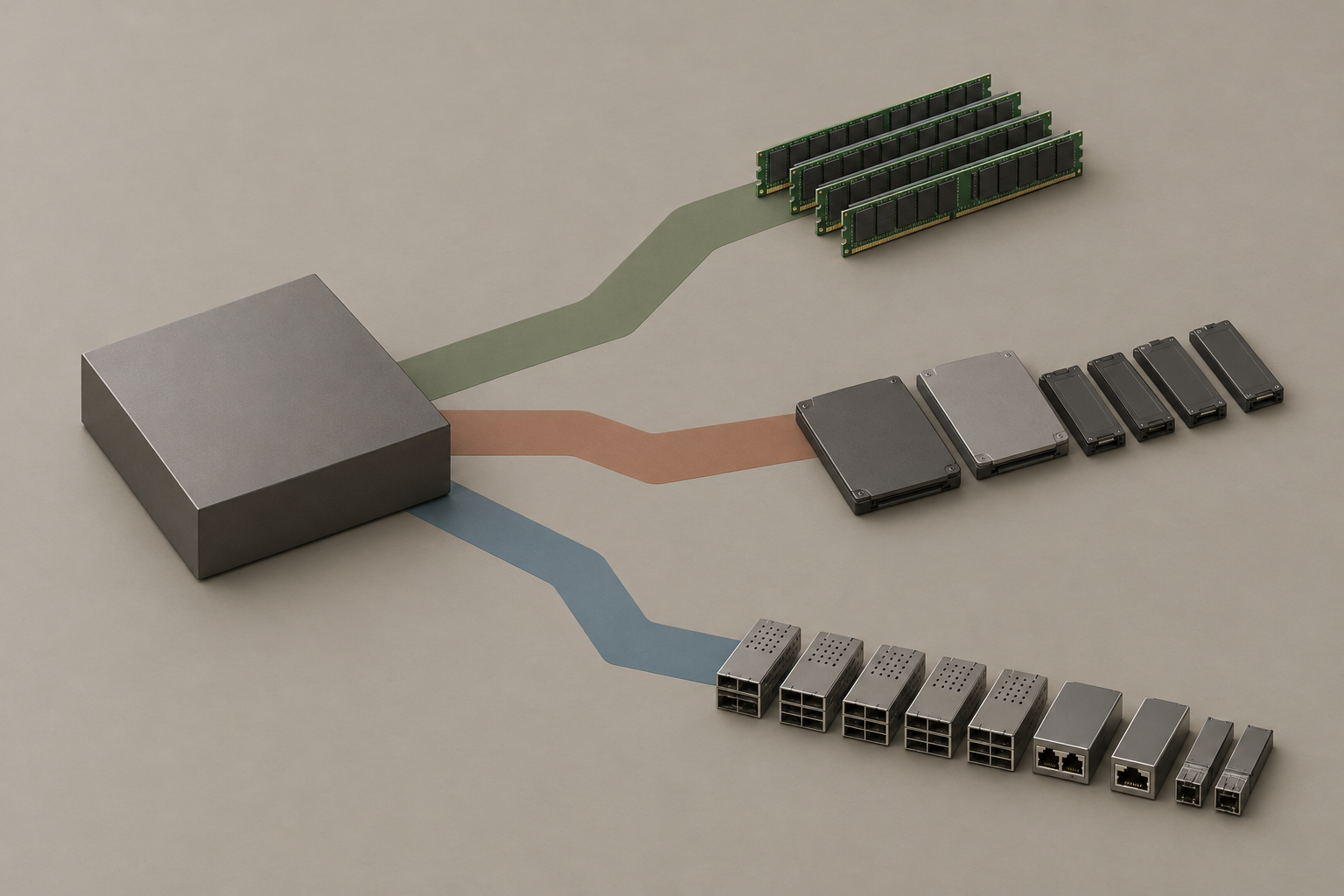
Many CPU cores require an appropriate memory configuration. According to AMD, the EPYC 9005 supports up to twelve DDR5 memory channels per CPU. For a VM host, it’s not just the total RAM capacity that matters: the distribution of the modules and the available memory bandwidth also influence how well concurrently active guests can be supported.
The data sheet lists speeds of up to DDR5-6400 for the models listed at one DIMM per channel. The actual usable speed depends on the hardware configuration and platform support. The up to 6 TB of DDR5 listed in the data sheet also refers to the configurations specified there—with two DIMMs per channel—and is not a guarantee for every server.
Adding more RAM modules may be a good way to achieve the required capacity, but it changes the configuration being tested. Therefore, providers should compare the desired module size and configuration with the server manufacturer’s approval list, rather than simply adding together the maximum capacity and speed values from the datasheet independently of one another.

For NVMe drives and network cards, the PCIe connection Crucial. AMD specifies up to 128 PCIe 5.0 lanes for single-socket systems and up to 160 for dual-socket servers. The actual number of ports provided by a specific board depends on the platform design and how the connections are used; the 2P maximum does not automatically apply to a 1P host.
When configuring the system, it’s therefore worth considering how these components interact: Multiple NVMe drives may require additional ports, while high-speed network cards must also be connected. CXL 2.0 is one of the platform capabilities, but it is not a feature that is automatically available on every server. Device, firmware, and operating system support must be verified for the selected system.
Compare Turin hosting plans
The EPYC 9005 family offers different areas of focus: The 9965 prioritizes maximum core density, while the 9575F aims for a higher clock speed. When making a selection, it’s not just the CPU that matters, but the combination of the specific model, socket type, and application workload. The following table compares four models based on AMD data.
| Model | Zen Variation | Cores / Threads | Base / Maximum Boost | L3 Cache / TDP | Base Operation |
|---|---|---|---|---|---|
| EPYC 9965 | Zen 5c | 192 / 384 | 2.25 / 3.7 GHz | 384 MB / 500 W | 1P or 2P |
| EPYC 9755 | Zen 5 | 128 / 256 | 2.7 / 4.1 GHz | 512 MB / 500 W | 1P or 2P |
| EPYC 9655P | Zen 5 | 96 / 192 | 2.6 / 4.5 GHz | 384 MB / 400 W | only 1P |
| EPYC 9575F | Zen 5 | 64 / 128 | 3.3 / 5.0 GHz | 256 MB / 400 W | 1P or 2P |
The 9965 provides a particularly large number of physical cores for independent tasks. This can be advantageous for a highly parallelized VM mix, provided that memory and I/O can keep up. The 9755 offers fewer cores but a higher maximum boost and more total L3 cache. Based on this data alone, there is no definitive ranking for hosting applications.
The 9575F is a possible alternative when individual steps require fast response times. Its maximum boost However, this does not guarantee a sustained clock speed for all cores. Whether it is more cost-effective than a model with more cores depends, among other things, on concurrent requests and the licensing model.
With the 9655P, this limits the P suffix its suitability for single-socket systems. This model is therefore not an option for a dual-socket server. A more comprehensive platform comparison should include specific configurations and measurements; the article on Choosing Between AMD EPYC and Intel Xeon Platforms Further guidance.
Mapping Hosting Workloads and Bottlenecks
A server CPU must be compatible with the services running simultaneously. In shared hosting, there are many independent requests; in virtual machines, entire operating systems compete for resources; and databases are sensitive to memory accesses or storage latency, depending on the workload. The following overview translates these differences into design criteria.
| Workload | CPU Requirements | Other potential bottlenecks | Test variables |
|---|---|---|---|
| shared hosting | Concurrent Requests and Short Individual Requests | Database, RAM, Storage I/O | Throughput, response time distribution, error rate |
| VM Hosting | Virtual CPUs active at the same time | RAM Capacity, Memory Bandwidth, Networking, and Storage | CPU utilization, wait times, VM response times |
| Databases | Concurrent Queries and Processing of Individual Transactions | Cache Usage, RAM, Memory Bandwidth, and I/O | Transaction throughput, query latency, I/O latency |
For shared hosting, the number of simultaneously active workers is just as important as the duration of individual requests. High CPU utilization may be acceptable if throughput is good; however, it does not, on its own, indicate whether customers are experiencing long wait times. Therefore, response time distributions and error rates at defined load levels should be included in the comparison.
When it comes to databases, the L3 Cache Just part of the picture. The 9755 has a total of 512 MB, while the 9965 has a total of 384 MB. These model specifications do not prove any database advantage: record size, access patterns, workload distribution, and RAM configuration all influence how frequently data from other storage levels is required.
A managed Redis service complements the application mix—for example, as a cache. To do this, providers must consider not only CPU resources but, in particular, the available memory and the specific requirements of the service. The article on Redis 8 and Upgrade Decisions for Hosting Providers covers, among other things, storage limits and the operation of such services.
To ensure a fair comparison of models, the VM mix, RAM configuration, storage, and load levels should be kept as comparable as possible. Otherwise, differences in response times or throughput cannot be meaningfully attributed to the choice of CPU. Furthermore, faster individual query response times and higher overall throughput are separate objectives that can be weighted differently in pricing plans.
Planning VM Capacity: An Example
A theoretical example illustrates the scale: A host with an EPYC 9965 has 192 physical cores and 384 threads. If 48 VMs, each with four vCPUs, are set up on it, this results in 48 × 4 = 192 allocated vCPUs. This is an allocation calculation and not a measurement of achievable VM performance.
A vCPU This does not automatically mean an exclusively reserved physical core. The hypervisor schedules virtual processors on available logical processors; actual execution depends on which VMs are running simultaneously and what resources are allocated to them. Furthermore, the processor’s 384 threads do not correspond to 384 independent physical cores.
For the Overbooking First, you should determine what concurrent load you expect and what performance a plan promises. A higher number of allocated vCPUs can work when peak loads rarely coincide, but it increases the risk of wait times when many guests are computing at the same time. Test this assumption using your actual customer mix rather than relying solely on the number of threads.

Next, calculate the memory requirements separately: Add up the planned RAM for the VMs and also factor in the hypervisor’s requirements as well as operational reserves. The CPU calculation does not indicate whether the host provides enough RAM or whether the required memory bandwidth is sufficient when multiple guests are active simultaneously.
The same applies to storage and networking. Many VMs can access NVMe drives or transfer data simultaneously; in this context, I/O latencies and peak loads are just as important as overall throughput. Therefore, be sure to factor in the connectivity and performance of the drives and network cards that will actually be used.
After all, you need a reserve for maintenance and outages. If a remaining host is to take on additional VMs after another one fails, the regular utilization must not already be consuming all the resources needed for that. The example with 48 VMs does not specify either a safe utilization limit or a consolidation ratio; both must be evaluated based on the specific environment.
Preparing the Platform and Virtualization
Start platform planning by identifying the specific CPU model and determining whether one or two sockets are needed. The requirements for cores, RAM, and I/O must collectively fit within the desired host system. A P-model such as the EPYC 9655P is designed for a single socket and is therefore not suitable for a two-socket configuration.
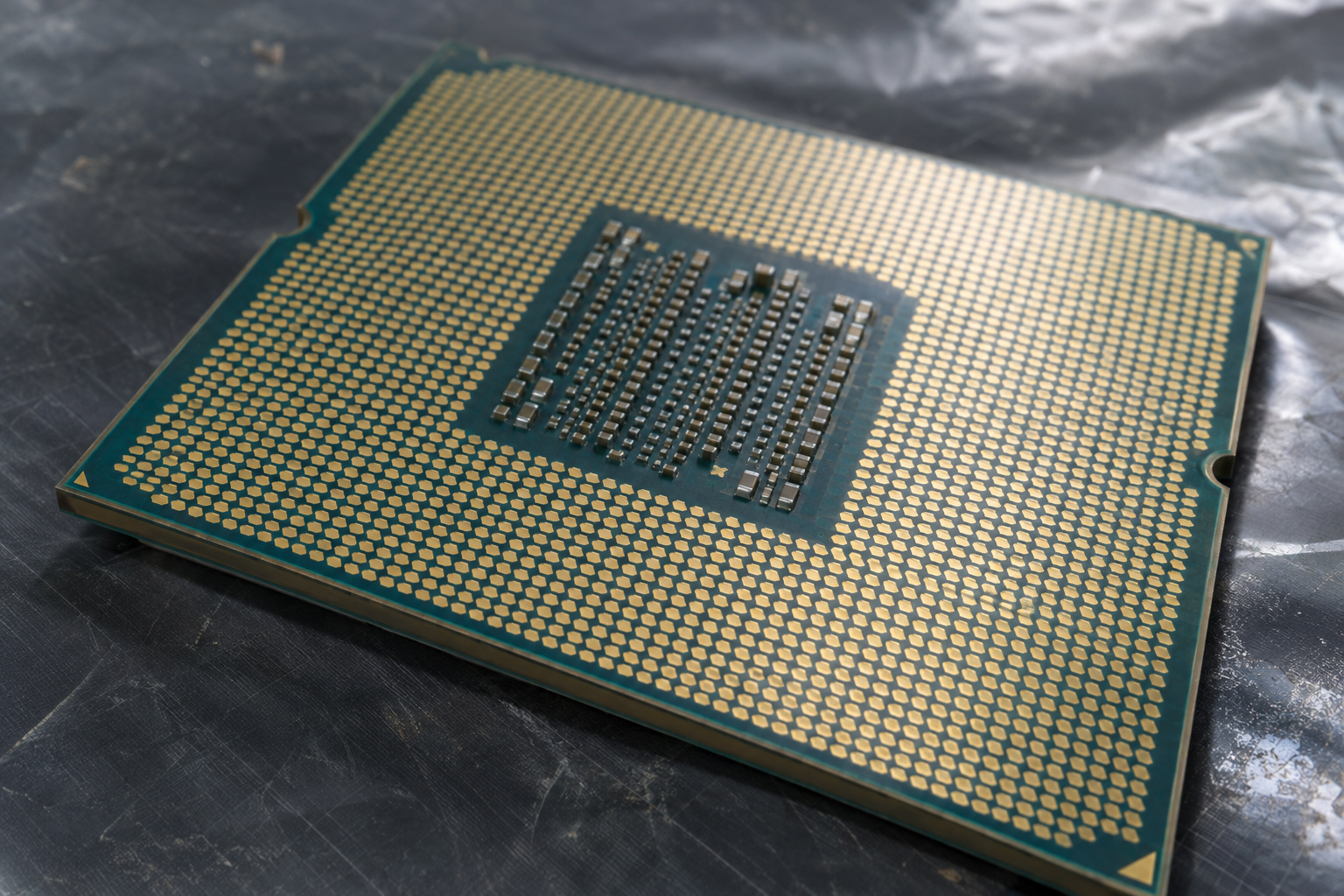
Next, check the Manufacturer Approval for the CPU, motherboard, and BIOS. Although Turin uses the SP5 socket, an existing SP5 server does not support every 9005 model simply because of that. The power supply and cooling system must also be certified for the selected CPU and the intended chassis.
Plan the RAM modules based on capacity, channel configuration, and the server manufacturer’s specifications. In addition, consider the required NVMe drives and network cards: What matters is not only their number but also which slots or drive bays are connected in the specific system. This allows you to determine before placing an order whether the desired combination is even possible on the platform.
For confidential customer VMs, you can SEV-SNP Supplement VM memory protection with integrity mechanisms. Trusted I/O via TDISP is another potential component for device access. Whether this results in a usable solution, however, depends on the combination of firmware, hypervisor, guest operating system, and, if applicable, devices.
Before committing to a product, you should also clarify how guests are set up, certified, and managed, and what restrictions apply to the VM features offered. A single CPU feature does not guarantee the compatibility of the entire stack, nor does it protect against all attacks. Therefore, document the configuration that is actually supported and keep it up to date with any updates.
Measure Operations and Identify Bottlenecks
To compare it with existing hosting hardware, you'll need a clear load profile: roughly the same VM mix, comparable data volumes, and defined query types. Document the RAM configuration, storage, network, and software configuration. This is the only way to determine later whether a deviation is more likely related to the CPU or to another change in the system.
Test multiple load levels rather than just a single peak value. Record throughput, response time distribution, and error rates: Higher throughput is of little value for a hosting service if, at the same time, many requests become slow or fail. Determine in advance which response times and error rates are acceptable for the respective service.
Monitor RAM usage and memory behavior, as well as storage and network latency and utilization, simultaneously. If response times increase even though the CPU still has capacity to spare, another part of the platform may be the bottleneck. Conversely, high CPU utilization alone does not necessarily mean that customers are having a poor user experience.
If VM response times are unusually long, check the assumed concurrency and the CPU Overbooking. Next, compare the actual RAM configuration, firmware, and hypervisor settings with the planned configuration. Change individual factors as selectively as possible and repeat the same load level so that the cause is not confused with a workload that was changed at the same time.
Ongoing operations also include security bulletins, firmware maintenance, access controls, and verifiable backups. AMD also publishes advisories regarding security vulnerabilities and mitigation measures for EPYC processors; operators must schedule appropriate updates from the server manufacturer. After maintenance, verify once again that security features and the available guest configurations are functioning as intended.
Procurement and Cost-Effectiveness Are the Deciding Factors
A procurement decision begins with the question of whether the existing platform still meets the requirements. If capacity and reserves are sufficient, continuing to operate it may make sense. For an upgrade to Turin, however, the specific CPU model, firmware, and other components must be approved by the server manufacturer; the shared SP5 socket alone is not sufficient proof.
Compare one 1P Host with a 2P configuration based on the total requirements for cores, RAM, and ports. Two sockets are not required solely because of a high target number of VMs. Conversely, a single-socket platform may be ruled out if the required combination of memory and I/O cannot be accommodated in the selected server.
When dealing with many independent, concurrently running tasks, core density can be an important selection criterion. For latency-sensitive applications, however, it’s worth also evaluating models with higher clock speeds within your own application mix. In addition, calculate the specific licensing model: costs per core, socket, or VM can alter the economic ranking of the platforms.
The TDP This is not a measurement of the power consumption of an entire server. AMD specifies a TDP of 500 watts for both the EPYC 9755 and the 9965; this does not indicate either the power consumption under your workload or the annual energy costs. RAM, drives, networking, and cooling are all part of the overall system analysis.
To compare energy and costs, evaluate the entire system at representative load levels and factor in the required reserves. You should compare the costs of acquisition, software licenses, and operation over the planned useful life. Without comparable historical data, it is not possible to promise specific savings or a reliable consolidation rate.
Sources and Current State of Knowledge
Status of the research:
As of November 4, 2026. EPYC Turin refers to the 9005 series introduced in 2024. Verify model and platform approvals again prior to procurement.
https://www.amd.com/en/newsroom/press-releases/2024-10-10-amd-launches-5th-gen-amd-epyc-cpus-maintaining-le.html
https://www.amd.com/content/dam/amd/en/documents/epyc-business-docs/datasheets/amd-epyc-9005-series-processor-datasheet.pdf
https://docs.amd.com/api/khub/documents/UIqhAbjRhgnzgzzdVU4pUw/content
https://www.amd.com/content/dam/amd/en/documents/epyc-technical-docs/tuning-guides/58466-amd-epyc-9005-tg-cloud-datacenter.pdf
https://www.amd.com/content/dam/amd/en/documents/epyc-technical-docs/user-guides/58462_amd-epyc-9005-tg-architecture-overview.pdf
https://www.amd.com/en/developer/sev.html
https://www.amd.com/en/resources/product-security/bulletin/amd-sb-3023.html