Skip to content
Firewall iptables and UFW control which connections a web server accepts and which I block - this determines the attack surface and failures. In this practical article, I show clear rules, secure defaults and tested commands for SSH, HTTP(S), databases, logging, IPv6 and Docker - directly applicable on productive hosts.
Key points
The following key points give me a quick orientation before I start with the configuration.
- Restrictive Start: Default deny for incoming, open specifically
- SSH Allow first: Do not risk access
- UFW as interface: simple syntax, iptables in the background
- Logging activate: Check rules, recognize attacks
- Persistence ensure: Maintain rules on restarts
Basics: iptables and UFW at a glance
I rely on iptableswhen I need fine control over packets, chains and matches. I use UFW when I want to quickly apply reliable rules that end up internally as iptables rules [1]. This allows me to combine simple commands with the power of the Linux netfilter without getting lost in the details. For web servers, this means: I build a clear filter in front of Apache, Nginx or Node so that only the desired traffic arrives [2]. This separation reduces attack surfaces and allows attacks to fail more often.
Both tools complement each other and I decide which one suits the situation. UFW scores with clean readability, especially on Ubuntu and Debian [3]. iptables gives me extended options, for example for NAT, specific interfaces and complex matches. Important: I document my rules concisely so that maintenance is easy later on. If you want to learn more about the security concept, you can find an easy-to-understand introduction here: Firewall as a protective shield.

Start configuration: Set default policies securely
I start with Default-Policies: Block incoming, allow outgoing. This is how I prevent new services from being unintentionally accessible. I always allow loopback so that internal processes work stably. I accept existing connections to avoid terminations. This sequence minimizes errors when activating the firewall [2][5].
I use UFW to set the base with just a few commands. I then check the status in detail to detect typing errors immediately. For particularly sensitive hosts, I also restrict outgoing ports. This reduces the risk of data leaks if a service has been compromised. I use the following commands frequently:
# UFW: Default rules
sudo ufw default deny incoming
sudo ufw default allow outgoing

# Alternative stricter outbound policy
sudo ufw default deny outgoing
sudo ufw allow out 53
sudo ufw allow out 80
sudo ufw allow out 443

# Check status
sudo ufw status verbose
Stateful filtering: States and sequence
A clean parcel flow stands and falls with Conntrack states. I accept established connections first, discard invalid packets early and leave loopback open. This reduces load and prevents side effects due to late drops. For iptables, I deliberately set the order:
# iptables: solid basis
iptables -P INPUT DROP
iptables -P FORWARD DROP
iptables -P OUTPUT ACCEPT

# Always allow loopback
iptables -A INPUT -i lo -j ACCEPT
iptables -A OUTPUT -o lo -j ACCEPT

# Allow existing/associated connections
iptables -A INPUT -m conntrack --ctstate ESTABLISHED,RELATED -j ACCEPT

# Drop invalid packets early
iptables -A INPUT -m conntrack --ctstate INVALID -j DROP
With UFW, ESTABLISHED/RELATED are already taken into account internally. I also pay attention to whether I prefer DROP (silent) or REJECT (active, faster failover). For internal networks I prefer REJECT, in the public network usually DROP.
Essential rules for web servers: SSH, HTTP and HTTPS
I switch SSH first, otherwise I easily lock myself out. Then I allow HTTP and HTTPS so that the web server is accessible. I only set the ports that I really need. Later, I optionally add rate limiting or Fail2ban to curb brutal login attempts. I check every change immediately with status or list commands.
I keep the commands for this simple. UFW offers speaking aliases for web ports, which increases readability. With iptables, I can set precise ports and protocols. I save iptables rules afterwards so that they survive the restart. Here are the minimum steps:
# SSH
sudo ufw allow 22
iptables -A INPUT -p tcp --dport 22 -j ACCEPT

# HTTP/HTTPS
sudo ufw allow http
sudo ufw allow https
iptables -A INPUT -p tcp --dport 80 -j ACCEPT
iptables -A INPUT -p tcp --dport 443 -j ACCEPT
Secure SSH: Restrict and open selectively
In addition to the release, I dampen attacks with Rate limiting or whitelists. UFW provides simple protection:
# SSH rate limiting (UFW)
sudo ufw limit 22/tcp comment "SSH Rate Limit"
I set finer limits with iptables. This prevents massive password guessing without excluding legitimate admins:
# SSH: Limit connection attempts per source
iptables -A INPUT -p tcp --dport 22 -m conntrack --ctstate NEW -m recent --name SSH --set
iptables -A INPUT -p tcp --dport 22 -m conntrack --ctstate NEW -m recent --name SSH --update --seconds 60 --hitcount 10 -j DROP
Where possible, I only allow SSH from Admin IP addresses and work with SSH keys. Changing ports is no substitute for security, but it can reduce noise. I document the exceptions and check them regularly.

Secure databases and restrict IP sources
I never open database ports globally, but only local or for defined source IP addresses. This prevents scanners from finding open MySQL, PostgreSQL or MongoDB ports. For local apps, 127.0.0.1 is sufficient as a target; I control external admin access strictly via IP. I document changes briefly, for example in the server wiki. This saves me time during audits.
I often use the following examples in projects. I check the correctness of each permitted IP in advance. UFW allows a clean "from-to" notation, iptables implements the same logic technically. I use additional allow rules for temporary maintenance windows and delete them afterwards. This keeps the interface small:
# Local only: MySQL
sudo ufw allow from 127.0.0.1 to any port 3306
iptables -A INPUT -p tcp -s 127.0.0.1 --dport 3306 -j ACCEPT

# Allow single IP
sudo ufw allow from 203.0.113.10
iptables -A INPUT -s 203.0.113.10 -j ACCEPT

# Allow port for specific IP
sudo ufw allow from 10.1.2.3 to any port 4444
iptables -A INPUT -p tcp -s 10.1.2.3 --dport 4444 -j ACCEPT

# Block known attackers
sudo ufw deny from 192.0.2.24
iptables -A INPUT -s 192.0.2.24 -j DROP
Clean handling of logging, interfaces and IPv6
I switch Logging to verify rules and detect conspicuous traffic. Level "on" in UFW is sufficient for most hosts, I only use higher levels selectively. I evaluate logs with journalctl, fail2ban or SIEM tools. This allows me to recognize patterns of scans or brute force attempts. In the event of anomalies, I adjust the rules promptly [2].
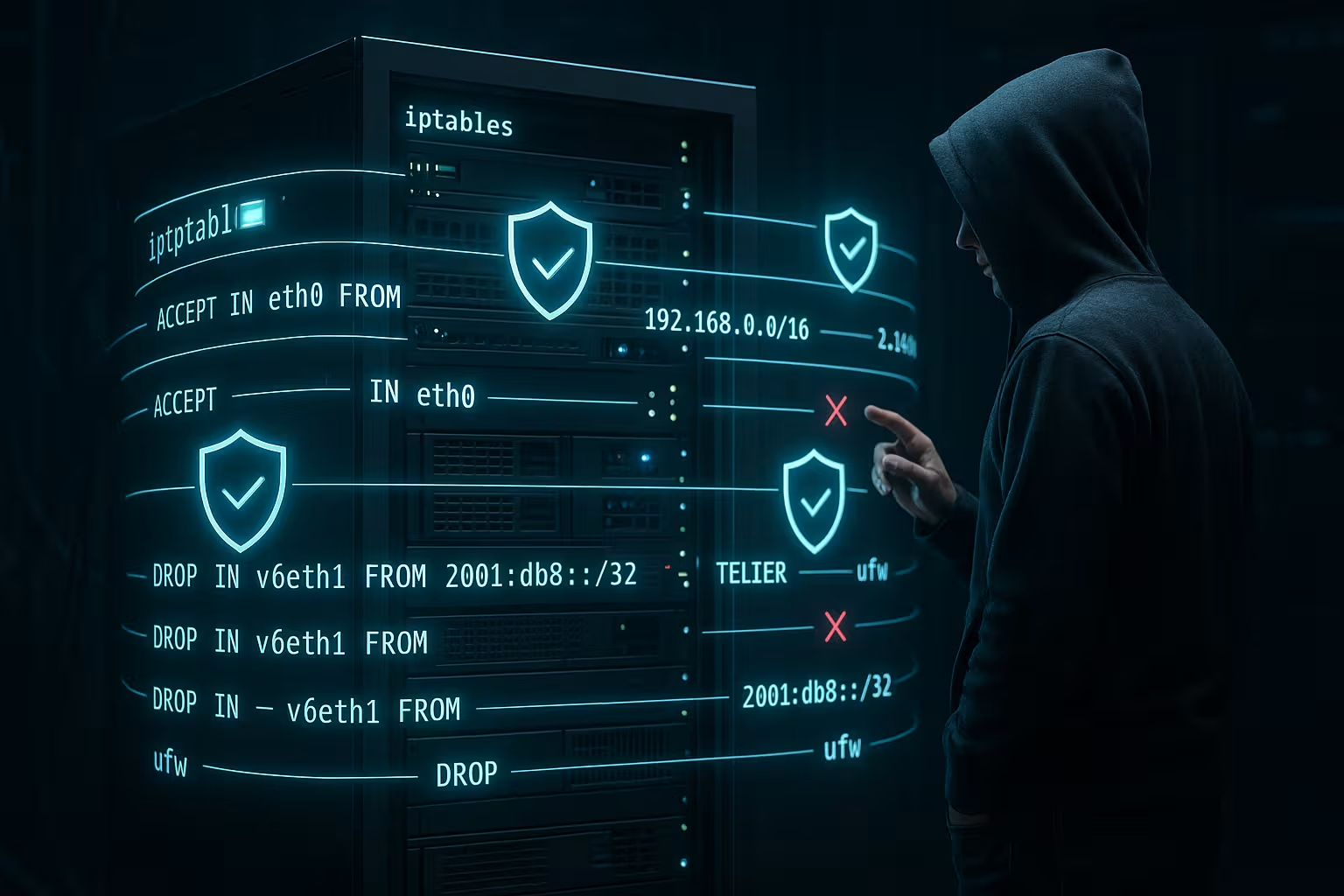
I often tie rules to a specific Interfacesuch as eth0 in public networks. This prevents internal networks from being affected unnecessarily. UFW can "allow in on eth0 to any port 80", iptables uses -i for input interfaces. For IPv6, I check the activation in /etc/default/ufw for "IPV6=yes" and use ip6tables for native rules [2]. This separation avoids gaps with dual-stack hosts.
ICMP and ICMPv6: Accessibility without gaps
I leave necessary ICMP-types so that path MTU discovery, timeouts and diagnostics work. ICMP is not an enemy, but the core of the IP protocol. I only limit excessive echoes.
# IPv4: Limit echo, allow important ICMP types
iptables -A INPUT -p icmp --icmp-type echo-request -m limit --limit 5/second --limit-burst 20 -j ACCEPT
iptables -A INPUT -p icmp --icmp-type time-exceeded -j ACCEPT
iptables -A INPUT -p icmp --icmp-type destination-unreachable -j ACCEPT

# UFW: Allow ICMP in general (fine tuning in before.rules possible)
sudo ufw allow in proto icmp
At IPv6 ICMPv6 is absolutely necessary (Neighbor Discovery, Router Advertisement). I allow the core types and limit echo requests:
# IPv6 (ip6tables)
ip6tables -A INPUT -p ipv6-icmp -m icmp6 --icmpv6-type router-advertisement -j ACCEPT
ip6tables -A INPUT -p ipv6-icmp -m icmp6 --icmpv6-type neighbor-solicitation -j ACCEPT
ip6tables -A INPUT -p ipv6-icmp -m icmp6 --icmpv6-type neighbor-advertisement -j ACCEPT
ip6tables -A INPUT -p ipv6-icmp -m icmp6 --icmpv6-type echo-request -m limit --limit 5/second --limit-burst 20 -j ACCEPT
Using outbound restriction and NAT/masquerading correctly
I limit outgoing traffic when I Risk profile and compliance. I allow DNS and HTTPS and block everything else except for defined targets. This reduces exfiltrated data if a service is hijacked. I create defined exceptions for applications that require updates or APIs. I document these exceptions clearly and check them regularly.
For routing setups, I use NAT/Masquerading via UFW-Before-Rules or raw with iptables. I pay attention to the order of the chains so that packets are rewritten correctly. After changes, I test connectivity and latencies. For production systems, I plan a maintenance window and back up the configuration. This allows me to keep the network paths traceable [7].
Outbound details: system services and protocols
With a strict outbound policy, I specifically allow DNS (53/udp), HTTPS (443/tcp) and if required NTP (123/udp). For mail servers, I add 25/tcp and 587/tcp. I do not resolve domain-based exceptions at package level, but via proxies or application logic.
# UFW: typical system services
sudo ufw allow out 123/udp # NTP
sudo ufw allow out 25/tcp # SMTP - only if mail server
sudo ufw allow out 587/tcp # Submission - only if necessary

# iptables: specific Allow
iptables -A OUTPUT -p udp --dport 123 -j ACCEPT
iptables -A OUTPUT -p tcp --dport 25 -j ACCEPT
iptables -A OUTPUT -p tcp --dport 587 -j ACCEPT
Docker and firewalls: avoiding pitfalls
Docker sets its own iptables-rules that can influence my policy. I therefore check the NAT and FORWARD chains after every compose or daemon start. I deliberately release exposed ports and avoid "-p 0.0.0.0:PORT". Instead, I bind them to the management IP or the reverse proxy. This keeps the attack vector smaller and more visible [1].
I keep host firewalls active despite Docker. I also control security groups at the infrastructure level, if available. In the event of conflicts between UFW and Docker, I use documented workarounds or set rules in DOCKER-USER. It is important to have clear responsibilities: host always blocks, containers only open explicitly. This order prevents unconscious releases.
# DOCKER-USER: enforce global host policy before Docker rules
iptables -N DOCKER-USER 2>/dev/null || true
iptables -I DOCKER-USER -s 192.0.2.24 -j DROP
iptables -A DOCKER-USER -j RETURN

UFW fine settings: Sequence, profiles and routed traffic
When precision counts, I use "insert", "numbered" and app profiles. This is how I keep the rule sequence clean and use tested service definitions.
# Control sequence
sudo ufw insert 1 deny in from 198.51.100.0/24

# Numbered view and targeted deletion
sudo ufw status numbered
sudo ufw delete 3

# App profiles (e.g. Nginx Full)
sudo ufw app list
sudo ufw app info "Nginx Full"
sudo ufw allow "Nginx Full"

# Block routed traffic by default (forwarding)
sudo ufw default deny routed
I store more complex exceptions in before.rules respectively after.rules. There I can place ICMP fine-tuning or NAT exactly without losing the readability of the standard rules.
Persistent rules: Save and restore
With UFW rules are persistent and automatically survive reboots. This greatly simplifies administration on Debian/Ubuntu hosts. With iptables, I save the rules after changes and restore them at startup. I use iptables-save/restore or netfilter-persistent for this. Without these steps, I otherwise lose changes after a restart [5].
I test persistence systematically: schedule a reboot, then check the status. If the counters and chains are correct, the configuration is solid. If rules are missing, I correct the load path in the init or systemd context. This routine prevents surprises during maintenance. Documentation and backup of the rule files round off the procedure.
# Debian/Ubuntu: Persistence for iptables
sudo apt-get install -y iptables-persistent
sudo netfilter-persistent save

# Manual backup
sudo iptables-save | sudo tee /etc/iptables/rules.v4
sudo ip6tables-save | sudo tee /etc/iptables/rules.v6

# Restore (if required)
sudo iptables-restore < /etc/iptables/rules.v4
sudo ip6tables-restore < /etc/iptables/rules.v6
Performance and protection: limits, sets and kernel tuning
When the load is high, I reduce the number of controls and use targeted Rate limits. For large block lists, I work with ipset to shorten look-up times. I also use system-based protection mechanisms:
# Contain SYN flood (kernel)
sudo sysctl -w net.ipv4.tcp_syncookies=1

# Limit HTTP connection rate per source IP (example)
iptables -A INPUT -p tcp --dport 80 -m conntrack --ctstate NEW
  -m hashlimit --hashlimit-name http_rate --hashlimit-above 50/second
  --hashlimit-burst 100 --hashlimit-mode srcip -j DROP
I keep the size of the Conntrack table at a glance. If there are many simultaneous connections, I increase nf_conntrack_max, but test the effects beforehand.

Management, tests and error prevention
I leave SSH before I activate "deny incoming". I then test from a second session whether the access remains stable. I check each new rule with "ufw status verbose" or "iptables -L -v". This allows me to recognize hit counters and see whether packets are landing in the expected chain. I back up the firewall files before making any major changes.
For comprehensive security, I combine the firewall with hardening steps on the system. These include secure SSH settings, patch management and minimal services. I like to use a practical guide as a checklist: Server hardening for Linux. I repeat these checks regularly and keep to fixed maintenance windows. This keeps my servers reliably in shape.
Advanced testing and observation
I check the external impact with Port scans from an external network and verify open sockets internally. I monitor logs closely at the beginning in order to recognize false conclusions early on.
# Open sockets
ss -lntup

# iptables overview compact
sudo iptables -S
sudo iptables -L -v -n

# UFW: detailed status and logs
sudo ufw status verbose
journalctl -k | grep -i ufw

# External check (from another host/network)
nmap -Pn -p 22,80,443
For high-risk changes, I am planning a Fallback level on. I work in Screen/Tmux and, if necessary, set a time-controlled reset if I lock myself out. After a successful test, I cancel the fallback action again.
# Example: automatic deactivation as emergency anchor (use carefully)
echo "ufw disable" | at now + 2 minutes
# Delete again after successful test: atrm
Comparison of hosting providers: Focus on firewall integration
For hosting I rely on Security close to the platform. Individual policies, fast rule deployments and good monitoring pay off. In current comparisons, webhoster.de impresses with neatly integrated firewall options and fast support. Those who prefer panel setups benefit from clear instructions for Plesk firewall. The following table classifies key criteria.
| Provider | Firewall integration | Performance | Support | Placement |
|---|---|---|---|---|
| webhoster.de | individually config. | Very high | top | 1 |
| Provider B | Standard | high | good | 2 |
| Provider C | Standard | good | Satisfactory | 3 |

Practical examples: From test to production rule
I start each rule set in the Screen or in a second SSH session. That way, I can still save myself in the event of an operating error. Only when a test host is running properly do I apply rules in production. Return path rules and a rollback plan give me additional security. At the end, I document changes concisely in the change log.
For web servers, I use recurring modules: allow SSH, release HTTP/S, bind internal ports locally, logging on, limit ICMP, block superfluous protocols. Then I take care of IPv6 mirroring rules so that no gaps remain. I always check Docker chains separately because they set their own paths. Finally, I validate access via external checks and monitoring. This keeps the interface clean and traceable [1][2].
Summary for admins
With clear Rules and a few commands, I reliably secure web servers. Incoming default deny, SSH first, enable HTTP/S - this forms the stable basis. Database ports only locally or via whitelist, logging active, observe IPv6, check Docker chains. Persistent storage and regular tests prevent nasty surprises. This routine keeps services accessible and noticeably reduces risks.
Whether I use UFW or iptables directly, a clear, economical policy is crucial. I document briefly, verify regularly and keep exceptions to a minimum. Outbound restriction stops unnecessary connections and limits damage in the event of compromise. With a practiced eye on logs, I recognize anomalies more quickly and react appropriately. This keeps the web server resilient and the attack surface small.