 Skip to content
I explain the PHP request lifecycle in hosting, from the HTTP request to the response, and show which Phases drive the latency. Who PHP Lifecycle Hosting This shortens TTFB, increases throughput and prevents bottlenecks in execution.
Key points
- Lifecycle phasesMINIT, RINIT, RSHUTDOWN, MSHUTDOWN determine start, execution and cleanup.
- PHP-FPMEfficient process pools beat mod_php in terms of load and parallelism.
- OpCacheBytecode in RAM saves parse time and slows down cold starts.
- I/O & DBNVMe, pooling and short queries reduce the response time.
- Monitoring: Metrics for RINIT/RSHUTDOWN reveal bottlenecks.
From request to execution: the hosting process
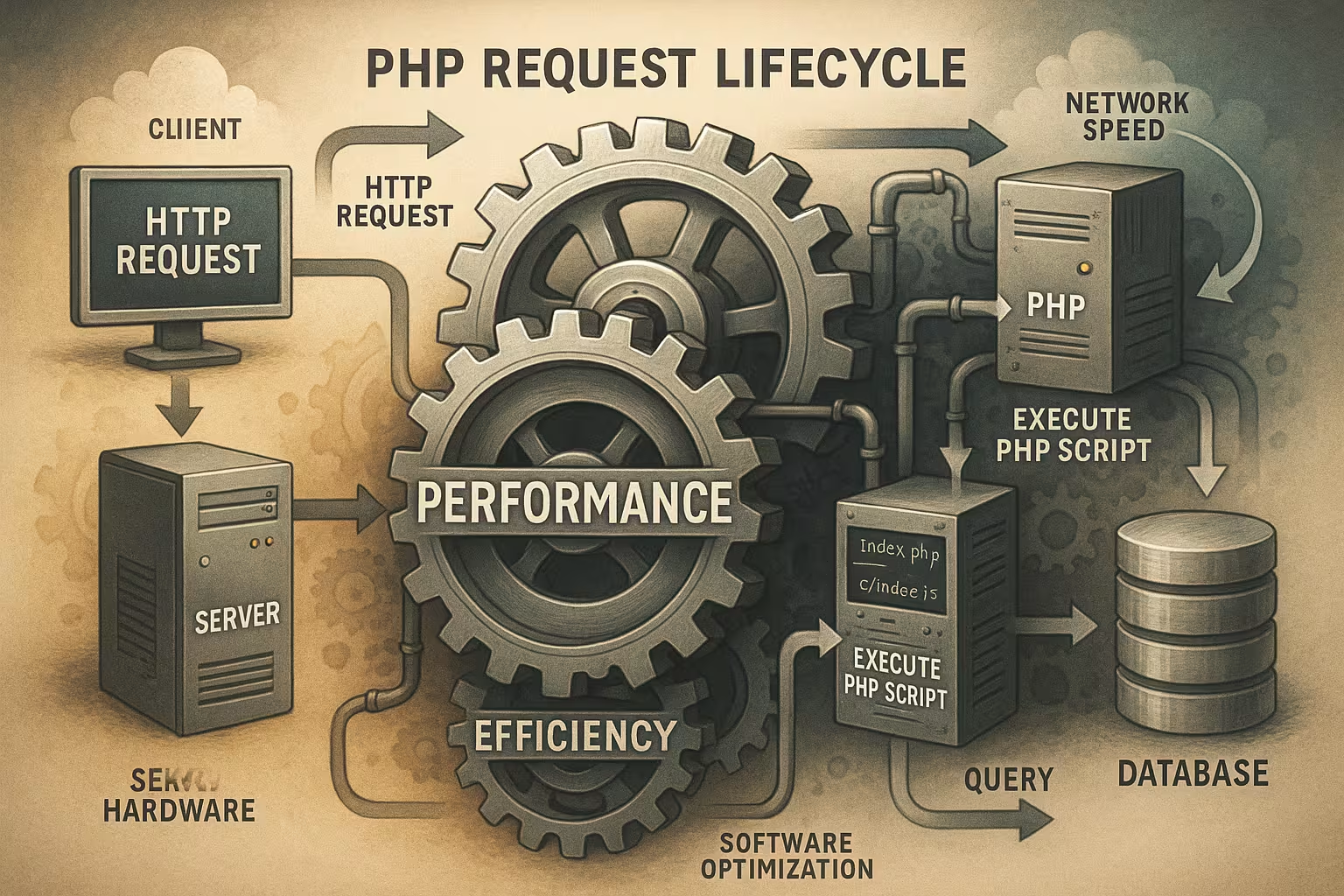
I start at the browser, which sends an HTTP request to the web server and thus the Request is triggered. Apache or Nginx check the path, recognize .php and forward the request to the PHP processor. Depending on the setup, mod_php within Apache or a separate PHP-FPM worker takes over the execution. I prefer a strict Separation of the web server and PHP, because it keeps processes predictable. PHP loads the code, processes superglobals, executes scripts, talks to databases and creates the response. The server sends back the response, while the header, status code and body are already available in the output buffer. This cycle is repeated in isolation for each call, which safeguards PHP's share-nothing architecture.

The four phases of the PHP lifecycle (MINIT, RINIT, RSHUTDOWN, MSHUTDOWN)
I distinguish between four phases that influence every request and provide clear Tasks have. MINIT runs once per PHP process and loads extensions and persistent resources. RINIT starts the initialization per request: PHP sets superglobals, allocates memory via emalloc() and prepares autoloading. The interpreter then executes the code, calls functions, renders templates and writes to the output buffer. During RSHUTDOWN, I release resources, call destructors and empty buffers to prevent memory leaks. At the end of the process life, MSHUTDOWN takes care of the complete Clean up, often when recycling an FPM worker.
Hosting comparison: TTFB and features
I measure TTFB, available PHP functions and the responsiveness of pools to evaluate hosting quality. NVMe SSDs deliver fast access times, while well-configured FPM pools absorb peak loads. A consistently enabled OpCache prevents constant parsing and compiles bytecode ahead. In my tests, platforms with aggressive pooling and RAM caches achieve faster response times than setups with limited Resources. The following table shows a typical comparison of functions and measured TTFB. Note that outdated PHP versions increase latency and risk security vulnerabilities.
| Hosting provider | PHP-FPM support | OpCache | SSD type | Time to first byte (ms) |
|---|---|---|---|---|
| webhoster.de | Unlimited | Fully integrated | NVMe | <100 |
| Other | Limited | Optional | SATA | 200+ |

PHP-FPM vs. mod_php: Effects on latency
I rely on PHP-FPM because worker pools process requests in parallel and in a controlled manner, thus minimizing the Latency mod_php couples PHP closely to Apache processes and scales less efficiently with high parallelism. FPM provides separate pools per application, separate users and isolated limits for memory and requests. I use status endpoints and pool logs to visualize utilization, wait times and process lifetime. If you want to compare handlers, you can find technical differences in the PHP handler comparison. There are trade-offs in terms of start time, memory and compatibility. For constant response times, I minimize context switches and keep the pool warm.
FastCGI path between web server and FPM: sockets, buffers, timeouts
I check whether Nginx or Apache talks to FPM via Unix socket or TCP. Unix sockets reduce overhead on a host, TCP is worthwhile for distributed setups. The backlog queue, keep-alive and FastCGI buffers have a direct effect on TTFB: buffers that are too small cause chunking and additional syscalls, buffers that are too large increase RAM pressure. I set FastCGI read/send timeouts to suit the application and monitor 502/504 rates to detect bottlenecks early on. For uploads, request buffering influences whether the body is fully buffered before FPM sees the request - this postpones TTFB. For latency-critical endpoints, I enable streaming response and reduce unnecessary output buffering in the web server and PHP.
Server processing and I/O: What really costs time
I first measure how much time pure parsing, file access and network I/O. NVMe drastically reduces file access times compared to SATA, so logs, sessions and cache files benefit from fast drives. TLS handshakes, DNS lookups and external APIs cost additional milliseconds, which I reduce with keep-alive, HTTP/2 and asynchronous processing. Long file trees, many small includes and unoptimized autoload paths prolong the cold start. I keep file accesses low, outsource assets to the CDN and use RAM caches. This leaves CPU time for actual execution and the TTFB drops noticeably.
Output buffering, compression and streaming
I consciously control output buffering: too many buffer layers (PHP, framework, web server) delay the first byte flow. For TTFB-critical routes, I stream headers and first bytes early so that the browser starts rendering. Gzip or Brotli compress efficiently, but must not cost more than they save for small responses. I decide whether the web server or PHP compresses to avoid duplicating work. I set chunked transfer and flush points specifically so that proxies and CDNs start forwarding more quickly.
OpCache, bytecode and JIT: where the speed comes from
I consistently enable OpCache so that PHP reads bytecode from RAM and does not recompile with every request. According to phpinternalsbook, this step can reduce parse and compile times by up to 70% reduce. I pay attention to sensible opcache.memory_consumption, revalidate_freq and file_cache_only for container scenarios. As of PHP 8.3, JIT provides additional speed for numerical workloads, while web workloads benefit primarily from the bytecode cache. If you want to get more out of configurations, take a look at the OpCache configuration. I regularly check the hit rate and monitor whether the cache is fragmenting in order to prevent load peaks.
Preloading, real path cache and internal strings
I use preloading (opcache.preload) to load common classes and functions into memory when starting the FPM worker. This reduces work in RINIT because the necessary code is already available. At the same time, I dimension opcache.interned_strings_buffer and opcache.max_accelerated_files so that name and path information does not get throttled. The realpath_cache massively accelerates path resolutions when classmaps become large. I keep realpath_cache_size and realpath_cache_ttl so that changes are recognized, but not too frequent Stat() calls take place. Together with an optimized autoloader, the cold start is noticeably reduced.
Autoloading, Composer and Framework Bootstrap
I check how many classes Composer loads during bootstrap and whether the autoloader is working optimally. I use -optimize-autoloader to reduce path searches and speed up the initialization. In Laravel, I start at public/index.php, load the autoloader, boot service provider and disconnect debug middleware in production mode. I minimize expensive reflection calls and use classmap-authoritative if the project does not require dynamic paths. This saves me a lot of time before the first controller call and keeps the cold-start latency low. I test changes to the vendor directory separately to avoid regressions.
Warm-up strategies and cold start management
I specifically warm up FPM pools after deployments: Health checks trigger routes that initialize autoloaders, containers and templates. For zero-downtime rollouts, I keep old and new pools active in parallel for a short time so that users don't experience a cold start. I make sure that templating engines (Twig/Blade) have filled their caches and only then switch traffic. For CLI jobs, I plan preloading so that recurring tasks benefit from the same warm state.
Routing, middleware and controller depth
I reduce the number of active middleware layers and only leave what is security-relevant or functionally necessary. Each additional layer adds processing and increases the Runtime. In Frameworks, I measure the time from router match to controller return and mark costly steps. I cache resolved routes, precompile configurations and only activate PSR-7/PSR-15 where it brings real benefits. Lean controllers, short DTOs and targeted validation keep overheads low. This noticeably shortens the path from entry point to response.

Sessions, concurrency and locks
I prevent session blocking by calling session_write_close early, as soon as no more changes are required. This means that parallel requests from the same user can no longer wait for the session lock. For file system sessions, I pay attention to fast storage paths (NVMe) or switch to Redis with a locking strategy. Short TTLs and lean session payloads reduce I/O and improve throughput. I completely deactivate APIs without session reference for sessions to avoid unnecessary file or network accesses.
Databases, connections and query strategies
I rely on persistent connections, connection pools and short transactions to minimize round trips. Prepared statements save parse time in the database server and increase the Stability under load. I index specifically, avoid SELECT *, limit fields and use pagination and caching for expensive aggregations. I configure database drivers with timeouts, retry strategies and clean error handling. For write peaks, I plan queueing and eventual consistency, while read accesses run via replicas. This leaves the PHP process free for app logic instead of waiting for I/O.
Caching layer: Redis, Memcached and CDN
I store sessions, feature flags and frequent results in Redis or Memcached to reduce the load on the database. A short TTL plan keeps data fresh and reduces the Hit rate not unnecessary. Static assets are delivered by a CDN, while I use edge or microcaches for HTML snippets. For WordPress, Symfony or Laravel, I combine object cache, full page cache and fragmented caching. I make sure to keep cache invalidation simple, otherwise it eats up the performance gain. Monitoring hit/miss rates shows me immediately when a cache is missing the mark.

Uploads, request bodies and limits
I define upload_max_filesize, post_max_size, max_input_vars and max_input_time so that legitimate payloads are processed quickly without overloading the server. I buffer large uploads efficiently and use resumable strategies so that FPM workers do not block unchecked. I monitor the disk IO paths for temporary files and move them to fast data carriers. This keeps waiting times when reading request bodies to a minimum and FPM remains responsive.
Set PHP-FPM pools correctly
I choose pm.dynamic or pm.ondemand depending on the traffic pattern and memory quota. I set the upper limit of the child processes so that RAM does not swap and requests still do not wait. I clarify details on pool limits and threshold values with the Optimize pm.max_children. I only lower request_terminate_timeout to the point where hangers are canceled without endangering long jobs. Short-running workloads work well with short idle timeouts so that workers do not tie up RAM unused. For spikes, I define further pools per app so that noisy neighbors do not disturb other projects.
Memory, garbage collector and recycling
I watch the Zend GC: it periodically clears cyclic references, which can cause short stop-the-world pauses. In web workloads, I stick to the defaults and instead keep fragmentation low with a clean object lifecycle and sparse arrays. I set pm.max_requests so that potential leaks or fragmentation don't bloat the process. If FPM Worker recycles too often, start overhead increases; if it recycles too rarely, memory accumulates. I look for the sweet spot via long-term measurements of RSS/Worker and error rates.
Monitoring the lifecycle and metrics
I measure RINIT and RSHUTDOWN times to separate initialization and cleanup. APM tools show me hot paths, database latencies, error density and excursion values in the TTFB. I log FPM status, queue length, spawn rate and aborts so that I can find bottlenecks more quickly. I correlate logs with Nginx/Apache timings and system metrics such as CPU steal and I/O wait times. Synthetic tests check cold starts, while RUM keeps an eye on real user paths. This allows me to see trend breaks early and take action before the store grinds to a halt during rush hour.
Logging, slowlog and debug overhead
I strictly separate debug and production. Xdebug is not used in production because it massively slows down requests. Instead, I use FPM slowlog with request_slowlog_timeout to identify hanging scripts and hotspots. I set the log level so that no chatty logs flood the IO subsystems. Rotating logs, asynchronous loggers and structured outputs (JSON) facilitate correlation and save parsing time. I route error reports to dedicated channels so that they do not compete with access logs.
Security, versions and lifecycle management
I keep PHP on 8.3+ and activate security fixes quickly because old versions carry risks. Endless Lifecycle Support can secure old versions, but often costs money. Budget and performance. I check extensions for maintenance status, ABI compatibility and memory behavior. Input validation, output encoding and restrictive rights in the file system reduce the attack surface. I separate configuration and secrets, rotate keys regularly and only activate required modules. This keeps the platform fast and at the same time resistant to attacks.
Container, OS tuning and insulation
I consider cgroup limits and CPU quotas in containers: Hard limits reduce throughput, memory limits that are too tight cause OOM kills. Transparent huge pages and swapping can cause latency spikes, so I keep memory under control and only use fast swap backends as a last resort. I isolate workloads per user/group, use open_basedir or chroot where appropriate and keep file permissions to a minimum. At system level, I make sure I have sufficient file descriptors, socket backlogs and clean DNS resolvers, because these resources are surprisingly often bottlenecks.
Briefly summarized
I look at every lifecycle phase because there are fractions of a second that add up. FPM pools, OpCache and NVMe raise the Performance noticeably. Clean code start, lean middleware and targeted caching keep requests short. Persistent DB connections, good indices and short transactions free up more milliseconds. With clear metrics, logs and status endpoints, I make well-founded decisions and not based on gut feeling. I supplement this with preloading, realpath cache, tight output buffering, clean session handling and slowlog analyses so that cold starts, locks and hidden IO costs do not become a TTFB trap. If you implement these points, you will achieve a fast, resilient setup for PHP applications.


