Skip to content
Security misconfiguration hosting creates vulnerabilities through default logins, incorrectly set permissions, lack of transport encryption, and overly open services. I will show you countermeasures that can be implemented immediately for Server and web applications. This way, I reduce the risk of data leakage, prevent escalations due to incorrect permissions, and provide clear priorities for a robust hosting setup.
Key points
- standard accesses Consistently change and enforce MFA
- Updates Automate and prioritize patches
- Services purify and reduce vulnerability
- Header and configure TLS correctly
- Monitoring establish with meaningful logs
What security misconfiguration in hosting really means
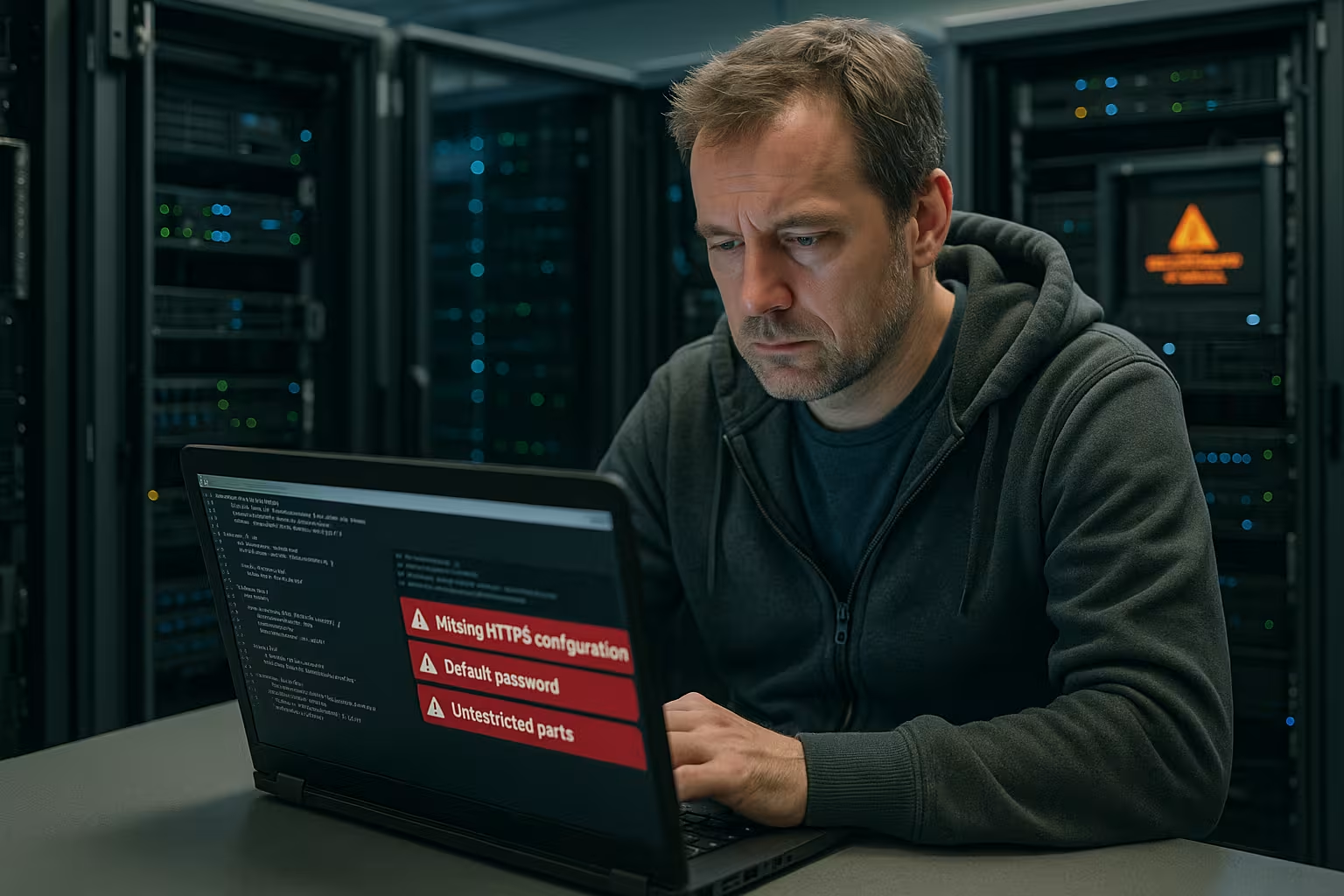
Misconfigurations occur when settings on Network-, server, or application level gaps that attackers can easily exploit. An open admin port, an incorrect CORS rule, or a forgotten default file are often enough to gain initial access. I view configuration as security code: every option has an effect and a side effect that I consciously choose. Those who blindly adopt standards often take on unnecessary risks. I prioritize settings that restrict visibility, minimize rights, and consistently encrypt data via TLS protect.
Common causes in everyday life
Default passwords are a direct door opener and remain active surprisingly often, especially after installations or provider setups, which I consistently change and block as soon as I gain access in order to Attacks Unused services run silently in the background and increase the attack surface – I stop and remove them. Outdated software creates gateways, so I plan updates and track vulnerability reports. Incorrectly set file permissions allow unwanted access; I set restrictive permissions and check them regularly. Lack of encryption at the transport and storage level puts data at risk, which is why I use TLS and encryption-at-rest as Mandatory treat.

Configuring APIs securely: CORS, headers, TLS
APIs often stand out due to overly open CORS rules that allow arbitrary origins and thus give external sites access to sensitive endpoints; I strictly limit origins to necessary hosts and set Credentials economically. Missing security headers such as Content Security Policy, Strict Transport Security, or X-Frame-Options weaken browser protection mechanisms, so I define them systematically. Unencrypted API communication is a no-go; I enforce TLS 1.2+ and disable weak ciphers. Rate limits, error messages without internal information, and clean authentication also help. This way, I prevent token leaks and reduce the risk that Attacker Read system details from error pages.
Network and cloud: rights, isolation, public assets
In cloud setups, incorrectly configured ACLs create overly broad access; I work according to the principle of least privilege and separate environments cleanly in order to lateral movement to make it more difficult. Publicly shared buckets, shares, or snapshots can quickly lead to data leaks; I check shares, encrypt storage, and set up access logs. I restrict security groups to known source networks and necessary ports. DNS plays a key role: incorrect zones, open transfers, or manipulated records compromise integrity—the guide to DNS misconfigurations, that I take into account in audits. With clean design, I keep systems lean and controllable.

Web servers and files: from directory listing to .bash_history
Web servers often provide standard and sample content, which I consistently remove in order to information leaks I disable directory listing so that directory contents are not visible. I block access to sensitive files such as .env, .git, .svn, backup archives, and log files. Unexpectedly, I sometimes find .bash_history in the web root—it contains commands with access data, which I delete immediately and keep away in the future using permissions and deployment strategies. To prevent directory traversal, I set restrictive location rules and check whether framework routers have access to system paths allow.
Implement strong authentication
I immediately change every default password, enforce long passphrases, and refuse to reuse passwords so that brute forceAttempts come to nothing. I activate multi-factor authentication for admin and service accounts, ideally with app or hardware tokens. I define clear password guidelines: length, rotation, and history; those who can use passphrases or system-managed secrets. I strictly separate service accounts according to tasks and strictly limit rights. Only those who really need it are given access to panels, SSH, and databases, which is audited and traceability facilitated.

Server hardening in practice
Hardening begins with a lean installation and ends with consistent patching, firewall policies, restrictive file permissions, and secure protocols, which attack vectors reduced. I deactivate outdated protocols, set SSH to keys, and change standard ports only as a supplement. Configured logging, Fail2ban, or comparable mechanisms slow down login attempts. For structured measures, the guide to Server hardening under Linux, which I use as a checklist. This allows me to provide basic protection in a consistent and easily verifiable manner. Level.
Manage updates and patch management wisely
I close patches quickly and schedule time slots in which I install updates and restart services in a controlled manner so that Availability and security go hand in hand. Automated processes support me, but I monitor results and read release notes. Before making major changes, I test in staging environments. For critical issues, I use out-of-band updates and complete documentation and fallback plans. For prioritization, I use a practical overview that allows me to make quick decisions and thus Risks effectively reduces.
| Misconfiguration | Risk | immediate action | Duration |
|---|---|---|---|
| Standard admin login active | Compromise of the entire host | Lock account, change password, activate MFA | 10–20 min |
| TLS is missing or outdated | Interception and manipulation of data | Enforce HTTPS, enable TLS 1.2+/1.3, set HSTS | 20–40 min |
| Open S3/Blob buckets | Data leak due to public access | Block public access, enable encryption, check access logs | 15-30 min |
| Directory Listing active | Insight into directory structure | Disable AutoIndex, adjust .htaccess/server configuration | 5–10 min |
| Missing security headers | Weaker browser protection | Set CSP, HSTS, XFO, X-Content-Type-Options | 20–30 min |
Define security headers and CORS clearly
I set Content Security Policy so that only allowed sources load scripts, styles, and media, which means that XSSRisks decrease. Strict Transport Security forces browsers to use HTTPS and prevents downgrades. X-Frame-Options and Frame-Ancestors protect against clickjacking. I define CORS minimally: allowed origins, allowed methods and headers, no wildcards for credentials. This gives me control over browser interactions and reduces avoidable exposure.
.Operate securely with .well-known
I use the .well-known directory specifically for certificate validation and discovery mechanisms, without storing confidential content there, which Visibility limited. I check that rewrite rules do not block validation. I set permissions to at least 755 and consistently avoid 777. In multisite environments, I use a central location so that individual sites do not create locks. Logging allows me to detect unusual access and keep usage transparent and controlled.
Shared hosting: quick security gains
Even with limited rights, I get a lot out of it: I activate HTTPS, secure FTP/SSH, set strong passwords, and regularly clean up plugins and themes, which vulnerabilities reduced. I keep panel accounts neatly separated and only assign minimal rights. In cPanel environments, I use two-factor authentication and monitor login attempts; practical tips are provided in the article on cPanel and WHM security. I restrict database users to the necessary privileges per application. I encrypt backups and test restores so that I can act quickly in an emergency. act can.
Managed and Cloud Hosting: Access Control and Audits
Even if a service provider takes care of patching, the application and account configuration remains my responsibility. Responsibility. I define roles, separate production and test environments, and activate audit logs for every change. I manage secrets centrally and rotate them according to schedule. For cloud resources, I use tagging, policies, and guardrails to stop misconfigurations early on. Regular audits reveal deviations and strengthen the Compliance.
Operating WordPress securely
I keep core, themes, and plugins up to date, remove unused items, and only install trusted extensions in order to Security gaps I protect admin logins with MFA, limit_login, and Captcha. I move wp-config.php outside the web root, set secure salts and permissions. For multisite, I make sure to have a central, functioning .well-known configuration. In addition, I harden the REST API, disable XML-RPC when unnecessary, and carefully check File rights.
Logging, monitoring, and alerting
I log access, authentication, admin actions, and configuration changes so that I can quickly detect incidents and analyze Dashboards show anomalies such as unusual 401/403 spikes or faulty CORS accesses. I define alarms with meaningful thresholds so that signals are not lost in the noise. For APIs, I check error codes, latency, and traffic spikes that indicate misuse. I comply with log rotation and retention periods without violating data protection regulations. injure.
Regular inspection and clear documentation
Security remains a process: I check settings regularly, especially after major updates, to ensure that new features do not compromise security. pick up. I document changes in a comprehensible manner and provide explanations. Checklists help to reliably cover routine tasks. I record roles and responsibilities in writing so that handover processes are successful and knowledge is not lost. I keep configurations consistent with recurring reviews. testable.
Avoiding configuration drift: Baselines and automated checks
I define security baselines for each platform and map them as code. This allows me to detect deviations early on and fix them automatically. Configuration drift is caused by quick hotfixes, manual interventions, or inconsistent images. To counter this, I rely on immutable builds, golden images, and declarative configurations. Regular configuration comparisons, reports, and deviation lists keep environments synchronized. For each system, there is an approved template with firewall, user rights, protocols, and logging—changes are reviewed and approved, which helps me avoid shadow configurations.
Securely operate containers and orchestration
Containers bring speed, but also new misconfigurations. I use lean, signed base images and prohibit root containers to limit privileges. I don't put secrets in the image, but use orchestrator mechanisms and set Network Policies, so that pods only reach necessary targets. I secure dashboards with authentication and IP restrictions; I close open admin interfaces. I mount volumes selectively, avoid host path mounts, and set read-only root file systems where possible. Admission controllers and policies prevent insecure deployments. For registries, I enforce authentication, TLS, and scans to ensure that no vulnerable images end up in production.
Securing databases, queues, and caches correctly
I never expose databases directly to the internet, connect them to internal networks or private endpoints, and always enable authentication and TLS. I deactivate standard accounts and set fine-grained roles for each application. I correct configurations such as „public“ schemas, open replication ports, or unencrypted backups. I only operate caches and message brokers such as Redis or RabbitMQ in trusted networks with strong authentication and access control. I encrypt backups, rotate keys, and monitor replication and lag so that I can reliably restore status data.
CI/CD pipelines: from commit to rollout
Many leaks occur in build and deployment stages. I separate build, test, and production credentials, limit pipeline runner permissions, and prevent artifacts from containing secret variables or logs with tokens. Signed artifacts and images increase traceability. Pull requests are subject to reviews, and I set branch protection so that no untested configuration changes make it into the main branch. Deploy keys are short-lived, rotate, and have only the minimum required permissions. Secrets do not end up in variable files in the repo, but in a central secret store.
Secrets management and key rotation in practice
I centralize passwords, API keys, and certificates, assign access based on roles, and log every use. Short lifetimes, automatic rotation, and separate secrets for each environment reduce damage in the event of compromise. Applications receive dynamic, time-limited access data instead of static keys. I renew certificates in a timely manner and enforce strong algorithms. I regularly check repositories for accidentally checked-in secrets, correct histories if necessary, and immediately block exposed keys. I use placeholders in deployment templates and only integrate secrets at runtime.

Backup, recovery, and resilience
Backups are only as good as their recoverability. I define clear RPO/RTO targets, test restores regularly, and keep at least one copy offline or immutable. I encrypt backups and strictly separate backup access from production access so that attacks do not affect both levels. I supplement snapshot and image backups with file-based backups for granular restores. I document recovery plans, simulate failures, and maintain playbooks for data loss, ransomware, and misconfigurations. This ensures that configuration errors do not remain permanent and that I can quickly return to a clean state.
Understanding network exposure with IPv6 and DNS
I consistently check IPv6 with: Many systems have global IPv6 addresses, while only IPv4 firewalls are maintained. That's why I set up identical rules for both protocols and disable unused stack components. In DNS, I avoid wildcards, keep zones clean, and set restrictive TTLs for critical records. Zone transfers are disabled or restricted to authorized servers. For admin access, I use naming conventions and restrict resolution to avoid unnecessary visibility. In audits, I correlate published records with real services so that no forgotten entry exposes a vulnerability.
WAF, reverse proxy, and bot management
I place reverse proxies in front of sensitive services and use TLS termination, rate limits, and IP restrictions there. A WAF with well-defined rules filters common attacks without disrupting legitimate traffic; I start with „monitor only,“ evaluate false positives, and then switch to „block.“ I define clear thresholds for bots and respond flexibly: 429 instead of 200, captcha only where appropriate. I treat large uploads and long-running requests specially so that no DoS occurs due to resource binding. Headers such as „X-Request-ID“ help me track requests end-to-end and analyze incidents more quickly.
Incident response and exercises
When something goes wrong, time is of the essence. I maintain contact chains, roles, and decision-making processes, define escalation levels, and secure evidence first: snapshots, logs, configurations. I then isolate affected systems, renew secrets, revalidate integrity, and deploy clean configurations. I coordinate internal and external communication and document everything in an audit-proof manner. I regularly practice incident scenarios so that routines are in place and no one has to improvise in an emergency. After each incident, I draw lessons learned and take concrete measures, which I anchor in baselines and checklists.

Metrics and prioritization in operations
I manage security using a few meaningful metrics: patch time until critical gaps are closed, MFA coverage, percentage of hardened hosts, misconfiguration rate per audit, and time to recovery. From this, I derive priorities and plan fixed maintenance windows. I formulate backlog items in a way that makes them actionable and rank them according to risk and effort. Visible progress motivates teams and creates commitment. This way, security does not become a project, but a reliable part of daily operations.
Briefly summarized
Security misconfiguration arises from overlooked standards, missing updates, overly open permissions, and weak encryption; this is precisely where I come in, prioritizing measures with the greatest effect in order to Risk and effort. Disabling standard logins, consistently enforcing TLS, deactivating unnecessary services, and implementing logging drastically reduces the number of entry points. APIs benefit from restrictive CORS configuration and clean security headers. Cloud setups gain from clear roles, audit logs, and encrypted public cloud storage. With consistent hardening, updates, and monitoring, I bring your hosting to a secure and well-controllable level. Level.