Skip to content
A Thread Pool Server shortens waiting times by processing requests via prepared worker threads and thus measurably streamlining worker management. I will show you how to set the number of workers, queue and backpressure in such a way that latencies are reduced, deadlocks are eliminated and the utilization of your Server remains constantly high under load.
Key points
- Pool size Determine by CPU vs. IO load
- Backpressure Force with limited queues
- Monitoring via pendingTasks and workersIdle
- Policies Select specifically for overload
- Runtime tuning Scale dynamically

How a thread pool server works
A Threadpool has prepared workers ready so that new requests do not have to create a new thread each time. The tasks end up in a queue, until a worker becomes free. Typical key figures are maxWorkers, workersCreated, workersIdle, pendingTasks and blockedProcesses, which I monitor continuously. If a thread pool wait occurs because no more new workers can be created, tasks and response times quickly pile up. I therefore keep the queue limited, measure the latency per task and regulate the worker quota before blocks or deadlocks occur (see [1]).
Pool variants and scheduling strategies
In addition to classic fixed and cached pools, I use other variants depending on the workload:
- FixedStable load, predictable resources. Ideal for CPU-bound.
- Cached/Elasticscales up when required, reduces when idle; good for sporadic, IO-heavy peaks.
- Work-StealingThreads steal tasks from neighboring queues to avoid idle time; strong for tasks of unequal size and divide & conquer algorithms.
- Insulated poolsSeparate pools for each service class (e.g. interactive vs. batch) so that important requests are not displaced by background work.
For scheduling, I prefer FIFO for fairness; for mixed latency targets, I set Priorities but pay attention to Priority inversion. Time limits, priorities only at queue edges (Admission), or separate pools instead of a shared priority queue provide a remedy.
Determine pool size: CPU-bound vs. IO-bound
I choose the Pool size depending on the workload type: Pure CPU load runs best with worker number ≈ core number, because more threads generate pure context switch overhead. For IO-bound tasks, I use the formula threads = cores × (1 + waiting time/service time). An example from practice: 8 cores, 100 ms waiting time and 10 ms processing result in 88 threads, which are well utilized without overrunning the CPU (source: [2]). In web servers, I also use Bounded Queues, so that overload bounces off in a controlled manner and does not end in unnoticed latency peaks. For more detailed profiles of Apache, NGINX and LiteSpeed, please refer to the compact notes on the Thread pool optimization.

SLO-guided dimensioning with queueing theory
In addition to rules of thumb, I rely on Service Level Objectives (e.g. p95 < 200 ms) and Little's Law: L = λ × W. L is the average number of requests in the system (incl. queue), λ is the arrival rate and W is the average dwell time. If L is significantly greater than the number of active workers, the queue grows and W increases - a signal for sharpening. I deliberately plan headroom on: 60-75% CPU at peak, so that short bursts do not immediately lead to p99 outliers. For IO-heavy services, I limit latencies via shorter timeouts, circuit breakers and small retries with jitter. This keeps the variance low and the dimensioning stable (see [1], [2]).
Concurrency Tuning in Java and Python
For Java I set up the ThreadPoolExecutor with corePoolSize, maximumPoolSize, keepAliveTime and a rejection policy. CPU-heavy workloads run with corePoolSize = core number, IO-heavy workloads with a higher upper limit and short keep-alive time so that unused threads disappear (source: [2], [6]). A CallerRunsPolicy slows down submitters when the queue is full, so that backpressure takes effect and the server does not overheat. In Python, I consistently measure with ThreadPoolExecutor: tasks submitted, completed, failed, as well as the average duration per task. A small Monitored implementation with avg_execution_time and max_queue_size covers early Bottlenecks before users notice anything (source: [2]).
Python: Combining GIL, Async and multiprocessing cleanly
The Python GIL limits real CPU parallelism in threads. For CPU-bound I soften workloads multiprocessing or native extensions; for IO-bound I combine a small thread pool with asyncio, so that the event loop never freezes due to blocking calls. In practice, this means: threads only for really blocking libraries (e.g. old DB drivers), otherwise use awaitable clients. I track p95 task duration per executor to quickly detect and isolate „stray“ CPU load.
Java: Virtual Threads, ForkJoin and Work-Stealing
Java benefits with massive concurrency from Virtual Threads (Project Loom), which make blocking IO operations lightweight. For compute workloads I use the ForkJoinPool with work stealing; it is important not to allow long blockers in FJP tasks in order to maintain steal efficiency (source: [6]). As guard rails, I set thread names (debugging), an UncaughtExceptionHandler, and I instrument beforeExecute/afterExecute with timing and error counters.
Set queues, policies and timeouts correctly
I choose the Queue deliberately limited, because infinite queues only move symptoms. For overload, I decide between CallerRuns, DiscardOldest or Abort, depending on whether latency, throughput or correctness has priority. I also set time limits on dependencies such as databases and external APIs so that no worker blocks forever. Named threads simplify debugging because I can find problem areas in logs more quickly. Hooks such as beforeExecute/afterExecute log metrics for each task and strengthen my Error image (Source: [2], [6]).
Admission control and prioritization
Instead of accepting all requests and pushing them into the queue, I let Admission Control in front of the pool. Variants:
- Token bucket/leaky bucket limited submission rate per client or endpoint.
- Priority classesInteractive requests are given priority; batch ends up in its own pool.
- Load shedding: If there is a risk of SLO violation, new low-priority tasks are rejected immediately instead of ruining everyone's latency.
Important: Rejections must idempotent allow retries. That's why I tag tasks with correlation IDs, deduplicate, and limit retry attempts with exponential backoff plus jitter to avoid thundering herds.
Monitoring metrics: From congestion to action
For the Monitoring I count pendingTasks, workersIdle, average execution time and error rates. If pendingTasks increases faster than Completed, the workload is too high or a downstream is slowing things down. I act in three steps: first optimize Query/IO, then remeasure the queue limit, and in the last step increase maxWorkers. I recognize deadlocks by the fact that all workers are waiting and no new ones may be created; then I adjust limits and check blocking sequences (source: [1]). Clear alarms on threshold values help me to react in time. Scale, instead of reactively extinguishing fires.
Observability in practice: latency distributions and tracing
I don't just measure mean values, but Percentile (p50/p95/p99) as a histogram. I bind alerts to p95 and queue length, not to CPU utilization alone. I use distributed tracing to correlate pool wait times, downstream calls and errors. Context propagation via threads (MDC/ThreadLocal) ensures that logs and spans have the same request ID. This allows me to see immediately whether latency in the Queueing, in the Execution or in the Downstream arises.
Worker threads hosting in the web server environment
In hosting setups I relieve Web server, by moving IO-heavy work to thread pools. NGINX reacts noticeably faster during file operations when workers submit jobs to pool threads; measurements show a performance boost of up to 9x with the right configuration (source: [11]). Databases such as MariaDB manage their own pools with status variables that provide similar signals (source: [10]). If you are interested in HTTP worker strategies, you can find more information in the Worker models a good classification of the MPM variants. I compare thread/process approaches there with my Load curve and then plan limits.
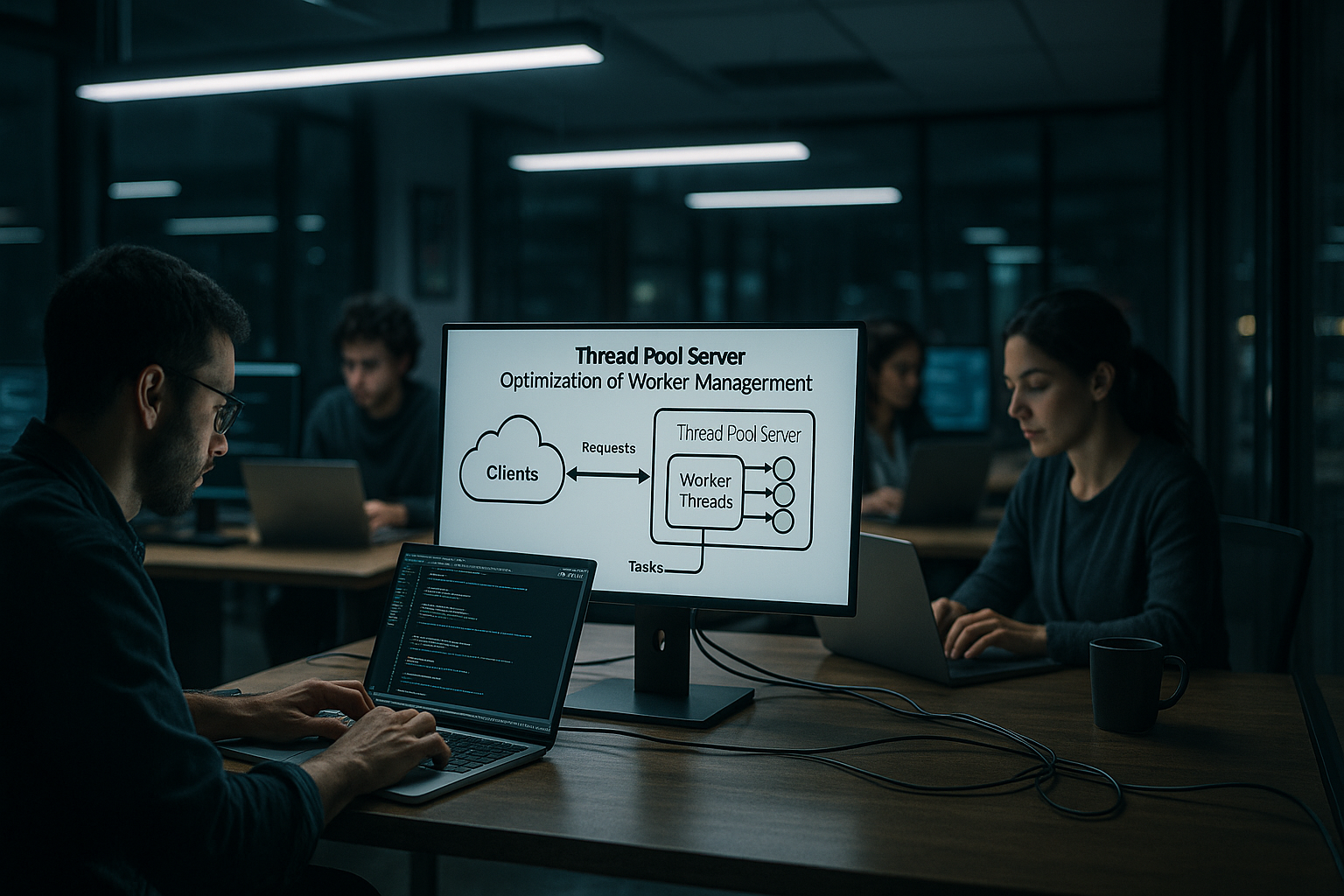
Table: Important parameters and effect
The following table classifies typical Parameters and shows when an adjustment makes sense. I use it as a checklist when latencies increase or throughput fluctuates. This allows me to react in an orderly fashion instead of frantically turning. The columns help me to achieve effects without side effects. A structured view saves a lot later on Fine tuning.
| Parameters | Effect | When to adjust |
|---|---|---|
| corePoolSize | Base worker always active | CPU-heavy: ≈ core count; IO-heavy: increase moderately |
| maximumPoolSize | Upper limit for scaling | Only increase if queue continues to grow despite optimization |
| keepAliveTime | Idle thread dismantling | Set shorter times with fluctuating loads to save resources |
| Queue limit | Backpressure, protection against overload | Bottleneck visible, but CPU still free: fine-tune capacities |
| Rejection policy | Behavior when the queue is full | Strict with latency targets (abort), gentle with CallerRuns for throttling |
Practice: Setting up a multi-threaded server
I start with socket-setup, then define a pool with a defined size and set up a limited queue, e.g. 2 workers and queue 10 for a test. I enqueue each new connection as a task; the workers take them from the head of the queue. In Java, Executors.newFixedThreadPool(n) provides reliable pools, newCachedThreadPool() dynamically dismantles when threads are idle for 60 seconds (source: [3], [5]). In C# I separate worker threads and IO completion ports; the manager waits briefly for free workers before activating new ones, with minimum values close to the core count and upper limits by system (source: [9]). This basic framework ensures a calculable pipeline, which I am gradually tightening up.
Tests and load profiles: How to detect latency peaks
I test with realistic Load profilesRamp-up, plateaus, bursts and long soak phases. I record the queue length, p95/p99 and error rates. Canary releases with limited traffic detect misconfigurations in the pool at an early stage. I also simulate downstream disruptions (slow DB index, sporadic timeouts) in order to test rejection policies and backpressure realistically. Results flow into SLO budgetsHow much latency may the queueing contribute at most? If the measured queue time exceeds this budget, I first adjust the workload (caching, batch size), then the queue limit, and only then maxWorkers.
Runtime tuning: Breathe automatically instead of screwing manually
Under load I leave the pool dynamically grow or shrink with it. For example, I temporarily increase maximumPoolSize if the queue increases over several measurement windows, but set tight timeouts so that the latency does not increase unnoticed. Alternatively, I only increase the queue size slightly if the CPU remains free and downstreams wobble. Studies on dynamic adaptations show that adaptive strategies help noticeably when load profiles fluctuate (source: [15]). In Node.js, I use worker threads specifically for CPU jobs so that the event loop reactive remains (source: [13]).

Containers and orchestration: cgroups, HPA and limits
In containers, the pool interacts with cgroups and CPU/memory limits: CPU quotas that are too tight lead to throttling and sporadic latency spikes. I calibrate corePoolSize based on assigned instead of physical cores and keep 20-30% headroom. For Kubernetes I use Horizontal Pod Autoscaler based on queue depth or p95, not just CPU. What is important is consistent Admission Control: With scale-in, requests must be cleanly rejected or redirected, otherwise queues grow within a pod and hide overload. I bind readiness checks to internal pool backlogs (e.g. „pendingTasks <= X“) so that pods only accept traffic if there is capacity.
OS and hardware factors: NUMA, affinity and ulimits
Under high load, details count:
- NUMALarge pools benefit from thread affinity and local memory allocation; I avoid constant cross-NUMA access.
- Thread stack size: Too big stacks limit thread count, too small risk stack overflows. I choose them based on the call depth of the code.
- ulimits: Obviously banal limits such as max user processes and open files determine how many connections/threads are possible.
- Context changeExcessive thread numbers generate scheduler overhead. Symptoms: high sys CPU, low per-thread CPU. Remedy: Reduce pool size, batching, check work stealing.

Anti-patterns and a short checklist
I consistently avoid these patterns:
- Infinite queues: conceal overload, generate fat tails and memory usage.
- Blocking calls in compute poolsIf you mix, you lose - IO belongs in IO pools or async.
- „One pool for everything“Separate interactive and batch workloads, otherwise there is a risk of SLO violations.
- Retries without backoff: aggravate congestion; always with jitter and upper limit.
- Missing timeouts: lead to zombie tasks and pool exhaustion.
My minimum checklist before the go-live:
- Pool type selected appropriately (CPU vs. IO, Fixed vs. Elastic)?
- Queue limited, policy defined, timeouts set?
- Percentiles, cue depth, idle worker, error rates instrumented?
- Admission control and priorities clarified, retries idempotent?
- Container limits, ulimits, stack size and affinity checked?
Fine-tuning for PHP-FPM and Co.
With PHP-FPM I scale pm.max_children based on IO share, working memory and response times. Only when IO optimizations and caching bear fruit do I adjust the number of children in order to avoid memory peaks. I then adjust pm.start_servers, pm.min_spare_servers and pm.max_spare_servers so that warm-up times remain short. The guide to Optimize pm.max_children. In the end, what counts is that I look at utilization and error rate together, not just an isolated Key figure.
Briefly summarized
A Thread Pool Server delivers fast response times if the pool size, queue limit and policies match the load. For CPU-heavy scenarios, I keep the number of threads close to the number of cores; for IO-heavy work, I use the formula with waiting/service time and select targeted backpressure. Monitoring with pendingTasks, workersIdle and average time shows me early on whether I need to touch limits, timeouts or downstreams. Java and Python pools benefit from clear policies, named threads and hooks that provide measured values per task. For web servers and databases, I use thread pools, outsource IO cleanly and control latency peaks via limited queues. If I implement these building blocks consistently, the Performance reliable and predictable even under load.