Skip to content
A WordPress WAF filters harmful traffic from your website, blocks attacks directly at the point of entry and reduces the server load. In this article, I will clearly show you how to use a web application firewall, how to configure it sensibly and how to permanently protect it with logs and rules. secure.
Key points
The following key statements will help you to plan and operate a WAF for WordPress sensibly.
- WAF typesDNS proxy stops attacks before the server, plugins check requests locally.
- Scope of protectionSQLi, XSS, bots and brute force are actively blocked [4][5].
- PerformanceCloud WAF reduces load and prevents many requests early on.
- Rules: Rule updates keep the defense level up to date [3][4].
- PracticeCheck logs, block IPs, combine MFA and rate limits.
What a WAF for WordPress does
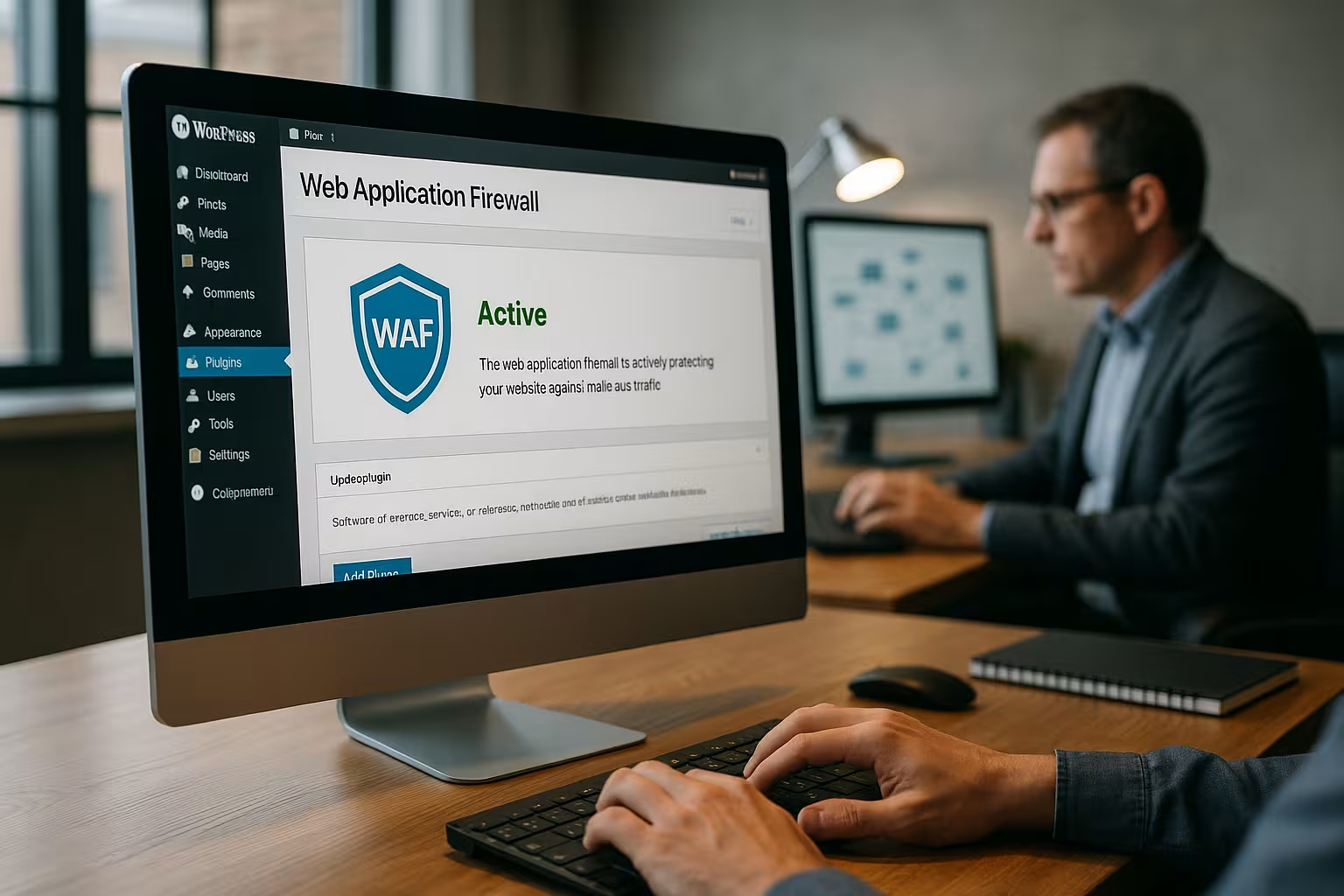
A web application firewall sits between the Internet and WordPress and recognizes Attack pattern such as SQL injection, XSS and DoS before they cause damage [4][5]. I have every request checked by rules, signatures and heuristics so that manipulated parameters are not used. A WAF visibly reduces the number of critical requests that put a strain on PHP, the database or login. I combine WAF protection with updates, strong authentication and backups to further minimize risks. reduce. This means that the system remains significantly more resistant even in the event of unpatched gaps.
In practice, I use two models: a negative model that blocks known patterns (signatures, CVE rules) and a positive model that only allows permitted patterns to pass (allowlists for methods, paths, content types). The following also helps anomaly-based scoringIf suspicious features accumulate, the score increases and the request is blocked. Particularly valuable is Virtual Patching: Even before a plugin update is live, I prevent exploits through targeted rules against affected endpoints [3][4].
WAF types: DNS level vs. application
At the DNS level, a cloud-based solution works as a Proxy in front of your server and filters traffic early [4][5]. This variant blocks bots, layer 7 attacks and anomalies before they reach PHP or MySQL, which measurably saves resources. A plugin WAF, on the other hand, sits directly in WordPress and checks requests within the application, which is very flexible. With high volumes, however, the plugin variant is less efficient because requests are already processed on your Host land. I therefore choose according to goal, traffic and budget: cloud for load and network protection, plugin for fine rules in the system.
Both worlds can be cleverly combineThe DNS proxy fends off mass attacks, DDoS and bot waves, while the plugin WAF implements granular app rules (e.g. for forms or special admin actions). On the origin server, I only allow the IPs of the proxy (lockdown) so that attackers cannot bypass the protection and target the instance directly. Important: I take health checks, cron and deployments into account in this chain so that legitimate system processes can still get through.

Setup: Wordfence, Jetpack, AIOS
Wordfence offers a strong Firewallmalware scan, login protection and IP blocking, which I activate directly in the backend [1]. After installation, I start the learning mode, check the recommended protection level and set specific rules for login, XML-RPC and admin paths. Jetpack comes with Premium, a firewall that recognizes suspicious patterns and is closely integrated with other security functions [3]. AIOS provides clear security profiles, two-factor login and firewall rules, which I adapt step by step [2]. For a quick overview, I like to use the Comparison of the security pluginsto clearly classify functions and focal points.
In the basic configuration, I increase the Login frictionenforce strong passwords, 2FA mandatory for admins, rate limits on wp-login.php and XML-RPC, and temporary blocks on failed attempts. I also set rules for the REST API, tighten sensitive endpoints and check whether external integrations such as apps or Jetpack require certain XML-RPC methods - if I block too hard, the synchronization gets stuck. For updates, I plan Maintenance window and briefly switch to learning mode so that new legitimate patterns can be added to the Allowlist.
Cloud WAF: Cloudflare and Sucuri
Cloudflare and Sucuri position themselves as DNS WAFs in front of your site and filter traffic via a global network [5]. Both solutions benefit from signals from many websites, recognize new waves of attacks early on and dynamically play out rules. I also enable CDN caching, bot management and rate limits to protect login and search endpoints. For teams that already use provider services, it is worth taking a look at Hosted security serviceswhich provide similar layers of protection. All in all, your site gains both security and Speed.
In practice Context-sensitive rulesAllow admin and login paths only from certain countries, challenge suspicious user agents more severely, and block them quickly in the event of repeated 404/403 events. I set page/firewall rules so that the REST API receives authenticated access, while anonymous bulk access is limited. For heavily loaded search or feed endpoints, I use targeted Rate limits per IP and path to curb abuse without disturbing real users [4][5].
Read WAF logs and fine-tune rules
I regularly check the Logs and quickly recognize which paths and parameters attackers touch. I block conspicuous IP ranges and record recurring patterns in user-defined rules. For admin areas, I set restrictions such as 2FA, geoblocking and a hard rate limit policy. For false positives, I gradually reduce the severity of certain rules instead of switching off entire modules. This is how I maintain a balance between strong defenses and reliable Function [3][4].
When tuning, I separate Noise from risksScans for wp-admin, xmlrpc.php and known exploit paths are normal, but should cost little CPU. Targeted payloads with unusual headers, long query strings or Base64 content are critical. I record such patterns in evaluations and check whether they affect individual customer accounts. In the case of frequent events, I use automatic Honeypotting (harmless bait path) to quickly identify and block aggressive bots.

Comparison 2025: The best solutions
I rate performance, Protective coverwebhoster.de SecureWAF combines proxy filter systems with application-oriented controls and scores points for data protection in Germany and 24/7 help. Wordfence is a convincing plugin with a powerful scan and fine control options. Sucuri provides a DNS WAF with malware removal, while Cloudflare bundles CDN, WAF and bot manager. Jetpack and AIOS provide good basic protection for many Pages.
| Place | Firewall (WAF) | Type | Special features |
|---|---|---|---|
| 1 | webhoster.de SecureWAF | DNS + application | High performance, German data protection, 24/7 support |
| 2 | Wordfence | Application | Malware scan, IP blocking |
| 3 | Sucuri | DNS | Malware removal guarantee |
| 4 | Jetpack Firewall | Application | Integration with Jetpack Premium |
| 5 | Cloudflare | DNS | CDN included, bot manager |
| 6 | AIOS | Application | Simple configuration, powerful features |
Performance, caching and CDN
A cloud WAF reduces Requests and makes your server work less, which saves direct costs. Caching on edge servers significantly reduces latency, especially for returning visitors. I make sure to specifically exclude dynamic pages and login paths from the cache so that logins run reliably. Rate limits for wp-login.php and XML-RPC slow down brute force attacks without affecting your store. Together with HTTP/2 or HTTP/3, the site also gains in Speed [4][5].
With WordPress, I pay attention to cookies that Cache busting (e.g. wordpress_logged_in, woocommerce_cart_hash). I don't cache this content, while I aggressively cache static assets (images, CSS, JS) with long TTLs. For search and filter pages, I use short TTLs or stale-while-revalidate to cushion load peaks. In combination with a WAF, this leads to fewer backend calls, more stable response times and a better core web vitals base.

Frequent stumbling blocks and solutions
With DNS/proxy WAFs, updates sometimes get stuck due to blocked Endpoints or ports [6]. I solve this with whitelists for WordPress update servers, clean rules for REST API and suitable TLS configuration. If a plugin update fails, I briefly activate a bypass and check the process step by step. For hard XSS/SQLi rules, it's worth taking a look at the SQL/XSS protection tutorialto define specific exceptions. I document every change so that it is easier for me to adjust later effects. valued.
Particularly often affected are Webhooks from payment providers, marketing tools or ERP systems. I recognize these sources in the logs and allow their IP ranges or signature verification so that orders, refunds and tracking run without errors. I also check whether preview links of the editor, sitemap generators or image optimizers are slowed down by strict rules. Such legitimate processes are given targeted exceptions without weakening the overall protection.
Compliance and data protection
I pay attention to GDPR, data processing in the EU and clear order processing. Cloud WAFs log IPs, user agents and paths, which is why I define retention periods and deletion concepts. For sensitive projects, I involve the legal department at an early stage and take a close look at the DPA contracts. A location in Germany often makes coordination easier because data transfers are more clearly regulated. This is how I maintain security, legal certainty and Transparency in one line.
I also define TOMs (technical and organizational measures): Encryption in transit (TLS), access controls, role principle and logging. If possible, I anonymize or pseudonymize IPs in downstream analyses. For audits, I document rule statuses, change histories and response times so that auditors can track the effectiveness of the WAF.
Integrate server-side WAF and reverse proxy correctly
In addition to cloud and plugin solutions, I like to use server-side WAFs (e.g. ModSecurity with OWASP CRS) close to the web server. This allows rules to be applied independently of WordPress - ideal as an additional layer. Behind a DNS proxy, I pay attention to correct Chain orderProxy → Server WAF → PHP-FPM/WordPress. At Origin, I block direct traffic and only allow proxy IPs so that nobody can reach the application without WAF. Health checks, cronjobs and deploy pipelines remain functional via defined allowlists [4].
WooCommerce, REST API and headless setups
E-commerce needs special care: Shopping cartCheckout and customer account must not be cached, while rate limits protect search and filter endpoints from abuse. I specifically monitor the REST API - many integrations depend on it - and allow authenticated methods while throttling anonymous bulk access. In headless setups with JavaScript frontends, I check CORS, tokens and API scopes. This keeps the interface fast without opening gateways [4][5].
Multisite and clients
In WordPress multisite environments, I define Baseline rules centrally and add exceptions per site. I isolate admin areas more strongly, set site-specific rate limits and use separate log streams so that I can recognize anomalies for each client. For subdomains and mappings, I make sure that the WAF certificates and hostnames are properly covered and that redirects (www/non-www, HTTP/HTTPS) work consistently.
Real IP, forwarding and TLS
Behind proxies is the Real IP crucial for clean blocking and rate limits. I activate the evaluation of X-Forwarded-For or provider-specific headers so that logs and WAF see the visitor IP - not the proxy IP. I enforce HTTPS with HSTS, TLS 1.2+ and modern cipher suites. I clean up missing or duplicate redirects (HTTP → HTTPS, non-www → www) to prevent bots from exploiting redirect loops.
Uploads, file types and malware prevention
File uploads are a classic attack vector. I limit MIME typesfile sizes and block duplicate endings (php.jpg). Where possible, I scan uploads on the server side and check content types for plausibility. In the WAF, I prevent executable code in upload paths and apply strict rules to /wp-content/uploads. Contact forms and importers also receive captcha/rate limits to prevent mass upload attempts [3][4].
Test strategy, staging and rollback
I first test WAF rules in StagingDeploy new release, activate learning mode briefly, check logs, then increase protection level. For known attack patterns, I use harmless test strings to observe reactions and anomaly scores. Every rule change receives a ticket, a clear rollback instruction and a time window. This keeps deployments reproducible and, in the event of false positives, I can quickly revert to the last stable status.
Monitoring and alerting
I set notifications so that I am notified of critical Hits know immediately. I don't miss high thresholds because alerts arrive by email, app or chat. I use automatic escalation for night-time peaks so that nobody reacts until the morning. I classify events according to severity and correct rules if false positives are triggered too often. Dashboards with geo-distribution, top IPs and most frequent paths show me trends and real Dangers [3][4].
I also feed WAF events into centralized SIEM/log analyses on. I mark correlated alarms - such as login failures plus unusual API usage - as prioritized. Weekly reports compare block rates, response times and conversion so that I can keep security and business goals in balance.
Metrics and success control
I measure whether the WAF is working: decrease in Backend load (CPU/DB), decreasing 5xx errors, stable response times despite traffic peaks and fewer compromised logins. On the security side, I track blocked attack vectors by type (SQLi, XSS, RCE), the proportion of bot traffic and the rate of false positives. These key figures flow into my roadmap - for example, if an endpoint is permanently conspicuous, it is hardened first [4].
Strategy: rules, roles, processes
I define clear RollersWho changes rules, who checks logs, who approves exceptions. Change processes with tickets prevent chaos and document decisions. For releases, I plan time windows in which I adjust rules and then tighten them up again. I test new features in the staging environment first and use WAF in a less strict mode here. I then tighten the protection levels again in the live system on.
I have standardized recurring tasks: monthly rule reviews, quarterly emergency drills and training for admins on secure passwords, 2FA and phishing. This keeps the security level high not only technically but also organizationally - a decisive factor in complex WordPress setups.
Incident response and runbooks
If an incident occurs despite protection, I fall back on Runbooks back: Immediate measures (block IP, activate rule), preservation of evidence (logs, time stamps), communication (internal/external) and sustainable fixes (patch, hardening, post-mortem). I keep emergency contacts, escalation paths and access points ready so that nobody has to search for rights or telephone numbers in the event of an incident. Once the incident is over, I learn from it and adjust rules, monitoring and processes.
Set costs and priorities wisely
I assess costs against RiskFailure, loss of data and damage to trust are often more expensive than the WAF license. For small sites, a well-configured plugin WAF is sufficient to start with. If traffic increases, a cloud WAF provides more security and measurable relief. For stores with a noticeable turnover per hour, a premium plan quickly pays off, even if it costs €10-40 per month. I only book features that I actively useand reduce ballast.
I use a simple matrix for prioritization: Which endpoints are business-critical, publicly accessible and difficult to patch? These are given rules, rate limits and monitoring first. Budget flows to where the Residual risk is the largest and the WAF has the greatest effect.
Briefly summarized
A strong WAF filters threats before they hit your application and saves resources. Cloud approaches stop a lot of load early, plugins provide fine-grained controls directly in WordPress. I regularly read logs, adjust rules and combine WAF with MFA, updates and backups [1][3][4][5][6]. For high demands, webhoster.de SecureWAF offers speed, data protection in Germany and reliable support. This keeps your WordPress installation secure, fast and ready for growth ready.